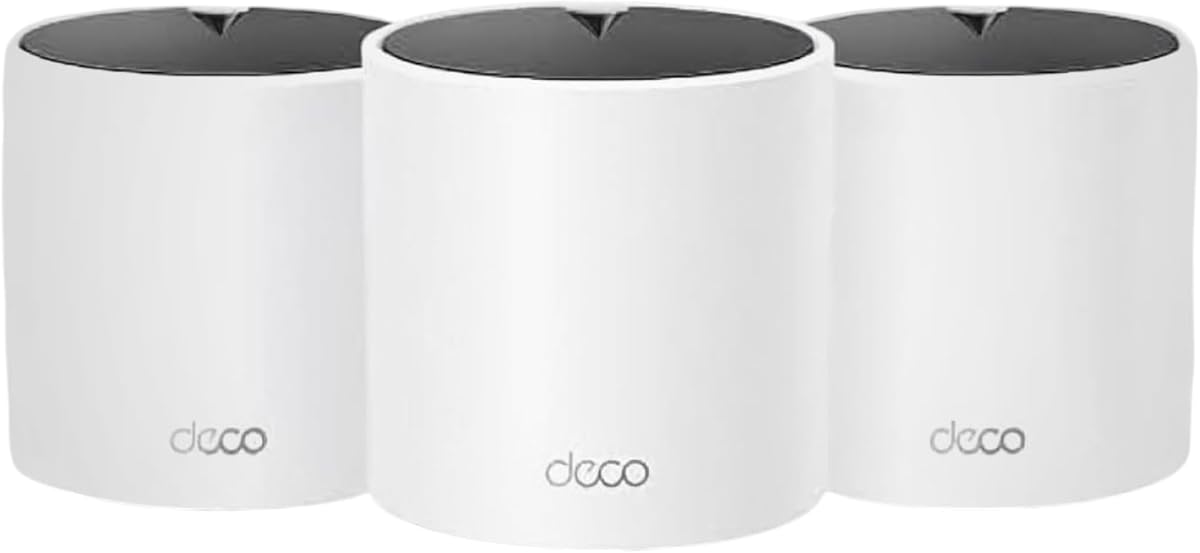
Deco X15 3-Pack
4.4Editor score
Wi-Fi 6 AX1500 performance
Up to 5,600 square feet
Six Gigabit Ethernet ports
Our expert guide compares 10 best mesh WiFi for 1GB Internet systems across speed, coverage, ports, roaming, security, and features.
Mesh WiFi for 1GB Internet is most useful when a fast internet plan still struggles to deliver dependable Wi-Fi throughout a multi-level home. A capable mesh system combines multiple access points, one simple network, intelligent roaming, and broad coverage without the separate network names associated with many traditional range extenders.
We compared these ten systems using their published specifications, ratings, wireless generations, coverage claims, device capacity, Ethernet options, backhaul support, and management features. The list includes compact single-point options, two- and three-node systems, Wi-Fi 6, Wi-Fi 6E, and advanced Wi-Fi 7 models intended to handle demanding homes and connected devices.
Each review explains where the system stands out, which homes it suits, and where its capabilities may be more than necessary. The top picks emphasize overall balance, accessible value, and premium multi-gig networking, while the remaining options provide alternatives for simpler layouts, smaller spaces, or households that prioritize a particular combination of coverage and features.
4.4Editor score

4.3Editor score

4.0Editor score
The comparison below highlights the major differences in wireless generation, stated coverage, device capacity, and wired connectivity. These specifications show why some systems are better matches for 1GB Internet plans, large homes, newer devices, or advanced wired backhaul.




The Deco 7 Dual-Band BE5000 is a strong all-around match for homes with a 1GB Internet plan, especially when that plan is distributed across several rooms or floors. Its 4.3 rating reflects a favorable balance of modern wireless capabilities, expandable mesh coverage, and useful network management. Published band speeds reach up to 4,324 Mbps on 5 GHz and 688 Mbps on 2.4 GHz, providing ample headroom above the typical 1Gbps access speed offered by the plan.
We may earn a commission when you buy through this link, at no additional cost to you.
Coverage is listed at up to 6,600 square feet for more than 150 devices, making the system suitable for medium-to-large homes with active families, televisions, computers, game consoles, and smart-home equipment. AI-driven roaming lets devices move between Deco units under one network name. The system also supports simultaneous wired and wireless backhaul, and the presence of 2.5G Ethernet gives it a practical advantage for users who can connect at least two nodes with cables.
The main limitation is that this is a dual-band model rather than a tri-band or multi-gig premium platform. It does not offer the broader port selection of the Deco 7 Pro BE14000, whose nodes include 10G, 2.5G, and 1G WAN/LAN connections. In addition, users with older client devices will not experience every advantage associated with Wi-Fi 7. Those are acceptable trade-offs for households that want modern performance without moving to the most advanced specification level.
This is the most balanced recommendation for most readers seeking mesh WiFi for 1GB Internet. It suits homes that need broad, unified coverage and have at least one newer Wi-Fi client, while remaining expandable with additional Deco routers. Buyers with extensive wired networking needs or a home full of current high-end phones, laptops, and game systems may be better served by the premium tri-band alternative.
The Deco 7 BE5000 provides considerably more theoretical wireless capacity than a 1Gbps internet connection requires. That headroom is valuable when many devices are active simultaneously or when 5 GHz and 2.4 GHz clients share the same network.
Supporting both wired and wireless backhaul lets you use Ethernet between strategically placed nodes where possible and reserve wireless backhaul for locations where running cable is inconvenient.
We may earn a commission when you buy through this link, at no additional cost to you.
The Deco X15 3-Pack delivers one of the most practical ways to establish whole-home mesh coverage over a 1GB Internet connection. It carries a 4.4 rating and combines Wi-Fi 6 AX1500 performance with three included access points. Published speeds of 1,201 Mbps on 5 GHz and 300 Mbps on 2.4 GHz exceed what many 1Gbps clients need while leaving enough combined capacity for busy homes.
We may earn a commission when you buy through this link, at no additional cost to you.
The three-node arrangement is especially useful for apartments, townhouses, and medium-sized houses with awkward layouts. Coverage is stated at up to 5,600 square feet, and the system supports as many as 120 devices. Each unit includes two Gigabit Ethernet ports, giving the pack six in total. Any node can function as a router, and Wired Ethernet Backhaul is available for homes where a physical cable can be run between access points.
The limitation is that it is a dual-band system, so wireless backhaul has fewer independent resources than a tri-band model. It also predates Wi-Fi 6E and Wi-Fi 7, meaning newer clients may connect at Wi-Fi 6 rather than taking advantage of the 6GHz band or advanced Wi-Fi 7 features. For many households, however, those benefits are less important than obtaining three well-placed nodes and reliable coverage at a more accessible level.
The Deco X15 is the budget recommendation for readers who want more equipment than a two-pack or single point without moving into premium territory. It is particularly sensible for an average home using many streaming services, work devices, phones, and smart-home products. Users with exceptionally demanding local-network transfers or a large collection of Wi-Fi 7 devices should consider a tri-band system, but for conventional 1GB Internet service this is a convincing mesh package.
A three-pack gives you more placement options than a compact two-node system. You can position one unit near the internet connection and distribute the other two across dead zones or separate floors.
The included Gigabit Ethernet ports make it possible to connect wired devices directly and use cable-based backhaul in locations where a stronger link between nodes is desirable.
We may earn a commission when you buy through this link, at no additional cost to you.
The Deco 7 Pro BE10000 brings a high level of mesh networking capability to homes that use 1GB Internet while also preparing for faster local and service connections. Its tri-band Wi-Fi 7 design delivers published maximums of 5,188 Mbps on 6 GHz, 4,324 Mbps on 5 GHz, and 574 Mbps on 2.4 GHz. The 4.2 rating places it among the stronger advanced systems in this comparison.
We may earn a commission when you buy through this link, at no additional cost to you.
The three-pack is stated to cover as much as 7,600 square feet and support more than 200 devices. That makes it appropriate for large homes, busy offices, and households with extensive smart-home ecosystems. Four 2.5G WAN/LAN ports on each unit add meaningful wired flexibility, while a USB 3.0 port offers another connection option. Its future-oriented 10G WAN/LAN port also allows a multi-gig service to be connected without relying on lower-speed Ethernet.
As a mesh system, the Deco 7 Pro supports wired and wireless backhaul, unified AI-driven roaming, VPN client support, HomeShield features, and app-based management. The tradeoff is that much of this capability goes beyond the needs of a 1Gbps plan. A household with a current 1GB modem, older devices, and no multi-gig ambitions may not see a practical difference compared with a less advanced dual-band system.
Choose this model when you have a large property, many active clients, or an interest in building a network that can handle future service upgrades. It is a particularly strong choice for users who value 2.5G wired connections and tri-band wireless performance. If the primary goal is simply to distribute a 1Gbps connection through a conventional home, the lower-tier Deco models offer a more focused and economical approach.
The separate 6GHz, 5GHz, and 2.4GHz bands can divide traffic more effectively than a dual-band arrangement, which is useful in homes with many nearby wireless networks and numerous connected clients.
A 10G service port and four 2.5G ports make the system suitable for faster internet tiers and wired network backbones without requiring a separate high-speed switch.
We may earn a commission when you buy through this link, at no additional cost to you.
The Deco S4 3-Pack combines an approachable design with the highest customer rating in this group, 4.5 stars. It uses AC1900 dual-band Wi-Fi 5 and offers seamless roaming through a single network name and password. While it does not offer the newest wireless standard, that older generation can still be a sensible fit when the primary goal is extending a 1GB Internet service throughout a home.
We may earn a commission when you buy through this link, at no additional cost to you.
The three units are stated to cover homes of up to 5,500 square feet and support as many as 100 devices. Each node includes two Gigabit Ethernet ports, for six across the pack, and any of the units can operate as the primary Wi-Fi router. Wired Ethernet Backhaul is supported, giving users a way to improve the link between access points when their physical layout permits.
Parental controls allow administrators to create unique family profiles, limit online time, and block unsuitable websites. Setup is handled through the Deco app, and guest Wi-Fi can be controlled with Alexa voice commands. The system's main drawback is age: Wi-Fi 5 does not include the 6GHz band, Multi-Link Operation, or other enhancements found in newer standards. Its advertised AC1900 class is also lower than current AX-series systems.
The Deco S4 is most attractive to a buyer who values a proven three-node package, straightforward controls, and a strong rating rather than cutting-edge specifications. It can comfortably distribute a 1Gbps connection through a medium or large home, particularly when most client devices are older or moderate powered. Households adding many Wi-Fi 7 phones, laptops, and gaming systems may eventually benefit from a newer system.
Deco Mesh lets connected devices move among the three units without switching between different network names. That creates a more convenient experience than managing a collection of independent routers or basic extenders.
Per-profile parental tools let caregivers set time limits and content restrictions for different family members, adding useful control without changing the underlying network configuration.
We may earn a commission when you buy through this link, at no additional cost to you.
The Deco XE75 is a tri-band Wi-Fi 6E mesh system designed to remove some of the compromises associated with wireless backhaul. Its 4.4 rating and three-node configuration make it a compelling option for a large home with a 1GB Internet plan. The dedicated 6GHz connection can carry traffic between nodes by default, leaving the other bands available for client devices.
We may earn a commission when you buy through this link, at no additional cost to you.
Published combined speeds reach 5,400 Mbps: 2,402 Mbps on 6GHz, 2,402 Mbps on 5GHz, and 574 Mbps on 2.4GHz. Coverage is stated at up to 7,200 square feet, with support for as many as 200 devices. The 6GHz band can also be configured as a client network for compatible Wi-Fi 6E equipment, although doing so changes the role from dedicated backhaul to shared connectivity.
AI-driven mesh technology learns the network environment, client quality, and user behavior to improve roaming and performance. The Deco app provides visual setup and remote management, while HomeShield includes network security, IoT identification, parental controls, and service reporting options. The important limitation is that useful 6GHz client performance requires compatible hardware; older phones, laptops, TVs, and accessories will continue using the other bands.
This system is well suited to users who want more separation between mesh backhaul and client traffic without moving to a Wi-Fi 7 platform. It is also a good match for homes preparing for Wi-Fi 6E devices while still operating with many existing clients. If your household already has several Wi-Fi 7 products, the newer Deco 7 models offer a more advanced path, but the XE75 remains a capable tri-band option for 1GB Internet.
Keeping the 6GHz band dedicated to backhaul by default can preserve more capacity for devices in heavily used rooms, particularly when the alternative is sharing one band among clients and node traffic.
Support for up to 200 devices makes the XE75 relevant to busy homes where televisions, voice assistants, cameras, consoles, and computers frequently operate at the same time.
We may earn a commission when you buy through this link, at no additional cost to you.
The Deco X55 1-Pack is a sensible starting point for a small home, apartment, or a single-floor space where one mesh unit can adequately distribute a 1GB Internet connection. It carries a 4.4 rating and supports Wi-Fi 6 AX3000 performance, with published maximums of 2,402 Mbps on 5GHz and 574 Mbps on 2.4GHz. That provides useful headroom over a gigabit service.
We may earn a commission when you buy through this link, at no additional cost to you.
The included unit covers up to 2,500 square feet according to the published specifications. Its three Gigabit Ethernet ports provide enough wired connectivity for a personal computer, game console, television, or a connection to the internet provider's modem. Any unit can act as a router, and additional Deco units can be added as the need for coverage grows.
The limitation of a one-pack is coverage rather than speed. Large homes, buildings with masonry, and layouts spanning several floors may immediately need another node. Although it supports Wired Ethernet Backhaul, the three Gigabit ports are not multi-gig, and the system is limited to the dual-band AX3000 specification. These constraints are reasonable for the intended starting point but matter more as a home grows.
The Deco X55 is best for a buyer who wants a modern, well-reviewed system without buying a full multi-node kit immediately. It is also a good companion for an existing Deco installation, because TP-Link says the units work together. Choose this version when the home is compact and one node can cover the primary living spaces; choose a two- or three-pack version when coverage needs are already known.
Starting with one unit can make sense when floor plans are compact or uncertain. More Deco X55 nodes can be introduced when additional rooms begin to experience weak signal or inconsistent speeds.
Three Gigabit Ethernet ports allow the node to serve as a small wired network hub as well as a wireless access point, which is useful for a desktop or entertainment center.
We may earn a commission when you buy through this link, at no additional cost to you.
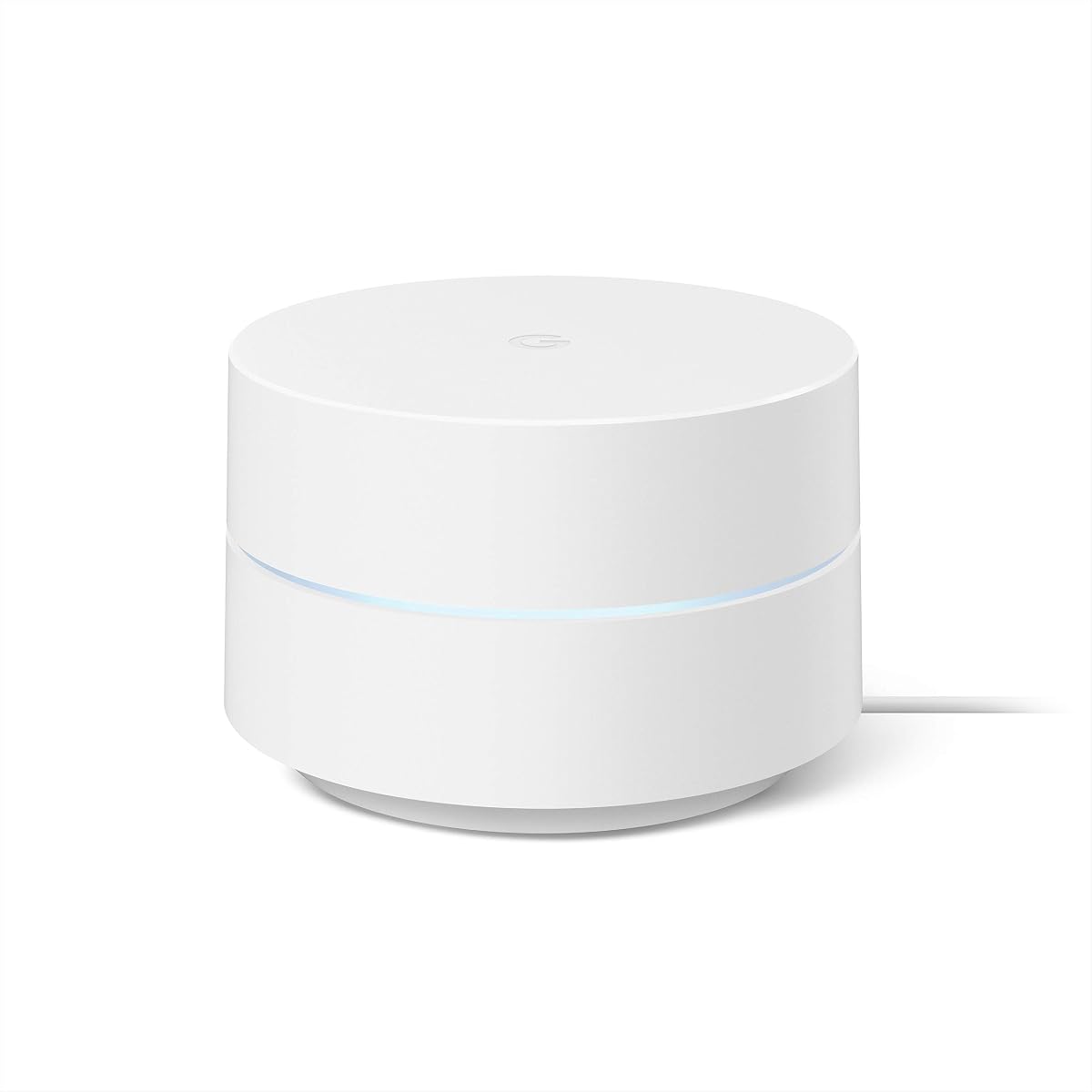
Google Wifi 1-Pack prioritizes simplicity over high-end specifications, and its 4.5 rating makes it one of the most well-regarded options in this guide. The AC1200 system can replace a conventional router and is intended to provide reliable coverage across as much as 1,500 square feet. It is best suited to smaller homes, apartments, and straightforward networking needs.
We may earn a commission when you buy through this link, at no additional cost to you.
Setup is handled in a small number of steps through the Google Home app, an advantage for users who do not want to manage radio channels, backhaul settings, or advanced routing options. The app can also check network speeds, prioritize devices, create a guest network, and apply parental controls that manage screen time, restrict certain adult content, and pause connectivity for selected devices.
Its limitations are clear. The single point has the smallest stated coverage in the comparison, and the older Wi-Fi 5 standard does not provide the 6GHz band or current Wi-Fi 7 functions. Expansion remains possible because Google Wifi points work together and are compatible with an existing Nest Wifi system, but additional points may be necessary in anything larger than a modest home.
The Google Wifi 1-Pack is an attractive choice when uncomplicated management matters more than advanced wireless performance. It fits a 1GB Internet plan because a single gigabit connection does not inherently require a faster access point. For a larger residence, buyers should plan for more points from the beginning rather than expecting one AC1200 unit to handle challenging walls and multiple floors.
Google Home keeps the primary controls accessible without exposing a large set of advanced configuration choices, making the system approachable for everyday users and guest Wi-Fi sharing.
Although this package contains one point, additional Google Wifi units can join the network as coverage needs increase, providing a practical way to begin with a smaller deployment.
We may earn a commission when you buy through this link, at no additional cost to you.
The Deco X55 2-Pack offers a practical middle ground between a single-point system and a larger three-node kit. Its 4.3 rating reflects a generally positive reception, while the two units are stated to cover up to 4,500 square feet and support as many as 150 devices. For an apartment, townhouse, or modest single-family home, that combination is well matched to a 1GB Internet service.
We may earn a commission when you buy through this link, at no additional cost to you.
Each node uses Wi-Fi 6 AX3000 technology, with published performance of 2,402 Mbps on 5GHz and 574 Mbps on 2.4GHz. AI-driven mesh technology adapts to the network environment, while the Deco app handles setup, remote management, basic security, quality of service, and parental controls. The two nodes together provide six Gigabit Ethernet ports, and either one can serve as the main router.
The principal compromise is dual-band architecture. Without a separate 6GHz band, some wireless backhaul capacity is shared with client traffic, although cable-based backhaul is supported where practical. The ports are Gigabit rather than multi-gig, and there is no Wi-Fi 7 capability. As a result, the system is best viewed as a current mainstream solution rather than a long-term platform for new multi-gig services.
This two-pack is a strong recommendation for readers who want more placement flexibility than the one-pack but do not need the coverage of three nodes or the advanced wireless design of a premium tri-band system. It handles everyday 1Gbps service, concurrent household devices, and direct wired connections well. Buyers can add another compatible Deco later if their floor plan or usage changes.
Placing one node near the internet source and another in a troublesome area can eliminate many weak-signal rooms without the complexity of managing multiple independent networks.
Because Deco X55 units can work together, an owner can begin with two nodes and add capacity if the home changes or connected-device demands increase.
We may earn a commission when you buy through this link, at no additional cost to you.
The Deco 7 Pro BE14000 is the premium recommendation for buyers who want the mesh system to support not only a 1GB Internet plan but also future service upgrades and demanding local networking. Its tri-band Wi-Fi 7 platform offers published speeds of 8,647 Mbps on 6GHz, 4,324 Mbps on 5GHz, and 688 Mbps on 2.4GHz. Although the rating is 4.0, the specification set is the most advanced in this comparison.
We may earn a commission when you buy through this link, at no additional cost to you.
The three-pack is stated to cover up to 8,100 square feet and support more than 200 devices. Each node includes a 10Gbps port, a 2.5Gbps port, and a 1Gbps WAN/LAN port, plus a USB 3.0 port. This broad port selection is the standout feature: it can support a 10Gbps internet tier, 10Gbps wired backhaul, and high-speed connections to compatible local devices.
Wi-Fi 7 features such as Multi-Link Operation, Multi-RUs, and 4K-QAM can improve performance and reliability for compatible devices, while the tri-band design provides a strong foundation for node communication. AI-driven roaming, VPN client support, and HomeShield controls round out the feature set. The caveat is that many current phones, computers, televisions, and accessories do not yet support the full Wi-Fi 7 feature set.
Choose this system if you are building a forward-looking home network, own several Wi-Fi 7 clients, or expect to upgrade beyond 1Gbps service. It is also appropriate for large homes where a premium wired backbone is desirable. For a straightforward current 1GB Internet connection, a midrange Deco model can deliver a more restrained and less advanced network.
The combination of 10G and 2.5G ports allows high-speed service and node-to-node links to coexist with ordinary Gigabit connections, which is especially useful in technology-heavy homes.
Features including Multi-Link Operation can help compatible devices use multiple links for resilience and throughput, but the benefit depends on support within the client device itself.
We may earn a commission when you buy through this link, at no additional cost to you.
Google Nest Wifi 2-Pack combines two mesh router units in a straightforward package for homes that want a single network without extensive configuration. Its 4.4 rating indicates solid customer reception, while the stated coverage of up to 4,400 square feet and support for as many as 200 devices make it suitable for many apartments and medium homes using 1GB Internet.
We may earn a commission when you buy through this link, at no additional cost to you.
One router connects to the internet provider's modem and creates the network, while the second extends wireless coverage. Both units include Ethernet ports, and additional Nest Wifi routers or points can be added when more coverage is needed. The system also works with Google Wifi points, offering a path to expand a mixed or existing Google mesh installation.
Nest Wifi automatically manages the network in the background and updates itself for new features and security improvements. Its app supports guest network creation, easy password sharing, device prioritization, and parental controls for online time. The limitation is the older Wi-Fi 5 platform, which offers less aggregate capacity and no 6GHz band compared with the Wi-Fi 6, 6E, and 7 systems in the guide.
The two-pack is well suited to users who prioritize a friendly setup process, automatic maintenance, and enough hardware to cover a typical home without diving into advanced radio settings. It can comfortably distribute a 1Gbps connection, though local Wi-Fi performance may be less impressive with a large number of current high-end clients. Buyers seeking a longer-term platform for newer devices should favor a Wi-Fi 6E or Wi-Fi 7 system.
The system continuously works behind the scenes to maintain network performance, reducing the need to monitor signal strength or manually select among multiple access points.
Guest access, device prioritization, and family time controls are presented through the app, making everyday network changes accessible to nontechnical users.
We may earn a commission when you buy through this link, at no additional cost to you.
A 1GB Internet plan needs a mesh system that can distribute that speed reliably without wasting money on capabilities your devices will never use. The most important choices are coverage, wireless generation, backhaul, wired ports, and the number of nodes your property actually requires.
In short, choose enough nodes to place them where weak areas occur instead of expecting one system to rely solely on its maximum coverage claim.
In short, choose Wi-Fi 6 for a modern value-oriented setup, Wi-Fi 6E for a dedicated 6GHz backhaul path, and Wi-Fi 7 when you already own compatible clients or plan to upgrade them.
In short, use Ethernet between nodes when practical and treat the advertised wireless backhaul speed as a shared connection rather than dedicated client bandwidth.
In short, prioritize Gigabit ports for the stated 1GB plan, but consider 2.5G and 10G ports if your modem, switch, cabling, and future service plans support them.
In short, plan placement around problem rooms and heavy-use devices instead of selecting a pack solely by the largest advertised device total.
In short, favor a management app that matches your comfort level and includes the security and family controls you are likely to use regularly.
In short, verify that future nodes belong to the same compatible ecosystem and that the system will not require you to rebuild the network when you expand.
In short, buy advanced hardware when your devices and layout can use it, but choose a well-equipped Wi-Fi 6 or 6E system when it provides the coverage and reliability you need.
Start by identifying where the internet service enters the home and position the main node near the modem or gateway. Install the manufacturer's app, create the administrator account, and follow the setup prompts for the local internet connection. Keep the first node open and elevated rather than placing it inside a cabinet, behind a television, or beside other densely packed electronics. This initial position helps the system establish a strong connection to the provider equipment.
Power down the older router if your provider's modem is performing the routing function, then connect the Deco or Google unit using the appropriate Ethernet port. After the system is online, add each additional node near the area it is intended to serve. Allow the mesh system to complete its optimization before making extensive changes. Keep nodes on different floors or separated by enough physical distance to reduce radio overlap and improve the usefulness of wireless backhaul.
For the most stable results, use Ethernet between nodes whenever the layout permits, especially when streaming 4K video, transferring large files, or gaming at peak times. If cables are not practical, place nodes in open positions and away from microwaves, cordless-phone bases, mirrors, and thick structural elements. Review the app periodically, install available firmware updates, and check for unusual device traffic. A reboot can resolve occasional connectivity issues, but persistent problems are better addressed by repositioning a node, changing the layout, or confirming that the modem and service are operating correctly.
No. A 1Gbps connection can be distributed effectively by a well-positioned Wi-Fi 5, Wi-Fi 6, or Wi-Fi 6E mesh system. Wi-Fi 7 is more relevant to newer client devices, high-density wireless use, and local network performance than to the basic availability of a 1Gbps service. Choose Wi-Fi 7 when you want greater headroom or have several compatible high-end devices.
It can be, but the number is less important than node placement. Two well-separated units may cover a long, single-floor home better than three nodes placed too close together. Large homes with multiple floors, masonry, and numerous connected devices often benefit from three nodes or a larger capacity system. Use the published square-foot figures as guidance and then adjust placement based on observed weak areas.
Wired Ethernet backhaul generally provides a more direct and predictable connection between mesh nodes because client traffic does not have to share the same wireless channel. It is especially helpful for high-resolution streaming, local file transfers, and gaming. Wireless backhaul is much easier to install, and a tri-band system can reduce its limitations by dedicating a separate band to the node-to-node traffic.
Usually, yes. Connect the mesh's main node to the provider's modem or gateway, and many listed products can work with major internet providers. In a common arrangement, the modem performs the initial network connection while the mesh manages Wi-Fi. Depending on the provider and equipment, you may need bridge mode, an alternate connection mode, or a separate modem and router configuration.
Mesh WiFi can improve the speed you receive in rooms where the original router provides weak signal, but it cannot reliably exceed the speed delivered by your internet service. The best gains usually appear in distant rooms, behind thick walls, or on different floors. Placement, interference, device limitations, and network congestion can all affect the final result.
A small apartment may be covered by one well-placed node, while a two-node arrangement is a common starting point for medium homes. A three-pack gives greater flexibility for larger properties and unusual layouts. Start with the smallest setup that reaches all important rooms, then add a node if you find slow zones or unstable wireless connections.
Most of these mesh systems require a separate modem or compatible internet gateway, as indicated in the product descriptions. The provider's equipment handles the connection from the outside network, while the mesh system supplies Wi-Fi and local routing. If your provider supplies a combined modem and router, you may be able to place it in bridge mode, depending on the provider's support.
A dual-band system is usually sufficient for a 1Gbps connection and a normal number of modern clients. Tri-band systems provide an additional radio and can make wireless backhaul more efficient, especially in crowded environments. They are most worthwhile in large homes, dense wireless areas, and households with many active high-bandwidth devices.
The Deco 7 BE5000 is the strongest overall choice because it combines Wi-Fi 7, broad stated coverage, expandable nodes, and 2.5G backhaul support without moving into the most advanced multi-gig category. The Deco X15 3-Pack is the budget leader for buyers who want three nodes and Wi-Fi 6 performance at a more accessible level. For a large, technology-heavy home, the Deco 7 Pro BE14000 offers the best premium combination of coverage, multi-gig ports, and Wi-Fi 7 features.
Prioritize node placement, compatible clients, and backhaul over headline speed numbers. A simpler system with well-distributed nodes will usually deliver a better experience than an advanced system crowded into one room. Consider the number of floors, the materials in your walls, the speed of your existing client devices, and whether you expect to upgrade your internet service before deciding how many nodes and what port speeds you need.
Current prices, promotions, bundle configurations, and product availability can change, so confirm the details before purchasing. Check that the selected package contains the number of nodes you need, verify modem compatibility, and review the manufacturer's setup requirements. With those details confirmed, the right mesh system can turn a 1GB Internet connection into a consistent whole-home network rather than leaving performance concentrated near the modem.