
USB Speaker Phone 360° Omnidirectional Microphone
4.2Editor score
360-degree pickup pattern
USB plug-and-play connection
Built-in echo cancellation
A smartphone for Zoom meetings must do more than display a call clearly. It needs dependable microphones, useful speaker output, stable connectivity, and compatibility with the apps and accessories that make remote conversations easier. This guide covers mobile devices, external microphones, conference speakerphones, and dedicated call phones for different meeting environments.
The products were compared using the supplied specifications, ratings, connection options, microphone coverage, platform compatibility, and intended use. The list includes equipment for small-group calls, larger hybrid meetings, mobile recording, conventional office conference calls, and entry-level Android use, while highlighting which products are genuinely ready for Zoom-oriented workflows.
Each pick reveals a different way to improve virtual meetings, from simple USB audio to sophisticated conference systems with multiple connection methods. Top Picks identify the strongest options for budget, overall performance, and premium meeting features. Prices and availability can change, so readers should verify current listings and their own device requirements before buying.
4.2Editor score

4.3Editor score

3.7Editor score
As an Amazon Associate we earn from qualifying purchases.
The comparison below highlights each product's form factor, connectivity, microphone approach, and primary meeting application so readers can quickly identify the right solution for a smartphone, computer, hybrid room, or conventional conference call.



This compact USB conference speakerphone earns a 4.2 rating and stands out as a straightforward way to improve audio for computer-based meetings. It combines a speaker, microphone, and 360-degree omnidirectional pickup in one unit, allowing participants to talk without holding a headset or leaning toward a laptop microphone.
We may earn a commission when you buy through this link, at no additional cost to you.
Its practical strengths are centered on uncomplicated operation. Plugging the device into a computer through USB provides power and audio, while full-duplex operation supports natural two-way conversation. Far-field pickup, noise reduction, and echo cancellation are all useful when a Zoom meeting includes several people sitting around one desk.
The 3.5mm earphone port also gives users a way to listen privately, although that makes the product less convenient for a shared room than a dedicated conference speakerphone. It is optimized for PC connections rather than direct smartphone operation, so mobile users would need appropriate USB or Bluetooth support on their devices.
This is a sensible recommendation for budget-conscious users who regularly join online classes, webinars, Skype calls, or one-to-one computer meetings from a home or small office. It is less suitable for large rooms, but its plug-and-play design and focused feature set make it a dependable entry point for improving basic meeting audio.
Full-duplex operation lets one person speak while another is heard, reducing the need to take turns awkwardly. The 360-degree microphone is especially helpful when a small group shares a single computer.
USB supplies both connectivity and power, while the stated plug-and-play operation avoids driver installation. That makes the speakerphone convenient for temporary workspaces, travel, and shared office computers.
We may earn a commission when you buy through this link, at no additional cost to you.
The Kaysuda Bluetooth Conference Speakerphone has a 3.9 rating and targets small meetings that need more flexibility than a laptop speaker. Its six-microphone array, 360-degree pickup, and compatibility with Zoom, Skype, Teams, and other major services make it relevant to a broad range of online calling setups.
We may earn a commission when you buy through this link, at no additional cost to you.
The strongest feature is its choice of connections. Bluetooth allows a smartphone, tablet, or laptop to join quickly, while the supplied USB cable provides a wired route to a computer. The stated support for Windows, macOS, Linux, ChromeOS, and Android broadens its usefulness for people who move between personal and work devices.
Acoustic echo cancellation and noise isolation can improve conversations in a home office or small shared space. However, the product is explicitly optimized for one to four people. Larger groups may place participants beyond the most effective pickup zone, and there are no transcription or summary tools comparable with more specialized conference systems.
Choose this model when a small team needs a portable speakerphone that works equally well with a phone and computer. It is a good middle ground between a basic USB unit and a feature-rich room system, particularly for mobile Zoom meetings where cable-free operation is valuable.
Bluetooth pairing removes the need for a wired connection when joining from a phone, while USB offers a simple computer path. This makes the same speakerphone useful for desk and travel use.
The six-microphone array and 360-degree pickup support a compact group conversation. Echo cancellation and noise isolation help maintain intelligibility when participants are reasonably close to the unit.
We may earn a commission when you buy through this link, at no additional cost to you.
The Zoom Am7 USB-C Stereo Microphone carries a 3.7 rating and is designed primarily for recording on Android phones and tablets. It connects through USB-C and works with the camera app or other applications capable of accepting an external microphone, giving mobile creators more control over captured audio.
We may earn a commission when you buy through this link, at no additional cost to you.
Its rotatable capsule allows the microphone to be aimed toward a speaker, and the selectable 90-degree, 120-degree, and mid-side recording patterns support different shooting situations. A physical analog gain wheel and three-position LED meter help users monitor levels without relying entirely on the phone's display.
Although the brand name may appeal to Zoom users, this product is not described as a meeting speakerphone and does not include a built-in conference speaker. Its USB-C focus also requires a compatible Android device, so it is not a universal choice for iPhone users, older phones, or participants who need room-wide pickup.
This microphone is best for mobile interviews, video recording, and online content production conducted on a compatible Android device. It can improve the quality of a recorded presentation or interview associated with a meeting, but a dedicated conference speakerphone is the more practical option for live group conversations.
The analog gain wheel and LED meter provide immediate, physical level feedback. These controls are useful when a user needs to adjust capture before starting a mobile recording session.
Users can select 90-degree, 120-degree, or mid-side capture depending on the desired focus. The rotatable capsule adds further alignment control for interviews and video work.
We may earn a commission when you buy through this link, at no additional cost to you.
This 6-Mic Conference Speakerphone has a 3.7 rating but offers the most advanced meeting-focused feature set in the list. Designed for hybrid meetings, it combines six microphones, AI transcription, summaries, GPT-based writing assistance, real-time subtitles, and multiple listening modes in a single conference unit.
We may earn a commission when you buy through this link, at no additional cost to you.
Its microphone system can operate directionally within a 90-degree area up to three feet away or omnidirectionally within a stated 20-foot range. The directional mode reduces ambient noise by 25 decibels, giving presenters a way to emphasize nearby speech, while the omnidirectional pattern supports group participation in rooms of up to 18 people.
The meeting mode reportedly reduces more than 300 types of noise, and the music mode provides amplified, lossless listening outside a call. USB plug-and-play operation, Bluetooth, and NFC make connection flexible, while a storable USB A-to-C cable adds convenience. The cloud transcription trial and complementary storage period should be considered before relying on those services long term.
This is a strong choice for professionals who want more than clear audio from their smartphone or computer setup. The intelligent transcription, summaries, subtitles, and selectable pickup modes distinguish it from basic speakerphones, making it particularly appealing for hybrid teams, educators, and frequent meeting organizers.
AI transcription and summary tools can turn recorded speech into organized notes and concise meeting summaries. Real-time subtitles and writing assistance can also support communication and follow-up organization.
Directional capture focuses on a presenter within a defined 90-degree zone, while six omnidirectional microphones cover a wider area. This flexibility helps the same device suit both individual and group discussions.
We may earn a commission when you buy through this link, at no additional cost to you.
The Zoom iQ6 iOS Lighting Microphone has a 4.0 rating and gives iPhone and iPad users a dedicated way to improve captured audio. It uses condenser microphones and a rotatable capsule, making it more relevant to interviews, video production, and mobile demonstrations than to room-wide Zoom calls.
We may earn a commission when you buy through this link, at no additional cost to you.
The capsule angle can be adjusted from 90 to 120 degrees, allowing a user to direct the microphone toward a subject without changing the phone's position. The product can also be used on phones with cases installed, removing a common setup obstacle for mobile creators.
Its limitations are significant for conventional meetings. It does not provide a built-in conference speaker, room-wide microphone array, or computer calling interface. Compatibility is centered on Apple mobile devices, so Android or Windows users would need a different external microphone solution.
Choose the iQ6 when the priority is clean, directable recording on an iPhone or iPad. It can complement mobile meeting content, but those seeking live conversation audio for several people should consider a Bluetooth or USB conference speakerphone instead.
Rotating the capsule between 90 and 120 degrees helps match the microphone to the speaker's position. This is particularly useful for interviews and demonstrations recorded on a phone.
The microphone can operate on an iPhone or iPad with a case installed. That convenience avoids the need to remove protective cases before beginning a recording.
We may earn a commission when you buy through this link, at no additional cost to you.
The MIAO LAB 60X Phone Lens has a 3.9 rating and serves a specialized role in smartphone-based communication. Rather than improving microphones or speakers, it magnifies distant subjects so a phone can frame someone or something from farther away during a video meeting, live presentation, or online event.
We may earn a commission when you buy through this link, at no additional cost to you.
Its 60x telephoto capability, fully multi-coated optics, and aluminum housing distinguish it from basic clip-on lenses. A removable eyecup, extendable tripod, and wireless remote shutter make it possible to set up a stable shot and capture a subject without returning to the phone.
This product will not solve echo, weak voices, unstable connectivity, or low-quality smartphone audio. It also adds bulk and may require patience to install properly. For an ordinary desk-based Zoom meeting, most users will gain little from a telephoto lens because the camera is already close to the participant.
Buy it when meetings involve demonstrating a distant object, covering an event, or interacting with a subject in a large space. It is a visual specialty tool for smartphone video, not an audio accessory or general-purpose smartphone upgrade.
The 60x magnification brings faraway scenes closer to the phone camera. This can help presenters show a distant detail during a live online session without physically moving the device.
The adjustable tripod supports the phone at different heights, while the wireless remote removes the need to touch the device after framing. These features are useful for events and presentations.
We may earn a commission when you buy through this link, at no additional cost to you.
The Tenveo MagiCall Pro earns a 4.3 rating and is the most balanced conference speakerphone in the list. It combines eight AI noise-canceling microphones, 360-degree pickup, a five-watt speaker, and three connection methods in a portable design intended for groups of roughly 12 to 15 people.
We may earn a commission when you buy through this link, at no additional cost to you.
Its versatility is the defining advantage. USB provides a wired computer connection, Bluetooth handles phones and tablets, and the included dongle offers an additional wireless route. Compatibility with Zoom, Microsoft Teams, WebEx, Google Meet, and OBS also makes it useful beyond traditional business calls.
Intelligent noise reduction and echo cancellation are designed to keep voices intelligible within a six-meter range, while the 8,000mAh battery supports as many as 18 hours of continuous meetings. The one-touch control and LED indicators simplify power, pairing, and mute operations, and the package includes a cable, dongle, OTG adapter, and manual.
This is the strongest all-around choice for a smartphone or computer user who regularly hosts group meetings. It may be excessive for a private call, but for a mobile office, huddle room, home team, or hybrid meeting, its combination of pickup quality, connectivity, battery life, and platform support is unusually complete.
Wired USB, Bluetooth, and the included dongle cover many common meeting scenarios. That flexibility reduces the need to buy separate speakers for different phones, tablets, and computers.
Eight AI microphones capture sound from a six-meter radius, while a five-watt speaker projects the call clearly. The combination supports a shared room without separate microphone and speaker hardware.
We may earn a commission when you buy through this link, at no additional cost to you.
The VTech VCS702 ErisStation has a 4.3 rating and is built for conference calls centered on a traditional phone system. It includes a central fixed microphone, two DECT 6.0 wireless microphones, and a full-duplex base speaker, allowing participants to speak and listen simultaneously.
We may earn a commission when you buy through this link, at no additional cost to you.
Orbitlink wireless technology allows the handheld microphones to be distributed around a small or medium conference room. Acoustic echo cancellation, automatic gain control, and dynamic noise reduction support intelligibility, while magnetic charging bays keep the wireless units organized and ready between calls.
The base includes a two-line backlit display with date and time, storage for 50 caller ID entries, and a phonebook for 50 names and numbers. These features distinguish it from USB and Bluetooth speakerphones, although they are relevant primarily to conventional office calling rather than app-based Zoom meetings.
Choose the VCS702 when a business relies on a landline and needs broad room coverage. It is a polished dedicated conference phone, but people whose meetings occur in Zoom on a smartphone or computer should instead choose a USB or Bluetooth model with direct app compatibility.
Two wireless DECT microphones can be placed near different participants instead of remaining tied to the base. This makes the system useful in rooms where voices arrive from several directions.
Magnetic charging bays in the base keep both wireless microphones together while charging. Up to eight hours of talk time and up to 70 hours of battery life support extended schedules.
We may earn a commission when you buy through this link, at no additional cost to you.
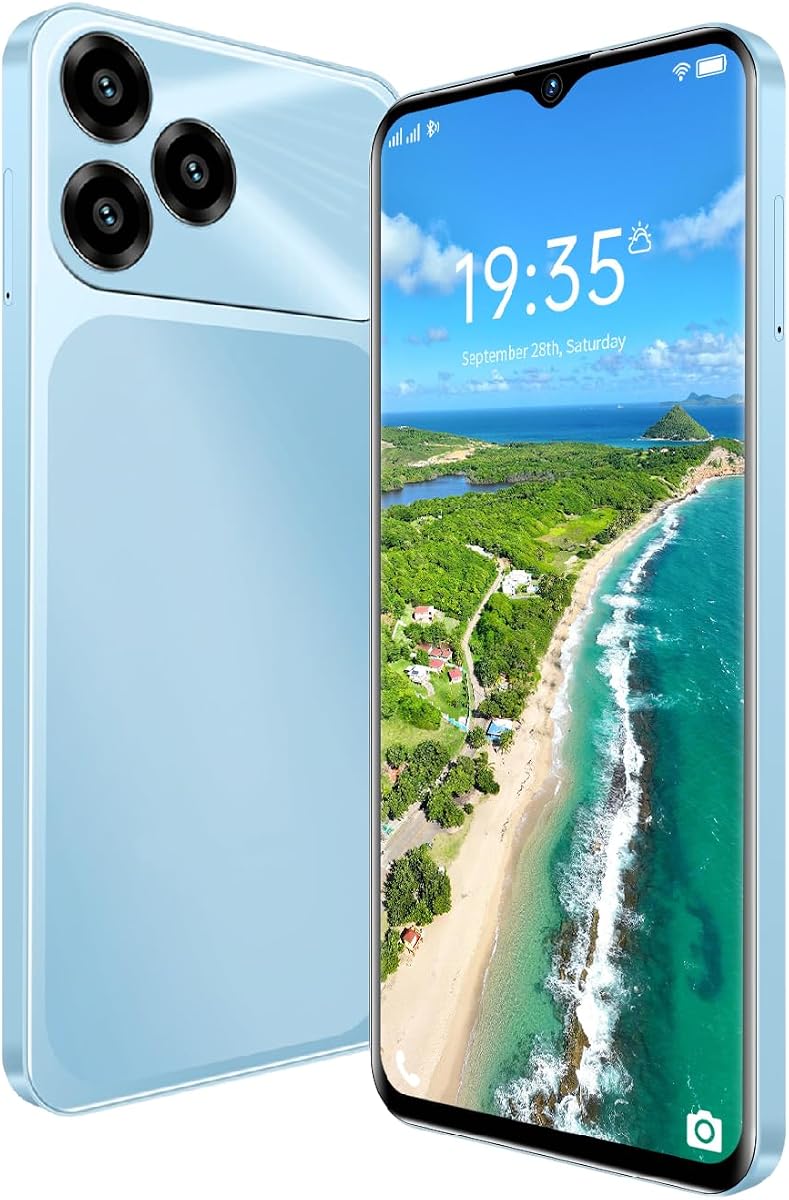
The Unlocked Phone has a 5.0 rating and provides an entry-level Android option for users who want a dedicated device for online meetings. Its 6.52-inch HD screen, Android 8.1 operating system, dual SIM configuration, and unlocked support for specified US 4G LTE bands make it relevant to mobile calling needs.
We may earn a commission when you buy through this link, at no additional cost to you.
The phone includes 3GB of RAM, 16GB of internal storage, and support for expansion through a TF card up to 256GB. A 3000mAh battery and Type-C charging line help maintain daily readiness, while the front and rear cameras cover basic video and self-recording needs.
Its specifications are modest by current standards. The Helio P35 processor, 3GB of memory, 16GB of storage, and Android 8.1 may not handle demanding video alongside many background applications. Carrier compatibility is also limited to the listed US bands rather than European and Asian frequencies.
This phone makes sense as a straightforward mobile device for users who need calling, basic video, and flexible SIM options. For better Zoom performance, it should be paired with the MagiCall Pro or a compatible Bluetooth conference speaker, and users should confirm their carrier and SIM support before purchase.
The unlocked design supports a broad list of US 4G LTE bands and dual SIM configurations. This lets users choose a suitable carrier rather than being restricted to one preinstalled network.
Expandable TF storage can supplement the built-in memory, while the 3000mAh battery and Type-C connection provide a straightforward charging setup for regular mobile use.
We may earn a commission when you buy through this link, at no additional cost to you.
The AT&T SB3014 has a 4.4 rating, the highest among the conference phones in the list, and is designed for substantial office meetings. Six microphones—four wireless and two fixed—provide broad coverage, while the corded landline base serves as the central hub for the call.
We may earn a commission when you buy through this link, at no additional cost to you.
DECT 6.0 technology allows the wireless microphones to be placed around the room, and full-duplex operation, digital mixing, and audio equalization support natural conversation. Each wireless microphone offers up to eight hours of talk time and up to 70 hours of standby, with magnetic bays in the base for charging.
The phonebook can store 50 names and numbers, and caller ID information can be saved to the phonebook or speed dial. This is a strong dedicated system for organizations that conduct frequent telephone conferences, but it is not aimed at users joining primarily through a smartphone's Zoom application.
Buy the SB3014 for a conventional office conference room where multiple participants need to speak from different positions. Its generous microphone count and wireless flexibility make it well suited to larger meetings, while the dedicated landline design clearly separates it from portable app-based speakerphones.
Four wireless microphones and two fixed units create more coverage than a typical compact desktop speakerphone. Participants can speak from a wider area without crowding around a single microphone.
Full-duplex operation, digital mixing, and equalization work together to balance voices during a call. Magnetic charging bays help ensure the wireless units remain ready for the next meeting.
We may earn a commission when you buy through this link, at no additional cost to you.
The right choice depends on whether the device will support one participant, a small group, a hybrid room, or a conventional office conference. Connection method, microphone coverage, platform support, and portability should be evaluated before choosing.
Start with how participants will actually join the meeting. USB is dependable for computers and often requires no special pairing, while Bluetooth is more convenient for phones, tablets, and travel. A wireless dongle can make a dedicated conference unit easier to recognize in a busy computer environment. Some products support all three, which is useful when one speakerphone must serve several people and device types.
Choose USB for predictable wired computer calls, Bluetooth for a mobile-first workflow, and dongle-based connectivity when simple computer pairing is a priority. Confirm that your specific phone or computer includes the required port or wireless support before ordering.
A phone's built-in microphone may be adequate for a private call, but group meetings quickly expose its limitations. Omnidirectional pickup gathers voices from several directions, making it suitable for a group gathered around a table. Directional pickup isolates a narrower area and can reduce surrounding noise, but it is less forgiving when participants move or sit outside the intended zone.
Match the pattern to the room. Use omnidirectional coverage for shared tables and huddle spaces, and consider directional or selectable modes for presentations. Pay attention to the stated pickup range, participant capacity, and microphone count rather than relying on a generic wireless label.
A microphone can capture a clear voice that remains difficult to hear if the speaker output is weak or echo-prone. Full-duplex operation allows participants to speak and listen simultaneously, while acoustic or software echo cancellation helps prevent your voice from returning through the speaker. Noise reduction and automatic gain control can improve consistency across different speaking volumes.
For a small desk meeting, a modest speaker and basic echo cancellation may be enough. Larger rooms benefit from higher-output speakers, multiple microphones, and processing designed for a wider acoustic environment.
A conference phone should work as standard audio hardware rather than requiring a separate app to replace the computer or phone interface. Products explicitly mentioning Zoom are the safest choices for that service, while broad platform support is valuable for teams using Microsoft Teams, Google Meet, WebEx, or other applications.
Check the connection method as closely as the platform list. A Bluetooth speakerphone may pair with a phone without appearing as a full conferencing device to every app, whereas a USB audio product may be recognized more consistently by desktop meeting software. Verify the device operating system as well.
Participant ratings provide a useful starting point, but room size and acoustics ultimately determine performance. Devices designed for one to four people are best for a home desk, while units intended for 12 to 18 or more people can cover a larger table or meeting space. A dedicated conference room may also require distributed wireless microphones placed near participants.
Choose a capacity above the expected room size rather than matching the maximum number exactly. Extra capacity creates margin for voices around the edges, while excessive equipment may be unnecessary for a quiet personal office.
Portable conference speakerphones suit people who move between desks, homes, hotels, and shared offices. Battery life, wireless range, and compact size matter in those situations. Fixed conference phones generally provide more microphones, larger controls, dedicated charging, and better support for conventional office telephony, but they remain tied to a particular room.
Frequent travelers should prioritize a compact device with USB power or a long battery. A company that owns a permanent meeting room can justify a more capable system with wireless microphones and room-coverage controls.
Transcription, summaries, subtitles, and writing assistance can reduce the administrative burden of frequent meetings. These tools are most useful when a recording is stored, reviewed, and shared with participants. They also add complexity and may depend on cloud access, an accompanying application, or a trial period.
Prioritize intelligent features when they directly support your workflow, but do not let them replace core requirements. Clear pickup, dependable echo cancellation, appropriate connection methods, and compatibility should come first; transcription is an added advantage when the rest of the equipment already fits the room.
A modern smartphone can handle Zoom, but device specifications, remaining battery, and network conditions all influence the experience. A large HD display helps with self-view and shared content, while memory and processor capacity affect how smoothly a call runs alongside other applications. USB-C access can also determine which external microphones and speakerphones are usable.
For a new mobile meeting setup, prioritize network stability, charging access, and compatibility with your chosen conferencing hardware. If performance is limited, pair the phone with a dedicated audio accessory rather than expecting software to compensate for weak microphones or an inadequate speaker.
Before the first call, place the conference unit near the center of the seated group and away from obvious noise sources such as kitchen appliances or air vents. For a directional model, position the sensitive area toward the presenter. Connect by USB, pair over Bluetooth, or use the included dongle according to the device instructions, and confirm that Zoom is selecting the external microphone and speaker.
Run a short test call before a critical meeting. Ask another person to speak from different seats and listen for echo, clipping, blocked voices, or inconsistent volume. Keep the microphone unobstructed, avoid moving it during a call, and use the mute control when background conversation should not be transmitted. For phone-based meetings, disable competing audio sources that could capture or play the same call.
For wired units, gently coil cables without creating tight bends and keep the USB port free of dust. Charge portable speakerphones before travel and store wireless microphones in their charging base when provided. Clean the microphone grille gently, protect mobile lenses and clips from impact, and update the associated apps or device software when updates are available.
A Bluetooth or USB conference speakerphone generally provides more consistent pickup than a phone's built-in microphone. Choose a model with omnidirectional microphones for a small group or directional pickup for a presenter, and confirm that the device is recognized by the Zoom app. Position it near the speakers and test the sound before a formal meeting.
Yes, if the speakerphone supports the required connection method. Bluetooth models can join from many phones and tablets, while USB models generally serve computers directly. Products offering USB, Bluetooth, and a wireless dongle provide the greatest flexibility for mixed personal and business devices.
No. More microphones can improve coverage in a larger room, but placement, echo cancellation, and participant distance still determine clarity. A well-positioned four-microphone unit may sound better than a crowded arrangement of microphones placed too far from the speakers.
It depends on the accessory. The Zoom Am7 requires an Android device with USB-C, while the Zoom iQ6 is designed for compatible iPhone and iPad connections. Bluetooth speakerphones can avoid connector differences, but the phone and app must support the relevant audio profile.
Prioritize room-scale microphone coverage, echo cancellation, flexible connectivity, and controls that are easy for a facilitator to operate. Recording features, transcripts, summaries, and subtitles may also be valuable for hybrid teams. A portable model is better for changing rooms, while a fixed multi-microphone system is more appropriate for a dedicated space.
Only if the Zoom call is actually carried through that phone system. The VTech VCS702 and AT&T SB3014 are designed primarily for conventional calling, so they are not direct substitutes for a USB or Bluetooth Zoom speakerphone. They suit organizations whose meeting platform relies on a landline connection.
Keep the speakerphone near the participants but not directly in front of a laptop speaker, and avoid placing it against a wall or near reflective surfaces. Full-duplex audio and echo cancellation help, but proper room placement remains essential. Use a private headset when sensitive discussion requires absolute isolation.
Usually not for a standard desk meeting. A telephoto lens helps when demonstrating or discussing a distant subject, but it does not improve microphone quality, lighting, or call stability. Most participants should prioritize good lighting, a stable device position, and a suitable audio accessory first.
The Tenveo MagiCall Pro stands out as the strongest all-around meeting accessory because it combines eight AI microphones, three connection methods, a five-watt speaker, broad platform support, and a long battery life. The USB Speaker Phone 360° is the economical desktop option, while the 6-Mic Hybrid Conference Speakerphone offers the most advanced transcription, summary, subtitle, and capture features.
Prioritize the environment and the people using the equipment. A small group may need only a compact Bluetooth speakerphone, a presenter may benefit from directional pickup, and a permanent meeting room may need multiple wireless microphones. Traditional conference phones serve landline-centered offices, while phone lenses address unusual visual needs rather than general call quality.
Before making a final purchase, verify the phone or computer connection, the operating system, the meeting platform, room capacity, and the placement of the audio equipment. Current prices and listings can change, and availability may vary, so checking the latest product page helps ensure that the selected model still fits the intended setup.