
LeapFrog LeapPad Academy Green
4.3Editor score
Educator-approved learning apps
Shatter-safe seven-inch screen
Stylus and protective bumper
A tablet for a 3 year old should balance engaging play with simple controls, dependable construction, and strong parental controls. The right device can support letter recognition, stories, creative drawing, and quiet-time entertainment without making the setup or daily use unnecessarily complicated for parents.
This guide compares ten options based on age guidance, screen size, included accessories, storage, battery information, educational content, and the controls available for managing a young child’s experience. It includes general Android tablets, dedicated learning systems, and compact preschool toys designed for children who have only recently begun using screens independently.
Each review explains the product’s strongest features, practical limitations, and ideal audience. Ratings reflect the available customer feedback at the time of research, while features and configurations can change. Current prices also change frequently, so readers should verify the latest listing, included accessories, age guidance, and parental-control options before purchasing.
4.3Editor score

4.2Editor score

4.0Editor score
As an Amazon Associate we earn from qualifying purchases.
The comparison below highlights the major differences in age range, screen size, performance, included protection, and parental-control capabilities. It is designed to help parents identify the most suitable starting point for a child who is three years old.


The COLORROOM 10-Inch Android 15 Kids Tablet combines a full-size touchscreen, a child-focused Android environment, and enough hardware specifications to handle common educational and entertainment applications. Its 4.2 customer rating reflects a generally positive reception, while its strongest appeal comes from the balance between a familiar Android platform and features created specifically for children aged three and above.
We may earn a commission when you buy through this link, at no additional cost to you.
Google Kids Space is a central benefit for parents who want age-appropriate content without searching through the entire app store. The supplied description highlights coloring activities, crafts, story listening, puzzles, and educator-endorsed applications. Parents can also establish screen-time limits, filter content, create educational targets, and manage the environment through the included parental-control features. The 10.1-inch, 1280-by-800 display gives small children a visually clear canvas while leaving room for adult interaction during lessons.
Performance comes from an octa-core processor, 10GB of combined physical and virtual memory, and 64GB of internal storage. A MicroSD card can extend storage to as much as 1TB, although the card is sold separately. The 6000mAh battery is listed as supporting approximately 8 to 12 hours of reading or video use, although real results depend on brightness, connectivity, volume, and which applications are active. Dual stereo speakers add useful audio for stories and songs.
This is a strong choice for parents seeking a conventional tablet that can grow beyond the earliest preschool years. The large screen may be less convenient for very small hands than a seven-inch model, and Android still gives children more ways to navigate than a tightly controlled learning device. Nevertheless, the combination of Kids Space, parental controls, expandable storage, and a sizable display makes this the most balanced general-purpose option in the group.
Google Kids Space provides a more guided starting point than a conventional Android tablet. Its preloaded activities are appropriate for early learning, while the parental controls allow adults to shape the experience as the child develops.
The combination of 64GB internal storage and MicroSD expansion gives parents room to add educational applications, favorite videos, music, and photos. That flexibility is useful for families who want more than a fixed set of learning activities.
We may earn a commission when you buy through this link, at no additional cost to you.
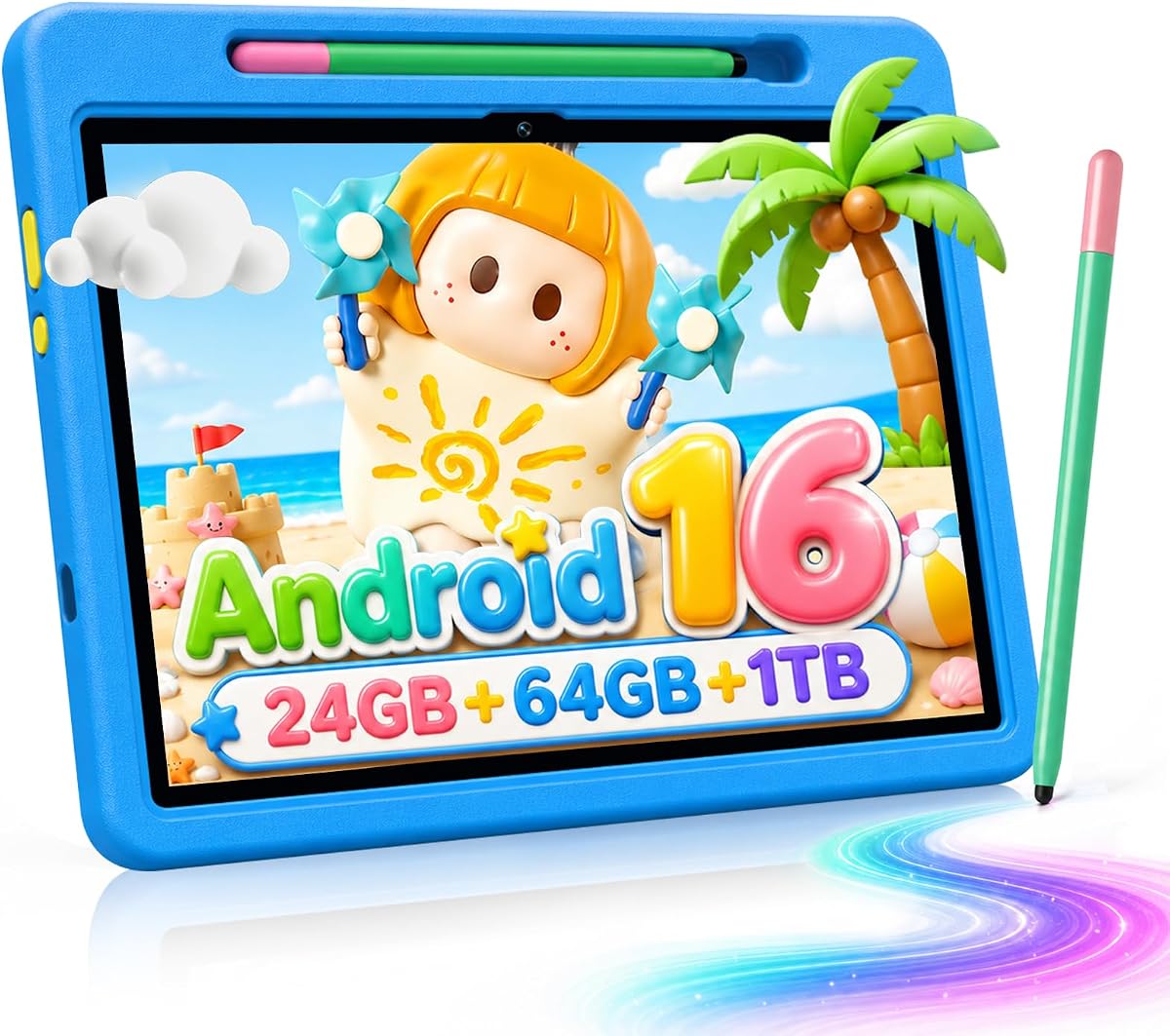
This Android 16 kids tablet is aimed at children between three and twelve and offers one of the strongest feature sets in the comparison. Its 4.6 rating is the highest listed among the ten products, reflecting a favorable customer response to the combination of a large display, generous memory, a protective case, and a stylus.
We may earn a commission when you buy through this link, at no additional cost to you.
The A333 processor operates at up to 1.8GHz, while 24GB of RAM and 64GB of internal storage are intended to support responsive app launches and basic multitasking. A TF card can expand storage to 1TB, though it is not included. The included 180-degree adjustable case is designed to resist slipping, scratching, and everyday drops while also providing a stable viewing position for videos, lessons, or drawing.
UKIDOZ Kids Space comes preloaded with educational games, picture books, and age-appropriate learning content. The parental system can control screen time, application permissions, and content filtering, making it possible to adapt the tablet as a child moves through the stated three-to-twelve age range. A five-megapixel front camera and an eight-megapixel rear autofocus camera are also included, while the stylus gives young children another way to draw, trace, and write.
The main question is whether a parent wants a fully featured general tablet or a narrowly focused learning device. This model offers more versatility through Android 16, Google Play, cameras, and expandable storage, but it may also require more active supervision. It is a particularly attractive option for creative learning because the stylus and adjustable stand work together well. For a child turning three, it provides room for games, videos, drawing, reading, and future educational software.
A stylus gives preschool children a more precise way to trace shapes, color pictures, and practice early writing. Its inclusion removes the need to choose a compatible pen separately and makes the tablet more useful for art-focused activities.
The adjustable case is a meaningful advantage for a three-year-old because it can stand securely on a floor or table and helps guard the device from common bumps. Its anti-slip and drop-resistant features are especially relevant during active use.
We may earn a commission when you buy through this link, at no additional cost to you.
The LeapFrog LeapPad Academy is designed specifically for children aged three to eight, making its learning structure particularly relevant to a child who is three. Its 4.3 rating indicates solid customer satisfaction, and the defining advantage is a tightly organized educational ecosystem rather than unrestricted Android access.
We may earn a commission when you buy through this link, at no additional cost to you.
More than 20 educator-approved applications cover math, reading, writing, coding, problem-solving, and creativity. The LeapFrog App Center provides access to additional games, videos, music, and eBooks sold separately, while a three-month trial of LeapFrog Academy introduces children to more than 2,000 activities, books, videos, and songs. This content sequencing is a major advantage for parents who want age progression built into the device.
The seven-inch shatter-safe screen is paired with a tough bumper, an integrated kickstand, and a stylus. Parents can set time limits, manage applications, and explore child-friendly web content through the parent controls. Compared with a general Android tablet, the learning structure is less cluttered and more likely to remain developmentally appropriate. The trade-off is reduced flexibility: additional material may require separate purchases, and some advanced content is not included indefinitely.
This is a compelling first tablet for a three-year-old who is just beginning to recognize letters, numbers, sounds, and patterns. It is less suitable for a parent who wants unrestricted access to general-purpose Android applications. The focused platform, durable screen, and educational progression make it a particularly thoughtful choice for early learning rather than general entertainment.
Activities are organized around skills appropriate to young children, including early math, reading, writing, and problem-solving. That focus reduces the need for parents to search for a suitable starting level every time the child opens the tablet.
The compact seven-inch display, included stylus, and bumper-and-kickstand design create a practical setup for drawing, writing, and watching. These physical accessories support the educational purpose rather than merely protecting an otherwise generic tablet.
We may earn a commission when you buy through this link, at no additional cost to you.
The YINOCHE 10-inch fish-theme tablet is a general Android option designed for children as young as three. Its 3.8 rating is among the lower figures in this list, but the specification still covers the essentials: a large HD touchscreen, Wi-Fi, dual cameras, a protective case, parental controls, and access to familiar services such as Netflix and YouTube Kids.
We may earn a commission when you buy through this link, at no additional cost to you.
A 2.0GHz dual-core processor, 2GB of RAM, and 32GB of internal storage provide the foundation for educational applications, casual games, reading, and video. MicroSD expansion is supported up to 1TB, although a card is not included. The Yubabe application supplies offline games, videos, and eBooks, which can be useful during travel or locations with unreliable connectivity. Google Play access expands the available content beyond those preloaded tools.
Parental controls are more comprehensive than the word “kids tablet” sometimes implies. They include screen-time limits, content blocking, and custom profiles for each child. The 10-inch display also has a low-blue-light feature and supports reading, learning, gaming, and media. A 5000mAh battery is listed for up to 10 hours of active use, although actual runtime will vary. The included kid-proof case is an important part of the package for a child who may drop or pull on the device.
This is a practical option for families prioritizing screen size, familiar Android applications, and protective accessories over top-tier specifications. The lower rating and modest memory may mean less consistent performance than higher-ranked models. Still, for a three-year-old who mainly needs carefully supervised educational content, stories, and selected videos, the large display and customization features make it a capable general-purpose choice.
The preloaded Yubabe content provides a useful fallback when a family is away from a dependable internet connection. Having games, videos, and books installed also reduces the likelihood that the child opens unrestricted applications simply to find something to do.
Custom child profiles help households with more than one child keep preferences and controls separate. This makes the tablet easier to share while preserving age-appropriate limits for each user.
We may earn a commission when you buy through this link, at no additional cost to you.
The 7-inch Android 12 kids tablet prioritizes affordability, portability, and the direct needs of a preschool household. Its 4.0 rating places it in the middle of the group, while the compact format makes it easier for a three-year-old to hold than most of the ten-inch alternatives.
We may earn a commission when you buy through this link, at no additional cost to you.
The device runs Android 12 with a quad-core processor, 4GB of RAM including a stated 2GB expansion, and 32GB of internal storage. MicroSD cards can add up to 512GB. A 1024-by-600 IPS display, automatic brightness adjustment, Wi-Fi, Bluetooth, front and rear two-megapixel cameras, dual speakers, and a 3.5mm headphone jack cover the basics. Google Play certification also allows parents to install additional applications.
The parental-control system is unusually detailed for this category. Parents can limit screen time, establish a password, create separate profiles for children, add or block applications, and filter unsafe webpages. Preinstalled children’s software adds age-oriented activities without requiring every user to start from an empty home screen. A soft, lightweight case and adjustable plastic stand help protect the device and keep it stable during viewing.
The main compromise is display quality. A 1024-by-600 panel is suitable for basic learning, reading, and videos, but it is less detailed than the 1280-by-800 screens found on several larger models. Internal storage is also modest. Even so, this is a sensible choice for parents who want a manageable first tablet, a complete protective setup, and granular controls without moving to a larger device.
The seven-inch size is easier for a young child to hold securely than a full-size adult tablet. Its light body and included stand also make it practical for floor play, a high chair, or a travel tray.
Password protection, application blocking, child profiles, webpage filtering, and time limits provide a more complete safety setup. These options help parents define the environment rather than relying only on the child to make sensible choices.
We may earn a commission when you buy through this link, at no additional cost to you.
The LeapFrog LeapTop Touch is the most specialized product in the guide. Instead of trying to be an Android tablet, it is a two-in-one learning laptop and touch tablet made for children aged two to five. Its 4.7 rating is the highest listed in the comparison and reflects the appeal of a simple, purpose-built educational toy.
We may earn a commission when you buy through this link, at no additional cost to you.
The screen flips so children can use it as a small laptop with an A-to-Z keyboard and numbers one through ten or swivel it into touch-tablet mode. Five learning areas cover letters, numbers, games, music, and messages. Role-play activities, including emailing the character Scout, encourage imaginative play. Parents can customize certain content, including the ability to help a child spell their own name.
There is no app store, web browser, or expanding software library, which is exactly what makes the device less distracting for a three-year-old. It also avoids the account, network, and parental-navigation complexity associated with general Android tablets. The trade-off is that its usefulness is concentrated in preschool-style learning activities and does not extend to modern applications, streaming services, or creative tools.
Parents who want a first electronic learning toy should find this approach especially approachable. A child can press keys, drag or tap the screen, and immediately receive feedback without navigating menus. It is a strong alternative for families that prefer a closed, toy-like experience over a full tablet. For shared household use, however, one of the Android models provides much greater long-term flexibility.
The LeapTop operates without the setup and content management required by internet-connected tablets. That makes it a straightforward introduction to technology for a child who may not yet understand icons, menus, or touch gestures.
The convertible design lets children connect letters and numbers to a physical keyboard and then rotate the device for touch activities. This variety introduces both input methods while keeping the learning material focused.
We may earn a commission when you buy through this link, at no additional cost to you.
The YINOCHE KIDS711 is a compact, portable Android tablet intended for children aged three to seven. Its 3.8 rating is tied for the lowest figure among the listed products, so buyers should weigh the extensive feature set carefully against the smaller screen and more basic performance specification.
We may earn a commission when you buy through this link, at no additional cost to you.
A quad-core processor and 32GB of internal storage handle the stated learning, entertainment, and photography functions. Storage can be expanded to 512GB through a TF card, and the device includes Wi-Fi, Bluetooth, dual cameras, and an adjustable stand. The 6000mAh battery is listed for up to 10 hours of use. Its GMS certification provides access to the Google Play ecosystem and familiar educational services.
The Yubabe application includes offline games, stories, puzzles, and creative activities intended to encourage critical thinking. Parental controls support customized profiles, blocked applications, content filtering, and screen-time limits. A shockproof case is included, which is especially important for the intended age group. These physical and software protections make the device more child-oriented than a basic tablet with a parental-control application added later.
One important safety note accompanies the product: the listing includes a warning about small parts and states that it is not for children under three. Since the target child here is exactly three, adults should inspect the package carefully, remove anything unsuitable, and confirm that all components are appropriate before allowing independent use. Within that limitation, the KIDS711 is a practical option for travel, learning, and supervised entertainment.
The seven-inch format, light construction, and adjustable stand suit travel, a child’s desk, or a table where space is limited. Offline content provides meaningful entertainment even before a connection is established.
Because the listing carries a small-parts warning, parents should check the box and accessories before handing the tablet to a newly three-year-old. It is important not to treat the stated age range as permission to ignore warnings or leave unsuitable components accessible.
We may earn a commission when you buy through this link, at no additional cost to you.
The WXUNJA 10.1-inch Android 15 tablet is another strong all-round choice, with a 4.2 customer rating and a configuration aimed at children who want games, learning, reading, and video in one device. Google Kids Space and parental controls provide the essential child-oriented layer, while Android 15 and Google Play access allow the device to handle broader household entertainment.
We may earn a commission when you buy through this link, at no additional cost to you.
The tablet uses a 2.0GHz octa-core processor, 3GB of RAM, 18GB of virtual memory, and 64GB of internal storage. MicroSD expansion reaches as much as 1TB. Its 1280-by-800 HD IPS touchscreen provides wide viewing angles, while eye-comfort technology is designed to reduce blue-light exposure during extended reading or viewing. This larger screen is useful for shared learning and clearer text or illustrations.
A 6000mAh battery is listed for up to six hours of video playback, and 18W PD fast charging helps reduce downtime. The included silicone case has an adjustable stand and protects against everyday bumps. Other features include dual-band Wi-Fi, Bluetooth, GPS, wireless screen casting, split-screen use, and a five-year warranty. These extras give the tablet more everyday utility than a narrowly educational device.
The virtual-memory component should not be treated as equivalent to additional physical RAM, and a three-year-old will still require adult guidance when moving between Kids Space and other applications. Even with that qualification, the combination of a large display, long-warranty coverage, protective accessories, and expandable storage makes this a convincing option for families seeking flexibility and durability.
The 1280-by-800 IPS display offers more visual detail than the compact models in the guide. For children learning to recognize letters, pictures, and patterns, that additional clarity can make the difference between an engaging session and a frustrating one.
Screen casting, GPS, Bluetooth, and split-screen support add value beyond children’s games. These functions make the tablet easier to incorporate into shared family use rather than treating it as an isolated educational appliance.
We may earn a commission when you buy through this link, at no additional cost to you.
The Aiprotablet 10-inch Android 16 tablet combines a current Android platform with a child-specific app store, content filtering, and parental goal-setting tools. Its 4.0 rating reflects a moderate customer response, but the stated features are particularly relevant to parents who want the tablet to support a planned learning routine rather than serve as an unrestricted entertainment screen.
We may earn a commission when you buy through this link, at no additional cost to you.
A Unisoc T606 octa-core processor reaches up to 1.6GHz, with 24GB of combined physical and virtual RAM and 64GB of internal storage. A MicroSD card can add up to 1TB. The 1280-by-800 IPS display and wide viewing angles suit educational illustrations and videos. GMS certification provides Google Play access, while a dedicated Kids’ App Store and downloadable age-appropriate content create a more controlled starting point.
Parents can set screen-time limits, establish learning goals, adjust settings according to age, manage application use, and filter content. The 6000mAh battery supports 18W PD fast charging, and dual-band Wi-Fi, Bluetooth, FM radio, dual speakers, face recognition, automatic wake-up, and charging reminders add convenience. A protective case is included to handle the realities of use by a young child.
The main trade-offs are modest physical memory within the stated 24GB total and the lack of an included expansion card. Parents should also configure the advanced controls before handing the device over, particularly if the child is only three. Even so, the learning-goal tools and mature safety features make this a thoughtful choice for families that view the tablet as a developmental tool with entertainment built in.
The ability to create educational goals distinguishes this model from tablets that offer only basic screen-time limits. Parents can align usage with a child’s age and intended activities, making the controls more proactive.
Dual-band Wi-Fi and 18W PD charging provide practical everyday convenience. Face recognition, automatic wake-up, and low-battery reminders reduce friction for adults who are managing the device on behalf of a young child.
We may earn a commission when you buy through this link, at no additional cost to you.
The pink LeapFrog LeapPad Academy offers the same focused learning platform as the green version, with a 4.3 customer rating and a design aimed at children aged three to eight. Its appeal lies in educational structure, age-appropriate progression, and a set of physical accessories made for early writing and drawing.
We may earn a commission when you buy through this link, at no additional cost to you.
The included applications support math, reading, writing, coding, problem-solving, and creativity. The LeapFrog App Center adds games, videos, music, and eBooks, although these are sold separately. A three-month LeapFrog Academy trial also provides access to more than 2,000 activities, eBooks, videos, and songs, giving families a broad introductory content library before a longer-term subscription decision.
The seven-inch shatter-safe screen is protected by a tough bumper that includes a kickstand, and the stylus supports handwriting practice and drawing. Parents can set time limits, manage applications, and guide child-friendly web access. Compared with the green model, the core feature set appears the same, so the distinguishing element is primarily the color preference and whatever availability or presentation difference appears on the current listing.
This remains a strong first tablet for a three-year-old whose main requirements are literacy, numeracy, creativity, and a controlled software environment. It is less attractive to anyone who expects streaming applications, a modern app store, or a large display. Within the dedicated learning category, however, the guided content, sturdy accessories, and strong customer rating make it a reliable and purposeful choice.
Using one platform for literacy, numeracy, coding, creativity, and problem-solving gives a child varied practice. That breadth helps prevent the learning experience from becoming limited to a single subject or activity type.
The included stylus and compact screen make tracing and early writing more natural than using a fingertip on a large adult tablet. The kickstand bumper also keeps the device steady while a child practices letters and shapes.
We may earn a commission when you buy through this link, at no additional cost to you.
The right first tablet should be easy for a child to operate, simple for a parent to manage, and appropriate for the developmental stage. Consider age guidance, screen handling, content controls, battery needs, and how much flexibility the family actually wants.
A product’s stated age range is more useful than a list of technical features when choosing a device for a three-year-old. Look for guidance that explicitly includes three years old and for educational content designed around letters, numbers, stories, motor skills, and simple problem-solving. A focused platform can make the first weeks easier because a child does not have to navigate complicated settings or discover which of thousands of applications are suitable.
Choose a device with age-appropriate activities and an easy starting point, even if it can grow with the child.
Seven-inch screens are generally easier for small hands to hold, while ten-inch displays provide more room for drawings, books, and shared activities. The best size is the one that balances comfort with visibility. A very large tablet may be cumbersome for a three-year-old, while a compact screen can become frustrating during creative work or when an adult sits beside the child to explain an activity.
Consider both the child’s hand size and where the tablet will be used rather than choosing the largest display automatically.
Young children need more than a timer. Useful controls include application blocking, separate child profiles, content filtering, password protection, and the ability to set different limits for different activities. Some models also support learning goals, which can help adults define what the device is for instead of allowing unstructured access.
Prioritize controls that are understandable to the parent and difficult for a small child to bypass.
A three-year-old may drop the tablet, pull on it during play, or carry it without a firm grip. A shockproof or drop-resistant case, bumper, and stand can reduce the consequences of ordinary handling. The case also matters because it changes grip, thickness, and weight, so parents should check that it does not make the device difficult for the child to hold.
A suitable protective accessory can be as important as the internal specifications for a first tablet.
Internal storage determines how many educational applications, videos, books, and family photos can remain on the device. MicroSD expansion is useful, but the card is generally sold separately. A device with 32GB may need regular housekeeping, while 64GB offers more room for offline content. Google Play access and a broad application catalog improve long-term flexibility but require stronger parental oversight.
Match storage to the amount of offline content you want, and do not forget the cost and availability of expansion cards.
Travel, car rides, and quiet-time activities are easier when the tablet can run through a meaningful portion of the day. Battery claims should be treated as maximum or approximate figures because brightness, sound, video, Wi-Fi, and application demands all affect runtime. A stated eight-to-twelve-hour use window is more useful than a small screen alone when comparing a device for travel.
Select a battery that fits the family’s routine and confirm whether a suitable charger is included.
A useful tablet for a three-year-old should offer more than passive video. Look for interactive stories, counting, letter recognition, music, creative drawing, and simple games. Dedicated learning systems provide greater structure, while Android tablets offer broader entertainment and family utility. The correct balance depends on whether the child needs a developmental tool, a shared family device, or both.
Choose content that encourages participation and exploration rather than simply extending passive screen time.
Front and rear cameras can support video calls, family photographs, and creative projects, while stereo speakers improve the experience of stories, songs, and videos. Wi-Fi and Bluetooth support are standard priorities, and dual-band Wi-Fi can improve stability in a busy household. Parents should also consider headphone support and whether clear audio is important for language learning.
Look for useful connectivity and media features, but do not allow camera or communication tools to outweigh the child’s safety controls.
Before handing over the tablet, create the child’s profile, install only age-appropriate applications, and configure screen-time limits, app permissions, and content filters. Add the parent controls to a password known to adults rather than the child. Connect the device to the supplied or appropriate charger, verify the protective case is secure, and teach the child to place the tablet on a stable surface when using the stand.
Use the tablet in short, purposeful sessions rather than allowing it to become an all-day background screen. Alternate digital activities with stories, drawing, outdoor play, and conversation. The included stylus can be used for tracing letters and simple pictures, while the front camera can support supervised video calls or family photo activities. Avoid allowing unsupervised access to browsers, communication tools, application stores, or purchased media.
Clean the screen and case regularly with a soft, lightly damp cloth, and keep liquids away from charging ports. Inspect the case, stand, stylus, and other accessories for damage or loose small parts, especially when the child has just reached three. Keep the charging cable out of walking paths, avoid leaving the device on soft bedding, and follow the manufacturer’s charging and storage instructions.
The most appropriate model depends on the child’s development and the product’s stated guidance. The devices in this guide generally begin at age three, while the LeapFrog LeapTop also suits children aged two to five. Parents should verify the current packaging, check all included accessories, and confirm that the software and physical components are suitable before independent use.
Unrestricted access is generally not recommended for a child of three. A dedicated learning environment or a properly configured Android tablet should limit applications, filter content, and enforce reasonable screen-time limits. Parent controls should be configured before the device is handed over, and the child should initially use it with adult supervision.
A seven-inch tablet is usually easier for small hands to hold and carry, while a ten-inch screen offers more space for books, games, drawing, and shared activities. The best choice depends on grip, portability, and intended use. A protective case can influence the experience, so parents should compare the complete package rather than screen size alone.
Most features work best with a connection because streaming, application downloads, and some cloud-based content require internet access. Several models include offline games, stories, videos, or eBooks, which are useful during travel. Parents should download needed material in advance and confirm that parental controls work correctly even when the device is offline.
Learning tablets are usually easier for a three-year-old because they provide structured activities, controlled navigation, and a more focused content library. General Android tablets offer greater flexibility for entertainment, family use, and future applications, but they require stronger supervision and more careful account management. The right choice depends on how much open-ended use the family wants.
The amount depends on whether the family uses downloaded educational applications, offline videos, music, books, and photographs. A device with 32GB may become crowded quickly, while 64GB gives more room. MicroSD support can add capacity, but the card is not usually included, and the child should not be given unrestricted access to file-management tools.
Adult supervision is recommended, particularly during the first several weeks. Children can learn to navigate, request content, make purchases, or reach communication tools without fully understanding the consequences. Regular reviews of applications, screen history, permissions, and time limits help preserve a safe and developmentally appropriate experience as the child grows.
Choose a readable display with automatic brightness adjustment, use a suitable viewing distance, and avoid prolonged sessions in a dark room. Several models include blue-light reduction or eye-comfort features, but these do not replace regular breaks. The tablet should be positioned so the screen is not glaring, and time away from the display remains important.
The COLORROOM 10-inch Android 15 tablet is the strongest all-round choice because it combines Google Kids Space, detailed parental controls, a large high-resolution display, expandable storage, and a long battery specification. The Android 16 model with stylus and case offers an especially rich creative package, while the LeapFrog LeapPad Academy provides the most focused educational environment for early learning.
For a compact and economical first device, the seven-inch Android 12 tablet provides useful protection, a stand, detailed parental controls, and a child-friendly form factor. The LeapTop Touch is a better choice for parents seeking a simple learning toy rather than a general tablet. In every case, prioritize age guidance, protective accessories, manageable navigation, and reliable parental controls over specifications that a three-year-old cannot yet use independently.
Features, ratings, availability, and prices can change, so check the current listing before buying. Verify the age range, included accessories, storage-expansion requirements, charging details, and parental-control functions. Most importantly, confirm that the device and all packaged components are suitable and safe for the child who will use it.