
Dell SE2426HG
4.7Editor score
240Hz native refresh rate
0.5ms fast IPS response
FreeSync Premium and HDMI VRR
A competitive Valorant monitor must make rapid movement feel immediate, keep distant enemies easy to identify, and maintain a steady image when every frame matters. The best 240Hz options combine high refresh rates with low response times, adaptive synchronization, useful gaming modes, and a resolution that suits both fast play and comfortable desk layouts.
This guide compares ten 240Hz-class monitors using the specifications and features supplied for each model. We examine panel type, native and overclocked refresh rates, response-time claims, resolution, adaptive-sync support, color coverage, connectivity, ergonomics, and practical gaming features, while considering how each display fits different competitive setups and budgets.
The selections show that the best budget choice can focus on core speed, while other contenders add features such as QHD resolution, wider overclocking, height adjustment, or stronger motion-blur control. Ratings, product details, and availability can change over time, so readers should verify the current listing and specifications before making a final purchase.
4.7Editor score

4.8Editor score
4.5Editor score
As an Amazon Associate we earn from qualifying purchases.
The comparison below places all ten monitors by their most important competitive attributes, including refresh rate, response time, panel configuration, adaptive-sync support, and practical gaming features.



The Dell SE2426HG is a 23.8-inch Full HD IPS monitor built around the fundamentals competitive Valorant players need most: a native 240Hz refresh rate and a claimed 0.5ms response time. It carries a 4.7 rating, giving it one of the strongest combinations of customer feedback and specification balance in this list. The straightforward feature set makes it particularly appealing to players who want little setup complexity and rapid motion.
We may earn a commission when you buy through this link, at no additional cost to you.
Its speed comes from a Fast IPS panel, while FreeSync Premium and HDMI VRR help synchronize the image with compatible graphics hardware and reduce tearing. A 99% sRGB color gamut is sufficient for a vivid competitive presentation without turning the monitor into a specialized content-creation display. The supplied feature information also cites TÜV Rheinland three-star certification, indicating attention to lower blue-light output while preserving the monitor's color presentation.
The main limitations are its modest physical adjustment and Full HD resolution. Tilt adjustment is useful for finding a comfortable viewing angle, but it does not provide the height or swivel movement found with more ergonomic stands. Full HD is entirely appropriate for competitive Valorant because the priority is fast feedback rather than a large desktop, although players who also stream or multitask may prefer more screen area.
This is the strongest general recommendation for a player building a focused competitive setup. It offers the essential speed, synchronized frame delivery, accurate color, and practical eye-comfort features without adding complexity. It is particularly suitable for esports players, students on a constrained budget, and anyone who prefers a compact 24-inch footprint.
A native 240Hz rate gives Valorant a large timing advantage over conventional high-refresh displays. Combined with the 0.5ms response claim and Fast IPS technology, it is well suited to weapon transitions, strafing, and rapid movement through narrow spaces.
FreeSync Premium and HDMI VRR address visible tearing when the game and graphics output remain synchronized. TÜV Rheinland three-star certification adds a comfort-oriented consideration for long ranked sessions.
We may earn a commission when you buy through this link, at no additional cost to you.
The msi MAG 274CF X24 combines a large 27-inch format with a 240Hz refresh rate and a claimed 0.5ms minimum GtG response time. Its 4.8 rating is the highest numerical rating among the supplied products, making it a particularly persuasive choice for buyers who prioritize a competitive specification sheet and favorable customer feedback. The Rapid VA panel is designed to balance speed with a more traditional vertical alignment.
We may earn a commission when you buy through this link, at no additional cost to you.
AMD FreeSync Premium provides adaptive synchronization for systems using compatible AMD graphics hardware. The monitor's HDR Ready status is also useful for games and content that support high dynamic range, while AI Vision is designed to reveal detail in dark areas and enhance overall brightness and saturation. These features can make enemies and environmental objects more readable without requiring a complete change to the display's competitive settings.
Its simpler stand and Full HD resolution deserve consideration. The listed support is tilt, so buyers who need substantial height adjustment should verify the included base before ordering. Full HD stretched across 27 inches can also show pixel structure more readily than it would on a 24-inch panel, meaning this display prioritizes a larger competitive view over high desktop density.
The MAG 274CF X24 is best for competitive players who want a large screen, strong rating, fast response, and helpful visibility features in one package. It works especially well for Valorant players who frequently observe flanks, favor wide sightlines, and want a monitor that can support both fast gameplay and HDR-capable content.
The 27-inch panel gives important characters and map details more physical screen area than a typical 24-inch model. That makes it useful for players who want broad situational awareness without moving to a higher-resolution monitor.
AI Vision can brighten dim areas and increase color saturation, potentially making shadowed opponents easier to distinguish. Competitive users can test it against the game's standard look and retain only the settings that improve clarity.
We may earn a commission when you buy through this link, at no additional cost to you.
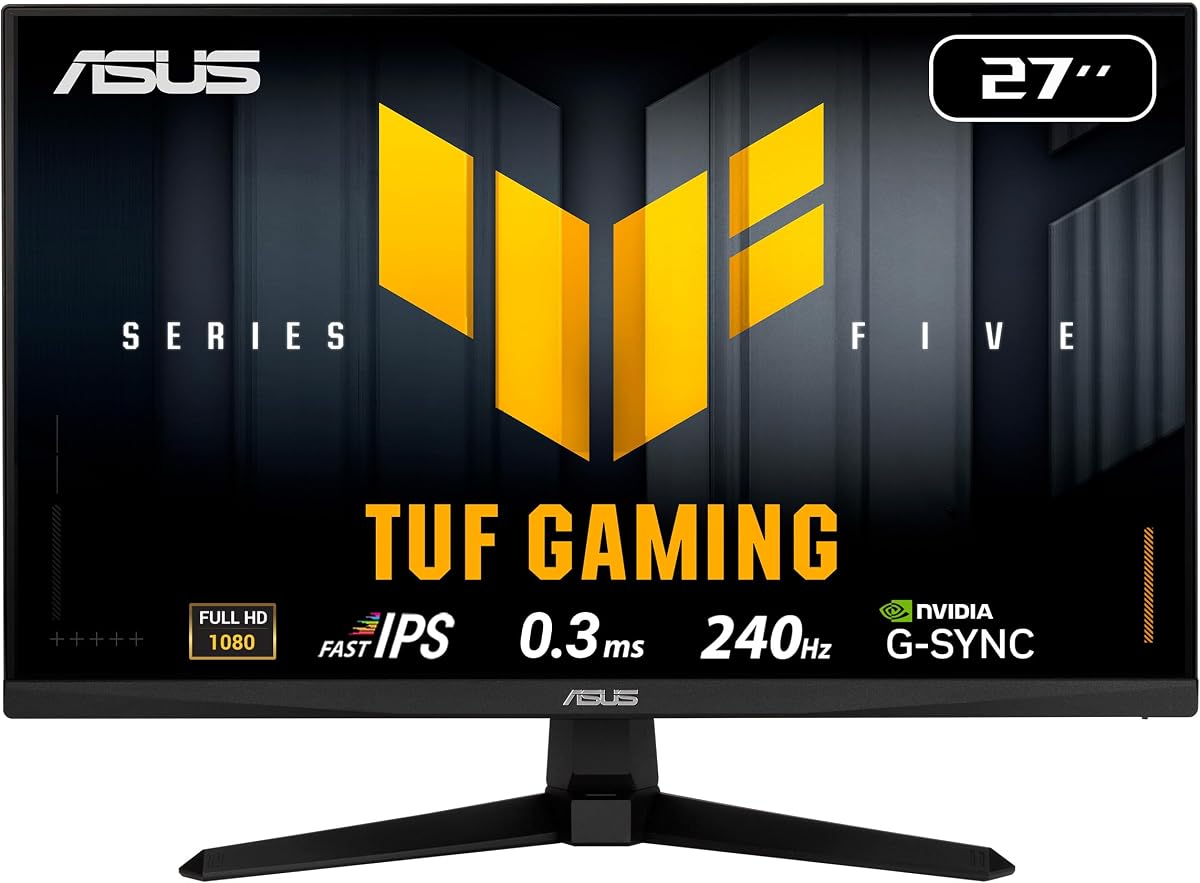
The ASUS TUF VG279QM5A is a 27-inch Fast IPS monitor with a native 240Hz refresh rate and a minimum response-time claim of 0.3ms. It receives a 4.5 rating and stands out for combining an aggressive speed specification with a large panel, adaptive sync for both major GPU ecosystems, and ASUS ELMB SYNC support. That combination makes it an advanced option for competitive Valorant setups.
We may earn a commission when you buy through this link, at no additional cost to you.
FreeSync Premium and G-SYNC compatibility make this monitor flexible across AMD and NVIDIA graphics cards. Its Extreme Low Motion Blur Sync technology can operate alongside variable refresh, aiming to reduce ghosting while also addressing tearing. The 99% sRGB coverage provides accurate and vibrant colors, and DisplayWidget Center allows settings to be adjusted with a mouse for faster menu navigation.
As with the larger msi model, the monitor uses Full HD on a 27-inch screen rather than providing a higher-resolution workspace. Some players may consider that a drawback when multitasking or editing, but competitive Valorant can benefit from the larger visible area. The supplied package includes a DisplayPort cable, power cord, screwdriver, quick-start guide, and warranty card, reducing the chance that additional essentials will be needed immediately.
This monitor is a strong premium recommendation for players who want more than raw refresh rate. The 0.3ms claim, broad adaptive-sync compatibility, ELMB SYNC, 27-inch format, and three-year warranty make it especially attractive for a dedicated competitive PC. It is best suited to players who value motion clarity and a broad view more than desktop resolution.
The 0.3ms minimum response claim and Fast IPS panel target the rapid visual changes produced by strafing, peeking corners, and tracking opponents. ELMB SYNC adds another motion-control option when working with variable refresh.
Support for both FreeSync Premium and G-SYNC compatibility makes the display less dependent on one graphics-card brand. Users should still enable the appropriate synchronization mode and follow Valorant's in-game frame and refresh-rate settings.
We may earn a commission when you buy through this link, at no additional cost to you.
The AOC Q27G41ZE is the most resolution-focused option in the guide, combining a 27-inch QHD IPS panel with a 240Hz refresh rate, support for up to 260Hz overclocking, and a 0.3ms MPRT response claim. Its 4.6 rating suggests strong customer satisfaction, while the 2560×1440 resolution differentiates it clearly from the Full HD alternatives.
We may earn a commission when you buy through this link, at no additional cost to you.
Adaptive-Sync support is designed for fluid play across both AMD and NVIDIA GPUs, and the title identifies NVIDIA G-SYNC compatibility. Shadow Control, game presets, and a graphical OSD allow users to tailor the display, while 300-nit brightness and a 1000:1 contrast ratio support clear competitive imagery. DisplayPort 1.4, two HDMI 2.0 ports, and audio output provide practical connectivity.
A QHD panel introduces a significant performance consideration. Valorant can benefit from the extra detail, but a capable graphics card and suitable settings are needed to approach the display's high refresh rate consistently. The supplied information also distinguishes between its standard refresh capability and overclocked mode, so buyers should confirm the achievable rate and synchronization behavior after installation.
The Q27G41ZE is ideal for a competitive PC that doubles as a high-quality general-purpose display. It is particularly suitable for players who stream, browse, or multitask alongside Valorant and want a sharper image than Full HD. For competitive-only use with modest graphics hardware, one of the Full HD models may be more straightforward.
The 2560×1440 panel provides more pixels than the Full HD selections, making HUD text, weapon outlines, and map elements appear more detailed. That extra sharpness can also make the monitor more versatile outside competitive games.
Shadow Control, FPS-oriented game modes, and overclocked refresh support provide several ways to optimize the display. The correct balance between frame rate, latency, and synchronization matters more than simply selecting the highest advertised mode.
We may earn a commission when you buy through this link, at no additional cost to you.
The SANSUI 24.5-inch monitor distinguishes itself with a maximum refresh rate of 300Hz while also supporting 240Hz over both DisplayPort and HDMI. It uses a Fast IPS panel at 1920×1080 resolution and carries a 4.5 rating. The headline 300Hz mode is appealing to competitive players, although reaching it requires hardware and settings capable of generating the corresponding frame rate.
We may earn a commission when you buy through this link, at no additional cost to you.
The supplied data lists a 1ms MPRT response time, FreeSync Premium, and a dedicated FPS game assistant with crosshair options. Two DisplayPort 1.4 ports support up to 300Hz, while two HDMI 2.0 ports support up to 240Hz. A 120% sRGB panel, 300-nit brightness, HDR support, 8-bit color, anti-flicker protection, and a low-blue-light mode round out the visual and comfort features.
MPRT and GtG response times describe different aspects of pixel transition, so the 1ms MPRT figure should not be interpreted exactly like a 1ms GtG claim. A 300Hz mode also does not guarantee a visible advantage unless the game and GPU consistently provide enough frames to use it. For players targeting a stable 240Hz experience, the 240Hz path remains the more practical headline mode.
This SANSUI model is a compelling choice for competitive players who want headroom beyond 240Hz and value gaming-specific assists. It is well suited to high-refresh PC builds, especially those equipped for very fast frame pacing. It is less compelling for users who need a higher desktop resolution, but the included DP cable and broad port selection make setup straightforward.
The ability to operate at up to 300Hz gives compatible systems more timing flexibility. Even when a typical match is limited by frame generation or hardware load, the monitor can still be configured for a high native refresh rate.
The crosshair and FPS game-assistant features provide quick access to visual aids. Competitive rules may restrict certain overlays, so players should use only permitted information and rely on the game's own crosshair where required.
We may earn a commission when you buy through this link, at no additional cost to you.
The Amzfast 24-inch curved monitor combines a 240Hz refresh rate, 1ms MPRT response, and Adaptive Sync in a package aimed at compact competitive desks. No numerical customer rating is supplied, so the product's 4.8/5 feedback cannot be compared directly with the rated alternatives. Its strongest distinguishing feature is the ultra-slim 0.12-inch base, which is designed to fit beneath a keyboard.
We may earn a commission when you buy through this link, at no additional cost to you.
Both HDMI 2.0 and DisplayPort 1.4 support 240Hz, giving players a choice of connections and simplifying integration with a gaming PC. The built-in STANDARD, FPS, and RTS modes, along with crosshair and black-level adjustment, allow quick changes between workloads. A five-way joystick provides access to the refresh-rate display, presets, crosshairs, and other settings without navigating a more cumbersome menu.
The curved panel and narrow base may not suit every setup. A curve can make a compact screen feel more immersive, but it can also alter viewing angles and complicate alignment for some users. Because no customer rating is listed, buyers should place greater emphasis on the stated specifications, return terms, warranty, and the compatibility of the included stand with their desk.
The Amzfast is most attractive to competitive players working in a small room or on a desk where keyboard clearance matters. It covers the essential 240Hz, adaptive-sync, and connectivity requirements while adding several convenient gaming shortcuts. It is a practical option, though the absence of listed rating data makes it harder to recommend as confidently as the better-documented picks.
The 0.12-inch base is designed to slide beneath a keyboard, reducing the depth consumed by the display. That makes the monitor useful for tight competitive stations where mouse space is already limited.
The five-way joystick places frequently used settings within thumb reach. That convenience is useful when moving between Valorant matches, other FPS games, media viewing, and everyday desktop work.
We may earn a commission when you buy through this link, at no additional cost to you.
The AOC 27G51Z combines a 27-inch widescreen IPS panel with a native 240Hz refresh rate and an overclocked mode reaching 260Hz. Its 0.5ms MPRT response claim and Adaptive-Sync support make it well aligned with competitive Valorant, while its 4.6 rating provides a favorable customer-feedback reference. The supplied information notes that the higher mode works over both HDMI and DisplayPort.
We may earn a commission when you buy through this link, at no additional cost to you.
Wide 178-degree viewing angles can help when the monitor is not positioned perfectly directly in front of the player. The display also includes flicker-free technology, an Eco Mode with 22W typical power usage, and a three-sided frameless design that can suit multi-monitor arrangements. Tilt adjustment and 100x100mm VESA compatibility provide some installation flexibility.
Height adjustment is not listed, which may be a concern for players who need to align the top of the screen with their eye level. The Full HD resolution is less demanding than QHD and therefore easier to drive at high frame rates, but it also produces a less detailed desktop. Buyers should also confirm that the overclocked setting remains stable with their specific graphics card and cable.
The 27G51Z is a strong middle ground for competitive players who want a large IPS display, optional 260Hz headroom, and reliable adaptive synchronization. It is particularly attractive for a dedicated gaming rig where the system is being optimized around high frame rates rather than general productivity. For those who value a simple 240Hz operating point, the native mode remains straightforward.
The native 240Hz mode provides a clear target, while the 260Hz overclock gives compatible systems additional headroom. This flexibility can be useful for frame-rate tests and for players who want to compare two refresh settings.
Flicker-free operation and wide viewing angles support long sessions and off-center seating. The slim three-sided frame also makes this display more convenient for a two-screen arrangement than a heavily bordered design.
We may earn a commission when you buy through this link, at no additional cost to you.
The SANSUI 24-inch curved display uses a 1500R panel to create a more immersive viewing shape, while retaining the 240Hz refresh rate expected from a competitive monitor. It has a 4.4 rating and a 1ms MPRT response specification. FreeSync support, a shadow or black-level adjustment, game presets, and a crosshair are among the features aimed at FPS use.
We may earn a commission when you buy through this link, at no additional cost to you.
Color specifications are more ambitious than many competitors in the group. The supplied information lists 124% sRGB and 93% DCI-P3 coverage, a 3000:1 contrast ratio, 300-nit brightness, and HDR support. Anti-flicker and anti-glare features are included, which can be helpful during long sessions. Connectivity consists of one HDMI 2.0 port, one DisplayPort 1.4 port, and an audio jack.
A 1ms MPRT figure should not be confused with a 1ms GtG pixel response, and actual motion clarity will depend on the complete system. The curved shape may make the display more engaging, but some competitive players prefer flat panels because they reduce geometric distortion and make it easier to judge straight lines and map angles. The stand offers only -5 to +15 degrees of tilt according to the supplied information.
This SANSUI model is best for players who enjoy a curved, high-contrast presentation and want gaming-oriented visual controls in a 24-inch format. It works well for entertainment as well as Valorant, while the 240Hz rate preserves the core competitive requirement. Players who prize geometric consistency may prefer a flat-panel alternative.
The 1500R curvature wraps around the viewer more than a flat panel while remaining less dramatic than many entertainment-focused curved monitors. That balance can make the display appealing for both games and everyday content.
The stated 3000:1 contrast ratio and black-level adjustment can help distinguish darker map areas from their surroundings. Players should calibrate brightness carefully so that enemies remain visible without washing out dark portions of the interface.
We may earn a commission when you buy through this link, at no additional cost to you.
The ASUS TUF Gaming VG249QML5A combines the speed expected from a competitive monitor with an important ergonomic advantage: a height-adjustable stand. Its 23.8-inch Fast IPS panel runs at 1920×1080 and 240Hz, with a claimed minimum response time of 0.3ms. The display receives a 4.4 rating and supports both FreeSync Premium and G-SYNC compatibility.
We may earn a commission when you buy through this link, at no additional cost to you.
ELMB SYNC enables ASUS Extreme Low Motion Blur Sync alongside variable refresh, offering an additional approach to reducing ghosting during rapid movement. DisplayWidget Center provides mouse-based control of the OSD, while 99% sRGB coverage supports accurate color reproduction. The height-adjustable stand is especially useful for aligning a 24-inch panel precisely with the user's eye level.
The Full HD resolution is a deliberate competitive trade-off. It keeps GPU demands more approachable while giving Valorant a large number of pixels that can be refreshed rapidly, but it offers less space for streaming software, browsing, and desktop multitasking than QHD. The supplied 0.3ms and ELMB specifications are manufacturer claims that should be understood alongside the settings used in real games.
The VG249QML5A is a strong choice for players who want fast motion, broad GPU compatibility, and a stand that makes long-session positioning easier. The three-year warranty adds reassurance for a primary gaming display. It is most appropriate for a dedicated competitive station where low latency and a well-aligned 24-inch screen are the main priorities.
Height adjustment helps users place the screen at a comfortable eye level, which is valuable during long ranked matches. The compact 23.8-inch format also leaves more room around the monitor than a larger panel.
Both FreeSync Premium and G-SYNC compatibility allow the monitor to work with either major GPU ecosystem. This flexibility simplifies future upgrades and makes the display less dependent on one brand of graphics card.
We may earn a commission when you buy through this link, at no additional cost to you.
The ASUS TUF Gaming VG259QM5A offers a balanced 24.5-inch size that sits between compact 23.8-inch models and larger 27-inch screens. It uses a 1920×1080 Fast IPS panel with a 240Hz refresh rate and a 0.3ms minimum GtG response claim. Its 4.6 rating is among the stronger results in the list, making it a credible all-around choice for competitive Valorant.
We may earn a commission when you buy through this link, at no additional cost to you.
FreeSync Premium and G-SYNC compatibility provide broad graphics-card support, while ELMB SYNC adds motion-blur reduction that can work with variable refresh. The 99% sRGB color gamut supports vivid and accurate visuals, and mouse-based DisplayWidget Center simplifies OSD adjustment. A three-year manufacturer warranty provides one of the longer coverage commitments listed among the competing models.
The main trade-off is Full HD resolution. That is a reasonable choice for a dedicated competitive display because it is easier to drive at high refresh rates, but it is less versatile for content creation and multitasking than the QHD AOC. The supplied data does not detail the stand's adjustment range, so buyers who care about height, tilt, or swivel movement should inspect the product page and physical listing carefully.
This monitor is a strong recommendation for a player who wants a traditional competitive size without going as small as a 23.8-inch model or as large as a 27-inch display. The 0.3ms GtG claim, 240Hz rate, flexible synchronization, and three-year coverage form a compelling package. It is particularly appropriate for a high-refresh PC built primarily around Valorant and other competitive shooters.
The 24.5-inch format offers more screen area than 23.8-inch models while remaining easier to fit on a typical desk than many 27-inch alternatives. That middle ground can be attractive in a dedicated gaming room.
The 0.3ms minimum GtG claim emphasizes raw pixel response, while ELMB SYNC targets perceived ghosting. Together with adaptive sync, these features form a useful set of tools for fast competitive movement.
We may earn a commission when you buy through this link, at no additional cost to you.
A competitive Valorant monitor should prioritize low latency, clean motion, readable enemy silhouettes, and synchronization that works with the player's hardware. The most important factors are refresh rate, response behavior, adaptive-sync compatibility, resolution, and desk fit, while comfort and gaming controls help refine the experience.
A 240Hz refresh rate is the central requirement because it allows Valorant to present many more frames per second than a standard high-refresh display, reducing the interval between visual updates. Some models in this guide also advertise 260Hz or 300Hz overclocked modes. Those modes can add useful headroom, but the highest number is not automatically the best experience: the graphics card must consistently supply enough frames, and the operating system must recognize the selected rate.
Choose a native 240Hz mode as the dependable baseline, then test any overclocked option for stability. A lower frame rate delivered consistently with predictable timing may feel more useful than a headline mode that the system cannot maintain.
Fast response helps enemies remain distinct during strafing, quick turns, and peeking corners. The listed 0.3ms, 0.5ms, and 1ms figures are manufacturer specifications, and MPRT is not the same measurement as GtG. GtG describes the transition between pixel brightness levels, while MPRT is a motion-based response specification that may rely on backlight strobing.
For the clearest basis of comparison, prioritize Fast IPS panels with explicit minimum GtG figures, then consider whether ELMB or another motion-blur feature is available. Test the final settings in Valorant, since aggressive overdrive can sometimes introduce flickering or overshoot artifacts.
Adaptive synchronization coordinates the display refresh with the graphics output, helping prevent tearing when the game is operating inside the monitor's supported refresh range. The selections include FreeSync Premium, G-SYNC-compatible models, and general Adaptive-Sync support. FreeSync-based options are especially convenient for AMD users, while broad compatibility gives mixed hardware setups more flexibility.
A monitor supporting both major synchronization approaches may be easiest to use across GPU upgrades. Confirm the supported range in the manual and use the correct DisplayPort or HDMI configuration. Synchronization cannot remove input lag, so it should complement a fast panel and responsive system rather than serve as a substitute for them.
Full HD at 240Hz is the most straightforward combination for competitive Valorant because it places a lower rendering demand on the graphics card than QHD. It allows players to focus on frame delivery and competitive settings, although text and desktop elements may appear less detailed. QHD provides a noticeably sharper image and more workspace, making the AOC Q27G41ZE attractive for players who also stream or multitask.
Match the resolution to the graphics card rather than choosing the sharpest option by default. If a QHD display cannot maintain the desired refresh rate consistently, a well-tuned Full HD model may provide a more responsive experience. The listed resolution also affects the amount of visual information that can be perceived at once, so larger screens and higher resolutions are not automatically better for every player.
Screen size changes both the visible area and desk-space requirements. A 23.8-inch model is compact and works well in smaller rooms, while a 27-inch display provides a broader view of the play area. Curved screens can add immersion, but they may alter geometry and are not automatically more competitive than flat panels. Some players find a curve helpful for peripheral awareness, whereas others prefer the straight lines and consistent viewing angle of a flat display.
Measure the available desk width and viewing distance before choosing. A larger monitor can make enemies and map details easier to notice, but it also requires the player to move their eyes farther across the screen. The 24- to 24.5-inch ASUS models provide a middle ground, while 27-inch options favor a broad sightline.
Competitive sessions can last for hours, so the ability to place the display correctly matters. Height adjustment is especially useful for aligning the upper edge of a monitor with eye level, and tilt can prevent neck strain. Some entries provide only tilt, which is adequate for many desks but less flexible than a fully adjustable stand. VESA compatibility can provide another mounting option when the included base is not ideal.
Check the listed adjustment range before buying. If the desk is deep or the player uses a racing chair, a low display may require a monitor arm. VESA compatibility, included hardware, and desk depth should all be considered together rather than assuming the included stand will fit every setup.
Crosshairs, game modes, shadow controls, AI visibility tools, and black-level adjustment can make enemies easier to identify. These features are helpful, but they should support rather than replace sound fundamentals such as appropriate brightness, clean movement, and familiar crosshair placement. High contrast can separate opponents from backgrounds, while excessive brightness may hide subtle characters in darker map areas.
Consider whether the OSD can be operated quickly. A joystick or mouse-controlled menu can make it easier to move between FPS, RTS, and standard presets. Try each mode rather than assuming a branded game preset is always the best choice, and make sure any assistance complies with the rules of the platform or tournament.
DisplayPort 1.4 is the most relevant connection for many high-refresh PC setups, while HDMI 2.0 provides flexibility for consoles and other devices. The exact maximum refresh rate can differ between ports, so the manual should be checked before choosing a cable or input. Some products include a DisplayPort cable, while others require the player to provide one. An audio jack is useful for external headphones or speakers, although a missing built-in speaker is normal for many gaming monitors.
Warranty coverage also matters for a display intended to last through multiple hardware upgrades. The ASUS TUF models list three-year manufacturer coverage, while several SANSUI products mention specific replacement support and lifetime technical support. These terms can add confidence, but buyers should retain proof of purchase and review the full warranty conditions.
Begin by connecting the PC with DisplayPort 1.4 when available because it is the most straightforward route to the highest advertised refresh rate on many of these monitors. Select the correct input, open the operating system's display settings, and choose the native 240Hz option. If using an overclocked mode, install the graphics-card control software, enable the desired rate, and confirm that it remains stable before making it the primary profile.
In Valorant, set the display mode to Fullscreen or the appropriate borderless option, match the in-game refresh rate to the monitor, and ensure the frame-rate cap does not exceed what the system can sustain consistently. Enable the appropriate Adaptive-Sync or G-SYNC setting in the graphics software, then adjust brightness, contrast, color temperature, and any game preset while playing the map you use most. Small changes are easier to evaluate when the same scene and lighting are used for comparison.
For long-term care, clean the panel with a soft, lint-free microfiber cloth and avoid liquid cleaners unless the manufacturer specifically approves them. Do not place pressure on the IPS surface or let moisture enter the ports. Keep the vents unobstructed, avoid placing the display near direct heat, and use the included cable where appropriate. Periodically check for firmware or graphics-driver updates, and revisit the OSD if a new game or operating-system change alters scaling or synchronization behavior.
A 240Hz monitor can provide faster visual feedback than lower-refresh-rate screens, especially when the game is consistently running near 240 frames per second. The benefit depends on hardware performance, frame pacing, and player sensitivity. A lower-refresh display can still be enjoyable, but a capable system paired with a low-latency 240Hz panel is better for taking advantage of Valorant's rapid timing.
A native 240Hz mode is the most dependable starting point because it is designed to be a standard operating target. The 260Hz and 300Hz options in this guide may be useful when compatible hardware can consistently reach those rates, but an overclocked mode should be tested for stability and synchronization. Consistent frame delivery is generally more important than the highest occasional rate.
No. The numbers may use different response measurements, and real image clarity also depends on panel behavior, overdrive settings, frame rate, and the complete system. A Fast IPS panel with a low minimum GtG specification is a useful comparison point, but the best choice is the one that delivers stable, clean motion without flickering, overshoot, or unwanted brightness changes.
Adaptive Sync primarily helps prevent tearing by synchronizing the monitor's refresh with the frames being sent by the graphics card. It does not directly eliminate input lag, although the absence of tearing can make movement feel more consistent. To minimize perceived delay, use a low-response display, maintain a steady high frame rate, avoid unnecessary display scaling, and connect through a suitable high-refresh input.
Full HD is generally easier to drive at high frame rates and is a strong choice for a dedicated competitive PC. QHD delivers a sharper and more detailed image, but it places greater demands on the graphics card. Players who stream, edit, or multitask may prefer QHD, while those focused solely on competitive responsiveness may gain more from maintaining a high and stable frame rate at Full HD.
A 24-inch monitor is compact and can make targets easier to keep within a smaller field of view, while a 27-inch model offers more visible surroundings and map detail. Neither size changes the game's underlying information or aim requirements. The better choice depends on desk space, viewing distance, personal preference, and the player's ability to track movement comfortably across the screen.
Neither technology is mandatory, but adaptive synchronization is valuable when it works correctly with the graphics card and frame rate. A FreeSync-compatible display can be an excellent choice for an AMD system, and a monitor supporting both approaches is more flexible across upgrades. Users should also understand the supported refresh range and avoid enabling incompatible synchronization modes.
These features can help players see the game more clearly, but they are not substitutes for sensitivity control or practice. Excess brightness or a large crosshair may obscure parts of the scene or conflict with tournament rules. Test subtle adjustments, retain the game's permitted crosshair where necessary, and ensure any third-party visual assistance is allowed by the rules of the service or event.
The Dell SE2426HG is the best balanced budget recommendation because it combines a native 240Hz rate, 0.5ms response claim, Fast IPS panel, FreeSync Premium, and eye-comfort certification without an elaborate feature list. The msi MAG 274CF X24 stands out for its larger 27-inch screen, strong customer rating, 240Hz refresh, and minimum 0.5ms GtG response, while the ASUS TUF VG279QM5A is the premium option for players prioritizing 0.3ms response, ELMB SYNC, and broad adaptive-sync compatibility.
Before choosing, prioritize the features that match the complete gaming system. High-refresh Full HD is the most direct route to competitive smoothness, QHD adds sharpness but increases GPU demand, and 24.5- or 27-inch panels provide different sightline and desk-space trade-offs. Also consider response measurement, synchronization support, stand adjustment, and the visibility settings that will remain comfortable during long matches.
Product ratings, features, and availability can change, and current retail conditions should be checked before ordering. Review the manufacturer's specifications and monitor manual to confirm the highest refresh mode, supported input, synchronization range, and stand adjustment. That final verification helps ensure the selected 240Hz monitor integrates cleanly with the player's PC and delivers the consistent competitive experience that Valorant rewards.