GHome Smart Fingerprint Door Lock, 4-in-1 Smart Lock with Removable Battery
4.5Editor score
Removable 700mAh battery
Four unlocking methods
One-touch local fingerprint access
Extensive smart modes
Explore the best biometric interior bedroom doorknob options, comparing fingerprint access, keypads, apps, batteries, security, and installation.
A biometric interior bedroom doorknob combines fingerprint recognition with conventional locks and optional keypads, app control, and mechanical keys. The best model for your door should balance quick everyday access, dependable privacy, understandable controls, and a power system you do not have to think about constantly.
We compared all ten options by examining their supported entry methods, fingerprint and passcode capacity, smart functions, battery design, emergency access, physical construction, stated compatibility, and installation process. The list covers straightforward fingerprint locks, app-enabled models, premium rechargeable systems, and lower-cost alternatives for standard interior doors.
Each review identifies the feature set that makes that model distinctive, along with practical limitations worth considering before installation. Our top three picks represent the strongest overall choices, but the right selection depends on your door dimensions, technical comfort, power preference, and whether remote access is genuinely necessary.
4.5Editor score

4.8Editor score

4.0Editor score
The comparison below highlights the access methods, user capacity, power approach, installation needs, and important extras offered by each biometric interior bedroom doorknob.




This Fingerprint Door Lock stands out as the most complete option in the roundup, combining fingerprint recognition, a privacy password, IC card access, app control, and two mechanical keys. Its 4.8 rating is the highest among the ten products, while the unusually broad access system makes it adaptable to family members, guests, renters, and anyone who wants a non-biometric backup.
We may earn a commission when you buy through this link, at no additional cost to you.
The upgraded 160-by-160-DPI fingerprint sensor is one of its strongest technical features. It covers 35 percent more area than a standard 120-by-120 sensor and supports 360-degree recognition, which may be useful for family members or older users whose prints can be less pronounced. The lock can store up to 100 fingerprints and 50 passwords, and the stated recognition speed is 0.2 seconds with instant unlocking in one second.
Its trade-offs are straightforward. It uses four AAA batteries, which are not included, and app control is local unless a compatible gateway is added. That makes it less convenient than a permanently rechargeable model for someone who wants remote access immediately, but the IC cards, passwords, and mechanical keys preserve several practical ways to enter if the electronics or app are unavailable.
This is the strongest all-around choice for a standard interior bedroom door. It offers enough capacity for a busy household, excellent sensor specifications, and multiple fallback methods without asking the owner to depend on a single form of entry. It is particularly appealing for people who want app flexibility but do not necessarily need a gateway from day one.
The larger recognition surface and broad-angle sensor make this model appealing to households with children, older adults, or multiple registered users. It also allows up to 100 fingerprints, enough to accommodate family, guests, and service providers without constantly replacing registrations.
Two IC cards and two mechanical keys add convenience for people who do not want to rely exclusively on a fingerprint or typed code. App management and one-time password support further expand the lock's usefulness for rentals, offices, and guest access.
We may earn a commission when you buy through this link, at no additional cost to you.
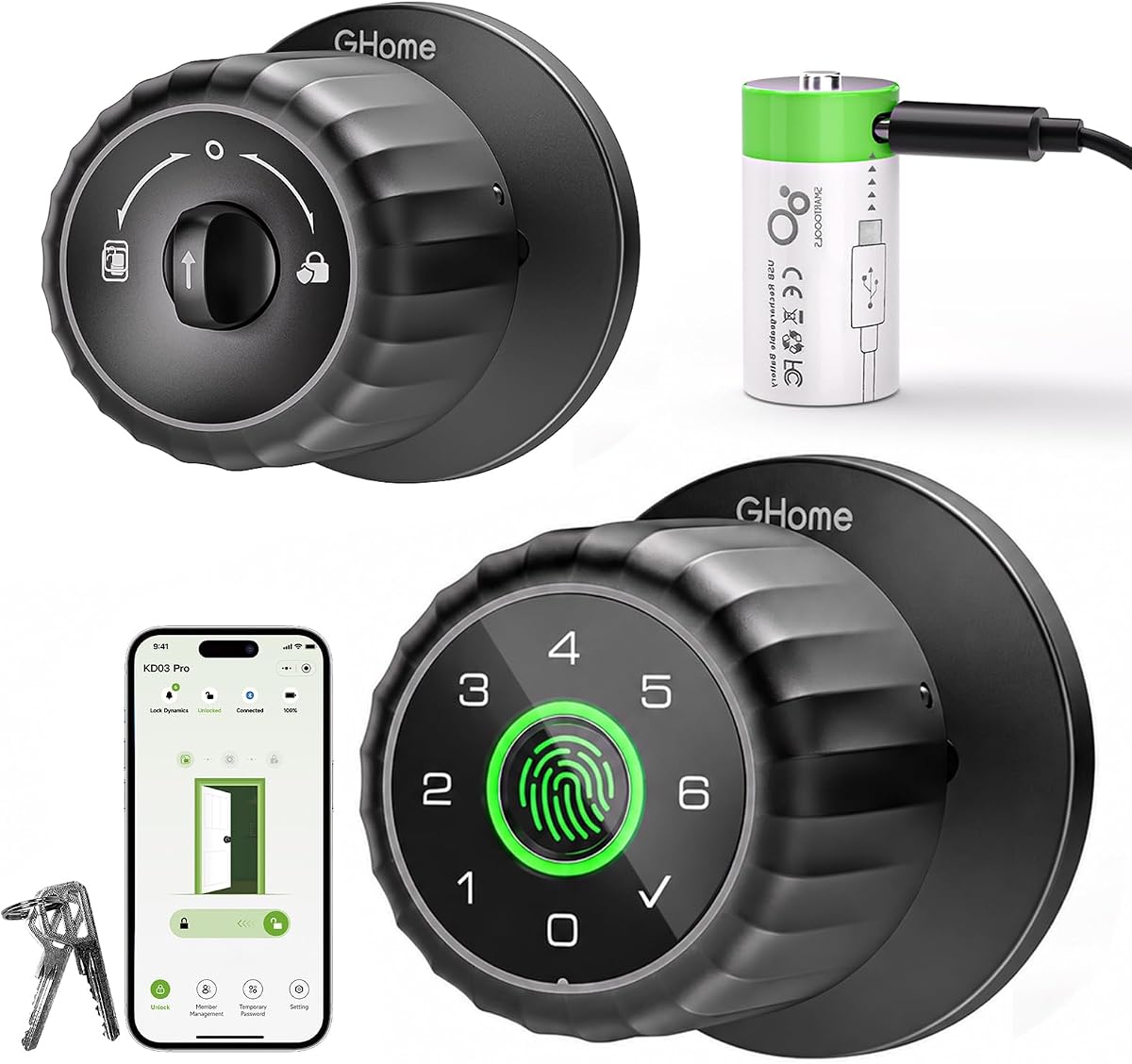
The GHome KD03 PRO is the premium option because it addresses one of the most common smart-lock inconveniences with a removable 700mAh rechargeable battery. Rather than leaving a power bank connected at the door or removing the entire lock, the owner can carry the battery indoors, charge it with USB-C, and snap it back into place.
We may earn a commission when you buy through this link, at no additional cost to you.
The smart feature set is extensive. It supports fingerprint, keypad, Bluetooth app, and mechanical key entry, with capacity for 100 fingerprints and 100 passcodes. The self-learning fingerprint system is stated to reach 99.98 percent accuracy, while the 360-degree sensor is designed to work from multiple angles. Auto-lock timing, passage, privacy, normal, and silent modes add practical control over everyday use.
The premium complexity may not suit a straightforward installation. The GHome app is necessary for credential management, and remote access or voice-control integration requires a separately sold G2 or G2B gateway. Local storage is a strong privacy feature, but buyers still need to set an administrator before granting access to others.
This is the pick for someone who wants a sophisticated indoor lock without tethering a power bank to the door. Its removable battery, broad credential capacity, and extensive modes make it particularly attractive for shared homes, apartments, offices, and anyone who values long-term charging convenience.
The removable battery is the defining advantage. It fully charges in about two hours indoors and can provide more than 300 days of everyday use, reducing the likelihood that charging will be tied to a door-side cable or external battery pack.
Permanent and temporary passcodes, entry-history review, user removal, and optional gateway integration make the lock useful beyond a single household. The app's 50-foot Bluetooth range keeps routine control local while leaving room for expanded smart-home access.
We may earn a commission when you buy through this link, at no additional cost to you.
This black fingerprint door lock delivers the core benefits of a smart biometric knob at the lower end of the roundup. It offers four access methods, including fingerprint, password, two mechanical keys, and four IC cards. The listed 4.0 rating reflects a functional package centered on local access rather than extensive app-based management.
We may earn a commission when you buy through this link, at no additional cost to you.
Its fingerprint sensor is described as recognizing prints in less than one second, and the lock supports up to 100 fingerprints and 50 passwords. The included accessories make it possible to grant access to several household members or visitors without requiring everyone to use the same credential type.
The installation claims are attractive for a standard wooden interior door. It accommodates door thicknesses from 1.18 to 1.97 inches and supports left- or right-swing doors, with installation described as requiring no drilling or wiring. However, the USB port is only for emergency power and cannot recharge the internal batteries, so the lock is not as convenient as models with built-in USB-C charging.
This is the best budget selection for users who mainly want fast fingerprint entry, a keypad, and mechanical backup without paying for app complexity. Its key caveat is the first-use requirement: an administrator fingerprint must be registered, and until that happens, any fingerprint may unlock the door.
Having both electronic and physical access methods reduces the chance of a lockout. Fingerprints suit regular household members, passwords and IC cards cover visitors, and mechanical keys provide a conventional fallback during power or battery issues.
The stated dimensions cover a broad range of wooden doors, and the reversible design supports both left- and right-hand swings. That makes preliminary door measurement especially important before selecting this model for an unusual interior door.
We may earn a commission when you buy through this link, at no additional cost to you.
This Fingerprint Keypad Smart Door Knob is a well-rounded option for users who want app control without the complexity of a larger credential system. It combines fingerprint recognition, an anti-peep keypad, app access, and two traditional mechanical keys, earning a 4.5 rating among shoppers.
We may earn a commission when you buy through this link, at no additional cost to you.
Its most eye-catching feature is the stated 0.2-second fingerprint recognition time. A 400mAh rechargeable battery takes four to six hours to fill and is claimed to provide up to a full year of standby power. A low-battery alert and included backup keys help manage the possibility of an outage or depleted battery.
Bedroom-specific conveniences include a backlit keypad, silent mode, passage mode, one-time guest passcodes, and anti-peeping password protection. Installation is advertised as taking about 15 minutes with a screwdriver and no drilling, with an adjustable latch and compatibility for doors from 1-1/8 to 2-1/8 inches thick.
Choose this model if you want a balanced set of everyday features and a simple rechargeable design. The key judgment is whether app control justifies a slightly more involved system than a keypad-only lock, particularly if multiple household members will need individual access.
The backlit keypad makes codes easier to enter in a dark room, while silent mode reduces operational noise. Passage mode is useful when a bedroom needs to remain open temporarily during busy household moments.
The built-in rechargeable battery removes the need to maintain a stock of disposable cells. Its stated year-long standby figure is useful for planning, though actual life will depend on how often each entry method is used.
We may earn a commission when you buy through this link, at no additional cost to you.
The GHome 3-in-1 Smart Lock offers a useful balance of privacy, local app control, and mechanical backup. It unlocks by fingerprint, app, or key, and the product information specifically states that fingerprint information is encrypted and stored inside the lock rather than in the cloud.
We may earn a commission when you buy through this link, at no additional cost to you.
Fingerprint recognition is stated to take about 1.0 to 1.5 seconds, with accuracy claimed at 99.9 percent. The lock includes a 400mAh rechargeable battery that provides up to six months of typical use and a USB Type-C charging port. Low-battery monitoring is handled through the app.
Its adjustable auto-lock range runs from five seconds to 30 minutes, while privacy mode and passage mode cover quiet-time privacy and high-traffic situations. Bluetooth app control extends up to 50 feet and supports unlocking, access history, user management, and battery reminders. Remote functions require the separately sold G2B or G2 gateway.
This is a strong fit for privacy-conscious users who want app organization without sending biometric information to the cloud. It is less feature-heavy than the premium GHome model, but its rechargeable design, local storage, and broad auto-lock range make it an effective middle-ground choice.
Keeping fingerprint data on the lock is a meaningful distinction for users concerned about online exposure. App-based administration can still organize users and access records without placing the biometric templates in cloud storage.
A range beginning at five seconds and extending to 30 minutes lets the owner choose how long the door remains open. The same scheduling flexibility is useful for a home office, bedroom, garage, or rental room used at different times.
We may earn a commission when you buy through this link, at no additional cost to you.
ThorBolt MD1 focuses on local access control, combining fingerprint scanning, a keypad, and a mechanical key. It carries a 4.5 rating and supports up to 100 fingerprints and 100 passcodes, making it one of the strongest choices for a bedroom shared by many family members or used by a large office.
We may earn a commission when you buy through this link, at no additional cost to you.
The lock automatically engages five seconds after inactivity and can also be secured immediately by pressing the enter key. Its anti-peep feature allows random digits to be placed before or after the real passcode, helping conceal the actual sequence from casual observation.
Power is supplied by four AA alkaline batteries, which are not included. A Type-C port on the bottom can accept a power bank if the batteries run down, and backup keys provide another emergency route. The zinc alloy body is described as water resistant, while the rounded rectangular handle is intended to remain comfortable to grip, including with wet hands.
Choose the MD1 when credential capacity, anti-peep entry, and emergency options matter more than app control. The disposable-battery approach is less tidy than a removable rechargeable system, but the broad programming capacity and familiar keypad workflow suit high-traffic interior rooms.
Supporting 100 fingerprints and 100 passcodes is generous for a bedroom, rental, dormitory, or office. The learning function is also said to improve recognition speed and accuracy as fingerprints are scanned repeatedly.
The anti-peep keypad, passage mode, silent mode, and automatic locking give the owner several ways to balance privacy with frequent traffic. The lock can be programmed through a single administrator code for easier management.
We may earn a commission when you buy through this link, at no additional cost to you.
This gold fingerprint door lock offers the same broad, locally managed access concept as the other budget model in the roundup. It includes fingerprint, password, two mechanical keys, and four IC cards, with support for up to 100 fingerprints and 50 passwords. Its 4.0 rating places it among the more highly reviewed options in the group.
We may earn a commission when you buy through this link, at no additional cost to you.
The sensor is described as recognizing a fingerprint in less than one second. The lock is intended for wooden doors between 1.18 and 1.97 inches thick and can be installed for either a left- or right-swing door. The package includes video tutorials and tools, and the stated process requires no drilling or wiring.
As with the black counterpart, the USB port is for emergency power rather than battery charging. That distinction matters if you want the freedom to recharge the internal cells away from the door. This model also requires an administrator fingerprint to be registered before normal operation.
The gold finish makes this a sensible option for users who want fingerprint access on a budget without choosing a conventional black lock. The underlying functionality is well suited to a bedroom or private office, provided the door measurements fit and the owner follows the initial setup carefully.
The gold finish gives buyers a visible style choice while retaining the same smart-lock layout. It may complement warm-toned hardware or an interior design where a standard black knob would feel visually heavy.
For households that mainly need reliable room access, fingerprint, code, card, and key entry cover most situations. The absence of stated app control keeps the feature set approachable, though access history may not be available.
We may earn a commission when you buy through this link, at no additional cost to you.
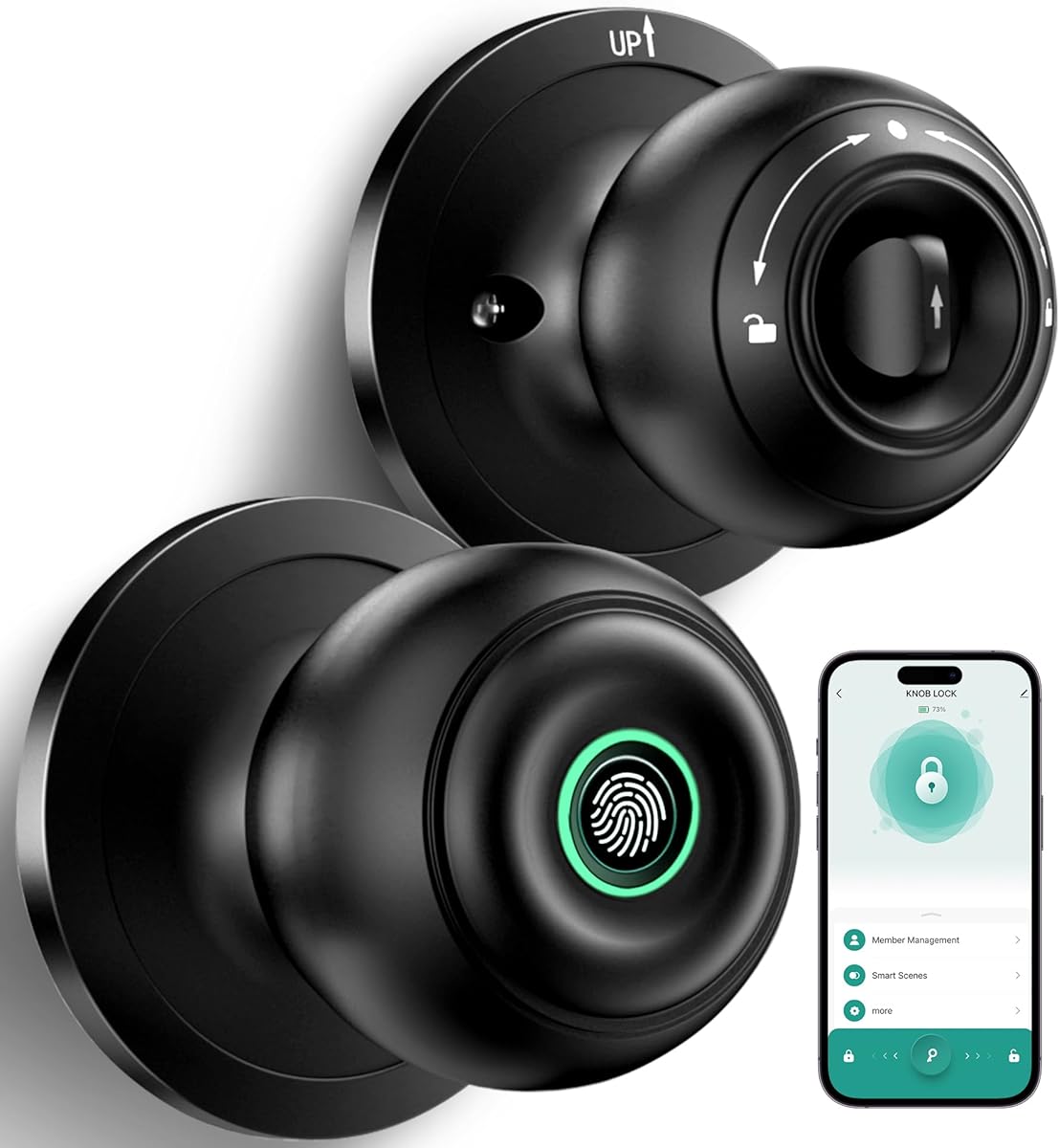
The Matte Black Smart Knob is a practical app-enabled lock for interior bedrooms and similar spaces. It offers three access methods—fingerprint, app, and mechanical key—and a 4.2 rating. Its mode selector gives users direct control over normal, passage, privacy, and silent behavior.
We may earn a commission when you buy through this link, at no additional cost to you.
Normal mode is described as automatically locking after five seconds. Passage mode provides continuous access, privacy mode favors secure access, and silent mode reduces keypad noise. The app can add or share access, set fingerprints, and review access records through Bluetooth connectivity.
The built-in rechargeable battery is charged with USB Type-C and is stated to last up to one year. Low-battery notifications appear when the battery falls below 20 percent. Remote control requires a separately purchased gateway, and the lock is explicitly not suitable for doors with weather strips installed.
This is a sensible choice for an apartment, rental, or home office where a physical mode selector makes daily behavior easier to understand. Installation is screwdriver-based, but buyers should follow the alignment instructions carefully because the interior and exterior knobs, spindle, and thumb turn must be positioned correctly.
The physical mode selection makes it simple to switch between quick family access, privacy, and quiet entry. This is particularly useful for a bedroom that alternates between an open, busy room and a private space.
USB Type-C charging removes disposable batteries, while app alerts warn before power becomes an issue. The stated one-year battery figure is based on expected use and should not be treated as a guarantee for every access pattern.
We may earn a commission when you buy through this link, at no additional cost to you.
The Matte Black Keypad Lock combines a compact set of access methods with app-based management. It supports fingerprint recognition, personalized passwords, Bluetooth app control, and backup keys, and it has a 4.1 rating. Unlike some higher-capacity models, it stores credentials for 20 fingerprint and password users.
We may earn a commission when you buy through this link, at no additional cost to you.
The app can share access, add members, manage credentials, and create permanent or temporary codes for family, guests, deliveries, or housekeepers. It also provides access logs, silent mode, and passage mode. Fingerprint and app data are stored locally rather than uploaded to the cloud.
A 400mAh rechargeable battery is stated to last up to one year, with a Type-C to USB-A charging connection. A backup key and low-battery warning provide additional security. Wi-Fi control and Smart Life app gateway compatibility require a separately purchased gateway, and the lock is not suitable for doors with weather strips.
This is a good fit for a couple, small family, guest room, or study where 20 users are more than enough. Its main limitation is the lower capacity, while its strengths lie in temporary access, local privacy, and a good mix of electronic and physical entry methods.
Permanent and temporary passwords make it possible to provide controlled access without sharing a physical key. Delivery personnel, housekeepers, and occasional guests can be assigned codes that suit the visit.
Keeping fingerprint and app information locally supports the privacy proposition of the lock. The app still provides useful administration, including credential management and a chronological view of access activity.
We may earn a commission when you buy through this link, at no additional cost to you.
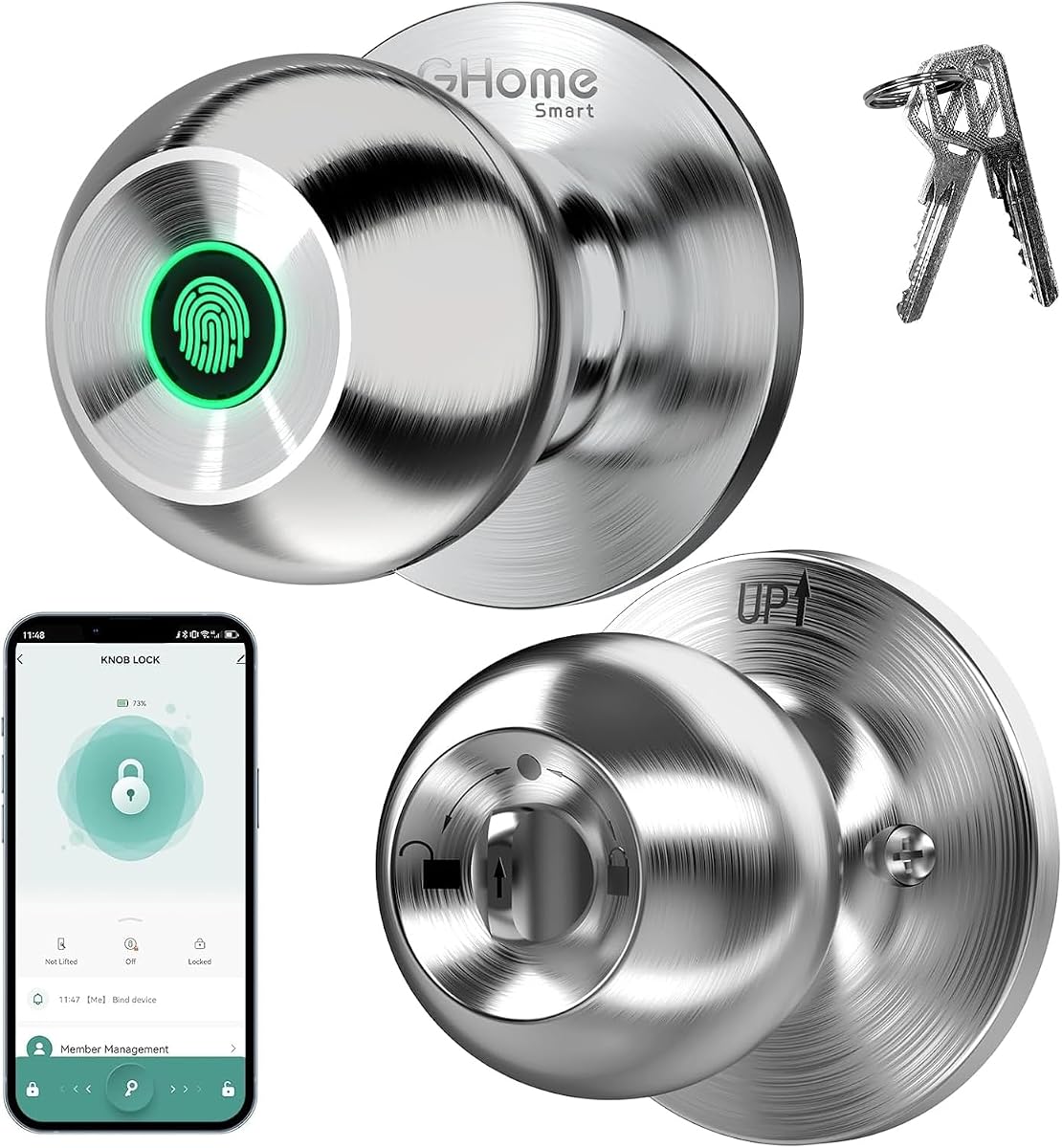
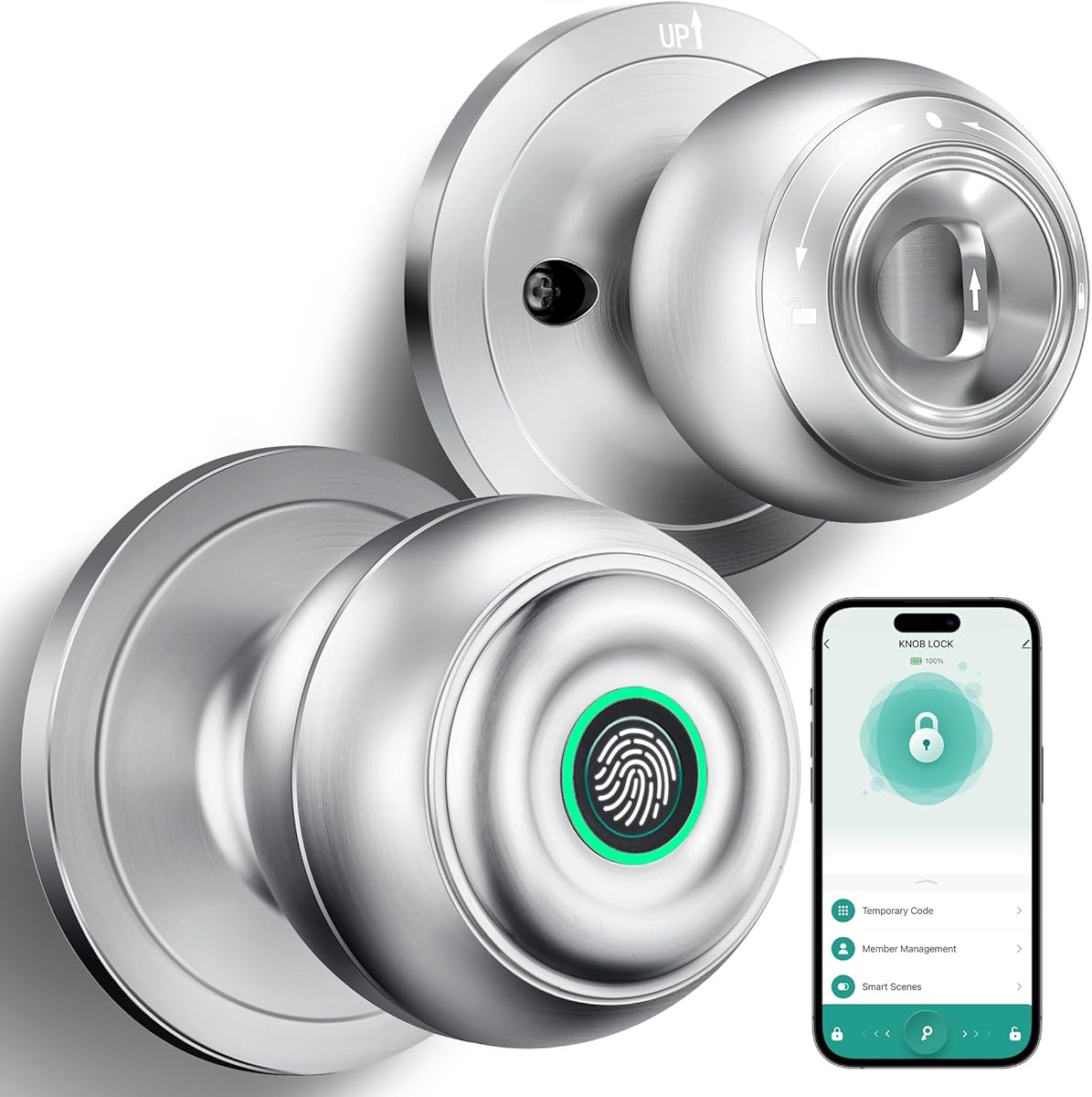
The Silver Smart Fingerprint Knob offers connected access in a clean metallic finish. It unlocks by fingerprint, app, or mechanical key, and its 4.2 rating places it alongside the matte black version as a solid interior option. The mode selector provides Normal, Passage, Privacy, and Silent settings.
We may earn a commission when you buy through this link, at no additional cost to you.
Normal mode automatically locks after seven seconds, while Passage mode keeps the door open and Privacy mode supports a secured personal space. The app allows users to set fingerprints, check access records, and add or share access. Its Bluetooth range is limited, and remote operation requires a separately purchased gateway.
A built-in rechargeable battery is stated to last up to one year and is charged with a USB Type-C supply. App notifications warn when the battery falls below 22 percent, giving the owner time to recharge before access is interrupted. Mechanical keys remain available for emergencies.
This model is worth considering for a bedroom, apartment, or Airbnb where a silver finish is preferred and fingerprint access is the primary electronic method. It is not intended for weather-stripped doors, and careful alignment of the two knob assemblies, spindle, and thumb turn is essential during installation.
The silver finish provides a lighter visual option than the matte black alternatives. It can be easier to coordinate with brushed nickel, chrome, or other contemporary interior hardware.
The model keeps the electronic feature set focused on fingerprint and nearby app control, while mechanical keys offer a backup. That makes it approachable for users who do not need a separate keypad or gateway initially.
We may earn a commission when you buy through this link, at no additional cost to you.
The right biometric interior bedroom doorknob depends on door fit, preferred entry methods, power management, and how much smart control you actually need. Measure the door first, then compare the following features before choosing.
Door compatibility is the factor that can make or break an installation. Most products in this roundup fit standard interior doors, but their stated ranges differ. Thickness limits range from 1.18 inches on the budget models to 2-1/8 inches on several other locks, while common supported backsets are 2-3/8 and 2-3/4 inches. Measure both before ordering and consider whether the door has unusual hardware, a narrow frame, or a weather strip.
Fingerprint access is the defining feature, but the best backup method depends on your routine. Passwords are useful for guests and service providers, IC cards are easier to hand over than codes, app control suits connected users, and mechanical keys provide the most familiar emergency option. Models range from three access methods to five, so compare the included credentials rather than assuming every smart lock supports every method.
Power design affects long-term convenience more than many buyers first expect. Rechargeable locks use either a built-in cell or a removable battery, while the ThorBolt MD1 and the five-method model use disposable AAA or AA batteries. A removable battery is convenient to charge indoors, a built-in rechargeable cell avoids loose batteries, and disposable cells are simple but require periodic replacement. Always distinguish a charging port from an emergency-only power input.
Bedroom locks benefit from modes that change behavior as household routines change. Passage mode keeps a door open during gatherings, privacy mode supports a locked personal room, silent mode reduces operational noise, and auto-lock delays range from five seconds to 30 minutes across the products reviewed. These settings can be more useful than remote unlocking for many users.
Bluetooth app control can simplify adding users, setting temporary codes, reviewing access history, and checking battery status. However, most app-enabled models provide remote control only when a compatible gateway is purchased separately. If local access is enough, a non-app lock may offer a simpler experience. If you want access from another room, travel, or a voice-control ecosystem, plan for the appropriate gateway.
Several products state that fingerprint information is encrypted and stored locally rather than uploaded to the cloud. This is a meaningful distinction for privacy-conscious buyers, but it should be considered alongside setup requirements. An administrator fingerprint or code generally needs to be registered first. Users should also think about who has physical access to the lock and whether temporary credentials can be removed promptly.
A smart lock should not become a barrier when its battery is depleted or electronics fail. Every reviewed product includes some form of mechanical backup, while several also support emergency power through a USB or Type-C connection. Check whether a power bank can power the lock and whether that port can recharge its internal battery. Keeping the included key in a sensible place adds another layer of practical readiness.
Begin by confirming that the door dimensions, backset, swing direction, and any weather stripping are compatible with the lock. Follow the manufacturer's alignment instructions carefully, particularly around the spindle and thumb turn, and do not force the interior assembly if it does not sit flush. After the hardware is secure, test the handle, latch, and manual key before registering users.
Set the administrator fingerprint or administrator code before adding other credentials. Each person should register their own fingerprint and test it several times from different angles. If a guest or service provider will use the door, create a temporary passcode or card where supported, then remove or change it after the visit. Keep mechanical keys accessible but stored responsibly.
For care, gently wipe the sensor and keypad with a dry or lightly damp cloth and avoid abrasive cleaners or excessive moisture. Read low-battery alerts before power becomes critical, and follow the stated charging procedure for the specific lock. Do not treat an emergency power port as a charging port unless the manufacturer explicitly says it can recharge the internal battery.
Most of the reviewed locks are designed as DIY replacements for standard interior door knobs and use a screwdriver without requiring drilling or wiring. Compatibility still depends on door thickness, backset, swing direction, and whether weather strips are present. Measure the door and compare those details with the manufacturer's specifications before removing the old hardware.
The reviewed products include mechanical backup keys, and several also support emergency power through a USB or Type-C connection. The precise behavior depends on the model, so check whether the port supplies temporary power or can recharge the internal battery. Low-battery alerts are available on many app-enabled locks and should be acted upon before the lock becomes inoperable.
In most cases, yes. Bluetooth app control generally works only within the stated local range, which is often around 50 feet. Remote access and smart-home or voice-control integration require a compatible gateway, and gateways are sold separately for the products that support them. If local control is sufficient, you can avoid that additional component.
Capacity varies substantially among the ten products. Several models support 100 fingerprints, while others list 50, and the smaller app-managed model supports 20 users for each credential type. Check whether the listed capacity is per credential type or per user, and consider the number of family members, tenants, and temporary visitors who will need access.
A biometric bedroom lock adds useful access-control options such as individual fingerprint registration, temporary codes, passage mode, privacy mode, and auto-locking. Security also depends on correct setup, administrator registration, firmware and app updates, and keeping temporary access current. Physical construction and backup procedures remain important because no electronic lock is invulnerable to every circumstance.
Some models explicitly emphasize recognition of dry or elderly fingerprints, while others use self-learning sensors or larger recognition areas. Individual results can vary, so a code, card, app, or key backup is prudent in a household where every occupant must be able to enter reliably. Registering more than one permitted finger per person may also improve consistency where the product permits it.
Passage mode is designed to keep the door unlocked during periods of frequent traffic, gatherings, or tasks that require repeated entry. Privacy mode is intended to restrict access when the bedroom or office should remain secure. The exact controls differ among models, so verify the mode behavior in the instructions before relying on it for access control.
Many models are specifically marketed for apartments, rentals, guest rooms, and dormitories, and fingerprint or temporary-code access can simplify key distribution. An owner or tenant should still review local lease and property rules, keep temporary credentials from carrying over, and preserve all original keys. Installing over a door with weather strips is specifically excluded by some products.
The Five-Method Fingerprint Lock is the strongest overall pick because it combines the highest listed rating, a large sensor, generous credential capacity, five access methods, and useful emergency provisions. For a feature-rich premium setup, the GHome Removable-Battery Lock stands out with its 700mAh removable battery, four entry methods, extensive modes, and local biometric storage. The black Fingerprint Lock is the best budget option for straightforward local access and no-drill installation.
Before deciding, prioritize door fit, the entry methods your household will genuinely use, and the power system you are willing to maintain. A removable rechargeable battery is convenient, built-in charging reduces loose batteries, and disposable cells may be acceptable if you prefer simplicity. App control is worth paying extra attention to only if nearby user management, temporary credentials, and access history will improve daily use.
Finally, review the current product listing, compatibility notes, included accessories, and available features before purchasing, since specifications and promotions can change. Current prices also fluctuate, so compare the complete feature set and installation requirements rather than choosing on cost alone.