
Android 16 Tablet with 256GB
5.0Editor score
Built-in Gemini AI
36GB combined memory
Expandable 1TB storage
Looking for the best Tablet for AI Apps? Compare 10 leading tablets for Gemini AI, multitasking, battery life, displays, and productivity in 2026 at a glance
A tablet for AI apps should do more than place a chatbot on a large screen. It needs enough memory and processing power to handle multiple assistants, documents, browser tabs, and creative applications without becoming frustrating to use. Display quality, battery life, input options, and access to the Google Play Store also shape how useful the device feels every day.
The tablets in this guide were compared using the specifications and feature details provided for each product. We looked at AI assistance, memory, storage, screen size, processors, battery capacity, connectivity, cameras, audio, and included accessories, with particular attention to the practical demands of Gemini-based workflows.
Each pick highlights a different way to approach AI-powered tablet use, from a versatile Samsung model to larger Android tablets with keyboards and docks. Ratings and configurations can change, and market prices fluctuate, so readers should verify the current listing and specifications before making a purchase.
5.0Editor score

5.0Editor score

4.6Editor score
The comparison highlights each tablet's AI features, memory, screen, battery, and connectivity, making it easier to identify the right balance for casual assistance, focused productivity, entertainment, or advanced creative work.



The Samsung Galaxy Tab A11+ combines a practical 6GB of memory, 128GB of storage, Google Gemini, and Circle to Search in a tablet designed for everyday use. Its 4.6 rating reflects a well-rounded device rather than a specialist AI machine, with the 11-inch 90Hz display serving equally well for streaming, browsing, note-taking, and conversational AI.
We may earn a commission when you buy through this link, at no additional cost to you.
The core strengths are balance and accessibility. Gemini can provide on-the-spot assistance, while Circle to Search makes it easier to pull information from what is visible on the screen. Fast charging and a long-lasting battery suit extended sessions, while the quad-speaker Dolby Atmos system provides noticeably more entertainment value than a typical entry-level tablet.
There are trade-offs. The 6GB memory configuration is less generous than several competing Android models in this guide, and Galaxy AI features are not presented with the same depth as the research and creative tools found on the Galaxy Tab S12+. Those limitations matter most to intensive multitaskers, but they remain reasonable for the broader family and productivity audience.
This is the strongest overall recommendation for buyers who want meaningful AI assistance without moving into the premium flagship category. It suits students, families, commuters, and casual creators who need a dependable large-screen Android device with direct access to Google AI tools.
Gemini is integrated into the daily experience rather than treated as a special feature. Circle to Search adds a fast way to identify on-screen content, which can reduce the need to switch repeatedly between apps, browser searches, and reference material.
The bright 11-inch screen and refresh rate of up to 90Hz make the Galaxy Tab A11+ useful for documents, video calls, entertainment, and AI-assisted work. A large display also gives generated answers, source material, and chat histories more room to be read comfortably.
We may earn a commission when you buy through this link, at no additional cost to you.
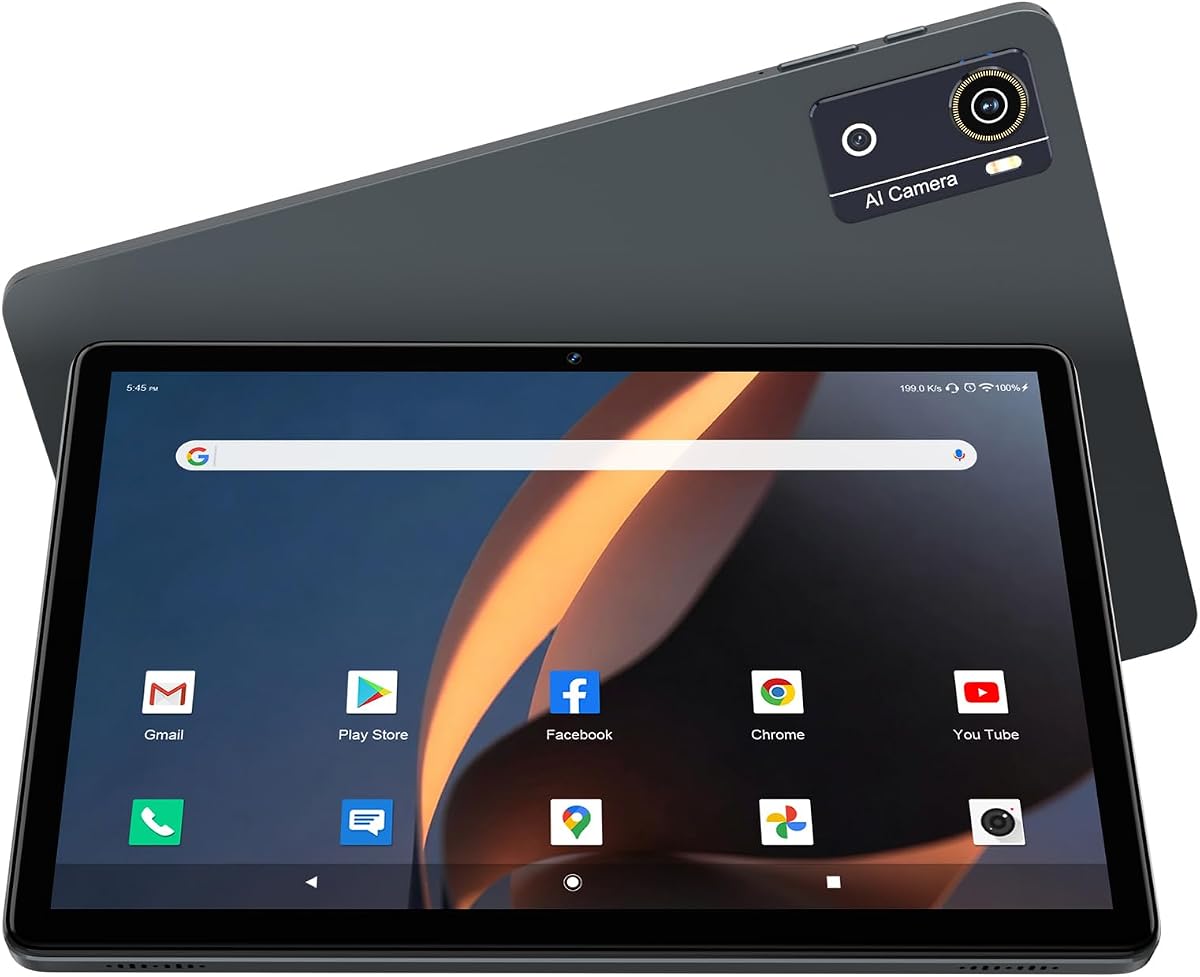
This Android 16 tablet offers a 12GB Helio G80 configuration with Gemini AI, Google Play Store access, and expandable storage. Its 4.2 rating is the lowest among the products here, but the specifications are well matched to users who want generous memory and practical AI functions without paying for a flagship display.
We may earn a commission when you buy through this link, at no additional cost to you.
Gemini is described as capable of helping draft emails, summarize articles, and plan itineraries, while split-screen mode supports simultaneous work. The 7000mAh battery, Type-C connection, dual-band Wi-Fi, Bluetooth 5.0, face unlock, GPS, and wireless casting make it a versatile travel and everyday companion.
The 10.1-inch 1280-by-800 IPS display is adequate for streaming, reading, and web work, though it does not offer the sharpness of a 2K or AMOLED panel. Storage starts at 64GB, so users with large app libraries or offline media may need the supported TF card. The expandable card itself is not included.
Choose this model when multitasking, built-in Gemini assistance, and broad connectivity matter more than premium visual quality. It is a sensible option for students, budget-conscious families, and users who want to experiment with AI tools in a conventional Android tablet.
The built-in assistant targets useful, repeatable tasks such as writing drafts, condensing articles, and arranging family plans. These functions make it more than a demo of generative AI, particularly when paired with the tablet's split-screen workflow and 12GB memory.
Dual-band Wi-Fi, Bluetooth 5.0, GPS, face unlock, and screen casting cover the common needs of commuting, studying, and home entertainment. The 7000mAh battery adds useful endurance without requiring a large power bank during ordinary outings.
We may earn a commission when you buy through this link, at no additional cost to you.
This 13-inch Android 16 tablet is built around a productivity-first proposition: a large 2K display, 36GB of combined memory, 256GB of internal storage, and a complete keyboard, mouse, and stylus bundle. Its 5.0 rating makes it one of the strongest all-around choices for users who want to run AI assistants alongside office and communication tools.
We may earn a commission when you buy through this link, at no additional cost to you.
The included Gemini AI engine supports document summarization, email drafting, content creation, translation, and brainstorming. A 10000mAh battery and support for up to 2TB of TF-card expansion help accommodate long work sessions, while the keyboard lets the device operate in a more laptop-like mode.
The included UNISOC T615 octa-core processor is not as ambitious as the flagship hardware in the premium Samsung options. Its high combined RAM figure also includes virtual memory, so buyers should understand that not all of the advertised 36GB is physical. These points temper the otherwise attractive specification sheet.
This is the best fit for students, remote workers, and creators who value screen area, bundled input tools, and storage flexibility. It is particularly attractive for Gemini workflows involving long documents, writing, and reference material where a 13-inch canvas is easier to work with than a compact screen.
The 1920-by-1200 display provides enough room to place source documents beside Gemini responses while working. That makes AI-assisted research and drafting feel more like a workstation task than a chatbot interaction confined to a small panel.
The keyboard, mouse, stylus, folding case, and screen protector create a ready-to-use package. The stylus supports handwritten prompting, while the keyboard makes email drafting, note-taking, and document work more natural.
We may earn a commission when you buy through this link, at no additional cost to you.
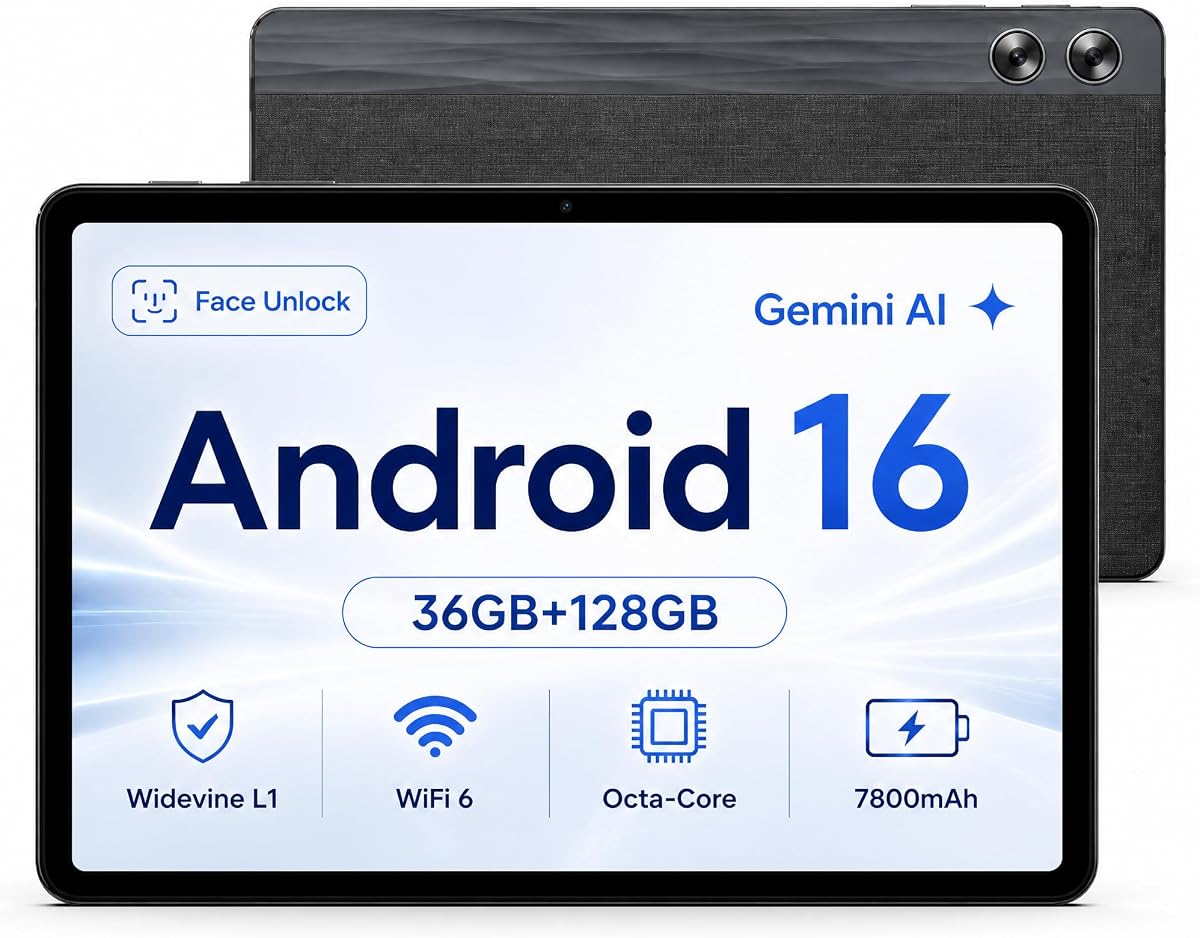
The Jeazans X7 combines an 11-inch HD in-cell display with 36GB of combined memory, 128GB storage, Gemini AI, and a 7800mAh battery. Its 4.8 rating is among the strongest in the guide, making it a notable option for users who prioritize value, expanded memory, and practical assistant features.
We may earn a commission when you buy through this link, at no additional cost to you.
Its AI functions include voice control, real-time translation, and AI summarization. Widevine L1 support enables HD streaming on major services, while the Type-C 2.0 port supports charging, data transfer, and OTG accessories such as keyboards, mice, and USB drives.
The 800-by-1280 display is not especially detailed for reading dense documents or editing visual projects. The listed 36GB of memory combines physical and virtual memory, and the product description does not identify the exact processor model. Prospective buyers should therefore consider the overall package rather than treating every headline number as equivalent to flagship specifications.
The X7 is a strong recommendation for students, travelers, and families wanting a large Android tablet with Gemini at a practical tier. Its expandable storage, streaming support, and accessory connectivity make it especially useful when the goal is broad everyday utility rather than specialized creative power.
Gemini's voice control and real-time translation are particularly relevant for lectures, travel, and multilingual study. Summarization can shorten long source material before the user moves into a document, while the 11-inch screen gives results more space than a phone.
The 7800mAh battery is paired with a stated endurance of up to 68 hours under the manufacturer's continuous-use conditions. Actual results will vary by workload, screen brightness, and network activity, but the capacity is favorable for travel and extended AI-assisted sessions.
We may earn a commission when you buy through this link, at no additional cost to you.
This Galaxy Tab A11+ configuration raises memory to 8GB and storage to 256GB while retaining the 11-inch 90Hz display, quad speakers, fast charging, and Google Gemini support. Its 4.6 rating makes it a balanced configuration for users who want room for AI apps, downloaded media, and documents.
We may earn a commission when you buy through this link, at no additional cost to you.
The larger storage capacity is useful for keeping prompts, project files, reference documents, and applications together without constant cleanup. Gemini and Circle to Search support the same convenient, screen-aware workflow, and the upgraded chipset is intended to keep routine multitasking responsive.
This model does not include the advanced note organization, drawing assistance, or research functions associated with Galaxy AI on the premium Galaxy tablets. There is also no S Pen in the package, so serious handwritten annotation may require an additional purchase.
It is best for users who want more storage than the base Galaxy Tab A11+ but do not need flagship AI features. The combination of a large screen, 8GB memory, 256GB storage, strong speakers, and familiar Google services makes it particularly attractive for families and casual professionals.
AI workflows often involve more than a single question. Generated text, source PDFs, images, recordings, and browser research can consume significant room, making the 256GB configuration more accommodating for everyday project work.
The four-speaker Dolby Atmos setup and fluid 90Hz display make this tablet well suited to video, music, and casual gaming. Those qualities complement AI use by providing a comfortable device for reviewing media and presenting results.
We may earn a commission when you buy through this link, at no additional cost to you.
The gray Galaxy Tab A11+ combines 8GB of memory, 256GB of storage, AI assistance, and a slim, light design. Its 4.6 rating indicates a generally favorable reception, and the portable form makes this a practical tablet for users who want to carry an AI assistant between work, school, and home.
We may earn a commission when you buy through this link, at no additional cost to you.
Its 11-inch 90Hz display offers fluid motion for scrolling, streaming, and gaming, while long-lasting battery life and fast charging reduce downtime. The quad speakers with Dolby Atmos create a well-rounded entertainment experience, and expandable storage provides extra flexibility when built-in capacity is not enough.
Samsung's more advanced Galaxy AI features are not included, so the AI experience centers on fundamental assistance rather than specialized document analysis or drawing workflows. Buyers who require an S Pen or a more premium viewing experience should consider the Galaxy Tab S series instead.
This is the right Galaxy Tab A11+ choice for mobile users who want more storage and a light frame without moving to a flagship price tier. It suits students, commuters, and anyone wanting a large screen that remains convenient to carry.
The slim, light construction is one of the product's most practical qualities for AI use. Users can carry the tablet to appointments, classes, or meetings and still have an 11-inch workspace available for Gemini, screen search, browsing, and documents.
Eight gigabytes of memory and 256GB of storage create a comfortable middle ground for app-heavy use. The configuration is likely to appeal to buyers who want higher capacity than an entry model but consider the advanced AI features of a flagship unnecessary.
We may earn a commission when you buy through this link, at no additional cost to you.
The Jeazans Android 16 tablet stands apart through its AI smart speaker dock, which charges the tablet and turns it into an entertainment and information hub. The tablet includes 36GB of combined memory, 64GB of storage, and expansion up to 1TB, earning a 4.6 rating.
We may earn a commission when you buy through this link, at no additional cost to you.
The dock supports wireless charging through magnetic contacts, room-filling music, ambient lighting synchronized with audio, eight white-noise environments, a digital clock display, and a photo-frame mode. These features are particularly useful for users who want AI assistance and media controls available in a shared living space.
The tablet's 10-inch 1280-by-800 IPS display is suitable for reading, browsing, and streaming but is not especially high resolution. The 64GB base capacity may also feel limited for extensive media libraries. Users must remove the rear protective film before connecting the dock to enable the intended charging function.
The Jeazans tablet is most suitable for buyers who value the dock as much as the tablet. It works well as a bedside or home-hub device, while also serving students and casual users who need Gemini-era Android features, expandable storage, and modern wireless connectivity.
The included dock changes how the tablet fits into a room. Charging, music playback, ambient lighting, white noise, a clock screensaver, and photo display are all integrated, making it easy to move from active tablet use to a hands-free hub.
WiFi 6 and Bluetooth 5.4 provide current connectivity standards for browsing, accessories, and everyday work. The dock's magnetic charging contacts can also reduce the friction of putting a larger tablet down after an AI-assisted session.
We may earn a commission when you buy through this link, at no additional cost to you.
This Android 16 tablet pairs Gemini AI with 36GB of total memory, 256GB of storage, and expansion up to 1TB. Its 5.0 rating makes it a particularly convincing budget recommendation for users who want a capable AI assistant and generous storage without paying for a premium display.
We may earn a commission when you buy through this link, at no additional cost to you.
The octa-core 2.0GHz processor is designed for stable everyday tasks such as browsing, streaming, casual gaming, and multitasking. Widevine L1 supports HD playback, dual speakers improve media use, and WiFi 6 with Bluetooth 5.4 provides a modern connection foundation.
A portion of the stated 36GB is virtual RAM, so actual physical memory is lower. The 2.0GHz processor is also not designed for intensive compute workloads or demanding games. Users who expect local AI processing, professional creative applications, or sophisticated large-screen multitasking may need a stronger device.
This is the best value-oriented pick for students, casual creators, and anyone who prioritizes storage, connectivity, and Gemini over benchmark-level performance. It is especially useful for drafting, summarizing, research, video calls, and ordinary app-based work.
Gemini summarization can compress long articles and reference material into easier-to-review notes. The 10.1-inch display then provides enough space to examine those results alongside other content, making the feature useful without requiring a flagship workstation.
The 256GB built-in capacity offers room for applications, AI conversations, downloaded documents, and media. Support for a TF card can add as much as 1TB, although the expansion card is not included with the tablet.
We may earn a commission when you buy through this link, at no additional cost to you.
The Galaxy Tab S12+ is the most advanced AI-focused tablet in the guide, combining a MediaTek Dimensity 9500 processor, Galaxy AI, Gemini Notebook, a Dynamic AMOLED 2X display, and an included S Pen. Its 5.0 rating reflects a flagship package built for demanding creative and research workflows.
We may earn a commission when you buy through this link, at no additional cost to you.
Gemini Notebook can analyze supplied sources, clarify complex information, and transform content while grounding its output in those sources. Note Assist summarizes, translates, and organizes captured notes, while the S Pen supports writing, sketching, and creation. The 5.3mm-thick body also carries an IP68 rating for water and dust resistance.
This is clearly the premium option, and its cost is substantially higher than the other recommendations. It is a WiFi model rather than a listed cellular configuration, and buyers who only need occasional chatbot access may find its specialized tools excessive. Even so, the combination of processing power, display quality, stylus support, and advanced AI features is difficult to match.
The S12+ is best for professionals, researchers, students, and creators who intend to use AI as a working partner rather than a simple answer generator. It is the strongest recommendation for source analysis, structured notes, creative development, and premium multitasking.
Gemini Notebook is designed to analyze the sources a user provides and help turn complexity into usable conclusions. This focus makes the tablet better suited to deep research than a standard chatbot interface, especially when the included S Pen is used to mark questions and organize thoughts.
The Dynamic AMOLED 2X panel provides crisp, vivid visuals for design, media, and detailed writing. The included S Pen makes natural annotation, sketching, and note organization possible without requiring an additional stylus purchase.
We may earn a commission when you buy through this link, at no additional cost to you.
The Galaxy Tab S11 delivers a refined flagship AI experience with 12GB of memory, 256GB of storage, Galaxy AI, Gemini Live, and an 11-inch Dynamic AMOLED 2X display. Its 4.6 rating makes it an attractive premium alternative for users who value Samsung's connected creative tools.
We may earn a commission when you buy through this link, at no additional cost to you.
Note Assist organizes ideas captured with the included S Pen, Drawing Assist turns sketches and note drawings into shareable visuals, and Gemini Live can analyze what is on screen or shared through the camera. Vision Booster supports readability, while microSD expansion provides additional room for files and offline media.
As with the S12+, this tablet carries a premium cost, and this configuration is specified as WiFi only. The 5.5mm body and IP68 rating improve portability and durability, but buyers who need the newest processor and research features may prefer the S12+. The S11 remains compelling for users who value the established Galaxy AI ecosystem.
It is a strong choice for mobile professionals, students, and creative users who regularly take notes, sketch, or use screen-aware AI. For buyers who want an advanced Galaxy AI tablet with a stylus, durable construction, and flexible storage, the S11 remains an attractive recommendation.
Gemini Live can analyze screen content or a camera view, making it useful for discussing a document, visual reference, or real-world subject. This screen-aware approach is more flexible than relying entirely on typed prompts.
Note Assist keeps meeting and lecture notes organized, while Drawing Assist converts rough sketches into polished mock-ups or storyboards. Together with the S Pen, these features create a natural path from handwritten thinking to clearer shareable output.
We may earn a commission when you buy through this link, at no additional cost to you.
The best tablet for AI apps balances assistant quality, computing capacity, screen space, battery life, and the ability to run the apps you need without unnecessary compromises.
Choose the broadest AI toolkit when your work depends on turning research, notes, and sketches into finished output. Basic summarization is better for casual questions and everyday productivity.
Prioritize adequate physical memory and avoid overvaluing virtual RAM. Eight gigabytes or more is useful for serious app switching, while 12GB provides more comfort.
Choose at least 128GB for general use and 256GB for heavy media or project files. Treat card expansion as useful extra room rather than a complete replacement for fast internal storage.
Choose 10 inches for portability, 11 inches for balance, and 13 inches for documents. Match resolution to how much text and detailed work you expect to view.
Everyday AI assistance does not require flagship power, but intensive multitasking and creative work do. Match processor capability to the heaviest applications you realistically expect to run.
Prioritize large capacity for long travel days and fast charging for frequent use. Treat published battery claims as conditions-dependent estimates.
Choose a keyboard bundle for laptop-style work, a stylus for visual and handwritten tasks, and a dock for a permanent home setup. Verify what is actually included before planning accessory purchases.
Prioritize dual-band Wi-Fi and the newest Bluetooth supported by your accessories. Add IP68 protection when the tablet will regularly face spills, travel, or outdoor use.
Begin by setting up the Google account required for the Play Store, Gemini, and related services, then install only the AI applications you intend to use. Review each app's permission requests for camera, microphone, files, and contacts. AI features become more useful when the tablet is updated, synchronized, and connected to reliable Wi-Fi, but users should avoid uploading sensitive material without understanding the service's privacy terms.
For productive use, give each task a defined objective and keep source material in clearly named folders. Use screen search, summaries, translation, and note assistance as starting points, then verify important facts against reliable sources. For handwriting and research, pair the included stylus with organized note pages. When working in desktop mode, connect the keyboard or mouse and use split-screen or multitasking for reference material.
Care for the device by keeping the charging port clean, using a compatible charger, and avoiding prolonged exposure to heat or moisture beyond the manufacturer's stated protection. Clean the screen with a soft, lint-free cloth, and remove the protective film from the Jeazans dock model's rear before attempting wireless charging. Update software regularly, use reputable storage expansion cards, and back up important AI-assisted notes and documents.
For common tasks such as asking questions, drafting text, summarizing articles, and translating content, a midrange Android tablet with adequate memory and reliable internet access is generally sufficient. The processor matters more when running demanding creative software, large files, or several complex applications at once. Cloud-based AI features can also experience delays if the connection is weak, regardless of processor power.
The Galaxy Tab S12+ has the broadest specialized AI toolkit, including Gemini Notebook for source-grounded research and Note Assist for organizing meeting and idea notes. The Galaxy Tab S11 is also highly capable, with Gemini Live, Drawing Assist, and its included S Pen. These premium models are best suited to users who will use AI for research and creation rather than occasional questions.
It helps when you keep a chatbot, browser, document, notes, and other applications open simultaneously. Physical memory is especially useful for smoother switching and more reliable background operation. Advertised combined memory can include virtual RAM, which should not be treated as equivalent to additional physical memory, so buyers should examine how the manufacturer presents the configuration.
Some local functions may work offline, but many generative AI features depend on cloud processing and require an internet connection. Planning, note-taking, file management, and some on-device features can still be useful without a connection. Downloaded documents can also be reviewed offline, although translation, summarization, and live screen analysis may be limited.
A 10-inch display is easier to carry, an 11-inch screen offers a good balance of portability and readable space, and a 13-inch model is better for long documents and side-by-side research. AI answers are easier to evaluate when sources and prompts remain visible beside the generated output. The higher-resolution 2K panel on the 13-inch model is particularly suitable for dense text.
A stylus is valuable if you prefer handwriting, annotate source material, sketch concepts, or use visual prompts. The Galaxy Tab S12+, Galaxy Tab S11, and 13-inch keyboard bundle include a stylus. For text-based research, email drafting, and web-based AI tools, a keyboard and mouse may be more useful, particularly with a larger display.
Yes, especially for users who save large documents, media libraries, and exported AI results. MicroSD or TF support can provide considerable additional room, but the card is generally sold separately and must be compatible with the tablet. For frequently used apps, built-in internal storage remains preferable because it usually offers better speed.
Battery life depends on screen brightness, wireless activity, streaming, background applications, and the complexity of each task. Published claims are based on particular test conditions and should be treated as estimates. A larger-capacity tablet is generally preferable for long flights, meetings, or study sessions, while fast charging offers the most convenient recovery between uses.
The Galaxy Tab S12+ is the strongest choice for buyers who want advanced, source-grounded AI, premium display quality, an S Pen, and durable construction. The Galaxy Tab A11+ stands out as the best overall balance for everyday AI assistance, entertainment, and family use, while the Android 16 Tablet with 256GB delivers a particularly attractive value-focused configuration.
Prioritize the AI functions you will genuinely use, the amount of physical memory, available storage, and screen size before considering extras. Researchers and creators may prefer Gemini Notebook, Note Assist, and Drawing Assist, while students and families may find summaries, translation, voice assistance, and Circle to Search perfectly adequate. Accessories such as a stylus, keyboard, or dock can materially improve the experience.
Before buying, confirm the exact configuration, current rating, connectivity, and included items on the live listing. Market prices and retailer offers can change over time, and the same product family may appear in several memory, storage, color, and accessory configurations. Comparing the current listing against the intended workflow will produce the most reliable choice.