
TransOurDream Light Transfer Paper
4.0Editor score
Twenty letter-size transfer sheets
Designed for white and light cotton
Works with iron or heat press
Heat transfer printer paper makes it possible to turn digital artwork, lettering, photos, and logos into personalized garments and fabric gifts. The right sheet depends on fabric color, printer type, ink, transfer equipment, and whether you want a light, dark, or mixed-material project.
We compared ten products based on their stated compatibility, sheet size, included supplies, application range, washing guidance, cutting support, and transfer method. The list covers inkjet and laser-compatible choices, classic light-fabric paper, dark-fabric options, and a professional heat-press-oriented product.
Each review explains who the product is best suited for and where its limitations matter. Ratings and product details reflect the supplied information, while availability, retailer offers, and prices can change, so confirm the current listing before ordering.
4.0Editor score

4.6Editor score

4.4Editor score
As an Amazon Associate we earn from qualifying purchases.
The comparison below highlights the major differences in fabric compatibility, printer support, sheet count, transfer tools, and included protective materials. Use it to narrow the field before checking each product's full instructions.




This second-generation light transfer paper has a 4.4 rating and positions itself as a versatile option for T-shirts and other light or white cotton items. Its stated highlights include vivid, stretchable transfers, a lower melting point for easier ironing, and compatibility with scissors or a cutting machine.
We may earn a commission when you buy through this link, at no additional cost to you.
The pack contains 15 letter-size sheets and three reusable Teflon sheets. It works with pigment or dye ink in a standard inkjet printer, but sublimation ink should not be used. The application range extends beyond shirts to tote bags, canvas bags, aprons, masks, pillowcases, cushion covers, tablecloths, flags, and banners.
The main limitation is fabric color. This product is intended for light or white 70% to 100% cotton, so it is not the right choice for black or other dark garments. A household iron or heat press is also required, and users should follow the included step-by-step instructions and their own equipment guidance for ideal results.
This is a strong option for crafters who want easy cutting, no mirrored output, and enough material to create several garments. Choose it when your project uses pale cotton, you own an inkjet printer, and you value flexible application methods over support for dark garments.
The paper is designed for standard inkjet printing without mirroring, and its formula is intended to cut cleanly with either scissors or a Cricut-style cutting machine. That combination makes it practical for multicolor lettering, layered shapes, and designs that need precise outlines.
Three reusable Teflon sheets are included to protect the printed design during heat application. This gives beginners the principal protective material needed for the transfer process while also supporting use with both a home iron and a heat press.
We may earn a commission when you buy through this link, at no additional cost to you.
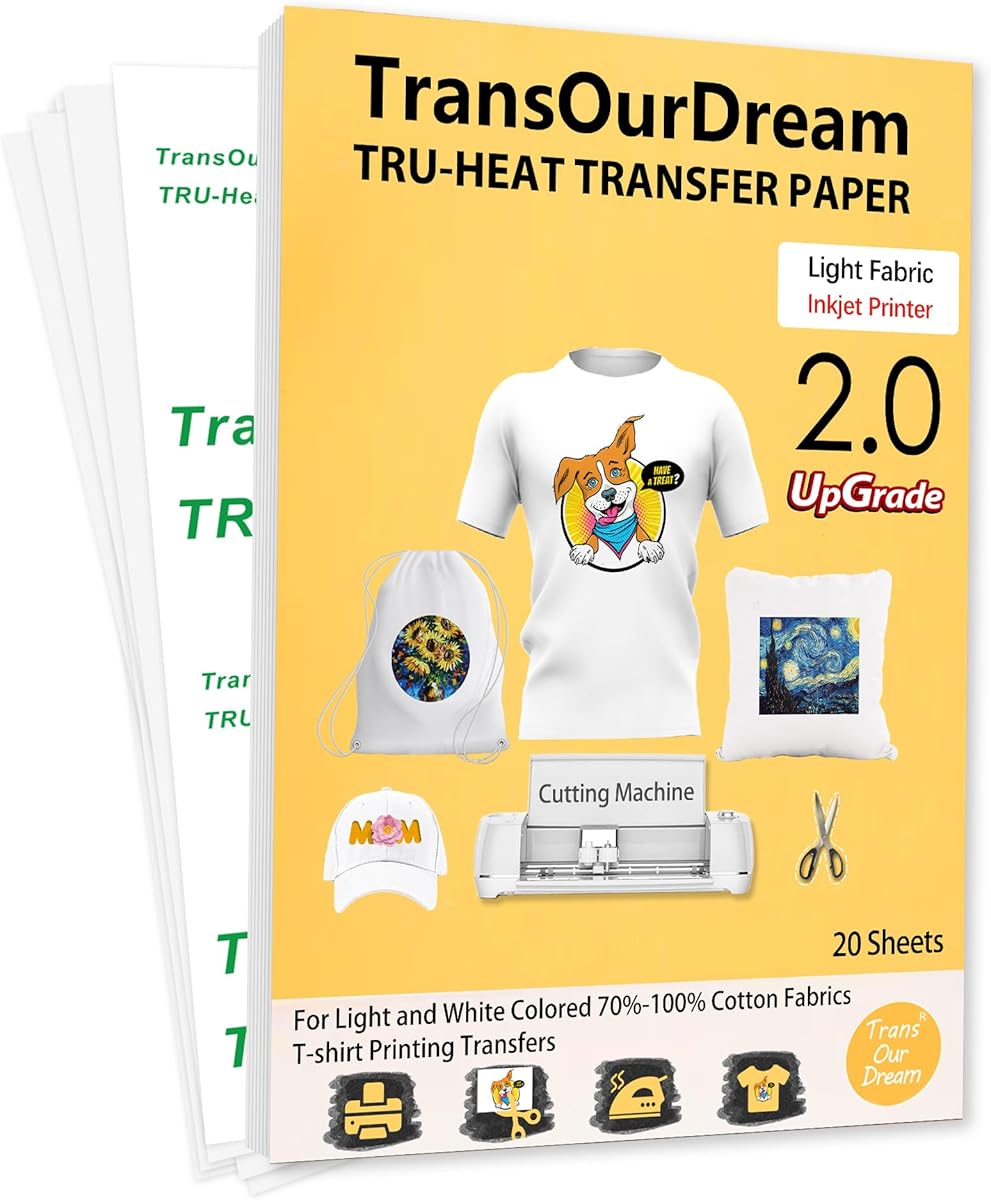
This upgraded Light 2.0 product has a 4.5 rating, the highest among the light-fabric options in the list. It is designed to correct a common limitation of traditional light transfer paper: difficulty cutting the material with a cutting machine. The updated formula is also presented as producing more vibrant colors.
We may earn a commission when you buy through this link, at no additional cost to you.
The package includes 20 letter-size transfer sheets and four reusable Teflon sheets. It supports inkjet printers using pigment or dye ink, as well as cutting with scissors or a Cricut-style machine. Transfers may be applied with any type of iron or a heat press, and no mirror printing is needed.
Its fabric coverage is broad for a light transfer product, including sweatshirts, hoodies, totes, canvas bags, aprons, masks, pillowcases, cushion covers, tablecloths, flags, and banners. The 70% to 100% cotton limitation is still important, however, and dark garments remain outside the intended application.
This is the most balanced TransOurDream light-paper option for frequent crafters. It suits anyone who wants a larger sheet count, easier machine cutting, and more Teflon sheets than the 15-sheet alternative without moving into a dark-fabric formula.
The upgraded formula is specifically intended to cut easily with scissors and compatible cutting machines. That improvement makes this paper useful for labels, badges, decorative shapes, and lettering that benefits from a clean edge.
You can use this paper with a household iron or heat press, which makes it approachable for home projects while remaining suitable for more controlled production. Included instructions on the backing cover provide a reference for each step.
We may earn a commission when you buy through this link, at no additional cost to you.
Avery's dark-fabric transfer paper earns a 4.6 rating, the highest rating supplied for this roundup. It is designed for custom branded apparel, personalized gifts, and home décor projects, with special attention to vivid color and resistance to fading after repeated laundering.
We may earn a commission when you buy through this link, at no additional cost to you.
The Color Shield formula is stated to help prints remain vivid and fade-resistant for up to 20 washes. Each 8.5-by-11-inch sheet is intended for inkjet printing, and finished designs can be cut with scissors, electronic cutting machines, or die-cutting machines.
Unlike many dark transfer papers in the list, this option focuses on cotton and cotton-poly fabric rather than claiming broad support for nylon. Standard irons and heat presses are supported, and step-by-step instructions are included to help users work through the transfer process.
It is best suited to people making dark shirts, logos, labels, and gifts who value straightforward cutting and established wash-oriented branding. The smaller five-sheet quantity is the principal trade-off, so buyers with many garments should plan additional packs.
The Color Shield formula is the defining feature for branded-apparel work. It is intended to preserve vivid color and resist fading for up to 20 washes, making the paper relevant for logos and text that need a professional appearance.
Printed designs can be trimmed with basic scissors or taken through an electronic or die-cutting machine. This flexibility supports both one-off personalized gifts and more standardized apparel or décor projects.
We may earn a commission when you buy through this link, at no additional cost to you.
Dark 6.0 is intended specifically for professional heat-press users, with an emphasis on batch transfers and business projects. It carries a 4.4 rating and includes 25 letter-size sheets, making it the largest sheet count among the products compared.
We may earn a commission when you buy through this link, at no additional cost to you.
The stated transfer time with a professional heat press is 10 seconds, and the product description highlights bright, vivid results and machine washability. It works with inkjet printers using regular pigment or dye ink, while sublimation ink is not recommended. Scissors, cutting machines, and the included Teflon sheets support the preparation process.
This paper is restricted to black and dark 100% cotton items, including shirts, totes, canvas bags, aprons, masks, pillowcases, cushion covers, tablecloths, flags, and banners. Unlike several alternatives, it specifically calls for a professional heat press, so it is less convenient for people who only own a household iron.
It is a strong match for small businesses, makers, or serious hobbyists producing multiple dark garments and other cotton goods. Choose it when repeatable heat-press workflow, batch production, and a large sheet supply matter more than iron-only convenience.
Twenty-five transfer sheets and three Teflon sheets support repeat production without constantly replenishing materials. The format is particularly relevant to batch transfers and business-oriented apparel or gift projects.
The stated ten-second transfer cycle is designed for a professional heat press. The formula is also described as producing vivid output, making it relevant for projects where consistency across multiple items is the priority.
We may earn a commission when you buy through this link, at no additional cost to you.
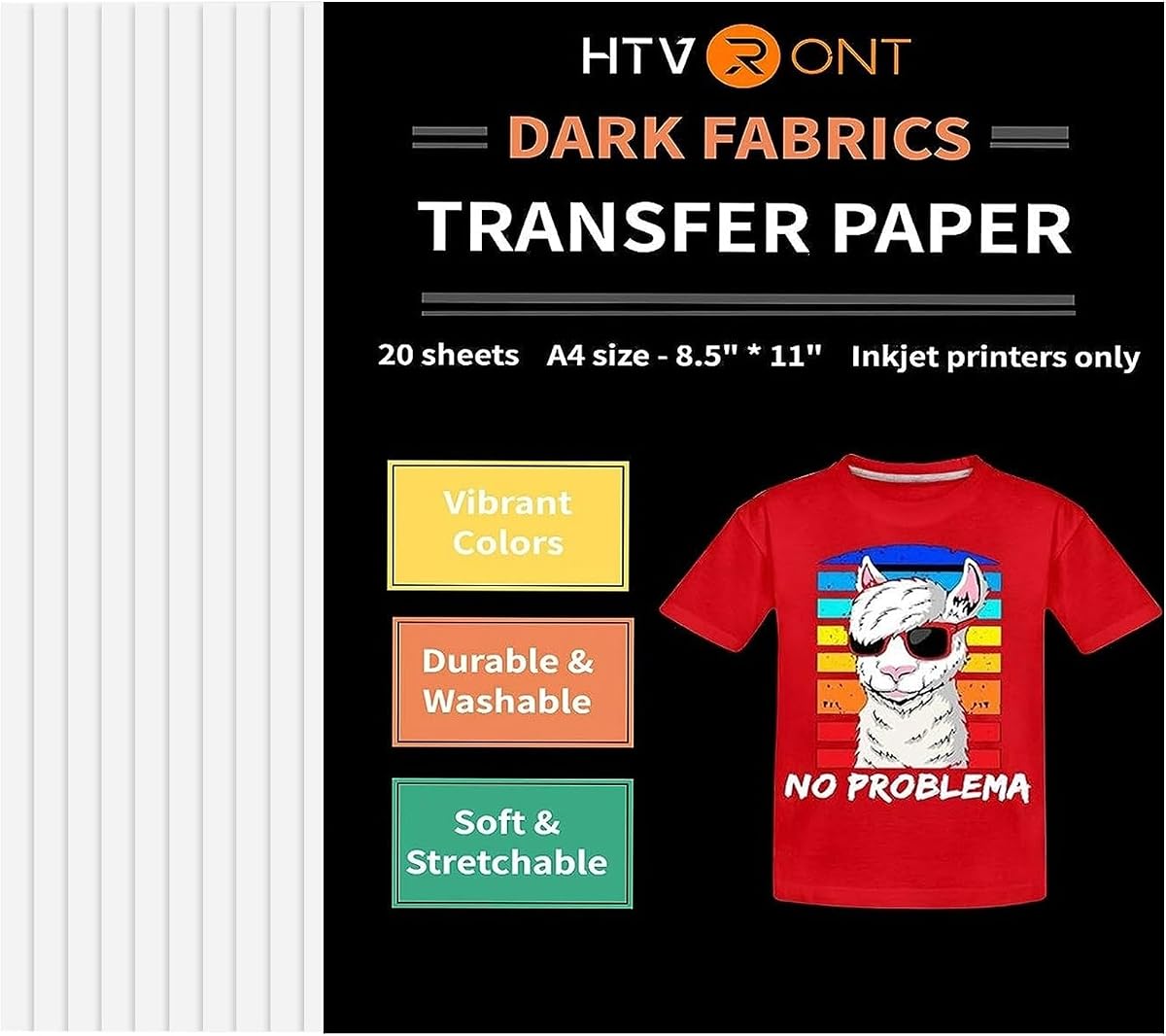
HTVRONT's dark T-shirt transfer paper has a 4.4 rating and presents a straightforward way to personalize dark garments with an inkjet printer and home iron. The product description emphasizes vivid color, ease of use, and resistance to fading, cracking, and peeling through repeated washes.
We may earn a commission when you buy through this link, at no additional cost to you.
Its stated heat-press settings are 320 to 338 degrees Fahrenheit for 8 to 12 seconds. It works with dye or pigment ink in an inkjet printer, but sublimation ink is not listed as compatible. The paper can also be used with a cutting machine, giving it more flexibility than a basic print-and-peel-only medium.
The intended fabrics are dark cotton and cotton-poly blends, and the listed projects range from shirts to home décor, accessories, and handmade gifts. One limitation is that the product data does not mention included protective paper, so users may need to arrange that material separately.
This is a practical selection for home crafters who want dark-shirt results without committing to a professional heat press. It is especially attractive when a household iron is the primary application tool and cutting-machine compatibility is desired.
The listed temperature and time give users a specific starting point for heat-press work. Anyone using a household iron should follow the product's broader instructions and the guidance supplied with their iron.
Although described as printable HTV rather than traditional HTV, the material can be used with a cutting machine. That makes it suitable for designs that need trimming, contouring, or separating into multiple applied pieces.
We may earn a commission when you buy through this link, at no additional cost to you.
Tru-Dark 3.0 is a 4.4-rated option that stands out for supporting both inkjet and laser printers. The 20-sheet pack is intended for dark or black T-shirts and cotton fabrics, with applications that include text, images, photos, and pictures.
We may earn a commission when you buy through this link, at no additional cost to you.
Scissors and cutting machines are supported, as are three types of heat application: an iron, an Easy Press, or a heat press. Two Teflon sheets are included. Its broader printer support is especially useful in shared craft rooms or households where different people print with different machines.
The product should not be used with sublimation ink, and its intended fabric range is dark or black cotton rather than the broader dark cotton-poly and nylon claims made by some competitors. Washing guidance is cold water in a full cycle, with no tumble drying.
This is the most versatile choice for someone who wants dark-fabric transfers without being restricted to one printer family. It suits both casual iron users and dedicated heat-press crafters, provided the selected ink and garment fabric meet the stated requirements.
Compatibility with HP, OKI, Brother, and other laser printers as well as standard inkjet models is a standout benefit. It simplifies restocking when your available printing device changes.
The same paper works with a household iron, an Easy Press, or a heat press. This flexibility lets users move between quick personal projects and more even pressure-based application without changing media.
We may earn a commission when you buy through this link, at no additional cost to you.
This ten-sheet dark transfer paper has a 4.4 rating and is built around stretchability. Its waterborne polyurethane formula is described as producing transfers that can stretch to twice their original size without breaking, an important consideration for fitted shirts and garments that flex regularly.
We may earn a commission when you buy through this link, at no additional cost to you.
The paper works with pigment or dye ink in an inkjet printer and can be cut with scissors or a die-cutting machine. An iron or heat press can supply the heat, while one reusable A3 Teflon sheet is included for protection during transfer.
It is intended for black and dark 100% cotton, and the brand describes the results as vibrant, soft, and machine washable. Sublimation ink should not be used. The smaller pack and more limited fabric scope mean it is best for occasional projects rather than high-volume garment runs.
Choose this paper when elasticity and a soft finish matter more than maximum sheet count. It is a good fit for personalized shirts, gifts, and decorative fabric items made from dark cotton.
The stated ability to stretch up to twice the original size without breaking distinguishes this option. That makes it a logical choice for shirts, hoodies, and other garments expected to bend or pull during wear.
The product is described as producing vibrant, soft transfers on black and dark cotton. The emphasis is on a finished look intended to remain wearable and machine washable rather than merely adhering.
We may earn a commission when you buy through this link, at no additional cost to you.
Light 1.0 is a basic 20-sheet option for white and light cotton projects. Its 4.0 rating is the lowest in the roundup, but the product's straightforward procedure and broad listed uses remain relevant for beginners making shirts, bags, masks, pillowcases, and other fabric items.
We may earn a commission when you buy through this link, at no additional cost to you.
This paper requires an inkjet printer with pigment or dye ink, plus scissors and either a household iron or heat press. Unlike several upgraded TransOurDream products, it uses a mirror-print process, so artwork should be reversed before printing. The transfer is then peeled away after cooling.
The stated fabric range is 70% to 100% cotton in white or light colors. It is not intended for dark garments, and the older-style mirror-print workflow may be less convenient for people accustomed to newer peel-and-place papers.
This is best for a first light-fabric transfer project, classroom activity, or group of simple custom gifts. Experienced crafters who prioritize effortless cutting or no-mirror printing may prefer one of the upgraded Light 2.0 options.
The instructions follow a direct print, cut, place, transfer, and cool-peel sequence. A video tutorial and printed instructions are also referenced, giving new users multiple ways to check the process.
The product recommends cold-water washing, helping protect the transfer from unnecessary heat exposure. Users should still follow the complete care instructions supplied with the paper and the finished garment.
We may earn a commission when you buy through this link, at no additional cost to you.
This Dark 3.0 pack is a compact option for projects requiring both inkjet and laser printer support. It has a 4.4 rating and includes 10 letter-size sheets along with one reusable Teflon sheet for protecting the printed image during heat transfer.
We may earn a commission when you buy through this link, at no additional cost to you.
The material can be cut with scissors or a cutting machine and applied with an iron, Easy Press, or heat press. It supports dye and pigment ink while excluding sublimation ink, and its intended garments are dark or black T-shirts and cotton fabrics.
The cold-water, full-cycle washing instruction and no-tumble-dry guidance help preserve the transfer. Compared with the 20-sheet version of the same Dark 3.0 concept, this package contains fewer transfer and protective sheets, making it more suitable for occasional use.
It is a sensible pick for makers who want printer flexibility but do not need to produce a large batch immediately. The same dark-fabric benefits are available in a smaller, more approachable pack.
Both inkjet and laser compatibility reduce the chance that an available printer will prevent a project. It is particularly useful in shared spaces where a household or small business may use both printer types.
Printed artwork is peeled and positioned image-side upward, then covered with Teflon before heat is applied. The straightforward method supports both quick ironing and more controlled press-based transfers.
We may earn a commission when you buy through this link, at no additional cost to you.
Printers Jack offers a 4.4-rated dark-fabric paper with 20 sheets in an 8.3-by-11.7-inch size. The material is described as durable and stretchable, with ink absorption and resistance to cracking intended for repeated washer and dryer cycles.
We may earn a commission when you buy through this link, at no additional cost to you.
Its fabric range is wider than many competitors, covering dark cotton and nylon, although the description notes that fabrics containing more than 60% cotton produce the best transfer results. It requires pigment ink in an inkjet printer, a heat press, scissors, dark fabric, and protective paper.
The supplied process is unusually specific: print on the coated side, cut the shape, peel the film, place it image-side upward, cover it with protective paper, and apply heavy pressure for 25 to 30 seconds at 329 to 365 degrees Fahrenheit. The material should cool briefly before the protective paper is removed.
This is a good fit for users with a heat press who want explicit settings and also want to attempt nylon or mixed-content projects. The non-US-letter sheet size and need for separate protective paper are important considerations before ordering.
The stated support for dark cotton and nylon is broader than the cotton-only focus of several other options. However, the product notes that transfer results are best when the material contains more than 60% cotton.
The product lists a 25-to-30-second application time, a 329-to-365-degree-Fahrenheit range, and heavy pressure. These details make the workflow more explicit, provided users follow them alongside the manufacturer's full instructions.
We may earn a commission when you buy through this link, at no additional cost to you.
The most important choice is the paper that matches your garment color and fabric. After that, consider printer and ink compatibility, available heat equipment, cutting needs, washing expectations, and the volume of work you intend to complete.
Light transfer paper is designed for white, pale, or other light-colored garments, while dark transfer paper is formulated to place a light base beneath the printed image so colors remain visible on black or dark fabric. Using the wrong category can produce weak contrast, pale graphics, or poor adhesion. Check the stated color range carefully because the products in this guide are not interchangeable in that respect.
Match the paper directly to the garment color first. Light shirts require light transfer paper, and black shirts require dark transfer paper, regardless of which printer or heat device you own.
Most of the selected products are made for inkjet printers, while two Dark 3.0 options explicitly support both inkjet and laserjet printers. Compatibility also depends on ink type. The listed requirements call for pigment or dye ink in many cases, and sublimation ink is specifically excluded from several products.
Check the printer type, ink cartridge type, and product instructions before purchasing. A paper that supports a printer in general may still require specific dye or pigment ink.
Most products work with a household iron, an Easy Press, or a heat press, but the Dark 6.0 option is specifically designed for a professional heat press. Household irons are convenient for occasional projects, while a heat press provides flatter, repeatable pressure and is better suited to batches. Some products also provide specific temperature and time settings for press users.
Choose based on the equipment you already own. A household iron offers convenience, while a heat press supports more consistent production and clearly defined application variables.
Paper can accept ink differently even when two printers are otherwise similar. The listed products generally specify pigment or dye ink, and several explicitly warn against sublimation ink. Using an unsupported ink can affect color, adhesion, and transfer consistency. Iron-on transfer paper is not interchangeable with sublimation transfer media used in dedicated sublimation printers.
Use only the ink types stated on the product page and packaging. If your printer uses another ink system, select a paper explicitly approved for that system.
Scissors are enough for simple labels and lettering, but cutting-machine support is valuable for outlines, layered designs, repeated shapes, and contour-cut projects. Several products are designed to be cut easily with a Cricut or compatible electronic or die-cutting machine. The Light 1.0 and Avery options list cutting support, while others focus more on print-and-peel application.
If you expect complex silhouettes, check for explicit cutting-machine compatibility. If you only need names, numbers, or simple graphics, ordinary scissors may be sufficient.
Most options use letter-size 8.5-by-11-inch sheets, but Printers Jack uses an 8.3-by-11.7-inch format and Avery includes only five sheets. Sheet quantity influences how many garments or gifts can be completed before replenishing. Larger packs are useful for batch transfers, while small packs can be more practical when testing a new material or creating only a few pieces.
Account for the size of your artwork and your expected project volume. A larger sheet does not necessarily create a larger garment transfer, but the paper must be large enough for the design you intend to print and cut.
Dark papers in this guide are described as machine washable, with cold-water and no-tumble-dry guidance appearing in several product details. Stretchability is another differentiator: the TransOurDream ten-sheet dark product specifically claims the ability to stretch to twice its original size without breaking. Avery's Color Shield formula emphasizes color retention for up to 20 washes.
For apparel, prioritize a product whose durability and flexibility claims match how much the garment will move. For gifts, follow the product's care directions and avoid adding heat that is not required by the transfer.
Most of the dark-paper options include reusable Teflon paper, which helps prevent the transfer sheet from adhering to the iron or press platen. Avery states that step-by-step instructions are included, while Printers Jack lists protective paper among the required tools without indicating it in the pack. This distinction can matter for first-time users preparing a complete workspace.
Inventory your heat-transfer setup before ordering. If you lack a suitable protective sheet, obtain one even when the transfer paper itself is compatible with your equipment.
Prepare the artwork and garment before printing. Use the printer and ink type required by the selected paper, and pay attention to whether the design should be mirrored. Light 1.0 specifically requires a mirror print, while many other products in the guide use a no-mirror or image-upward process. Print the design, let the ink dry as directed, and inspect the colors before cutting.
Trim the transfer as needed with scissors or a compatible cutting machine. Follow the product-specific orientation: some papers are placed image-side upward and protected with Teflon, while the Light 1.0 process places the printed image downward and uses a cool peel. Remove the backing only when instructed, position the transfer carefully, and secure it to prevent movement.
Apply heat with the required iron or heat press and follow the manufacturer's temperature, time, and pressure guidance. The listed HTVRONT and Printers Jack products include specific press settings, while the professional-oriented Dark 6.0 product states a ten-second press cycle. Let the transfer and fabric cool as instructed before removing the protective or backing paper, and wash finished garments in cold water without tumble drying when the product guidance recommends it.
Yes, most of the products in this guide are compatible with a household iron. They are also compatible with a heat press, except that the TransOurDream Dark 6.0 product is specifically designed for a professional heat press. Use the temperature, time, and pressure guidance supplied with the paper and your iron.
It depends on the transfer method. TransOurDream Light 1.0 specifically calls for a mirror print, while several upgraded light and dark products use no-mirror printing or place the image facing upward. Check the instructions for the exact product before printing because reversing the artwork when it is not required can produce a backward design.
The listed products generally require pigment or dye ink in an inkjet printer, and some explicitly say not to use sublimation ink. The Avery and Printers Jack options specify inkjet printing, while the TransOurDream Dark 3.0 products also support laser printers. Confirm both printer type and ink type before ordering.
No. Light transfer paper is intended for white or light-colored fabric, usually cotton or cotton-heavy material. Black and dark garments require a dark transfer paper, which uses a different construction intended to keep printed colors visible against a dark base.
Many of the selected products explicitly support cutting with a Cricut or another cutting machine. The upgraded TransOurDream light papers are especially emphasized as easy to cut, and several dark products also list scissors and cutting-machine compatibility. Confirm the product claim and machine compatibility before trimming your design.
Several products recommend cold-water washing in a full cycle and advise against tumble drying. The Dark 3.0 options specifically state that care approach, while Avery emphasizes fade resistance through washing. Always follow the care instructions included with the paper, and avoid unnecessary dryer heat.
Protective paper helps prevent the transfer from sticking to the iron or press surface. Most TransOurDream products in this guide include reusable Teflon sheets, but Printers Jack lists protective paper as a tool needed for preparation and does not state that it is included. Check the pack contents before starting.
It can be useful if you already own a laser printer or share a printer with other household members. The two TransOurDream Dark 3.0 options support both inkjet and laser printers, but the remaining products are primarily listed for inkjet use. Compatibility should match both your printer and its ink type.
TransOurDream Light 1.0 offers a straightforward starting point for light garments, while the two upgraded light papers are stronger choices when easier cutting, no-mirror printing, and a larger supply matter. Avery stands out for dark cotton projects with its Color Shield formula, and the Dark 3.0 options win for inkjet-and-laser flexibility.
Prioritize the correct fabric category, then confirm printer and ink compatibility before considering sheet count. Choose a dark, stretch-focused paper for frequently worn shirts, a professional heat-press formula for batches, and a product with clear protective-paper guidance if your workspace is not already set up for heat application.
Finally, review the current retailer listing and product instructions before purchasing. Product details, included materials, availability, and retailer offers can change, and checking the latest information helps ensure the paper you select matches your printer, fabric, and intended transfer method.