
Better Office Products Glossy Photo Paper, 30 Sheets
4.5Editor score
200 gsm photo paper
30-sheet letter-size pack
Dual-printer compatibility
Our Laser Printer Photo Paper guide compares 10 glossy, semi-gloss, and matte options for laser printing, helping you compare weight, size, finish, and
Laser printer photo paper must balance image quality with reliable toner adhesion, smooth feeding, and a finish suited to the finished document. The right sheet can make photographs more vivid, sharpen text-heavy pages, and prevent jams, curling, smearing, or unwanted show-through in a laser printer.
This guide compares ten 8.5-by-11-inch papers based on the supplied specifications, including paper weight, coating, brightness, sheet count, double-sided printing, and printer compatibility. It covers laser-only media, dual-compatible stock, heavier cardstock, business paper, and a matte option for more traditional photo results.
Each review explains the paper's strongest qualities, practical limitations, and ideal use so you can choose confidently. Ratings and product details reflect the available information, while availability and prices can change, so shoppers should confirm current specifications and compatibility before ordering.
4.5Editor score

4.6Editor score

4.4Editor score
The comparison below places all ten papers side by side, emphasizing the details that most affect laser printing: printer compatibility, coating, basis weight, sheet count, usable sides, and the kinds of projects each stock supports.


This 80 lb text-weight paper is designed specifically for color laser and digital printers, making it a focused option for offices and home users who do not want to feed coated media through an inkjet. It has a 3.9 rating and stands out for its double-sided C2S gloss coating, 96 brightness, and broad range of possible projects.
We may earn a commission when you buy through this link, at no additional cost to you.
The finish is intended to deliver sharp text and vibrant color on brochures, flyers, posters, presentations, photographs, and marketing materials. Because both sides are coated and printable, users can reduce waste when producing two-sided handouts, folded cards, or back-to-back pages. The acid-free and lignin-free construction also supports long-term appearance.
The main compromise is its deliberately thin text-paper construction. It is not the most rigid option and is expressly excluded from the photo cardstock category. It also cannot be used in an inkjet printer, which limits flexibility for buyers who move between printer types. Its 50-sheet pack is smaller than many of the bulk choices in this guide.
This is a sensible pick for laser-focused users who prioritize sharp color output, double-sided versatility, and reliable handling over substantial stiffness. It is especially useful for presentations, school projects, proposals, announcements, and professional color documents. For a heavier laser-only photo stock, consider the 200 gsm alternative in fifth place.
The 96-brightness, double-sided gloss coating is tailored to make color graphics and images appear vivid on laser output. It is a practical match for presentations, brochures, flyers, posters, and mixed text-and-image documents.
Printing both sides of each sheet makes this paper useful for folded cards, handouts, and internal documents. That versatility helps reduce the number of sheets needed for symmetrical layouts.
We may earn a commission when you buy through this link, at no additional cost to you.
HP Everyday Business Paper combines a glossy finish with a 32 lb weight and 150-sheet count, giving it broad usefulness for routine office output. Its 4.5 rating supports its position as a dependable everyday choice for business plans, reports, financial documents, brochures, and flyers.
We may earn a commission when you buy through this link, at no additional cost to you.
The listed benefits emphasize crisp black text, sharp color graphics, and professional-looking results with little or no show-through. It is intended for two-sided financial documents and other multipage business materials, making it a useful middle ground between ordinary copy paper and heavier coated stock.
At 32 lb, it is more substantial than typical document paper but remains lighter than the 52 lb HP Professional option. That makes it suitable for offices that produce substantial quantities but may prefer a paper that is easier to feed and handle than full cardstock. The glossy surface is less suitable for those wanting a completely nonreflective appearance.
Choose this paper when professional color and text output matter but your workload is primarily business documents, internal reports, flyers, and brochures. It is a particularly practical pick for organizations that want one dependable glossy stock for routine laser printing. Buyers needing a matte appearance or maximum rigidity should look elsewhere in the list.
Crisp black text and sharp color graphics make this paper well suited to branded documents, reports, proposals, and promotional pieces where a polished appearance is more important than a traditional matte look.
The 150-sheet pack provides a substantial working supply for regular office use. It can also simplify restocking for teams producing recurring brochures, flyers, and double-sided reports.
We may earn a commission when you buy through this link, at no additional cost to you.
HP Professional Business Paper is the premium business-oriented option in this guide, combining a 52 lb weight, glossy coating, and 150-sheet count. It carries a 4.4 rating and is designed for users who want print-shop-style results from a laser printer without moving into the thickest cardstock category.
We may earn a commission when you buy through this link, at no additional cost to you.
Its principal strengths are rich color, sharp graphics, and a professional finish suited to branded materials. The product is intended for high-impact, two-sided documents with a glossy surface, including presentations, proposals, brochures, and other professional communications. At the same time, it retains practical business-paper dimensions and handling.
The higher basis weight gives the sheets more substance than the 32 lb HP Everyday option, although it remains lighter than 200 gsm photo paper. The glossy finish can produce more reflection than matte media, and a heavier coated sheet may demand that a laser printer be configured appropriately. Sustainability details include sourcing from forests managed according to Forest Stewardship Council standards and recyclability as mixed paper.
This paper is best for polished business communications where presentation quality and a substantial hand-feel are priorities. It suits teams producing professional marketing materials, polished reports, and two-sided proposals. For routine high-volume use on a lower-weight budget, the HP Everyday paper is the more balanced alternative.
Rich color and sharp graphics make the 52 lb stock useful for branded materials that need to look polished and substantial. Its weight also gives double-sided documents a more premium physical presence.
The stated sourcing standard and mixed-paper recyclability provide useful environmental context for organizations with responsible procurement standards. They should still follow local recycling guidance for coated papers.
We may earn a commission when you buy through this link, at no additional cost to you.
Koala's double-sided semi-gloss paper offers a middle ground between traditional glossy and matte media. It has a 4.2 rating, a 48 lb weight, and 100 letter-size sheets. The supplied compatibility information allows use with laser printers and dye-ink inkjets, making it more flexible than laser-only products.
We may earn a commission when you buy through this link, at no additional cost to you.
Its semi-gloss finish is intended to reproduce color and detail with less reflection than ordinary glossy paper. The sheets are described as flat and sufficiently stiff for smooth printing without jams, while fast-drying performance helps limit smearing. Both sides are printable, adding flexibility for cards, reports, and folded pieces.
Compatibility is more specific than the wording alone may first suggest: the product is intended for dye ink and laser printers, not every inkjet configuration. Semi-gloss also means the final appearance will not be as reflective as a full-gloss stock. Nevertheless, the balance of finish, weight, and dual-sided use is attractive for mixed creative workflows.
This is a good choice for photos, greeting cards, calendars, reports, party favors, and general designs where a polished but controlled sheen is desirable. It works particularly well for buyers who own a laser printer but may also use a dye-ink inkjet. Those who require a strictly laser-only coating can instead choose one of the dedicated laser stocks.
The semi-gloss surface sits between full gloss and matte, offering a polished appearance without the strongest reflections. This can make it useful for mixed text-and-image pages that need color impact without excessive shine.
With both sides printable, the paper supports greeting cards, calendars, reports, party favors, and other designs. The 48 lb weight gives it more substance than thin semi-gloss alternatives.
We may earn a commission when you buy through this link, at no additional cost to you.
This 200 gsm laser photo paper is among the heaviest options in the guide and carries a 3.4 rating. Its 200-sheet pack, double-sided semi-gloss coating, and stated resistance to laser fuser heat distinguish it from thinner business and text-weight papers. It is positioned for projects that need a substantial, polished stock.
We may earn a commission when you buy through this link, at no additional cost to you.
The coating is designed to withstand the heat of laser printers and digital color copiers without bubbling, peeling, or jamming. A fast-drying, smudge-resistant surface is intended to keep toner crisp and make completed pages easier to handle immediately. Suitable applications include brochures, menus, postcards, covers, flyers, cards, and presentation materials.
Its primary trade-off is the 3.4 rating, the lowest among the products reviewed. Heavy cardstock can also place greater demands on a printer's paper path than standard office stock. The product is explicitly optimized for laser printers and is not compatible with inkjet models, so it should be considered only after confirming that the device supports coated media of this weight.
Choose it for double-sided, high-stakes projects where stiffness, semi-gloss color, and immediate handling matter. It is well suited to durable postcards, business covers, greeting cards, and premium presentation pieces. Buyers prioritizing the highest rating or need for cross-printer use should look to the Better Office Products or Koala options instead.
The high-heat-resistant coating is specifically intended for laserjet and digital color copiers. This focus makes it a better match for coated laser workflows than general-purpose inkjet photo paper.
At 200 gsm with a printable coating on both sides, the sheets offer more rigidity and a polished surface for covers, postcards, cards, and other freestanding pieces.
We may earn a commission when you buy through this link, at no additional cost to you.
The Better Office Products 100-sheet glossy photo paper has the highest rating in this selection at 4.6. It combines a 200 gsm weight with compatibility for both inkjet and laserjet printers, offering a versatile balance of durability, finish, and printer support for photo-oriented projects.
We may earn a commission when you buy through this link, at no additional cost to you.
Its smooth finish is designed for fast drying and even ink absorption, both important for clean color output and convenient handling. The full-gloss surface gives photographs and graphics a polished appearance, while the heavy construction provides greater stiffness than ordinary letter paper. It is appropriate for photos, presentations, and other print pieces that benefit from a substantial hand-feel.
The company recommends inkjet printers for photo printing, so laser users should not expect the paper's photo capability to be optimized exclusively for toner. Its 200 gsm weight also makes it firmer and potentially less flexible than 30 lb or 48 lb semi-gloss alternatives. Those characteristics may work against tightly rolled forms, but they suit displays and keepsake prints.
This is the strongest all-around choice for a buyer who wants a high-rated, heavyweight glossy paper and appreciates cross-printer compatibility. It works particularly well for photographs, polished image pages, and projects that require more rigidity than standard office stock. Those who want the same coating and weight in a smaller pack can choose the 30-sheet version.
Compatibility with both inkjet and laserjet printers makes this a flexible choice for households and offices that change devices or project types. The glossy photo finish remains consistent across a broader range of workflows.
The stated smooth finish and even ink absorption support clean results and quick handling. These qualities are particularly useful when prints need to be stacked, sorted, or presented shortly after printing.
We may earn a commission when you buy through this link, at no additional cost to you.
This 30-count version of Better Office Products glossy photo paper offers the same 200 gsm weight and dual-printer compatibility as the larger pack. Its 4.5 rating makes it the top budget-oriented selection in the guide, particularly for occasional projects rather than sustained office production.
We may earn a commission when you buy through this link, at no additional cost to you.
The smooth glossy surface is intended to promote fast drying and even ink absorption, while the heavyweight construction provides a substantial feel. As with the 100-sheet version, inkjet printers are recommended for photo printing, although the paper also works with laserjet devices. It can therefore suit both home users and offices with occasional high-quality photo output.
The obvious limitation is the 30-sheet count. That makes the pack less convenient for bulk printing, but it can be helpful for trying the finish, completing a defined set of prints, or replacing a smaller amount of specialty media. Heavy glossy stock is also less flexible than lighter paper, which matters when planning folds or intricate paper crafts.
Choose this paper when you want a premium-feeling glossy photo surface without committing to a large quantity. It is well suited to a short collection of photographs, selected images, presentation pages, or cards. Users who print heavily should consider the 100-sheet version, while the HP business papers may be easier to run in larger document workflows.
A 30-sheet pack focuses the same 200 gsm glossy specification on limited projects. It is useful for curated photo sets and avoids maintaining a large supply of specialty paper.
Inkjet and laserjet compatibility broadens where the paper can be used. Buyers should still follow the stated recommendation favoring inkjet for photo printing.
We may earn a commission when you buy through this link, at no additional cost to you.
Double-Sided Gloss Digital C2S Paper is designed for color laser and digital printing with a 3.9 rating. Its 100-sheet pack, 96 brightness, and double-sided glossy surface make it a practical choice for polished proposals, brochures, flyers, posters, presentations, and full-color photographs.
We may earn a commission when you buy through this link, at no additional cost to you.
The paper uses 80 lb text or 32 lb bond construction, allowing a relatively smooth coated surface without the rigidity of full cardstock. Its stated strengths include rich color reproduction, image quality, and good opacity. The double-sided coating supports layouts that need an attractive reverse, such as folded brochures or cards.
This option is not for inkjet printers, and its text-weight construction is lighter than the heavier photo-paper options. Although the product states a jam-free guarantee, actual performance can depend on the printer, settings, and condition of the machine. The paper's acid-free and lignin-free construction is intended to resist yellowing and deterioration over time.
Choose it for high-volume color documents in an office that uses laser or digital printers exclusively. It is especially relevant for design proposals, marketing collateral, presentations, and color photographs that need a glossy surface. Buyers who need substantial stiffness should move to a 200 gsm option, while inkjet users should consider a dual-compatible product.
Rich color, good opacity, and 96 brightness support a clean, professional appearance. The coating is particularly relevant to brochures, proposals, posters, and other visual-heavy layouts.
Acid-free and lignin-free construction is intended to help the paper retain its appearance over time. That makes it relevant for keepsake prints and longer-lived business materials.
We may earn a commission when you buy through this link, at no additional cost to you.
Koala Thin Semi-Glossy Photo Paper is the lightest semi-gloss option in the guide at 30 lb, with a 4.2 rating and 100 sheets. It is intended for laser and dye-ink printers and offers a restrained sheen that reproduces color and detail while avoiding the strongest reflectivity of full gloss.
We may earn a commission when you buy through this link, at no additional cost to you.
The paper is described as flat with good stiffness, helping it feed smoothly and resist jams. A fast-drying, no-smearing surface and good ink absorption are useful for photos, menus, reports, invitations, brochure flyers, graphics, and party favors. The semi-gloss surface is also less reflective than ordinary glossy paper.
Unlike several double-sided products in this list, it is designated for single-side printing. Its unprinted reverse can still be used for handwritten notes, records, or personalization, adding a practical feature for invitations and event materials. At 30 lb, however, it offers less body and less premium tactile character than 48 lb or 200 gsm paper.
This is a sensible pick for menus, reports, invitations, flyers, and photo projects that need a semi-gloss finish without heavy cardstock. It also gives buyers with a dye-ink inkjet more flexibility than laser-only media. Those seeking maximum durability or a glossy reverse face should choose a heavier double-sided option.
The 30 lb weight keeps the paper relatively light while retaining a semi-gloss surface. This makes it practical for reports, menus, and flyers that need more color impact than ordinary office paper.
With no watermark on the back, the reverse can be written on or used for notes. That makes the paper convenient for invitations, meeting handouts, and personalized event pieces.
We may earn a commission when you buy through this link, at no additional cost to you.
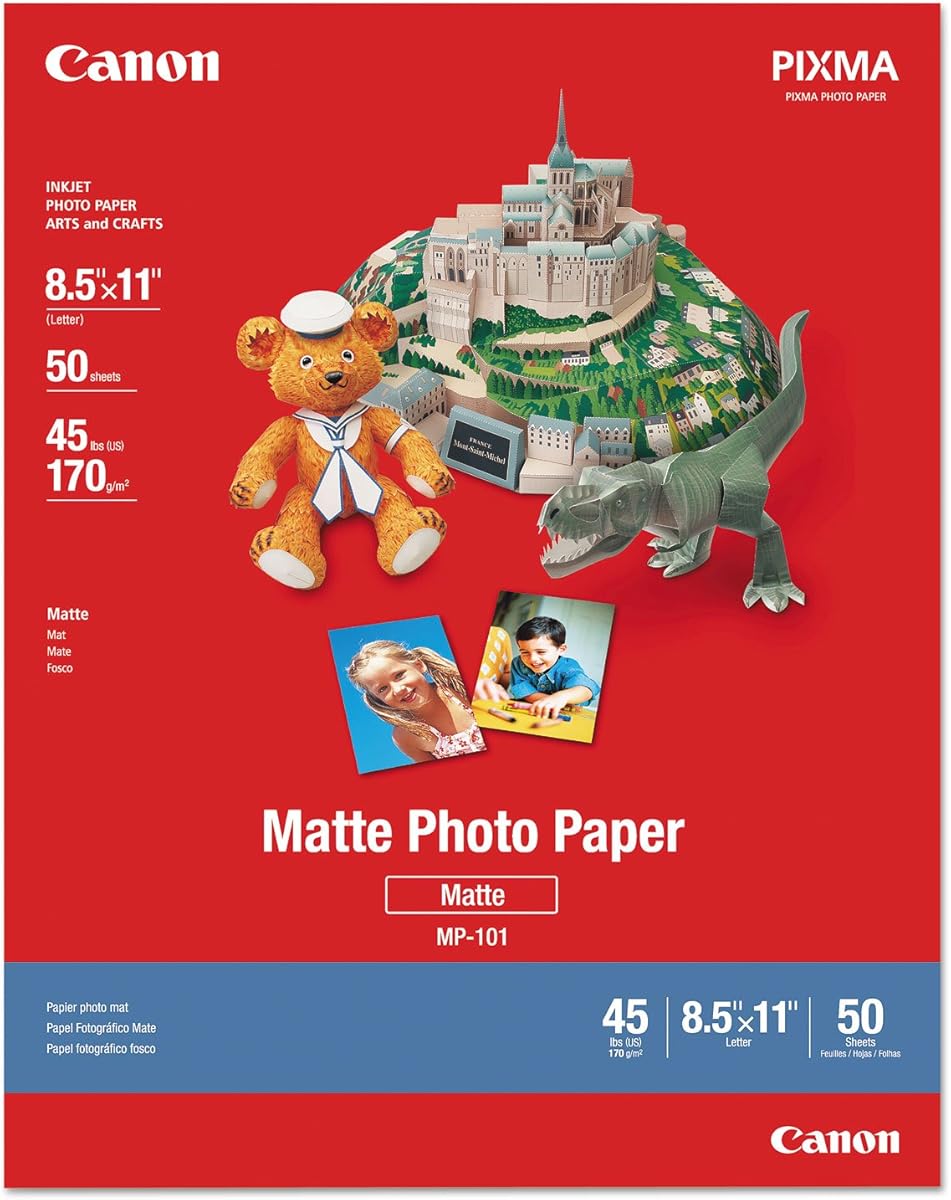
Canon Photo Paper Plus, Matte provides a traditional alternative to the many glossy and semi-gloss choices in this guide. It has a 4.4 rating and includes 50 letter-size sheets. The product information specifically highlights excellent photo results with vibrant colors and a matte finish.
We may earn a commission when you buy through this link, at no additional cost to you.
A matte surface reduces the reflective quality associated with glossy photo paper, which can be advantageous for portraits, documents containing large images, and layouts viewed under changing lighting conditions. The paper remains focused on photo output rather than the heavier cardstock characteristics emphasized by several competitors.
The supplied information does not explicitly state laser-printer compatibility, weight, double-sided printing, or a specialized coating structure. Buyers should therefore verify those details against the printer manufacturer's supported-media list and the product packaging. Matte output may also feel less vivid or high-impact than a glossy print to some viewers, although the stated color results remain strong.
This paper is best for users who specifically prefer a matte photographic look and are comfortable confirming compatibility before purchase. It works well for photo albums, framed displays, and image-heavy pages where glare would be distracting. For guaranteed laser compatibility, choose one of the products in this guide that expressly lists laser support.
The matte finish provides a lower-glare surface for photographs and image-heavy pages. It is a strong choice when the desired look is understated and free from strong reflections.
Canon's stated emphasis on vibrant photo results keeps the product centered on image printing. Buyers needing detailed business-paper specifications should review the package before choosing it for specialized workflows.
We may earn a commission when you buy through this link, at no additional cost to you.
The most useful laser photo paper is not simply the glossiest or heaviest option. Compare printer support, basis weight, coating, printable sides, surface finish, opacity, and intended project before choosing a format.
Start with the paper's explicit printer support. Several options in this guide are laser-only, while the Better Office Products papers and selected Koala products are described as compatible with both laserjet and dye-ink inkjet devices. Canon Photo Paper Plus, Matte does not include a specific laser compatibility statement in the supplied information, so buyers should verify it before ordering. The distinction matters because laser toner and liquid ink interact differently with coated surfaces.
Choose only media listed for your exact printer, and review the printer manual for supported weights and coated-paper settings. If you switch between inkjet and laser devices, a dual-compatible paper provides the most flexibility, while laser-only stock gives you clearer assurance for a dedicated color laser workflow.
Weight changes the hand-feel, rigidity, and printing demands of the paper. The lightest choices here include the 30 lb Koala and HP papers, while heavier options reach 200 gsm or 53 lb. Text-weight glossy paper feeds more easily and supports many document applications, whereas heavier stock feels more substantial and works better for covers, cards, and freestanding displays.
Choose lighter paper for reports, menus, and routine handouts. Choose heavier paper for photographs, postcards, greeting cards, and presentation pieces. If your printer is older or has a narrow paper path, do not assume it can accept the thickest option without checking the manufacturer's supported-media specifications.
Gloss produces the strongest reflective surface and can give vivid photos a dramatic appearance. Semi-gloss offers a middle ground with more subdued reflections, useful for mixed text and images. Matte minimizes glare and creates a traditional photographic look. The exact visual result can vary by image content, laser model, toner, and printer settings, so the descriptions in this guide are best used as a starting point.
For photography, choose full gloss for punchy displays, semi-gloss for versatile layouts, or matte for low-reflection viewing. For business documents, glossy and semi-gloss can look polished, while matte options are generally less prominent in this selection. Consider how the pages will be lit and handled before deciding.
Double-sided coated paper can reduce waste and expand design options. The 80 lb C2S products, the 48 lb Koala, the 52 lb HP Professional paper, and the 200 gsm laser product are described as printable on both sides. The Koala Thin Semi-Glossy and HP Everyday options are presented as single-sided in the supplied details, and Canon does not specify a double-sided feature.
Double-sided media is especially useful for folded cards, brochures, postcards, and mirrored handouts. It can also lower the number of sheets consumed during a run. Make sure the printer's duplex settings and supported paper specifications align with the coating and weight of the stock.
Pack sizes range from 30 sheets to 200 sheets, and the best quantity depends on how often you print. A 30-sheet pack is convenient for a small project or trial, while 100- and 150-sheet packs suit recurring office work. The 200-sheet heavyweight laser option provides the largest listed supply for higher-volume use, although its heavy coating may require more careful printer setup.
Estimate your typical number of pages, including mistakes and duplex layouts, before choosing. Larger packs are convenient for consistent professional output, but smaller packs reduce unused stock for occasional needs. Consider storage too: keep paper sealed and flat so the sheets remain flat and ready to feed.
A smooth coating supports toner adhesion, clean edges, and rapid handling after printing. Several products specifically advertise fast drying, smudge resistance, or even ink absorption, all of which are useful when prints must be stacked or passed along immediately. The laser-focused products also emphasize heat resistance or coating stability under the fuser.
Look for terms such as C2S, semi-gloss, glossy, matte, and smooth finish to understand the surface construction. Remember that the product terminology is not standardized across every brand, and two glossy papers may not behave identically. Reviewing the coating description alongside your printer's media settings is the safest approach.
Brightness affects the visual contrast of text and images, while opacity influences how much content shows through from the reverse. The two 80 lb C2S products highlight 96 brightness, and the double-sided C2S option also emphasizes good opacity. These traits matter for professional documents, photographs, and double-sided pages where visual cleanliness is important.
Prioritize high brightness when color accuracy and crisp contrast are central. For heavily duplexed documents, consider opacity as well because it helps preserve readability. Matte and heavier stocks may provide a different visual impression, so evaluate the complete specification rather than relying on brightness alone.
Long-lived prints and documents may benefit from paper described as acid-free and lignin-free. Two C2S options explicitly include those characteristics, and the 200 gsm laser paper is also described as acid-free. The HP Professional paper is sourced from sustainably managed forests according to Forest Stewardship Council standards and is recyclable as mixed paper.
If preservation, responsible sourcing, or corporate sustainability requirements matter, include these attributes in your final decision. Check local recycling rules for coated media, because collection guidance can vary. Environmental details are most useful when paired with compatibility, finish, and weight rather than used as the only selection criteria.
Store the paper in its original packaging in a dry, climate-controlled area. Keep the sheets flat and away from direct sunlight, excessive heat, and moisture. Remove only a small number of sheets at a time, and avoid touching the coated surface unnecessarily because fingerprints and oils can interfere with toner adhesion and the final sheen.
Load the paper according to the laser printer's instructions for coated media, selecting the appropriate paper type or weight setting when available. Print one test page before beginning a large run, especially with heavier or double-sided stock. Use a clean, dry output path and allow the pages to remain undisturbed briefly so toner can settle before stacking, folding, or trimming.
For best results, keep prints away from direct sunlight, high humidity, and surfaces that can cause scratches. When creating cards or folded pieces, score the fold before bending the sheet. Store finished work flat or upright in an archival folder when preservation matters, and follow local recycling guidance for used coated paper.
Some glossy photo paper is designed for inkjet only, while other products are formulated for both laser and inkjet use. Check the packaging for explicit laser compatibility and confirm the paper weight is supported by your printer. For a dedicated laser workflow, a product labeled for color laser, laserjet, or digital printers offers the clearest compatibility.
The appropriate weight depends on the printer, but 30 lb and 32 lb papers are generally easier choices for routine documents. Heavier 48 lb, 52 lb, and 200 gsm options can produce more substantial results but may require a compatible paper path and correct driver settings. Always consult the printer's supported-media specifications before using heavy cardstock.
Gloss gives photographs more reflective punch and can make saturated colors appear vivid, while matte reduces glare and offers a more traditional photo appearance. Semi-gloss sits between those choices and works well for pages containing both text and images. The best finish depends on the project, lighting, and the look you want.
Whenever the printer offers a paper-type or media-weight setting, choose the closest match to the coating and basis weight. Using the wrong setting can affect toner behavior, fusing, and feed reliability. Print a test page for every new paper type, particularly for double-sided or 200 gsm stock.
Only if the specific product is labeled for double-sided printing. Several C2S, semi-gloss, and premium business papers in this guide support printing on both sides, while others are designated for single-side use. Also confirm that your printer supports duplexing with the selected coated paper and weight.
Heavier media can place more demand on a printer's rollers and paper path, but compatibility and correct settings can reduce the risk. Avoid forcing a sheet that appears stuck, and consult the manual for supported coated-paper weights. A lighter text-weight option is a safer choice if your printer is older or rarely handles specialty stock.
A small pack suits occasional photos and trial prints, while 100- or 150-sheet packs are convenient for recurring projects. The 200-sheet option is intended for heavier-volume use. Include both sides in your estimate when creating cards or brochures, and allow for a few test sheets or possible feeding errors.
Recycling rules differ by location and by the paper's coating, so check local guidance before placing it in a paper bin. The HP Professional Business Paper is described as recyclable as mixed paper, and some alternatives include acid-free or lignin-free construction. Those attributes describe composition and longevity, not a universal recycling instruction.
The Better Office Products 100-sheet glossy paper is the strongest overall pick, pairing the highest rating with a 200 gsm weight and compatibility for laser and inkjet printers. The 30-sheet version delivers the same core paper characteristics for smaller projects, while HP Professional Business Paper stands out as the premium business-focused option with a 52 lb weight and double-sided glossy finish.
Prioritize printer compatibility first, then choose the paper weight and finish that match your work. Use lighter glossy or semi-gloss stocks for routine documents, heavier double-sided media for cards and presentation pieces, and matte paper when low reflection is the priority. Always verify the exact model and supported media before a large printing run.
Ratings, product details, availability, and prices can change over time, so check the current listing before making a final purchase. Review the sheet count, coating, printable sides, and printer guidance to ensure the paper meets both your design requirements and your machine's capabilities.