
Brother MFC-L2820DW
4.3Editor score
Monochrome laser printing
Up to 36 ppm print speed
50-page document feeder
Dual-band wireless and Ethernet
Discover the 10 best All in One Printer with Fax models, comparing print speed, fax functions, paper handling, connectivity, ink systems, and suitability.
An all-in-one printer with fax combines printing, scanning, copying, and fax transmission in one device, reducing desk clutter and consolidating essential office tasks. The right model should balance speed, paper handling, connectivity, ink or toner costs, and the convenience of handling recurring documents without separate equipment.
This guide compares ten current all-in-one models using their supplied specifications, focusing on confirmed capabilities rather than assumptions. It covers inkjet, ink-tank, and monochrome laser designs, with attention to fax functions, automatic document feeders, duplex handling, print speed, display size, and connection options.
The numbered reviews show why each model may suit a particular workflow, from compact home use to document-heavy offices. Some products excel on paper capacity, speed, or refill convenience, while others lack a clearly stated fax feature and therefore fall short of the core requirement. Prices and offers change.
4.3Editor score

3.9Editor score

3.9Editor score
The table below places all ten models side by side, emphasizing the capabilities that most directly affect printing, document handling, and daily usability.





The HP OfficeJet Pro 9125 combines four clearly defined functions—printing, scanning, copying, and faxing—in a color inkjet designed for offices. Its 3.9 rating reflects a capable general-purpose package, while the stated speed of up to 22 pages per minute in black and 18 pages per minute in color gives it a meaningful advantage for a home-office or small-office device that still produces polished color documents.
We may earn a commission when you buy through this link, at no additional cost to you.
Paper handling is one of its strongest areas. A 250-sheet input tray reduces the frequency of refills, and the automatic document feeder supports multipage copying, scanning, and faxing. Automatic two-sided printing and scanning make it useful for reports and other lengthy documents. The 2.7-inch color touchscreen provides a more direct interface than a small button-only panel, while dual-band wireless and the HP app extend control to a smartphone.
The important trade-offs concern the ink model and the Instant Ink offer. The included three-month trial is not a permanent discount: a monthly service fee applies afterward unless the subscription is canceled. The printer is also designed to work only with cartridges containing original HP chips or circuitry, which may limit compatibility with some aftermarket supplies. Buyers who prefer predictable ownership should account for both restrictions before purchase.
Overall, the OfficeJet Pro 9125 is a strong all-around recommendation for a small office that needs genuine fax capability, respectable color speed, automatic document handling, and convenient wireless operation. It is especially suitable for business documents, presentations, brochures, and flyers. The best fit is a buyer who values balanced office features and does not want to sacrifice color performance for a larger, more specialized machine.
The combination of a 250-sheet tray, an automatic document feeder, duplex printing, and relatively strong black and color speeds supports a steady office workload without forcing every job through a flatbed scanner. It is a practical balance of capacity and convenience.
Dual-band wireless connectivity and the HP app make printing, scanning, copying, and faxing available from a phone or compatible computer. The touchscreen also provides a convenient local option for routine setup and job selection.
We may earn a commission when you buy through this link, at no additional cost to you.
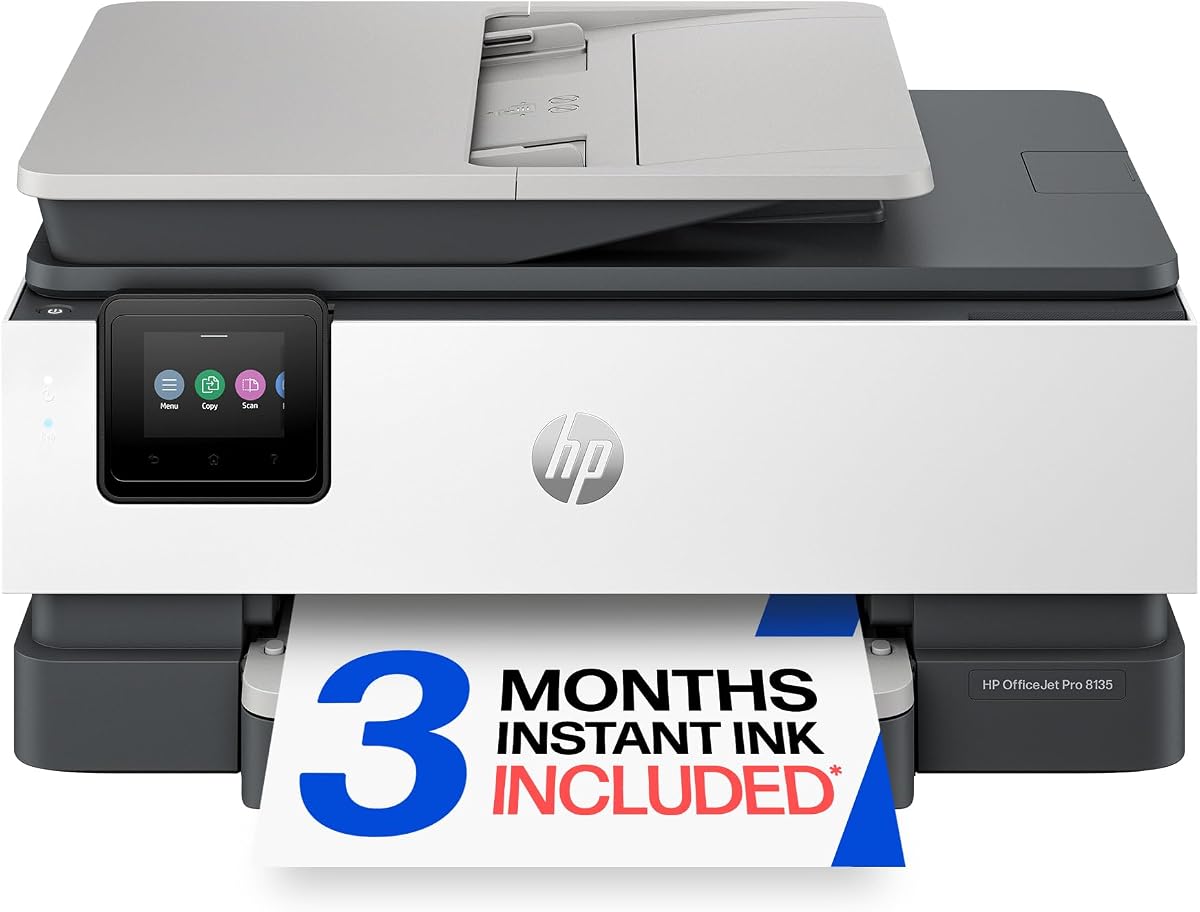
The HP OfficeJet Pro 8135 is designed primarily for home offices that need more than a basic printer but do not require the highest color throughput. It is explicitly equipped for printing, scanning, copying, and faxing, and its 3.9 rating reflects a broadly capable configuration with a 2.7-inch touchscreen, automatic document feeder, and automatic duplex printing.
We may earn a commission when you buy through this link, at no additional cost to you.
Document handling is well suited to administrative work. The 225-sheet input tray holds a useful quantity of ordinary paper, while the automatic feeder reduces the work involved in copying or sending multipage faxes. Print speeds reach 20 pages per minute in black and 10 pages per minute in color, which should suit reports, presentations, flyers, and routine business correspondence. The HP app also allows the four core jobs to be initiated from a smartphone.
The main consideration is operating strategy. This model uses color ink cartridges, and its three-month Instant Ink trial becomes a paid monthly subscription after the trial unless canceled. Original HP chips or circuitry are required, meaning the printer blocks cartridges without them. The slightly lower color speed and smaller tray than the OfficeJet Pro 9125 are reasonable trade-offs for a home-office positioning.
This printer is best for people handling a mixed blend of documents, occasional color output, and recurring fax work from home. It offers a clear touchscreen, wireless access, and a feeder without reaching the size or paper capacity of premium office models. Choose it when versatility and convenience matter more than maximum color speed or the ability to maintain two full input trays.
Black output at up to 20 pages per minute handles routine paperwork efficiently, while color speeds of up to 10 pages per minute cover graphs, charts, and presentation material without turning the device into a high-volume color workhorse.
The automatic document feeder and duplex function are particularly valuable for contracts, forms, multipage reports, and faxes. These features reduce manual page placement and make the printer more practical for recurring office work.
We may earn a commission when you buy through this link, at no additional cost to you.
The Epson EcoTank ET-4800 is a wireless color all-in-one built around refillable ink tanks rather than conventional small cartridges. Its 3.8 rating reflects a practical print-and-scan design with a strong emphasis on ink economy and convenient replenishment. The absence of a stated fax function prevents it from fully satisfying the central requirement of this guide, but it remains relevant for buyers comparing refillable ink systems.
We may earn a commission when you buy through this link, at no additional cost to you.
Its defining benefit is the EcoTank format. High-capacity tanks accept Epson EcoFit ink bottles, making frequent replacement less dependent on tiny cartridge purchases. Epson's Micro Piezo heat-free technology is designed to produce sharp text and capable color photographs and graphics across common paper types. The built-in flatbed scanner and color display also support basic copying and navigation without a separate device.
The significant limitation is that the supplied product information does not list fax capability. It also does not identify an automatic document feeder or automatic duplex printing. Users who routinely send or receive faxes, process multipage originals, or need automatic two-sided output should not treat the ET-4800 as a complete substitute for a confirmed four-function fax model. Its strong points are ink capacity, print quality, and waste reduction.
This EcoTank is best for a household or small workspace that primarily prints and scans but does not need a fax. It may appeal to buyers who want fewer disposable cartridges and a straightforward refill process. For anyone specifically shopping for an all-in-one printer with fax, however, one of the models with fax explicitly listed is the safer choice.
EcoFit bottles feed high-capacity internal tanks, so the printer is designed for extended output between cartridge replacements. This can simplify ownership for users who print regularly and want to reduce the frequency of small-cartridge purchases.
Because the supplied specifications do not mention fax, this model does not meet the complete all-in-one-with-fax definition used in this guide. Its scanning and copying features are useful, but they should not be mistaken for transmission capability.
We may earn a commission when you buy through this link, at no additional cost to you.
The HP OfficeJet Pro 8125 is a color inkjet aimed at home offices, with a 225-sheet input tray, an automatic document feeder, duplex printing, and a 2.7-inch color touchscreen. Its 3.9 rating places it alongside the other well-regarded OfficeJet Pro models in this comparison, and its stated performance reaches 20 pages per minute in black and 10 pages per minute in color.
We may earn a commission when you buy through this link, at no additional cost to you.
The printer is equipped for printing, scanning, and copying, while the feature description says the HP app can also be used to print, scan, copy, or fax. However, fax is not included in the supplied product title, unlike the explicit fax labeling on the OfficeJet Pro 9125, 8135, 9135, 8139, and Smart Tank 7603. Buyers who require fax as a primary purchasing criterion should confirm the feature in the listing and documentation before ordering.
On everyday convenience, the model is strong. Dual-band wireless, smartphone control, AI-assisted print formatting, and automatic two-sided output create a polished home-office experience. The original-chip cartridge restriction and three-month Instant Ink trial are the same ownership considerations described for the related HP OfficeJet Pro models, and the subscription continues at a monthly fee unless canceled.
This printer is best for a home office that values color speed, a usable touchscreen, and automatic document handling but treats fax as a secondary or uncertain feature. It is not the most defensible recommendation for the exact keyword. Choose the 8135, 9125, 9135, 8139, or Smart Tank 7603 when confirmed fax support is non-negotiable.
A 225-sheet tray, an automatic feeder, duplex printing, and a 2.7-inch touchscreen cover the fundamentals of a productive home-office printer. Speed is sufficient for routine documents, reports, and color presentation material.
The HP app is described as supporting fax, but the product title itself does not list fax among the device functions. A buyer who depends on traditional fax transmission should treat that distinction as a reason to confirm compatibility and setup requirements.
We may earn a commission when you buy through this link, at no additional cost to you.
The HP Smart Tank 7603 combines refillable ink storage with confirmed printing, scanning, copying, and faxing functions. Its 3.9 rating and extensive included-ink allowance make it attractive for users who want to limit cartridge purchases and avoid the logistics of frequent small-ink replacements. The product is positioned for home offices and includes an automatic document feeder for recurring multipage work.
We may earn a commission when you buy through this link, at no additional cost to you.
Its cartridge-free tank system is the central advantage. Users replenish ink with HP bottles that plug into accessible tanks and drain into place, eliminating the need to squeeze ink into a small cartridge. The listing states that up to 8,000 color pages or 6,000 black pages are included, giving new owners a meaningful starting supply. A magic touch control panel, wireless printing, mobile printing, and borderless output broaden the everyday feature set.
Unlike several cartridge-based OfficeJet Pro models, the Smart Tank avoids the original-chip cartridge restriction described in their listings. Its trade-off is that no numerical black or color print-speed rating is supplied, so it is harder to compare directly with models rated at 20 to 25 pages per minute. It is also a full-featured device with a tank system and automatic feeder, which may require more desk space than a simple home printer.
The Smart Tank 7603 is an excellent choice for a home office that definitely needs fax, regularly prints in color or black, and values refill convenience over having the highest stated page speed. It combines waste-conscious ink handling with a complete four-function feature set. It may be especially attractive for users who want a generous included ink supply before their next refill.
Unlike many EcoTank-style alternatives that list only printing and scanning, this model explicitly includes scanning, copying, and faxing. It therefore remains a genuine candidate for buyers whose search depends on every core office function being present.
The refill process uses bottles connected directly to the tank rather than requiring users to fill a removable cartridge. That design makes replenishment straightforward and reduces the handling involved in maintaining an inkjet.
We may earn a commission when you buy through this link, at no additional cost to you.
The HP OfficeJet Pro 9135 is the most feature-rich color OfficeJet Pro in the supplied lineup, carrying a 4.0 rating and a 4.3-inch color touchscreen. It supports printing, scanning, copying, and faxing, reaches up to 25 pages per minute in black and 20 pages per minute in color, and includes two separate 250-sheet input trays for a combined 500 sheets of nominal paper capacity.
We may earn a commission when you buy through this link, at no additional cost to you.
The document feeder has single-pass two-sided scanning, a meaningful advantage when a mixed stack contains duplex pages. This reduces the need to manually reverse originals during a large copy, scan, or fax job. The large display makes it easier to manage those workflows, while dual-band wireless, the HP app, and AI-assisted print formatting support connected use. The design also contains more than 40% recycled plastic and includes HP Wolf Pro Security.
The trade-offs are the same ownership constraints that apply to the related cartridge-based OfficeJet Pro models. Only cartridges with original HP chips or circuitry are accepted, and the three-month Instant Ink trial is followed by a monthly fee unless canceled. The larger body and two-tray arrangement may also be unnecessary for light home use. Nevertheless, the stronger speed, larger control screen, and greater paper capacity provide a clear reason to choose this model in a busy office.
This is our premium pick for organizations that handle substantial color output, multipage faxes, and duplex documents. It is particularly appropriate for offices producing presentations, brochures, flyers, and professional reports. If the extra capacity and faster throughput are not relevant, the OfficeJet Pro 9125 offers a more restrained alternative with many of the same core features.
Two 250-sheet trays provide a practical way to load different media or maintain a larger working stock without frequent refilling. This is a meaningful advantage in offices that print continuously or use several paper types.
Single-pass two-sided scanning in the automatic feeder helps manage duplex originals efficiently. Combined with the large touchscreen and fast color output, it makes this model well suited to recurring administrative workflows.
We may earn a commission when you buy through this link, at no additional cost to you.
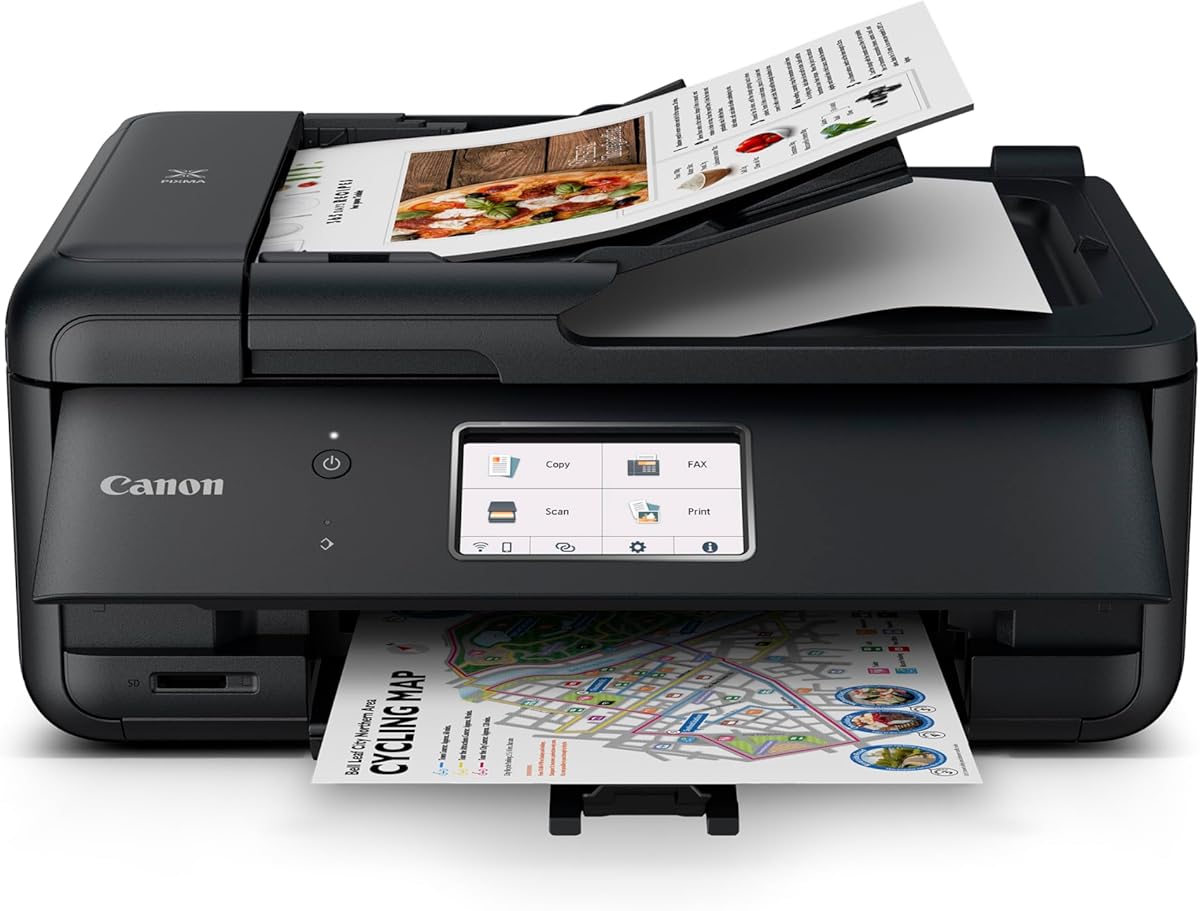
The Canon PIXMA TR4720 is the most straightforward budget-oriented model here, offering a confirmed wireless four-in-one platform for printing, copying, scanning, and faxing. Its 3.9 rating shows that the basic package remains competitive, and the inclusion of an automatic document feeder and automatic two-sided printing gives it useful document capabilities despite its home-use positioning.
We may earn a commission when you buy through this link, at no additional cost to you.
Performance is modest compared with the faster OfficeJet Pro models. The stated speeds are 8.8 images per minute for black letter documents and 4.4 images per minute for color, while a 4-by-6-inch borderless photo can take approximately 65 seconds. The paper capacity is 100 sheets, so regular refilling is likely. The device can produce documents, photos, and borderless prints up to 8.5 by 11 inches and includes a one-year limited warranty.
A useful distinction is that Canon says no subscription is required for its Alexa smart-reorder feature. Users can connect the printer to Alexa for low-ink notifications and, if they enroll, place smart reorders through Amazon. This does not eliminate the need to buy ink, but it provides a convenient monitoring option without tying the reorder service to a required subscription plan.
The TR4720 is best for a student, home user, or occasional home-office worker who needs a genuine fax function at the most accessible entry point in this list. It is less suitable for a busy office because of its lower paper capacity and slower output. Its appeal lies in delivering the four essential functions without the larger displays, trays, and speed specifications of premium machines.
Built-in fax, an automatic feeder, and duplex printing cover the most common document needs. Wireless and mobile printing add flexibility, allowing the device to serve more than one computer or phone.
The 100-sheet tray is adequate for occasional jobs, while lower stated speeds make the printer less attractive for large print runs. Users with regular pages to fax, copy, or scan should look toward faster office models with larger feeders.
We may earn a commission when you buy through this link, at no additional cost to you.
The Canon PIXMA TR8620a is a home-office inkjet with a 4.0 rating and a balanced set of capabilities. It supports wireless printing, copying, scanning, and faxing, includes an automatic document feeder, and reaches 15 images per minute in black and 10 images per minute in color. That performance places it above the more basic TR4720 without reaching the fastest speeds of the premium OfficeJet Pro models.
We may earn a commission when you buy through this link, at no additional cost to you.
Paper handling is one of its main distinctions. A 100-sheet cassette combines with a 100-sheet rear feed for a total stated capacity of 200 sheets. The printer supports automatic two-sided printing and carries a listed 1,000-page duty cycle, which is useful context for home-office use. It also includes a microSD slot and carries ENERGY STAR and EPEAT Silver designations in the supplied information.
Canon emphasizes smart ink management through Alexa. The printer can provide low-ink notifications, and enrolled users can have smart reorders placed through Amazon without a subscription requirement. This is a convenience rather than a reduction in ink consumption. The main limitations are the lack of a stated numerical document-feeder capacity and the absence of a touchscreen specification in the provided product data, making its interface less clearly defined than several HP models.
The TR8620a is a strong recommendation for a home office that needs confirmed fax, respectable color speed, duplex printing, and more paper capacity than the TR4720. It works well for reports, photos, and general documents, particularly when wireless mobile access and automated reordering fit the household. High-volume business users may still favor an office model with a larger feeder and faster output.
Fifteen black images per minute and ten color images per minute are useful rates for a home-office inkjet. The 1,000-page duty cycle also signals a higher intended workload than the basic home-focused models in this comparison.
The two-source arrangement provides 200 sheets of stated total capacity, with a 100-sheet cassette and a 100-sheet rear feed. This makes it easier to keep ordinary document paper available while also handling another paper type.
We may earn a commission when you buy through this link, at no additional cost to you.
The HP OfficeJet Pro 8139 is a color inkjet with a 4.0 rating and confirmed support for printing, scanning, copying, and faxing. It combines a 225-sheet input tray, an automatic document feeder, automatic duplex printing, a 2.7-inch color touchscreen, and performance of up to 20 pages per minute in black and 10 pages per minute in color.
We may earn a commission when you buy through this link, at no additional cost to you.
Its defining distinction from the closely related OfficeJet Pro 8135 is the longer Instant Ink trial. The 8139 includes a one-year trial rather than three months, although a monthly fee applies after the trial unless the subscription is canceled. That extended evaluation period can be appealing to buyers who want time to understand their printing and ink usage before deciding whether the service fits their routine.
The rest of the feature set is well suited to a home office. Dual-band wireless, HP app control, AI-assisted formatting, and touchscreen navigation improve usability, while the automatic feeder supports multipage copying, scanning, and faxing. As with the other cartridge-based OfficeJet Pro models, the printer requires original HP chips or circuitry and blocks cartridges without them. The 8139 also shares the same 225-sheet tray and stated print speeds as the 8135.
This model is best for a home-office buyer who values confirmed fax, a 4.0 rating, and a full year to evaluate Instant Ink. It may also appeal to users who want the familiar OfficeJet Pro workflow with the 2.7-inch touchscreen. Those who do not plan to use the subscription should compare the ownership model carefully, and those needing greater speed or capacity should consider the OfficeJet Pro 9135.
The one-year Instant Ink trial gives buyers substantially more time to assess real consumption and convenience. Remember that the monthly service fee begins afterward unless the subscription is canceled, so the trial is not a permanent discount.
A touchscreen, automatic feeder, duplex printing, and a 225-sheet tray deliver the everyday convenience expected from an OfficeJet Pro model. Mobile control through the HP app also helps users manage documents away from the device.
We may earn a commission when you buy through this link, at no additional cost to you.
The Brother MFC-L2820DW is the strongest monochrome option in this guide, holding the highest supplied rating at 4.3 and the fastest stated print speed at 36 pages per minute. It is a compact monochrome laser all-in-one with copying, scanning, and faxing, making it particularly well suited to offices that primarily produce contracts, invoices, forms, reports, and other black-and-white documents.
We may earn a commission when you buy through this link, at no additional cost to you.
Its 50-page automatic document feeder is a major productivity advantage for multipage copying, scanning, and faxing. Scanning reaches up to 23.6 pages per minute in black or 7.9 pages per minute in color. Connectivity is flexible, with dual-band wireless, Ethernet, and a local USB option, while the 2.7-inch touchscreen helps users navigate settings and work with cloud applications including Google Drive, Dropbox, Evernote, and OneNote.
The important limitation is that this is not a color printer. Buyers who need brochures, color charts, photographs, or marketing pieces should favor one of the color inkjet models instead. The included Refresh EZ Print subscription trial also introduces the need to understand the service terms before the trial ends. Brother identifies TN830 and TN830XL toner as the genuine supplies for this printer.
Despite that color limitation, the MFC-L2820DW is a compelling choice for a small office with steady black-and-white volume. Its fast output, generous feeder, flexible network connections, and complete four-function laser design can reduce interruptions better than most inkjets. It is the top recommendation here for monochrome document-heavy work and for offices that prefer laser technology.
A 36-page-per-minute print rate and 50-page automatic feeder support the two most important high-volume functions: producing pages and feeding originals for copy, scan, or fax. This combination suits recurring administrative workflows.
Dual-band wireless allows flexible placement, while Ethernet supports a wired office network and USB serves a directly connected computer. Cloud destinations can also streamline sending scanned or stored documents without relying solely on local software.
We may earn a commission when you buy through this link, at no additional cost to you.
The right choice depends on the kinds of pages you print, how often you send faxes, the size of your workspace, and whether color is essential. These factors help narrow the field before you compare individual models.
A printer that scans documents is not necessarily capable of sending or receiving faxes. Look for fax in the product title and function list, then confirm whether it supports conventional faxing, telephone-based fax service, or both. Some refillable all-in-one printers in this category list only scanning and copying, while others explicitly include a fax function. This distinction should be settled before comparing convenience, because no amount of scanner quality can compensate for a missing transmission function.
Color inkjets are the natural choice when you need photographs, color charts, brochures, or mixed-color office documents. They are versatile but generally use liquid ink and may require cartridge replenishment. Monochrome laser printers produce fast, sharp black-and-white documents and are well suited to contracts, invoices, and forms, but they do not provide color output. The right comparison is between workflow needs, not simply the word all-in-one, because both technologies can combine printing with scanning, copying, and faxing.
Speed matters most when pages accumulate quickly. The HP OfficeJet Pro 9125 reaches 22 pages per minute in black and 18 in color, the OfficeJet Pro 9135 reaches 25 and 20, and the Brother MFC-L2820DW reaches 36 monochrome pages per minute. The Canon PIXMA models are slower, with the TR8620a rated at 15 black and 10 color images per minute and the TR4720 at 8.8 and 4.4. Note that stated maximum speeds describe ideal conditions and can differ from output involving duplex printing, color, or complex documents.
An automatic document feeder saves considerable time when copying, scanning, or faxing multipage documents. The Brother MFC-L2820DW has a clearly stated 50-page feeder, while most of the OfficeJet Pro models are described only as having an automatic document feeder without a supplied page count. Capacity is particularly important for contracts, invoices, patient forms, or records that must be processed in one batch. If a seller does not publish the capacity, it is worth checking before purchasing rather than assuming it matches the 50-page leader.
Paper capacity determines how often the input tray needs replenishment. The HP OfficeJet Pro 9135 leads this group with two 250-sheet trays, while the 9125 offers one 250-sheet tray and the 8135, 8125, and 8139 each provide a 225-sheet tray. Canon takes a different approach: the TR8620a combines a 100-sheet cassette and 100-sheet rear feed, while the TR4720 has a stated 100-sheet capacity. More capacity improves productivity but may require a larger footprint and more room for reloading.
An all-in-one printer's real ownership experience depends heavily on how it is supplied. The HP Smart Tank 7603 uses refillable tanks and states that up to three years of ink are included, while the OfficeJet Pro models use cartridges with original HP chips or circuitry. Some cartridge-based models also include an Instant Ink trial that becomes a paid monthly subscription. By contrast, the Brother model uses TN830 or TN830XL toner and offers a Refresh trial. Compare the refill method, trial duration, subscription terms, and genuine-supply restrictions rather than focusing only on the advertised hardware.
Every model in this comparison is intended for flexible placement, and most explicitly support wireless or mobile printing. The HP OfficeJet Pro models and Brother MFC-L2820DW include dual-band wireless, while the Brother also provides Ethernet and USB. The Canon TR4720 and TR8620a emphasize wireless and mobile use, and the EcoTank ET-4800 is identified as wireless. A dual-band connection can be especially helpful on crowded office networks, although compatibility with the user's router, operating system, and desired mobile applications should still be verified.
A touchscreen makes scan destinations, copy settings, and job selection more approachable. The OfficeJet Pro 9135 has a 4.3-inch display, several other OfficeJet Pro models have 2.7-inch screens, and the Brother uses a 2.7-inch touchscreen. HP Wolf Pro Security is listed for the 9125 and 9135, while the 8135, 8125, and 8139 use HP Wolf Essential Security. In a shared office, consider whether the device will be exposed to a broader network and whether you need stronger network-protection features.
Begin by unpacking the printer, removing any packing restraints, installing the supplied ink or toner, and loading a modest stack of appropriate paper into the main tray. Connect the device through its preferred method, complete the manufacturer’s setup process, and install the corresponding app or computer software. For fax service, connect the appropriate telephone line, enter any required area code or dialing prefix, and test both outgoing and incoming functions before relying on the machine for critical documents.
Use the automatic document feeder for clean, appropriately sized sheets and keep the originals free of staples, clips, and folds. Place heavier or delicate media on the scanner glass instead. When making copies or sending faxes, check the paper size, color mode, resolution, and number of pages before starting. For duplex jobs, use automatic two-sided printing or scanning where available, but confirm that the original pages are arranged correctly in the feeder.
Maintain the device according to the manufacturer’s guidance, keep the scanner glass clean, and remove jams gently rather than pulling hard on trapped paper. Inkjet users should use the correct refill or cartridge method, while laser users should handle toner according to the supplied instructions. Run occasional test pages and alignment checks when output changes, keep firmware and drivers updated, and clean the feed rollers and scanner components only as directed.
An all-in-one printer typically combines printing, scanning, and copying. An all-in-one printer with fax also provides telephone-based document transmission, which may include sending and receiving traditional faxes. Some models list fax only in their app description, so buyers should verify the physical and software functions before purchasing.
Yes, particularly when most printing consists of contracts, invoices, forms, and other black-and-white documents. The Brother MFC-L2820DW offers fast stated print speed, a 50-page feeder, and flexible wired or wireless connections. It is less suitable if you regularly need color photographs, charts, or marketing materials.
No. The HP Smart Tank 7603 explicitly includes printing, scanning, copying, and faxing, while the Epson EcoTank ET-4800 listing identifies printing, scanning, and copying without stating fax. Refillable ink alone does not confirm transmission capability, so check the complete function list and documentation.
It is very important for anyone sending or copying multipage documents. A feeder allows pages to be scanned and transmitted in sequence without manual intervention. Capacity also matters: the Brother has a stated 50-page feeder, which is especially useful for lengthy forms or records.
A trial can be useful if you want to understand cartridge delivery and ink consumption before committing. However, the HP models state that a monthly fee applies after the trial unless canceled, and the duration varies. The Smart Tank 7603 instead uses refillable bottles, while the Brother offers a toner-focused Refresh trial.
A 225- or 250-sheet tray is practical for frequent home-office use, while two 250-sheet trays are preferable when interruptions from refilling are disruptive. For lighter use, the Canon TR4720's 100-sheet capacity may be adequate. The correct choice also depends on available desk space and how often different paper types are used.
Several models provide companion-app support for remote control. The HP OfficeJet Pro models and Smart Tank 7603 include mobile or wireless printing features, while the Brother MFC-L2820DW offers the Brother Mobile Connect app. Fax and scan availability may still depend on the specific app, operating system, and printer configuration.
Dual-band Wi-Fi allows the printer to communicate on both 2.4GHz and 5GHz networks, which can improve flexibility in crowded wireless environments. The HP OfficeJet Pro models and Brother MFC-L2820DW explicitly support dual-band connectivity. It does not replace the need to check router and device compatibility.
The HP OfficeJet Pro 9125 is the strongest overall choice because it combines confirmed faxing with useful office speed, a 250-sheet tray, an automatic feeder, duplex operation, and a color touchscreen. The HP OfficeJet Pro 9135 is the premium option for buyers who need two trays, faster output, and a larger display, while the Brother MFC-L2820DW is the leading monochrome choice for document-heavy small offices.
For a less expensive home-oriented purchase, the Canon PIXMA TR4720 includes the essential four functions and automatic document handling, although its paper capacity and speed are limited. The HP Smart Tank 7603 deserves attention from users who prefer refillable ink and want confirmed fax capability. Before choosing among similar models, prioritize the type and volume of documents, color needs, feeder capacity, and ongoing ink or toner system.
Current prices, promotions, and subscription terms can change, so check the live listing before buying. Also verify the stated functions against your own workflow, especially if fax is indispensable, and review the details of any Instant Ink, Refresh, or smart-reorder service. With those checks in place, you can select a model that matches both the documents you handle and the way your home or office operates.