
Pocket AI Voice Recorder
4.6Editor score
MagSafe-compatible hands-free recording
Automated summaries and action items
Four-day advertised battery life
Explore the best AI meeting transcription devices, comparing recording quality, language support, summaries, battery life, privacy, and portability.
AI meeting transcription devices combine compact audio recorders with software that turns conversations into searchable transcripts, summaries, action items, and searchable notes. A capable device should capture voices clearly, remain easy to carry, and produce organized results without requiring the user to watch a transcript develop in real time.
The products in this guide were compared using the supplied specifications, focusing on microphone arrays, supported languages, recording modes, battery life, storage, wireless connectivity, privacy controls, and the depth of each AI workflow. The list covers discreet card-sized recorders, magnetic recorders, and a larger standalone transcription device.
Each review explains the device's strongest use case, practical limitations, and ideal buyer, while the comparison table highlights the differences at a glance. Features and availability can change, and optional plans, accessories, battery results, and included services should be verified before making a final purchasing decision.
4.6Editor score

4.8Editor score

4.4Editor score
This side-by-side comparison highlights each recorder's core audio, AI, portability, and connectivity features, making it easier to identify the device that matches a particular meeting workflow.



The Plaud Note Pro combines a credit-card-sized recorder, a color AMOLED display, and a broad set of AI transcription features. It carries a 4.5 rating in the supplied data, and its most compelling qualities are the ability to add typed notes and images, mark important moments during a conversation, and ask questions about the resulting recording. That combination makes it more than a voice memo device.
We may earn a commission when you buy through this link, at no additional cost to you.
Its intelligent recording system reportedly switches between call and meeting modes automatically. Four MEMS microphones and a VPU microphone work with directional audio and spatial awareness to reduce surrounding noise. Enhance Mode is listed as capable of recording clear speech from up to 16.4 feet, while Endurance Mode extends continuous recording to 50 hours. A 30-hour Enhance Mode battery figure gives it ample capacity for a normal working day.
The main trade-off is the service structure. The included Starter Plan provides 300 transcription minutes per month, while larger allowances require a Pro or Unlimited plan. Its AI also creates useful outputs such as summaries, extracted key points, email drafts, and next-step suggestions, but the extent of those features can depend on the selected plan. The device is therefore best evaluated as a hardware-and-software system rather than a standalone recorder.
This is the strongest general recommendation for professionals who want flexible note capture, polished summaries, and a distinctive display without accepting the bulk of a larger dedicated device. It suits consultants, executives, attorneys, sales professionals, and anyone who frequently needs to revisit a conversation. The combination of automatic modes, multimodal input, and cross-device access gives it the broadest appeal in this roundup.
Typing notes, adding images, and pressing to highlight key moments allows the AI to connect what was said with what mattered visually or manually. This is especially useful in presentations, interviews, site visits, and whiteboard discussions where speech alone may omit important context.
Automatic call and meeting detection reduces the need to interrupt a conversation to change settings. The directional microphones and spatial awareness add further reassurance that nearby voices are being prioritized over ambient noise.
We may earn a commission when you buy through this link, at no additional cost to you.
The Pocket AI Voice Recorder is designed around a simple idea: start capturing a conversation with one tap and let software turn it into organized notes. It has a 4.6 rating in the supplied information, placing it among the most favorably rated products here. Its core features cover transcription, summaries, key action items, structured conversation maps, and question-based analysis through Ask Pocket.
We may earn a commission when you buy through this link, at no additional cost to you.
Magnetic attachment to a MagSafe-compatible phone is a particularly useful feature. Rather than holding a recorder during a meeting, a user can keep it attached to the phone and place that phone in a suitable central position. One-tap operation also makes the device effective for calls, brief conversations, and spontaneous ideas, while its stated four-day battery life is more relevant to standby than continuous recording.
The supplied specifications do not describe the microphone array or detailed pickup distance, so buyers who need a specific noise-control configuration may need to seek more technical information. Premium tools are also optional, meaning the included core experience and the expanded workflow are not identical. Ask Pocket is still valuable because its answers are grounded in the original recording, reducing the likelihood that the analysis drifts away from the conversation.
Pocket is best for mobile professionals who prioritize speed, portability, and an approachable software experience over a long list of hardware specifications. It is a particularly natural fit for iPhone users who can use MagSafe and want a recorder that is ready for meetings, walks, interviews, or idea capture without complicated setup. Its 4.6 rating and focused feature set make it a strong premium choice.
Magnetic phone attachment provides a practical place to position the recorder without handling it during a conversation. This makes Pocket particularly convenient for walking interviews, short meetings, and mobile field notes.
Structured conversation maps and automatic action items can reduce the time needed to locate a decision or follow-up task. Ask Pocket adds a useful way to interrogate the recording when a quick summary does not answer the user's question.
We may earn a commission when you buy through this link, at no additional cost to you.
EurekaMind Lite is a compact AI recorder aimed at users who want transcription without a recurring charge for every minute. It has a 4.4 rating in the supplied data. The included Starter Plan combines unlimited transcription with AI summaries, while premium upgrades add reminders, calendar synchronization, and Ask Agent features.
We may earn a commission when you buy through this link, at no additional cost to you.
One-tap recording is available in Ambient Mode for meetings, lectures, and in-person conversations, as well as Call Mode for phone conversations. Speaker recognition is used to organize transcripts, and the software generates summaries and action items. Its Ask AI function can search the web for additional context, a useful distinction for users who want research support rather than recording-only analysis.
Privacy deserves attention because the web-search feature can extend the processing workflow beyond the recorded audio. The device is described as using encrypted processing and secure storage, with ISO 27001, 27701, 20000, and 9001 certifications. Users should still review the company's current policies before recording sensitive material. The 3-millimeter, 1.02-ounce body also makes it one of the least intrusive products in the list.
This is the best-value pick for students, freelancers, and everyday note takers who primarily need a transcript and summary. It is less compelling for organizations already committed to a particular enterprise platform, but for individual users it offers an unusually generous transcription allowance. The combination of free transcription, speaker identification, and a pocketable form makes it a practical first AI recorder.
The free Starter Plan's unlimited transcription removes the need to track a monthly minute allowance for ordinary meetings. That makes the device easier to adopt without first calculating how frequently it will be used.
Identifying different speakers and extracting action items can make a transcript substantially more useful after a group discussion. Buyers should still confirm how the feature performs in their own accent, environment, and meeting conditions.
We may earn a commission when you buy through this link, at no additional cost to you.
The Comulytic Note Pro is a feature-dense recorder aimed at professionals and students who want a complete note workflow. Its 4.4 rating reflects a favorable reception, while the supplied specifications emphasize unlimited transcription, basic summaries, 64GB of built-in storage, unlimited cloud backup, and Wi-Fi transfers advertised as up to ten times faster than Bluetooth.
We may earn a commission when you buy through this link, at no additional cost to you.
The adaptive recording system detects calls, meetings, video conferences, and interviews without manual mode changes. A triple-microphone array and AI noise reduction are listed as capturing speech from up to five meters, while continuous recording extends to 45 hours. The app produces transcripts, summaries, action items, and to-do lists, and vertical knowledge bases target terminology in insurance, real estate, automotive, finance, law, recruiting, and consulting.
There are some inconsistencies in the supplied product information. One area describes the body as three millimeters thick, while the dimensions elsewhere suggest a different thickness. The product also separates free transcription and basic summaries from advanced analysis, an assistant, and contact insights. Buyers should verify the physical dimensions and current plan terms rather than relying on every listing detail being consistent.
Comulytic Note Pro is a strong choice for users who prioritize fast synchronization, generous storage, and professional terminology handling. It is particularly useful for field agents, consultants, legal professionals, and interviewers who cannot wait to transfer a long recording before the software can process it. The included three magnetic accessories and OTG adapter also support several working styles.
The ability to push recordings to the cloud while continuing to talk reduces the interruption associated with manual transfers. Local and cloud copies provide additional ways to organize and retrieve important conversations.
The listed vertical knowledge bases are designed to improve recognition of specialist terms in fields such as law, finance, insurance, and real estate. This may be more valuable than a broad language count for users whose vocabulary is highly industry-specific.
We may earn a commission when you buy through this link, at no additional cost to you.
Comu Action Pro stands out for turning conversations into editable work products rather than stopping at a basic transcript. It has a 4.8 rating in the supplied data, the highest among these ten products. Its six-microphone setup combines four omnidirectional microphones, one directional microphone, and one bone-conduction microphone, with a motion sensor assisting capture selection.
We may earn a commission when you buy through this link, at no additional cost to you.
The device can produce presentation slides, email drafts, reminders, to-do lists, and action items. A dedicated AI button allows the user to speak a request rather than compose a text prompt, which is a natural interface for a small recorder. Transcriptions and structured summaries are available for 113 languages, and real-time translation expands the same conversation into that language set.
Its stated battery performance supports up to 70 hours of recording while using the basic recording, transcription, and AI summary services. That figure represents a substantial endurance advantage, although real-world results can depend on mode, connectivity, and battery condition. Bluetooth and Wi-Fi support allows content to move between devices through the Comu app and website, while MagSafe compatibility improves portability for iPhone users.
This is the most compelling choice for users who want the recorder to produce downstream documents automatically. Sales professionals, project managers, consultants, and executives can use generated email drafts and action lists as a starting point, then edit them before use. It is less suitable for someone who only wants an inert audio file, but for an AI workflow it offers one of the broadest combinations of hardware, language support, and automated outputs.
Converting a meeting directly into editable emails, reminders, slides, and task lists can save substantial time after a conversation. The generated work should still be reviewed for accuracy, tone, and context before it is sent or acted upon.
The mix of directional, omnidirectional, and bone-conduction microphones gives the device more ways to capture speech across different situations. Motion sensing may also help it adapt when the recorder is attached to or carried with a person.
We may earn a commission when you buy through this link, at no additional cost to you.
The Note AI Voice Recorder is presented as a RECPOINT device focused on multilingual transcription and deeper conversation analysis. It has a 4.5 rating, with a stated transcription accuracy of 98%, support for 150 languages, and real-time translation. The AI can create structured summaries, mind maps, and to-do lists from business negotiations, academic lectures, or client interviews.
We may earn a commission when you buy through this link, at no additional cost to you.
Its hardware includes a one-touch control, an OLED status screen, dual microphones with AI noise cancellation, 64GB of storage, and an advertised 30-hour battery. The storage is estimated to hold approximately 600 hours of audio. A desktop software suite adds audio management, editing, and export options, which may appeal to users who want more than a phone-only workflow.
The included AI package provides 360 monthly minutes for transcription and summarization plus 720 monthly minutes for translation, according to the supplied details. The listing also describes a permanent core ecosystem and multimodal features, but the distinction between included and optional capabilities should be checked in the current software. A 3.5-millimeter aluminum body, protective case, finger ring, and cable make it a portable kit.
This recorder is well suited to international students, multilingual teams, researchers, and global consultants. Its language count and translation allocation are the defining strengths, while the mind-map output adds a visual way to navigate a conversation. It may not be the first choice for someone who needs more than 30 hours of continuous recording, but for translated, structured notes it is unusually complete.
Support for 150 languages and real-time translation can be useful for global meetings, multilingual research, and classroom material. The volume of translation minutes makes that feature more practical than a basic transcription-only workflow.
Dedicated desktop tools for editing, managing, renaming, merging, and exporting can make long archives easier to maintain. This is particularly helpful for users who record lectures, interviews, or recurring team meetings over time.
We may earn a commission when you buy through this link, at no additional cost to you.
Plaud Note is the non-Pro version of the card-sized Plaud recorder, and it retains many of the features that make the range attractive. It has a 4.5 rating, supports 112 languages, and can create transcripts, summaries, mind maps, to-do lists, and role-specific outputs. More than 10,000 professional templates are listed, giving users many ways to structure a conversation.
We may earn a commission when you buy through this link, at no additional cost to you.
The device measures 0.12 inches thick and weighs 1.06 ounces. It records for up to 30 hours, remains on standby for 60 days, and stores up to 64GB of audio locally, allowing capture without an internet connection. Multimodal input lets users combine recordings with typed notes and images, while a button press can highlight a key moment during recording.
Call quality is supported by a Vibration Conduction Sensor designed to capture sound through a phone. Separate phone and in-person meeting modes help optimize those different sources. As with the Pro version, the Starter Plan provides 300 monthly transcription minutes, and larger usage allowances require an optional plan. The result is a versatile device whose strongest appeal lies in its templates and flexible input methods.
Plaud Note is a good fit for people who want structured notes without a large screen. It is especially useful for coaching sessions, project reviews, lectures, and creative interviews where different templates can produce more useful notes. The Pro model may be preferable for buyers who value directional microphones and the more advanced endurance specification, but the standard Plaud Note remains one of the strongest compact choices.
A large professional template library can turn a transcript into a meeting brief, action plan, mind map, or another structured format. This is valuable when a user needs consistent outputs across many different conversations.
Recording directly to 64GB of local storage means the device can capture audio without a live internet connection. Files can then be synchronized and processed through the app, desktop, or web service when appropriate.
We may earn a commission when you buy through this link, at no additional cost to you.
The Offline AI Recorder is the most specialized product in this guide, with a full touchscreen, a larger microphone array, hardware-level security, and offline AI processing. No customer rating was supplied for it, so it cannot be compared on the same rating basis as the other products. Its defining advantage is the ability to transcribe, translate, perform OCR, and create subtitles without relying on an internet connection.
We may earn a commission when you buy through this link, at no additional cost to you.
Eight microphones, including two directional and six omnidirectional units, are listed as capturing audio from up to 20 meters. That reach makes the device more appropriate for lectures, presentations, and large meetings than a discreet personal recorder. Speaker separation and sound-source localization are intended to improve transcript accuracy when several people are speaking.
Three-tier encryption covers the lock screen, files, and device-specific protection, adding a stronger security-oriented design than many compact alternatives. The included five-year Pro membership unlocks premium AI features and cloud services, although offline processing is the reason many buyers would consider it. A full touchscreen also offers more direct control, but it makes the device less pocket-friendly than the magnetic card-sized recorders in the list.
This product is best for organizations and professionals who cannot send sensitive audio to a cloud service, particularly in secure facilities, remote locations, or international travel. Its full touchscreen and projection function also suit presentations where a live transcript is useful. Buyers should confirm the five supported offline languages, physical size, and projection compatibility before ordering because these are more specialized requirements than ordinary meeting capture.
Local transcription and translation can reduce dependence on cloud processing for confidential conversations. The device also supports offline OCR and video subtitling, expanding its use beyond standard meeting notes.
Wired screen projection can display live transcriptions during a meeting, helping remote or in-room participants follow the discussion. The feature may be especially useful in presentations, hearings, and classroom-style sessions.
We may earn a commission when you buy through this link, at no additional cost to you.
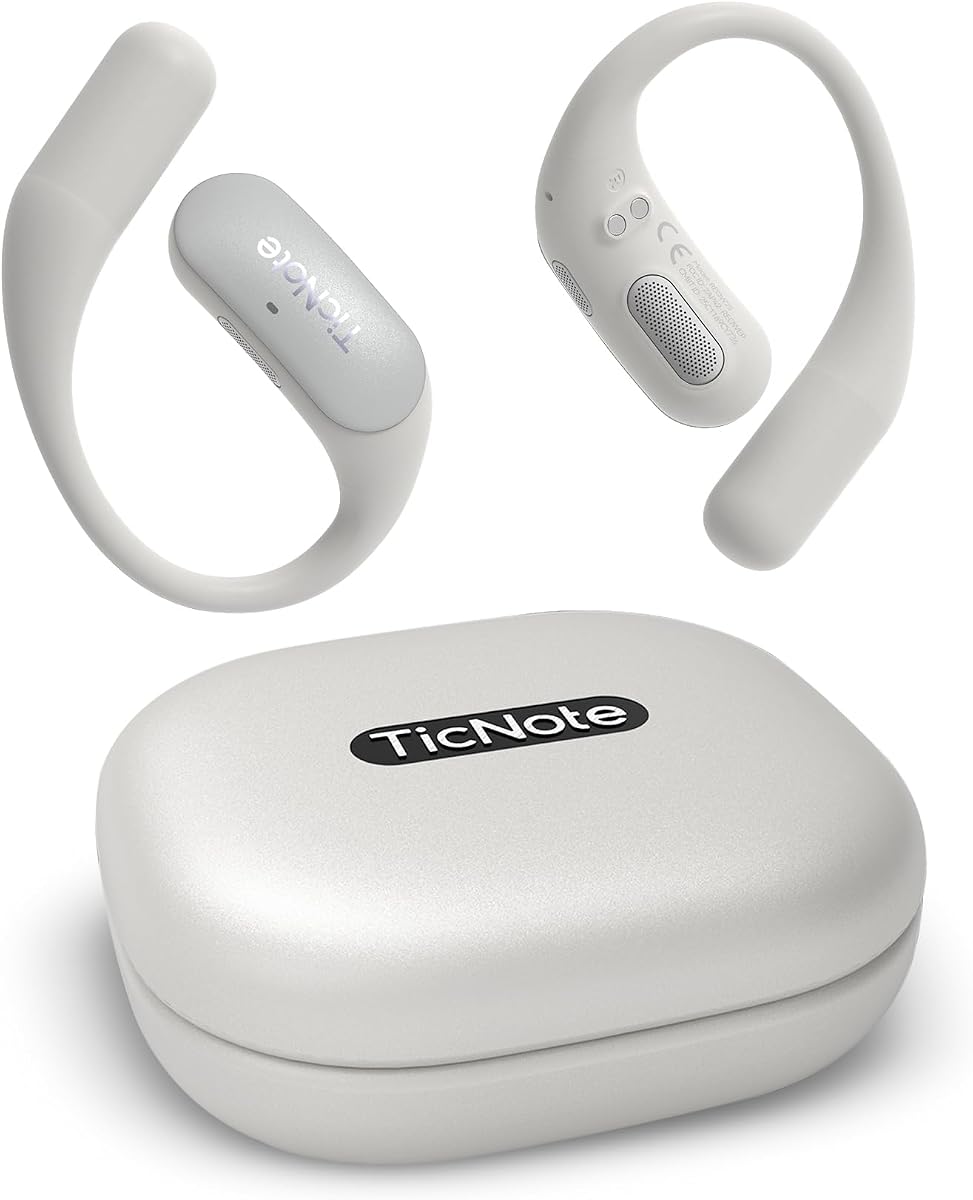
Mobvoi TicNote Pods is a wearable Wi-Fi recorder designed to sit quietly during meetings, calls, interviews, and daily business conversations. Its 4.1 rating is the lowest numerical rating among the products with a supplied score, but its collaboration features give it a clear niche. The device automatically records, transcribes, and summarizes, while Shadow AI organizes content into more useful outputs.
We may earn a commission when you buy through this link, at no additional cost to you.
A dual-microphone array and minus-40 dB environmental noise cancellation are listed as capturing speech from up to 10 meters. It supports more than 120 languages for transcription and translation. Voice-activated recording is a notable feature for hands-free use, allowing the wearer to focus on the conversation rather than repeatedly managing controls.
The main limitation is a five-hour continuous recording battery, the shortest runtime among the products highlighted here. It also stores 32GB locally, advertised as holding up to 2,150 hours of recordings, and relies on Wi-Fi for cloud synchronization. TicNote Cloud supports shared notes, collaborative editing, and version history, while recordings are described as end-to-end encrypted, stored on US-based servers, and not used for AI training.
TicNote Pods is best for teams that need shared meeting outputs and careful cloud controls. Version history is helpful when several people edit notes, and the stated exclusion of recordings from AI training may appeal to privacy-conscious organizations. It is less convincing for day-long events or all-day continuous capture, but for typical office meetings and collaborative projects, the workflow is focused and practical.
Automatic activation can reduce distraction because the wearer does not need to handle the device as often. The design is particularly compatible with interviews, client calls, and meetings where maintaining eye contact matters.
Shared notes, collaborative editing, and version history help teams converge on a single record of decisions. Cloud syncing also makes outputs easier to distribute than isolated local audio files.
We may earn a commission when you buy through this link, at no additional cost to you.
This Comulytic Note Pro listing offers a 4.2 rating and a similar core experience to the earlier Comulytic product, but the supplied details describe a slightly different physical specification. It combines unlimited free transcription and basic summaries with automatic meeting notes, to-do lists, custom highlights, and specialized terminology bases across 113 languages.
We may earn a commission when you buy through this link, at no additional cost to you.
The device is described as a slim aluminum recorder with a 0.78-inch Gorilla Glass display, one-touch recording, and AI-adaptive capture for meetings, calls, and video conferences. Its triple-microphone array uses noise reduction to capture voices from up to five meters. Continuous recording extends to 45 hours, standby to 107 days, and a full charge takes 90 minutes.
Fast Wi-Fi synchronization allows recordings to transfer while the user continues talking, and the app combines local storage with cloud backup. As with the other Comulytic offering, advanced summaries, an instant abstract, an AI assistant, and contact insights are reserved for a paid upgrade. The dimensions in the product information also appear inconsistent, so buyers should verify the physical size and included accessories before purchase.
This model is a good alternative for users who want quick charging, a screen, and substantial daily recording capacity. It fits consultants, real estate professionals, attorneys, and parents who need flexible note capture without a large device. The free transcription plan and automatic recording behavior are especially helpful for regular users, while the optional advanced tools determine how much additional value the software can provide.
A reported 90-minute full charge and 45-hour continuous recording capacity make the device practical for multi-session days. Standby endurance adds convenience for users who carry it between occasional meetings.
Automatic detection of meetings, calls, and video conferences simplifies operation. The three-microphone array and noise reduction then provide a consistent method for capturing voices in different working environments.
We may earn a commission when you buy through this link, at no additional cost to you.
The right device depends on where you record, how much control you need, what languages you encounter, and how you intend to use the resulting notes. These factors help narrow a large category to the features that will matter most in everyday work.
Microphone quality determines whether the software has clean speech to transcribe. Compact devices commonly use dual or triple arrays, while the Plaud Note Pro and Comu Action Pro list more specialized configurations. The Offline AI Recorder goes further with eight microphones and a claimed 20-meter pickup range. For meetings, a directional microphone can prioritize nearby speakers, while multiple omnidirectional microphones can cover wider rooms. A bone-conduction microphone, as offered by Comu Action Pro, may be useful when phone vibration can carry call audio.
Choose based on the size and location of your conversations. A personal recorder near a two-person table needs less reach than a recorder capturing a seminar audience. Review whether the device has automatic scene detection, noise reduction, and separate call and meeting modes, because these features can be as important as the raw microphone count.
Language support should reflect your actual work, not simply the largest advertised number. Listed capabilities range from offline processing in five languages to 150 supported languages on the Note AI Voice Recorder. Mobvoi supports more than 120, Comulytic and Comu list 113, and the Plaud models list 112. Translation and transcription are related but not identical, so confirm whether both are available in the required languages.
For multilingual teams, prioritize real-time translation, speaker recognition, and a useful monthly translation allowance. For confidential or travel-related work, offline processing may be more important than the broadest cloud language list.
A transcript becomes more useful when software can identify decisions, owners, and follow-up tasks. Comu Action Pro can generate editable emails, slides, reminders, and to-do lists. Plaud devices offer numerous professional templates, mind maps, and role-specific summaries. EurekaMind, Comulytic, Mobvoi, and Note AI also provide structured notes or action items, but the depth of each feature can depend on whether it is included or offered as an upgrade.
Users should look for Ask-style question answering that remains grounded in the recording, plus editable exports. Automatic drafts save time, but they should never be treated as final without human review. A device that creates a clean, correct output for your preferred format is more valuable than one offering a larger catalog of rarely used templates.
The most important distinction is often between the hardware purchase and the included AI allowance. EurekaMind and Comulytic list unlimited transcription and basic summaries on a free starter plan. Plaud includes 300 monthly transcription minutes, and Note AI lists separate monthly allowances for transcription, summarization, and translation. Comu provides core recording, transcription, and summary services with a stated duration cap. Some advanced assistants, reminders, abstracts, and contact features require optional subscriptions.
Estimate how often and how long you will record, then read the current plan terms. Confirm whether transcription, translation, summaries, and question-answering tools share one allowance. The goal is to select a sustainable workflow without discovering that a critical feature is unavailable exactly when it is needed.
Battery specifications use different measures. Plaud Note Pro lists 30 hours in Enhance Mode and 50 hours in Endurance Mode, while Comulytic lists 45 hours of continuous recording and Comu Action Pro lists 70 hours of core feature use. The Note AI Voice Recorder advertises 30 hours, Mobvoi lists five hours, and Pocket describes a four-day battery without stating a comparable continuous-recording figure.
Use continuous-recording hours for all-day interviews, conferences, and field work. A multi-day standby claim is useful for occasional notes but does not answer whether the device can survive an intensive workshop. Fast charging, USB-C compatibility, and the ability to continue recording during transfer can also influence practical resilience.
Many users will carry these devices in a pocket, attach them to a phone, or keep them in a notebook. Card-sized models emphasize low weight and minimal visual footprint, while a full touchscreen recorder will naturally demand more space. Magnetic accessories and MagSafe compatibility can make placement easier, but they should also keep the microphones oriented toward the conversation.
Consider how you will operate the device during a meeting. One-tap recording is convenient when silence or discretion matters. A physical display can confirm status and battery level, while a dedicated AI button allows requests without typing. Choose the form factor that you will actually carry and use consistently rather than the one with the most elaborate theoretical workflow.
Local storage protects against missed transfers and supports offline capture. Plaud Note and Note AI list 64GB, Comulytic includes 64GB plus cloud backup, and Mobvoi lists 32GB. Wi-Fi transfer can be faster than Bluetooth and may continue while a recording is active. Bluetooth remains useful for mobile accessories, while cross-device apps and web access make transcripts available away from the recorder.
Team features deserve separate attention. Mobvoi emphasizes shared notes, collaborative editing, and version history, while Plaud offers an optional centralized team workspace. Cloud storage can simplify distribution, although organizations should understand retention, access controls, encryption, and deletion policies before uploading sensitive conversations.
Meeting recordings may contain personal, client, legal, medical, or commercially sensitive information. Plaud lists ISO 27001/27701, SOC 2, HIPAA, GDPR, and EN18031 compliance, along with encrypted local data and processing only with explicit authorization. Comulytic describes AES encryption and CCPA compliance. The Offline AI Recorder uses three tiers of hardware encryption, while Mobvoi states that recordings are end-to-end encrypted, stored on US-based servers, and not used for AI training.
Review the actual privacy policy for the exact product and plan. A certification or encryption statement does not eliminate the need for informed consent. Tell participants that a meeting is being recorded, obtain permission where required, and follow local workplace and privacy laws.
Before a meeting, charge the recorder, update its app, confirm that enough local or cloud storage is available, and test the microphone position in the actual room. Choose a recording mode that matches the conversation, place the device near the speakers, and use a case, ring, or magnetic attachment that will not cover its microphones. A quick test recording is the most reliable way to identify echo, wind noise, or low-volume speech.
Begin recording only after notifying everyone and obtaining the consent required by your organization and local law. Mark important moments when the device supports it, but do not interrupt the conversation solely to test the AI. Keep the recorder stable, avoid placing it beside laptops, loose keys, or other noisy objects, and use headphones or a landline speakerphone when its call-capture method is more reliable.
Afterward, review the recording for missing sections, misidentified speakers, and unwanted background noise before treating the transcript as an official record. Correct names, numbers, and decisions, export the useful notes to your preferred workspace, and remove audio that should not be retained. Keep the device dry, clean the microphone openings gently, charge it within its specified conditions, and update its software before the next important session.
Accuracy depends on the microphone, room acoustics, accents, overlapping speech, and the transcription engine, so no single device is accurate in every situation. The Comulytic and Note AI listings both state 98% accuracy, while the Note AI Voice Recorder supports the widest listed language range. In practice, compare the supplied accuracy claim with the device's microphone array, noise reduction, speaker recognition, and support for your language.
Most devices can save raw audio locally, but cloud transcription, translation, cross-device sync, and some AI tools may require a connection. The Offline AI Recorder is explicitly designed for offline transcription, translation, OCR, and video subtitling in five languages. Other products with local storage can still record without connectivity, although their strongest AI features may wait until synchronization.
Yes, but the capture method differs. Plaud models provide call and meeting modes, and the non-Pro Plaud Note includes a Vibration Conduction Sensor for phone audio. Pocket, EurekaMind, Comulytic, and Comu are also designed for calls as well as face-to-face conversations. Users should test call capture in advance because speakerphone behavior and background noise can affect results.
It depends on meeting frequency, length, and which features are included. EurekaMind and Comulytic list unlimited transcription and basic summaries on their starter plans, while Plaud lists 300 monthly transcription minutes and Note AI lists separate monthly AI allowances. Users who record several hours daily should compare their normal weekly volume with each plan and confirm how summaries, translations, and assistants draw from those allowances.
A card-sized recorder is easier to carry discreetly and can be attached to a phone, notebook, or case. A touchscreen device is more noticeable but can provide direct status information, easier playback, live projection, and more room for offline tools. Choose portability for frequent mobile use, or the larger format when live viewing, projection, and local processing are central to your workflow.
No. Summaries, action items, translations, names, and automatically drafted emails can contain omissions or errors, especially when speakers have similar voices, use uncommon terms, or talk over each other. Review the underlying transcript and audio before acting on a generated detail. Treat AI documents as editable drafts that accelerate review rather than replace human verification.
Check whether processing occurs locally or in the cloud, which security certifications apply, how long recordings are retained, and whether the company uses them for AI training. Also review encryption, team access, deletion, and plan-specific policies. Regardless of the device's safeguards, participants should be informed and consent obtained when workplace policy or local law requires it.
EurekaMind Lite and the Plaud models are among the most compact choices, with the Plaud models listed at 0.12 inches thick and 1.06 ounces, and EurekaMind at three millimeters and 1.02 ounces. Pocket is also highly portable and attaches magnetically to MagSafe-compatible phones. The best choice still depends on whether you prioritize total size, phone attachment, a visible display, or offline capability.
The Plaud Note Pro is the most balanced overall choice, combining a compact body, AMOLED display, automatic recording modes, multimodal notes, and useful AI analysis. Comu Action Pro stands out for automatic document creation and its extensive microphone system, while Pocket offers the simplest premium workflow for users who value one-tap capture and MagSafe convenience. EurekaMind Lite is the strongest value-oriented option because unlimited transcription and basic summaries are included.
Prioritize the conditions you record in and the output you need. Choose strong microphone pickup for large or noisy rooms, offline processing for sensitive work, broad language coverage for international teams, and a generous included plan if you expect frequent use. Local storage, reliable synchronization, readable exports, and an editing workflow can be just as important as headline AI features.
Before purchasing, confirm the current hardware dimensions, microphone arrangement, included transcription allowance, optional plan features, and privacy terms on the listing. Product features and service terms can evolve, so checking the latest information helps ensure that the device you choose still matches your meetings, language needs, and organizational requirements.