
UGREEN USB Bluetooth 5.3 Adapter
4.4Editor score
Bluetooth 5.3 BR/EDR
Five-device simultaneous connection
Windows 8.1 to 11
Compact plug-and-play design
Our Bluetooth Transmitter for PC guide compares 10 adapters for audio, gaming, latency, range, compatibility, and everyday wireless convenience in 2026 today.
A Bluetooth transmitter for a PC can add wireless headphones, speakers, controllers, keyboards, or mice to a computer that lacks built-in Bluetooth. The right adapter depends on whether you need audio-only transmission, general data connections, low-latency gaming, long-range reception, or broad compatibility with modern Windows systems.
We compared the featured adapters using their stated Bluetooth versions, operating systems, connection methods, supported device types, simultaneous connections, latency features, range claims, and installation requirements. The guide covers both dedicated audio transmitters and general-purpose USB Bluetooth receivers so readers can match the hardware to their specific setup.
Each pick highlights a different practical advantage, from a compact everyday dongle to a premium transmitter-and-receiver set for gaming and calls. Product specifications and availability can change, and prices fluctuate frequently, so confirm the current listing details before making a purchase.
4.4Editor score

4.1Editor score
4.5Editor score
The comparison below separates general-purpose PC Bluetooth adapters from audio-focused transmitters, showing supported systems, connection style, Bluetooth version, and the kind of devices each model is designed to serve.





The TP-Link UB500 Plus earns the opening position with a balanced combination of Bluetooth 5.3, broad device compatibility, and a practical adjustable antenna. Its 4.4 rating reflects a generally well-received product, while its plug-and-play operation makes it well suited to desktop and laptop owners who want to add a mouse, keyboard, headset, speaker, or controller.
We may earn a commission when you buy through this link, at no additional cost to you.
The adapter supports Bluetooth 5.3 plus Enhanced Data Rate and is listed as backward compatible with Bluetooth 4.2, 4.0, 3.0, 2.1, 2.0, and 1.1. Its multi-directional antenna can be rotated and adjusted, which is useful when the computer is under a desk, beside a metal component, or separated from the connected accessory by a wall.
The principal limitation is functional rather than quality-related. Despite some listings using the word transmitter broadly, this product is primarily a USB Bluetooth receiver that adds Bluetooth capability to a PC. It does not provide a dedicated PC audio-output transmitter for connecting wired PC sound to Bluetooth headphones, and Windows 7 users need to download a driver.
It is a strong recommendation for a general-purpose PC upgrade, particularly for users who want one adapter to serve several peripherals. Windows 8.1, 10, and 11 systems can use the listed plug-and-play setup with an internet connection, while buyers on Windows 7 should confirm driver availability before ordering.
The adjustable multi-directional antenna gives users a practical way to improve reception in crowded desktops or awkward placements. Rotating it away from metal objects and obstructions can also help preserve a more consistent connection.
Bluetooth 5.3 and backward compatibility allow this dongle to work with a broad range of modern and older peripherals. It is more versatile for general PC connectivity than the dedicated audio-only transmitters in this guide.
We may earn a commission when you buy through this link, at no additional cost to you.
The UGREEN USB Bluetooth 5.3 Adapter is a compact, straightforward solution for Windows computers that need Bluetooth for peripherals. It has a 4.4 rating and supports up to five different types of connected devices at the same time, making it a sensible budget choice for users who regularly switch between a keyboard, mouse, phone, and headphones.
We may earn a commission when you buy through this link, at no additional cost to you.
Its compact USB form is designed to remain plugged in without blocking nearby ports, and it uses Bluetooth 5.3 BR/EDR with an emphasis on stable transfers, reduced interruption, and lower power consumption. Installation requires no driver under Windows 8.1, 10, or 11, provided no conflicting built-in Bluetooth device is active.
It is important to distinguish this from a true audio transmitter. The product listing explicitly says it is a receiver and cannot be used to send PC audio to Bluetooth headphones. It also does not support macOS, Linux, Windows 7, TVs, car systems, or game consoles, so buyers should confirm that a Windows receiver is exactly what they need.
This dongle is best for a budget-conscious Windows setup focused on everyday peripherals. Its small size, broad simultaneous-device support, and simple installation make it more versatile than a single-purpose audio adapter, while its narrow operating-system support is the tradeoff.
The ability to connect up to five different device types is useful for a combined keyboard, mouse, phone, and headset setup. Audio devices of the same type may still compete for playback, as only one pair of headphones or speakers can actively play music.
The mini-sized housing can remain in a USB port without taking up substantial space. It is especially convenient for laptop users who may need to move the adapter between systems.
We may earn a commission when you buy through this link, at no additional cost to you.
The UGREEN USB-C Bluetooth Adapter with LE Audio is built for people who want the PC to send game, movie, or music audio to Bluetooth headphones. Its 4.1 rating is the lowest among the three top picks, but the product targets a more specialized use with Bluetooth 6.0, LE Audio, aptX Adaptive, and dedicated low-latency and high-quality modes.
We may earn a commission when you buy through this link, at no additional cost to you.
Low Latency mode is intended to keep game and video sound synchronized, while High-Quality mode favors detailed music playback. The adapter supports aptX Adaptive, aptX HD, aptX, and SBC, allowing the available codec to depend on what the connected headphones or speakers actually support.
There are important boundaries. It does not support mice, keyboards, or other data devices, and LE Audio features require compatible headphones or speakers. It also cannot be used with TVs, cars, microphones as a general-purpose function, or directly with a game controller for data purposes, so it is an audio specialist rather than a universal PC Bluetooth upgrade.
This is the top choice for a modern gaming or media setup where PC audio must be transmitted wirelessly and endpoint support for LE Audio is available. It is less appropriate for users who mainly need a mouse, keyboard, printer, or general data connection.
The dedicated Low Latency mode is designed for gaming and video streaming, where synchronization matters more than maximum audio fidelity. High-Quality mode offers a separate listening path for music and more detail-oriented use.
Support for aptX Adaptive, aptX HD, aptX, and SBC broadens compatibility with current Bluetooth headphones. The actual codec and mode remain constrained by the capabilities of the receiving device.
We may earn a commission when you buy through this link, at no additional cost to you.
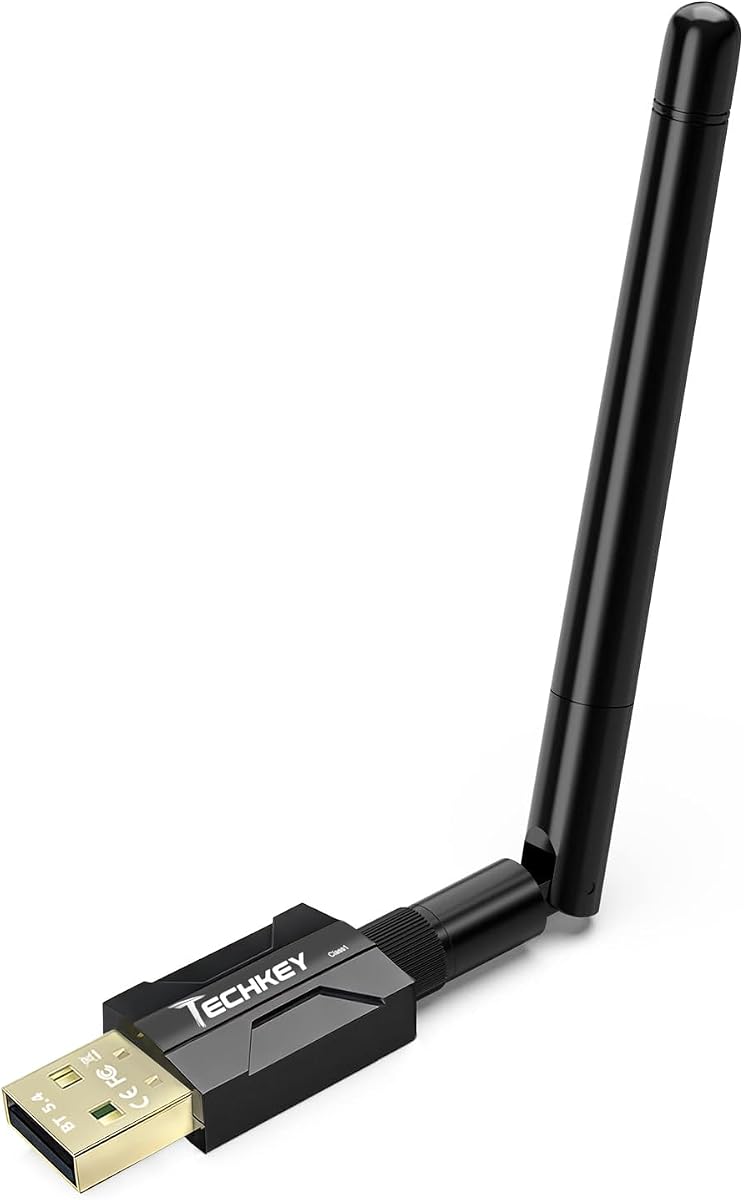
The BT11 USB Bluetooth 5.4 Adapter is a general-purpose PC receiver with an emphasis on range and multi-device use. Its 4.3 rating and advertised support for seven simultaneous device types make it attractive for a desktop that connects several Bluetooth peripherals at once.
We may earn a commission when you buy through this link, at no additional cost to you.
Its Realtek-based Bluetooth 5.4 implementation supports BR/EDR and BLE, with backward compatibility extending to older Bluetooth versions. The listing specifies a Class 1 radio and dual antennas, with claimed open-air range of up to 492 feet and indoor ranges of approximately 164 to 328 feet under suitable conditions.
Range claims should be treated as laboratory-style maximums rather than guaranteed real-world distances. Walls, metal, Wi-Fi routers, wireless TV adapters, and the antenna quality of the paired peripheral can all reduce performance. The adapter is also limited to Windows 8.1, 10, and 11 for normal use, with Windows 7 requiring a downloaded driver.
It is a strong fit for Windows users who need one dongle to serve a keyboard, mouse, headset, speaker, printer, or PC game controller. Buyers should disable existing built-in or third-party Bluetooth adapters before insertion to avoid conflicts and verify that their peripherals use compatible Windows drivers.
The BT11's antenna and radio design can help maintain a link across rooms or around larger desks. Actual performance depends heavily on obstacles, interference, and the capabilities of the device at the other end of the connection.
Supporting several device types at once is useful for mixed-accessory desks. Audio, input, and output devices can operate together, provided the individual peripherals and their drivers support simultaneous connections.
We may earn a commission when you buy through this link, at no additional cost to you.
The Long Range USB Bluetooth 5.4 Adapter combines a perfect 5 rating with a straightforward mini-dongle design and broad support for common peripherals. It is intended for Windows 11, 10, and 8.1 systems that need Bluetooth for devices such as speakers, keyboards, headsets, mice, and printers.
We may earn a commission when you buy through this link, at no additional cost to you.
Bluetooth 5.4 plus EDR and Bluetooth Low Energy support modern data and energy-conscious use. The listing states that up to five devices can be connected simultaneously, while a Class 1 radio and extended antenna support a claimed open-area range of 500 feet.
As with any range specification, walls, wireless interference, physical obstructions, and the receiving accessory will influence real results. The adapter also cannot make a wired speaker, printer, or home theater system Bluetooth-capable; it adds a Bluetooth radio to the computer rather than adding a transmitter to the audio output path.
This model is an attractive general-purpose option for a modern Windows desktop, especially for users who want a compact dongle and several simultaneous peripheral connections. It is not appropriate for macOS, Linux, Windows 7, game consoles, TVs, or car stereo systems.
The plug-and-play approach removes the usual setup hurdle on supported Windows versions. Users can connect the dongle, pair accessories, and begin using compatible peripherals without a separate installation routine.
Five concurrent device types make the adapter useful for a desktop combining input, output, and communications accessories. Individual device limitations still apply, especially for apps that expect a particular audio profile.
We may earn a commission when you buy through this link, at no additional cost to you.
The UGREEN BT501 is a USB-C audio transmitter designed to send sound from a PC, PS5, Switch, or another compatible device to Bluetooth headphones or speakers. Its 4.4 rating reflects a well-regarded feature set that includes aptX Adaptive Low Latency, aptX HD, aptX, SBC, and a listed audio delay under 100 milliseconds.
We may earn a commission when you buy through this link, at no additional cost to you.
A multifunction button controls important operating modes. By default, the adapter uses audio mode with HFP calling disabled, which helps preserve sound quality. Enabling Bluetooth calling can reduce fidelity, so the product guidance recommends keeping that mode off for music and game audio and using an external microphone for calls when possible.
The adapter is not a universal data receiver. It does not handle mice, keyboards, file transfers, or other Bluetooth data functions, and it is not compatible with every device or accessory. It also does not support the PS5 Portal, PS4, or AirPods Pro 2, and the listed PS5 instructions require selecting the adapter as the audio output while disabling automatic output switching.
This is a compelling choice for PC gamers and media users with USB-C systems who want wireless headphones with reduced audio delay. It also works with macOS, while Linux is excluded, making it a versatile audio-only option across desktop platforms.
Keeping Bluetooth calling mode disabled helps the adapter focus on the higher-quality audio path. Users can deliberately enable it for headset communication, though the listing warns that doing so may reduce overall audio quality.
The BT501 can serve compatible USB-C PCs and several current gaming devices. Platform-specific setup steps, particularly on PS5, mean buyers should check the manual and their system's output options before use.
We may earn a commission when you buy through this link, at no additional cost to you.
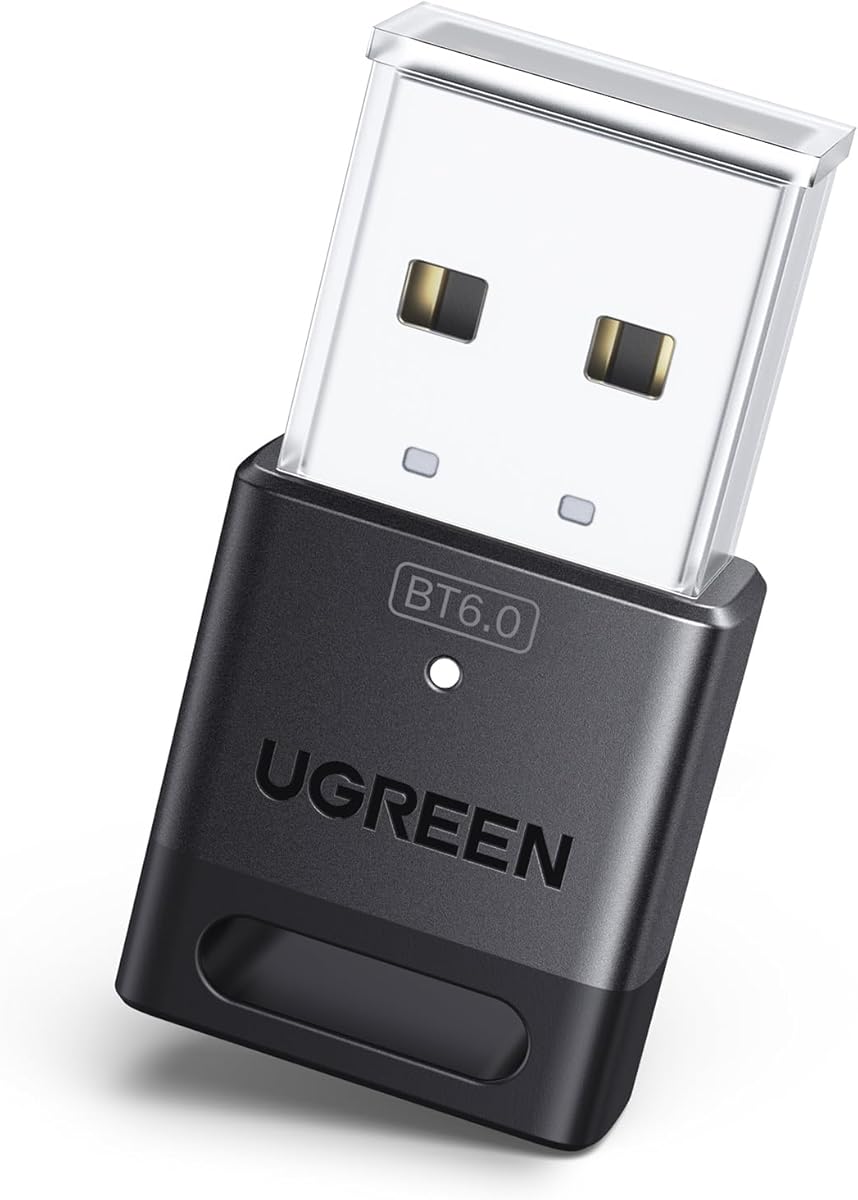
The UGREEN USB Bluetooth 6.0 Dongle is a modern general-purpose receiver for Windows users. Its 4.2 rating reflects an average customer score, but the product offers an up-to-date Bluetooth 6.0 platform, EDR, BLE, backward compatibility with Bluetooth 5.4 and 5.3, and support for several simultaneous device types.
We may earn a commission when you buy through this link, at no additional cost to you.
A mouse, keyboard, phone, and headphones can be connected together according to the listing, with only one audio device of the same type actively playing at a given time. Installation requires no driver under Windows 8.1, 10, or 11, and the dongle can remain connected without occupying much physical space.
Like the other compact Windows receivers, it has clear exclusions. It does not support macOS, Linux, Windows 7, game consoles, TVs, or car systems. It is also a receiver, so it cannot transmit the PC's audio to a Bluetooth headset or speaker.
This is a practical choice for a newer Windows PC that needs a straightforward way to connect common peripherals. Users who want the newest Bluetooth generation for data accessories should choose it over an older 5.3 dongle, while audio-only users need a dedicated transmitter instead.
Bluetooth 6.0 with EDR and BLE is designed to support faster transfers, stable streaming, and energy-conscious operation. The practical benefit depends on the accessories and Windows drivers involved.
Support for Bluetooth 5.4 and 5.3 lets the dongle work with a wider selection of current peripherals. It does not make older operating systems supported, so system compatibility remains a separate consideration.
We may earn a commission when you buy through this link, at no additional cost to you.
The UGREEN CM668 is a USB audio transmitter built for PC, Mac, PS4, PS5, and Switch use. Its 4.3 rating and support for aptX Adaptive, aptX HD, aptX, and SBC make it a strong all-around option for sending game, music, and meeting audio to Bluetooth headphones or speakers.
We may earn a commission when you buy through this link, at no additional cost to you.
The listing claims aptX Adaptive can reduce lag to less than 60 milliseconds, which is meaningful for lip synchronization and responsive gaming. On a Windows PC, the adapter can automatically switch between Music and Talk modes for applications such as Skype, Zoom, Teams, and Meet, making it unusually practical for communication-heavy use.
A 3.5 mm microphone is included for controller, Switch dock, or PC input, while an alternative is the built-in microphone of a connected Bluetooth headset. Only one microphone path can operate at a time, and the product does not transmit files, pictures, or general computer data.
It is best for buyers who want one audio adapter across multiple compatible devices rather than a general Bluetooth receiver. The listed 33-foot range is a general coverage claim rather than a maximum distance, and physical obstructions can reduce the effective connection.
The combination of low-latency audio and automatic Music/Talk switching supports both entertainment and online meetings. The included microphone gives users a way to add a conventional wired headset input.
Support for Windows, macOS, PS4, PS5, and Switch makes the CM668 useful for households with different entertainment devices. Every connection and microphone route still needs to be configured for the host system.
We may earn a commission when you buy through this link, at no additional cost to you.
The MEE audio Connect is distinctive because it can stream stereo audio to two pairs of Bluetooth headphones or speakers simultaneously. Its 4.2 rating reflects a specialized but highly useful design for shared listening, gaming sessions, and setups where two users need independent volume control.
We may earn a commission when you buy through this link, at no additional cost to you.
The included connection options cover 3.5 mm, RCA, and optical TOSLINK S/PDIF, making the unit relevant to PCs as well as televisions, set-top boxes, and other audio sources. Qualcomm aptX Low Latency is included to reduce synchronization problems with compatible receiving devices.
Optical users must change the source's audio output to PCM because the adapter does not convert Dolby Digital. The device also centers on audio transmission rather than general Bluetooth data, so it should not be expected to pair a mouse, keyboard, or game controller.
This is the clear choice when simultaneous wireless listening matters more than compactness. Its rechargeable battery can remain connected to power, while separate pairing buttons and individual volume control simplify two-listener operation.
The A and B pairing controls let users connect and manage two headphones or speakers separately. Each listener can set an individual volume, making the adapter useful for games, movies, or shared calls.
Support for analog and digital connections broadens compatibility with different source devices. The optical path requires PCM output, so users should verify their PC's sound settings before connecting it.
We may earn a commission when you buy through this link, at no additional cost to you.
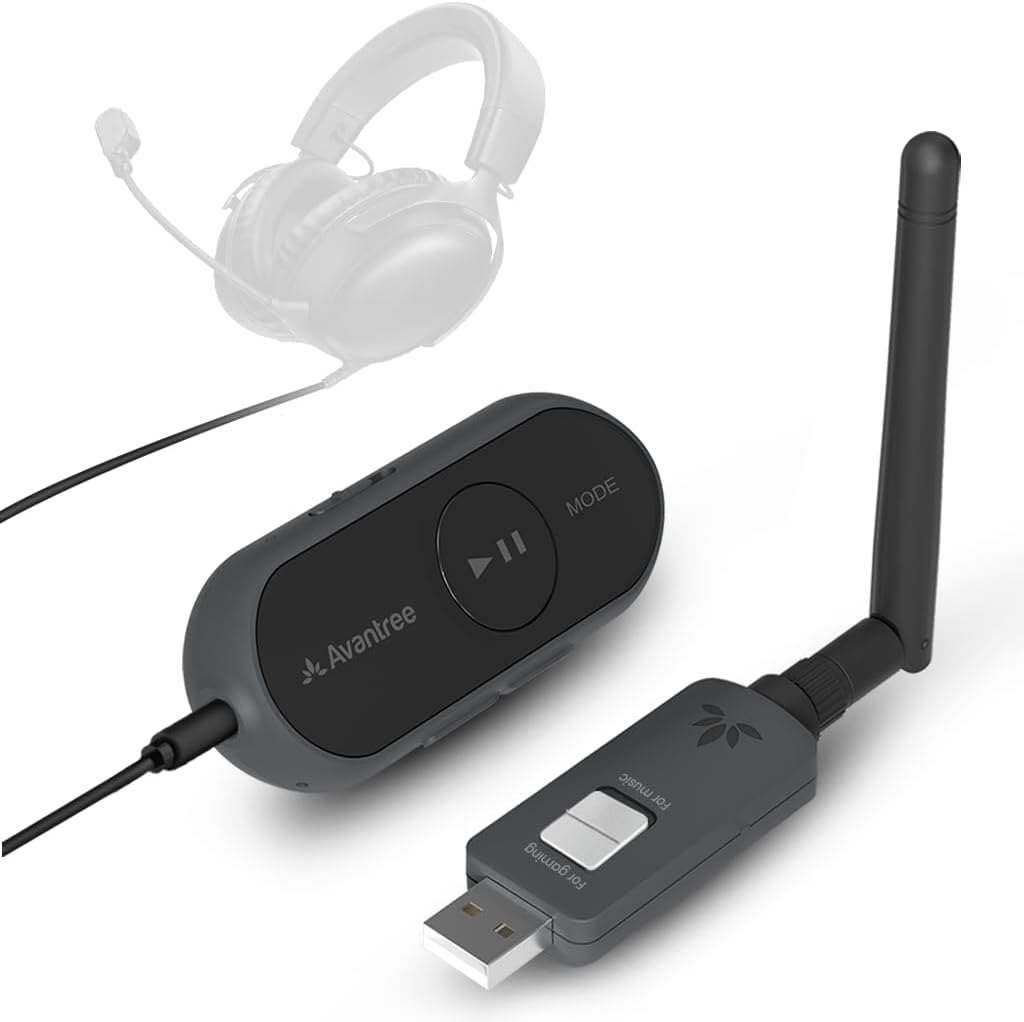
The Avantree ProLink is the most complete wireless audio solution in the guide because it includes both a transmitter and a receiver. Its 4.5 rating is the second-highest among these picks, and its Bluetooth 5.4 LE Audio support, aptX Lite, and claimed 20 millisecond latency target gamers, streamers, and music listeners.
We may earn a commission when you buy through this link, at no additional cost to you.
The included system can send audio from a PC, PS5, Mac, Android device, or iPhone connected through USB-C and receive it through the paired unit. It can also revive a 3.5 mm headset by making the wired connection wireless, with support for built-in or boom microphones on TRRS headsets.
The included system can send audio from a PC, PS5, Mac, Android device, or iPhone connected through USB-C and receive it through the paired unit. It can also revive a 3.5 mm headset by making the wired connection wireless, with support for built-in or boom microphones on TRRS headsets.
The premium feature is flexibility rather than raw simplicity. Users need to select the appropriate DG60L input and output device for clear microphone input, and the lowest latency depends on the compatibility of the headphones or other receiving endpoint. Firmware upgrades are also supported for stability and performance improvements.
It is the best fit for a user who wants one flexible kit for PC gaming, calls, music, and wireless revival of existing wired headphones. Buyers seeking a tiny dongle for only a mouse or keyboard will find the dedicated general-purpose receivers in this guide simpler and more appropriate.
Having both transmitter and receiver components allows the kit to move audio in either direction. That makes it more useful than a one-way dongle when the user alternates between PC, console, phone, and wired-headset sources.
The advertised 20 millisecond aptX Lite latency is aimed at synchronized gaming and video. TRRS headset microphone support adds useful voice-chat capability when a conventional 3.5 mm headset is connected.
We may earn a commission when you buy through this link, at no additional cost to you.
The most important decision is whether you need a general Bluetooth receiver, a one-way PC audio transmitter, or a two-way wireless set. Platform support, endpoint capabilities, latency, range, and connection style should then be matched to your devices and daily use.
A Bluetooth receiver adds a wireless radio to a PC so it can connect to peripherals such as a mouse, keyboard, headset, speaker, printer, or controller. A transmitter does the opposite: it takes audio from a PC or another source and sends it to Bluetooth headphones or speakers. Several products in this category use the word transmitter broadly, so check whether the product transmits PC audio, receives data peripherals, or does both.
Most general-purpose dongles in this guide support Windows 8.1, 10, and 11, while some also support Windows 7 with a downloaded driver. The dedicated UGREEN audio adapters extend to Windows and macOS but exclude Linux, and several receivers explicitly do not work on Mac. Verify the operating system before buying, especially if the adapter will move between a desktop and a laptop.
Latency matters when sound must remain synchronized with game action, video dialogue, or lip movements. The Avantree ProLink advertises 20 ms with aptX Lite, the UGREEN CM668 states less than 60 ms with aptX Adaptive, and the UGREEN BT501 lists under 100 ms. Codecs such as aptX Adaptive, aptX HD, aptX, SBC, LC3, and LE Audio only provide their advertised benefits when the connected headphones or speakers support them.
General-purpose receivers may connect as many as five or seven device types simultaneously, allowing a keyboard, mouse, headset, and other accessories to coexist. Audio transmitters generally concentrate on sound and may support two listeners, dual-device pairing, or LE Audio sharing instead. Confirm the exact profiles, since simultaneous connection counts do not guarantee that two similar audio devices can play at once.
Class 1 radios, extended antennas, and adjustable antenna positions can improve useful range, particularly on cluttered desks or in larger rooms. Advertised distances of roughly 500 feet generally refer to open-air conditions. Walls, furniture, metal, Wi-Fi congestion, USB placement, and the quality of the receiving device's antenna usually make indoor performance less dramatic.
USB-A dongles are common on desktop PCs and older laptops, while USB-C adapters suit modern laptops, the PS5, and some Switch configurations. The physical connector is only half the equation: the host device must also expose the expected audio output or data interface. A USB-C port does not guarantee automatic audio output, and some systems may require a selected playback device.
For gaming and online meetings, call support is as important as playback. Dedicated transmitters may include HFP calling modes, support a Bluetooth headset's built-in microphone, or accept an external 3.5 mm microphone. Some audio modes intentionally disable calling to preserve fidelity, while enabling the microphone path can reduce sound quality. Check the required Windows input and output selections before relying on voice chat.
Bluetooth 6.0, LE Audio, Auracast, and one-to-many sharing can provide useful upgrades for compatible audio endpoints, but they are not universal benefits. LE Audio requires compatible headphones or speakers, and Auracast workflows may require an initial Unicast connection before switching modes. A newer standard is worthwhile when the paired equipment supports it, but it does not compensate for an incompatible operating system or connection type.
Begin by identifying whether the product is a receiver, an audio transmitter, or a two-part set. For a Windows receiver, connect it to an open USB port, disable any existing built-in or third-party Bluetooth device if the manufacturer instructs you to do so, and then pair your mouse, keyboard, headphones, or other supported accessory through Windows settings.
For a dedicated audio transmitter, plug it into the PC's compatible USB port, choose the adapter as the output device in the sound settings, and put the Bluetooth headphones or speaker into pairing mode. If it is the first use, select the adapter from the system's Bluetooth menu, confirm any mode toggle, and test playback before starting a game or call.
Keep the adapter away from crowded USB ports when the manufacturer warns that nearby devices can cause interference. For the best result, use the specified antenna orientation, avoid placing the dongle inside a metal enclosure, update firmware when available, and clean the connector gently with a dry cloth. Do not use the advertised maximum range as a guaranteed distance, and reconnect the device if a driver, firmware, or operating-system update changes its behavior.
Yes, if the PC has a compatible USB port and operating system. A USB Bluetooth receiver can add support for common peripherals, while a USB audio transmitter can send the PC's sound to Bluetooth headphones or speakers. The two products serve different purposes, so confirm that you want a receiver for accessories or a transmitter for audio.
A transmitter sends audio from the PC to a Bluetooth headset or speaker. A receiver lets the PC connect to Bluetooth accessories such as a mouse, keyboard, printer, or headset. Some listings use both terms loosely, so the product description and supported device types are more reliable than the title alone.
The Avantree ProLink has the lowest stated latency in this guide at 20 ms with aptX Lite. The UGREEN CM668 lists less than 60 ms with aptX Adaptive, and the UGREEN BT501 lists under 100 ms. Actual results depend on the transmitting mode, the receiving headphones, the operating system, and the game or application.
That depends on the model. The general-purpose TP-Link, UGREEN, and BT11 receivers are primarily listed for Windows, with some excluding macOS and Linux entirely. The UGREEN BT501 and CM668 audio adapters support Windows and macOS but not Linux. Check each product's operating-system notes before purchase.
Most of the general-purpose receivers are designed to connect several device types at once. The UGREEN 5.3 and 6.0 dongles list support for up to five types, while the BT11 lists seven. Your devices must use compatible Bluetooth profiles, and the system must be configured to recognize each one.
A common cause is an existing built-in or third-party Bluetooth device competing for the adapter. Disable the old Bluetooth function in Device Manager, unplug the new dongle, then reconnect it and try pairing again. Also confirm that the operating system, USB port, and accessory are supported by the manufacturer.
A dedicated PC audio transmitter can send the computer's audio signal to a Bluetooth speaker or headphones, but it does not turn a wired speaker into a Bluetooth device. It also cannot make wired printers, televisions, or other data peripherals Bluetooth-capable. Check the input and output requirements of the exact adapter.
Many audio adapters switch or share limited profiles when a microphone is active. Enabling Bluetooth calling mode can reduce playback quality, so some manufacturers recommend keeping calling disabled for music and games and using a separate microphone. Compatible codecs and a properly selected input and output device can also improve the result.
The TP-Link UB500 Plus is the strongest all-purpose choice for a Windows user who wants a dependable receiver with an adjustable antenna. The compact UGREEN Bluetooth 5.3 Dongle is the budget pick for straightforward peripheral connections, while the UGREEN Bluetooth 6.0 Adapter stands out for modern gaming audio, LE Audio modes, and codec support.
Prioritize the adapter's actual function before considering the newest Bluetooth version. General users should select a receiver, while people connecting Bluetooth headphones to a PC need an audio transmitter. Gamers should examine latency and microphone behavior, shared-listening setups should look for two-device support, and owners of wired headsets may prefer the Avantree ProLink transmitter-and-receiver set.
Finally, check the current listing, operating-system requirements, supported device categories, and manufacturer instructions before buying. Product specifications, software support, availability, and prices can change over time, and the best choice is the one that matches your exact devices rather than simply having the highest version number.