
PERLESMITH Ultra Slim Fixed TV Wall Mount
4.5Editor score
Only 1.18-inch wall clearance
Supports TVs up to 115 pounds
Fits common VESA patterns
A close-to-the-wall TV mount can make a large screen feel cleaner, more integrated, and less visually intrusive than a bulky bracket. The right model balances a slim profile with secure support, accurate alignment, cable access, and compatibility with your television and wall. A smaller gap is especially useful in compact rooms, dedicated media walls, and minimalist interiors.
The products in this guide were compared using their stated screen-size ranges, weight limits, VESA support, wall-to-screen clearance, mounting systems, adjustment features, and installation aids. The list includes fixed, tilting, articulating, and studless designs, allowing readers to compare the narrowest profiles with options that offer easier cable access or more flexible viewing angles.
Each review highlights the feature that best distinguishes the mount, along with compatibility details and practical trade-offs. The top picks represent three distinct priorities: an exceptionally slim fixed profile, a versatile articulating design, and a capable wall mount for smaller screens. Product availability and current cost can change, so confirm specifications before ordering.
4.5Editor score

4.2Editor score

4.6Editor score
As an Amazon Associate we earn from qualifying purchases.
This side-by-side comparison highlights the differences in clearance, weight capacity, mounting style, VESA coverage, and installation requirements, helping you select a close-to-the-wall mount that fits your television and room.


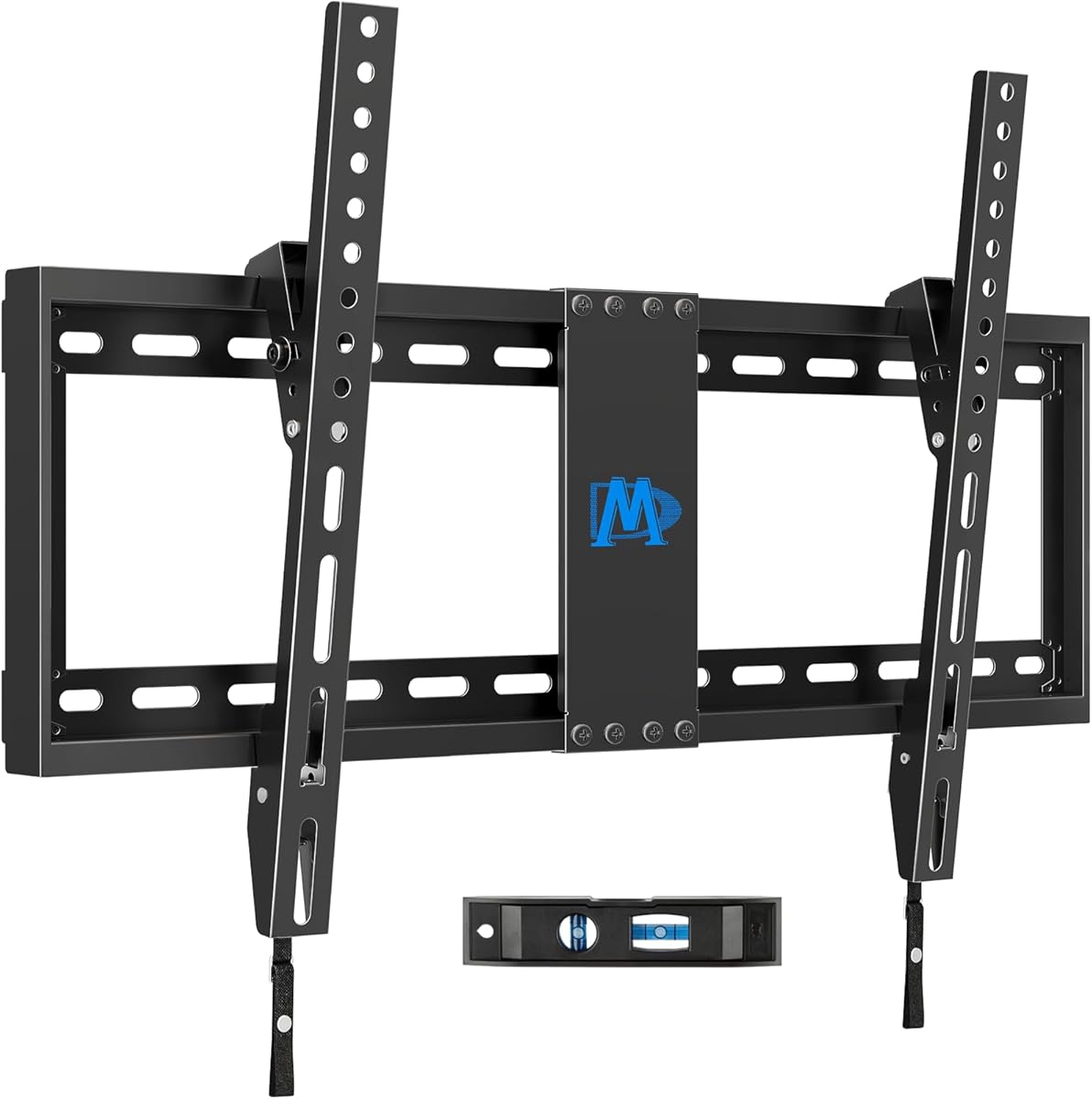


This fixed mount delivers one of the most space-conscious profiles in the guide, holding the television only 0.37 inches from the wall. It carries a 4.2 rating and is designed for 37- to 86-inch flat or frame televisions. Its standout feature is the unusually narrow separation, which can make a large display resemble framed artwork rather than a screen suspended on a visible bracket.
We may earn a commission when you buy through this link, at no additional cost to you.
Construction uses steel, reinforced magnetic connectors, and a stated capacity of 165 pounds. The mount supports VESA patterns from 200×200 through 600×400 millimeters and fits 16- or 24-inch stud spacing. It can also be installed on concrete and brick walls. Visual markers, an included level, and a built-in kickstand that provides cable-management space simplify the setup process.
The fixed construction is the main limitation. It does not tilt, swivel, or pull away, so glare management depends on the position of the television and the viewing seat. The 0.37-inch gap is also less forgiving than a deeper mount if the back of the television has protruding connectors, uneven components, or limited space around the VESA holes. Checking the distance from those holes to the screen edge is particularly important.
This is a strong choice for a dedicated media wall, a newer flat-panel television, or anyone who values minimal visual separation above moving the screen. It combines broad size compatibility with a higher weight limit than most of the slimmer alternatives. For viewers who do not need articulation, the 0.37-inch profile makes this one of the most compelling close-to-the-wall options available.
The 0.37-inch gap is the defining advantage of this model. It suits minimalist rooms and built-in media areas where a deeper bracket would interrupt the clean lines of the wall and television.
A large supported screen range, multiple VESA options, and both 16- and 24-inch stud spacing make the mount adaptable to many homes. Alignment markers and the included level help reduce positioning errors during installation.
We may earn a commission when you buy through this link, at no additional cost to you.
The monTEK mount pairs a low 0.95-inch profile with an unusually broad range of supported television sizes. It is intended for 43- to 95-inch flat or curved sets and carries a 4.6 rating. Its main appeal is the combination of large-screen support, a 150-pound capacity, and installation conveniences that make a fixed setup less intimidating.
We may earn a commission when you buy through this link, at no additional cost to you.
The steel frame reportedly passed four-times load testing. VESA compatibility extends from 200×200 to 800×400 millimeters, while installation compatibility includes 16-, 18-, and 24-inch wood studs, as well as concrete and brick. The wall plate accommodates dual- and triple-stud arrangements up to 32 inches apart, offering useful flexibility for homes with less conventional framing.
Quick-release pull straps simplify attaching and removing the television, while protective padding helps guard against scratches. A built-in bubble level and horizontal adjustment of up to plus or minus one degree assist with accurate placement. The fixed design cannot tilt or swivel, however, and the television must be positioned carefully to avoid overhead glare or reflections.
This mount is best for a large display in a finished living room, custom theater, or spacious bedroom where a fixed, nearly flush appearance is preferred. It is particularly useful for people who want broad size and stud compatibility without a protruding articulating frame. Its careful alignment hardware and serviceable removal system also make future cable maintenance more convenient than with many minimalist magnetic mounts.
A 95-inch upper limit, 800×400-millimeter maximum VESA pattern, and 150-pound capacity distinguish this model from most compact fixed mounts. Those specifications make it relevant to large home-theater displays and premium room-scale entertainment setups.
The bubble level, one-degree horizontal adjustment, visual hardware organization, and quick-release straps create a more controlled installation process. These details are especially helpful for larger screens that are difficult to reposition once raised.
We may earn a commission when you buy through this link, at no additional cost to you.
The Perlegear mount offers a 1.1-inch retracted clearance while retaining several benefits associated with full-motion mounts. It supports 42- to 90-inch LCD, LED, or OLED televisions and has a 4.5 rating. Unlike the slimmest fixed products, it can tilt, swivel, and extend, making it a practical compromise between a compact appearance and flexible viewing.
We may earn a commission when you buy through this link, at no additional cost to you.
The television can tilt up 5 degrees and down 15 degrees, swivel plus or minus 45 degrees, and extend as far as 15 inches from the wall. Post-installation leveling of plus or minus three degrees helps correct minor alignment errors. Its extendable wall plate also gives installers more flexibility when locating the drilling position over 16- or 24-inch stud spacing.
The steel construction supports up to 132 pounds, and the listed maximum VESA dimensions are 600×400 millimeters. The articulated arms make the mount more useful in rooms with glare, off-center seating, or changing furniture layouts. The trade-off is a deeper, more mechanically complex bracket than a fixed ultra-slim mount, and it cannot be attached to drywall alone.
This is an appealing selection for buyers who want a relatively slim profile without giving up viewing-angle control. It works well in rooms where the screen is viewed from multiple positions, such as an open-plan living area, bedroom, or kitchen. For a dedicated media wall with no reflected glare, a fixed model may look cleaner, but this mount offers greater everyday flexibility for a broad range of rooms.
Tilt, swivel, and extension functions make it possible to direct the screen toward a particular seat or away from a window. The mount can still retract to 1.1 inches, preserving a relatively space-saving appearance when adjustment is not needed.
The extendable wall plate changes where the mounting holes can be positioned, which is helpful when a television needs to be centered despite stud placement. It supports wood studs, concrete, and brick, but it must not be installed on unsupported drywall.
We may earn a commission when you buy through this link, at no additional cost to you.
The Auoace bracket is designed for viewers who cannot locate a wall stud or do not want to drill into their wall. It has a 4.6 rating, supports televisions from 13 to 55 inches, and holds up to 99 pounds. Its defining advantage is the studless, no-drill installation method, while the resulting 1.1-inch clearance remains appropriately slim.
We may earn a commission when you buy through this link, at no additional cost to you.
The mount accommodates VESA patterns from 100×100 through 400×400 millimeters and is listed as compatible with major brands including Samsung, Sony, LG, Vizio, TCL, Element, Sceptre, and Hisense. The package includes multiple bolt lengths, a bubble level, nails, a security cable, washers, and spacers. These extensive components allow the bracket to adapt to different television backs and installation conditions.
Its maximum capacity and upper screen size are lower than those of many large-screen mounts, making it more appropriate for medium televisions and computer monitors than for a very large display. A studless installation also depends on selecting the correct fasteners and locating solid drywall areas, so it should not be treated as a universal substitute for a properly anchored stud or masonry mount.
This product offers a realistic installation path for renters, furnished apartments, and rooms where drilling is undesirable. It is especially useful for screens in the 32- to 55-inch range, provided the television and wall conditions fall within the stated limits. Buyers who prioritize a no-drill process will appreciate the included hardware and one-person installation guidance.
The no-drill approach removes much of the uncertainty associated with locating framing behind finished walls. It can be particularly attractive in rental properties or rooms where electrical conduits, plumbing, and unknown wall construction make drilling risky.
Assorted M4, M5, M6, and M8 bolts, spacers, washers, and a bubble level give the installer several ways to achieve a secure fit. The included components should still be matched carefully to the television's back, depth, and mounting-hole pattern.
We may earn a commission when you buy through this link, at no additional cost to you.
This Mounting Dream model is a straightforward tilting mount for large televisions. It has a 4.7 rating, accommodates 37- to 90-inch screens, and supports up to 132 pounds. At 1.5 inches from the wall, it is not the narrowest option here, but the added space supports a functional forward tilt that can reduce glare without the complexity of a full-motion arm.
We may earn a commission when you buy through this link, at no additional cost to you.
The television can tilt forward by as much as eight degrees. Maximum VESA support reaches 600×400 millimeters, and the mount accommodates wood-stud spacing up to 24 inches. Its relatively simple structure should appeal to viewers who want a little more control over viewing angle but do not need to pull the screen from the wall or swivel it sideways.
The product is explicitly not suitable for drywall-only installation. Concrete and brick require suitable anchors, with additional 10×50-millimeter concrete anchors available from the manufacturer. A shallower fixed mount offers a cleaner appearance, and a full-motion model provides more substantial adjustment, but this tilting design occupies a useful middle ground.
For a living room where a window or lamp may create reflections, the tilt can make the screen more comfortable to watch. It is best suited to owners of large flat-panel televisions who are comfortable with basic drilling and accurate measurement. The included instructions, level, and simple installation process make it approachable, while its broad size compatibility provides good long-term flexibility.
Eight degrees of forward tilt is enough to shift the viewing angle when overhead lighting or nearby windows reflect on the screen. The fixed wall position keeps the overall installation visually uncomplicated.
A 90-inch upper limit, 132-pound capacity, and 600×400-millimeter VESA range make the model suitable for many mainstream large screens. The straightforward structure avoids the deeper arms and larger wall footprint associated with articulating mounts.
We may earn a commission when you buy through this link, at no additional cost to you.
This ultra-slim mount creates a 0.3-inch gap between the television and wall, the narrowest stated clearance in the guide. It has a 4.6 rating and supports televisions from 14 to 80 inches, with a stated capacity of 100 pounds. The model is intended for a clean, picture-like presentation, particularly with flat-backed LCD, LED, and OLED displays.
We may earn a commission when you buy through this link, at no additional cost to you.
The mount uses N52 magnets that allow the screen to be pulled away slowly for cable routing, connection checks, and general maintenance before being returned to the wall. It works on concrete, brick, and wood studs, and the package includes clear instructions and a bubble level. Compatibility includes 75×75-millimeter single-panel VESA and dual-panel patterns from 200×100 millimeters upward.
Its narrow profile is unforgiving of television backs that are uneven, raised, or missing mounting holes. The manufacturer specifically excludes curved televisions and requires a minimum of 110 millimeters between the top VESA holes and the upper edge of the screen so the mount can remain concealed. The 100-pound capacity also falls below several alternatives intended for larger displays.
This is an excellent aesthetic option for a compact television, a modern media wall, or a flat-backed display with a carefully managed cable route. It is best for buyers who prioritize visual minimalism and are willing to verify the television's back geometry before installation. For a curved set, a television with an obstructed mounting area, or a heavier display beyond the stated limit, a more forgiving fixed mount is preferable.
The 0.3-inch profile gives the television a framed, almost flush appearance. That makes the mount especially suitable for recessed media walls and contemporary rooms where visible hardware would compete with the screen's design.
The magnetic connection allows the screen to move forward for maintenance without removing it from the wall. This is a significant convenience in tightly fitted installations where rear ports are difficult to access.
We may earn a commission when you buy through this link, at no additional cost to you.
The Mounting Dream full-motion mount has a 4.8 rating, the highest numerical rating among the products compared. It supports 32- to 70-inch televisions up to 110 pounds. Although its 3.4-inch retracted position is not as slim as a fixed mount, it offers the broadest adjustment experience, including tilt, swivel, extension, and retraction.
We may earn a commission when you buy through this link, at no additional cost to you.
The screen tilts up 5 degrees and down 15 degrees, swivels left and right, extends up to 17.5 inches, and returns to a 3.4-inch gap. Six articulating arms create the movement, while robot welding is cited as part of the construction method. Post-installation leveling of plus or minus three degrees helps compensate for imperfect alignment.
The larger arm assembly occupies more space than a low-profile plate, and the mount should not be installed on drywall alone. It is designed for standard 16-inch studs, with a separate model suggested for wider stud spacing. Concrete anchor specifications are also provided, which is useful when planning installation into masonry.
This model is best for rooms where the screen serves multiple seating areas or must be redirected to control glare. It also suits users who want convenient rear-port access without walking behind the television. While it cannot deliver a near-flush appearance, its movement and easy leveling make it one of the most adaptable installations in the guide.
Swiveling and extension let the display follow the viewer's position instead of forcing everyone to look at a fixed screen angle. This is valuable in open rooms, corner seating arrangements, and rooms with frequently changing furniture.
Pulling the television forward provides access to connections that are hard to reach in a fixed installation. The paper template, labeled hardware bags, leveling range, and stored Allen key also streamline setup and fine adjustment.
We may earn a commission when you buy through this link, at no additional cost to you.
The USX MOUNT bracket is a compact fixed solution for smaller displays, with a 4.7 rating. It supports most 26- to 60-inch LED, LCD, and OLED televisions up to 99 pounds. At 1.3 inches from the wall, it creates a noticeably slimmer appearance than a standard box bracket while remaining a little more forgiving than the narrowest micro-gap models.
We may earn a commission when you buy through this link, at no additional cost to you.
VESA compatibility extends from 75×75 to 400×400 millimeters, covering many common television mounting patterns. The mount can be attached to wood studs or concrete, and pulling straps help the user lock the screen onto the bracket. A bubble level and hardware in pre-labeled bags support accurate installation and simplify component identification.
It does not offer tilt, swivel, or extension, so the mounting height and viewing angle need to be right from the start. The manufacturer does not include concrete anchors in the package and instructs buyers to obtain the appropriate anchors separately. Drywall-only installation is also explicitly discouraged because the television needs a secure structural attachment.
This mount is a sensible choice for bedrooms, offices, guest rooms, and compact living areas with a screen between 26 and 55 inches. It provides a practical compromise for buyers who want a tidy fixed presentation but do not need the strictest zero-gap appearance. It is less suitable for very heavy displays, oversized screens, or rooms where frequent screen movement is needed.
A 1.3-inch clearance offers enough depth for many rear housings while remaining visually narrow. This middle ground can be easier to live with than an extremely shallow mount when cables and television connections need some room.
The supported 26- to 60-inch range and wide VESA selection cover many living-room, bedroom, and office displays. Buyers should still compare their television's exact measurements, weight, and mounting pattern before ordering.
We may earn a commission when you buy through this link, at no additional cost to you.
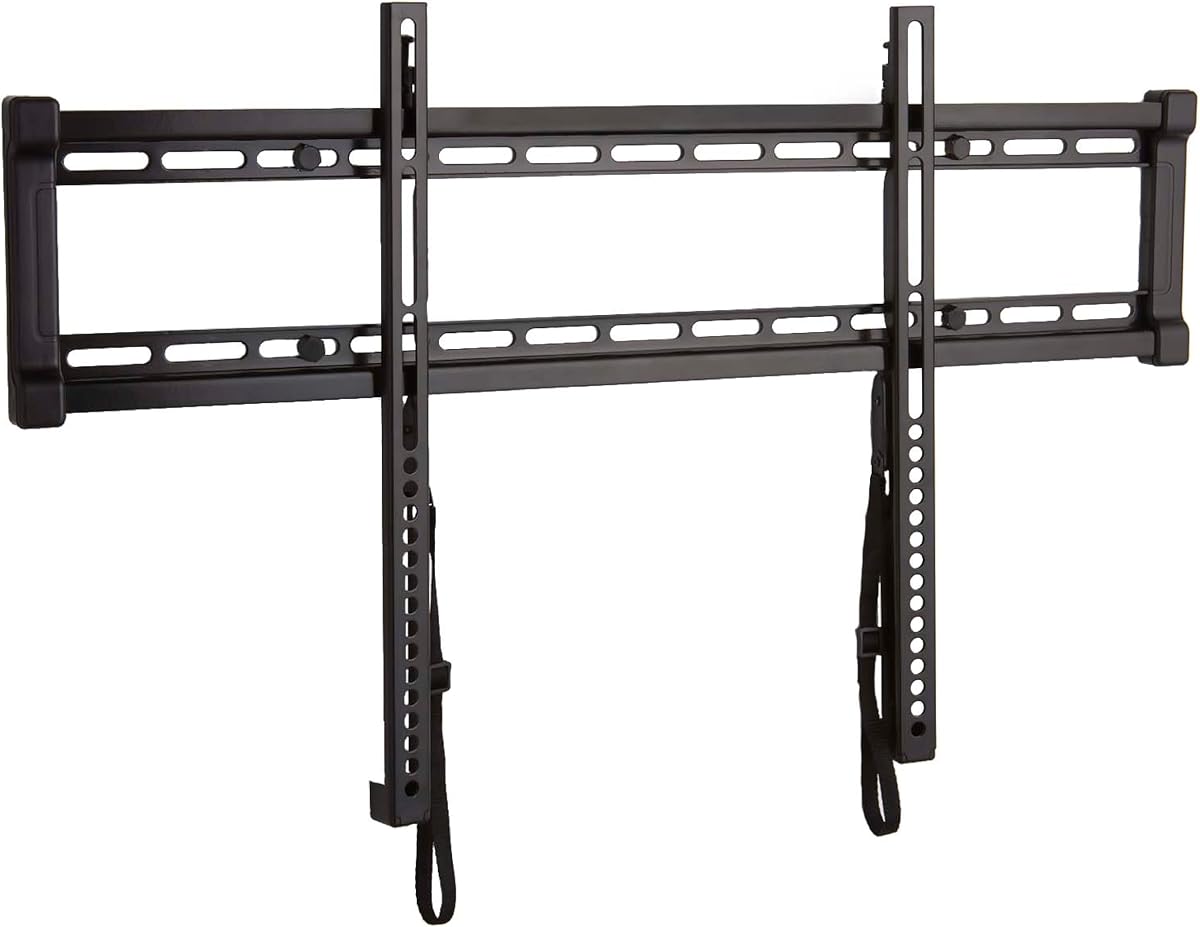
The PERLESMITH fixed mount offers a 1.18-inch wall clearance, a 99-pound weight limit, and compatibility with most 26- to 60-inch televisions. It carries a 4.5 rating and focuses on a straightforward, space-saving installation. It is particularly well matched to mainstream screen sizes that need a neat wall-mounted appearance without an articulating arm assembly.
We may earn a commission when you buy through this link, at no additional cost to you.
Stainless-steel construction provides the basic structure, while safety screws at the bottom of the television brackets are designed to prevent movement. Supported VESA patterns include 75×75, 100×100, 200×100, 200×200, 300×200, 300×300, 400×200, 400×300, and 400×400 millimeters. The listed installation process uses three steps and includes a guide and required hardware.
The fixed configuration does not allow the screen to tilt, swivel, or extend, so glare and viewing-angle problems cannot be corrected after installation. The standard model is intended for 16-inch stud spacing; the manufacturer directs buyers with 18- or 24-inch spacing toward a different full-motion model. This limitation should be checked before purchase.
This is a good option for a bedroom, office, apartment, or secondary living area with a television between 26 and 60 inches. It provides a capable weight limit and broad VESA support in a relatively compact package. The result is a clean, fixed display that is easier to install and position than a more mechanically complex wall mount.
The 1.18-inch gap gives the screen a noticeably slimmer appearance while retaining enough depth for many conventional television backs. It works well where a minimalist look matters but extreme zero-gap installation would be impractical.
Stainless-steel construction and bottom safety screws are intended to keep the television stable against accidental movement. The included guide and simple installation sequence help make the fixed setup approachable.
We may earn a commission when you buy through this link, at no additional cost to you.
The SANUS fixed mount combines a one-inch wall gap with a 130-pound capacity and a 40- to 80-inch television range. Its 4.7 rating reflects a strong balance of support, compactness, and installation convenience. The UL listing adds a clear safety-oriented specification for buyers who want a straightforward large-screen bracket.
We may earn a commission when you buy through this link, at no additional cost to you.
Both 16- and 24-inch stud spacing are supported, making it useful in a wider range of homes. The open wall plate creates a path for in-wall cable routing, while post-installation leveling and centering help position the screen accurately. Quick-release straps allow the television to be removed for cable access without using tools.
As a fixed mount, it cannot tilt, swivel, or extend. That keeps the wall footprint controlled but means the chosen height and horizontal location must account for glare, seating, and the location of power and signal connections. The minimum supported screen size also makes it less relevant to very compact displays or monitors.
This is a strong all-around option for a main living-room television, larger bedroom screen, or dedicated media space. Its combination of a one-inch profile, broad large-screen compatibility, structural rating, and serviceable cable access makes it particularly useful when the goal is a secure, polished installation without moving hardware. The supplied drilling template, sorted hardware, and manual further simplify the process.
A one-inch gap provides a polished fixed appearance and works well in finished rooms. The open plate and one-inch depth can also create a useful route for concealed cabling when the wall is prepared appropriately.
Quick-release straps make it easier to reach ports and adjust cables after the television is mounted. Leveling, centering, a drilling template, and pre-sorted hardware contribute to a more orderly installation.
We may earn a commission when you buy through this link, at no additional cost to you.
The right close-to-the-wall mount depends on television geometry, mounting strength, available depth, and the amount of adjustment you need. Compare the most important specifications before choosing a model.
Wall clearance is the distance between the mounted television and the wall, not the depth of the television itself. The most visually dramatic options in this guide measure approximately 0.3 to 0.37 inches, while more flexible models may retract to 1.3 inches or remain deeper. Compare the mount's stated gap with the thickness of the television, the location of rear connections, and any protruding components. A narrow gap is not automatically the best choice if it prevents cables from bending safely or leaves no room for a soundbar.
Choose the narrowest profile that comfortably accommodates your television's rear geometry. Measure the distance from the top VESA hole to the upper edge and check for uneven back panels, raised connection housings, or speakers positioned near the mounting area.
Every mount has a supported screen-size range and a maximum weight capacity, and both limits matter. A television that falls within the inch range may still exceed the weight limit or require VESA holes that the bracket cannot accommodate. Larger screens also place greater leverage on the wall connection, particularly when extended or tilted. Compare the television's actual weight as listed by its manufacturer rather than estimating from screen size.
Use the lower limit when multiple factors are close. A good match stays comfortably below the weight maximum and has enough VESA coverage to engage all required mounting holes securely.
VESA refers to the rectangular distance between the four mounting holes on the back of a television. The mounts in this guide cover different ranges, from compact 75×75-millimeter patterns to broad 600×400- or 800×400-millimeter arrangements. A television may have several compatible VESA holes, and the mount should include the exact pattern used for installation. The largest supported pattern is not the only consideration; the chosen holes must also match the screen's shape and available upper and lower clearance.
Find the pattern in the television manual or measure the centers of the mounting holes. Confirm both horizontal and vertical dimensions rather than assuming that a nearby size is interchangeable.
A close-to-the-wall appearance cannot compensate for an inadequate structural attachment. Most products in this guide are intended for wood studs, concrete, or brick, and several explicitly warn against drywall-only installation. Determine whether the wall has framing at the desired height, locate its center, and verify stud spacing. For masonry, use anchors specified for the wall type and the mount's requirements rather than general-purpose fasteners.
A studless no-drill product can solve certain renter or retrofit situations, but it has a lower weight ceiling and depends on suitable drywall and careful fastener selection. Never exceed the stated structural limits.
Fixed mounts provide the cleanest and shallowest profile because they have few moving parts. Tilting mounts add a modest forward angle to reduce glare. Full-motion models can extend, swivel, and tilt, making them useful for off-center seating and flexible rooms, but they usually leave a deeper gap and require more clearance around the screen. Decide whether visual minimalism or convenient viewing-angle control matters more before choosing the mechanism.
Fixed models suit a dedicated viewing position and media wall. Tilting or articulating mounts are better where reflections, seating changes, or rear-port access are recurring concerns.
A television that is extremely close to the wall can still be difficult to service if the mount offers no pull-away or quick-release system. Options with magnetic connections, pull straps, or articulating arms can move forward for cable routing and port access. Alternatively, plan an in-wall cable route before the display is installed, but only if cutting the wall is practical and permitted. The depth behind the television must accommodate power bricks and signal cables without sharp bends.
Write down where the wall outlet or power box will sit before drilling. Include enough slack in each cable, and make sure the chosen mount can be removed without disconnecting difficult-to-reach equipment.
Wall type determines which fasteners are required, and not every package contains every appropriate anchor. Look for a drilling template, bubble level, labeled hardware bags, visual alignment markers, and instructions that clearly match the mounting pattern. These details do not replace correct measurements, but they can reduce setup time and help installers position the screen consistently. Some manufacturers offer additional anchors or replacement hardware through customer support.
Confirm whether concrete anchors are included before starting. Gather the correct wall fasteners, a drill, a level, and a second person for larger televisions before mounting the bracket.
The television's bottom edge, the bracket's lower hardware, and nearby furniture can conflict with a soundbar or other equipment. A very slim mount may leave the display too close to the wall for a soundbar, while an articulating design can pull the screen forward and create space temporarily. Measure the soundbar's height, the viewing height, and the distance to a console before deciding. A recessed media wall may also require the television and audio equipment to be planned together.
Prioritize a safe, uncluttered arrangement over the smallest possible gap. Check that cables, speakers, and console components do not interfere with the screen or mounting arms.
Begin by identifying the wall type, locating suitable framing or choosing the correct masonry fasteners, and checking the television's weight, VESA pattern, and rear dimensions. Hold the mount against the wall at the intended height and use the supplied template or alignment markers to establish a level, centered position. Drill only after confirming that no electrical wiring, plumbing, or other concealed services are in the path.
Attach the wall plate securely, select the correct television-side bolts, and leave the fasteners snug while allowing the screen to be lifted into position. If the mount tilts, swivels, or extends, set the desired angle after the television is fully seated. Route cables through the plate or accessible channel without forcing connectors, and confirm that power bricks, speakers, and soundbars do not press against the wall.
For a magnetic or pull-away design, pull the television straight forward slowly and never yank it from the wall. Keep the bracket's locking or safety features engaged whenever the screen is not being serviced. Periodically check the fasteners, inspect the wall connection, and keep the television's vents unobstructed. If the bracket begins to sag, shift unexpectedly, or make noise, remove the load and investigate the installation.
The Ultra Slim TV Wall Mount for 14-80 inch televisions has the narrowest stated clearance at 0.3 inches, while the 37-86 inch model follows at 0.37 inches. Both require compatible television backs and careful measurement of rear components. A shallow gap only works well when the screen's shape, ports, and mounting pattern leave enough room for the bracket.
No. The television must fall within the mount's screen-size range, remain under its weight limit, and use a supported VESA pattern. It should also have a sufficiently flat and unobstructed back. Check the distance from the mounting holes to the screen edges and make sure rear connections will not collide with the wall.
A fixed mount generally creates the cleanest appearance because it has no extending arms and can sit closer to the wall. A tilting or full-motion mount is more useful when glare is a problem, the seating area is off-center, or you need frequent access to rear ports. The best choice depends on room layout and how often you expect to move the screen.
Most of the mounts listed require wood studs, concrete, or brick, and several explicitly state that they are not for drywall-only installation. The Auoace model is the notable studless, no-drill option, but it has a lower weight limit and requires the appropriate fasteners and wall conditions. Always follow the installation instructions included with the chosen product.
The required space depends on the television rather than the mount alone. Measure the body, power connections, video cables, speakers, and any raised sections around the VESA holes. A gap of roughly 0.3 to 1.2 inches suits many slim flat-panel televisions, while a soundbar, large power brick, or uneven back may require more room or an articulating bracket.
Look in the television manual or specification sheet for the VESA-compatible mounting dimensions. You can also measure the horizontal and vertical distances between the four mounting-hole centers. Compare both measurements with the mount's supported range, and use the exact pattern shown in the installation diagram when attaching the television-side brackets.
A cable route can be concealed if the wall is prepared before installation and the mount provides a suitable path. Several products include an open wall plate, a built-in kickstand, or a pull-away system for cable access. In-wall work should be planned carefully around electrical wiring and may require appropriate wall construction, while visible cables can be managed with separate covers.
The products in this guide include basic instructions, templates, levels, and labeled hardware, but large displays can still be awkward to lift safely. At least two people should generally assist with positioning the screen. Professional installation may be worthwhile for heavy models, masonry walls, recessed media systems, or installations where electrical work and concealed cabling are involved.
The strongest all-around selection is the 37-86 inch Ultra Slim TV Wall Mount, whose 0.37-inch clearance and 165-pound capacity deliver an excellent near-flush appearance. The monTEK model stands out for very large televisions, broad stud compatibility, and a polished quick-release installation, while the PERLESMITH model offers a practical low-cost fixed design for common screen sizes.
Prioritize television fit before focusing on the smallest gap. Check weight, VESA, rear geometry, wall construction, and soundbar clearance, then decide whether a fixed, tilting, articulating, or studless design suits your room. A slightly deeper mount with easier cable access can be more useful than an extremely narrow model that is difficult to install or service.
Confirm the current specifications and listing details before making a purchase, since manufacturer designs and compatible components can change. Review the included hardware, confirm the required wall fasteners, and gather the correct tools before beginning the installation.