
Anker Nano Power Strip
4.8Editor score
Up to 70W USB-C charging
Secure adjustable desk clamp
Dual-zone ten-port layout
Our Desk Mounted Outlet Towers guide compares charging capacity, USB-C speed, surge protection, mounting options, cord length, and desk-saving design.
Desk mounted outlet towers combine a vertical power strip with a more deliberate approach to cable management, making them useful for offices, studios, dorm rooms, gaming setups, and shared workspaces. The best models provide ample AC outlets, convenient USB charging, protective circuitry, and a stable way to keep frequently used plugs within reach.
The products in this guide were compared using their stated outlet counts, USB configurations, charging outputs, surge-protection ratings, cord designs, safety features, and mounting options. The list includes compact desk towers, clamp-mounted models, retractable designs, flat-plug towers, and charging stations designed for different device mixes.
Each review explains the product's most useful strengths, likely trade-offs, and the setups it suits best. Rankings reflect the information supplied for each listing rather than hands-on testing, and current availability, retailer policies, and product details should be confirmed before making a purchase.
4.8Editor score

4.5Editor score

4.8Editor score
This side-by-side comparison highlights each tower's outlet capacity, charging options, protective features, and physical design so readers can identify the most appropriate model for their desk.




The TenTrend Power Strip Tower is a compact charging station that combines six AC outlets with eight USB ports, including two USB-C connections capable of delivering up to 65W each. Its 4.5 rating reflects a practical balance of capacity, charging flexibility, and space-saving construction. It is particularly compelling for desks that need to power and charge several modern devices without creating a large horizontal power strip.
We may earn a commission when you buy through this link, at no additional cost to you.
Its most distinctive strength is the breadth of its USB configuration. Two orange USB-C ports are intended for higher-power laptop charging, while two green USB-C ports and four blue USB-A ports cover phones, tablets, earbuds, and smaller accessories. The tower also includes overload, overvoltage, short-circuit, and overheat protection. A slim plug, five-foot flat cable, and compact dimensions help it fit neatly against a wall or at the edge of a work surface.
The main limitation is its relatively modest six-outlet AC section, especially for offices containing several large power adapters. It is also a freestanding tower rather than a clamp-mounted model, meaning it occupies surface space instead of attaching to the underside of a desk. Users should also recognize that the advertised 230W is a combined charging figure, while individual port capabilities vary according to the port and connected device.
This is a strong all-around recommendation for a home office, dorm room, or technology-heavy desk where a mix of USB-A and USB-C devices is used. It especially suits someone who wants meaningful USB-C laptop charging without moving to a premium clamp design. Buyers wanting more AC outlets or a permanently mounted installation should compare the higher-capacity alternatives in this guide.
The eight-port USB section is the tower's defining advantage. Dedicated high-power USB-C connections can serve a laptop, while the remaining ports handle smaller devices without requiring a collection of separate wall adapters.
Its vertical body, flat cable, and slim plug make it easier to organize around a desk edge or nightstand. The result is a cleaner setup without committing to permanent mounting hardware.
We may earn a commission when you buy through this link, at no additional cost to you.
The Uncaged Ergonomics Retractable Power Strip Tower is a 5.0-rated option distinguished by a six-foot cord stored in its base. Pulling the cord out provides the reach needed for a nearby outlet, while releasing it allows the mechanism to rewind and reduce slack. That feature makes the tower particularly attractive for conference tables, studio desks, dorm rooms, and other locations where a loose extension cable would otherwise become messy.
We may earn a commission when you buy through this link, at no additional cost to you.
The tower supplies four AC outlets, two USB-C ports rated up to 20W, and two USB-A ports. This is a more modest device count than many competitors, but it is aimed at convenient everyday charging for phones, tablets, earbuds, and watches. Its 320-joule surge protection and 16-gauge copper cable are stated specifications, while the stable upright body and mountable feet offer more installation flexibility than a basic freestanding tower.
The trade-offs are important. Four AC outlets may be restrictive for a desk with a laptop charger, monitor power, speakers, and several peripherals. The 20W ceiling on USB-C also falls well below the 65W and 70W laptop charging offered by the TenTrend and Anker selections. In addition, the retractable mechanism and mounting feet make the design more specialized than a conventional vertical power strip.
Choose this model when cable control is the central goal, particularly if you dislike loose cords or frequently move between different spots. It works particularly well on a clean workbench, conference table, or shared charging point. For high-wattage USB-C charging or a large collection of AC adapters, one of the more outlet-heavy towers will be a better match.
The built-in reel is the clearest reason to choose this tower. Users can pull only the length they need and let the cable return to the base, reducing the visual and physical clutter of a conventional extension cord.
The tower can stand on a desk, shelf, or floor, while its feet allow attachment to a wall, workbench, or underside of a surface. This makes it more adaptable than towers designed only to stand upright.
We may earn a commission when you buy through this link, at no additional cost to you.
The SMALLRT 16-in-1 Power Strip Tower combines 12 AC outlets with three USB-A ports and one USB-C port, producing a 4.7 rating and a generous amount of connection capacity in one vertical unit. The total USB output is listed as 5V/3.4A, with maximum outputs of 5V/2.4A per USB-A port and 5V/3A for USB-C. It is a practical choice for shared rooms or offices where many lower-power devices need simultaneous access.
We may earn a commission when you buy through this link, at no additional cost to you.
One of its most useful features is the set of four separated switches. Instead of controlling the entire tower as one circuit, these switches can shut down groups of connected electronics, reducing the need to unplug chargers one at a time. The vertical format also accommodates relatively large power supplies more effectively than a shallow horizontal strip. Overload, short-circuit, and over-current protection add further reassurance for computers, televisions, and dorm-room equipment.
Its charging performance is less advanced than that of the TenTrend or Anker towers. The USB-C port is rated to a maximum of 3A, which is not the same as high-power USB-C Power Delivery for demanding laptops. The product also does not physically clamp to a desk. Buyers seeking several AC outlets, straightforward controls, and a long cord may accept those limitations, but power users should examine whether they need faster charging.
This tower is well suited to a college dorm, conference room, home office, or entertainment center with numerous low-power accessories. The separated switches are especially valuable when users want to control groups of equipment without repeatedly handling individual plugs. It is less compelling for a minimalist mobile workstation where compactness and high-wattage USB-C matter more than sheer outlet count.
Four separated switches let users turn off selected portions of the tower. That is useful in shared workspaces where a whole-room power cutoff would be inconvenient and unplugging every adapter would be inefficient.
The upright tower is better suited than many flat strips to laptop bricks, monitor adapters, and other substantial plugs. Twelve AC outlets also provide considerable room for a mixed collection of devices.
We may earn a commission when you buy through this link, at no additional cost to you.
The Anker Nano Power Strip is the most purpose-built desk-mounted option in this group, combining a clamp with six AC outlets, two USB-C ports, and two USB-A ports. Its 4.8 rating reflects a polished approach to cable management, and the two-zone layout separates upper and lower connections to reduce visual and physical clutter. A five-foot power cord gives enough reach for most conventional desk arrangements.
We may earn a commission when you buy through this link, at no additional cost to you.
Its standout feature is USB-C charging up to 70W using GaN technology, allowing it to serve compatible laptops and tablets as well as smaller devices. The adjustable clamp holds the power strip firmly in place and makes one-handed plugging and unplugging more convenient. A 1500-joule surge-protection rating adds another layer of utility for a desk that contains valuable electronics.
The main constraint is installation compatibility. The clamp fits desk edges measuring 0.6 to 1.8 inches thick, but it is not compatible with curved edges, edges sloped more than 45 degrees, or desks without an accessible edge. The stated USB input range also deserves attention: the USB ports support 100 to 240V at 50 or 60Hz, so users should confirm that their connected equipment and outlet arrangements align with those specifications.
This is the best fit for a fixed workstation where eliminating loose power-strip bulk is the priority. It is especially attractive for creators or professionals using a USB-C laptop alongside multiple accessories. If the desk geometry fits and the user values 70W charging, the clamp format offers a cleaner and more permanent solution than a freestanding tower.
Attaching the power strip directly to a suitable desk edge removes the need to reserve a large area of work surface for a horizontal strip. The stable position also makes frequently used plugs easier to reach.
With USB-C output up to 70W, the Anker is intended for more than basic phone charging. Compatible laptops and tablets can draw power through a single connection while the remaining ports serve smaller accessories.
We may earn a commission when you buy through this link, at no additional cost to you.
The SMALLRT 12-Outlet Power Strip Tower is a 4.8-rated option aimed at dorm rooms, offices, and home workspaces that need many conventional outlets plus a few USB connections. It offers 12 AC outlets and four smart USB ports, including one USB-C connection, allowing up to 16 devices to be connected at once. The total USB output is 3.4A, with the USB-C port rated up to 3A.
We may earn a commission when you buy through this link, at no additional cost to you.
Its vertical design keeps a high-capacity power strip close to the wall and consolidates the cables that would otherwise be spread across a desk. A 6.5-foot copper cord provides useful placement flexibility. The base uses an anti-slip mat for stability, and the cord junction is described as reinforced to protect a frequently stressed connection point. The reset or off switch works with an integrated circuit breaker for overload protection.
This is not a high-power charging station. The USB outputs are suitable for many phones, tablets, earphones, and accessories, but they do not match the laptop-focused USB-C performance of the Anker or TenTrend models. It also lacks separated switches, meaning all outlets are likely managed as one connected circuit. Buyers should consider whether they need fast laptop charging or individual device controls before choosing it.
For a student room, shared office, or media center, this is a straightforward and well-balanced solution. Its high AC outlet count is useful when a desk contains multiple large adapters, while the vertical format keeps the footprint relatively contained. For a single-cable mobile workstation, a clamp-mounted model would be the more elegant solution.
Twelve AC outlets make the tower useful in dorms and offices where several residents, employees, or entertainment components need access. The vertical arrangement also makes better use of limited desk depth than a long horizontal strip.
Rubberized footing helps prevent sliding, while the reinforced connection between the cord and tower addresses a point that can deteriorate with frequent movement. These details support steadier everyday use.
We may earn a commission when you buy through this link, at no additional cost to you.
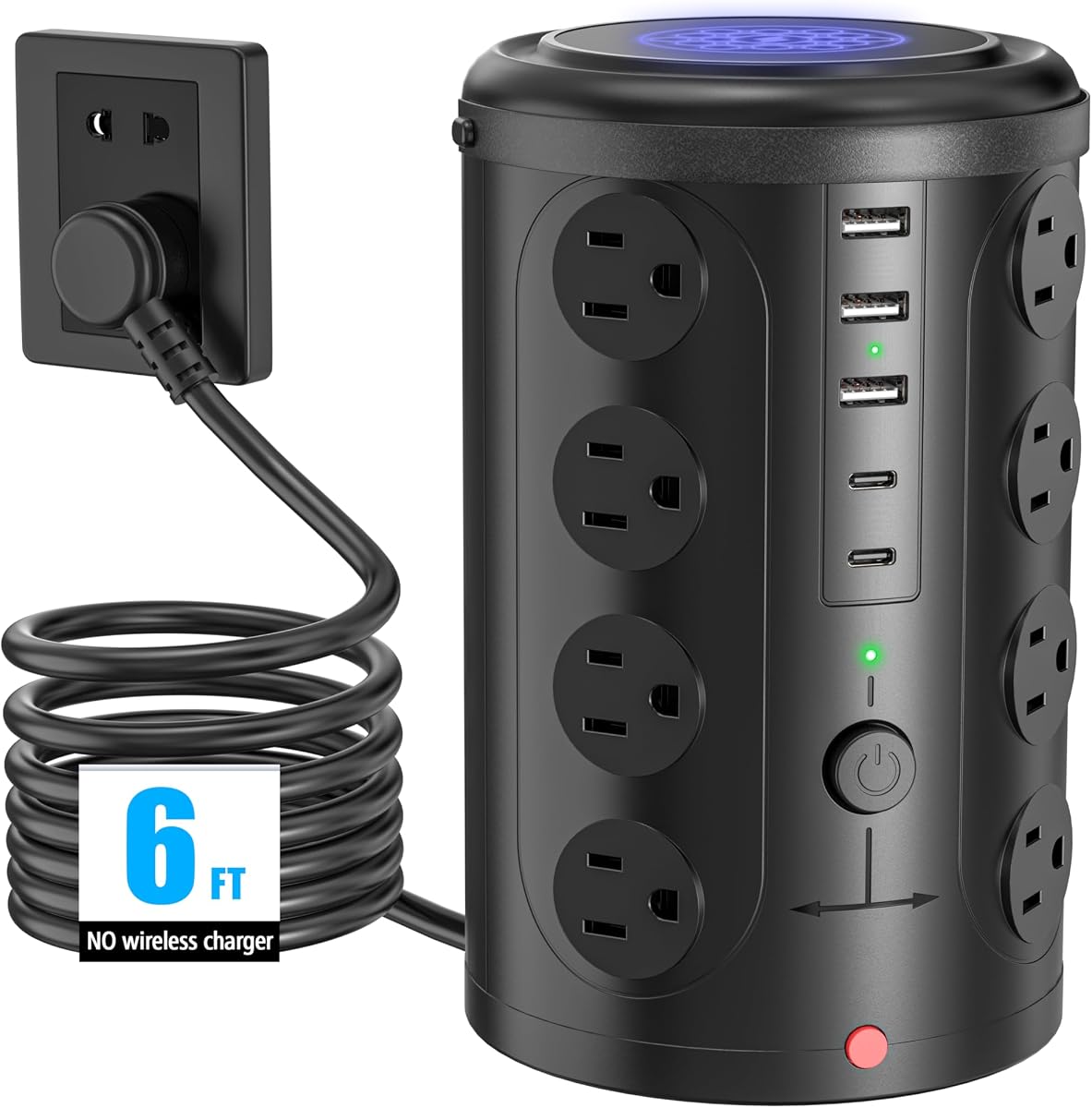
The 16-Outlet 5-USB Power Strip Tower provides the largest AC outlet capacity in this guide, combining 16 widely spaced sockets with two USB-C and three USB-A ports. Its 4.6 rating reflects strong utility for equipment-heavy environments, while the vertical format helps organize connections in a comparatively small footprint. It is best suited to offices, dormitories, studios, and home control areas rather than minimalist desks.
We may earn a commission when you buy through this link, at no additional cost to you.
The wide spacing is important because a tower with closely packed outlets can become difficult to use when large power adapters are present. Its listed AC capacity is 1875W at 125V or 3600W at 240V. The five USB ports share 17W/3.4A of total output, making them suitable for phones, headphones, and other smaller electronics. A six-foot cord gives the tower reach from many wall outlets.
Safety features include 10A overload protection, a built-in short-circuit fuse, and lightning protection. These are meaningful additions for a unit intended to accommodate numerous devices. The trade-off is that the USB charging section is less advanced than it could be for modern laptop workflows, and there are no separated switches for controlling groups of equipment. Total capacity is substantial, but individual high-power demands still need to be considered carefully.
This tower is ideal for a workstation with numerous monitors, computers, game systems, recording equipment, or chargers. It offers the room to consolidate many connections without adding a long horizontal strip. Buyers with only a laptop, phone, and monitor would be unlikely to use all 16 outlets and may prefer a smaller, more specialized station.
The high outlet count is useful where several devices each require a direct wall connection. It also reduces the need to daisy-chain separate strips, which can make cable routing harder to understand and maintain.
Overload, short-circuit, and lightning-protection features provide several layers of defense. They make the tower a practical central point for connected office, entertainment, or dorm equipment.
We may earn a commission when you buy through this link, at no additional cost to you.
The TESSAN Tower Power Strip is a 4.8-rated flat-plug model with 11 AC outlets and three USB ports, including one USB-C connection. Its most useful feature is the 0.31-inch-thick plug, which can sit flush against a wall and fit behind furniture. A 45-degree right-angle design also helps avoid blocking the neighboring outlet on a standard duplex receptacle.
We may earn a commission when you buy through this link, at no additional cost to you.
The tower's four-sided vertical construction organizes connections while occupying relatively little desk depth. Four rubber feet help prevent sliding on smooth surfaces, and the six-foot cord adds enough reach for placement around a desk, sofa, bed, or nightstand. USB-A ports are rated at 2.4A each, while the USB-C port is rated at 3A, making the charging section appropriate for common personal electronics.
Its 1050-joule surge-protection rating is more substantial than the protection figure offered by some similarly sized alternatives. Overload, short-circuit, and over-current protection are also listed, along with a reliable on/off switch. The limitations are that charging outputs are basic by contemporary standards, the USB-C count is only one, and there are no individual switches for grouped outlets. A user with a high-power USB-C laptop would need a separate charger.
This product works particularly well behind a nightstand, along a media console, or at the back of a workstation where a protruding plug would be inconvenient. It is also a sensible dorm-room option for students who need numerous AC outlets but only occasional USB charging. Those wanting a clamp, more USB-C ports, or faster laptop charging should look elsewhere in the guide.
The thin plug and right-angle profile reduce the gap left at the wall outlet. That makes the tower easier to position behind a bed, sofa, bookcase, or nightstand where a standard plug protrudes too far.
The 1050-joule rating and multiple circuit safeguards give the compact tower a meaningful safety profile. It offers useful protection without requiring a large horizontal enclosure.
We may earn a commission when you buy through this link, at no additional cost to you.
The VILONG Dual Layer Desk Clamp Power Strip combines 10 AC outlets, three USB ports, and a 20W USB-C connection in a clamp-on body. Its 4.4 rating reflects a practical mounted design with a useful mix of features. The two-layer construction can support both desktop and under-desk positioning, making it easier to reach plugs without placing a large tower on the work surface.
We may earn a commission when you buy through this link, at no additional cost to you.
Installation requires no drilling: the clamp is attached to a compatible desk edge and tightened. It fits desk surfaces up to 1.6 inches thick. Two independent switches provide control over parts of the station, while a 45-degree flat plug can fit behind furniture and avoid blocking an adjacent wall receptacle. The stated AC capacity is 125V, 12A, and 1500W.
The USB-C port is limited to 20W, so it is appropriate for phones, tablets, and many smaller accessories but not high-power laptop charging. Surge protection is rated at 700 joules, which is meaningful but lower than several freestanding models in this list. Its clamp arrangement also means users must have a suitable, straight desk edge; the product is not a general solution for unusual or curved furniture.
This tower is a good choice for a home office or shared workstation where a permanent, reachable power point is wanted. The dual-layer arrangement can keep frequently used ports visible while placing others beneath the desktop. It is less suitable for a user whose main priority is fast USB-C laptop power or a particularly high surge-protection rating.
The dual-layer design gives users a choice between keeping plugs visible on top and hiding the body below. This flexibility can produce a cleaner work area without giving up easy access to frequently connected devices.
Because the unit clamps rather than screws into the desk, it can be removed or repositioned without permanent modifications. That makes it practical for temporary setups and shared spaces.
We may earn a commission when you buy through this link, at no additional cost to you.
The 12-Outlet 4-USB Power Strip Tower combines 12 AC outlets with two USB-A and two USB-C ports, allowing up to 16 devices to be connected. Its 4.7 rating reflects a versatile configuration with enough capacity for a home office or dorm while maintaining a reasonably compact vertical shape. Wide spacing between outlets improves usability with larger power adapters.
We may earn a commission when you buy through this link, at no additional cost to you.
Its 1800-joule surge-protection rating is among the highest stated in this guide, alongside overload, short-circuit, and over-current protection. The total USB output is 3.4A, with the USB-C connection listed at up to 3.4A and the USB-A connections at up to 3.1A. The description states that USB-C charging can be up to 30 percent faster than a standard 5W charger, although actual results depend on the device and charging protocol.
The 0.30-inch flat plug and 45-degree right-angle design help the tower sit close to the wall and avoid blocking another outlet. Its six-foot cord offers practical reach, and four rubber feet help prevent movement. On the other hand, the shared USB output limits simultaneous high-speed charging, and the absence of individual switches means users cannot shut down groups of outlets independently.
This model fits users who want a protected vertical power hub with equal numbers of USB-A and USB-C connections. It is a natural choice for a mixed collection of phones, tablets, earbuds, laptops, monitors, and adapters that do not require the highest USB-C wattage. Those seeking a permanent clamp or grouped controls should prioritize the Anker or VILONG options.
Two ports of each USB type support a broad mix of accessories. The arrangement is useful for workspaces where some devices still rely on USB-A while newer equipment increasingly uses USB-C.
The stated 1800-joule protection is especially notable in a product that also provides extensive AC outlet capacity. It is designed to serve as a central protected hub for a mixed collection of electronics.
We may earn a commission when you buy through this link, at no additional cost to you.
The 16-in-1 Flat Plug Power Strip Tower provides 12 AC outlets and four smart USB ports, including two USB-C connections. Its 4.8 rating makes it an appealing value-oriented option for home offices, apartments, and dorm rooms that need many outlets and routine device charging. The vertical arrangement consolidates a large number of connections without requiring a long horizontal strip.
We may earn a commission when you buy through this link, at no additional cost to you.
Its 1080-joule surge-protection rating is supported by an integrated circuit breaker and listed overload, short-circuit, over-current, over-voltage, and overheat protections. The AC section is rated for 1875W and 15A. USB output is more modest, with USB-A ports listed at up to 5V/2.4A and USB-C at up to 5V/3A. That makes it suitable for typical phones, tablets, and earphones rather than demanding laptop charging.
The 0.35-inch flat plug is designed to sit close to the wall behind furniture, while the braided fabric cord is intended to resist tangling and add visual interest. Wide spacing between the 12 outlets makes room for different plug shapes. The main limitations are the absence of separate outlet switches and the lack of a high-power USB-C mode. It is also a freestanding design rather than a clamp-mounted station.
This is a practical choice for a desk that needs numerous AC outlets, a few USB connections, and basic surge protection. It is particularly useful in dorm rooms and shared home workspaces where multiple people or devices need access to a single wall receptacle. If the main goal is charging a compatible USB-C laptop at high wattage, the TenTrend or Anker tower will offer a more suitable charging path.
The combination of 12 outlets, two USB-C ports, and multiple protection systems covers many everyday needs. It is a well-rounded option for buyers who want more capability than a basic four- or six-outlet strip.
Braided construction helps the cord remain flexible and less prone to tangling, while the thin plug permits close placement against a wall. Both details support an organized appearance in shared or tight spaces.
We may earn a commission when you buy through this link, at no additional cost to you.
The best desk mounted outlet tower for a given setup depends on the number and type of devices, charging demands, available desk geometry, and preferred level of permanence. Reviewing these factors before buying helps prevent an otherwise capable tower from becoming another source of loose cables or an underused collection of ports.
Choose enough capacity for realistic growth without assuming that every port will be used immediately. Wide-spaced outlets are especially useful when power supplies are bulky or several devices need side-by-side access.
Check the device's charging requirements, the cable specification, and the tower's maximum output before relying on USB-C for laptop power. Faster charging also depends on the connected equipment accepting the available protocol.
Measure the desk edge before choosing a clamp. Check for curves, sloping edges, trim, or a construction that prevents a tight grip, and confirm that the desired outlet face will remain easy to reach.
For expensive computers, monitors, and network equipment, prioritize a product with a clearly stated surge rating and several forms of circuit protection. Do not treat the protection rating as a substitute for appropriate household wiring or professional electrical service.
Measure the available route before ordering, including desk depth, wall distance, and any furniture that will be moved. A longer cord is not always better if it must be coiled or stretched across a walkway.
Choose a flat, right-angle plug when furniture sits close to the wall outlet. Check the outlet clearance in person, since surrounding trim and other plugs can still affect the available space.
Prioritize separate controls when idle devices remain connected or several people share the station. Otherwise, prioritize port count, charging speed, and mounting style over switch granularity.
List devices by their power requirements before choosing a model. Use AC outlets for high-power equipment and reserve USB connections for compatible lower-power accessories to make the safest and most effective use of the station.
Begin by confirming that the tower's total ratings match the devices you intend to connect. Check the AC voltage and current information, USB output requirements, surge rating, cord length, and mounting limits. If using a clamp model, measure the desk edge and verify that it is straight, firm, and within the stated thickness range before tightening the mechanism.
Place the tower where cords can reach without crossing a walkway or being pinched. Route the extension cord along the wall, under a desk, or around a stable surface rather than leaving it in a high-traffic area. Connect higher-draw equipment to AC outlets and compatible smaller accessories to USB ports. Use a separate power switch to deactivate groups of devices when they are not needed, especially in shared rooms.
Inspect the cord, plug, housing, and outlet openings periodically for damage, heat discoloration, dust, or loose connections. Do not use a tower whose safety switch has tripped until the overload is identified and removed. Keep liquids and combustible materials away from the unit, avoid daisy-chaining it with other power strips, and follow the manufacturer's instructions for cleaning or servicing.
A desk outlet tower is a vertical form of desktop power strip that concentrates AC outlets and USB charging ports in a smaller footprint. Some also include a flat plug, retractable cord, or mounting feet. A traditional horizontal strip may offer easier side-by-side access, while a tower can better accommodate bulky adapters and reduce desk depth.
A well-designed tower can be safer than unmanaged loose cords because it organizes connections and commonly includes overload, short-circuit, over-current, and surge protection. Safety still depends on using the product within its ratings, avoiding overloaded circuits, and replacing damaged components. No tower can compensate for faulty wiring or improper use.
Not necessarily. A port may have the right connector while still providing too little power for full laptop charging. The TenTrend offers two USB-C ports with up to 65W, and the Anker offers up to 70W, while the remaining models have lower outputs intended mainly for phones, tablets, and accessories. Check both the charger and computer requirements.
It depends on the model. The Anker Nano Power Strip fits desk edges from 0.6 to 1.8 inches thick, while the VILONG Dual Layer Clamp supports edges up to 1.6 inches. Both also require a suitable straight edge. Curved, heavily sloped, rounded, or inaccessible desk edges may prevent a secure installation.
It is a useful feature because computers, monitors, routers, and other connected devices can be exposed to voltage spikes. The models in this guide use different listed ratings, ranging from 320 to 1800 joules. A higher rating indicates greater listed protection capacity, but users should still maintain suitable electrical wiring and avoid exceeding the tower's load limits.
They can be, particularly when outlets are spaced far enough apart to prevent neighboring plugs from interfering. Vertical towers may accommodate multiple bulky AC adapters without the shallow depth of a low-profile horizontal strip. Users should still compare the tower's actual outlet spacing and available footprint with the size of their chargers.
That is one of the main advantages of a flat plug. Models with a thin, right-angle design can sit closer to the wall and fit behind a sofa, bed, nightstand, bookshelf, or headboard. Leave enough clearance for the plug, cord bend, ventilation, and access to the power switch, and never place furniture directly against a hot or damaged unit.
Switching it off when the desk is unattended for extended periods can reduce unnecessary standby consumption and make the station inactive when not needed. For brief absences, switching off grouped outlets can be convenient. Always disconnect devices before cleaning, moving the tower, or changing its cord and plug arrangement.
The TenTrend Power Strip Tower is the strongest all-around choice for users who need meaningful USB-C laptop charging and a generous mix of USB-A and USB-C ports. The Anker Nano Power Strip is the premium option for a fixed desk with a compatible edge, while the 16-in-1 Flat Plug Tower delivers a well-rounded set of AC outlets, USB connections, and protective features at a value-focused tier.
Before choosing, prioritize the factors that cannot be changed easily: desk-clamp compatibility, total USB-C output, AC outlet spacing, and the number and size of power adapters. A larger outlet count is not automatically better if it creates a bulky station, and a fast charger is not useful if the connected device does not support that level of power. Match the tower to the real device mix and room layout.
Finally, confirm the current listing details, compatibility information, warranty terms, and protection specifications before ordering. Product designs and included components can change over time, so the latest manufacturer and retailer information provides the most reliable basis for your final decision.