
archgon Premium Aluminum UHD Writer
4.2Editor score
4K UHD Blu-ray playback
Regular Blu-ray writing
CNC aluminum enclosure
External Blu Ray Drive guide comparing playback, burning, 4K UHD support, portability, connectivity, software needs, and system compatibility for every user.
An external Blu Ray drive gives modern laptops and compact desktops access to physical discs without requiring a built-in optical drive. The right model should match your collection, computer ports, desired recording tasks, and willingness to install specialized playback software for protected Blu-ray movies.
We compared all ten options by examining supported disc formats, read and write functions, connection interfaces, UHD capability, portability, operating-system support, and useful extras such as USB hubs or card readers. The list covers simple readers, multi-function burners, archival-focused models, and one 4K UHD writer.
Each review explains who the drive suits, where its specifications stand out, and where software or platform limitations may matter. Ratings reflect the supplied customer feedback and can change over time. Product listings, availability, and prices also fluctuate, so confirm the current details before ordering.
4.2Editor score

4.7Editor score

3.8Editor score
This side-by-side comparison highlights each drive's core functions, interfaces, disc support, portability, and system compatibility, with particular attention to 4K UHD playback, burning capabilities, and whether playback software must be purchased separately.



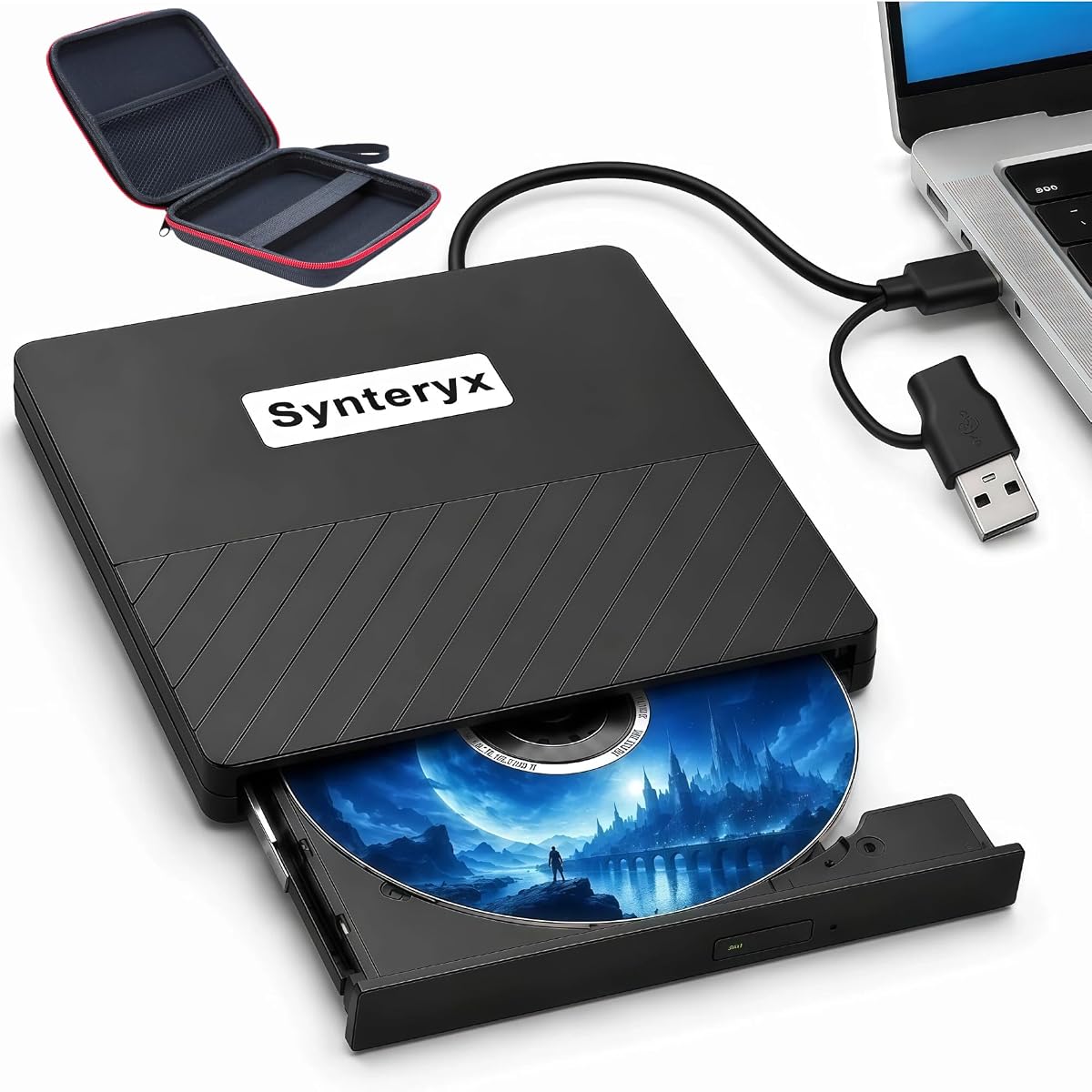

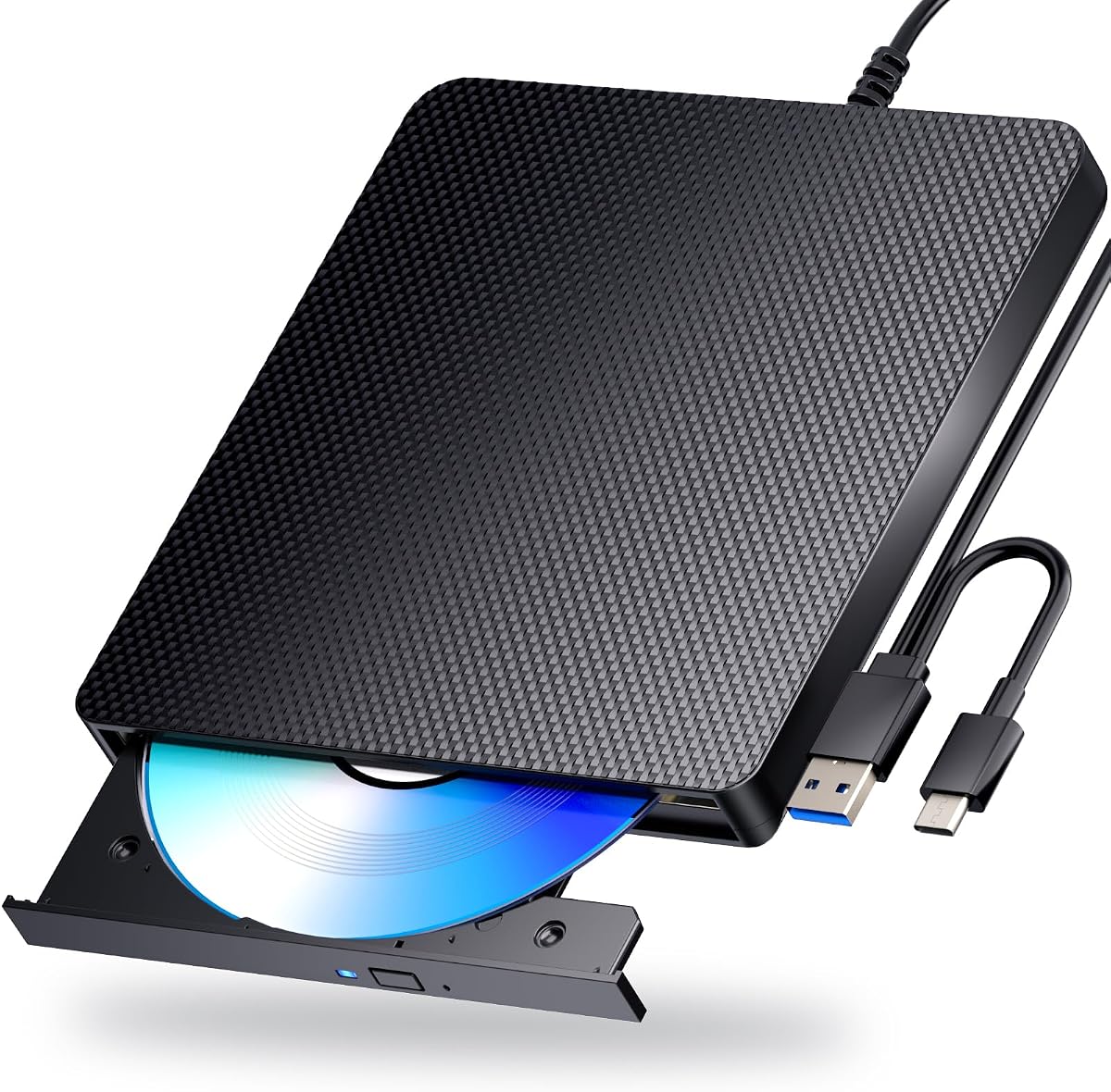
The archgon Premium Aluminum External USB 3.0 UHD 4K Blu-Ray Writer Super Drive for PC and Mac is the standout in this roundup for buyers who specifically want 4K Ultra HD Blu-ray capability. It carries a 4.2 rating and addresses a need that the other listed products explicitly leave unmet: playback of UHD 4K Blu-ray discs. It can also read and write ordinary Blu-ray, DVD, and CD media with appropriate software.
We may earn a commission when you buy through this link, at no additional cost to you.
Its strongest feature is genuine UHD playback rather than the more common 3D Blu-ray support found elsewhere in the list. The drive uses USB 3.0 and has a CNC aluminum body, giving it a more substantial appearance than many of the lightweight plastic alternatives. M-DISC BD-R support adds a notable archival angle, while the ability to handle conventional discs makes it practical for mixed collections and everyday disc tasks.
The important limitation is software. CyberLink PowerDVD is recommended for UHD playback and is a third-party purchase. The manufacturer also notes that no suitable UHD Blu-ray software for Mac was known, meaning UHD playback is best treated as a PC-oriented feature. Buyers should also run CyberLink's Ultra HD Blu-ray Advisor before purchasing to verify that their hardware meets playback requirements.
This is the natural choice for a Windows PC owner with 4K UHD movies and a willingness to install the required playback software. It is less suitable for Mac users seeking dependable UHD playback or for buyers who only need a basic disc reader. For that specific 4K UHD requirement, however, it offers the clearest advantage in the group.
The hardware can read UHD 4K Blu-ray discs, which none of the other listed models promises. Its value is strongest when your library includes ultra-high-definition releases and your computer meets the software and hardware requirements.
Regular Blu-ray writing, DVD and CD support, and M-DISC BD-R capability broaden its usefulness. You can handle a broader range of physical media rather than limiting the drive to protected UHD movie playback.
We may earn a commission when you buy through this link, at no additional cost to you.
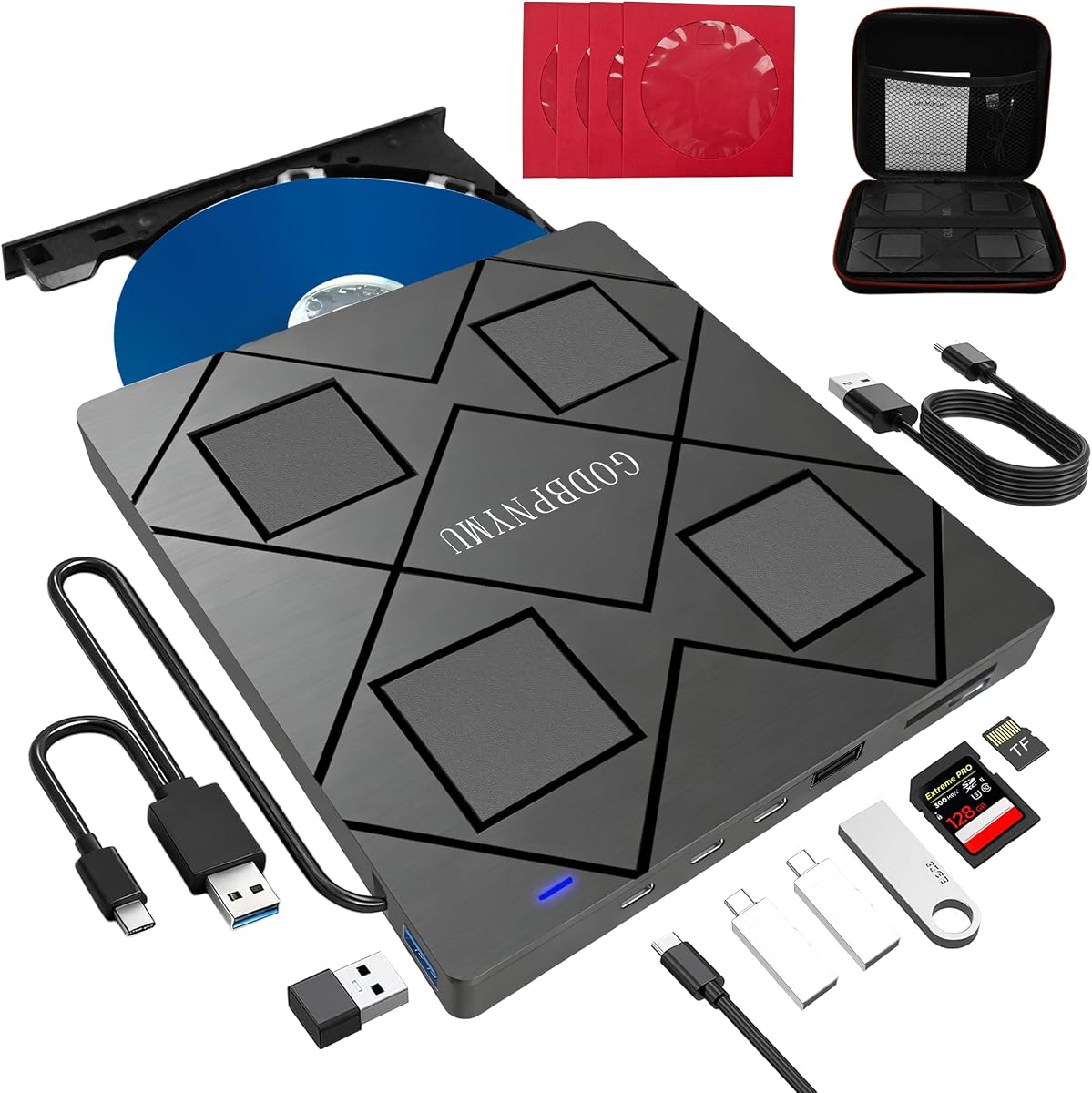
The 8-in-1 External Blu-ray Drive, USB-C Hub & Card Reader for Laptop combines optical-drive functions with a USB hub and memory-card reader in an unusually compact package. Its 4.2 rating reflects a balanced specification set, and the broad device support makes it especially interesting for laptop owners who want more than a single-purpose disc reader.
We may earn a commission when you buy through this link, at no additional cost to you.
This model can read BD-ROM, 25GB and 50GB BD-R/RE, and 100GB read-only BD-XL media. It burns BD-R up to 50GB, DVD at up to 8x, and CD at up to 24x. The integrated hub adds two USB-C ports, one USB 3.0 port, one USB 2.0 port, and a slot for SD or TF cards, while the main drive connects through USB-A or USB-C 3.0.
It does not support 4K playback, and its maximum Blu-ray recording capacity is 50GB. SD and TF cards cannot be read at the same time, which is a meaningful limitation for photographers moving several card types at once. Some high-speed operations may also require the included auxiliary power cable for more stable performance.
The drive is best for users who want disc reading, Blu-ray and DVD burning, card transfer, and extra USB ports in one travel-friendly device. Its 5.5-by-5.5-by-0.35-inch body weighs 300 grams and includes a carrying case and four disc sleeves. It is a strong all-in-one choice, though not the right option for 4K UHD movies.
Two USB-C ports, one USB 3.0 port, and one USB 2.0 port turn the optical drive into a compact desk hub. It is particularly useful when a laptop has limited connectors for a mouse, keyboard, cooling fan, or flash drive.
The card reader enables direct transfer of photos and videos from SD or TF media, while the drive handles discs. Only one card format can be read at a time, but the combined design still reduces the number of accessories needed on a desk.
We may earn a commission when you buy through this link, at no additional cost to you.
The BUFFALO 6X Portable Blu-ray Drive is the most balanced all-round option in this guide. Its 4.7 rating is among the highest listed, and it combines disc playback, burning, archival support, a slim enclosure, broad computer compatibility, and a two-year manufacturer warranty without relying on a built-in hub.
We may earn a commission when you buy through this link, at no additional cost to you.
The drive supports 6x Blu-ray reading and writing, along with 8x DVD reading and writing, as well as CD formats. It is made in Japan, is TAA compliant, and includes a USB 3.2 Gen 1 Type-A connection with a Type-C adapter. Its dimensions are 6 by 5 by 0.5 inches, and it weighs 0.5 pounds, making it suitably compact for a laptop bag.
M-DISC support is a meaningful strength for buyers who want temperature-, light-, and humidity-resistant recordings that the manufacturer states can last up to 1000 years. The two-year warranty adds reassurance for a device intended for both everyday use and longer-term storage. As with most conventional optical drives in the group, 4K UHD movie playback is not advertised.
This is a compelling recommendation for someone who wants dependable reading and writing, cross-platform use, and a clearly supported archival function. It also works well for offices, students, travelers, and home users who want one drive for physical media. Choose it when balanced capability, warranty coverage, and portability matter more than a hub, card reader, or 4K UHD support.
Matching 6x Blu-ray read and write speeds and 8x DVD read and write speeds make this drive suitable for routine disc handling. The specification is less about pushing extreme transfer rates and more about maintaining a versatile, consistent workflow.
M-DISC support is the most distinctive feature here. It gives the drive a clear role in archival recording while retaining conventional Blu-ray, DVD, and CD functions for everyday needs.
We may earn a commission when you buy through this link, at no additional cost to you.
The External blu ray Drive, 8-in-1External blueray/DVD Drive for pc is a versatile option for users who want more ports and card access alongside optical-disc functions. It shares a 4.2 rating and offers a capable 6x Blu-ray reading and writing specification, 8x DVD performance, and up to 24x CD performance.
We may earn a commission when you buy through this link, at no additional cost to you.
Its disc support includes BD-ROM, 25GB and 50GB BD-R/RE, 50GB BD-R DL recording, read-only 100GB BD-XL, DVD±R/RW including dual-layer 9.6GB media, CD-R/RW, and M-Disc. A four-port hub adds two USB-C connections, one USB 3.0 port, and one USB 2.0 port, while the card slot supports SD or TF media one format at a time.
The drive supports 3D Blu-ray playback with suitable third-party software but does not handle 4K Blu-ray. It is also not intended for TVs, tablets, phones, projectors, or in-car systems. The 5.5-by-5.5-by-0.35-inch housing and 300-gram weight make it easier to carry, and a carrying case and four disc sleeves are included.
This model makes sense for a computer user who wants to consolidate an optical drive, card reader, and USB hub into one footprint. Its inclusion of a BD-XL reading function and the bundled organization accessories add value. However, buyers focused on 4K movies should look elsewhere, and those needing two card formats at once should note the limitation.
The integrated four-port USB hub can accommodate common peripherals such as keyboards, mice, cooling fans, and flash drives. It helps compensate for the limited port selection on many compact laptops.
BD-XL reading, dual-layer DVD support, M-Disc, and conventional CD writing give this model flexibility across disc types. The 50GB Blu-ray recording limit remains clearly defined.
We may earn a commission when you buy through this link, at no additional cost to you.
The External Blu-ray Drive, Portable Blu-ray Player & CD DVD Burner is a straightforward option for reading physical media and creating CDs or DVDs. Its 3.8 rating is the lowest among the featured products, but the underlying feature set covers the essential tasks for many home and travel users.
We may earn a commission when you buy through this link, at no additional cost to you.
It reads Blu-ray at up to 6x, DVD at 8x, and CD at 24x, while supporting CD and DVD burning. USB 3.0 offers a stated 5Gbps transfer bandwidth, and both USB-A and Type-C connectors are provided. The drive is described as plug-and-play and supports Windows, Mac, and Linux computers.
The central limitation is that it reads Blu-ray discs but cannot burn them. Protected Blu-ray movies also require third-party software such as PowerDVD or Leawo. The product is not listed as compatible with Chromebooks, televisions, tablets, iPads, vehicles, or trucks, so it is firmly a computer accessory rather than a universal media player.
Choose this model when your main needs are reading Blu-ray movies, playing CDs and DVDs, and occasionally burning CDs or DVDs. Its embedded cable and lightweight brushed enclosure make it convenient to move between locations. It is less appropriate for archival disc creation or for users who want every disc format to be writable.
The drive separates reading and writing capabilities clearly: Blu-ray can be read, while CDs and DVDs can also be burned. This makes the model easy to understand once the software and disc limitations are considered.
USB-A and Type-C connectors support modern laptops and desktops, and the stated support for Windows, Mac, and Linux broadens its appeal. A single embedded-cable design also reduces the number of separate leads to carry.
We may earn a commission when you buy through this link, at no additional cost to you.
The External blu ray Drive, USB CD/DVD Drive for Laptops, DVD Burner is a conventional all-in-one option focused on media access and common writable formats. Its 4.0 rating places it in the middle of the group, while its support for BD-R, BD-RE, DVD-R, DVD-RW, CD-R, and CD-RW makes it relevant for routine disc creation.
We may earn a commission when you buy through this link, at no additional cost to you.
The drive can read 3D Blu-ray discs for compatible movie playback on Windows or Mac, provided appropriate third-party software is installed. It connects through a standard USB cable, draws power from the computer, and does not require complex driver installation. The scratch-resistant matte finish and anti-skid rubber feet are useful details for a device used on a desk.
The manufacturer recommends connecting a desktop directly to a rear motherboard USB port and using a power adapter with laptops because high-speed Blu-ray burning can demand more power. Compatibility extends across Windows 10, 8.1, and 7 plus Mac OS, but some Windows 11 installations may encounter issues. Chromebooks, TVs, tablets, and vehicle systems are excluded.
This is a sensible general-purpose drive for a Windows or Mac user who wants 3D Blu-ray reading, DVD writing, and CD writing in a portable package. It is not the best choice for 4K UHD content, and its platform caveats deserve attention. Users seeking the most consistently documented cross-platform experience may prefer the BUFFALO model.
Optical writing can place greater demands on power than simple disc reading. The recommended rear USB connection for desktops and powered laptop connection for sustained burning can help avoid interrupted jobs.
The matte exterior resists visible scratches, while rubber feet keep the lightweight drive stable during disc rotation. Those practical touches make it easier to use for repeated media tasks.
We may earn a commission when you buy through this link, at no additional cost to you.
The Dainty External Blu ray Drives Player Read Compatible CD DVD Burner USB 3.0 / Type-C BD DVD Burner Blu ray Player for pc, Windows 7-11 & Mac(Black) is designed around broad disc reading and more stable power delivery. Its 3.9 rating is modest, but the specification includes support for 100GB Blu-ray media and a 5Gbps USB 3.0 interface.
We may earn a commission when you buy through this link, at no additional cost to you.
Two connection methods are combined into a portable design, allowing use with either USB-A or Type-C computers. An additional USB power cable can improve the power supply during reading or writing, reducing interruptions and failed burning jobs. The drive handles Blu-ray, CD, DVD, and dual-layer DVD media while also functioning as a CD and DVD burner.
Playback and writing require suitable third-party software such as PowerDVD, Leawo Blu-ray Player, AnyDVD, or VLC Media Player, which is not included. The product is intended for laptops and PCs running Windows, macOS, or Linux. It is explicitly not compatible with TVs, tablets, PS4, iPads, Chromebooks, projectors, or vehicles.
This is a good fit for a desktop or laptop user who reads large Blu-ray discs, wants both USB-A and Type-C access, and would benefit from a supplementary power connection. Its 100GB claim is useful for large-format media, though buyers should confirm the exact disc and file needs. It is less suitable for anyone seeking 4K UHD playback or support for household media devices.
The extra USB power cable is a meaningful distinction from simpler drives. It provides a more stable supply when optical reading or burning would otherwise be vulnerable to insufficient laptop or hub power.
Support for 100GB Blu-ray discs and dual-layer DVDs broadens the library of usable media. USB-A and Type-C connectivity reduce adapter dependence across different computers.
We may earn a commission when you buy through this link, at no additional cost to you.
The External blu ray Drive, USB CD/DVD Drive for Laptops, DVD Burner combines a strong 4.7 rating with one of the most useful connection packages in the list. It includes both USB-A and Type-C cables, allowing it to connect to older and newer computers without relying on a permanent adapter arrangement.
We may earn a commission when you buy through this link, at no additional cost to you.
It is described as plug-and-play and compatible with Windows 11, Windows 10, Windows 8.1, Windows 7, macOS, and Linux. The optical functions include 3D Blu-ray reading, BD-R and BD-RE reading, and writing support for DVD-R, DVD-RW, CD-R, and CD-RW. A separate professional Blu-ray player application is still needed for movie playback.
As with the closely related sixth-ranked product, high-speed operation can require a stable power source. Desktop users are advised to connect through a rear USB port, while laptop users may need the power adapter. Some Windows 11 installations may have compatibility problems, and televisions, tablets, Chromebooks, and vehicle systems are not supported.
The drive is particularly appealing to Linux users and anyone working across a mix of Windows and Mac systems. Its slim housing, scratch-resistant matte finish, and rubber feet support regular portable use. It offers an excellent balance for reading and burning common discs, provided the buyer understands that 4K UHD is outside its listed capabilities.
Supplying both USB-A and Type-C leads makes the drive more flexible than a single-interface design. It can move between a desktop with traditional USB and a modern laptop with Type-C without changing the core accessory.
Windows, macOS, and Linux support make this a practical shared drive for mixed workspaces. Blu-ray software requirements and occasional Windows 11 issues still deserve checking against the intended computer.
We may earn a commission when you buy through this link, at no additional cost to you.
The External Blu Ray CD DVD Drive, USB 3.0 Type C Blu ray Burner BD Player Read/Write Portable Bluray Drive Slim Optical Blue Ray CD DVD Reader for Laptop PC Windows 11 MacBook Pro Air Desktop Linux OS is a compact five-function device aimed at users who also need basic port and file-transfer support. It carries a 4.2 rating and works with Windows, macOS, and Linux computer systems.
We may earn a commission when you buy through this link, at no additional cost to you.
Its integrated features include an optical drive, two USB ports, and an SD/TF card slot for transferring photos and videos between a computer and external storage. The optical section can handle Blu-ray, DVD, and CD media for music, movies, backups, program installation, and file access. Two cables provide USB and Type-C connectivity, and the embedded-cable design reduces loose-wire clutter.
The product is not compatible with iPads, tablets, projectors, televisions, Chrome OS systems, cars, or smartphones. It also does not play 4K Ultra HD Blu-ray discs. The product listing associates the model with a one-year quality guarantee and after-sales support, which adds a degree of reassurance for buyers.
This drive is a reasonable option when you want a small optical drive, two extra USB connections, and a card reader in a single package. It is less suitable for users whose priority is 4K UHD or maximum disc-writing versatility. Its thin, light, cable-managed design is particularly useful for mobile work.
The two USB ports provide basic peripheral expansion, while the card slot supports photo and video transfers. This turns the product into a compact hub for a laptop or space-conscious desktop.
USB and Type-C connections are incorporated into a portable form, reducing the likelihood of leaving a necessary lead behind. The drive remains focused on computer use rather than TVs or mobile hardware.
We may earn a commission when you buy through this link, at no additional cost to you.
The Dainty External Blu ray Drives Player Read Compatible BD DVD Drive USB 3.0 / Type-C CD DVD Burner Blu ray Player for pc, Windows 7-11 & Mac(Black) has a perfect 5.0 customer rating, making it the most favorably rated model in the supplied data. It combines broad disc support with a simple, portable design for Windows, macOS, and Linux computers.
We may earn a commission when you buy through this link, at no additional cost to you.
The drive is described as capable of handling 100GB Blu-ray media, 700MB CDs, 4.7GB DVDs, and 8.5GB dual-layer DVDs through its USB 3.0 connection, which has a stated 5Gbps bandwidth. It reads and writes compatible CD, DVD, and BD formats. USB-A and Type-C connections are combined, and an extra USB power cable is included to improve stability during reading or writing.
Protected Blu-ray playback and writing require third-party software, including options such as PowerDVD, Leawo Blu-ray Player, AnyDVD, or VLC Media Player. The software is not included. The drive is not designed for TVs, tablets, PS4, iPads, Chromebooks, projectors, or vehicles, and no 4K UHD capability is claimed.
This model is a compelling choice for a desktop or laptop user who values customer feedback, large-disc handling, and cross-platform flexibility. The 5.0 rating is especially attractive, although ratings should not replace checking current software needs and computer compatibility. It is a strong general-purpose option for travel, work, and home media use.
The stated 100GB Blu-ray support distinguishes the drive from conventional 25GB and 50GB models. It can be useful for working with high-capacity media, subject to the exact disc type and file requirements.
The additional power lead helps prevent playback interruptions and failed writing caused by marginal power delivery. Dual connection choices and a compact enclosure support use across different workspaces.
We may earn a commission when you buy through this link, at no additional cost to you.
The right external Blu Ray drive depends on whether you primarily watch movies, preserve data, create discs, transfer files, or carry physical media between computers. Confirm the formats, software, ports, power needs, and device compatibility before making a selection.
Reading and writing are separate capabilities that should not be assumed to be interchangeable. The archgon model reads UHD 4K discs and writes regular Blu-ray, while the BUFFALO model reads and writes BD, DVD, and CD media. The portable player in fifth place reads Blu-ray but burns only CDs and DVDs, and the 5-in-1 model is described as a read/write optical device without 4K playback. If your work requires archival Blu-ray recording, confirm that the model explicitly states Blu-ray writing rather than assuming it follows DVD and CD support.
Four products advertise 3D Blu-ray playback, but that is not the same as 4K Ultra HD support. The archgon Premium Aluminum drive is the only listed product explicitly capable of reading UHD 4K Blu-ray discs. Protected movie playback also depends on licensed third-party software, and the manufacturer recommends CyberLink PowerDVD for UHD use. Run the Ultra HD Blu-ray Advisor before buying and verify that the computer, graphics hardware, and software meet the requirements.
An external drive supplies the hardware, but many Blu-ray movies still require suitable playback software. The products in this guide refer to applications such as PowerDVD, Leawo, AnyDVD, and VLC, and several explicitly state that no playback software is included. The archgon UHD model is particularly software-dependent, while the simple CD and DVD-only functions can often be handled with software already available on the computer. Verify what is included before purchase.
USB-A remains common on desktop PCs, while Type-C is increasingly important on modern laptops. Several products provide both connector styles, including the BUFFALO drive, which includes a Type-C adapter, and the dual-cable models that support USB-A and Type-C directly. The hub-equipped products also add USB ports for peripherals, but those secondary ports should not be confused with the connection carrying the optical drive's data. Check the available port and avoid unnecessary adapters where possible.
External optical drives commonly draw power from the computer, and high-speed reading or burning can require more energy than casual use. Some models include an auxiliary USB power lead specifically to improve stability. The manufacturer of the sixth- and eighth-ranked drives recommends a rear motherboard USB port on desktops and a power adapter on laptops during burning. Using a direct connection and adequate power can reduce interrupted playback, recognition problems, and failed disc-writing jobs.
If the drive will travel, dimensions, weight, cable storage, and durability become important. Several models measure 5.5 by 5.5 by 0.35 inches and weigh 300 grams, while the BUFFALO unit is 6 by 5 by 0.5 inches and weighs 0.5 pounds. Some include a carrying case and disc sleeves, while others use an embedded cable to reduce loose accessories. Select a format that fits your laptop bag and protects discs during transport.
USB hubs, SD/TF readers, 3D support, and archival media functions can make one drive more useful than a simple reader. The two 8-in-1 models provide four-port hubs and card readers, while the 5-in-1 model includes two USB ports and one card slot. The BUFFALO model instead emphasizes M-DISC archival recording and a two-year warranty. Extra functions are most valuable when you already need them; otherwise, a simpler and more focused drive may be easier to manage.
Most of the drives support Windows computers, and many also list macOS or Linux. However, individual product notes include caveats for older Windows versions and some Windows 11 installations. These units are not intended for TVs, tablets, smartphones, projectors, Chromebooks, game consoles, or car systems. Treat an external optical drive as a computer peripheral and confirm the exact operating-system version before ordering, especially in a managed workplace.
Begin by unpacking the drive and identifying the correct USB connection for your computer. Install a suitable Blu-ray player if you intend to watch protected movies, and use the operating system's built-in tools or compatible burning software for ordinary discs. Connect the drive directly rather than through an unpowered hub when playing or writing, and consider the supplied auxiliary power cable for demanding tasks.
Handle every disc by the edges and keep the label and recording surface free from dust, scratches, fingerprints, and adhesive residue. Never open the drive while it is reading or writing. When the optical drive is active, keep it on a stable surface with ventilation, and avoid moving the enclosure or disconnecting the cable until the activity has finished.
For long-term use, store the drive in its case or a dust-free location and use protective sleeves for discs that travel with it. If a disc fails to load, check the tray and connector before assuming the drive is defective. Firmware downgrades or unofficial playback software are specifically discouraged for the UHD model because they can impair functionality and should never be used.
Only the archgon Premium Aluminum model in this guide explicitly lists 4K UHD Blu-ray playback. The other products offer conventional Blu-ray reading and, in several cases, 3D Blu-ray support, which is not equivalent. UHD playback also requires compatible software such as CyberLink PowerDVD, so check the computer and software requirements before purchasing.
Reading ordinary data discs may work with software already available on your computer, but protected Blu-ray movies generally require licensed third-party playback software. The guides mention PowerDVD, Leawo, AnyDVD, and VLC as possibilities depending on the model and use. Software is not included with several of the featured drives, so verify what the package provides.
No. The fifth-ranked portable player reads Blu-ray discs but can burn only CDs and DVDs. The BUFFALO 6X and archgon models support regular Blu-ray writing, while the two 8-in-1 models list recording up to 50GB. If creating Blu-ray backups is important, confirm the exact writable formats before buying.
Many models list macOS compatibility and offer Type-C connections, making them suitable for modern MacBook computers. The important exception is the archgon model's UHD playback: the manufacturer states that no suitable UHD Blu-ray software for Mac was known. Conventional Blu-ray, DVD, and CD functions remain the more dependable use on Mac.
The featured products are primarily designed for computers. Their specifications exclude devices such as televisions, tablets, smartphones, projectors, Chromebooks, PS4 systems, and vehicles. Even if the physical USB connector appears to fit, the required drivers and software may not exist for those device categories.
Insufficient power, a loose connection, dust, a damaged disc, or incompatible software can all interrupt an optical task. Connect directly to a rear USB port on a desktop or use the supplied power lead on a laptop, and inspect the disc for scratches or debris. For the UHD model, use supported software and avoid unauthorized firmware changes.
3D Blu-ray provides stereoscopic or 3D visual effects, while 4K UHD provides much higher spatial resolution. Several featured drives support 3D playback, but only the archgon model explicitly supports 4K UHD discs. A drive offering one capability should not be assumed to provide the other.
M-DISC support is intended for archival recording because the media is designed to resist temperature, light, and humidity. The BUFFALO 6X model and several multi-function drives list M-Disc compatibility. It does not replace regular backups, but it can be valuable when creating durable physical copies of important files.
The BUFFALO 6X Portable Blu-ray Drive is the strongest general-purpose recommendation because it combines a 4.7 rating, balanced read and write performance, M-DISC support, cross-platform use, a two-year warranty, and a compact form. The archgon Premium Aluminum model is the specialized choice for 4K UHD, while the fifth-ranked portable player and burner offers a simpler, lower-cost route to conventional disc access.
Prioritize the functions you will actually use: 4K UHD, Blu-ray writing, archival media, a USB hub, card reading, or broad platform support should influence the decision. Do not overlook third-party software requirements, direct USB connection needs, and the fact that most of these products are not intended for televisions, mobile devices, or game consoles.
Customer ratings and product availability can change, and the current cost of a drive is only one part of the decision. Check the live listing for the latest specifications, software details, warranty information, and current price before purchasing, then select the model that best matches your computer and physical media workflow.