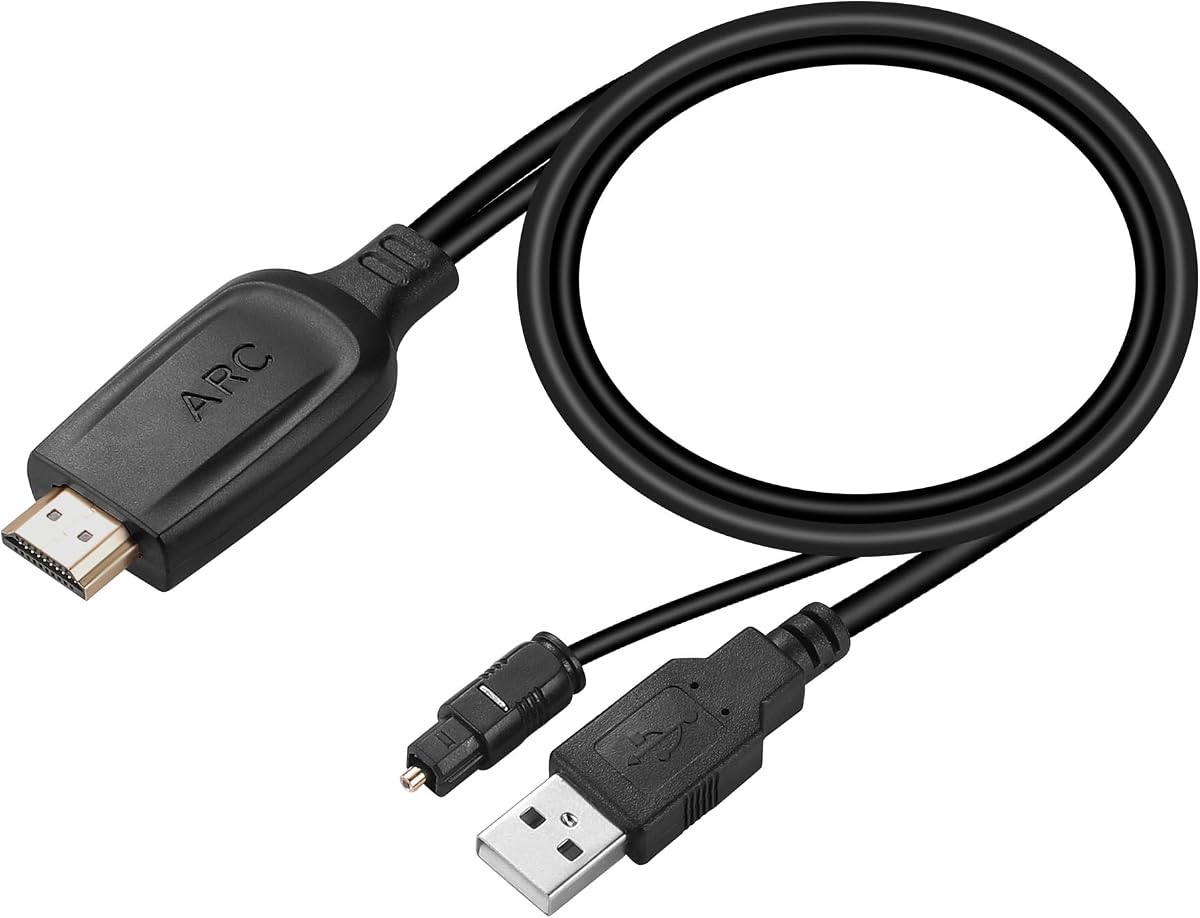
Unstincer HDMI ARC to Optical Audio Converter
4.2Editor score
24-bit and 192kHz support
Integrated 41-inch optical cable
USB-powered ARC converter
Multiple TV audio formats
This HDMI Arc Adapter for Soundbar guide compares 10 options for output formats, audio support, ease of setup, and compatibility.
An HDMI Arc Adapter for Soundbar bridges a television's ARC or eARC connection and an audio system that expects a different signal. The right adapter can restore access to TV movies, broadcasts, and streaming apps through optical, coaxial, or analog stereo connections.
We compared these ten adapters using the information supplied for each product, focusing on TV-side compatibility, supported outputs, audio formats, sampling rates, included cables, power requirements, and practical limitations. The list covers dedicated optical converters as well as models that add 3.5mm or RCA-style stereo outputs.
Each review explains the strongest reasons to consider a particular model and any constraints that shoppers should understand before buying. Ratings reflect the supplied customer feedback, while product details may change and current prices should always be checked with the retailer.
4.2Editor score

4.9Editor score

4.3Editor score
The comparison below highlights each adapter's TV connection, audio outputs, stated format support, resolution, and practical setup considerations so buyers can identify the most suitable model for their television and soundbar.


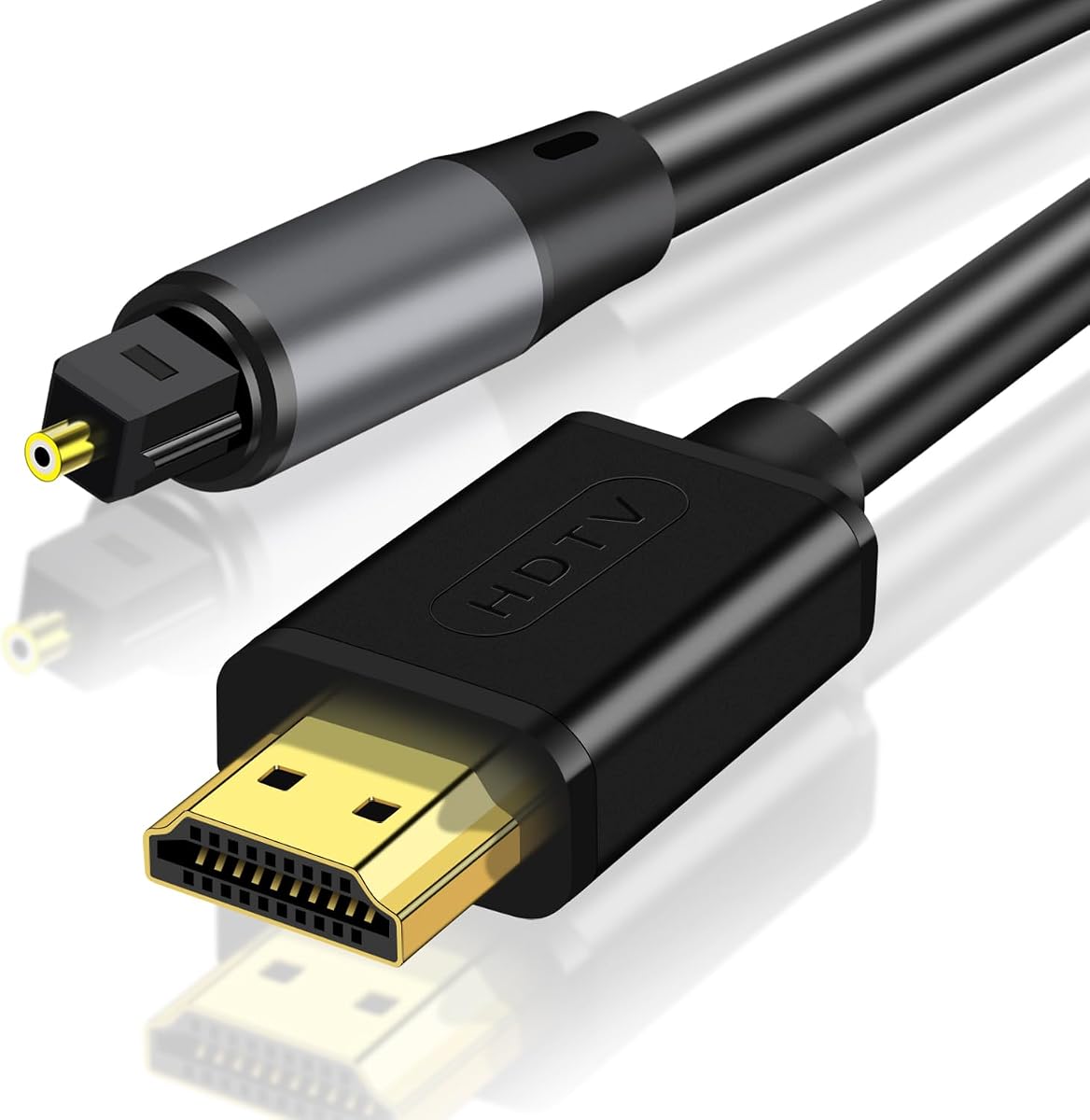
The eSynic Professional eARC and ARC to Optical Audio Extractor is a purpose-built solution for connecting a television's return-audio port to a soundbar, amplifier, or wireless headphone base with an optical input. Its supplied rating is 4.3, and its strongest qualities are a dedicated optical output, support for both ARC and eARC television connections, and a 24-bit/192kHz stated sampling capability.
We may earn a commission when you buy through this link, at no additional cost to you.
The included package is designed to reduce setup friction. It comes with the extractor, an optical cable, an HDMI cable, and a USB power cable. The installation path is straightforward: connect the television's eARC or ARC-labeled HDMI port, supply power through USB, and connect the optical output to the audio device. A status LED provides a visible indication of power and signal.
There are important trade-offs. Optical audio cannot carry HDMI-CEC control commands, so the television remote will not adjust the soundbar's volume. The television must also have a genuine ARC or eARC port and appropriate settings, while a standard HDMI input will not work. Buyers who require television-remote volume control should look for a soundbar with native ARC or eARC support instead.
This is a strong recommendation for owners of an optical-only soundbar who want a focused connection rather than a collection of unused analog outputs. It also suits modern televisions that lack a built-in optical jack. For the cleanest integration, choose it when a single dependable optical link and straightforward accessories matter more than remote-control convenience.
The adapter concentrates on converting the television's ARC or eARC signal into a clean Toslink optical output. That makes it a sensible bridge for legacy soundbars and headphone bases that lack modern HDMI return-audio inputs.
Bundled HDMI, optical, and USB cables cover the essential connections. After configuring the television, most users can complete the installation without additional software, drivers, or complex menus.
We may earn a commission when you buy through this link, at no additional cost to you.
This HDMI ARC Audio Extractor stands out for offering more ways to connect an ARC-enabled television to external audio equipment. It provides L/R stereo, a 3.5mm headphone-style output, and an optical output, making it more versatile than converters designed exclusively around digital audio. Its supplied rating is 4.1.
We may earn a commission when you buy through this link, at no additional cost to you.
The product is aimed at televisions without a convenient analog output. It can feed powered speakers, amplifiers, soundbars, and other stereo equipment through its L/R and 3.5mm connections. Sampling rates listed in the supplied information include 32kHz, 44.1kHz, 48kHz, 96kHz, and 192kHz, while the aluminum housing is intended to aid heat dissipation.
Its biggest limitation is audio-format handling. The converter is not described as an HDMI surround decoder and does not support raw 5.1 or 7.1 inputs such as DTS or DSD. The television should be set to PCM 2.0, particularly when using the analog outputs. Like the other optical alternatives in this guide, it lacks built-in CEC and therefore cannot provide television-remote volume control.
Choose this model when flexibility across optical, L/R, and 3.5mm connections is the priority. It is less suited to a setup that expects raw DTS or DSD to be decoded by the adapter. For straightforward stereo use, however, the three available outputs make it a practical and adaptable choice.
The simultaneous L/R and 3.5mm outputs allow one television feed to serve different analog audio systems. Optical output is also provided, giving the adapter broader usefulness than a basic analog converter.
Setting the television to PCM 2.0 is the most reliable route for stable analog output. Users expecting the adapter itself to decode raw DTS or DSD surround streams should choose a different solution.
We may earn a commission when you buy through this link, at no additional cost to you.
The HDMI eARC to Optical Audio Converter is a well-rounded digital audio bridge for televisions with ARC or eARC and audio equipment with an optical input. Its supplied rating is 4.4, placing it among the better-rated options in the group, while the included accessories help simplify a first installation.
We may earn a commission when you buy through this link, at no additional cost to you.
The converter supports 24-bit/192kHz audio and is described as compatible with major television brands such as Samsung, LG, and Sony, as well as soundbars, amplifiers, and powered speakers that have optical inputs. Its package includes an HDMI input connector, a digital optical cable, and a 5V USB power cable. Power can come from a television USB port or a suitable adapter.
As with the other optical converters, television-remote volume control is unavailable because optical links do not carry CEC. Correct setup also matters: CEC should be enabled, eARC should be selected when the television supports it, the output should be assigned to an ARC device, and the audio format must be compatible with the connected equipment. These are manageable settings, but they require attention.
This converter is a good general recommendation for a TV-to-soundbar arrangement that needs digital audio and does not depend on remote-control commands. It is especially useful when a new television has replaced an older one with a built-in optical output. Buyers should still verify the physical ports and television audio menus before ordering.
Toslink output allows the television's ARC signal to reach amplifiers, active speakers, and older soundbars that lack a modern HDMI audio return input. The result is a straightforward way to preserve a capable external audio system.
The supplied HDMI connection, optical cable, and USB power lead cover the principal installation requirements. A television with an ARC or eARC-labeled port remains the essential compatibility condition.
We may earn a commission when you buy through this link, at no additional cost to you.
The Unstincer HDMI ARC to Optical Audio Converter is a focused solution for an ARC-equipped television and an optical-input soundbar or speaker system. It has a supplied rating of 4.2 and an integrated 1.05-meter, or 41-inch, optical cable, reducing the need to find a separate cable of the correct length.
We may earn a commission when you buy through this link, at no additional cost to you.
Its stated 24-bit/192kHz sampling support makes it suitable for users who want a digital link rather than a basic stereo conversion. The television can be configured for PCM, LPCM, Dolby, or DTS 5.1, provided the connected sound system can decode the selected format. A USB cable supplies power, and an LED lights when the HDMI connection is active.
The model is limited to televisions with an ARC interface, making it less versatile than adapters that expressly support eARC. It also cannot pass CEC commands through the optical output, so volume must be adjusted on the soundbar or other playback device. Those limitations are common in this category, but they matter to users accustomed to controlling everything from the television remote.
This is an attractive choice for a simple TV-to-soundbar installation where ARC is available and the integrated cable length suits the furniture arrangement. It is particularly useful in home theaters, conference rooms, and other installations that need a dependable optical conversion without extra software or configuration complexity.
The built-in 41-inch optical cable simplifies placement around a television stand. It is particularly helpful when the soundbar sits directly below the screen and a very short digital lead would be preferable.
PCM and LPCM provide the most broadly compatible starting point. Dolby or DTS 5.1 can be used when the television and external audio system support the same codec, but the adapter is not a substitute for a full surround decoder.
We may earn a commission when you buy through this link, at no additional cost to you.
The VPFET HDMI eARC Audio Extractor is designed to convert a television's ARC or eARC audio into optical and coaxial digital outputs. Its supplied rating is 4.1, while the combined Toslink and coaxial connections make it a useful option for amplifiers, DACs, powered speakers, and headphone amplifiers that use either interface.
We may earn a commission when you buy through this link, at no additional cost to you.
The adapter supports up to 24-bit/192kHz according to the supplied information and includes an independent ARC/eARC status indicator. It can run from 5V power and operates without complicated software. The package contains the converter, a Type-C power cable, a 19+1-pin HDMI cable, an optical audio cable, and a user manual.
The product is specifically limited to an HDTV's ARC or eARC port rather than general HDMI sources, so it should not be treated as an all-purpose HDMI switch or converter. It also lacks CEC volume control. Some televisions require users to enable eARC and disable the built-in television speakers, while others do not return volume-control commands over ARC at all.
This is a strong recommendation for a home theater system that benefits from both optical and coaxial options. It is especially useful when one television must feed multiple types of digital audio equipment. The main prerequisite is a compatible television port and a willingness to manage volume from the audio device.
Simultaneous Toslink and coaxial output increases compatibility with legacy and modern audio equipment. This is useful for installations where one device is connected by optical audio and another receives a coaxial feed.
The dedicated ARC/eARC indicator helps distinguish an active return-audio connection from a basic powered state. This makes initial troubleshooting more direct when the television is not sending the expected signal.
We may earn a commission when you buy through this link, at no additional cost to you.
The 192kHz HDMI eARC to Optical Audio Adapter offers a longer, 6.6-foot design for connecting an ARC or eARC television to an optical soundbar, amplifier, or powered speaker. It carries a supplied rating of 4.2 and supports 24-bit/192kHz audio according to the listed specifications.
We may earn a commission when you buy through this link, at no additional cost to you.
Its primary practical benefit is placement flexibility. A longer integrated lead can reach a soundbar or media cabinet positioned farther from the television, reducing the need for additional extension cables or awkward routing. Setup is described as plug-and-play, with a USB power connection and no software to install.
The supplied information contains an important format warning: the adapter does not support Dolby Atmos or 5.1/7.1 PCM multichannel formats. Dolby or DTS 5.1 can be used only when the television and connected sound system both support the relevant format. Optical connections also cannot carry CEC, so television-remote volume control will not work.
This adapter is best for a two-channel or otherwise compatible digital-audio setup where placement distance matters. It is not the right choice for someone expecting the adapter to decode Atmos or convert advanced multichannel PCM into a format a soundbar can use. Checking the soundbar's supported inputs remains essential.
The 6.6-foot lead is useful when the television and soundbar are separated by a wider console or wall-mounted arrangement. It can reduce cable strain and make a cleaner installation more practical.
The stated lack of Dolby Atmos and multichannel PCM support narrows the adapter's appeal. Buyers should confirm that their content and soundbar operate comfortably within the supported digital formats before purchasing.
We may earn a commission when you buy through this link, at no additional cost to you.
The HDMI ARC to Optical Audio Adapter for TV Soundbar is the standout choice in this group based on its supplied 4.9 rating. It is designed for televisions with a conventional HDMI ARC port and audio systems with a Toslink optical input, making it a practical bridge when a soundbar lacks native HDMI return-audio support.
We may earn a commission when you buy through this link, at no additional cost to you.
The product information lists decoding for PCM, LPCM, AAC, DSD, Dolby 2.0, Dolby 2.1, Dolby 5.1, and DTS 5.1, with 24-bit/192kHz sampling. These are stated capabilities rather than independently verified test results, but the broad format list distinguishes the product from simpler converters that require PCM 2.0. It also includes a 4.9-foot optical cable and uses gold-plated HDMI and optical connectors.
Setup is described as requiring only an HDMI connection, optical link, and USB power. LED lights indicate power and signal status. One important limitation is explicit: despite its product title, the supplied information says the adapter is not compatible with HDMI eARC. It also cannot deliver television-remote volume control through the optical connection.
This is the top general recommendation for a shopper whose television has ARC but whose soundbar or receiver needs optical audio, particularly when broad stated codec support is important. Buyers with eARC-only behavior or a strong requirement for remote-control functions should verify those limitations before ordering. Otherwise, its high rating, included cable, and broad compatibility make it a well-rounded option.
The stated support for PCM, AAC, DSD, Dolby, and DTS formats gives users more ways to configure television audio than a PCM-only converter. The receiving sound system must still support the selected surround format for proper playback.
Gold-plated HDMI and optical connectors are intended to maintain a clean connection and resist corrosion over time. The included 4.9-foot optical lead provides enough reach for common television-console layouts.
We may earn a commission when you buy through this link, at no additional cost to you.
The LiNKFOR HDMI eARC ARC to Optical Audio Converter combines support for conventional ARC and eARC television ports with a digital optical output. Its supplied rating is 4.4, and the product information highlights 24-bit/192kHz sampling along with PCM 2.0, Dolby 5.1, and DTS 5.1 support.
We may earn a commission when you buy through this link, at no additional cost to you.
It is described as a no-software, no-driver device intended for soundbars, home theater systems, and wireless headphones with compatible digital audio bases. The converter is suitable for everyday television viewing, streaming, gaming consoles, and sports content where a synchronized digital connection is desired. The supplied information also says CEC should be enabled specifically for ARC televisions to activate HDMI features.
CEC does not carry through the optical output, so users cannot adjust the playback device's volume with the television remote. Dolby and DTS 5.1 also depend on the receiving equipment being able to decode the selected format. These are not unusual limitations in an ARC-to-optical bridge, but they should be understood before installation.
This converter is a good recommendation for a user with an eARC television and an optical-input soundbar who wants stated support for common surround codecs. It is less suitable when television-remote volume control is a non-negotiable requirement. Checking both endpoints' supported formats remains the most important preparation.
Supporting both television return-audio standards widens the pool of compatible televisions. It also reduces the chance that a shopper will need to determine whether a particular labeled HDMI port behaves as ARC or eARC.
The converter can carry stated Dolby and DTS 5.1 signals, but the final soundbar or receiver must understand the same format. Setting the television to a compatible output and testing with several content sources helps confirm the complete chain.
We may earn a commission when you buy through this link, at no additional cost to you.
The HDMI ARC Audio Converter provides both Toslink optical and 3.5mm AUX outputs, allowing an ARC television to feed digital soundbars, legacy optical equipment, amplifiers, and headphones. Its supplied rating is 4.3, and the combination of outputs makes it appealing for temporary personal listening as well as permanent home theater use.
We may earn a commission when you buy through this link, at no additional cost to you.
The product information states support for PCM 2.0 and 5.1-channel surround sound at up to 192kHz/24-bit. The note specifically states that 5.1 support applies to the SPDIF optical or coaxial output, while the 3.5mm connection is intended for stereo use. A USB power cable and HDMI 2.0 cable are included, reducing the need for extra accessories.
The television's volume buttons will not function through the adapter, so sound must be adjusted from the connected soundbar or playback device. For analog use, the television should output PCM, while digital equipment may offer more options. The converter does not require drivers or complex software, but the television must still have a compatible ARC port and the correct output setting.
This is a strong pick for a user who wants one adapter to serve both a soundbar and a pair of headphones, or who needs a compact analog option in addition to optical audio. It is less suitable when the main goal is to preserve a full television-remote control experience, because CEC volume control is not available.
Optical output suits a permanent soundbar connection, while the 3.5mm jack provides a convenient route to headphones or a compact amplifier. The included 3.5mm connection can also make evening viewing less disruptive.
Use PCM 2.0 for the analog connection and compatible surround formats for the digital output. This distinction helps prevent unnecessary troubleshooting when a multichannel signal is sent to a stereo-only device.
We may earn a commission when you buy through this link, at no additional cost to you.
The 192KHZ HDMI eARC to Optical Audio Adapter is a 6.6-foot HDMI-to-optical bridge for televisions with ARC or eARC and sound systems with a Toslink input. It has a supplied rating of 4.2 and states support for 24-bit/192kHz digital audio, offering a conventional route from modern television return audio to older external equipment.
We may earn a commission when you buy through this link, at no additional cost to you.
The extended cable is intended to make placement easier when the television and soundbar are not directly adjacent. The adapter is described as plug-and-play and works without software, but it still requires USB power. The television should be set to an ARC device as the output, and the audio format should be PCM or a compatible Dolby or DTS 5.1 stream.
The supplied information warns that Dolby Atmos, 5.1 or 7.1 PCM multichannel formats, CEC volume control, and some other advanced audio configurations are not supported. Dolby and DTS 5.1 require matching support in the connected sound system. If there is no sound, the suggested troubleshooting is to restart the television and audio equipment after changing settings.
This model is a sensible option for a straightforward digital connection with more cable reach than a short integrated lead. It is best suited to users who do not need Atmos or multichannel PCM and are comfortable adjusting volume on the soundbar. Verify the soundbar's optical specifications and the television's menus before purchase.
The 6.6-foot lead can simplify connections across wider media furniture or wall-mounted television arrangements. It reduces the need to search for a separate optical cable of a comparable length.
The adapter is oriented toward compatible digital audio rather than advanced home theater decoding. Its limitations make it more suitable for conventional soundbar use than for Atmos-focused installations.
We may earn a commission when you buy through this link, at no additional cost to you.
Choosing an HDMI Arc Adapter for Soundbar requires matching the television's return-audio capability, the soundbar's available input, the desired audio format, and the control method. These factors determine whether an adapter will work smoothly or introduce avoidable setup problems.
The most important requirement is a television with a working HDMI port labeled ARC or eARC. A conventional HDMI port may carry video and accept a television signal, but it does not automatically send that audio back to an adapter. Consult the television manual or inspect the port labels, then look for an ARC, eARC, or audio-return designation. Some models also require HDMI-CEC or a related setting to be enabled.
In short, verify the return-audio label before buying any adapter in this guide.
Next, examine every input on the soundbar or receiver. Toslink optical is common on older and midrange systems, while some modern soundbars accept HDMI eARC or ARC directly. A converter is unnecessary when the soundbar already supports the television's return-audio protocol. It is valuable when the soundbar has only optical, coaxial, 3.5mm, or L/R analog inputs and the television lacks a matching output.
Choose an adapter whose output interface physically matches the soundbar's available input.
Digital audio support varies significantly. Many inexpensive converters require PCM 2.0 because they do not decode raw DTS or DSD streams. Other products state support for Dolby 5.1, DTS 5.1, AAC, DSD, or additional formats, but the receiving soundbar must decode the same format. A TV-to-adapter-to-soundbar chain can fail when the first device sends a codec the last device cannot interpret, even if each individual product is compatible.
Prefer a converter whose stated formats match those supported by the complete audio system.
Most of the products in this roundup state support for 24-bit/192kHz sampling. That figure describes the converter's advertised signal handling, not a guarantee that every television service, codec, or soundbar will output a 192kHz stream. Practical audio quality also depends on the source format, television settings, and playback device. A higher advertised sampling rate does not transform standard content into a different resolution or add unsupported surround channels.
Treat sampling figures as compatibility information, then prioritize correct format and endpoint support.
Optical and basic analog audio links do not carry HDMI-CEC, the control system that lets a television remote adjust a connected soundbar's volume. Most converters in this guide therefore require volume changes on the soundbar itself. If television-remote volume control is essential, verify that the soundbar supports the same ARC or eARC protocol as the television and connect them directly. An adapter should be chosen with the understanding that it mainly solves signal compatibility, not control commands.
If remote volume control matters, a direct native HDMI connection is preferable.
Many converters require three physical links: an HDMI cable from the television, an optical or analog cable to the audio device, and a USB power connection. Some products bundle all three, while others include only selected accessories. The 6.6-foot and 4.9-foot designs in this list may suit wider furniture arrangements, whereas integrated 41-inch cables are convenient for a soundbar positioned directly beneath the television. Measure the intended route before ordering.
List the cables you already own and measure the setup before relying on included accessories.
Most active converters need external power because they include a signal-processing chip and digital output circuitry. A USB television port may be sufficient, but some televisions do not provide enough current or switch off unused ports. A suitable 5V USB charger is a more dependable alternative and is often already included. Confirm the adapter's power requirement and use a stable source that remains active while the television and soundbar are on.
Choose a reliable USB power source to prevent intermittent shutdowns or missing audio.
LED indicators can show whether an adapter is powered and whether it recognizes the television's ARC signal. That small feature can save considerable time when a setup does not produce sound. More status information is helpful, but it does not replace a careful television configuration. Before troubleshooting cables, confirm that CEC or ARC is enabled, the correct output device is selected, the television speakers are disabled if appropriate, and the format matches the soundbar.
Use status lights as an early diagnostic, then verify the television's audio menu.
Begin by identifying the television's ARC or eARC-labeled HDMI port. Connect the adapter's HDMI input to that port using an appropriate HDMI cable, then connect its optical or analog output to the matching input on the soundbar, amplifier, or headphone base. Connect the USB power cable to the television or a suitable 5V power source before turning on the equipment.
On the television, enable HDMI-CEC or the equivalent ARC feature, select the ARC device as the audio output, and choose a format supported by the soundbar. PCM 2.0 is a common starting point for analog output, while digital equipment may also accept compatible Dolby or DTS signals. Disconnect the television's internal speakers if the manufacturer recommends it, and allow the television to restart when changing major audio settings.
Test the connection with several content types, including ordinary television programming, streaming video, and surround material if applicable. Keep the adapter unobstructed, route cables without sharp bends, and avoid placing the unit where it may overheat. If sound is missing, check the power light, television output selection, codec setting, cable connections, and the soundbar's input selection before changing any other components.
No. The television must have a working HDMI port labeled ARC or eARC, and the soundbar must have an input that matches the adapter's output. A standard HDMI port without return-audio support usually cannot feed audio to the converter. The television may also need CEC or ARC enabled in its settings.
Usually not. HDMI-CEC control signals travel over HDMI, while the adapters in this guide mainly convert audio to optical, coaxial, L/R, or 3.5mm connections. Those outputs cannot return volume commands to the television. You should plan to adjust soundbar volume with the soundbar's own remote, buttons, or app unless the soundbar has a native ARC or eARC input.
You may not. A soundbar with a compatible eARC or ARC input can usually connect directly to the television's matching HDMI port. An adapter is most useful when the soundbar only accepts optical, coaxial, 3.5mm, or analog audio, or when the television lacks a suitable direct connection. Check both devices' labels and manuals before purchasing.
First confirm that the HDMI cable is connected to an ARC or eARC port and that the adapter is powered. Next, select the ARC device as the television's audio output and choose PCM 2.0 or another format supported by the soundbar. Check that the correct soundbar input is selected, reconnect the cables, and restart both devices if necessary.
PCM 2.0 is the most broadly compatible choice, especially for analog or simple stereo systems. Models that explicitly decode Dolby or DTS can provide multichannel audio, but both the television and soundbar must support the selected format. Using a codec unsupported by the final playback device can result in silence, distortion, or an error message.
No. It indicates the converter's advertised maximum sampling capability, but the television must actually provide a signal at that resolution and the soundbar must support the resulting format. Most streaming services and television broadcasts may deliver lower-resolution audio. The practical benefit is broader signal compatibility rather than automatic sound-quality enhancement.
Some products can receive audio from compatible HDMI sources, but many of the converters in this guide are explicitly designed around a television's ARC or eARC return channel. The eSynic, for example, requires an ARC or eARC television port. Check the product's input requirements carefully, because an ordinary HDMI input may not behave like an ARC television output.
Disconnect power before cleaning the unit. Use a dry or lightly dampened soft cloth on the housing, and keep liquid away from the HDMI, optical, analog, and USB openings. Do not pull cables by their connectors or bend optical leads sharply. Store the adapter in a dry, ventilated place and inspect connections periodically if the system becomes intermittent.
The top recommendation is the HDMI ARC to Optical Audio Adapter for TV Soundbar because it combines the highest supplied rating with a broad stated format list, gold-plated connectors, status indicators, and an included 4.9-foot optical cable. The eSynic Professional extractor is an appealing premium-style alternative for buyers who value a dedicated optical pathway, ARC and eARC support, and a complete set of essential cables.
Prioritize the adapter that matches both endpoints rather than choosing solely by sampling rate. Confirm the television's ARC or eARC label, identify the soundbar's physical input, and check the audio formats supported by the entire chain. If television-remote volume control is important, a direct HDMI ARC or eARC connection will usually be better than any optical converter.
Finally, check current product details, included accessories, ratings, and prices at the retailer before ordering. Adapters are small but important parts of an entertainment system, and a few minutes of port and format verification can prevent a disappointing installation.