
Arteck Universal Multi-Device
4.2Editor score
Three-device one-key switching
Bluetooth and 2.4G connectivity
Touchpad with media hotkeys
Our Htpc Keyboard guide compares 10 wireless mini keyboards with touchpads, backlights, media controls, device switching, portability, and HTPC compatibility.
An HTPC keyboard combines compact typing, touchpad navigation, and media-friendly wireless controls in one couch-friendly device. A strong model should be easy to pair, responsive from across a room, comfortable for occasional typing, and compatible with the exact computers, streaming boxes, televisions, and operating systems you already use.
We compared all ten products by examining connection methods, touchpad behavior, backlighting, supported devices, portability, battery design, dedicated media controls, and practical compatibility notes. The guide covers USB-receiver, Bluetooth, and dual-mode designs, with particular attention to the devices and situations common in home media setups.
Each review identifies the strongest feature and any meaningful limitation so you can choose with confidence. The leading options differ in typing style, device switching, lighting, charging method, and connectivity. Prices and availability can change, so confirm the current listing and compatibility details before placing an order.
4.2Editor score

4.4Editor score
4.4Editor score
This side-by-side comparison highlights the main differences in connectivity, device switching, backlighting, battery power, portability, and platform support across all ten HTPC keyboards.




The Logitech K400 Plus earns a 4.4 rating and stands out as the most balanced option for people who want a straightforward way to control a PC connected to a television. It uses a familiar full-size layout rather than the extremely compressed arrangement found on many mini remotes, while integrating a touchpad and media-oriented controls into one housing.
We may earn a commission when you buy through this link, at no additional cost to you.
Its standout quality is the combination of comfort and endurance. The quiet keys are suitable for living-room use, the large touchpad makes menu navigation much easier than with a tiny directional pad, and the stated battery life reaches up to 18 months. Logitech includes an on/off button, and the supplied information identifies a wireless range of up to 33 feet. The spill-resistant design also adds useful protection in a shared household.
The main limitation is its dependence on Logitech's 2.4G Unifying receiver. It does not offer Bluetooth, so it cannot directly pair with a Bluetooth-only device, and the lighting is limited compared with the color-backlit Arteck models. It is also less attractive for users who need to move among several modern devices without reconnecting a USB receiver. Those restrictions are straightforward, however, and the long battery life reduces the inconvenience of keeping the receiver connected.
This is the strongest general recommendation for a PC-to-TV setup running Windows, Android, or Chrome OS. It suits viewers who type search terms regularly, navigate streaming interfaces, and want a familiar layout without managing another mouse. Choose it for simplicity, comfort, and dependable wireless operation; look to a dual-mode model if Bluetooth or rapid device switching is your top priority.
The full-size key arrangement and large integrated touchpad reduce the learning curve associated with miniature HTPC remotes. Quiet operation is especially helpful during evening viewing, while the touchpad provides a more natural way to move through menus, media libraries, and desktop interfaces.
A stated runtime of up to 18 months makes the K400 Plus appealing for users who do not want to recharge it frequently. The dedicated on/off control can extend that interval further, and the included Unifying receiver keeps setup simple through a familiar USB connection.
We may earn a commission when you buy through this link, at no additional cost to you.
The Arteck HB305-4B has a 4.1 rating and is the option to consider when colorful backlighting matters. It combines a compact keyboard, a touchpad, and dedicated media hotkeys in a package designed for televisions, computers, tablets, and other compatible HTPC equipment. Bluetooth connectivity gives it a cleaner setup than a USB-dongle-only design.
We may earn a commission when you buy through this link, at no additional cost to you.
The defining feature is its seven-color backlight, which offers two brightness levels and an automatic sleep function for power management. This makes the keyboard easier to see in a dark room without requiring the lighting to remain at maximum brightness. Media hotkeys provide faster access to common entertainment controls, while the supplied data lists a wireless range of up to 33 feet.
Compatibility is one of its strongest practical attributes. The stated support includes Windows 10, 8, and 7, Mac, Android, iPadOS, iOS, Chrome OS, desktop and laptop computers, iMac, MacBook, iPhone, tablets, Surface devices, and HTPC systems. The trade-off is that it does not list the three-device switching found in the Arteck HD197. The product also focuses on color lighting rather than a premium aluminum housing or extended battery specification.
Choose the HB305-4B for a Bluetooth-only media setup where adjustable appearance and quick media controls are priorities. It is particularly suitable for a dark living room and for users who want one controller across numerous compatible device categories. If you regularly alternate among three devices, the Arteck HD197 is the more flexible member of this range.
Seven LED color choices and two brightness levels let you match the keyboard to a room or television setup more easily than a standard unlit controller. Auto-sleep behavior helps limit unnecessary power use when the keyboard is not being actively used.
Bluetooth removes the need for a dedicated USB receiver and allows use with compatible computers, mobile systems, streaming platforms, and smart televisions. The broad platform list makes this a flexible choice for mixed-device households.
We may earn a commission when you buy through this link, at no additional cost to you.
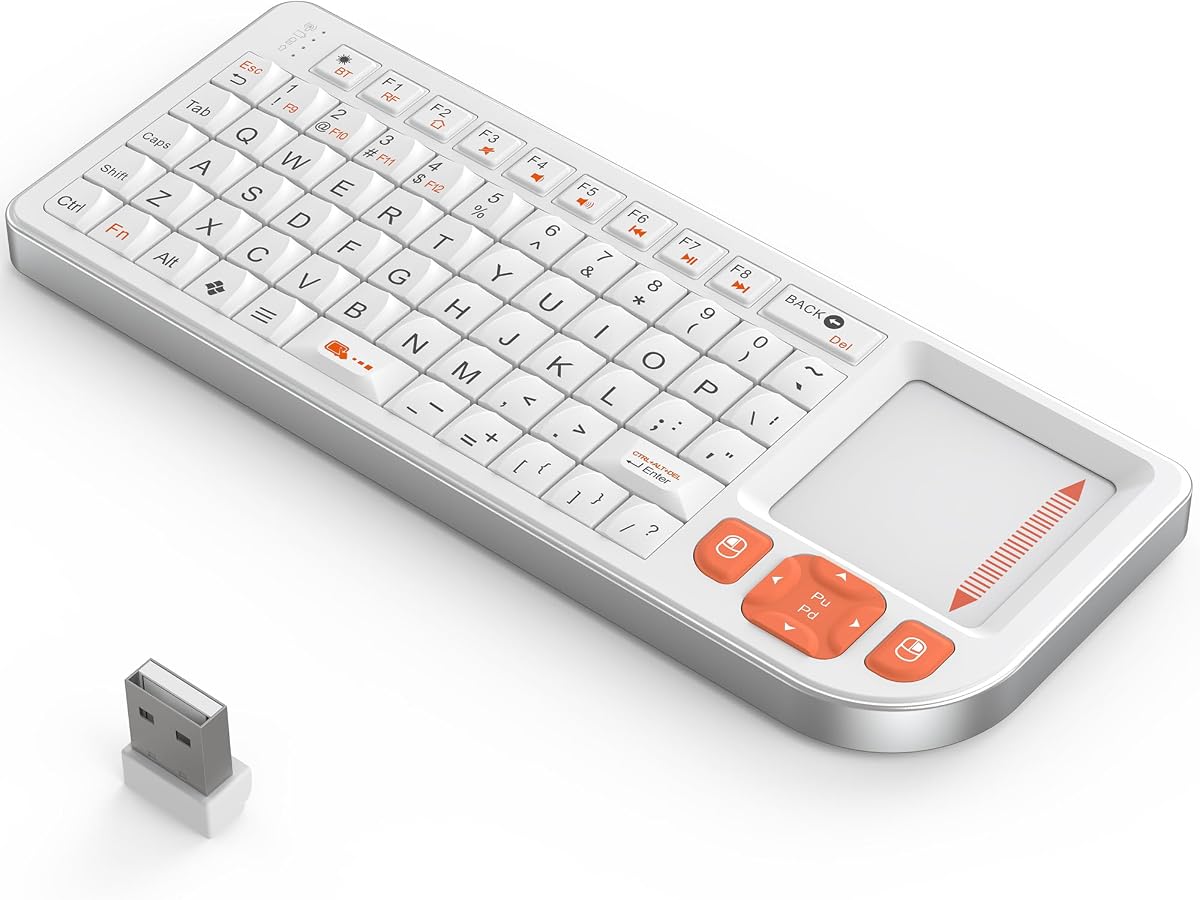
The Arteck HW197 carries a 4.2 rating and delivers a practical combination of a compact full-size keyboard, a touchpad, and a nano USB receiver. It is designed for TV-connected computers, smart TVs, and HTPCs, offering a more comfortable alternative to a television remote when searching, browsing, or entering account information.
We may earn a commission when you buy through this link, at no additional cost to you.
Its strengths are direct and practical. Setup requires inserting the nano receiver into an available USB port, after which the keyboard and trackpad can be used. Dedicated media hotkeys support entertainment navigation, and the supplied specifications cite a range of up to 33 feet. The package includes the receiver, two AAA batteries, a welcome guide, and a 24-month warranty.
The trade-offs center on its single-method design. Unlike the Arteck HB305-4B, it does not connect over Bluetooth, so it is limited to devices with an accessible USB port. It also does not provide quick switching among multiple computers or mobile devices. Despite the stainless appearance in its listing, the model's most obvious advantage remains affordability and straightforward operation rather than extensive connectivity.
This keyboard makes sense for a single-room HTPC or any computer that can accept the included USB receiver. It is a good fit for users who want tactile typing, a larger touchpad, media shortcuts, and dependable range without paying for Bluetooth. Those needing broader device flexibility should consider one of the dual-mode alternatives.
The included nano receiver makes the HW197 straightforward to deploy. Once the receiver is inserted into a compatible computer's USB port, the keyboard and integrated trackpad can be used without searching for a Bluetooth device in a menu.
Unlike a palm-sized remote, the design retains a recognizable keyboard arrangement. That balance of compact dimensions and familiar typing is useful for search fields, media titles, and other occasional text entry tasks.
We may earn a commission when you buy through this link, at no additional cost to you.
The Arteck HD197 has a 4.2 rating and is the leading choice for anyone who needs one controller across several HTPC-related devices. It can maintain connections to three devices at once: one through the 2.4G USB receiver and two through Bluetooth. A single key press switches among them, removing much of the friction associated with reconnecting a dedicated remote.
We may earn a commission when you buy through this link, at no additional cost to you.
Its versatility is the central advantage. The 2.4G mode suits computers and HTPCs that favor stable receiver-based control, while Bluetooth serves compatible smart TVs, tablets, phones, and laptops. The integrated touchpad supports menu navigation, and media hotkeys help with playback functions. A stated range of up to 33 feet provides ample reach for a living room, although Arteck notes that the result can be affected by the wireless environment.
As with many compact media controllers, some compromises come with portability. The layout is smaller than a conventional office keyboard, so extended typing remains less comfortable. Backlighting is not emphasized in the supplied specifications, making it less compelling for users who require illuminated keys in a dark room. The package includes a charging cable, nano receiver, guide, warranty, and customer service support.
The HD197 is best for households or individuals controlling a computer, television, and mobile device from different locations in the same room. Its one-key device switching is especially valuable if you frequently change sources or move between media applications. Choose it when connection flexibility matters more than illuminated keys or a full-size typing surface.
Maintaining two Bluetooth connections and one 2.4G receiver connection allows three systems to remain associated with the keyboard. A dedicated switching key makes moving between them quick and predictable, which is useful for comparing a television menu, a computer dashboard, and a tablet.
Bluetooth is valuable for compatible smart televisions and portable devices that do not offer a convenient USB port. The receiver remains useful for standard computers, giving the user both a direct wireless option and a familiar fallback.
We may earn a commission when you buy through this link, at no additional cost to you.
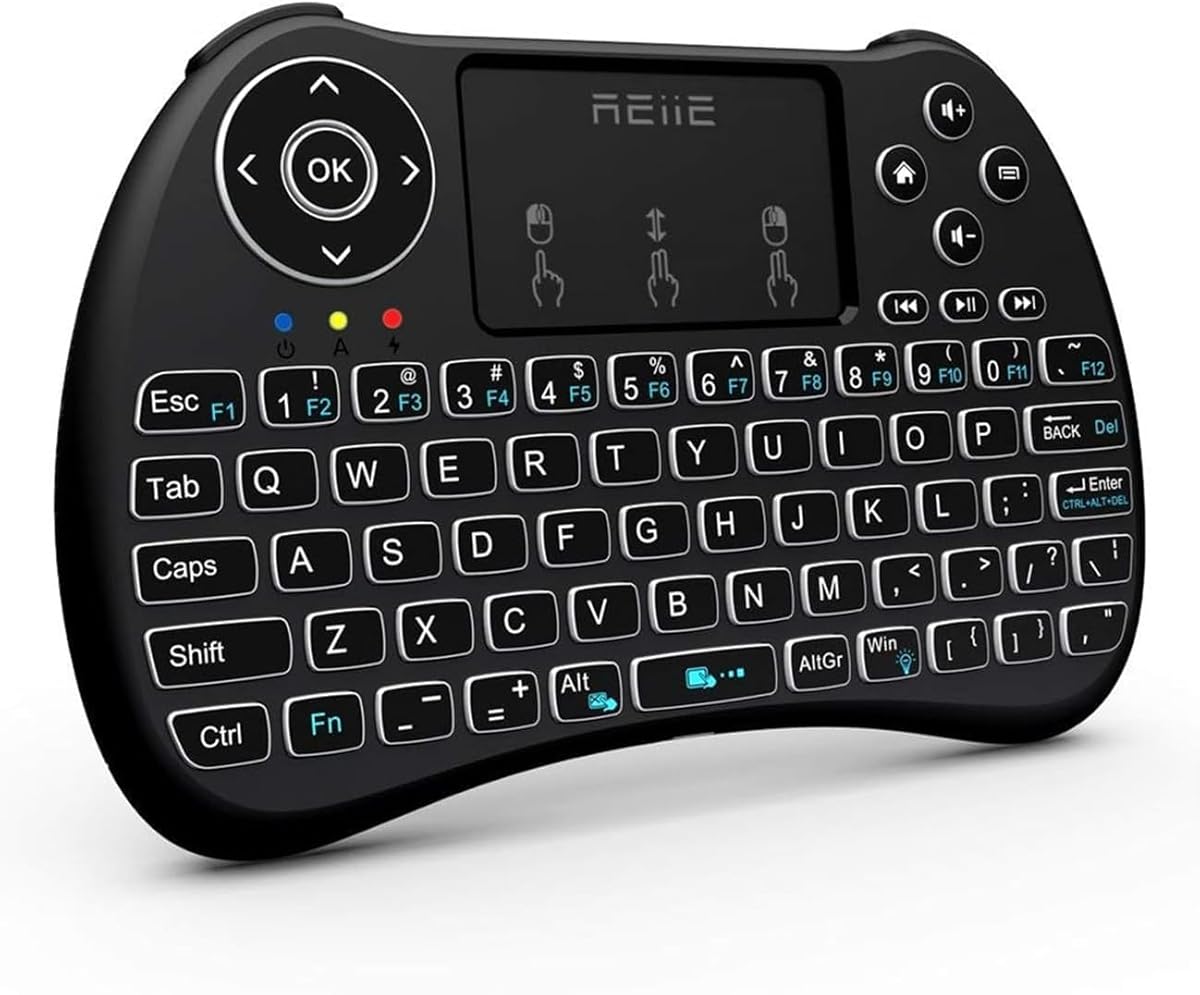
The REIIE H9+ Mini has a 4.3 rating and provides a palm-sized remote with a familiar twist. Rather than requiring users to hunt for miniature keys on a television remote, it combines a 73-key QWERTY layout, a multi-finger touchpad, and white backlighting in a handheld enclosure.
We may earn a commission when you buy through this link, at no additional cost to you.
The touchpad is more capable than a basic directional pad. A single-finger tap acts as a left click, two-finger tapping acts as a right click, and a two-finger drag scrolls. The keyboard can also be used for text entry, while the backlight is activated with a Fn and Windows key combination. Compatible applications include PCs, Raspberry Pi systems, tablets, smart TVs, and Android TV boxes.
The product's limitations are clearly stated. It uses 2.4G technology and requires a USB receiver, with no Bluetooth support. The supplied instructions also advise charging the batteries for one hour before first use and warn that a low battery can cause unstable pairing. Its compact shape may be excellent for handheld control but less suitable for long documents.
Choose the H9+ Mini if you want something closer to a remote than a keyboard while retaining the ability to type. It is particularly useful with Raspberry Pi, Android TV Box, and compatible PC projects where navigation and search entry are both common. Verify that your device has an accessible USB port before choosing this receiver-based design.
The handheld housing is designed to be picked up and operated from the couch rather than placed on a desk. Its compact dimensions make it easy to hold in one hand while navigating menus or tapping the touchpad with a thumb.
The white LED backlight helps users locate keys in a dark room without forcing full room lighting. Since the keyboard includes actual letter keys as well as a touchpad, it can handle searches and short text entries that would be tedious on a standard remote.
We may earn a commission when you buy through this link, at no additional cost to you.
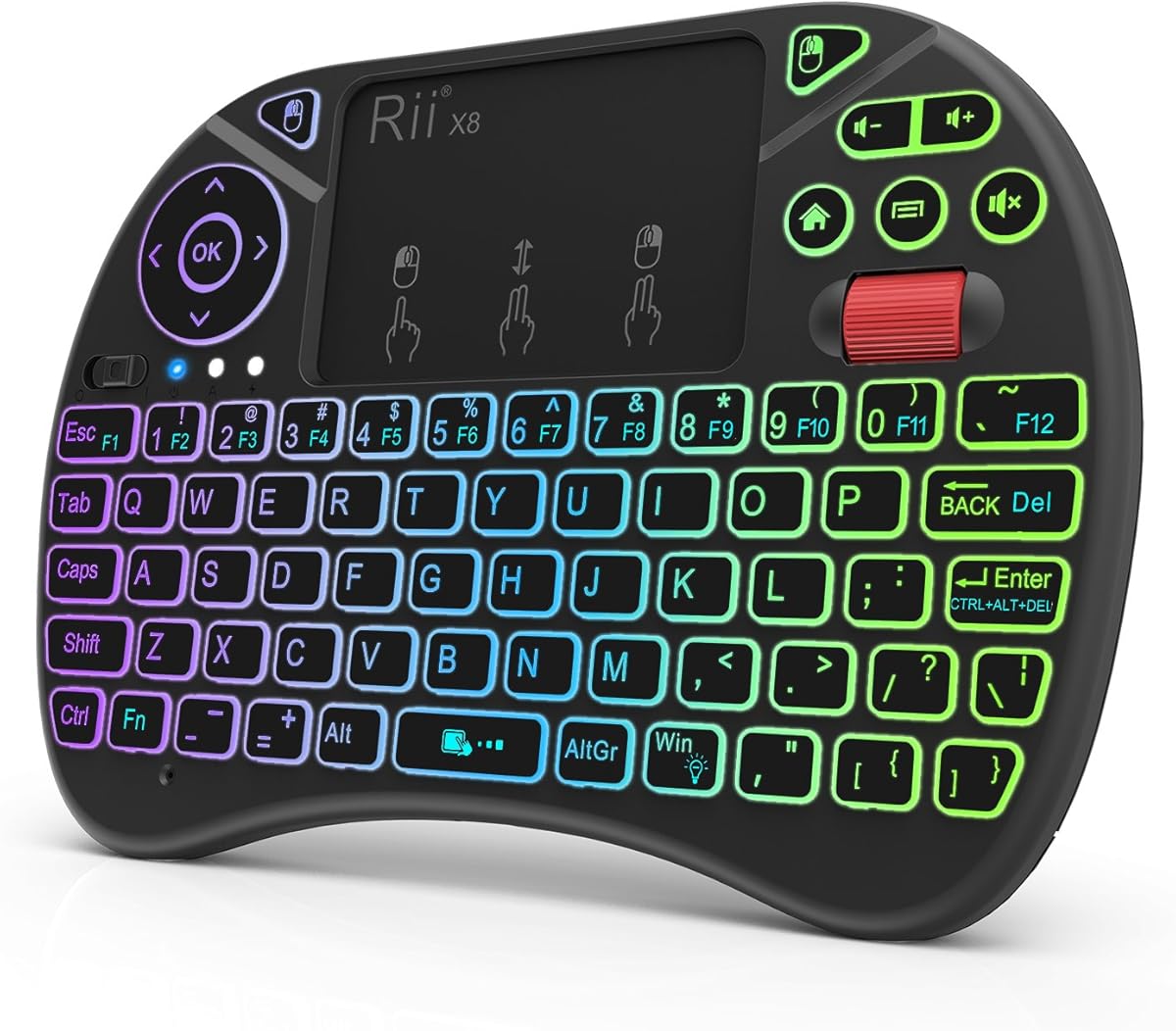
The Rii X8 Mini carries a 4.2 rating and is built for Android TV boxes, HTPCs, PCs, and Raspberry Pi systems. It pairs a compact QWERTY keyboard with a multi-touch mouse pad, a scroll wheel, dedicated left and right buttons, media keys, and eight-color RGB lighting. The result is closer to a portable computer controller than a minimalist television remote.
We may earn a commission when you buy through this link, at no additional cost to you.
The expanded pointing controls give it a clear advantage for dense media interfaces. Users can move the pointer with one finger, use the scroll wheel for longer lists, and access the physical mouse buttons without relying entirely on hidden gestures. A rechargeable lithium-ion battery removes the need for routine disposable battery replacement, and the included USB cable handles charging.
The central caveat is 2.4GHz-only connectivity through the supplied USB dongle. It cannot pair directly over Bluetooth. The product information also notes that Amazon Fire TV 4K and Fire Stick users need a Micro USB host OTG cable, because those devices do not provide the expected direct USB host arrangement. That adapter requirement may be inconvenient for some streaming setups.
The X8 Mini is a solid choice for an Android TV Box or Raspberry Pi installation that values navigation controls and colorful lighting. It also works as a compact keyboard for a regular PC. Choose it when the included scroll wheel and button layout matter, and confirm that your streaming device supports the appropriate connection method before purchase.
The integrated touchpad, scroll wheel, and separate mouse buttons closely reproduce the movements users expect from a desktop setup. This can make settings pages and media libraries easier to explore than with a remote limited to directional navigation.
Eight RGB colors allow the controller to match a viewing environment, while the built-in rechargeable lithium-ion battery simplifies long-term use. The package includes the keyboard, dongle, manual, charging cable, and lithium polymer battery.
We may earn a commission when you buy through this link, at no additional cost to you.
The Rapoo E900T has a 3.8 rating, the lowest among these selections, but it offers one of the broadest device-management features. It supports Bluetooth 5.0, Bluetooth 4.0, and 2.4GHz connectivity, with the ability to connect across up to four devices running Windows, Mac, Chrome, or Android.
We may earn a commission when you buy through this link, at no additional cost to you.
Its portability is another major strength. The keyboard measures 11.09 inches long and only 0.15 inches thick, allowing it to fit closely alongside a tablet without adding substantial bulk. The integrated touchpad supports multi-finger gestures on both Windows and Mac, with dedicated Fn combinations used to enter the appropriate operating-system mode. Multimedia hotkeys provide quick access to playback and volume controls.
Its 3.8 rating means it does not lead the field in customer satisfaction, and the supplied data does not highlight illuminated keys or premium construction. The claimed battery duration of up to 13 months depends on whether one or two AAA batteries are used, while the package includes two batteries. Device support also depends on the correct Bluetooth profile or an available USB-A port.
The E900T is well suited to people who alternate among a PC-connected television, tablet, Steam Deck, gaming console, Raspberry Pi, or mini PC. It is particularly attractive for travel, school, or office use where a full-size keyboard is impractical. Choose it for four-device support and an exceptionally thin body, while recognizing that it lacks the color backlighting emphasized by some competitors.
Supporting up to four associated devices makes the E900T useful for mixed-platform setups. Bluetooth serves modern portable systems, while the 2.4GHz receiver provides a familiar alternative for computers with a USB-A port.
The touchpad supports multi-finger movements in Windows and Mac environments. Users can switch modes with Fn+W or Fn+Q, avoiding the need for a separate mouse while adapting navigation behavior to the connected system.
We may earn a commission when you buy through this link, at no additional cost to you.
The K809 Mini Keyboard has a 4.2 rating and distinguishes itself with a high-grade aluminum alloy frame. At 152 by 60 by 11 millimeters and just 86 grams, it is designed to feel like a premium portable accessory while remaining small enough for a pocket, backpack, or travel kit.
We may earn a commission when you buy through this link, at no additional cost to you.
It supports Bluetooth 5.0 and 2.4GHz connectivity, allowing it to work with Windows PCs, MacBooks, iPads, Android tablets, smartphones, HTPCs, IPTV systems, Amazon Fire Sticks, and smart TVs according to the supplied compatibility information. The setup is described as plug-and-play without drivers or software, while the 1000mAh rechargeable battery avoids routine battery replacements.
The main limitation is its compact layout. At only 60 millimeters wide, the keyboard is best suited to navigation, short searches, and light typing rather than long-form documents. The supplied information also does not mention illuminated keys, despite the inclusion of an aluminum frame and modern rechargeable design. The K809 does not advertise the same multi-device count as the Rapoo or Arteck HD197.
Choose the K809 when portability, material quality, and flexible connections matter most. It is a convincing travel companion for an HTPC, Raspberry Pi, tablet, or small computer, and its understated dimensions can leave more room on a coffee table or media shelf. Users who need extensive typing should test the compressed keys before committing.
The aluminum alloy middle frame creates a sturdier appearance and feel than an all-plastic mini keyboard. Its scratch-resistant and fingerprint-proof surface is also practical for a portable device that will be handled repeatedly in a living room, office, or on the road.
Bluetooth 5.0 keeps USB ports free on compatible laptops, tablets, and phones, while the 2.4GHz receiver supports devices without Bluetooth. The no-driver approach means users can select a connection method and begin typing without installing extra software.
We may earn a commission when you buy through this link, at no additional cost to you.
The Fosmon Mini Touchpad Mouse has a 4.0 rating and offers a balanced mix of compact typing, touchpad navigation, wireless flexibility, and backlighting. Its stated device coverage includes Apple TV, Amazon Fire Stick, Google TV, PlayStation 4, PlayStation 4 Pro, PlayStation 5, HTPC and IPTV systems, virtual reality headsets, smartphones, notebooks, and laptops.
We may earn a commission when you buy through this link, at no additional cost to you.
The keyboard connects through either 2.4GHz with a nano USB dongle or Bluetooth, with a listed working range of approximately 33 feet. Its rechargeable lithium-ion battery provides up to 10 days of continuous working time and up to 50 days of standby according to the product information. LED indicators communicate charging status, and a backlit layout improves visibility in darker environments.
There are important caveats. Fosmon explicitly states that the keyboard is not compatible with Xbox series consoles. It also warns that compatibility with every smart television cannot be guaranteed, so buyers should verify that their television supports Bluetooth. Although the product lists broad categories of compatible hardware, individual platforms and interfaces can still behave differently.
This is a compelling option for mixed entertainment systems, especially when both backlighting and dual-mode connectivity are priorities. It fits an HTPC, Fire Stick, compatible television, laptop, or phone without taking up much room. Choose it for its broad device list and rechargeable design, but verify television and console compatibility before ordering.
Backlighting makes the compact keys easier to locate while watching in a dark room. The ability to use both 2.4GHz and Bluetooth expands its reach across HTPCs, streaming devices, mobile hardware, and compatible smart televisions.
The built-in lithium-ion battery is charged through the included USB-C cable. Indicators show when power is low or fully charged, while the stated 10-day continuous-use figure makes the controller practical for regular media sessions.
We may earn a commission when you buy through this link, at no additional cost to you.
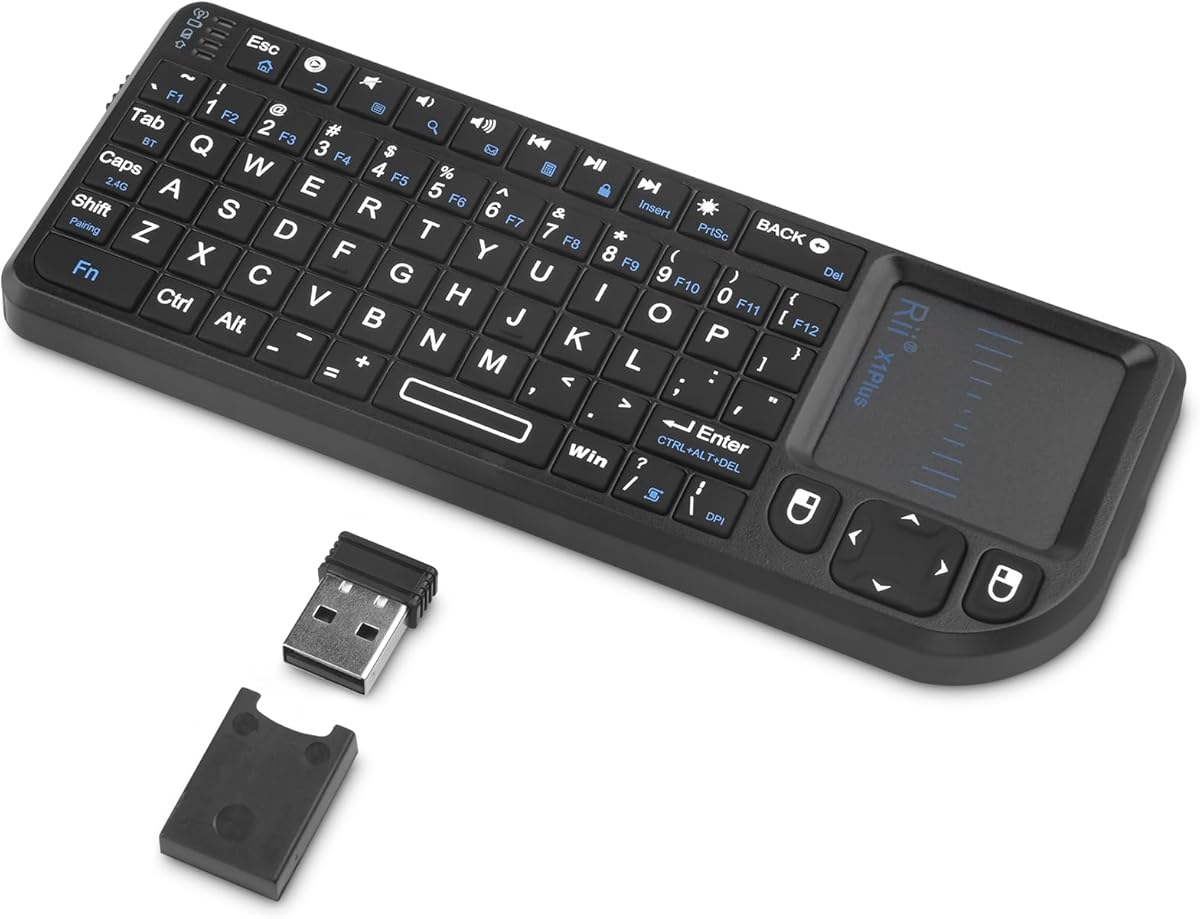
The Rii Mini 2.4G Bluetooth Keyboard has a 4.4 rating and offers a compelling combination of compact size, backlighting, rechargeable power, and two-device flexibility. It connects through Bluetooth for compatible smart TVs, tablets, projectors, Android boxes, and Fire Sticks, or through its 2.4GHz USB receiver for devices that lack Bluetooth.
We may earn a commission when you buy through this link, at no additional cost to you.
Its stated 33-foot range makes it suitable for navigating a living room from the couch. The keyboard and touchpad operate as a three-in-one controller for media navigation, slides, and short typing tasks. A built-in 500mAh battery provides more than 30 days on a single charge according to the supplied information, and USB-C charging provides a modern connection method.
The trade-offs are typical of a mini controller. Its roughly smartphone-sized dimensions make it highly portable, but the reduced key spacing is not ideal for lengthy documents. The product information also advises checking device compatibility before buying, which is sensible because Bluetooth television support varies. It does not advertise the three-device capacity of the Arteck HD197.
The Rii Mini is a strong value recommendation for users who need one portable controller across two compatible systems. It suits travel, presentations, HTPC use, and light smart-TV control while adding backlighting and a rechargeable battery at a modest footprint. Choose it when portability and flexible pairing matter more than full-size typing.
Bluetooth and 2.4G can each be associated with a different device, allowing rapid movement between a smart television or tablet and a USB-equipped HTPC. This is a practical middle ground between single-device remotes and keyboards managing three or four systems.
The USB-C rechargeable battery and stated runtime of more than 30 days reduce charging interruptions. A white LED backlight makes the compact keys easier to find in a dark room without increasing the controller's footprint.
We may earn a commission when you buy through this link, at no additional cost to you.
The most useful HTPC keyboard is one that matches your devices, preferred typing habits, and viewing environment. Connectivity, touchpad behavior, backlighting, battery design, and physical layout should be weighed before making a choice.
A 2.4GHz receiver provides a direct USB connection and can be dependable across compatible computers and HTPC systems. It is easy to understand, but the receiver occupies a USB port and generally remains tied to one device. Bluetooth avoids that port requirement and supports compatible televisions, tablets, phones, and laptops, although Bluetooth support and pairing behavior vary by platform. Dual-mode keyboards offer both approaches and are often the safest option when your setup includes a mix of device types.
Choose 2.4GHz when every primary target has an accessible USB port and you want simple receiver-based operation. Choose Bluetooth when portability and direct television or mobile pairing matter most. A dual-mode design is preferable when you expect to use more than one category of device.
Multi-device keyboards remember several associated systems and let you change between them with a shortcut or dedicated key. This is especially valuable in households where a television interface, an HTPC, and a tablet may all be in use during the same evening. The Arteck HD197 supports three devices, the Rapoo E900T supports four, and the Rii Mini supports two. More associated devices do not automatically mean better performance, but they can reduce repeated pairing routines.
Prioritize switching if you routinely alternate between sources or use the same controller in different rooms. A one-device design is adequate if you only control a single computer or streaming box. Before purchasing, check the listed device count and confirm that the operating systems you use are supported.
The touchpad is the main navigation tool for menus, media libraries, and desktop interfaces. A larger surface is easier to control accurately, while multi-finger gestures can speed up scrolling, context actions, and zooming. Physical mouse buttons or a scroll wheel may also help on denser applications, as seen in the Rii X8. Compact keypads with arrow keys are useful when the touchpad is small, but they can make precise movement frustrating.
Prioritize a touchpad large enough to use without repeatedly lifting your hand. Verify whether the product supports gestures on your chosen Windows or Mac system and whether a separate scroll wheel is included. If you use media interfaces mainly for playback rather than browsing, a simpler directional control may be sufficient.
Backlit keys make search fields and menu controls easier to locate during evening viewing. Single-color white lighting is often easier on the eyes, while color options let the controller match a media setup or entertainment room. The Arteck HB305-4B offers seven colors and two brightness levels, while the REIIE H9+ Mini, Rii X8, Fosmon Mini, and Rii Mini use white or RGB illumination. Lighting can consume extra power, so automatic sleep behavior is worth considering.
Choose backlighting if the keyboard will regularly be used in a dark room. Color selection is a personal preference rather than a performance measure. If brightness control is important, check the available levels and sleep timer because some compact keyboards provide only a single illumination level.
Battery design determines how often the keyboard needs attention. Replaceable AAA batteries are simple and dependable, and the Logitech K400 Plus is specified for up to 18 months of use. The Arteck HW197 also uses AAA batteries. Rechargeable models are more convenient for frequent travelers because they eliminate disposable battery handling, but their runtime depends on capacity, lighting, and usage. USB-C charging is becoming the more flexible modern choice.
Choose disposable batteries if you value long idle periods and do not want to remember a charging cable. Choose a rechargeable model if you travel frequently or already charge other devices beside the couch. Look for a visible power indicator and a stated estimate that reflects your expected use, especially if the keyboard has continuous backlighting.
HTPC controllers vary from remote-shaped devices to compact full-size keyboards and ultra-thin portable slabs. The REIIE H9+ and Rii Mini are remote-like, making them easy to hold in one hand. The K400 Plus retains a more familiar layout for moderate typing, while the Rapoo E900T and K809 prioritize portability over long-form work. If you expect to write passwords, search terms, or occasional messages, test the key spacing and navigation method before buying.
Use a mini keyboard for occasional text and media control, not for office documents. A larger TV-oriented keyboard offers better typing but takes up more space. Remote-style devices excel at couch navigation and presentations, whereas ultra-thin models travel well but may feel cramped during extended input.
Compatibility extends beyond a product's general operating system list. A smart television must support the required Bluetooth method, while an Android box may depend on USB host support or an OTG adapter. Amazon Fire Stick and Fire TV 4K can require a host OTG cable with certain 2.4GHz keyboards. Some products support Mac gestures, while others require a keyboard shortcut to enter a particular mode. Verify the exact device and the exact connection method before ordering.
Do not assume that being labeled compatible with an HTPC guarantees support for every streaming service or television interface. Check ports, Bluetooth support, required adapters, and device-switching instructions. This simple verification can prevent the most common source of disappointment.
A stated wireless range of around 33 feet is enough for most living rooms, although walls, furniture, and competing wireless signals can reduce actual performance. Construction also affects portability and durability. The K809 uses an aluminum alloy frame and weighs 86 grams, while several alternatives use primarily plastic bodies. Full-size TV keyboards generally feel sturdier under two-handed typing, while pocketable models are better suited to travel and temporary presentations.
Choose a metal-framed option if appearance, rigidity, and low weight are important. For a permanent couch setup, a larger model may feel more substantial and stable. For travel, prioritize dimensions, weight, and device support over full-size comfort.
Begin by identifying how your target device expects a keyboard to connect. For a 2.4GHz model, insert the included receiver directly into a USB port and wait for the keyboard to pair automatically. For Bluetooth, open the device's Bluetooth menu, select the keyboard when it appears, and complete any requested confirmation code. A dual-mode keyboard may require a mode switch or device-selection key before pairing begins.
After connecting, test the touchpad, arrow keys, spacebar, and media shortcuts in the application you use most. On gesture-enabled models, switch to the proper Windows or Mac mode when necessary. For TV or projector use, place the keyboard within the stated wireless range and avoid positioning it directly behind large metal objects. Update device software when needed and reconnect the keyboard if an update changes its input behavior.
Care for the keyboard by keeping food and drinks away from the keys and cleaning the touchpad with a soft, lint-free cloth. Avoid spraying cleaner directly onto the device. Replace batteries promptly when pairing becomes unstable, charge rechargeable models with the specified or suitable USB-C cable, and switch the unit off during long periods of inactivity. Remove the receiver when it is not needed and store the keyboard in a dry, dust-free location.
A USB receiver is usually simpler for a single computer with an open USB port, while Bluetooth is more convenient with compatible smart televisions, tablets, phones, and laptops. A dual-mode keyboard offers the most flexibility, especially if your entertainment setup includes both receiver-friendly and Bluetooth-only devices. Confirm that every target device supports the connection method before buying.
Most models include a touchpad designed to handle cursor movement, clicking, scrolling, and sometimes multi-finger gestures. For streaming menus, video players, and standard desktop navigation, a separate mouse is usually unnecessary. The Rii X8 adds a physical scroll wheel and buttons, while larger touchpads on models such as the Logitech K400 Plus may be easier to control precisely.
No. A television must support the connection method used by the keyboard, and some platforms restrict keyboard input or specific functions. Review the product's compatibility notes and check the television manual before purchasing. The Fosmon Mini Touchpad specifically advises verifying Bluetooth support, while receiver-based models require an accessible and functional USB host connection.
Many can, but the connection requirements vary. Bluetooth models may pair directly with compatible Fire Stick or Android Box systems. The Rii X8 instructions note that Fire TV 4K and Fire Stick users need a Micro USB host OTG cable. For a standard 2.4GHz keyboard, the included receiver must have a device that accepts it as a USB host.
They are generally easier to use in a dark room because illuminated keys and media controls are easier to locate. White or adjustable lighting is often sufficient, while color backlighting is mainly a personalization feature. Consider battery consumption and whether the keyboard offers brightness levels or automatic sleep, especially for a controller that remains near the television.
A mini keyboard is designed for portability, couch use, and occasional typing, usually with fewer and smaller keys. A full-size TV-oriented keyboard, such as the Logitech K400 Plus, provides more familiar spacing and is easier to use for longer text entry. Both usually replace a mouse with an integrated touchpad, although navigation comfort can vary.
It depends on the model. The Arteck HD197 supports three associated devices, the Rapoo E900T supports four, and the Rii Mini supports two. Single-device designs remain tied to one receiver or paired system. More device slots are helpful for mixed entertainment setups, but every connected device must remain compatible with the keyboard's connection technology.
Battery-powered models suit permanent setups because disposable cells can last many months, while rechargeable models are convenient for frequent travel or daily use. USB-C charging adds flexibility, but you must recharge the keyboard when needed. Consider how often the device will be used, whether backlighting is active, and whether keeping a charging cable nearby is acceptable.
The Logitech K400 Plus is the strongest all-around choice for a PC-to-TV arrangement, combining a familiar layout, quiet keys, a large touchpad, long battery life, and dependable receiver-based control. The Arteck HD197 is the stronger choice for mixed-device households because it switches among three systems, while the Rii Mini Dual Mode delivers a particularly portable and straightforward combination of Bluetooth, 2.4GHz, backlighting, and rechargeable power.
Prioritize the device and connection method first, then choose based on how much text entry the keyboard must handle. Frequent typists should favor the K400 Plus's familiar spacing or a compact full-size model such as the Arteck HW197. Users who travel or alternate among systems should examine the Arteck HD197, Rapoo E900T, Rii Mini, Fosmon Mini, and K809, while dedicated Android TV users may appreciate the Rii X8's scroll wheel.
Finally, check the exact compatibility requirements, included accessories, and current listing before ordering. Product prices, promotions, and availability can change, and television interfaces may update over time. Confirming port support, Bluetooth behavior, charging requirements, and any needed OTG adapter will help ensure that your chosen HTPC keyboard works as intended.