
Dexnor Floating Keyboard Case
4.3Editor score
Floating aluminum-alloy stand
Rechargeable backlit keyboard
Precision multi-touch trackpad
Magnetic Apple Pencil holder
An iPad Mini Folio Case with Keyboard can turn a compact tablet into a much more practical writing and browsing device. The strongest models add accurate trackpads, stable viewing positions, useful shortcut keys, and reliable protection while preserving the iPad Mini’s easy-to-carry 8.3-inch form. Compatibility and typing comfort matter most.
The products in this guide were compared using their stated model support, keyboard layouts, touchpad capabilities, hinge designs, backlighting, battery information, portability, and protective features. The list covers rotating cases, floating stands, slim folio designs, and detachable keyboards made for the 6th and 7th generation iPad Mini.
Each review explains the features that distinguish its selected case, along with practical limitations to consider before buying. Reader ratings and specifications reflect the supplied product information, while prices and promotions can change, so shoppers should verify the current listing and confirm their iPad model before ordering.
4.3Editor score

4.6Editor score
4.2Editor score
As an Amazon Associate we earn from qualifying purchases.
The following comparison highlights the major differences among the ten cases, including supported iPad Mini generations, hinge style, trackpad behavior, lighting, and portability.
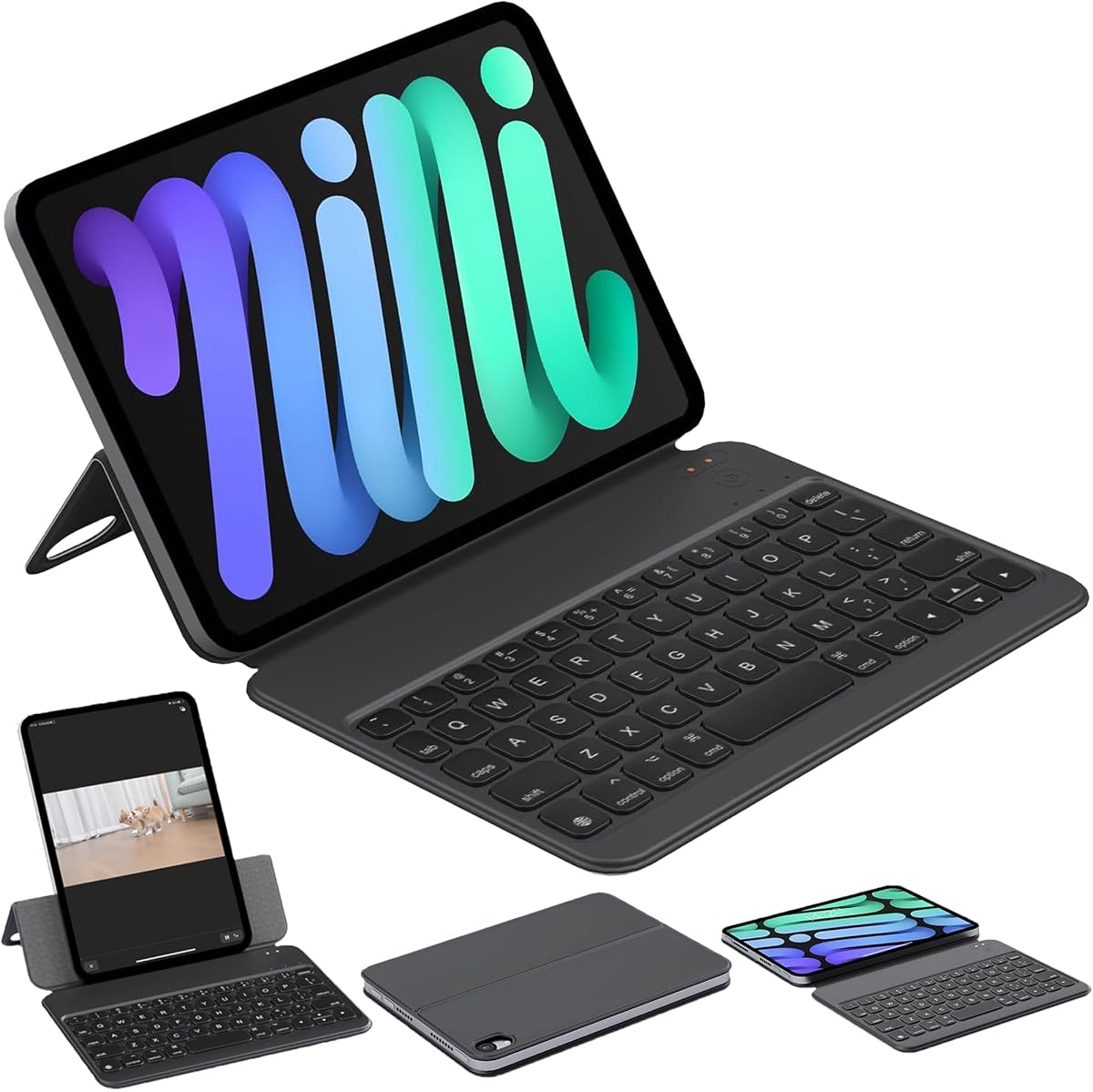


The HOU Keyboard Case is a lightweight folio solution for people who want a keyboard without the bulk of a rigid rotating case. Its 3.9 rating reflects a product that emphasizes portability, simple protection, and a conventional book-style form. The strongest points are its low weight, narrow folded thickness, magnetic connection, and adjustable viewing support.
We may earn a commission when you buy through this link, at no additional cost to you.
Compatibility covers the 8.3-inch iPad mini 6th and 7th generations, including the listed A2567, A2568, A2569, A2993, A2995, and A2996 model numbers. Approximately 30 magnets keep the tablet attached, while an adjustable shaft lets the user move between desk, lap, and bed viewing positions. Gravity sensing can lock the keyboard in reading and entertainment modes to help prevent accidental touches.
The main compromises are that the supplied information does not mention a touchpad or keyboard backlighting. That makes this case less suitable for buyers who depend on precise cursor control or need illuminated keys in dark conditions. Its 3.9 rating is also lower than the leading products in the list, although rating alone does not capture the benefit of its remarkably compact dimensions.
This is a sensible choice for travelers, students, and commuters who mainly want a lightweight cover that becomes a keyboard when needed. It is less compelling for intensive laptop-style work, but its 240g weight and approximately 8mm folded thickness make it one of the more discreet folio-style choices in the guide.
The low weight and slim folding profile reduce bulk compared with many rigid keyboard cases. That makes the HOU especially convenient for carrying the 8.3-inch iPad Mini in a smaller bag or alongside other travel essentials.
The stated magnetic attachment and adjustable shaft provide useful stability at multiple angles. Gravity-sensing orientation lock adds another layer of convenience when switching between typing and entertainment.
We may earn a commission when you buy through this link, at no additional cost to you.
The Dexnor Floating Case is the most feature-complete premium option in this roundup, combining a floating stand, rechargeable keyboard, multi-touch trackpad, backlighting, shortcut keys, and an Apple Pencil holder. Its 4.3 rating reflects a well-rounded design aimed at users who want a compact iPad Mini to function as a mobile productivity device.
We may earn a commission when you buy through this link, at no additional cost to you.
The durable aluminum-alloy hinge creates a cantilevered display position that can be adjusted for typing, reading, or viewing. Below it, a high-precision trackpad supports tapping, pinching, scrolling, swiping, and other multi-finger gestures. The keyboard offers scissor switches, a row of media, volume, and brightness shortcuts, and a white backlight with three brightness levels.
Battery information is another advantage: the manufacturer states up to 150 hours of working time with the backlight off, 1,200 hours of standby, and a recharge time of approximately 3.5 hours using the included USB-C cable. A magnetic Apple Pencil holder provides convenient storage, while opening or closing the case can sleep or wake the tablet.
The important trade-off is key size. The 1.3cm mini-size keys maximize portability, but people accustomed to full-size laptop keys may find the layout cramped during long sessions. The tablet and Apple Pencil are not included, and the case is restricted to the specified 6th and 7th generation iPad Mini models. Even so, it is the strongest all-around choice for mobile productivity.
The floating hinge holds the iPad above the keyboard rather than relying on a traditional folio fold. This creates a familiar screen-and-keyboard arrangement for documents, presentations, web research, and communication.
Multi-finger gestures make the trackpad more useful than a simple pointer surface. Dedicated media, volume, and brightness shortcuts reduce the need to leave the keyboard for common controls.
We may earn a commission when you buy through this link, at no additional cost to you.
The ZAGG Slim Book mini focuses on a simple, versatile combination of protective case and detachable Bluetooth keyboard. With a 4.0 rating, it is a balanced choice for users who want the option to remove the keyboard, use the iPad Mini as a tablet, or place the keyboard farther away while working.
We may earn a commission when you buy through this link, at no additional cost to you.
Its magnetic hinge holds the tablet at multiple viewing angles, allowing it to move between typing and entertainment positions. Because the keyboard is detachable, the cover can be used independently, and users can type on a desk while viewing the screen from another position. The slim, compact form is also well suited to bags and backpacks.
The case is described as shielding the iPad Mini from bumps and scratches while maintaining a clean appearance. Responsive keys are intended for productivity, notes, and email. However, the supplied listing details do not identify a trackpad, backlit keys, battery duration, or specific charging method, so buyers should not assume that this model offers those features.
Choose the ZAGG when keyboard separation and understated portability are your top priorities. It may be especially useful for students and professionals who alternate between typed documents and handheld reading. For users seeking extensive lighting and gesture controls, one of the trackpad-equipped rotating cases may be a better fit.
A detachable keyboard offers more freedom than a permanently attached design. It can remain on a desk for intensive work, move aside for reading, or be used separately from the tablet.
The stated slim enclosure covers the tablet against everyday bumps and scratches. That balance of protection and compact dimensions suits the iPad Mini’s portable role.
We may earn a commission when you buy through this link, at no additional cost to you.
The typecase 360 Rotating Case stands out for its highly adaptable hinge and colorful backlit keyboard. Its 4.3 rating is among the strongest in the guide, and the combination of a multi-touch trackpad, seven operating modes, and 11 lighting colors makes it appealing for students, commuters, and hybrid workers.
We may earn a commission when you buy through this link, at no additional cost to you.
The rotating hinge supports typing, reading, watching, presenting, browsing, drawing, and standard tablet use. According to the product information, the swivel hinge was tested for 20,000 cycles, which addresses a common concern about rotating keyboard cases. The trackpad handles scrolling, swiping, cursor control, app switching, editing, browsing, and file management.
Backlighting offers 11 colors and three brightness levels for cafes, flights, classrooms, or late-night study. The keyboard is rechargeable, although the supplied information does not state its charging time or battery duration. A built-in Pencil holder keeps a stylus accessible, and the cover adds protection from bumps and daily wear.
The main consideration is physical bulk and the potential complexity of a rotating mechanism. Some users may prefer the lower-profile ZAGG or HOU designs. Even so, this case offers an excellent combination of orientation flexibility, trackpad control, and personalized lighting for anyone who changes tasks frequently.
The rotating hinge lets the tablet move between landscape typing, upright viewing, presentation, drawing, and conventional tablet positions. That flexibility can reduce the need to switch cases for different activities.
Eleven backlight colors and three brightness levels offer more personalization than a single-color design. The range is useful in dim classrooms, evening workspaces, and travel environments.
We may earn a commission when you buy through this link, at no additional cost to you.
The GreenLaw 360 Rotating Case provides a balanced combination of hinge flexibility, gesture navigation, backlighting, and battery convenience. Its 4.3 rating places it among the most highly rated products here, while the stated compatibility includes both supported 8.3-inch iPad Mini generations.
We may earn a commission when you buy through this link, at no additional cost to you.
The 360-degree hinge permits multiple positions and is described as offering a stable grip and comfortable typing experience. The smart trackpad supports multi-gesture navigation, giving users a more computer-like way to edit documents, browse the web, and work with presentations. The keyboard includes seven backlight colors and three brightness levels.
Its USB-C charging arrangement is familiar and convenient, though the charging cable is not included. Battery life varies dramatically according to lighting: the listing states up to approximately three hours with the backlight on and 60 hours with it off. An automatic sleep function conserves power after inactivity, and pressing a key reconnects the keyboard.
The difference between backlit and non-backlit runtime deserves attention from frequent travelers. The case is best for users who want the freedom of a rotating hinge and a trackpad but do not need to use illuminated keys continuously. It is also a practical option for those already accustomed to charging accessories through USB-C.
The 360-degree mechanism allows the tablet to be repositioned for typing, viewing, or handheld-style use. Its all-in-one construction also keeps the keyboard and cover together when carrying the iPad.
The stated runtime falls from up to 60 hours without backlighting to approximately three hours with it enabled. Users who type in dark environments should plan for more frequent charging.
We may earn a commission when you buy through this link, at no additional cost to you.
The Ultra Magic Keyboard Case combines a magnetic cover, flexible hinge, touchpad, 60-key layout, and colorful backlighting. Its 3.8 rating is the lowest in this group, but the stated design details still make it worth considering for users who value a broad collection of controls in a relatively conventional magnetic case.
We may earn a commission when you buy through this link, at no additional cost to you.
The hinge adjusts through 130 degrees and is engineered to shift the center of gravity forward, reducing the likelihood that the keyboard will tip backward while typing. That is a meaningful stability feature for a compact tablet. The touchpad supports cursor control and gestures, while the 60-key keyboard includes a separate row for brightness, volume, and media functions.
The outer material is described as anti-yellowing fabric that repels dirt, stains, and daily wear, offering a practical alternative to glossy or easily marked surfaces. Eleven backlight colors and three brightness levels let users adjust the keyboard for low-light environments and personal preference.
What is missing from the supplied details is equally important. Battery duration, charging time, and cable inclusion are not specified, so the long-term charging routine is less predictable. Its lower rating may reflect unknown customer satisfaction factors, but buyers should evaluate the case primarily on its useful hinge, shortcut row, and touchpad rather than expecting a trackpad-heavy premium experience.
The forward-shifted center of gravity is designed to prevent backward tipping. That helps create a steadier typing position on desks, tables, and other flat surfaces.
Eleven colors and three brightness levels make the keyboard adaptable to different environments. A separate shortcut row provides fast access to frequently used system and media controls.
We may earn a commission when you buy through this link, at no additional cost to you.
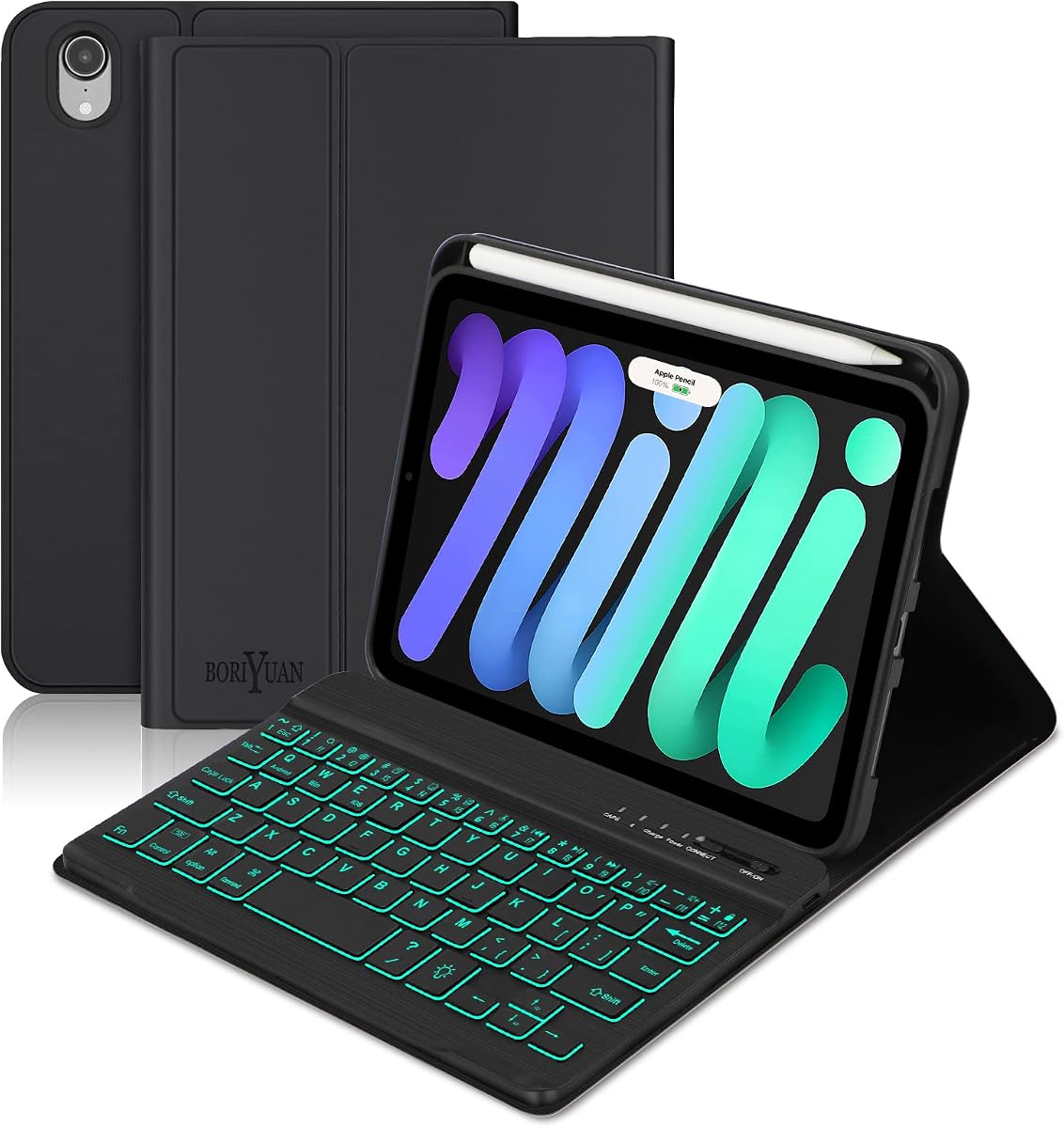
The Boriyuan Detachable Keyboard Case delivers one of the strongest combinations of protection, keyboard flexibility, lighting, and battery information in the guide. Its 4.2 rating reflects a well-rounded product that can function as a slim cover, a three-position folio, or a magnetically attached typing setup.
We may earn a commission when you buy through this link, at no additional cost to you.
The lightweight Bluetooth keyboard can be removed when the user wants to hold the iPad Mini without the extra weight. It attaches magnetically when needed, and the 420mAh rechargeable battery is stated to provide at least 230 hours of use. The keyboard also offers seven backlight colors and three brightness levels, with a stated full charge time of two hours.
The PU leather cover incorporates a soft silicone inner shell for protection against scratches, drops, and bumps. Three dents create landscape viewing positions for work, writing, or video. Its Apple Pencil holder supports magnetic attachment and wireless charging for a second-generation Apple Pencil, although the Pencil is not included. Opening or closing the case can also sleep or wake the tablet.
The supplied package includes a Micro-USB charging cable rather than a USB-C cable, and the viewing system is limited to three landscape positions. Neither issue is a major obstacle, but they are worth noting. For buyers seeking a detachable design with generous stated battery life and useful Pencil integration, this remains a practical, value-oriented recommendation.
The magnetic keyboard can remain on the case for productive sessions or come off for lighter reading and navigation. This flexibility makes the accessory useful across school, home, work, and travel.
The holder can support a second-generation Apple Pencil with magnetic attachment and wireless charging. Case-opening and closing behavior adds automatic sleep and wake functionality.
We may earn a commission when you buy through this link, at no additional cost to you.
The Magic-Style Keyboard Case is the strongest all-around recommendation in this guide, earning the highest supplied rating at 4.6. It combines a remarkably thin detachable cover, multi-touch trackpad, floating stand, seven-color backlight, breathing mode, shortcut keys, and automatic sleep and wake behavior.
We may earn a commission when you buy through this link, at no additional cost to you.
Its detachable protective shell is described as 1.4mm thick, with the product information also listing a 70g reference within the case description. A transparent acrylic design preserves a clean appearance while offering daily protection. The widened hinge is intended to resist backward tipping, and the floating stand adjusts through 125 degrees for typing, study, and viewing.
The multi-touch trackpad supports tapping, pinching, swiping, and scrolling, providing mouse-like navigation for documents, browsing, and presentations. Seven backlight colors, three brightness levels, and an adjustable breathing mode offer flexible lighting. Function shortcuts cover volume, brightness, search, video playback, and screen locking.
The listed specification does not mention a built-in Apple Pencil holder or provide keyboard battery duration, so those points should be confirmed in the listing. Even with those omissions, the combination of high rating, strong trackpad functions, detachable construction, stable stand, and rich lighting justifies the top recommendation. It suits most buyers who want one case for work, study, and travel.
A gesture trackpad, floating stand, shortcut row, backlighting, and detachable cover cover the principal needs of a laptop-style iPad setup. The result is a versatile accessory that works for both focused work and casual viewing.
The 1.4mm detachable cover is designed to protect the tablet without adding much bulk. Its transparent construction keeps the iPad Mini visible while supporting comfortable handheld use.
We may earn a commission when you buy through this link, at no additional cost to you.
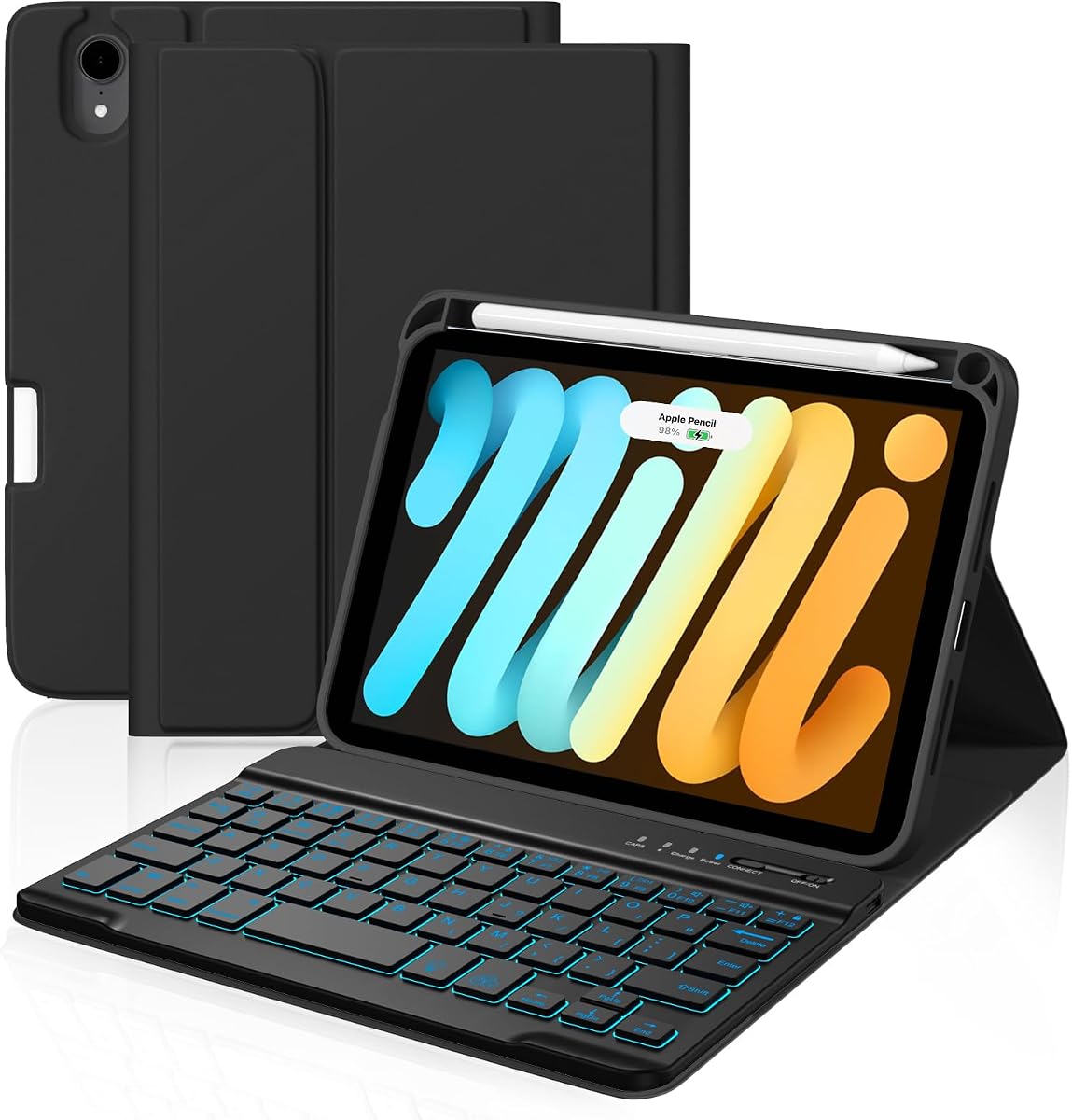
The Detachable Backlit Keyboard Case is a practical option for users who want a magnetic keyboard, protective cover, colored lighting, and convenient Apple Pencil storage. Its 4.4 rating is the second-highest in the selection, indicating strong customer reception within the category.
We may earn a commission when you buy through this link, at no additional cost to you.
The keyboard detaches magnetically, allowing the iPad Mini to be used with less bulk attached. It provides seven backlight colors for low-light use, and the rechargeable battery is stated to deliver between 40 and 80 hours of continuous operation. The case itself is described as slim, protective, and resistant to stains, scratches, dirt, and daily wear.
A major practical advantage is the built-in Pencil holder. It is designed to work with the second-generation Apple Pencil, the USB-C Apple Pencil, and Apple Pencil Pro, providing convenient storage and charging access. The supplied information does not state whether a trackpad is included, nor does it describe the available viewing positions.
This product is best for a buyer whose priorities are a detachable keyboard, understated protection, colorful lighting, and broad stylus support. Those wanting a trackpad, rotating hinge, or floating display should compare it with the Dexnor, typecase, or Magic-Style options. For its narrower feature focus, though, it is a compelling, highly rated choice.
The holder is designed for the second-generation Apple Pencil, USB-C Apple Pencil, and Apple Pencil Pro. That broad compatibility is useful for owners who may upgrade their stylus over time.
Removing the keyboard leaves a slimmer tablet setup for reading or browsing. Magnetic reconnection also allows the user to alternate between handheld and typed use without handling separate accessories.
We may earn a commission when you buy through this link, at no additional cost to you.
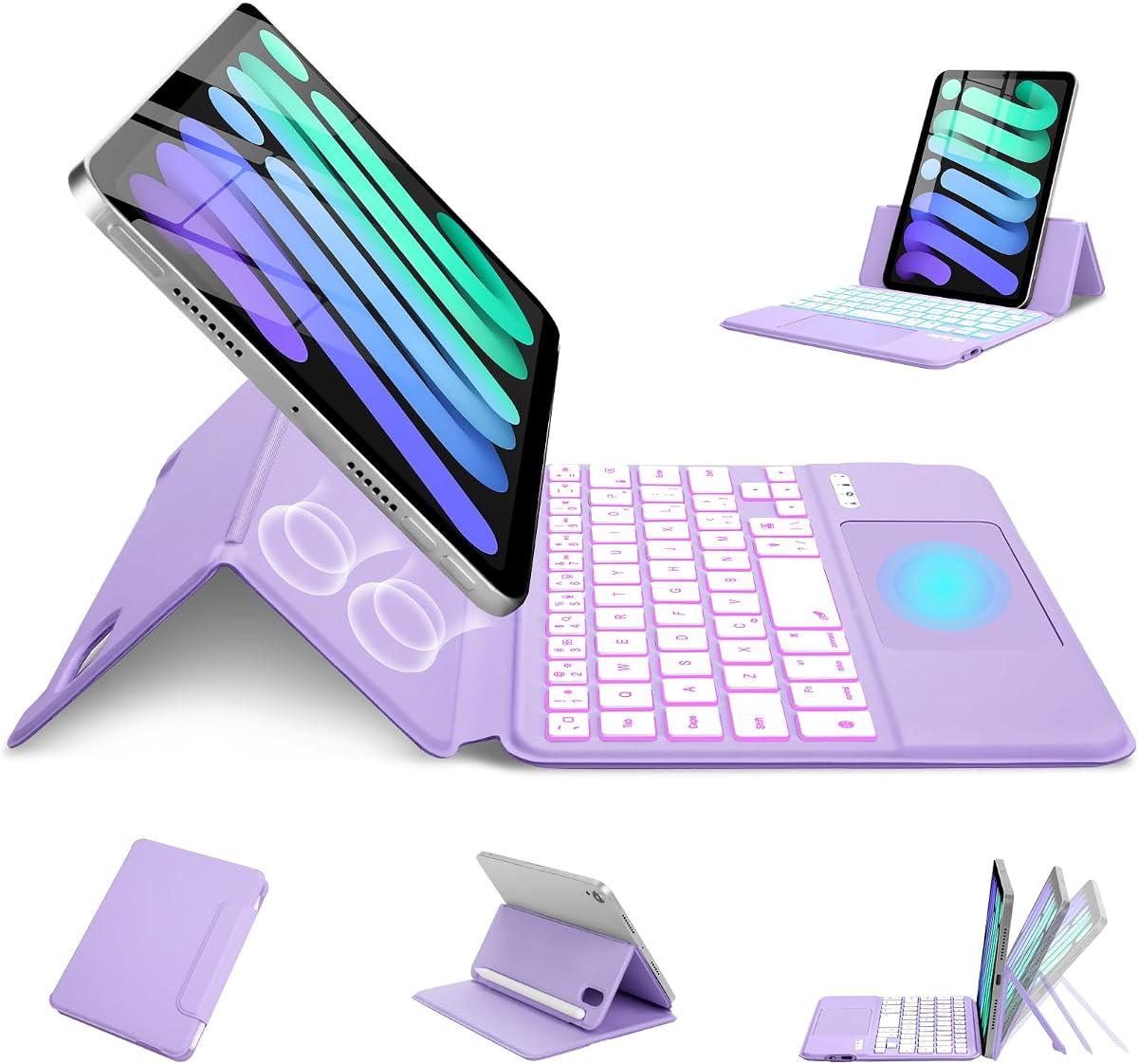
The MePadKey Magic Touchpad Keyboard Case is a lightweight book-fold case built around gesture navigation, colorful backlighting, and flexible magnetic positioning. Its 4.0 rating places it among the solid mid-range options, and its feature set is especially relevant to buyers who want a trackpad without a large rotating mechanism.
We may earn a commission when you buy through this link, at no additional cost to you.
The touchpad supports one-finger, two-finger, and three-finger gestures for navigation, file editing, browsing, and page switching. Strong magnetic attachment keeps the tablet secure, while horizontal and vertical positioning allows the user to switch between a work-oriented landscape layout and an upright entertainment or reading setup.
The keyboard uses a scissor mechanism and provides seven backlight colors with three brightness levels. Its Type-C charging port is convenient for users who already charge other accessories with that connector. The case folds like a book and is designed to be light enough to carry between offices, homes, cafes, and travel destinations.
Its 4.0 rating is solid, although the product description is less detailed about battery life, viewing-angle adjustment, and protection than several competing listings. Buyers who need a rotating hinge or a large trackpad should look elsewhere. For a simple, portable magnetic folio with useful gesture support, it remains a reasonable final selection.
Support for one-, two-, and three-finger actions provides a more capable navigation experience than a basic fixed pointing surface. The touchpad can suit browsing, editing, and switching pages.
The magnetic layout supports both landscape and portrait placement without a complex rotating hinge. That makes it straightforward to change between work, reading, and entertainment positions.
We may earn a commission when you buy through this link, at no additional cost to you.
The right iPad Mini Folio Case with Keyboard depends on how you work, how you carry the tablet, and which compatible iPad Mini generation you own. Compatibility, keyboard behavior, hinge design, trackpad support, lighting, and battery expectations deserve the most attention.
Every product reviewed here is intended for the 8.3-inch iPad Mini 6th generation from 2021 or 7th generation from 2024. The listed model numbers are A2567, A2568, A2569, A2993, A2995, and A2996, although not every retailer or region uses the same identifier. Check Settings, General, About, and the model number on the device before buying. Older iPad Mini models, larger iPad models, and other tablets are explicitly excluded by several manufacturers.
A traditional folio folds the display into a book shape, while a floating stand suspends the screen above the keyboard. Rotating cases offer the most orientation changes, including landscape, portrait, presentation, and drawing positions. Floating and rotating designs are convenient for laptop-style work, but they generally add more structure than a slim magnetic folio. Consider where you will type and how often you will switch between work and entertainment.
The 8.3-inch iPad Mini requires a compact keyboard, so key size and spacing deserve realistic consideration. The Dexnor case explicitly warns that its 1.3cm keys may feel cramped for extended typing. Frequent writers should prioritize comfortable spacing, a familiar layout, responsive scissor switches, and dedicated function keys. Occasional typists may be satisfied by a smaller layout that packs more easily into a bag.
A trackpad is one of the largest functional differences between the cases. The Dexnor, typecase, GreenLaw, Ultra Magic, Magic-Style, and MePadKey products describe multi-touch or multi-finger gesture support. The HOU and ZAGG descriptions do not identify a trackpad, while the remaining detachable case also lacks that detail. Mouse-like navigation can be valuable for documents, web research, presentations, and file management.
Backlighting improves visibility in dim rooms but consumes additional power. Feature combinations differ: the Dexnor uses a single white backlight, while the typecase and Ultra Magic offer 11 colors, and several others offer seven. Stated battery figures are not directly comparable because lighting, standby, and working-time assumptions differ. GreenLaw reports sharply different runtimes with and without its backlight, illustrating why realistic use matters.
A keyboard case can provide useful protection, but the materials and construction differ substantially. The HOU emphasizes a thin folding profile, the ZAGG offers a protective slim cover, and the Boriyuan model combines PU leather with a soft silicone inner shell. Other cases mention stain-resistant or anti-yellowing materials. Users who carry the iPad Mini in a bag should consider corner coverage, surface protection, and whether the keyboard adds unwanted bulk.
Apple Pencil support is not universal. The Dexnor and Boriyuan cases include a magnetic holder, while the typecase includes a holder and the detachable backlit case is designed to accommodate several Pencil generations with charging access. Auto sleep and wake is also common and can reduce needless battery consumption. Charging interfaces vary among USB-C, Micro-USB, and unspecified rechargeable designs, so confirm the included cable and expected charging routine.
Begin by confirming the model number and installing the case according to its magnetic, folding, or rotating design. Connect the keyboard through its stated Bluetooth or magnetic process, then open iPadOS Settings and select General, Keyboard, or Trackpad as applicable. If the trackpad is separate from keyboard controls, enable Tap to Click if you want a light touch to register as a click, a step explicitly described for the MePadKey model.
Charge the keyboard fully before the first extended trip or work session. Use the cable and connector specified in the product listing, because the cases use different approaches, including USB-C and Micro-USB. Keep the charging port free of dust and avoid leaving the keyboard connected to power unattended for extended periods. When the backlight is no longer needed, turning it off can help preserve usable battery life, particularly with cases that show a large difference between illuminated and unilluminated runtime.
For transport, detach the keyboard when the design allows it, place the tablet in the protective cover, and avoid leaving pens loosely inside a wider bag. Clean the outer material with a soft, slightly damp cloth and avoid abrasive cleaners, excess liquid, and aggressive chemicals. Keep the hinge free from grit, inspect magnetic connections periodically, and allow the keyboard to sleep during long periods of inactivity to maintain its rechargeable battery.
The cases in this guide are designed for the 8.3-inch iPad Mini 6th generation from 2021 and 7th generation from 2024. The stated compatible identifiers include A2567, A2568, A2569, A2993, A2995, and A2996. They do not support older iPad Mini models, other iPad sizes, or unrelated tablets. Check the model number under Settings, General, About before ordering.
A trackpad is useful when you want more laptop-like navigation without carrying a separate mouse. It makes cursor movement, scrolling, swiping, app switching, and text selection easier, especially on a compact screen. Several reviewed cases include multi-touch gesture support, while others do not mention one, so check the specification rather than assuming every folio has one.
A rotating case is best when you frequently switch among typing, portrait viewing, presenting, drawing, and handheld use. A floating case creates a familiar laptop-style screen position and often emphasizes a trackpad and stable stand. A basic folding folio is simpler and usually slimmer. Your preferred work style and the amount of bulk you tolerate are the deciding factors.
No. The products are accessories, and the supplied information repeatedly states that the tablet and stylus are not included. A few cases include a magnetic Apple Pencil holder, while others mention a conventional holder, but the Pencil itself remains a separate purchase. Check the package contents to determine whether a charging cable is included as well.
Runtime varies considerably by case and lighting setting. The Dexnor is stated to provide up to 150 working hours with the backlight off, the Boriyuan model at least 230 hours, and the detachable backlit case 40 to 80 hours. GreenLaw states approximately 60 hours without its backlight but only around three hours with it illuminated. Treat these figures as model-specific rather than directly comparable.
They can be, especially for short documents, messages, and note-taking, but long-term typists may need adjustment. The Dexnor listing specifically notes that its 1.3cm keys and narrow spacing may feel too compact compared with a full-size keyboard. Frequent writers should consider scissor-switch feedback, familiar key placement, wrist comfort, and the likelihood that they will work in a confined space.
Yes, and many cases are specifically designed for that flexibility. Detachable keyboards can be removed, while folding and rotating folios can be repositioned for tablet use. Automatic sleep and wake behavior may also help preserve battery life when the cover is closed. The exact arrangement differs by product, so review the hinge and detachment instructions before relying on a particular mode.
Use a separate tablet sleeve or padded compartment so the hinge, keys, and trackpad are not compressed against other items. Keep grit away from rotating joints, and do not force the tablet into a position the hinge does not support. If the case includes a Pencil holder, ensure the stylus is secured before placing the case in a bag. Avoid placing keys or tablets face-down under heavy objects.
The Magic-Style Keyboard Case is the strongest overall pick because it combines the highest supplied rating with a gesture trackpad, detachable 1.4mm cover, stable 125-degree floating stand, colorful backlighting, and useful shortcuts. The Dexnor Floating Case is the premium productivity option, particularly for its trackpad, scissor keys, shortcut row, and stated battery performance. The Boriyuan Detachable Case is the best value-oriented choice, offering useful lighting, Pencil integration, and generous stated battery life.
Your priorities should determine the rest of the shortlist. Choose the typecase or GreenLaw model for rotating versatility, the ZAGG for a detachable keyboard with an understated cover, and the HOU for a particularly slim and light folio. Trackpad-dependent users should focus on multi-touch support, while frequent typists should examine key dimensions and spacing. Compatibility must come before every other consideration.
Ratings, product availability, promotions, and prices can change over time, so check the current listing before purchasing. Verify the exact iPad model, confirm the accessories you need are included, and review the latest compatibility and package details. With those checks complete, you can select a keyboard folio that suits your work, study, and travel routines without compromising the iPad Mini's portability.