
Amazon Fire HD 8 Kids Pro
4.6Editor score
64GB internal storage
Up to 13-hour battery
Slim case for older kids
Guarded web browsing
Approved voice calls
Choosing a tablet for a young child involves balancing learning, entertainment, durability, and strong controls in a device small hands can manage. The best kids tablets for ages 3 to 7 combine age-appropriate content, easy parental management, useful speakers, and a protective case without feeling like a disposable toy.
This guide compares ten tablets using their stated screen sizes, operating systems, memory, storage, battery claims, cameras, connectivity, child-focused software, and protective designs. It also considers how useful each device may be for preschool learning, home entertainment, travel, and families that want a straightforward Google Play experience.
Each review explains the product's strongest benefits, practical limitations, and ideal buyer. The Fire HD 8 Kids leads for its polished ecosystem, the Fire 7 offers portability, and several Android models provide larger screens or more conventional app access. Product listings and availability can change, so confirm current specifications before buying.
4.6Editor score

4.6Editor score

4.2Editor score
As an Amazon Associate we earn from qualifying purchases.
This side-by-side comparison highlights the major differences in display size, platform, memory, storage, battery, and child-focused features, making it easier to match a tablet to a child's age, space, and routine.


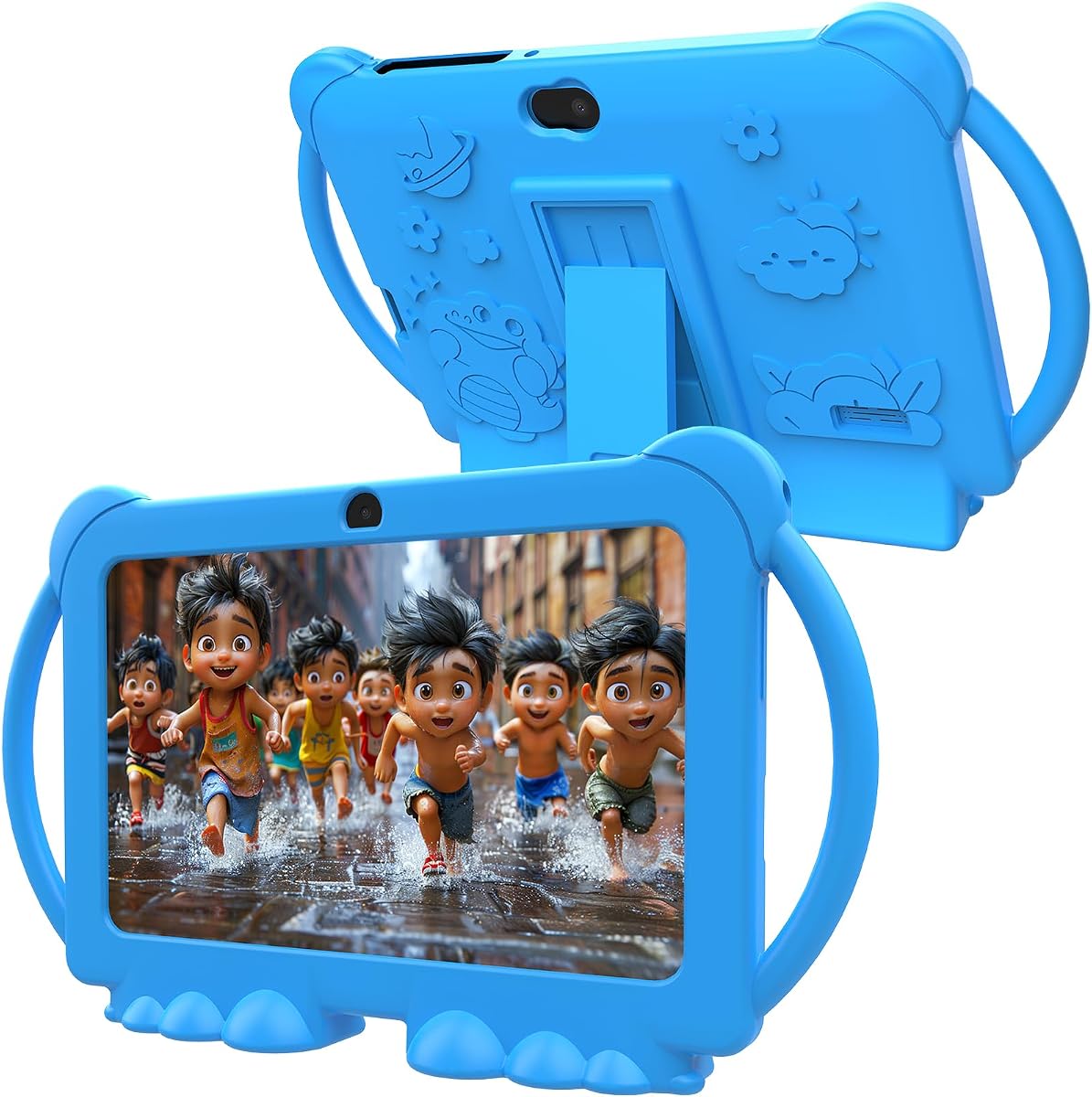


The Amazon Fire HD 8 Kids combines a bright 8-inch HD display with a carefully managed child-focused software experience, earning a 4.6 rating among the products in this guide. It is designed for ages 3 to 7 and pairs a full-featured tablet with Amazon Kids+, a two-year worry-free guarantee, and a sturdy Kid-Proof Case.
We may earn a commission when you buy through this link, at no additional cost to you.
Its strongest feature is the Parent Dashboard, which lets caregivers review activity, set time limits, prioritize books and learning applications, and grant access to approved streaming services. The included case protects against drops and bumps and has a built-in stand, so a child can watch or play without continually holding the tablet. Performance specifications are also well suited to family use: 3GB RAM, 32GB storage, and up to 1TB of expandable storage.
The main limitation is the Fire operating system's tighter integration with Amazon services. Families seeking a broad Google Play experience or unrestricted Android app choice may prefer a conventional Android tablet. Also, the included year of Amazon Kids+ converts to a monthly renewal after its introductory period unless canceled through the Parent Dashboard or Amazon Customer Service.
Despite those trade-offs, this is the most balanced option for a child in the core target age range. The larger display is comfortable for books, videos, and drawing, while the controls and case address the needs of a preschool or early elementary child. It is our top overall choice for families who value simple setup, curated content, and dependable physical protection.
Amazon Kids+ provides ad-free books, games, videos, applications, and educational activities from familiar children's brands. The Parent Dashboard adds age filtering, educational goals, time limits, and remote activity review without requiring parents to hunt through complicated settings.
The strengthened glass and impact-resistant case are useful for a device likely to encounter regular drops. Up to 13 hours of stated battery life also makes the tablet practical for schoolwork, car journeys, and longer periods of independent entertainment.
We may earn a commission when you buy through this link, at no additional cost to you.
The Amazon Fire 7 Kids is a compact option for children ages 3 to 7, combining a 7-inch display, up to 10 hours of stated battery life, and 16GB of internal storage. Its 4.3 rating reflects a well-liked device whose greatest strengths are portability, approachable controls, and a protective bundle.
We may earn a commission when you buy through this link, at no additional cost to you.
The Parent Dashboard can filter content by age, establish educational goals, set time limits, and allow extra streaming content. Amazon Kids+ adds a substantial selection of ad-free books, interactive games, videos, and learning applications. Families that download more content can add up to 1TB through a microSD card, although the base storage is smaller than on the Fire HD 8 Kids.
Its smaller screen and lower storage capacity are the clearest compromises. Children who primarily watch short videos or use selected learning applications may not notice the difference, but those who want to save many books, videos, and games may need to expand storage or manage downloads carefully. The battery claim is also shorter than that of the 8-inch Fire models.
This tablet is best for families seeking a smaller, more travel-friendly device without giving up Amazon's kid-focused content and parental tools. It is also a logical first tablet for a child who does not need the larger viewing area of the Fire HD 8. Its two-year worry-free guarantee and included Kid-Proof Case add further reassurance.
The 7-inch format is easier for small children to carry and use than many larger tablets. A protective case helps it tolerate the movement and occasional drops associated with travel, while the stated battery supports extended use between charges.
Amazon Kids+ brings educational STEM activities, language learning, entertainment, and interactive books into one service. Parents can set age-appropriate boundaries without needing to maintain a complicated allowlist for every app.
We may earn a commission when you buy through this link, at no additional cost to you.
This 7-inch kids tablet provides a conventional Android 12 experience for ages 3 to 9 and carries a 4.0 rating. It combines 32GB ROM, 4GB RAM with a stated 2GB expansion, Google Play certification, and a shockproof case, giving families more familiar app access than the Fire tablets.
We may earn a commission when you buy through this link, at no additional cost to you.
Parental tools are more granular than many basic child tablets. Parents can limit screen time, establish a password, create separate profiles for each child, add or block applications, and filter unsafe web pages. The device also includes Wi-Fi, Bluetooth, a front 2MP camera, a rear 2MP camera, dual speakers, a 3.5mm headphone jack, and a 1024-by-600 IPS display.
Its trade-offs are the older Android 12 platform and the less defined support ecosystem of a lesser-known brand. Expanded RAM is also not identical to dedicated physical memory, so demanding games may not feel as smooth as on a Fire HD 8 Kids with 3GB of standard RAM. Nevertheless, the stated specifications should be comfortable for educational applications, browsing, and ordinary media.
The tablet is a strong value-oriented choice for families that want Google Play access, detailed controls, and useful physical hardware at a modest entry point. It also extends beyond the requested age range to nine, making it a flexible choice for siblings or children developing from preschool into early elementary learning.
Separate child profiles help avoid mixed interests and inappropriate recommendations. Password protection, application blocking, screen-time limits, and web filtering create a more structured environment for independent use.
Google Play certification allows parents to download educational and entertainment applications directly. The result is a tablet that can feel more like a normal Android device while still providing a protected mode for children.
We may earn a commission when you buy through this link, at no additional cost to you.
The YosaToo Kids Tablet is a 7-inch Android 16 device designed for children ages 3 to 12, and it earns a 4.2 rating. Its standout feature is the preloaded YUBABE offline learning software, giving children access to Montessori activities, mini games, STEM material, and art without relying on a continuous internet connection.
We may earn a commission when you buy through this link, at no additional cost to you.
The tablet includes 4GB RAM, 32GB built-in storage, and 64GB of expandable storage. It also provides full Google Play access and comes with Google Kids Space preinstalled. Parents can filter age-appropriate content, set daily screen-time limits, monitor application use, and block unwanted applications, creating a reasonably complete control package.
Because this is a general Android tablet, parents must spend more time configuring the device than they would with a tightly managed Fire tablet. The brand also lacks the large content ecosystem and established support network associated with Amazon. A silicone case and built-in adjustable stand help offset the normal risks of handing a tablet to a young child.
This is a compelling budget pick for families who value offline learning, modern Android software, and the flexibility of Google Play. It is particularly useful for road trips, flights, or homes where connectivity can be inconsistent. For parents wanting a child tablet that supports both structured learning and wider app access, it offers an unusually balanced feature set.
The offline YUBABE library includes Montessori, game, STEM, and art content, reducing frustration when a signal is unavailable. This makes the tablet useful as a planned travel companion rather than merely a screen that depends on streaming.
Android 16, Google Kids Space, and Google Play give the device more flexibility than a locked-down media tablet. Preinstalled drawing, camera, and child-friendly applications also provide immediate activities before additional downloads are added.
We may earn a commission when you buy through this link, at no additional cost to you.
The Amazon Fire HD 8 Kids Pro is aimed primarily at children ages 6 to 12 rather than preschoolers, but its 64GB capacity makes it an attractive premium option for a child whose storage needs are expanding. It shares a 4.6 rating with the standard Fire HD 8 Kids and adds a more powerful hexa-core processor, up to 4GB RAM, and a two-year worry-free guarantee.
We may earn a commission when you buy through this link, at no additional cost to you.
Its larger storage allowance can accommodate more downloaded games, videos, books, and music without frequent cleanup. Amazon Kids+ includes six months of access before converting to a monthly renewal, while the Parent Dashboard allows caregivers to review activity, approve or deny purchases, manage content, and establish other boundaries.
This model is less specifically tailored to a three-year-old than the standard Fire HD 8 Kids. The included slim case is designed for older kids rather than toddlers, and the subscription period is shorter. Families shopping strictly for a child around three should consider the age-specific design and stronger physical enclosure of the regular Kids model.
Even with that caveat, the Pro is a strong choice for a child aged six or seven who needs more room for school-oriented media and games. Guarded web browsing, calls to approved contacts, strong performance specifications, and the generous storage allowance create a durable device that can remain useful for several years.
The 64GB internal storage is a major advantage over the 16GB and 32GB configurations elsewhere in the Fire range. It reduces the need to delete favorites and makes the tablet better suited to a growing collection of educational media.
A purpose-built web browser includes controls for filtering inappropriate sites and blocking selected pages. Voice and video calls to approved contacts add a communication option while preserving parent oversight.
We may earn a commission when you buy through this link, at no additional cost to you.
The PEICHENG Kids Tablet is a budget-oriented 7-inch Android 12 tablet with a 3.9 rating. It provides 32GB ROM, 4GB RAM including a stated 2GB expansion, Google Play certification, and a rear 5MP camera, giving it a little more visual hardware than several similarly positioned models.
We may earn a commission when you buy through this link, at no additional cost to you.
Its parental-control functions allow caregivers to limit screen time, set a password, create separate profiles, add or block applications, and filter unsafe web pages. A 1024-by-600 IPS display, automatic brightness adjustment, Wi-Fi, Bluetooth, dual speakers, and a 3.5mm headphone jack cover the basics needed for learning and entertainment.
The default password in kids mode is listed as 0000, which makes changing it an important first step. Its rating is also lower than that of the leading Fire and YosaToo options, suggesting a less consistent overall customer experience. Support and long-term software visibility are additional factors to consider with a less established brand.
This model makes the most sense for families seeking a basic Android tablet with a better rear camera and a useful amount of storage. It may suit a child who wants to take photographs, use educational applications, and access Google Play while remaining inside a protected profile. Parents should configure the device carefully before handing it over.
The stated 5MP rear camera is a step up from the 2MP rear camera listed for several competing models. That can make the tablet more appealing for family photos, drawing projects, and simple video calls.
The supplied kids-mode password is 0000, so it should be changed before regular use. A personalized password helps prevent a child from bypassing age restrictions or entering deeper settings independently.
We may earn a commission when you buy through this link, at no additional cost to you.
The ApoloSignage 10 Inch kids tablet is built around a large 1280-by-800 IPS touchscreen and Android 16 operating system. It has a 3.8 rating, the lowest among the ten products reviewed, but its 8GB expanded RAM, 64GB storage, and 5000mAh battery offer specifications that may appeal to families wanting a roomier device.
We may earn a commission when you buy through this link, at no additional cost to you.
Google Kids Space is preloaded with age-appropriate activities such as coloring, crafts, story listening, and puzzles. The parental system allows caregivers to filter content, set daily learning goals, and manage screen time. Google Play access expands the available app library, while a case and adjustable stand support safer use at home and while traveling.
The main concern is the relatively low customer rating, which may indicate inconsistency in performance, support, or overall experience. A 10-inch device is also less compact for a small child than a 7-inch model. Buyers should consider whether the larger display and strong memory specifications outweigh the benefit of Amazon's more cohesive managed ecosystem.
This tablet is best for a child who will use larger pages, drawing applications, educational videos, or shared family entertainment. It also works for families already comfortable with Android and willing to manage app permissions themselves. For parents who prioritize a curated setup and simple age-based controls, the Fire HD 8 Kids may be the more dependable alternative.
The 10-inch display gives books, puzzles, and creative applications more room to breathe. It is particularly useful for a child who shares a device or who naturally gravitates toward drawing, storytelling, and visual learning.
With 64GB of internal storage and an advertised 8GB RAM configuration, the tablet can hold a larger mix of applications and media. Expansion up to 1TB adds flexibility for families that expect to download numerous files.
We may earn a commission when you buy through this link, at no additional cost to you.
The HOTTABLET Kids Tablet is a 7-inch Android 12 device with a 4.0 rating and a clear emphasis on value, protection, and after-sales coverage. It offers 32GB ROM, 4GB RAM with a stated 2GB expansion, a 1024-by-600 IPS display, and expansion support up to 1TB.
We may earn a commission when you buy through this link, at no additional cost to you.
Parents can create customized child profiles, control screen time, filter websites, applications, and video channels, and decide when and for how long a child can use the device. The tablet is Google GMS certified, permitting access to educational applications through Google Play. A silicone cover with a stand helps protect against falls and makes hands-free viewing easier.
The listed 3000mAh battery supports up to eight hours of mixed use, which is adequate for many routines but trails the longer claims of several competitors. The default kids-mode password is also 0000 and should be changed immediately. A 365-day warranty offers reassurance, though warranty length alone cannot replace careful configuration and supervision.
This is a practical first tablet for families seeking the essentials without paying for a premium model. It is particularly useful for educational applications, drawing, games, photography, and controlled browsing. A 4.0 rating places it in the middle of the field, but its combination of Google Play access, a sturdy stand case, and a long warranty makes it easy to recommend for value-focused buyers.
The silicone cover is designed to reduce damage from drops, bumps, and squeezing. Its stand function allows the tablet to sit securely during stories, drawing, or video viewing, which is useful for young children.
Customized profiles help separate children and keep their activities organized. Screen-time, content, application, and video-channel controls provide parents with a practical level of oversight.
We may earn a commission when you buy through this link, at no additional cost to you.
The aiprotablet 10 Inch combines a large screen, Android 16, and unusually generous stated memory in a child-focused design. It carries a 4.0 rating and is powered by a Unisoc T606 octa-core processor with 4GB plus 20GB of expanded RAM, alongside 64GB of internal storage.
We may earn a commission when you buy through this link, at no additional cost to you.
Its parental system supports screen-time management, learning goals, application monitoring, and age-based content filtering. Google Play certification provides broad app access, while a 10-inch 1280-by-800 IPS display is suitable for reading, video, drawing, and shared learning. The 6000mAh battery and 18W PD fast charging are particularly noteworthy for a device intended to be used throughout the day.
The advertised 24GB RAM figure includes 20GB of expansion, which should not be interpreted as equivalent to 24GB of dedicated physical memory. The large chassis may also be cumbersome for a three-year-old, and a 4.0 rating is less reassuring than the leading options. A protective case is included, but the device's size still makes careful supervision important.
The tablet is a good match for a child aged six or seven, a shared family device, or a household that prioritizes storage, battery capacity, and open Android access. For a child just entering the 3-to-7 range, the Fire 7 Kids offers a more compact and more tightly managed experience, while this model offers greater flexibility.
The combination of 64GB storage and a large advertised RAM configuration supports downloaded applications, educational media, and family photos. Additional microSD expansion up to 1TB provides extra room when needed.
A 6000mAh battery and 18W PD fast charging are useful features for active use. Automatic wake-up, face recognition, and low-battery or charging reminders add convenience for everyday family routines.
We may earn a commission when you buy through this link, at no additional cost to you.
The PRITOM 7 Inch is an Android 13 tablet designed for children ages 3 to 12, with a 3.9 rating. It combines a child-friendly interface, 32GB ROM, 4GB RAM including 2GB of expansion, and a 1024-by-600 IPS display with a detailed collection of parental-control features.
We may earn a commission when you buy through this link, at no additional cost to you.
Its security system goes beyond basic screen-time limits to include application and network filters, content management, application recommendations and classification, multimedia restrictions, child locks, spending limits, game-time limits, preference data analysis, themes, and user settings. The iWawa kids software is preinstalled, and additional applications can be obtained through Google Play.
The 32GB storage is adequate for a starter library but modest compared with the 64GB models. Its 3.9 rating also places it near the bottom of the group, which may make a more established brand preferable for long-term ownership. The case helps with scratches, dirt, dust, bumps, and drops, but no device can eliminate the need for sensible supervision.
PRITOM is worth considering for families that prioritize a wide assortment of behavioral controls within an affordable 7-inch format. It suits children who need gradually expanding permissions and parents who prefer detailed settings over a simplified subscription ecosystem. It is less compelling for buyers wanting the highest rating, newest operating system, or especially large display.
Game-time limits, spending restrictions, child locks, content classification, and preference analysis offer a more granular approach to supervision. These features can help families adjust access as a child's interests and independence develop.
A private child-friendly interface and preinstalled educational and creative applications reduce the need for immediate setup. Families can then add Google Play applications gradually as the child becomes more comfortable with the device.
We may earn a commission when you buy through this link, at no additional cost to you.
The right child tablet depends on the child's age, attention span, home internet reliability, desired content, and tolerance for parental setup. Display size, app flexibility, controls, protection, storage, and battery life should be weighed together rather than relying on any single specification.
A tablet made specifically for ages 3 to 7 should offer a simple visual environment, large touch targets, preselected child content, and controls that are easy for an adult to operate. Amazon Kids+ and Google Kids Space both provide curated starting points, while a full Android tablet offers greater access to Google Play. The more open platform can be useful for a six- or seven-year-old, but it generally requires stronger supervision and more careful configuration.
Useful controls should include screen-time limits, password-protected settings, age filters, application blocking, and the ability to create separate profiles. Remote activity review is especially valuable in the Amazon Fire range because caregivers can see how a child is using the device and adjust access from the Parent Dashboard. On Android tablets, look for granular browser, multimedia, and application filters, but also plan to change any default password immediately.
A 7-inch screen is portable, easier for small hands to hold, and generally sufficient for short educational videos, books, and games. An 8-inch display offers a more comfortable view for reading and drawing, while a 10-inch model is best for shared use or a child who prefers a large visual workspace. Larger screens are not automatically better because they can be heavier and harder to use independently.
Young children may be frustrated when a lesson or game requires a connection. The YosaToo model stands out with a substantial preinstalled offline learning library, while the Amazon tablets depend more heavily on downloaded content and subscription services. Families with inconsistent internet should download needed material in advance, confirm whether the applications work offline, and maintain a backup of offline activities.
Books, videos, games, music, and photos can fill a tablet quickly, and children may repeatedly download the same content. The Fire 7 Kids begins with 16GB, while several alternatives include 32GB or 64GB. MicroSD or removable-storage support can add flexibility, although a protective case may make card access inconvenient. A 32GB configuration is a sensible middle ground for most families.
A three-year-old can drop a tablet more often and more forcefully than an older child. Look for a substantial case, raised screen protection, impact-absorbing material, and a secure way to retain the device. A built-in stand is also useful for drawing, story time, and video viewing. The slim case supplied with the Fire HD 8 Kids Pro is intended for older children, so it may offer less protection for a toddler.
Children's tablets usually run educational applications, video, music, and occasional games rather than demanding desktop software. A 2GB-to-4GB memory configuration is generally sufficient for these tasks, but a faster processor and additional RAM can improve app-switching and video responsiveness. Battery claims range from eight hours of mixed use to as much as 13 hours, so compare the stated workload and select a model that suits long travel days.
Some bundles include a year of Amazon Kids+, while the Fire HD 8 Kids Pro includes six months. After the included period, the service renews monthly unless canceled. The Android alternatives generally avoid a mandatory subscription because their core experience depends on free applications, Google Play, and optional downloads. Parents should decide whether a curated subscription is worth the recurring commitment for their child's usage pattern.
Before handing over the tablet, create the child's profile, change every default password, select an age-appropriate content range, and set a realistic daily screen-time limit. Download essential books, learning applications, and offline videos in advance, then test the parental dashboard from another device to confirm that activity reports and remote controls work as expected.
Establish a routine that separates active learning from passive viewing. Reading, drawing, music, and educational questions should be encouraged, while extended video use is better reserved for trips or other situations where focused attention is difficult. Keep the device away from water, food, and soft bedding, and use the included case at all times to reduce damage from drops and bumps.
Review installed applications and browsing activity regularly rather than waiting for a problem. Remove unused downloads, update parental limits as the child develops new interests, and periodically back up important photographs or creative work. The battery should be protected from prolonged heat or cold, and the charging cable should remain connected to a suitable power source during long sessions.
The Amazon Fire HD 8 Kids is the strongest all-around option because it combines an age-focused interface, simple parental tools, a protected design, and a large enough display for books and videos. A smaller model such as the Fire 7 Kids may be easier for a very young child to carry. In every case, adults should configure the controls and supervise initial use.
Fire Kids tablets offer a more integrated content library, simpler age filtering, and a parent dashboard designed to make supervision straightforward. Generic Android models can be more flexible with Google Play and may provide larger screens, more memory, or offline learning applications. The better choice depends on whether the family prioritizes ease of management or open app access.
Most educational and entertainment applications require internet access at least during setup and downloading. The YosaToo model includes a substantial offline learning library, which is especially useful for travel. Other tablets can also work offline if parents download the required books, videos, and applications before leaving home.
For a child who uses selected learning applications and streaming content, 32GB is generally a practical amount. A 16GB model may require frequent cleanup, while 64GB is more comfortable for extensive games, downloaded videos, music, and photographs. Expansion support can help, but it is wise to confirm how the card is accessed while the protective case is fitted.
Age-based content filtering, screen-time limits, a protected parent profile, application blocking, and a separate child account are the most important foundations. A useful activity history helps adults identify what the child is using. Password changes are also essential on models that begin with a simple default code.
A child-focused tablet is usually easier to manage at seven, although a six- or seven-year-old may benefit from a more conventional Android model. The Fire HD 8 Kids Pro is designed for ages 6 to 12 and offers more storage and guarded browsing. The decision should reflect the child's maturity, independent reading level, and parental oversight preferences.
A larger display can make books, puzzles, and drawing projects easier to view, but it does not guarantee better learning. Small children may benefit from a lighter 7-inch model, while an 8-inch screen offers a practical middle ground. A 10-inch tablet works well for shared viewing and creative work but is usually less convenient to carry.
Start by changing default passwords, creating a child profile, disabling unnecessary purchases, and limiting browser and application access. Keep the protective case attached, use a secure stand when appropriate, and maintain an agreed screen-time routine. The tablet should be used in a common family area so that parental supervision and conversation remain part of the experience.
The Amazon Fire HD 8 Kids is the most balanced recommendation for a child in this age range, offering a bright display, strong parent dashboard, generous storage, protective case, and up to 13 hours of stated battery life. The Fire 7 Kids is the more portable alternative, while the YosaToo model stands out for offline learning and a modern Android experience.
Prioritize the features your family will actually use. Managed content and simple controls suit parents who want the least configuration; Google Play, flexible profiles, and larger screens suit families whose child is ready for a more conventional tablet. Offline material, a sturdy case, storage capacity, and battery life can matter more than a minor processor difference in everyday use.
Before purchasing, verify that the current listing still includes the stated case, subscription period, cables, and accessories. Product configurations and availability can change, so check the latest specifications and purchase terms on the linked listing. A short setup session for passwords, profiles, content limits, and offline downloads will make the chosen tablet much easier to manage.

