
AboveTEK MacBook & Surface Locking Station
4.5Editor score
Fits 12 to 16-inch laptops
Adjustable dual-lock arms
Includes 78.7-inch cable
Laptop security locks are compact theft-deterrents that secure computers, tablets, and other portable electronics to a desk, table, or another fixed object. The right model depends heavily on lock-slot compatibility, cable construction, key or combination operation, and whether you need a permanent anchor or a portable setup.
The products in this guide cover standard Kensington T-bar slots, smaller Nano slots, Dell wedge slots, audio-port adapters, adhesive anchors, and foldable desk stations. We compared the supplied specifications, physical design, device coverage, anchoring method, portability, and intended use rather than claiming hands-on testing.
Each review explains the lock’s strongest application, practical limitations, and who should consider it. The top recommendations include a universal three-tip keyed model, a traditional combination lock, and a dedicated locking station, while product availability and prices can change at any time.
Compatibility deserves special attention because a secure cable is only effective when its lock tip fits the device correctly. Standard Kensington-style slots, Nano-sized slots, and Dell or Alienware wedge slots are not interchangeable, and some newer computer models use shapes that require a different lock or adapter.
4.5Editor score

4.7Editor score

4.3Editor score
As an Amazon Associate we earn from qualifying purchases.
This side-by-side comparison highlights the most important differences among the ten locks, including supported slot types, cable length, key or code operation, and whether the system uses a dedicated slot, an adapter, or an anchor plate.




The Kensington Combination Cable T-Bar Standard Lock, model K64673AM, is a conventional security solution for computers with a Kensington-compatible standard-size slot. Its 4.4 rating reflects a well-regarded balance of straightforward operation, cable reach, and broad device support. The resettable four-digit mechanism removes the need to carry a key, which makes it convenient for shared offices, classrooms, travel, and other settings where several people may need access.
We may earn a commission when you buy through this link, at no additional cost to you.
Its main advantage is the 1.8-meter carbon steel cable, which is cut-resistant and long enough to reach a desk, table, or other fixed structure. The push-button head supports one-handed attachment, while the T-bar tip is designed to engage a standard security slot securely. The lock also supports other compatible equipment, including desktops, monitors, docking stations, projectors, and hard drives.
The limitation is slot compatibility. This model is not designed for Dell or Alienware systems, and the product information specifically notes that some 2016 and newer Dell laptops and tablets use the Noble wedge slot. It also cannot cover Nano-sized or audio-port-only devices. Buyers should therefore inspect the port or consult the device specifications before purchasing.
This is a strong recommendation for anyone whose device has a standard T-bar slot and who wants combination access without managing keys. Its cable length, simple code operation, and broad equipment compatibility make it more versatile than a model dedicated to one narrow device family. Users needing a keyed mechanism may prefer the Kensington 3-in-1 model reviewed later in the guide.
The four-wheel code can be set or reset by the owner and provides access to 10,000 possible combinations. That makes the lock straightforward for shared workstations, although organizations should still establish a clear policy for sharing and recording codes.
The six-foot cable gives the user room to position a laptop comfortably while still reaching a suitable anchor point. The cable is cut-resistant, although no portable cable lock can guarantee protection against every serious theft tool or prolonged forced removal.
We may earn a commission when you buy through this link, at no additional cost to you.
The Universal Laptop Security Lock is designed for devices that do not have a conventional Kensington security slot. Its 4.1 rating places it behind the strongest models in the list, but its audio-port approach fills a genuine gap for many modern laptops. It is especially relevant to MacBook, Surface, Dell, Lenovo, tablet, and notebook users whose machines lack a usable lock slot.
We may earn a commission when you buy through this link, at no additional cost to you.
The system uses an anchor adapter inserted into a 3.5mm headphone or auxiliary port and secured with a screw. A combination lock then attaches to the adapter, while the 1.7-meter cut-resistant steel cable connects the computer to a desk, table, or fixed structure. The four-digit code is resettable and offers 10,000 combinations, with a flick switch for rapid locking and unlocking.
Compatibility is still not literally unlimited. The device must have a suitable 3.5mm audio port, and the adapter depends on that connection resisting enough pulling force to remain secure. Some newer or specialized devices may use a different port arrangement, so the user should confirm that an audio jack is present and accessible before relying on this design.
This lock is most appropriate for a MacBook or other laptop without a native security slot when a quick, tool-free-looking setup is important. It offers broader device coverage than a slot-specific Kensington model, but buyers should understand that it depends on the strength and placement of the audio-port adapter. For standard-slot equipment, a purpose-built T-bar lock remains the more direct choice.
A laptop without a security slot does not have to be left unsecured. The adapter gives the cable a connection point and can make short-term tethering practical in offices, cafés, libraries, classrooms, and retail environments.
The resettable combination removes key loss as a concern and allows the owner to establish a private code. It also simplifies sharing because authorized users can be given the combination rather than a physical key.
We may earn a commission when you buy through this link, at no additional cost to you.
The Kensington T-Bar Standard Keyed Lock, model K65035AM, delivers a higher-rated 4.5 result and focuses on mechanical keyed security. It is designed for laptops and other equipment with a standard Kensington-style T-bar slot. The lock combines a 1.8-meter carbon steel cable, a plastic sheath, a compact pivoting head, and anti-pick tubular locking technology.
We may earn a commission when you buy through this link, at no additional cost to you.
The smaller pivoting head is intended to fit around thin laptops while preserving access to nearby ports. Its hidden pin mechanism is designed to resist picking, and the special hinge helps the cable sit in more natural angles. The cable’s sheath adds resistance to cutting attempts while retaining enough flexibility for daily use and varied anchor locations.
The key requirement and slot limitations are the main trade-offs. A keyed lock is less convenient for rotating users because the key must be carried and protected. It also does not fit Dell systems using the newer wedge slot, some HP EliteBook X2 tablet models, or HP Chromebooks with Nano-sized slots.
This model is well suited to a fixed office or home-office arrangement in which the computer has a standard security slot and the owner prefers traditional key control. It may be particularly attractive for organizations that already understand the corresponding Kensington keyed ecosystem. Buyers seeking broader cross-device support should consider the interchangeable-tip model later in the ranking.
The 10mm pivoting lock head is engineered for devices with little space around the security slot. Rotation helps users connect the lock without forcing the cable into an awkward position, which can also reduce strain around the port.
The hidden-pin tubular mechanism is intended to make unauthorized picking more difficult. It remains a conventional keyed lock, so key security and responsible key storage remain part of the ownership routine.
We may earn a commission when you buy through this link, at no additional cost to you.
The Kensington NanoSaver Keyed Laptop Lock, model K64444WW, is built for the smaller Nano security slots found on selected HP and Lenovo computers. Its 4.4 rating and pivoting cable head make it a specialized yet practical option. The narrow slot size requires accurate model compatibility rather than an assumption that every HP or Lenovo laptop will accept the lock.
We may earn a commission when you buy through this link, at no additional cost to you.
The lock uses a 1.8-meter carbon steel cable with a plastic sheath to resist tampering while allowing the device some movement. Its pivot-and-rotate head supports one-handed operation, and the keyed mechanism gives the owner direct control over access. Kensington’s Register and Retrieve program can help locate or replace a lost key through its online registration service.
Its biggest constraint is device support. The product is for select models with a Nano-sized slot, while most laptops use the standard T-bar shape. The head is also too small for standard or wedge slots. Checking the device’s technical specifications before ordering is therefore essential, rather than relying on the HP or Lenovo brand alone.
This is a good choice for a compatible Nano-slot HP or Lenovo computer that needs a compact keyed cable. It is particularly relevant to offices that already standardize on this exact model or want a key-controlled lock with a long, flexible cable. Users who own several different device types will usually benefit more from a multi-tip or slot-independent system.
The slim lock tip is made for Nano-sized openings, where a standard T-bar head would be too large. A proper fit helps the lock sit neatly and preserves the device’s ability to lie flat when the lock is installed.
The Register and Retrieve program gives owners a way to register the key and seek help if it is lost or stolen. That added service can make a keyed lock more practical for managed business environments than an unregistered alternative.
We may earn a commission when you buy through this link, at no additional cost to you.
The Kensington Combination Laptop Lock for Nano Size Security Slot, model K60214WW, is a focused and economical option for compatible thin laptops. It has a 4.3 rating and combines a resettable four-digit code with a compact lock head. The combination mechanism offers 10,000 possible combinations and removes the inconvenience of carrying a key.
We may earn a commission when you buy through this link, at no additional cost to you.
Its 1.5-meter carbon steel cable resists cutting attempts and includes an anti-shearing plastic sleeve intended to protect the cable and nearby surfaces. The tip rotates 360 degrees, while the cable can turn up to 90 degrees. This pivoting design helps users access ports located near the security slot and supports a more natural cable position.
Compatibility is narrow but clear: the lock requires a Nano-sized slot. It will not fit standard Kensington T-bar, Dell wedge, or audio-port-only devices. The 1.5-meter cable is also shorter than the six-foot options found elsewhere in this guide, which could matter when the nearest reliable anchor point is farther away.
This is a sensible choice for a compatible Nano-slot laptop that needs basic short-term theft deterrence without the cost or complexity of a keyed lock. It is particularly useful for students, travelers, and shared users who prefer a code. For broader device compatibility or greater anchor reach, one of the standard-slot or universal alternatives may be a better fit.
The slim head is intended to let compatible thin laptops remain flat and stable. That makes the lock visually and physically less intrusive during short working sessions than some larger standard-slot designs.
The anti-shearing sleeve adds a layer of protection around the cable. Combined with the rotating tip and cable joint, it helps preserve access to nearby ports while the computer remains tethered.
We may earn a commission when you buy through this link, at no additional cost to you.
The Kensington N17 Dell Laptop Computer Lock, model K68008WW, is a targeted solution for Dell and Alienware computers with wedge-type security slots. Its 4.3 rating reflects a specialized design that directly addresses a compatibility problem affecting many standard Kensington locks. It is particularly relevant to newer Dell models that cannot accept a conventional T-bar tip.
We may earn a commission when you buy through this link, at no additional cost to you.
The resettable four-wheel code provides 10,000 possible combinations, and the push-button mechanism supports one-handed engagement. A 1.8-meter cut-resistant carbon steel cable anchors to a desk, table, or other fixed structure. Its unique engagement geometry is designed to create a strong connection between the lock head and the wedge slot.
Because the model is built around one slot family, it will not work with standard T-bar, Nano, or audio-port-only devices. Buyers also need to distinguish the wedge slot from other Dell security features. The device documentation or a close inspection of the port is the safest basis for confirming fit.
This lock is a clear recommendation for a compatible Dell or Alienware laptop used in a tethered workspace. It combines code access, a generous cable, and dedicated wedge-slot support without requiring an adapter. Owners of mixed computer fleets, however, may prefer the three-tip Kensington model that includes wedge-shaped compatibility.
The lock head is shaped for Dell and Alienware wedge slots, offering a direct alternative to forcing an incompatible T-bar tip. It is a practical choice when the device manufacturer has used a nonstandard security opening.
The push-button design allows a user to connect the lock without handling a separate key. The owner can reset the code, which is useful for shared offices where key distribution would add unnecessary complexity.
We may earn a commission when you buy through this link, at no additional cost to you.
The Hardware Cable Lock Kit is a flexible option for computers, tablets, phones, monitors, and projectors. It has a 4.3 rating and offers two connection methods: a standard lock head for laptops with a suitable security slot, and an adhesive anchor plate for devices without one. The included cable has twisted steel construction, a PVC coating, and an approximate length of 6.5 feet.
We may earn a commission when you buy through this link, at no additional cost to you.
The stainless steel lock head can rotate through 360 degrees, allowing the cable to approach different angles. For slot-equipped laptops, the head enters the security slot directly. For a MacBook, Surface, iPad, Kindle, Samsung tablet, Android tablet, or phone, the adhesive plate bonds to a hard surface before the lock head is inserted and the cable is looped around a fixed object.
The adhesive method is the principal trade-off. Its effectiveness depends on surface texture, cleanliness, pressure during installation, and whether the bonded area is disturbed. The product information also carries model notes mentioning an I3C adhesive security plate, which may cause confusion. Buyers should verify the included components before ordering and should not assume every adhesive application offers identical security.
This kit is useful for a mixed collection of portable devices, especially when some have security slots and others do not. It is more versatile within that collection than a single-slot model, and the long cable provides good anchor reach. For a single modern laptop, a purpose-built audio-port or multi-tip lock may offer a more integrated connection.
The direct lock head is intended for compatible standard slots, while the adhesive plate creates an anchor for devices that lack a port. This dual approach lets one kit cover several kinds of electronics in offices, shops, schools, and homes.
The cut-resistant twisted steel cable is coated in PVC for handling and surface protection. Its long length supports more varied anchor positions and allows a device to be moved within a limited area while remaining attached.
We may earn a commission when you buy through this link, at no additional cost to you.
The AboveTEK MacBook & Surface Locking Station is a premium desk-oriented system for securing larger modern laptops without relying on a traditional security slot. It carries a 4.5 rating and includes a keyed lock, a 2-meter cable, and an adjustable station designed to fit computers from 12 to 16 inches. Its arms accommodate widths from 11.1 to 15.7 inches.
We may earn a commission when you buy through this link, at no additional cost to you.
Unlike a simple adhesive anchor, the station uses an adjustable frame that holds the laptop and includes a pivot hinge. The viewing angle can move from 45 to 125 degrees, allowing the screen to remain usable while secured. A non-slip surface supports stability, and the zinc alloy and ABS construction is designed for durability and heat dissipation during prolonged use.
The locking clips measure 6.8 and 9.8 millimeters, allowing different laptop thicknesses to be held securely. The cable can connect to a fixed structure, while the product data also notes desk-attachment options. The system is not weightless, however, and the listed net weight is 0.94 pounds, so portability is relative rather than equivalent to a lightweight cable lock.
This station is well suited to a permanent office, library, classroom, shared workspace, or home desk where a MacBook, MacBook Air, Surface Pro, or compatible Chromebook is used regularly. It offers a more integrated and ergonomic setup than an adhesive plate. Buyers should confirm the laptop’s width and thickness, and the wording of the supplied product information is inconsistent about whether the cable itself uses a keyed or combination mechanism.
The broad viewing-angle adjustment allows the secured laptop to sit in a comfortable position rather than forcing the screen into one fixed angle. This makes the station more suitable for active work than a rigid adhesive anchor.
The adjustable arms and two clip sizes accommodate a range of laptop dimensions and thicknesses. The station is especially relevant to modern computers that may lack a Kensington slot but can be securely cradled in a frame.
We may earn a commission when you buy through this link, at no additional cost to you.
The AboveTEK Multi-Device Lock Kit is designed for securing several kinds of portable electronics with one cable-and-anchor system. It has a 4.4 rating and includes two sets of adhesive stickers and anchor plates, along with two keys. The system is aimed at tablets, phones, laptops, notebooks, and other mobile equipment used in public or shared environments.
We may earn a commission when you buy through this link, at no additional cost to you.
Industrial-grade 3M adhesive bonds the anchor plates to flat surfaces, creating a connection point for devices without security slots. A 6-foot galvanized steel cable provides cut-resistant tethering, while a stainless steel lock body is designed for smooth operation. The minimalist installation process allows the anchor to be attached and the cable connected in a short time.
Adhesive performance remains dependent on proper preparation and the selected surface. Dust, moisture, texture, heat, and repeated movement can affect a bond, and the plate is not as mechanically integrated with the device as a native security slot or locking cradle. Users should also use the cable to restrain the device without allowing the connection to concentrate excessive force on the adhesive edge.
This kit is a good fit for someone who needs to protect multiple tablets or phones and wants two anchor points included in the package. It can also serve selected laptops and monitors, particularly in cafés, libraries, restaurants, shops, and retail displays. Users with one slot-equipped laptop will generally receive a cleaner connection from a native-slot lock, while those with several mobile devices may find the included anchor quantity more useful.
The package includes two adhesive-and-anchor sets, making it easier to protect more than one device or move the system between locations. That is a meaningful advantage for shared tables, retail counters, and temporary display areas.
The system is particularly useful for tablets and phones that lack a security slot. A galvanized steel cable allows limited movement while the device is tethered, reducing the chance of an unattended device being casually carried away.
We may earn a commission when you buy through this link, at no additional cost to you.
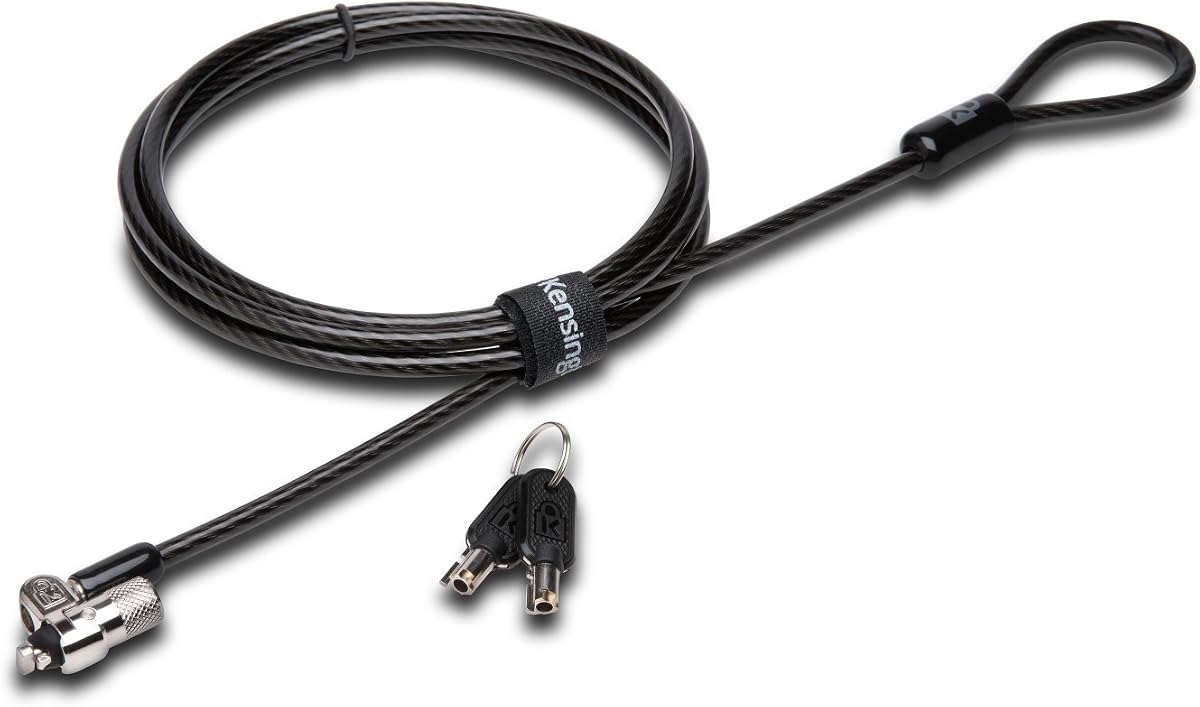
The Kensington Universal 3-in-1 Keyed Laptop Locking Cable, model K62318WW, stands out with a 4.7 rating, the highest in this guide. It combines three changeable lock tips—T-bar, Nano, and wedge-shaped—in a single 1.8-meter cable system. That design makes it especially attractive for users who own different computers or need to support a mixed fleet.
We may earn a commission when you buy through this link, at no additional cost to you.
All included tips use the 5mm keying system found across Kensington’s latest locks, so one key can operate the full set. A tether keeps unused tips attached and reduces the chance of losing them. The smaller key opening is intended to make picking more difficult, while patented hidden pin technology adds resistance to tampering.
The 1.8-meter cable has a plastic sheath for cut and theft resistance, and the pivoting, rotating hinge helps the cable flex around the computer without forcing awkward angles. The system is independently engineered and tested against standards covering strength, endurance, and mechanical resilience, according to the product information.
This is the strongest general recommendation for someone who wants a single durable lock across multiple slot standards. It will not connect to a device that has only an audio port, and its keyed operation requires responsible key storage. Even with those limitations, the three-tip arrangement, common keying, high rating, and flexible hinge create an unusually versatile security package.
The interchangeable tips cover standard T-bar, Nano, and wedge-shaped slots. This reduces the need to research a separate model for every computer and makes the lock easier to keep in a home, office, or repair kit.
A single 5mm keying system operates all three tips, reducing the number of keys that must be carried. The Register and Retrieve service provides an additional route for help if a key is lost or stolen.
We may earn a commission when you buy through this link, at no additional cost to you.
The best laptop security lock is the one that connects securely to the intended device, reaches a reliable fixed anchor, fits the user’s access habits, and remains practical in the location where the computer will be used.
Start by identifying the exact opening on the computer. Many laptops use a standard Kensington T-bar slot, but selected HP and Lenovo models use a smaller Nano slot, while many newer Dell and Alienware systems use a wedge opening. A standard T-bar lock will not fit a Nano or wedge slot, and no physical adjustment can safely overcome that mismatch. Check the manufacturer specifications, look for a compatible lock selector, or compare the opening with the lock tip before ordering.
In summary, verify the slot shape before considering cable length or design. Brand name alone is not enough, because compatibility can vary between models within the same product line.
Modern laptops increasingly omit a dedicated security slot. If the device has a 3.5mm audio port, an audio-port adapter can provide a connection point for a cable. If it does not, an adhesive anchor plate or a full locking station may be the more practical option. These alternatives expand compatibility, but their security depends on the strength of the adapter, adhesive bond, or frame and on how the device is positioned.
In summary, choose a slotless solution only after checking the device surfaces, anchor point, and movement. A mechanically integrated cradle generally offers a more consistent connection than adhesive alone.
Cable length determines how easily the computer can be positioned relative to a desk leg, table frame, cabinet, or other fixed structure. Five-foot and 5.5-foot cables suit many compact workspaces, while six-foot or longer options provide more freedom and can reach a suitable anchor when the immediate desk area is uncluttered. Excessive length can create loose loops or allow the device to be lifted farther from the anchor, so more length is not automatically better.
In summary, measure the realistic distance to the anchor before buying. Choose enough reach for comfortable positioning without leaving a large unsupported loop around the device.
Keyed locks provide familiar mechanical operation and can suit managed offices, repair environments, and users who already use a common key system. Combination locks remove the need to carry a key and make shared access easier because a code can be communicated. The downside of a combination is that anyone who sees it can unlock the device, and forgotten codes require resetting the lock according to the manufacturer’s instructions.
In summary, choose keyed control for formal access management and a resettable code for convenience. In either case, treat the key or code as a security credential rather than an incidental accessory.
A permanent office, shared studio, school, library, retail counter, and café each present different anchor options. A desk-mounted station is convenient for a fixed workstation, while a long cable and combination lock are useful for temporary tethering. A compact adapter-based lock works well when the computer must be moved between tables. The strongest configuration also considers whether the cable can pass through a solid part of the furniture rather than around a removable component.
In summary, design the setup around the real environment. Consider how the device is moved, where it is left unattended, and which portion of the desk can serve as a genuine fixed anchor.
Cable-only locks are light and easy to carry, but they depend on a suitable anchor being present. Locking stations are bulkier but create a controlled connection and may support better screen positioning. The 1.7-meter audio-port lock balances portability and reach, while the 2-meter locking-station cable offers more range but requires a larger setup. Users should also consider whether a lock will remain attached during a meeting or whether it must be removed each time the laptop is carried away.
In summary, favor a system you will actually use without hesitation. A slightly heavier design that remains installed is often more useful than a compact lock that is rarely deployed.
Cut-resistant cable, a metal lock body, anti-pick mechanisms, and a protected or pivoting head all contribute to resistance against casual tampering. Kensington’s T-Bar Combination lock and Dell wedge lock are described as independently verified for torque, pull, corrosion, key strength, lock lifecycle, and environmental conditions. Anti-pick hidden pin technology appears in the keyed T-Bar and 3-in-1 models. These features improve physical resistance, but a portable lock should still be viewed as a theft deterrent rather than an absolute guarantee.
In summary, favor recognized mechanical construction and a secure engagement design. The best deterrent combines a suitable anchor, correct fit, and cable that cannot be removed too easily.
The contents differ significantly across the list. Some products include a complete combination head, others require an adapter, and adhesive-based kits may include one or two anchor plates. A lock may also include spare tips, a tether for unused tips, keys, mounting hardware, or a registration service. These details affect setup time and whether the package can protect more than one device. The product descriptions contain a few naming or mechanism inconsistencies, so the actual package contents should be confirmed on the listing before checkout.
In summary, check every included component, not just the cable and lock. A complete package can prevent the need for an additional adapter, plate, key, or mounting accessory.
Begin by identifying the correct lock tip or connection method and confirming that the computer’s port or security slot matches. Insert the tip fully without forcing it, then check that the lock sits securely without obstructing vents, ports, the screen, or the keyboard. For an audio-port adapter, insert the adapter and tighten its screw firmly. For an adhesive plate, clean and dry the surface before pressing the plate into place and allow the adhesive to set as directed.
Route the cable around a solid, fixed part of the desk or furniture and then connect the lock. Keep the loop small enough to prevent the device from being lifted away, but leave enough slack to use the keyboard, adjust the screen, and open the lid. A locking station should be assembled according to its instructions, with its arms adjusted to the computer’s width and thickness and its cable connected to a stable anchor.
Inspect the lock and cable regularly for fraying, damaged sheaths, loose anchor plates, or signs of tampering. Do not pull sharply on a cable or rotate an adapter beyond its intended movement. Keep combination codes private, store spare keys securely, and use manufacturer registration services when available. If a lock is forced, its adhesive bond fails, or a tip becomes damaged, remove it carefully and replace it rather than relying on a weakened connection.
Most laptops use a standard Kensington T-bar slot, while selected HP and Lenovo systems use a smaller Nano slot and many newer Dell or Alienware systems use a wedge slot. The opening should be identified from the computer’s specifications or by direct visual comparison with the lock tip. Do not force a T-bar lock into a different shape, because a poor fit can damage the computer or leave the lock insecure.
Many modern MacBook models do not include a traditional Kensington security slot. The audio-port adapter model in this guide can work with compatible 3.5mm ports, while the AboveTEK locking station supports specified 12- to 16-inch MacBook, MacBook Air, Surface Pro, and Chromebook models. Confirm the device’s port, width, and thickness before choosing.
An adhesive lock can provide useful theft deterrence, but its security depends on surface preparation, adhesive quality, and whether the anchor plate remains undisturbed. A native security slot or locking cradle forms a more direct mechanical connection. Adhesive systems are best viewed as situational tools for portable devices and temporary public locations rather than permanent unattended protection.
A combination lock is convenient for shared users because there is no key to carry and the code can be reset by the owner. A keyed lock offers traditional access control and can be useful in managed offices using a common key system. Combination codes should still be kept private, while keys should be stored securely and registered when the manufacturer provides that service.
A five- to six-foot cable is usually sufficient for a standard desk, while longer options provide additional reach when the nearest fixed anchor is farther away. Cable length should match the environment without leaving excessive slack. A locking station with a long cable is useful for a permanent desk, whereas a shorter cable can be easier to manage in a compact or mobile setup.
No. A laptop lock is primarily a theft deterrent that secures a device to a fixed object and makes casual removal more difficult. Cut-resistant cables, robust lock heads, anti-pick mechanisms, and secure anchor connections improve resistance, but serious tools or forced removal may still defeat portable systems. It should complement sensible placement, backups, account protection, and other security practices.
Yes, if the devices share a supported connection method. The Kensington 3-in-1 model includes T-bar, Nano, and wedge tips, while the multi-device kits use standard slots or adhesive anchor plates. The audio-port model can support many modern brands that have a 3.5mm port. Compatibility still depends on the exact device design, not only the brand name.
The best anchor is a substantial, fixed part of the desk, table, cabinet, or floor connection that cannot be lifted or removed easily. The cable should pass around that structure rather than through a handle, caster, loose panel, or lightweight object. Check that the anchor is stable and that the cable does not create a lifting point for the computer.
The Kensington 3-in-1 Keyed Lock is the most versatile pick because it supports standard, Nano, and wedge slots with one common 5mm key system. The Kensington T-Bar Combination Lock remains an excellent traditional option for standard-slot equipment, while the AboveTEK Locking Station stands out for modern laptops that need a stable, ergonomic frame and a long cable.
Prioritize correct slot compatibility, a reliable fixed anchor, and a connection method you will actually use. Standard-slot users may prefer either keyed control or a resettable code, while owners of slotless laptops should examine audio-port adapters, adhesive anchors, and locking cradles according to the device and setting. Cable reach, port access, portability, and key or code management should be considered together.
Product listings, included accessories, ratings, and prices can change, so confirm the current specifications and package contents before purchasing. Checking the computer’s exact model and security opening is especially important because even well-regarded locks cannot provide a secure connection when paired with the wrong tip or adapter.