
HP 255 G10 15.6-inch
4.3Editor score
64GB high-bandwidth memory
2TB PCIe solid-state storage
Ryzen 7 7730U processor
A laptop with 64GB RAM is built for demanding workflows that place a premium on smooth multitasking, generous memory capacity, and responsive performance. From large spreadsheets and numerous browser tabs to virtual machines, creative applications, and intensive data projects, these systems give demanding users more room to work without relying on constant cloud storage or external memory.
The ten laptops in this guide cover conventional business machines, large-screen touch displays, compact ThinkPad designs, premium OLED models, and systems with upgraded memory and storage. We compared processor specifications, confirmed memory capacity, storage configurations, screen size and resolution, connectivity, operating systems, portability considerations, and available user ratings to identify the most compelling options for different needs.
Each review explains who the laptop suits, which features distinguish it, and where compromises may arise. The top three selections highlight the strongest balance of performance, value, and premium capabilities. Product listings, ratings, configurations, and availability can change, so readers should verify the current details and latest Amazon listing before making a purchase.
4.3Editor score

4.3Editor score
As an Amazon Associate we earn from qualifying purchases.
This side-by-side comparison highlights the processors, memory, storage, displays, and major connectivity features of all ten laptops, making it easier to identify the model that best fits your workload and preferred screen size.




The HP 255 G10 15.6-inch combines an AMD Ryzen 7 7730U processor, 64GB of high-bandwidth RAM, and a 2TB PCIe solid-state drive in a practical business laptop. Its 4.3 rating reflects a generally favorable reception, and the specification mix makes it especially interesting for buyers who prioritize memory and storage without moving to a premium chassis.
We may earn a commission when you buy through this link, at no additional cost to you.
The Ryzen 7 7730U provides eight cores and 16 threads, with a listed boost frequency of up to 4.50GHz. Paired with 64GB of RAM, that is a generous platform for large spreadsheets, many browser tabs, document collaboration, software development environments, and several memory-intensive applications running at once. The 2TB PCIe drive adds useful capacity for project files, media, images, and locally installed applications.
Its display is a 15.6-inch FHD IPS anti-glare panel, which is suitable for office work and general productivity. However, 250 nits and 45% NTSC color coverage are modest compared with brighter or more color-accurate premium panels. The 250-nit rating may also make the screen less ideal for bright rooms or detailed color-critical work, even though the basic resolution is practical for normal productivity.
This is a strong recommendation for students, office professionals, and home users who want the core benefits of a 64GB laptop in a conventional 15.6-inch form. It also includes Windows 11 Pro, Wi-Fi 6, a webcam, HDMI, USB-A, USB-C, and a numeric keypad. Those details make it especially useful for data entry and business-oriented workflows.
The combination of 64GB RAM and 2TB PCIe storage creates comfortable headroom for multitasking and local project files. It is a particularly useful configuration for users who regularly keep large datasets, many applications, and numerous browser tabs open at the same time.
Windows 11 Pro, Wi-Fi 6, a webcam, HDMI, and a numeric keypad round out a productive setup. The Ryzen 7 chip supplies enough parallelism for demanding office tasks while remaining a more practical choice than the highest-tier models in the list.
We may earn a commission when you buy through this link, at no additional cost to you.
The HP Essential 17t is a large-screen 64GB laptop that places useful touchscreen functionality and a Core i7 processor inside a business-oriented 17.3-inch design. Its 4.3 rating aligns with the strongest group in the guide, while the 64GB DDR4 memory and 2TB NVMe drive provide a generous foundation for productivity and multitasking.
We may earn a commission when you buy through this link, at no additional cost to you.
The 13th-generation Intel Core i7-1355U offers 10 cores and 12 threads, a 1.2GHz base frequency, and boost performance up to 5.0GHz. With Intel Iris Xe Graphics and 64GB of memory, the system is well suited to professional office software, research with many open resources, presentations, and users who routinely alternate between demanding applications.
The main visual compromise is its 1600 x 900 HD+ resolution. A 17.3-inch panel provides abundant working space, and the touchscreen can be convenient for browsing, demonstrations, and casual interaction, but the resolution is less sharp than the Full HD and FHD+ alternatives in this roundup. The stated 250 nits and 60% NTSC coverage also sit below the best display specifications available among competing options.
Its fingerprint reader, Wi-Fi 6, Bluetooth 5, USB-C, dual USB-A, and HDMI make it well connected for work. The listing also explains that the machine was opened for RAM and SSD upgrades, with separate warranty coverage for the upgraded components and the rest of the system. It is best suited to users who prioritize screen area, touch input, and memory over maximum portability.
The 17.3-inch touch display gives users room for side-by-side documents, web pages, and communication tools. While its resolution is not the sharpest in the guide, it can be valuable for students, presenters, and office workers who prefer direct navigation.
The product description confirms that the original seal was opened to upgrade the RAM and SSD. PCOnline US provides a one-year warranty on those upgraded parts, while remaining components retain the original manufacturer's one-year warranty.
We may earn a commission when you buy through this link, at no additional cost to you.
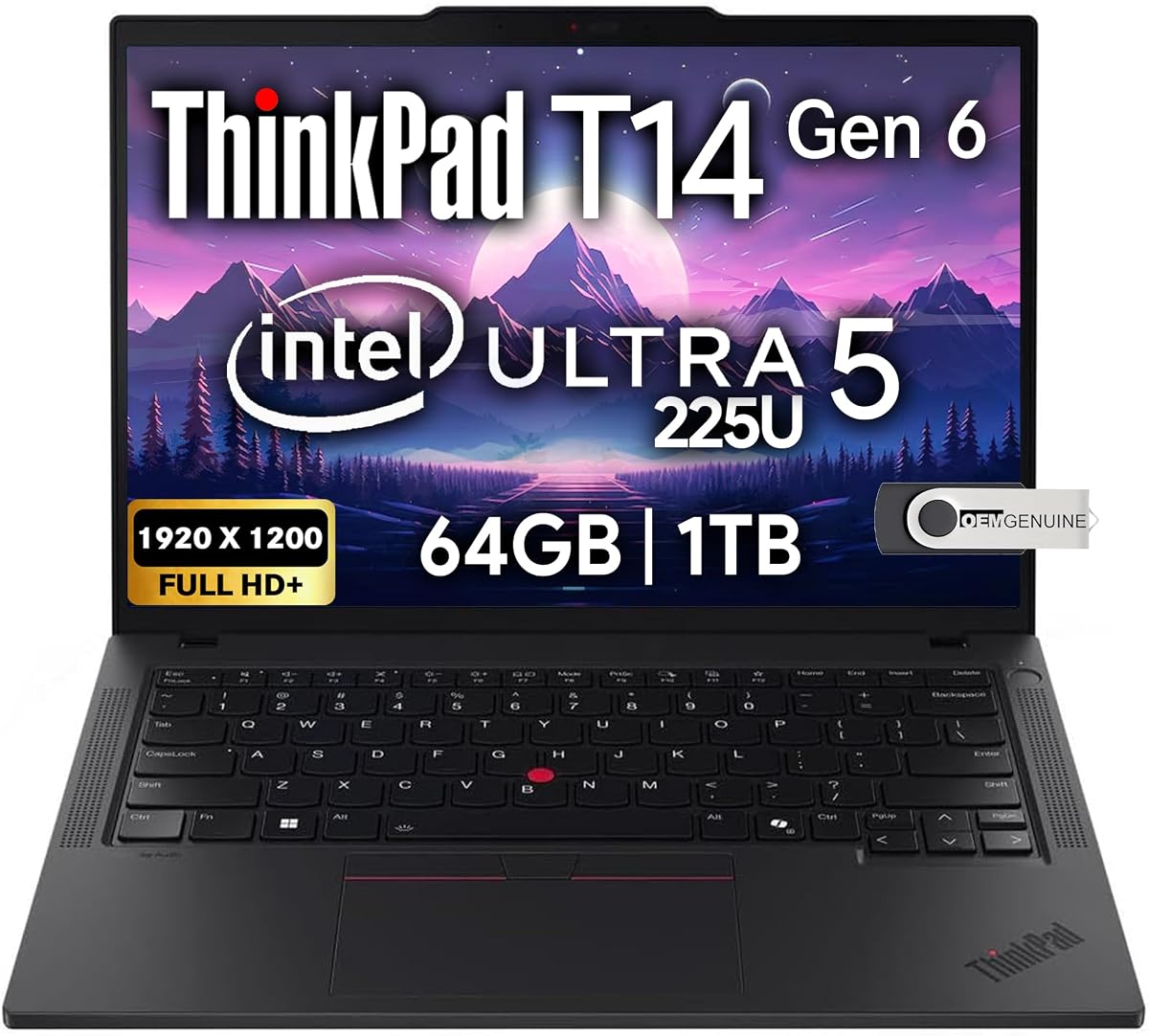
The Lenovo ThinkPad T14 Gen 6 is the most refined business-oriented selection in the guide, combining 64GB DDR5 memory, a Core Ultra 5 225U processor, and a portable 14-inch chassis. No numerical customer rating is supplied, so its value rests on its detailed specifications rather than a quantified review score.
We may earn a commission when you buy through this link, at no additional cost to you.
The processor uses an advanced hybrid architecture, while the 64GB of DDR5 RAM is positioned for fast processing and extensive multitasking. A 1TB NVMe drive supplies fast storage, though this is less spacious than the 2TB configurations offered by several HP models. For users who routinely move between cloud services and local applications, the 1TB capacity can still be ample.
Its 1920 x 1200 FHD+ IPS anti-glare display is sharper than the HD+ panels used by some large-screen competitors, and the 14-inch size makes the system easier to carry than a 17-inch notebook. The product data also states that it can support up to three external monitors through HDMI and Thunderbolt 4, with resolutions up to 4K at 60Hz.
This ThinkPad is best suited to professionals, programmers, students, and remote workers who value portability, modern connectivity, and a business-focused feature set. It includes a backlit keyboard, fingerprint reader, 5MP webcam with privacy shutter, Ethernet, Wi-Fi 6E, Bluetooth 5.3, and Windows 11 Pro. The combination makes it a particularly strong premium recommendation for mobile productivity.
The 14-inch display balances usable screen space with a more manageable footprint than the 17-inch alternatives. A 64GB memory configuration gives the compact system enough capacity to behave like a much larger workstation when many applications are open.
Two Thunderbolt 4 ports, HDMI, Ethernet, USB-A, Wi-Fi 6E, and Bluetooth 5.3 provide an unusually complete set of options. The stated support for multiple external monitors also makes it easier to transition between a mobile setup and a multi-screen office workstation.
We may earn a commission when you buy through this link, at no additional cost to you.
This HP 17.3-inch business laptop pairs 64GB of DDR4 memory with a 2TB PCIe solid-state drive, making it a practical large-screen option for office and study. Its 4.1 rating is solid, and the included 256GB docking station expands the package beyond a conventional notebook-and-storage configuration.
We may earn a commission when you buy through this link, at no additional cost to you.
The listed 10-core, 12-thread Intel Core i5 can boost to 4.6GHz and includes 12MB of cache. Combined with 64GB of RAM, it is equipped for large spreadsheets, browser-heavy research, document workflows, remote meetings, and multiple productivity applications. Intel Iris Xe Graphics handles general visual output and lighter multimedia tasks.
The 17.3-inch 1600 x 900 LED panel offers more room than a typical compact notebook, but it is not among the sharper screens here. Its 250-nit brightness may also be less comfortable in strongly lit spaces. A major advantage is that the described 2.2TB storage package combines a 2TB SSD with a 256GB docking station, which can be useful for a more permanent desk arrangement.
The system is well suited to business users, students, and home offices that favor a large display and full-size working area. It includes Windows 11 Pro, Microsoft Office, Wi-Fi, Bluetooth, USB-C, two USB-A ports, HDMI, and an audio jack. Buyers who spend most of their time at one desk may appreciate the package, while frequent travelers may find the 17.3-inch format less convenient.
Windows 11 Pro, Microsoft Office, and the included docking station make this package attractive for users assembling a productive desk. It reduces the need to purchase several basic accessories immediately, although specific docking-station ports should be confirmed in the current listing.
With 64GB of RAM and a ten-core processor, the laptop has ample resources for simultaneous office applications, extensive browser use, and data-heavy tasks. The 2TB drive is the more visible storage advantage for local project libraries and media.
We may earn a commission when you buy through this link, at no additional cost to you.
The HP OmniBook 7 16-inch is the guide's standout multimedia and premium display option. Its 2K OLED touchscreen, 120Hz refresh rate, HDR capability, 64GB of RAM, and Intel Core 9 270H processor create a high-end platform for visual work, general productivity, and demanding multitasking.
We may earn a commission when you buy through this link, at no additional cost to you.
The Core 9 270H has 14 cores, 20 threads, a 24MB L3 cache, and boost speeds up to 5.8GHz. That is among the most powerful processor specifications in this roundup. The 64GB of RAM supports heavy multitasking, while the 1TB SSD offers quick startup and file access but less local capacity than the 2TB-equipped alternatives.
Its 2048 x 1280 OLED display is the strongest visual specification here, with multi-touch, a 0.2ms response time, UWVA viewing, low blue-light features, edge-to-edge glass, and HDR brightness of 500 nits. This makes the laptop especially attractive for media consumption, presentations, design, and users who notice color and contrast quality.
The package includes a 128GB docking station, Windows 11 Pro, a backlit keyboard, Wi-Fi 7, Bluetooth 5.4, and a Thunderbolt 4 port. A second USB-C port, two USB-A ports, and Poly Studio-tuned audio with dual microphones add further flexibility. It is best for buyers who value the display and premium performance over maximum storage capacity or compact portability.
The 2K OLED panel is a major differentiator, offering higher resolution, deeper contrast, a 120Hz refresh rate, and HDR support. These qualities are especially useful for photo viewing, video, presentations, and color-sensitive creative tasks.
The 14-core Core 9 processor and 64GB of RAM create an unusually strong multitasking platform. Wi-Fi 7, Bluetooth 5.4, Thunderbolt 4, and the included docking station make the system ready for modern peripherals and high-bandwidth accessories.
We may earn a commission when you buy through this link, at no additional cost to you.
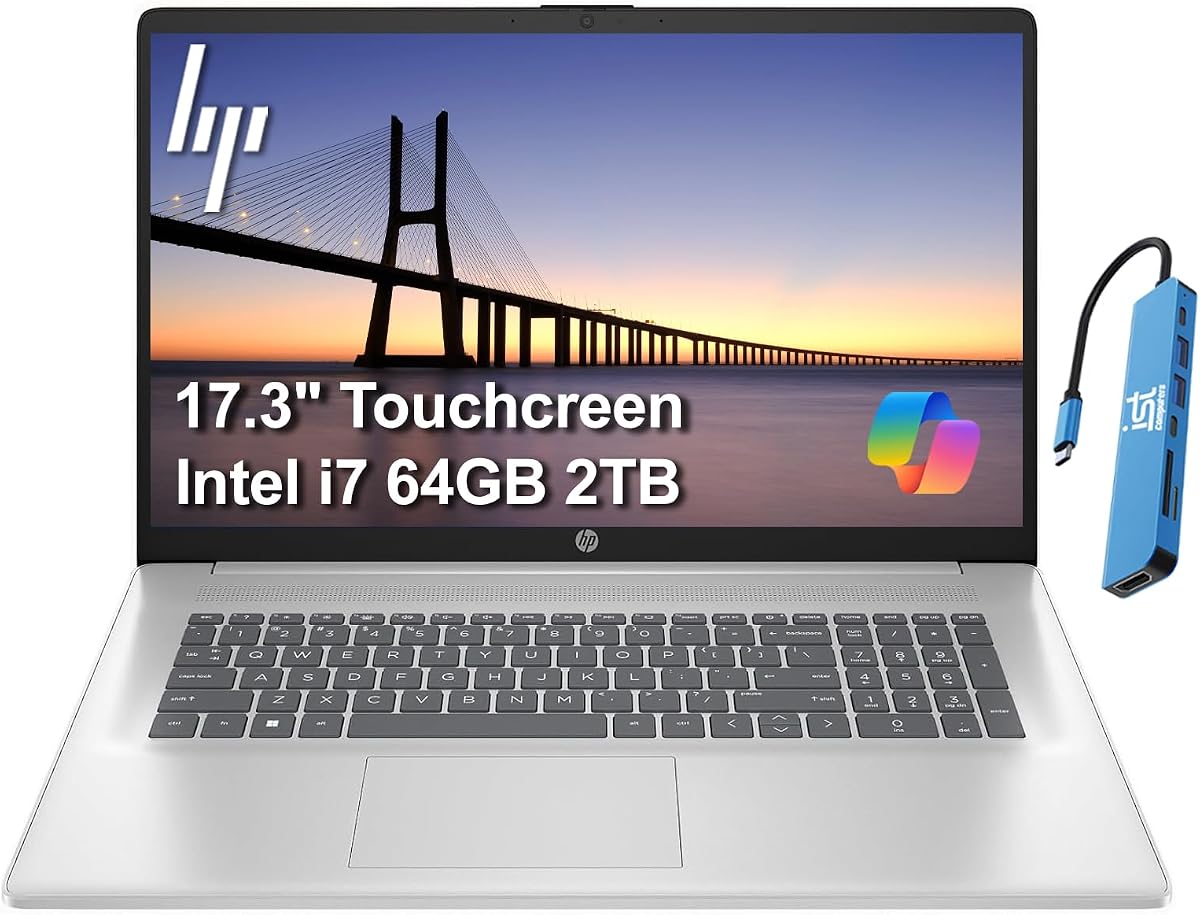
The HP 17 Touchscreen Laptop combines a 17.3-inch touch display, an Intel Core i7-150U processor, 64GB of DDR4 memory, and a 2TB PCIe NVMe drive. Its 4.2 rating indicates a generally positive reception, while the specification set is aimed at productivity, learning, communication, and heavier multitasking.
We may earn a commission when you buy through this link, at no additional cost to you.
The Core 7 150U has 10 cores and is described as an efficient processor for work and everyday advanced use. The 64GB of RAM ensures that large collections of applications can remain open, while the 2TB NVMe drive provides quick file access and substantial local capacity. These specifications are particularly useful for students and hybrid workers handling documents, research, meetings, and media.
The 1600 x 900 HD+ IPS BrightView touchscreen is functional but not especially sharp. It supports external displays at up to 4K and 60Hz through HDMI and Type-C without a docking station, which is valuable for a desk setup. A webcam privacy shutter adds a clear benefit for private calls, and the lift-hinge design is intended to improve airflow and typing comfort.
This is a sensible recommendation for users who prefer a large touch display, 64GB of memory, and fast storage. It includes Windows 11 Home 64-bit, Wi-Fi 6, Bluetooth 5.3, USB-C with power delivery and DisplayPort, two USB-A ports, and HDMI. The disclosed resealing and upgrade process includes a three-year warranty on the upgraded memory and SSD and a one-year manufacturer warranty on remaining components.
The touchscreen makes browsing, scrolling, and casual interaction feel direct, while the large panel provides room for detailed work. The lift-hinge construction and anti-glare-oriented productivity design are useful additions for extended sessions.
USB-C power delivery, DisplayPort 1.4, HDMI, and two USB-A ports support a broad range of accessories. The stated ability to drive two 4K external monitors without a dock simplifies the creation of a larger desktop workspace.
We may earn a commission when you buy through this link, at no additional cost to you.
This HP 255 G10 configuration is a lightweight 15.6-inch laptop built around a Ryzen 3 7330U processor and a high-capacity memory option. The listing states up to 64GB of RAM, a 1TB SSD, Full HD display, and Windows 11 Home, making it a relevant option for buyers who care more about memory headroom than high-end processing power.
We may earn a commission when you buy through this link, at no additional cost to you.
The Ryzen 3 7330U has four cores and emphasizes efficiency for routine work. It is well matched to document editing, web browsing, streaming, school tasks, and many simultaneously open applications when paired with the stated 64GB memory. The 1TB PCIe NVMe drive supports quick boot and file transfers, although this model's storage is half the capacity of several rivals.
The 1920 x 1080 LED-backlit display offers more sharpness than the HD+ options in the guide, while the 15.6-inch format is easier to carry than the larger 17-inch systems. It does not list a touchscreen, and the AMD Radeon Graphics is intended for general visual work rather than intensive gaming. The product also explicitly notes that no mouse is included.
This model is best for students, travelers, and everyday users who want 64GB of memory in a portable business-style shell. It includes HDMI, USB-C, a Full HD screen, and Windows 11 Home. Buyers with demanding rendering, compiling, or advanced creative workloads should look to the Ryzen 7 and Core i7 alternatives for more processor headroom.
The key advantage is 64GB of memory in a relatively portable 15.6-inch design. That combination can appeal to mobile users who open many applications yet prefer a smaller and lighter system than a 17-inch notebook.
The four-core Ryzen 3 processor is the main constraint. It remains appropriate for common productivity, study, and entertainment tasks, but users who routinely compile software, process large media, or run advanced simulations should favor one of the eight-core or ten-core configurations.
We may earn a commission when you buy through this link, at no additional cost to you.
The HP 15.6-inch Touch Laptop is included as a notable alternative rather than a true 64GB configuration. It has 32GB of upgraded DDR4 memory, a 1TB PCIe NVMe drive, a Ryzen 5 7530U processor, and a Full HD IPS touchscreen. Its 4.6 rating is the highest confirmed rating in the guide, but that does not overcome the central memory distinction.
We may earn a commission when you buy through this link, at no additional cost to you.
The six-core, 12-thread Ryzen 5 processor is capable of handling office work, complex spreadsheets, multi-tab browsing, document editing, and lighter creative tasks. The 32GB RAM is generous for ordinary use, and the NVMe drive adds fast boot and file response. Wi-Fi 6 and Bluetooth 5.4 provide modern wireless connectivity.
The 1920 x 1080 IPS touchscreen is one of the more attractive specifications in this price-oriented segment, with wide viewing angles and detailed presentation. A backlit keyboard, dedicated numeric keypad, and full-size layout are useful for spreadsheets, accounting, and data entry. The tradeoff is that it lacks the 64GB memory target, so buyers needing substantially more capacity should not treat the rating as a substitute for that specification.
It is a good choice for business and student users who prioritize a sharp touchscreen, a capable six-core processor, and a numeric keypad. Windows 11 Pro and Copilot support add productivity features. However, for virtual machines, very large datasets, heavy software development, or professional media applications, a genuine 64GB model in this guide will be the more future-proof purchase.
The Full HD IPS touchscreen offers sharp visuals, broad viewing angles, and responsive direct interaction. That makes it useful for presentations, browsing, and students who frequently work from reference material on screen.
A 32GB configuration is capable, but 64GB provides twice the stated memory capacity for unusually heavy multitasking. The processor here is also more restrained than several Ryzen 7 and Core i7 options, so buyers should compare the entire platform rather than relying on touch features alone.
We may earn a commission when you buy through this link, at no additional cost to you.
The HP 15.6-inch FHD Touchscreen combines the highly rated 5.0 customer score in this list with a Ryzen 7 7730U, 64GB of RAM, and a 2TB PCIe SSD. Its specification balance is among the strongest, and the touch display adds a useful layer of interaction to an otherwise conventional business laptop.
We may earn a commission when you buy through this link, at no additional cost to you.
The eight-core, 16-thread Ryzen 7 processor can boost to 4.5GHz, giving it ample parallelism for office applications, many browser tabs, data-heavy documents, and lighter creative workflows. The 64GB memory and 2TB storage are both generous, making this a versatile setup for users who want capacity without a 17-inch chassis.
The 1920 x 1080 anti-glare touchscreen offers useful sharpness and can reduce glare in varied lighting. Connectivity includes Wi-Fi 6, Bluetooth 5.3, USB-C, USB-A, HDMI, and an audio jack. The product also describes a 720p HD webcam, dual microphones, stereo speakers, a numeric keypad, and a dedicated Copilot key for quick access to AI-assisted tasks.
This is an excellent recommendation for professionals, students, remote workers, and home users who want a capable 15.6-inch touchscreen laptop. It includes Windows 11 Pro and states support for HP Fast Charge, taking the battery from zero to approximately 80% in around an hour. The stated battery life of up to 11 hours depends on usage and system settings, so it should be treated as a maximum rather than a guaranteed result.
The Ryzen 7 processor, 64GB of RAM, and 2TB drive cover demanding productivity with little concern over memory limits. The Full HD touch panel adds useful flexibility without moving to a much larger chassis.
A webcam, dual microphones, stereo speakers, Wi-Fi 6, and Bluetooth 5.3 support everyday calls and wireless accessories. Fast charging and the stated long battery target improve convenience for students and mobile professionals.
We may earn a commission when you buy through this link, at no additional cost to you.
The HP 17-inch Business Laptop rounds out the guide with 64GB of memory, a 2TB SSD, and a large 17.3-inch Full HD IPS display. Its 5.0 rating is one of the two highest listed scores, making it an attractive choice for users who prioritize screen area and generous hardware capacity.
We may earn a commission when you buy through this link, at no additional cost to you.
The Ryzen 5 7430U has six cores and 12 threads with boost speeds up to 4.3GHz. That is a capable platform for work, study, browsing, presentations, streaming, and light creative work. Integrated Radeon Graphics supports routine visual tasks, while 64GB of RAM creates comfortable headroom for many applications and large working sets.
The 1920 x 1080 IPS display offers sharper resolution than the HD+ models and includes anti-glare treatment. It is better suited to detailed office work and long reading sessions. A full-size keyboard, numeric keypad, dedicated Copilot key, Wi-Fi 6, Bluetooth 5.2, HDMI, USB-C, and USB-A cover the fundamentals expected from a business laptop.
The included wireless backlit keyboard and matching mouse are notable because they support a desktop-style arrangement while preserving the laptop's portability. This laptop is best for home-office users, students, and professionals who spend much of the day at one desk. Its 17.3-inch footprint will be less convenient for frequent travel than the 14-inch ThinkPad or 15.6-inch models.
Full HD resolution on a 17.3-inch panel offers a useful combination of detail and working area. The anti-glare treatment can improve comfort under bright indoor lighting, while the large screen reduces the need to scroll through documents and spreadsheets.
A wireless backlit keyboard and matching mouse are included for users who prefer a separate input setup. They can also help reduce repetitive use of the built-in keyboard, although the laptop itself already provides a full-size layout and numeric keypad.
We may earn a commission when you buy through this link, at no additional cost to you.
Choosing a 64GB laptop involves balancing memory with processor capability, storage, display quality, portability, connectivity, and the operating system features that match your work. The following factors help prevent the memory capacity from obscuring other important differences.
A product title may use terms such as up to, maximum, or selectable memory, and some configurations are upgraded after manufacture. The 64GB models in this guide explicitly list 64GB in their core specifications, while the HP 15.6-inch Touch Laptop has 32GB and should therefore be treated as an alternative rather than a direct match. Buyers should check the listing's memory section and selected configuration to verify the capacity being purchased.
Memory prevents applications from exhausting available system resources, but the processor determines how quickly those applications run. The Ryzen 7 7730U and Core i7-1355U offer stronger multitasking headroom than the Ryzen 3 7330U, while the Core 9 270H leads this group in core count and listed maximum turbo speed. Choose the Ryzen 3 for routine work, the Ryzen 5 or Core i7 for broad productivity, and the Core 9 or Ultra-series chip for the greatest parallel processing capability.
Most options include NVMe or PCIe solid-state storage, which supports fast startup and file transfers. A 1TB drive is adequate for cloud-focused users, while 2TB gives greater room for local media, archives, project files, and installed software. The HP 17.3-inch Business Laptop also includes a docking station in its described 2.2TB storage package. Storage capacity and accessories are separate considerations, so the full package should be reviewed.
Screen size, resolution, brightness, color coverage, and touch support each affect the experience. The 15.6-inch Full HD and 17.3-inch Full HD panels offer more sharpness than the 1600 x 900 HD+ options, while the OmniBook's 2K OLED stands apart for contrast, refresh rate, and HDR capability. A 17.3-inch display improves workspace size but reduces portability, and a touchscreen can help presentations or direct navigation.
Several models include Windows 11 Pro, which adds features such as enhanced security, management tools, single sign-on, and remote desktop. The HP Essential 17t and HP 17 Touchscreen Laptop list Windows 11 Home, while the ThinkPad includes Windows 11 Pro 64-bit with Copilot support. Choose the edition that matches your work, especially if you need centralized device management, business security features, or remote access capabilities.
USB-A remains useful for existing peripherals, while USB-C and Thunderbolt 4 can support faster accessories, charging, displays, and docks. The ThinkPad provides two Thunderbolt 4 ports, Ethernet, HDMI, and two USB-A connections, making it particularly well equipped for a desk setup. Wi-Fi 6, Wi-Fi 6E, and Wi-Fi 7 offer different wireless capabilities, and Bluetooth versions range from 5.2 to 5.4 in the guide.
The ThinkPad's 14-inch display offers the most compact footprint, while the 15.6-inch models strike a balance between screen area and mobility. A 17.3-inch laptop is more comfortable for desk-based work but less convenient in a bag or during travel. Keyboard lighting, numeric keypads, webcam privacy shutters, lift-hinge designs, and external input accessories can also influence comfort and daily usability.
Several upgraded systems were resealed or opened to install memory and storage. The HP Essential 17t includes a one-year warranty on its upgraded RAM and SSD from PCOnline US, while the remaining components retain the original manufacturer's one-year warranty. The HP 17 Touchscreen Laptop states a three-year warranty on upgraded memory and storage and a one-year manufacturer warranty on other components. These terms differ and should be confirmed before purchase.
Begin by moving essential files, signing into your preferred account, and installing the latest operating-system and application updates. With 64GB of memory, keep large working files organized in dedicated folders and avoid using excess RAM as permanent storage. Confirm that backup software or a cloud service is configured before beginning important projects, especially when the laptop contains upgraded memory and storage components.
For sustained heavy workloads, allow the underside to remain unobstructed so the processor can dissipate heat. Clean the display with a soft microfiber cloth and avoid placing liquids near the keyboard, touch panel, or ports. When using a docking station, disconnect unnecessary external devices occasionally and confirm that cables are not creating strain on the USB-C, HDMI, or Thunderbolt connections.
Periodically check available storage, review active applications, and restart the system when long-running tasks have accumulated many background processes. Use the manufacturer-provided controls or firmware updates to keep the system current. If memory, storage, or warranty coverage is important, retain the original order information and follow the seller's documented upgrade and service terms.
It depends on how many applications and browser tabs you use and whether you run memory-intensive software. 64GB is more than many ordinary home tasks require, but it provides valuable headroom for large files, virtual machines, development tools, professional applications, and heavy multitasking. It can also extend the practical usefulness of a system when individual applications consume substantial memory.
Not automatically. Battery life depends mainly on the processor efficiency, display characteristics, battery capacity, network conditions, and workload. Extra RAM can help a system avoid swapping data to slower storage, but memory that remains unused consumes little additional power. A model with an efficient processor and a high-quality display may last longer than a less efficient laptop with 64GB.
It can be, especially when compiling large projects, running containers or virtual machines, working with multiple development environments, or keeping many services active. Standard web and application development may not always require 64GB, and code editors alone do not automatically use all available memory. Developers running complex local environments gain the most from the extra capacity.
Some listings explicitly state that the systems were opened and upgraded, while others describe 64GB as an included configuration. Upgradeability varies by model and internal design, so you should not assume every laptop has accessible memory slots. Check the product description, warranty terms, service manual, and current configuration before making any additional upgrade.
A 14-inch model is generally easier to carry and can still provide strong performance when paired with 64GB of memory. A 17-inch laptop offers more visible workspace, which can benefit document-heavy work, spreadsheets, media viewing, and desk-based productivity. If the computer will travel frequently, the smaller display is usually more convenient; if it will remain on a desk, the larger panel may be more comfortable.
It depends on whether you rely on cloud storage. A 1TB drive can comfortably hold the operating system, applications, active project files, and a substantial media library. Users who keep multiple large video projects, extensive archives, or local virtual-machine images may prefer 2TB. The memory and storage capacities serve different purposes, so choosing a larger drive need not mean giving up 64GB of RAM.
Touchscreens can make browsing, demonstrations, and direct on-screen interaction more convenient, while keyboard and mouse input remains important for sustained productivity. They are not universally better and may cost more or reduce battery efficiency depending on the platform. Consider the workflow, display quality, portability, and included accessories rather than treating touch support as the only measure of business suitability.
It remains very important. RAM provides capacity, while the processor determines how quickly work executes. A capable eight-core Ryzen 7, ten-core Core i7, fourteen-core Core 9, or hybrid Core Ultra processor can make a more noticeable difference than memory alone in compute-heavy tasks. Match processor tier to your software, and treat 64GB as a capacity advantage rather than a substitute for sufficient computing power.
The HP 255 G10 15.6-inch stands out as the best overall balance for buyers seeking a Ryzen 7 processor, 64GB of memory, 2TB PCIe storage, Windows 11 Pro, and a familiar 15.6-inch business format. The HP Essential 17t earns the Editor's Choice for its large touchscreen, Core i7 performance, and business-oriented connectivity, while the Lenovo ThinkPad T14 Gen 6 is the premium selection for portable professional work, DDR5 memory, and modern docking support.
When comparing the remaining models, prioritize the processor, screen, and form factor that match your actual work. The HP OmniBook 7 offers the most advanced display, the HP 15.6-inch FHD Touchscreen provides a particularly balanced feature set, and the 17.3-inch models are most appropriate for users who value a large desktop-style workspace. The 32GB HP touchscreen laptop is a capable alternative but does not meet the 64GB requirement.
Finally, check the live Amazon listing before ordering. Memory and storage configurations, warranty coverage, ratings, included accessories, and availability may change, and the displayed product name can contain details that differ from the selected option. Confirm the exact 64GB configuration, current specifications, upgrade disclosures, and return terms to make the most informed purchase.