
Epson 522 Genuine Black Ink
4.8Editor score
Single genuine Epson bottle
Ultra-high-capacity 522 formula
Keyed EcoFit refill design
Our Liquid Ink for Printers guide compares 10 refill bottle options for compatibility, capacity, ease of use, print quality, and value for home and office use.
Liquid ink for printers can lower interruptions, simplify color management, and provide an economical alternative to continuously replacing cartridges. A useful bottle should match the ink code and printer model, deliver consistent color and text, refill cleanly, and offer enough capacity for the volume of pages you regularly produce.
The products in this guide are evaluated using the information supplied for each listing, including printer compatibility, bottle quantity, color configuration, refill design, page-yield claims, and intended applications. The list covers Epson 522 and 502-compatible options, a Canon-compatible four-color kit, and an HP Smart Tank set.
Each review explains the strongest benefits and the trade-offs that may matter to a particular user. Ratings, compatibility details, and page-yield claims can change, while prices and promotions also vary, so readers should confirm the current listing and printer requirements before purchasing.
4.8Editor score

4.8Editor score
4.9Editor score
The comparison below organizes all 10 options by ink system, pack configuration, capacity, compatibility, and refill convenience, helping readers identify the refill that best matches their printer and printing habits.


The CEEBOO 522 High Capacity five-bottle set is a compatible refill option for a broad selection of Epson EcoTank models. It carries a 4.6 rating and places particular emphasis on a straightforward filling experience. The bottles use auto-stop nozzles intended to reduce squeezing, leaking, and spills while users replenish the printer’s ink tanks.
We may earn a commission when you buy through this link, at no additional cost to you.
Its primary strength is practical compatibility. The supplied information lists the ET-2400, ET-2720, ET-2800, ET-2803, ET-2840, ET-4700, ET-4800, and ET-4810 among supported printers. That makes the pack a potentially convenient choice for households or offices that own one of these models and want a sizable supply of dye-based replacement liquid ink without relying on cartridge replacements.
The refill mechanism is another meaningful advantage. A nozzle that stops when the tank is full can make the process more controlled, particularly when the user is refilling near a desk or working with several colors. The listing also states that the ink is designed to produce crisp black text and vivid color for reports, homework, letters, charts, photos, and graphics, giving it a broader everyday remit than a monochrome-only option.
The trade-off is that this is not genuine Epson ink, and the product is explicitly not sublimation ink. Buyers should also verify their exact model before ordering rather than relying only on a similar model number. Subject to that compatibility check, this is a sensible five-bottle option for users who value controlled refilling, flexible color use, and support availability.
The auto-stop nozzle is designed to eliminate the need to squeeze each bottle and helps limit overflow. That makes refilling more approachable for beginners and reduces cleanup around sensitive office equipment.
The claimed combination of clear text and vivid color suits reports, schoolwork, charts, graphics, and general photo printing, giving the set more flexibility than a black-only refill.
We may earn a commission when you buy through this link, at no additional cost to you.
The Epson 522 EcoTank Ink Ultra-high Capacity Bottle Black & Color Combo Pack is a 4.8-rated genuine Epson product designed for several compatible EcoTank models. Its strongest feature is the combination of manufacturer-backed ink quality and the EcoFit bottle system, which uses uniquely keyed containers to make it easier to match each bottle to the correct ink tank.
We may earn a commission when you buy through this link, at no additional cost to you.
The set includes black and color ink in one coordinated package, reducing the inconvenience of sourcing different genuine bottles separately. It is listed as compatible with the ET-2720, ET-2800, ET-2803, ET-2840, ET-4700, ET-4800, and ET-4810. The supplied description also emphasizes vivid pages, dependable results, and a refill format intended to reduce the ongoing burden of cartridge replacement.
For buyers who value confidence over the lowest possible refill cost, the primary benefit is reduced uncertainty. Genuine Epson ink, keyed fittings, and broad but clearly stated model support create a more cohesive setup than a loosely matched collection of third-party bottles. As with all inkjet output, actual yield varies with image coverage, settings, temperature, humidity, and how often the printer is used.
The main drawback is that genuine products generally cost more than compatible refill alternatives, and this package will not fit a printer that uses a different ink code. It is also a multipack rather than a single low-cost bottle. It is nevertheless the most balanced overall recommendation here for Epson EcoTank owners who want a complete, manufacturer-supported black-and-color solution.
EcoFit’s uniquely keyed design helps users align the proper bottle with the appropriate tank. This adds confidence and makes routine maintenance less confusing.
Using the manufacturer’s own 522 formula removes ambiguity about formulation and printer support. It is a logical choice when consistent output and straightforward setup matter most.
We may earn a commission when you buy through this link, at no additional cost to you.
The Ankink 522 High Capacity Ink set is a six-bottle package totaling 600ml, with three 100ml black bottles and one 100ml bottle each of cyan, magenta, and yellow. Its 4.7 rating reflects a favorable balance of supply, printer support, and the quality claims associated with its manufacturing process.
We may earn a commission when you buy through this link, at no additional cost to you.
Compatibility is the standout feature. The product information lists a large selection of ET, ST, and ST-C models, including the ET-2800, ET-2720, ET-2803, ET-2840, ET-4700, ET-4800, and ET-4810. It also includes models such as the ET-2700, ET-2750, ET-2760, ET-3700, ET-3760, ET-3850, ET-4750, ET-4760, ET-4950, and several ST-series printers.
The concentrated black configuration makes sense for users who print more text than graphics. The listing claims up to 6,000 pages per black bottle and 6,000 pages per color bottle, although real results depend on the document, coverage, printer settings, and operating conditions. The set is also described as being produced in an ISO 9001, ISO 14001, and RoHS-certified facility, which may interest buyers who value documented production standards.
The trade-off is that all color bottles are only 100ml each, so heavy photo or graphic printing may consume them faster than the three black bottles. Compatibility also has to be checked carefully because the model list is extensive and an incorrect match is possible without verification. For a 522 user who prints substantial text, this remains one of the more flexible compatible multipacks in the guide.
Three black bottles make this especially practical for invoices, homework, reports, and long text documents. The larger black inventory can reduce how often that color needs replenishing.
The long model list is useful, but it should be treated as a verification tool rather than a guarantee. Buyers should locate their exact printer model and compare it with the listing before ordering.
We may earn a commission when you buy through this link, at no additional cost to you.
This five-bottle EPT502-compatible set is designed for EcoTank and ST-series printers that use the 502 ink system. It has a 4.8 rating and offers two black bottles plus one cyan, one magenta, and one yellow bottle. Unlike a 522-focused option, its defining detail is the 502 compatibility and the inclusion of several high-capacity models in the ET-2850, ET-3850, and ET-4850 families.
We may earn a commission when you buy through this link, at no additional cost to you.
The product description highlights instant-dry technology for smudge-free photo output and sharp text, along with vibrant, fade-resistant color. It also claims reduced clogs and maintenance, which are important considerations for refill-based EcoTank systems. Precision nozzles are intended to prevent spills, and the bottles are designed to fill their corresponding tanks quickly.
Another notable benefit is the claimed page capacity of more than 10,000 black pages and 8,000 color pages per set at 5% coverage. This is a manufacturer claim rather than a universal result, and actual output will vary with image density, settings, and the documents being printed. Even so, it suggests a substantial supply for homes, offices, schools, and community organizations that produce regular high-volume work.
The important limitation is ink-system compatibility. These are 502 bottles and are not intended for printers using 522 ink, so a buyer with an ET-2800 or several other common models must not assume they will work. For a confirmed 502 printer user, however, the five-bottle configuration, fast-drying claims, and large stated yield make this an attractive premium-style compatible option.
The instant-dry feature is particularly relevant when documents must be handled immediately after printing. It also supports the listing’s claims of sharp text and reduced smudging.
A claimed capacity above 10,000 black pages and 8,000 color pages per set can provide a useful buffer for high-volume users, though actual output will depend on document coverage.
We may earn a commission when you buy through this link, at no additional cost to you.
The OFFICENTER T522 refill set provides two 140ml black bottles and 70ml bottles of cyan, magenta, and yellow. It has a 4.6 rating and is built around the 522 ink system, offering a dye-based alternative for compatible Epson EcoTank and ST-series models.
We may earn a commission when you buy through this link, at no additional cost to you.
Its black-heavy configuration is designed for users who produce more monochrome documents than color pages. The listing states that the two black bottles can print up to 17,000 pages in total and that each color bottle can produce up to 6,000 pages at 5% coverage. These are stated maximums, so heavy graphics, photos, environmental differences, and printer settings should be expected to alter actual yield.
The auto-stop bottle design is a practical selling point. It is intended to reduce spills and make the refill process more controlled by stopping the flow when the correct fill level is reached. The claimed clear output and dye-based formula target office and home users who need dependable text and color for routine documents.
As with the other third-party 522 options, compatibility must be confirmed against the exact printer model. It is also explicitly not sublimation ink, making it unsuitable for workflows that require sublimation-grade liquid. Within standard inkjet use, however, it is a well-balanced choice for a 522 owner who prioritizes a large black supply and straightforward refilling.
The two 140ml black containers create a larger black reserve than a standard single-bottle format. This suits schools, offices, and homes that regularly print reports, forms, and long documents.
The dye-based formulation is positioned for clear office and home output. It should not be confused with sublimation ink, which is designed for an entirely different application.
We may earn a commission when you buy through this link, at no additional cost to you.
The EaseFusion Compatible Ink Bottle Replacement for Epson 522 Ink is a five-bottle set totaling 550ml. It includes two black bottles and one bottle each of cyan, magenta, and yellow. The 4.4 rating is the lowest in this group, but the package still presents a practical combination of capacity, clean refilling, and extensive compatibility.
We may earn a commission when you buy through this link, at no additional cost to you.
The product claims up to 10,000 pages for black and 10,000 pages per color at 5% coverage. Those figures indicate a high-capacity approach, though they should be viewed as listing claims rather than guaranteed results. The ink is described as stable and fade-resistant, with output intended for everyday documents, school projects, and high-volume reports.
Refilling is straightforward because the bottles use an auto-stop design. Users insert the bottle into the refill port without squeezing, and the design is intended to prevent overfilling and spills. The listed compatibility covers common ET-2800, ET-2400, ET-2720, ET-2803, ET-2840, ET-4700, ET-4800, and ET-4810 models, along with a larger collection of ET, ST, and ST-C models.
The trade-off is that this is a compatible product rather than genuine Epson ink, and its 4.4 rating suggests somewhat less uniform buyer satisfaction than the leading options. Users who prioritize large stated yields, clean handling, and a mixed-color supply may still find it useful. Confirming the exact model and reviewing the current customer feedback before buying is advisable.
The 550ml total and two-black-bottle configuration create a useful reserve for users who refill less often. It is aimed at consistent use rather than occasional color printing.
Auto-stop filling is designed to make the process approachable and reduce overfilling. It is especially convenient for users who may not refill printers frequently.
We may earn a commission when you buy through this link, at no additional cost to you.
This four-color refill kit offers 100ml each of black, cyan, magenta, and yellow liquid ink for compatible Canon Pixma printers. Its 4.8 rating and complete 400ml color configuration make it a notable option for Canon users who need more than black ink but do not want to manage separate cartridge purchases.
We may earn a commission when you buy through this link, at no additional cost to you.
The supported range covers cartridges and ink codes including PGI-280, CLI-281, PGI-250, CLI-251, PGI-270, CLI-271, PGI-225, CLI-226, PGI-1200, PGI-2200, PGI-550, and CLI-551. The title also names specific Pixma models such as the iP7220, MG5420, MG5520, MG6420, MX722, and MX922, along with several TS and TR-series models.
The kit includes a refill syringe, which can help users transfer ink accurately into compatible tanks. Its bottle mouths are sealed with aluminum film for transport, and the transparent upper covers are designed to limit leaks. The listing also highlights vivid color saturation and a material choice intended to resist corrosion and printhead clogging.
This is not a universal refill solution, because Canon models and ink codes differ from Epson and HP systems. Users must confirm that their printer and ink code appear in the supported list. For those who do, the balanced colors, included tool, and 4.8 rating make this a strong choice for home photos, school projects, and general color documents.
The equal 100ml bottles provide black, cyan, magenta, and yellow in a single purchase. This avoids piecing together separate refill sources for a first full color setup.
The included syringe supports more controlled filling, while sealed bottle mouths and protective caps are designed to reduce leakage during storage and transport.
We may earn a commission when you buy through this link, at no additional cost to you.
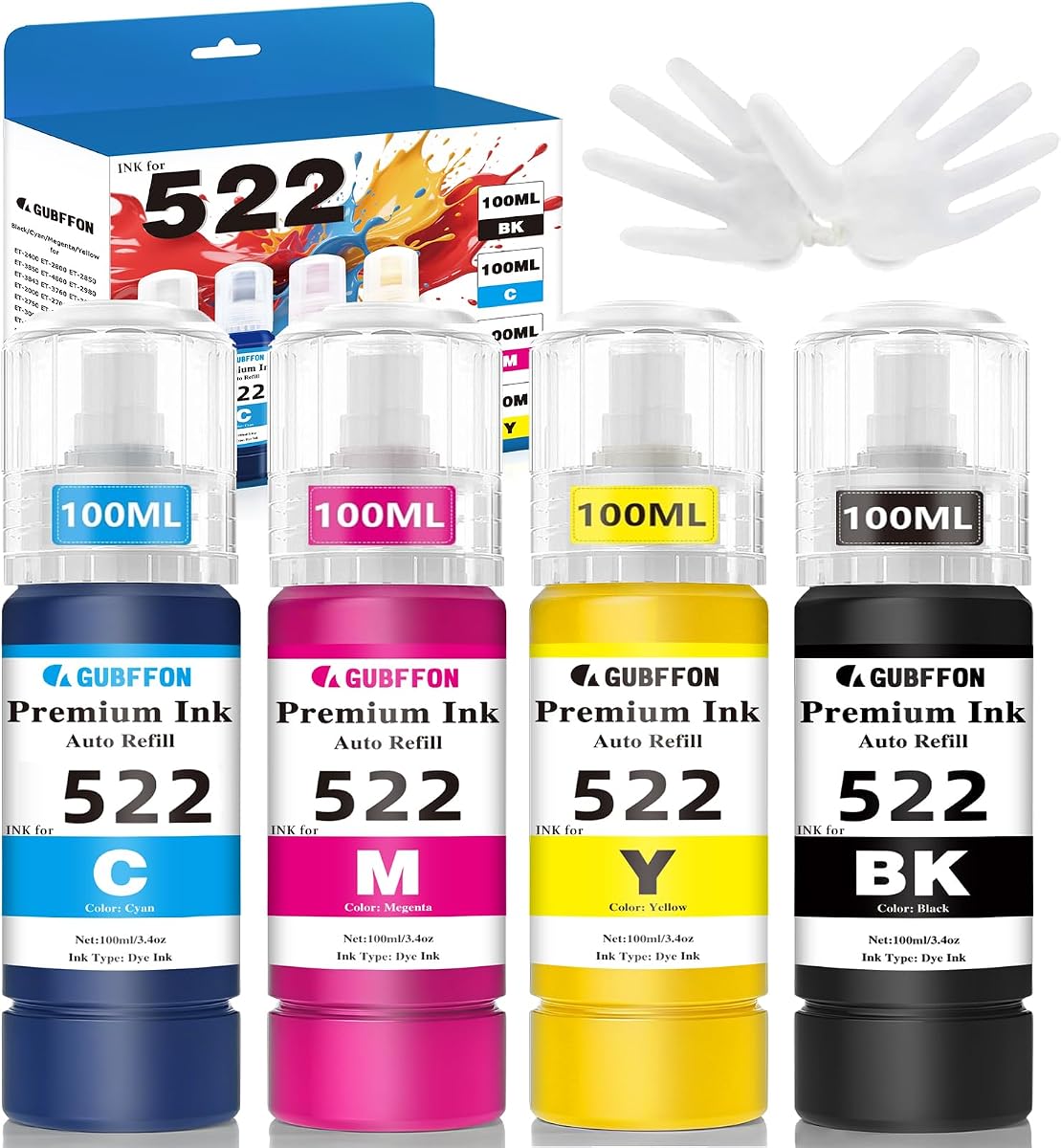
The 400ml 522 Ink Refill Bottles set is the highest-rated product in this guide at 4.9. It includes four 100ml dye-based bottles covering black, cyan, magenta, and yellow, and it is positioned for a broad group of 522-compatible Epson EcoTank models. Its most distinctive feature is the combination of transparent containers, auto-stop nozzles, and extensive quality and support claims.
We may earn a commission when you buy through this link, at no additional cost to you.
The transparent bottles make it easier to see the remaining ink level, which is a small but useful improvement in a refill-based system. The auto-stop design prevents overfilling and leaks by stopping the bottle when the appropriate level is reached. The listing also claims sharp text, true-to-life color, color consistency, and fade resistance for documents, flyers, school materials, forms, and projects.
The product information claims up to 9,500 pages for the color combo and 5,500 pages for the black bottle at 5% coverage on A4 paper. It also states that each refill replaces more than 22 cartridges and reduces plastic and packaging waste. Those figures are model-specific claims, so document density, settings, and the exact printer will influence actual results.
Compatibility is the essential caveat. The set supports listed ET-2800, ET-2803, ET-2400, ET-2720, ET-4800, ET-4810, ET-2840, ET-2900, ET-2903, and ET-4903 models, but it will not fit printers that use 502 ink. It is also not sublimation ink. For a confirmed 522 user who values visibility, polish, and support, it is the strongest premium pick here.
Transparent containers let users check remaining supply at a glance, while the auto-stop nozzle limits overfilling. Together, they make routine maintenance more controlled.
The listing cites professional certification for color consistency and fade resistance, offers technical support, and includes a one-year limited warranty when the product is registered.
We may earn a commission when you buy through this link, at no additional cost to you.
This 31 32XL ink bottle set is tailored to HP Smart Tank printers and includes a 165ml black bottle plus 100ml bottles of cyan, magenta, and yellow. It has a 4.5 rating and supports models including the HP Smart Tank 7600, 7602, 7300, 7301, 7001, 5000, 5101, 5102, 6000, 6001, 651, and 551.
We may earn a commission when you buy through this link, at no additional cost to you.
The supplied information highlights an anti-leak, auto-stop design that avoids squeezing during refills. It also claims quick-drying, fade-resistant, clog-free output with vivid and accurate colors. A claimed capacity of 19,000 pages for the 32XL black bottle and 10,000 pages for a 31 ink bottle set indicates a high-volume focus, subject to the stated 5% A4 coverage conditions.
The package includes a pair of gloves and bottle-cap opening gadgets. These small accessories are useful because opening refill containers cleanly can otherwise lead to drips, and the included tools can make the process more manageable. The 465ml total package also provides a mixed formula across the four core colors.
A key technical caveat is that the 32XL black is pigment ink, while the 31 color inks are dye-based. The listing warns that switching from a different formula may require cleaning the cartridge and nozzle to avoid affecting output. HP users should also confirm the exact model and ink code. With that attention, this is a solid choice for busy Smart Tank households and offices.
Included gloves and opening tools help manage a refill process that can otherwise leave ink on hands, caps, or the work surface. They make the package more practical for regular use.
Because black uses a pigment formula and the color inks use dye, a user changing between formulations may need to clean the cartridge and nozzle. Checking the previous ink type can prevent unexpected output issues.
We may earn a commission when you buy through this link, at no additional cost to you.
The Epson 522 EcoTank Ink Ultra-high Capacity Bottle Black, model T522120-S, is a single genuine black ink refill for several compatible EcoTank printers. It carries a 4.8 rating and provides a straightforward way for a 522 user to replenish only the color they need rather than purchasing a full multipack.
We may earn a commission when you buy through this link, at no additional cost to you.
The bottle uses Epson’s keyed EcoFit design, which helps match the container to the correct filling position. The product information emphasizes brilliant color output, razor-sharp text, long-lasting prints, and reliable performance. That combination makes it particularly suitable for users who primarily print reports, forms, homework, and routine office documents.
The single-bottle format is the central advantage for budget-conscious buyers. It avoids paying for cyan, magenta, and yellow that may rarely be used, and it works well as an occasional top-up for an already established color supply. Genuine Epson formulation also gives users confidence that the ink is intended for the listed printer family.
The limitation is obvious: this product supplies black only. It also supports only the models named in the listing, including the ET-2720, ET-2800, ET-2803, ET-2840, ET-4700, ET-4800, and ET-4810. Buyers needing all four colors should purchase a combo instead. For black-only replenishment, though, this is a focused, well-rated, and budget-practical option.
A single black bottle is a practical choice for users who already have sufficient color ink. It turns a routine document-printing refill into a smaller and more focused purchase.
Epson’s EcoFit keying helps make the refill process easier to understand. Genuine formulation adds another layer of confidence for compatible models.
We may earn a commission when you buy through this link, at no additional cost to you.
The most important decisions are printer compatibility, ink formulation, bottle capacity, and refill convenience. Compare the exact model and ink code before considering package size, claimed yield, or price.
Liquid ink bottles are not interchangeable across printer brands or ink codes. The Epson 522 options in this guide are intended for compatible 522-based EcoTank models, the EPT502 set targets 502-based printers, the Canon kit supports listed Pixma ink codes, and the HP set is designed for specified Smart Tank models. Start by locating the model number on the printer and checking it against the product listing. A shared ET or ST prefix does not guarantee that every bottle in the range fits every model, so buyers should use the full model designation rather than relying on general family language.
Genuine Epson bottles provide manufacturer-backed formulation, keyed fittings, and clearly defined compatibility, as seen in the Epson 522 combo and black bottle. Compatible products can offer larger capacities or lower costs, but the outcomes depend on the formula, printer, and installation. Printers that previously used one formulation may need cleaning when switching to another, particularly when moving between pigment and dye inks. Buyers should consider the ink type stated in the listing and whether they are comfortable following any cleaning recommendations.
Most products here are standard printer liquid ink, and several explicitly state that they are not sublimation ink. Sublimation ink is intended for specialized workflows involving transfer media and is not the correct choice for ordinary home or office document and photo printing. Similarly, the HP product uses pigment black and dye color inks, while the other compatible sets are described as dye-based. Understanding the intended ink system prevents an expensive mismatch and may reveal whether cleaning is needed after changing products.
A complete four-color kit is best for a new setup or balanced color use, while packs with two or three black bottles suit document-heavy printing. The Ankink 522 set contains 600ml across six bottles, with half of the bottles devoted to black. The OFFICENTER and EaseFusion sets use two black bottles alongside three colors, while the 400ml 522 set offers one 100ml bottle of each color. Match the mix to your average job mix rather than choosing only by the total number of bottles.
Bottle volume provides a useful baseline, but page-yield claims often tell a fuller story. The listed products range from a single genuine Epson bottle to 600ml compatible sets, with claimed black yields ranging from several thousand pages per bottle to approximately 19,000 pages in the HP package. These figures are generally based on 5% coverage and can change with photographs, graphics, settings, temperature, humidity, printer condition, and how often the printer is used. Treat yield as a comparative estimate rather than a guaranteed result.
Auto-stop nozzles are common across many Epson-compatible options and are intended to reduce squeezing, overflow, and spills. The Canon kit includes a syringe and sealed bottle mouths for more controlled handling, while the HP set includes gloves and cap-opening tools. Look for a design that matches your comfort level. Even well-designed bottles require upright storage, tight caps, and careful alignment when filling, so convenience should be evaluated alongside capacity.
Support can be valuable when a bottle does not fit, a formula causes problems, or a user needs guidance during setup. Several listings mention technical support or customer service, and the 400ml 522 set includes a stated one-year limited warranty when registered. Buyers should save the relevant instructions and keep purchase documentation, especially when using a compatible product. A clear return or exchange policy can also reduce the risk associated with an incorrect compatibility choice.
For text, prioritize sharp edges, stable flow, and reliable black output. For graphics and photographs, examine claims about vivid color, saturation, fade resistance, drying, and smudging. Ink intended for home or office documents may not prioritize the same characteristics as ink selected for image-heavy work. Read the product’s stated applications and any maintenance notes. Also consider storage conditions, since bottles should generally be kept sealed and at suitable temperature, especially before an extended period without use.
Begin by confirming the printer model, required ink code, and liquid ink type. Turn off the printer and open the ink tank area according to its manual. Remove the correct tank lid, check that the refill port is clean, and make sure there is enough room to place the bottle upright. If the ink formula is changing, complete any recommended cartridge or nozzle cleaning before adding the new liquid.
Prepare the bottle by removing its transport seal and protective cap, then gently squeeze the main body only if the bottle design requires it. A key-coded or auto-stop bottle should be inserted firmly into the matching port and held steady while the ink flows. Stop when the bottle stops or the tank reaches its indicated maximum. Remove the bottle carefully, recap it tightly, and wipe away any small drips before replacing the tank lid.
Run the printer’s ink charging, cleaning, or nozzle-check function as directed in the manual, then print a test page that includes text and representative colors. Allow the output to dry before judging saturation, banding, sharpness, or uniformity. Store unused bottles upright with caps secured, away from direct heat and temperature extremes, and follow the manufacturer’s storage and shelf-life guidance.
Usually not. These ink codes identify different refill systems, and the supplied listings explicitly warn that 522 bottles are not compatible with printers that use 502 ink. Check the ink code required by the printer and choose a refill made for that exact system. Even when two models have similar ET-series names, the bottle shape, key, and formula may differ.
No. Liquid ink for printers is formulated for conventional inkjet documents, graphics, and photos, while sublimation ink is intended for specialized transfer processes. Several products in this guide explicitly state that they are not sublimation ink. Using ordinary printer ink where sublimation ink is required can produce poor results, so the intended application should be confirmed before purchase.
Actual output depends on the product, document coverage, settings, and maintenance. Listings commonly base estimates on 5% coverage, which is suitable mostly for text. Photographs, charts, and full-color graphics consume more ink and reduce yield. Compare the stated test conditions with your own print mix rather than treating the maximum page number as a guarantee.
Different pigment and dye formulations can behave differently in the cartridge and printhead. The HP 31 32XL set, for example, uses pigment black and dye color inks. If the previous ink was different, the listing recommends cleaning the cartridge and nozzle before switching. This helps maintain consistent flow and reduces the chance of color or clarity problems.
Auto-stop bottles are designed to reduce overflow and eliminate the need to squeeze in many refill ports, but they are not guaranteed to prevent every spill. Users should align the bottle correctly, keep it upright while filling, tighten the cap afterward, and wipe the port and work area. The Canon and HP kits include additional tools intended to improve handling.
It is technically possible in some systems, but it is not always advisable because formulas can differ in viscosity, colorant, and drying behavior. Users who switch should follow the manufacturer’s cleaning guidance and watch for blocked nozzles, banding, or color shifts. All inks in a tank should also be within the same general ink system and compatible with the printer model.
A pack with multiple black bottles is usually the most practical. The Ankink 522 set includes three black bottles, while the OFFICENTER and EaseFusion options include two each. Their larger black reserves are better suited to reports, invoices, forms, and schoolwork than a balanced four-bottle set. Check the model and ink code before choosing.
Keep bottles tightly capped, upright, and away from direct sunlight, heat, and temperature extremes. Clean the bottle neck and refill port before use to avoid introducing dust. Storage guidance can differ by formula, so the product instructions and printer manual should take priority. Avoid leaving partially used bottles open, and do not transfer ink between incompatible systems.
The Epson 522 EcoTank Ink Combo Pack stands out as the most balanced overall recommendation because it combines genuine manufacturer ink, a complete black-and-color supply, and keyed EcoFit bottles. The Epson 522 Genuine Black Ink is a focused budget choice for users who mainly need black, while the 400ml 522 set leads the premium-compatible category with transparent containers, a high rating, and strong support terms.
Before buying, prioritize exact printer and ink-code compatibility over package size or yield claims. Print-heavy users may favor a black-heavy multipack, while photo and graphics users may prefer balanced colors or a larger capacity set. Genuine ink offers the most direct manufacturer support, whereas compatible bottles can be worthwhile when the formulation, refill design, and model support have been checked carefully.
Current prices, promotions, customer feedback, and listing details can change, so shoppers should review the product page at the time of purchase. Confirming the printer model, ink type, bottle quantity, color mix, and stated coverage assumptions will help ensure that the chosen liquid ink provides a smooth and dependable printing experience.