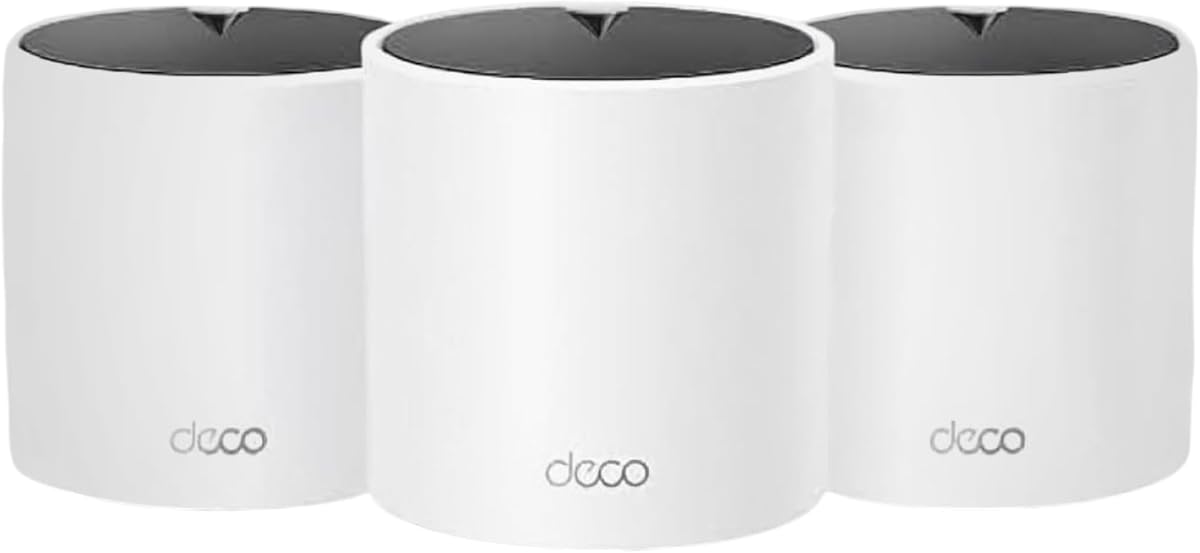
TP-Link Deco X15
4.4Editor score
Three-node AX1500 system
Dynamic dual-band backhaul
Up to 5,600 square feet
Six Gigabit Ethernet ports
Mesh WiFi for Thick Walls guide comparing 10 systems for coverage, backhaul, wall penetration, speed, features, and whole-home reliability.
Thick walls can block or weaken Wi-Fi signals, leaving rooms with slow connections, buffering, and inconsistent device roaming. A capable mesh system can improve coverage by distributing access points throughout the home. The most effective units combine suitable radio bands, strong wireless or wired backhaul, thoughtful placement, and enough network capacity for busy households.
This guide compares 10 mesh Wi-Fi systems based on the supplied coverage claims, wireless standards, band configurations, port options, backhaul options, roaming features, and device capacity. It includes Wi-Fi 6, Wi-Fi 6E, and Wi-Fi 7 systems ranging from dual-band designs to tri-band and multi-gig models. The comparison also highlights which products are best suited to larger homes, renovation-heavy layouts, and demanding networks.
Each pick highlights the features that matter most when walls interrupt a typical router signal. You will see where tri-band backhaul, 2.5G or 10G Ethernet, wider coverage claims, and newer wireless standards can make a meaningful difference. Product ratings and technical specifications may change over time, so confirm the current listing, specifications, and retailer availability before making a purchase.
4.4Editor score

4.4Editor score

4.0Editor score
This side-by-side comparison covers the principal factors that influence mesh performance in homes with thick walls: wireless generation, band count, coverage claims, backhaul, Ethernet options, and supported device loads.


The Deco 7 BE5000 is a dual-band Wi-Fi 7 mesh system built for households that want a modern network without moving directly to a tri-band premium design. It carries a 4.3 rating and combines a 5 GHz band rated at up to 4,324 Mbps with a 2.4 GHz band rated at up to 688 Mbps. Its stated coverage reaches as much as 6,600 square feet for more than 150 devices, making it a credible option for medium-to-large homes where thick walls interrupt a single access point.
We may earn a commission when you buy through this link, at no additional cost to you.
Its most important advantage for thick-wall environments is the combination of flexible node placement and 2.5G Ethernet backhaul. The system can use wireless and wired backhaul together, while its Ethernet connectivity allows at least two units to be connected with a fast physical link. That is particularly helpful when a concrete wall, fireplace, or long hallway makes a wireless link between access points difficult. AI-driven roaming also helps devices move between Deco units under one network name as their signal conditions change.
There are trade-offs. A dual-band system has fewer dedicated backhaul resources than a tri-band model, so the highest wireless speeds may be less readily available to distant clients. Wi-Fi 7 features also deliver their greatest benefits only when the connected devices, router capabilities, and local conditions support them. The system requires a separate modem, and backhaul still needs at least two Deco units. Nevertheless, the combination of newer wireless technology, 2.5G connectivity, and broad coverage claims is well suited to challenging layouts.
This is a strong choice for a builder who wants Wi-Fi 7 capability, enough scale for a busy household, and options for improving difficult links with Ethernet. It is especially appropriate when the home has multiple floors, substantial masonry, or several rooms that struggle with coverage from a conventional router. For shoppers who can take advantage of wired backhaul but do not need the wider port suite of the premium tri-band systems, the Deco 7 BE5000 offers an appealing balance.
Connecting compatible Deco units with Ethernet can preserve throughput across walls that would otherwise weaken a wireless backhaul. This makes the 2.5G support especially relevant in homes with masonry, multiple floors, or a long physical path between access points.
The Wi-Fi 7 platform is designed for newer wireless capabilities and compatible client devices. Its aggregate speed ratings are theoretical maximums that will vary with distance, interference, client limitations, and obstacles.
We may earn a commission when you buy through this link, at no additional cost to you.
The Deco 7 Pro BE10000 combines tri-band Wi-Fi 7 with a 6-stream configuration and a stated aggregate speed of 10 Gbps. Its 4.2 rating reflects a system aimed at expansive homes, performance-focused households, and users preparing for multi-gig internet service. The three-pack is advertised to cover as much as 7,600 square feet and support more than 200 devices, providing substantial capacity for dense smart-home environments and frequent simultaneous streaming.
We may earn a commission when you buy through this link, at no additional cost to you.
For thick walls, the separate 6 GHz, 5 GHz, and 2.4 GHz bands offer more flexibility than a dual-band arrangement. The system can use its tri-band wireless capabilities and Ethernet together to balance traffic between nodes. Four 2.5G WAN/LAN ports per unit and the inclusion of a 10G port on the listed system add another route for improving connectivity. Where wiring can be installed, a high-capacity Ethernet backhaul can become the strongest way to span masonry, stacked floors, or elongated floor plans.
The main limitation is that this is a more advanced system than many households require. Its three radio bands and 10 Gbps aggregate rating do not guarantee that every client will receive the maximum speed, and older devices remain limited by their own wireless standards. A modem is still required, and users must understand the distinction between internet speed, wireless client speed, and backhaul capacity. The system is also more complex to deploy intelligently than a basic two-node mesh.
The BE10000 makes the most sense for a large, connected home where wireless capacity, multi-gig ports, and future expansion matter. It is a strong candidate for owners of newer Wi-Fi 7 phones, laptops, televisions, and other compatible equipment, especially when they can add Ethernet between nodes. For a smaller home or a straightforward broadband plan, a less advanced Deco model may deliver a more practical experience.
A tri-band system can reserve more capable wireless resources for communication between nodes, reducing the amount of traffic competing for the same connection used by clients. Actual performance still depends on placement and wall attenuation.
The 2.5G ports and listed 10G option make the system useful for fast broadband, NAS connections, and wired devices. These ports can also create a high-capacity backhaul when the home layout allows cabling.
We may earn a commission when you buy through this link, at no additional cost to you.
The Deco XE75 is one of the most balanced choices in this guide for a home whose thick walls require more than a conventional router but whose owners do not necessarily need a Wi-Fi 7 or 10G system. It has a 4.4 rating, uses tri-band Wi-Fi 6E, and carries an AX5400 aggregate speed class. The three-pack is stated to cover up to 7,200 square feet and support up to 200 devices.
We may earn a commission when you buy through this link, at no additional cost to you.
Its defining feature is the 6 GHz band, which can serve as a stable wireless backhaul between Deco units by default. This extra band can make mesh operation more resilient when clients are connected across the 5 GHz and 2.4 GHz bands. It can also be switched into a Wi-Fi network mode for compatible Wi-Fi 6E clients. That makes the XE75 particularly relevant for newer phones, computers, and other equipment that can use 6 GHz, while remaining part of a unified TP-Link mesh network.
The supplied specifications do not list multi-gig Ethernet ports, so the XE75 is less compelling for users who want 2.5G or 10G wired connectivity for a NAS, advanced switch, or multi-gig service. Older clients cannot take advantage of 6 GHz, and the stated 5,400 Mbps total is an aggregate laboratory figure rather than a guaranteed speed at every location. Coverage will still depend on where nodes are placed and how densely the walls are built.
Overall, the XE75 is an excellent general-purpose recommendation for a larger home with thick walls. It balances a tri-band design, a generous coverage claim, and 6 GHz backhaul without moving into the more advanced hardware class. Choose it when you have compatible Wi-Fi 6E devices, want broad whole-home coverage, and value a mature mesh platform with straightforward app-based management.
Using the 6 GHz band as wireless backhaul can keep inter-node traffic separate from many client connections. This is useful when a wall placement makes dual-band wireless backhaul less reliable.
The listed 7,200-square-foot coverage claim makes the three-pack suitable for many large homes. Effective results require nodes to be distributed beyond the area occupied by the main router.
We may earn a commission when you buy through this link, at no additional cost to you.
The TP-Link Deco S4 is a straightforward AC1900 dual-band mesh system with a 4.5 rating. Its three units create one network name and password, allowing compatible devices to roam without the multiple network names associated with many range extenders. The stated coverage is up to 5,500 square feet, and the system can support up to 100 connected devices.
We may earn a commission when you buy through this link, at no additional cost to you.
For a home with thick walls, the most valuable feature is the ability to use wired Ethernet backhaul. Every Deco S4 unit has two Gigabit Ethernet ports, giving the three-pack six ports in total. If a user can run a cable between nodes, a physical connection can bypass some of the attenuation that makes a wireless link weak. This gives the older Wi-Fi 5 platform an opportunity to deliver more consistent whole-home performance in a difficult architectural layout.
The limitations are clear. AC1900 is a Wi-Fi 5 class, so it lacks the 6 GHz spectrum and newer features found in the XE75 and Wi-Fi 7 systems. Its stated 100-device limit is lower than the capacity claims of the X55, X55 Pro, XE75, and newer Deco models. If the home has heavy local traffic, demanding modern clients, or a multi-gig internet connection, this system may be better viewed as a practical coverage solution than a high-capacity network.
The Deco S4 is well suited to a straightforward request: extend a reliable network through a home with inconvenient walls without creating several separate Wi-Fi systems. It is a sensible option for average device loads, users who value simple administration, and homes where Ethernet can be installed between access points. It offers less headroom than newer systems, but it addresses the core need for broader, more consistent roaming at a lower tier.
A wired link between Deco units can be more reliable than a wireless link through dense walls. The available Gigabit ports make that approach possible wherever the property permits a cable run.
Using a single name and password means phones and laptops can move between nodes without forcing users to select a separate extender network. Device behavior and roaming can still vary by client.
We may earn a commission when you buy through this link, at no additional cost to you.
The Deco X55 is a two-node AX3000 Wi-Fi 6 system with a 4.3 rating. It is designed to replace weak single-router coverage with a unified mesh network capable of reaching up to 4,500 square feet and supporting up to 150 devices. Each unit includes three Gigabit Ethernet ports, so the two-pack provides six ports while allowing any unit to serve as the main router.
We may earn a commission when you buy through this link, at no additional cost to you.
The X55 is a practical choice for medium homes with thick walls, especially where its two nodes can be positioned at opposite ends of the property. AI-driven mesh behavior learns the network environment, while wired Ethernet backhaul offers a way to strengthen the connection between nodes. Its Wi-Fi 6 capabilities are more modern than those of the Deco S4, while the absence of 6 GHz keeps the design simpler than the XE75.
Its stated coverage of 4,500 square feet is the smallest figure among the three-node whole-home systems in the comparison, and the two-pack provides fewer access points than the XE75, X15, M5, S4, and X55 Pro bundles. Thick walls can also make dual-band wireless backhaul less efficient, so the quality of the node-to-node link will vary. Users seeking 2.5G or 10G connections may need to look at the X55 Pro or newer Wi-Fi 7 systems.
The X55 fits users who want a modern, easy-to-manage mesh without needing a 6 GHz radio or multi-gig ports. It can be particularly effective in a two-level home where the two units are placed intelligently and, if possible, linked by cable. It is a balanced choice for ordinary internet service, a moderate collection of connected devices, and consumers who prioritize simplicity over maximum headroom.
The 4,500-square-foot coverage claim makes the X55 a natural fit for medium-sized properties. Thick walls may require additional nodes if the available space extends well beyond the stated target.
When the two units can be cabled, Gigabit Ethernet can provide a stronger inter-node connection. This is especially useful when a wall sits directly between the main router and the remote access point.
We may earn a commission when you buy through this link, at no additional cost to you.
The TP-Link Deco X15 offers a useful budget-oriented approach to thick-wall coverage with a 4.4 rating. This three-pack uses dual-band AX1500 Wi-Fi 6, with a stated 5 GHz rate of 1,201 Mbps and a 2.4 GHz rate of 300 Mbps. TP-Link claims coverage for as much as 5,600 square feet and support for up to 120 connected devices.
We may earn a commission when you buy through this link, at no additional cost to you.
The three-node bundle is the X15's main advantage over smaller mesh systems. It provides more opportunities to place access points around thick walls, across floors, or in rooms that would otherwise remain isolated. Dynamic backhaul supported by TP-Link Mesh helps the system select an appropriate link, while each unit has two Gigabit Ethernet ports for a total of six across the set. A wired connection can improve a difficult node-to-node route when the installation permits.
The AX1500 speed class is considerably less ambitious than the XE75, BE5000, BE10000, and BE14000 models. As a dual-band system, it has fewer resources for dedicated wireless backhaul, so very thick walls and long inter-node distances may still reduce performance. The stated capacity of 120 devices is sufficient for many households but may be restrictive in a very dense smart home or a property where residents regularly use multiple high-bandwidth devices.
The Deco X15 is a strong value-oriented recommendation for buyers who want the placement flexibility of three nodes and modern Wi-Fi 6 without paying for a 6 GHz or Wi-Fi 7 system. It should be placed rather than left clustered together, with one node near the internet connection and the others positioned in areas that need coverage. It is a sensible pick for a medium home, a moderate device load, and a straightforward need to reduce dead zones.
Three units can be distributed around a property to place an access point beyond each major wall cluster. Physical placement remains the biggest practical factor in mesh performance.
Dynamic backhaul can help the mesh adapt to changing wireless conditions. Ethernet remains preferable for the harshest walls when cabling is available.
We may earn a commission when you buy through this link, at no additional cost to you.
The TP-Link Deco M5 has the highest listed rating in this comparison at 4.6, which reflects its established position as a straightforward whole-home mesh system. The three-pack is stated to cover up to 5,500 square feet and provide seamless roaming under one network name. It uses adaptive routing to choose paths for connected devices, allowing the system to adapt to the layout and changing network conditions.
We may earn a commission when you buy through this link, at no additional cost to you.
Its three-node configuration is useful for homes with thick walls because each unit can act as an access point in a different part of the property. The system includes two Gigabit Ethernet ports per unit and supports wired backhaul, offering a practical way to improve a link that would otherwise have to cross masonry or several obstacles. As with other meshes, the best results come from spreading the units across meaningful areas rather than placing them together.
The M5 operates on the older Wi-Fi 5 generation. Newer Wi-Fi 6, Wi-Fi 6E, and Wi-Fi 7 clients can connect, but they will not gain the full capabilities of the newer standards. Its bandwidth headroom is also lower than that of the AX, AXE, and BE systems in this guide. For a household with newer phones, laptops, high-resolution television, and active gaming, that difference may be noticeable when many devices are connected at once.
The M5 is best suited to households seeking proven basic mesh coverage, reliable roaming, and straightforward management without a requirement for the newest radio standard. Its three access points and wired backhaul support make it more adaptable in a thick-wall home than a single router. The system is a particularly sensible option for standard internet use and a moderate number of devices, while performance-focused buyers should consider a newer Wi-Fi 6 or Wi-Fi 7 platform.
Adaptive routing helps the mesh choose a more appropriate path for each connected device. This supports consistent roaming when the household contains several access points.
The included nodes can serve separate floors or wings of a home. Their coverage is most useful when each unit is located near a group of devices rather than concentrated in one room.
We may earn a commission when you buy through this link, at no additional cost to you.
The Deco X55 Pro combines a three-node AX3000 Wi-Fi 6 mesh with 2.5G Ethernet ports, giving it a distinctive role in this guide. Its 4.4 rating, stated coverage of up to 6,500 square feet, and support for more than 150 devices make it a strong general recommendation for a large home. The multi-gig ports are particularly relevant for users with fast internet, a NAS, or other equipment that can benefit from a wired connection.
We may earn a commission when you buy through this link, at no additional cost to you.
In a thick-wall environment, the X55 Pro gives owners a practical balance of wireless node placement and fast physical backhaul. Each unit has two 2.5G ports, so a connection between nodes can be more robust than an ordinary Gigabit wired link or a congested dual-band wireless path. The three units can also serve separate areas of a home, reducing the distance between clients and an access point. AI-driven mesh behavior helps optimize the network around actual conditions.
The system remains dual-band, so it does not have the dedicated 6 GHz backhaul option found in the XE75 or the additional high-band radio resources of the Wi-Fi 7 tri-band systems. The advertised AX3000 class also provides less aggregate headroom than AX5400, BE5000, BE10000, and BE14000 configurations. Users whose primary need is a 6 GHz client network should compare the XE75, while those seeking 10G interfaces should examine the Deco 7 Pro models.
The X55 Pro is an excellent choice for a home that needs both broad mesh coverage and modern wired networking. It is especially attractive when thick walls make wireless backhaul unreliable and a home owner is willing to run Ethernet between nodes. Its balanced Wi-Fi 6 performance, 2.5G connectivity, and three-node bundle make it particularly suitable for busy homes, smart-home systems, and owners of high-speed broadband.
A 2.5G wired link provides a high-capacity path between nodes and can overcome difficult wall attenuation. It also supports modern local network devices that benefit from faster Ethernet.
The three-pack can be distributed across a broad floor plan. Its 6,500-square-foot claim is a useful target, though construction and placement determine the real result.
We may earn a commission when you buy through this link, at no additional cost to you.
The Deco 7 Pro BE67 is the premium performance option in this guide, with a 4.0 rating and a tri-band Wi-Fi 7 configuration. It uses an 8-stream design with stated band speeds of up to 8,647 Mbps on 6 GHz, 4,324 Mbps on 5 GHz, and 688 Mbps on 2.4 GHz. The three-pack is advertised to cover up to 8,100 square feet while serving more than 200 devices.
We may earn a commission when you buy through this link, at no additional cost to you.
Its 10 Gbps, 2.5 Gbps, and 1 Gbps WAN/LAN options create a compelling wired path through a difficult home. A 10 Gbps Ethernet backhaul can be exceptionally useful between units separated by masonry or long distances, while the USB 3.0 port adds a local connectivity option. The tri-band radios also provide the resources needed to balance client and backhaul traffic in a large property. Multi-Link Operation and other Wi-Fi 7 features are intended to improve performance and reliability for compatible devices.
Premium specifications do not guarantee premium results in every room. Older clients lack Wi-Fi 7 features, walls continue to attenuate signals, and the maximum figures depend on distance, interference, device capabilities, and network configuration. The lowest listed rating in the comparison also suggests that not every shopper sees equal value in this advanced package. A separate modem is required, and the complexity of placement, multi-gig ports, and new standards may exceed the needs of a conventional household.
The BE67 is best for a large, highly connected residence with newer Wi-Fi 7 equipment, multi-gig broadband, or demanding local network storage. It is also a compelling choice for owners willing to run high-speed Ethernet between access points. For most people seeking simpler thick-wall coverage, the XE75 or X55 Pro may be more rational, but this model delivers the greatest networking headroom in the group.
A 10 Gbps physical link can carry node traffic without the attenuation limitations of a wireless link. It is a major advantage when thick walls separate the main connection from distant rooms.
Multi-Link Operation is designed to combine multiple bands for stronger, more continuous connections. Its benefits apply to compatible clients and suitable network conditions rather than every connected device.
We may earn a commission when you buy through this link, at no additional cost to you.
The NETGEAR Orbi RBW30 is a compact wall-plug satellite designed to add coverage to an existing Orbi whole-home mesh network. It has a 4.4 rating and is listed to add as much as 1,500 square feet of coverage at speeds up to 2.2 Gbps. Its slim form makes it a practical solution for placing another access point in a difficult room without occupying a shelf or countertop.
We may earn a commission when you buy through this link, at no additional cost to you.
The wall-plug format is particularly useful in homes with thick walls because the satellite can be placed directly in the room where the signal is weak. It joins the existing Orbi system under one Wi-Fi network name, allowing compatible devices to move between the router and satellite. The listed tri-band technology is intended to maintain speed as more devices use the network, although the system's performance remains dependent on the quality of the connection to the original Orbi equipment.
This is not a complete mesh system by itself. It works only with an Orbi whole-home mesh router, and its listed coverage contribution is much smaller than that of the three-node bundles elsewhere in the guide. The product is therefore most useful as a targeted expansion for an existing Orbi installation, not as a general recommendation for a new network. Owners of other brands or a standalone Orbi router without the necessary system will need a different solution.
The RBW30 is best for someone who already owns a compatible Orbi mesh and needs to reach a specific dead zone behind a thick wall. The outlet form factor makes placement simple, and the stated 1,500-square-foot contribution can be helpful in a medium or large home. For shoppers starting from scratch, one of the complete Deco systems offers a more self-contained path to broad, unified coverage.
Installing the satellite directly in a weak-signal room can shorten the distance between clients and an access point. That physical proximity often matters more than a larger nominal coverage figure.
The RBW30 requires an existing compatible Orbi whole-home mesh router. Buyers without that system should choose a complete multi-node mesh instead.
We may earn a commission when you buy through this link, at no additional cost to you.
Choosing a mesh system for a thick-wall home requires balancing radio capability, backhaul, node placement, and wired connectivity. The most important step is to understand how the building attenuates signals and which devices will place the greatest demand on the network.
A tri-band system has a meaningful advantage when client traffic and node-to-node traffic compete for the same two radios. The third band can be reserved for backhaul, as with the Deco XE75, or used as an additional client band, as in the Wi-Fi 7 tri-band systems. This can improve stability in a home where walls make a dual-band wireless link difficult. It does not guarantee faster service in every room, because the result still depends on radio placement, interference, client support, and the severity of the walls.
Choose tri-band when the home is large, nodes must communicate through masonry, or wireless backhaul is the only practical option. A wired connection remains the strongest choice for the most difficult barriers.
Wired backhaul removes the weakest part of a wireless mesh: the link between access points. Running Ethernet through existing walls, along hallways, or through conduit can preserve speed across concrete, brick, foil-backed insulation, and other dense materials. Several Deco systems in this guide support wired backhaul, and the X55 Pro, BE10000, and BE67 provide multi-gig ports that increase the available wired bandwidth. Even an older Gigabit mesh can benefit from a physical link when the alternative is a heavily attenuated wireless one.
Prioritize wired backhaul for the most challenging walls, long node distances, and busy networks. If cabling is impractical, use the placement guidance in the Deco app and avoid placing nodes directly beside the obstruction.
Published square-foot figures offer a useful starting point, but they cannot account for every wall, floor, room shape, or neighboring network. A three-node system with a 7,200-square-foot claim is not automatically superior to a two-node system with a 4,500-square-foot claim if the larger bundle cannot be distributed effectively. The number of walls and floors matters more than the total area. Irregular layouts, stairwells, basements, and long corridors may require more access points than a simple area calculation suggests.
Choose enough nodes to place one near the internet connection and one in each remote coverage area. Do not expect the main unit alone to reproduce the full stated coverage of the bundle.
Wi-Fi 6 improves efficiency and capacity, Wi-Fi 6E adds the 6 GHz band, and Wi-Fi 7 introduces features such as Multi-Link Operation, Multi-RUs, and 4K-QAM. Newer standards are most valuable when the household owns compatible devices, but they do not transform older clients into faster clients. A Wi-Fi 6E system can still be a sensible way to create a dedicated 6 GHz backhaul, while a Wi-Fi 7 system offers the greatest headroom for future devices. Older Wi-Fi 5 systems remain capable mesh access points but have less bandwidth headroom.
Match the standard to the clients you already own and expect to own. Future-proofing matters when a multi-gig connection or many high-end wireless devices are likely.
For internet service above Gigabit, local storage, or fast wired devices, 2.5G ports can prevent the wired network from becoming the bottleneck. The Deco X55 Pro includes 2.5G ports, the BE10000 combines 2.5G ports with a listed 10G option, and the BE67 provides 10G, 2.5G, and 1G choices. A faster port does not increase the speed of a client limited to Gigabit, but it creates useful headroom for a broader local network and high-capacity backhaul.
Choose 2.5G or 10G when your service, NAS, switch, or backhaul path can use the added capacity. Gigabit ports are sufficient for many ordinary broadband plans.
Device-count claims indicate a general capacity target, not a guarantee that every device will receive full speed. Phones, televisions, cameras, work computers, and smart-home products generate different traffic patterns. The XE75 and newer tri-band systems are stated to support 200 or more devices, while the S4 lists support for 100. A household with a large smart-home installation may value the higher ceiling, but actual performance also depends on the internet connection and local traffic management.
Count the number of active, high-bandwidth devices rather than every temporary guest connection. Select a system with enough stated headroom for current and future devices.
A mesh should present one network name and allow compatible clients to move between nodes without manual reconnection. AI-driven roaming and adaptive routing can help select a suitable path, but client roaming behavior also matters. Modern smartphones and laptops generally handle mesh roaming well, while some older or inexpensive IoT devices may remain associated with a distant node. App-based setup, quality-of-service tools, parental controls, security scanning, and remote management make the system easier to maintain.
Prioritize a single unified network, clear app controls, and security features that meet your household's needs. Avoid placing a node where it creates unnecessary overlap with the main access point.
A complete system is easier to deploy than an accessory extender, but future expansion should still be considered. TP-Link says its Deco products can work together to form a mesh network and are backward compatible with earlier Wi-Fi generations, although the stated coverage and performance figures apply to the specific configurations listed. The NETGEAR RBW30 follows a different rule: it only works with a compatible Orbi router and adds a targeted amount of coverage. Check platform requirements before buying a satellite or expanding later.
Stay within one established ecosystem when possible. Verify the required main unit, supported generations, and expansion procedure before purchasing a single satellite.
Begin by identifying the internet source, usually a modem or fiber gateway, and choosing the first Deco unit or main Orbi unit to serve as the router. Connect the internet source to the appropriate WAN or Internet port, then use the manufacturer's app to complete the initial configuration. Place the first node near the center of the home rather than immediately beside the internet equipment, especially when a router and another mesh node will provide overlapping coverage.
Distribute the remaining nodes before evaluating performance. Put each one in an area with poor signal, but avoid cabinets, enclosed media consoles, appliances, floors, and positions where only a tiny portion of the home is in front of the unit. If the signal crosses a particularly dense wall, connect the nodes with Ethernet when possible. Leave the network running after configuration so AI-driven roaming, adaptive routing, and self-learning behavior can adapt, then test important rooms with the devices you use most often.
Maintain the system by installing firmware updates through the app, checking for unexpected device access, and reviewing parental controls or quality-of-service settings. Avoid repeatedly moving nodes unless the home layout changes. If speeds or roaming remain weak, first test whether the affected device supports the expected band, then compare the room with a wired connection. Keep vents unblocked and periodically verify that any Ethernet backhaul cables remain firmly connected.
No mesh system can make dense walls transparent. Mesh networking helps by placing additional access points closer to connected devices, but concrete, brick, stone, metal, foil-backed insulation, and some low-emissivity glass can still weaken signals substantially. Placement, node spacing, and wired backhaul usually influence results as much as the headline speed class.
Tri-band systems usually have more flexibility because the third radio can provide dedicated backhaul or additional client capacity. That can be valuable when a wireless link crosses several obstacles. It is not automatically faster in every room, particularly when the radio is split into narrower channels or the connected client cannot use the newer band.
Wired backhaul is generally preferable when the nodes can be connected by Ethernet because it avoids the attenuation that affects wireless links. It is especially helpful between floors, behind masonry, or in long corridors. Wireless backhaul is more convenient when cabling is impractical, and modern tri-band systems can make that arrangement considerably more stable.
The number depends more on floors, wall construction, and room distribution than on the home's square footage. A three-node bundle is a common starting point for a medium or large home, but a narrow home may perform well with two nodes while a sprawling property may need more. Avoid clustering nodes and aim to place each one near a distinct area that needs coverage.
No. The device's maximum speed depends on the internet plan, client specifications, distance, interference, and the network path. A Wi-Fi 7 router can provide excellent results with compatible clients, but an older client remains limited by its own capabilities. A newer mesh mainly adds capacity, efficiency, and options that can be valuable in demanding homes.
Those speeds matter when you have multi-gig internet, a network storage device, a modern high-speed switch, or another local service that benefits from faster Ethernet. They are also useful for high-capacity backhaul between mesh units. For a standard broadband connection and ordinary wired devices, Gigabit ports may already provide enough practical performance.
Generally, mesh systems are designed to work best within the same brand and product ecosystem. The Deco products listed in this guide are described as compatible with one another, while the NETGEAR Orbi RBW30 explicitly requires an Orbi whole-home mesh router. Check the manufacturer's compatibility list before mixing equipment or buying an expansion node.
The usual causes are poor node placement, too much distance from an access point, thick walls, interference, or a congested backhaul link. Start by moving the nearest node closer to the affected room, then test again. If a cable can be installed across the difficult barrier, try a wired backhaul connection and compare the result.
The Deco XE75 is the most balanced recommendation for a large home that can benefit from 6 GHz backhaul, while the Deco X15 offers a practical three-node AX1500 configuration for buyers focused on budget-conscious coverage. The Deco 7 Pro BE67 serves as the premium choice for owners who need Wi-Fi 7, multi-gig ports, and the greatest wireless headroom. Each addresses thick-wall coverage more effectively when its nodes are placed thoughtfully and spread across the property.
Prioritize the link between access points rather than focusing only on a router's maximum speed. Wired backhaul is the strongest solution for the most obstructive walls, followed by a tri-band system with a dedicated backhaul band. If a complete system is needed, choose one whose stated coverage, device capacity, and port speeds match the home. If an Orbi system is already installed, the RBW30 can extend coverage into one troublesome room, but it cannot replace a full mesh ecosystem.
Before ordering, confirm the unit count, supported accessories, client standards, and whether the home can accept Ethernet between nodes. Product listings, ratings, specifications, and retailer offers can change, so check the current product page and availability at the time of purchase. The right combination of hardware and placement will do more for thick-wall performance than a headline speed figure alone.