
GL.iNet Flint 3e
4.2Editor score
Wi-Fi 7 networking
Multi-Link Operation support
High-speed VPN options
Our Open Source Routers guide compares ten customizable routers for home, gaming, travel, and DIY networks, with clear feature guidance for every buyer in 2026.
Open source routers give technically confident users greater control over networking software, installed features, and future customization. A good model should combine useful hardware with an approachable setup process, reliable wireless performance, and enough flexibility for VPN, privacy, monitoring, or advanced home-network functions.
We compared the supplied routers by considering their wireless generation, processor and memory information, Ethernet options, OpenWrt compatibility, VPN features, target environment, and practical appeal. The list covers both traditional Linksys models with open-source foundations and modern GL.iNet and Banana Pi systems designed for customization.
Each numbered review explains the strongest reasons to choose a particular router while also noting limitations that may affect less technical buyers. The top picks highlight the most compelling combinations of hardware and software, although availability, firmware compatibility, and prices can change over time.
4.2Editor score

4.6Editor score

4.2Editor score
This side-by-side comparison covers wireless standards, open-source platforms, wired connectivity, portability, and the specialized features that distinguish each router.




The Linksys WRT54GL is a famous entry point into router customization, and its 4.1 rating reflects both its enduring value as an open-source platform and the limitations of aging wireless technology. It uses a Linux-based interface and provides a built-in four-port switch, making it a practical choice for learning, experimentation, or a modest network that does not need modern wireless throughput.
We may earn a commission when you buy through this link, at no additional cost to you.
Its main strengths are straightforward. The router has one 10/100 WAN port, four switched 10/100 LAN ports, two external antennas, WPA2 support, and a built-in SPI firewall. LEDs provide visible status for power, DMZ, wireless activity, Ethernet connections, and the Internet connection. The enclosure is also compact at 3.91 by 3.85 by 3.92 inches.
The trade-offs are significant for a new 2026 deployment. Wireless-G is limited to a 54Mbps maximum link rate, and all wired Ethernet ports are limited to 10/100 Mbps. The listing also identifies compatibility with Windows XP and Windows Vista 32/64, suggesting that the product description reflects an older hardware generation. A modem is not included.
This is best for a buyer who values the familiar Linksys open-source experience, modest hardware requirements, and easy access to community knowledge. It is less suitable for a modern home seeking Wi-Fi 6 or 7, gigabit wired connections, or high-bandwidth applications. For those needs, one of the newer GL.iNet or OpenWrt One models is the more forward-looking choice.
The WRT54GL's Linux foundation and long-running popularity make it a useful starting point for users researching custom firmware, wireless extensions, and community-supported configurations. Open-source availability can provide a deeper level of control than a standard locked-down router interface.
Its four-port switch and compact enclosure remain useful for wired desktops, printers, and embedded projects. However, 10/100 Ethernet and 2.4GHz-only wireless make it better suited to light tasks than modern streaming, gaming, or large file transfers.
We may earn a commission when you buy through this link, at no additional cost to you.
The GL.iNet Flint 2 earns a 4.5 rating and stands out as a strong all-around open-source router for modern homes, particularly those mixing gaming, streaming, VPN use, and many connected devices. It combines Wi-Fi 6, dual 2.5-gigabit Ethernet ports, 1GB of DDR4 memory, and 8GB of eMMC storage in a platform built for customization.
We may earn a commission when you buy through this link, at no additional cost to you.
The listed wireless specification reaches up to 6Gbps, while the eight-stream Wi-Fi 6 design is intended to provide stable, high-speed performance during demanding use. VPN capabilities are especially notable: the product information cites up to 900Mbps with WireGuard and 880Mbps with OpenVPN, although actual results depend on the internet service, server location, provider, and network environment.
AdGuard Home support adds DNS-level filtering for unwanted tracking and selected advertisements. The higher memory and storage also leave room for additional plugins and a growing collection of connected devices. Buyers should update the firmware upon initial setup, as the manufacturer explicitly notes that doing so can enhance performance and the overall setup experience.
The Flint 2 is a strong recommendation for gamers and advanced users who want a faster modern alternative to classic Linksys hardware without building the system from separate components. It is less ideal for someone requiring a built-in touchscreen, native Wi-Fi 7, or a router explicitly sold as an expandable development platform.
Dual 2.5G ports allow high-speed wired devices to take advantage of faster service plans, while the eight-stream Wi-Fi 6 platform is built to handle busy networks. This makes the router more relevant to contemporary home networks than older 10/100 and Wireless-G models.
Preinstalled VPN options and advertised high VPN throughput can appeal to privacy-conscious users. AdGuard Home support provides another layer of control through DNS filtering, making the Flint 2 useful for both secure connections and more focused browsing.
We may earn a commission when you buy through this link, at no additional cost to you.
The GL.iNet Flint 3e is the most advanced wireless platform in this guide, carrying a 4.2 rating and offering Wi-Fi 7, Multi-Link Operation, 4K-QAM, enhanced OFDMA, preamble puncturing, and Multi-RUs. It targets users who want current wireless technology alongside an open-source-style software platform and built-in privacy tools.
We may earn a commission when you buy through this link, at no additional cost to you.
Its coverage is designed for homes and workplaces up to 2,500 square feet, while the 1GB of DDR4 memory provides substantial capacity for customization. The product supports more than 100 connected devices and includes AdGuard Home for DNS-based ad and tracking controls. Bark integration adds website filtering, safe search, and usage limits for parental control.
The hardware specification lists Wi-Fi 7 speeds of up to 6.5Gbps and VPN speeds of up to 1,100Mbps for both OpenVPN and WireGuard. As with the Flint 2, real-world results depend on the internet provider, network environment, VPN service, and server location, so maximum figures should be treated as technical potential rather than guaranteed application throughput.
This router is best for buyers building a modern, high-performance network with multiple demanding clients. Its Wi-Fi 7 benefits are most meaningful when phones, computers, access points, and other equipment can take advantage of the newer standard. It may be excessive for basic coverage or a simple travel arrangement, but it offers the most forward-looking feature set here.
Multi-Link Operation and other Wi-Fi 7 improvements are designed to improve latency, efficiency, and reliability in crowded environments. Buyers should consider the capabilities of their own client devices, since the full benefit cannot be realized when every connected device is limited to an older standard.
Bark support gives parents a way to manage websites, safe search, and screen time from the router, while AdGuard Home handles selected advertisements and tracking at the DNS level. Together, these features make the Flint 3e more than a performance-focused gaming router.
We may earn a commission when you buy through this link, at no additional cost to you.
The Banana Pi OpenWrt One has the highest rating in the list at 4.6, and that score fits a router designed explicitly for OpenWrt experimentation. It was developed with the people behind the open-source, Linux-based OpenWrt operating system in partnership with Banana Pi, and it arrives with OpenWrt already installed.
We may earn a commission when you buy through this link, at no additional cost to you.
The MediaTek Filogic 810-based system provides dual-band Wi-Fi 6 with 3-by-3 and 2-by-2 configurations, one 2.5Gbit WAN port, one 1Gbit LAN port, 1GB of DDR4 RAM, 256MiB of NAND, and 16MiB of NOR. An M.2 SSD connection, USB 2.0, MikroBUS socket, PoE support, and RTC support make it particularly interesting for builders who want to add storage or modules.
The most significant limitation is that this is not a typical four-port household router. With only one Ethernet LAN port, users may need an external switch, and the overall setup demands more understanding than a consumer router. Its official OpenWrt lineage and mainline support nevertheless provide a stronger foundation for development than simply applying aftermarket firmware to unrelated hardware.
The OpenWrt One is the strongest recommendation for a technically inclined buyer who values transparency, expansion, and direct participation in the OpenWrt ecosystem. Choose it for learning, specialized networking, storage, or embedded projects rather than expecting a preconfigured, turnkey experience with multiple built-in Ethernet ports.
Official OpenWrt preinstallation and mainline support reduce the friction of beginning with a development-focused router. The included documentation and project resources also make it easier to investigate the design before committing to a configuration.
The M.2 slot, USB 2.0, MikroBUS connector, PoE, and RTC support create opportunities for additional storage, peripherals, or purpose-built networking projects. These are meaningful advantages for advanced users who would find extra consumer features less important.
We may earn a commission when you buy through this link, at no additional cost to you.
The GL.iNet Beryl AX is a compact Wi-Fi 6 travel router with a 4.5 rating, combining OpenWrt customization with a 2.5G WAN port, VPN client and server functions, and a portable form factor. Its dual-band radio lists 574Mbps on 2.4GHz and 2402Mbps on 5GHz.
We may earn a commission when you buy through this link, at no additional cost to you.
The product supports more than 5,000 ready-made OpenWrt plugins and includes a USB 3.0 port for added flexibility. Its security features include WPA3, DNS over HTTPS, DNS over TLS, and IPv6. A physical switch can enable or disable AdGuard Home, OpenVPN Client, or WireGuard Client, although the switch must first be assigned a function in the admin panel.
Listed VPN throughput is up to 150Mbps with OpenVPN and 300Mbps with WireGuard, based on local-network testing. This is lower than the figures for newer Flint and Beryl 7 models, and real-world performance will depend on network configuration. The router can operate VPN server and client functions simultaneously, which is useful for remote access to local resources.
The Beryl AX is a strong fit for frequent travelers who want to create a private Wi-Fi network, run a VPN, and retain some OpenWrt flexibility. Its one 1Gbit LAN port limits wired expansion, but for a travel-focused device, the balance of portability, security controls, and 2.5G WAN is compelling.
WPA3, encrypted DNS options, IPv6, and preinstalled VPN clients help create a more private network when connecting through hotels, cruise ships, or other shared locations. The ability to run both client and server modes adds flexibility for accessing local network resources.
The Beryl AX makes thousands of available packages accessible through a friendly admin interface. That balance is useful for users who want plugins without the complexity of assembling a separate travel router from generic hardware.
We may earn a commission when you buy through this link, at no additional cost to you.
The Linksys WRT1900ACS is a step up from classic Wireless-G hardware, combining dual-band AC1900 wireless with a dual-core 1.6GHz ARM processor and a 4.1 rating. Its open-source foundation makes it a familiar option for users who want to customize a Linksys router with a more capable wired and wireless design.
We may earn a commission when you buy through this link, at no additional cost to you.
Simultaneous dual-band operation lists 600Mbps on 2.4GHz and 1300Mbps on 5GHz. Four adjustable external antennas are intended to improve communication across a home or small office. Gigabit networking, USB 3.0, and eSATA support distinguish it from many portable routers and allow connection of external storage devices.
The included management tools cover device or website prioritization, parental controls, network activity monitoring, Wi-Fi access toggling, and guest networks. The product package includes the router, four antennas, a quick-start guide, documentation on disc, an Ethernet cable, and the power components. The listed power input is 100–240V.
The WRT1900ACS is most suitable for someone who values the established Linksys customization experience but does not need Wi-Fi 6 or 7. It remains a credible option for legacy networks and supported configurations, but buyers planning a new high-speed deployment should compare the benefits of newer OpenWrt hardware.
Moving to simultaneous 2.4GHz and 5GHz operation helps separate lighter background traffic from bandwidth-intensive devices. Gigabit Ethernet and faster external storage connectivity make the platform better suited to mixed wired and wireless homes than the WRT54GL.
Parental controls, guest access, traffic prioritization, and a visual network map provide approachable management alongside open-source potential. These features help households avoid the need for separate utility software for common network organization tasks.
We may earn a commission when you buy through this link, at no additional cost to you.
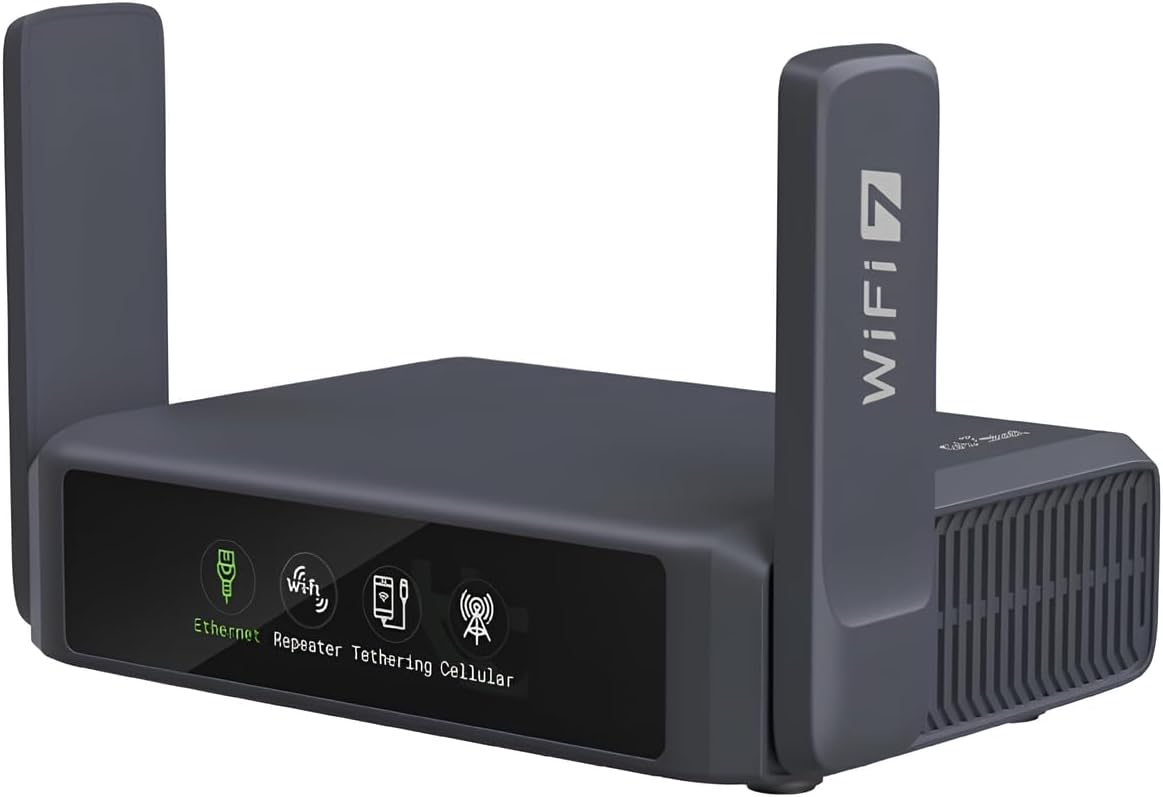
The GL.iNet Slate 7 is a 4.4-rated Wi-Fi 7 travel router distinguished by its touchscreen. It provides direct controls for scanning Wi-Fi QR codes, checking speed, toggling VPN, switching providers, and viewing the status of Ethernet, tethering, repeater, and cellular modes.
We may earn a commission when you buy through this link, at no additional cost to you.
Its dual-band wireless specification lists 688Mbps at 2.4GHz and 2882Mbps at 5GHz. The router has one 2.5G WAN port, one 2.5G LAN port, and USB 3.0. OpenWrt 23.05 with kernel 5.4.213 and 512MB of storage supports plugin installation and further customization.
Preinstalled OpenVPN and WireGuard clients are compatible with more than 30 VPN providers, although an active subscription is required. Listed VPN performance reaches 100Mbps with OpenVPN and 540Mbps with WireGuard under local testing. As with the other travel routers, real-world results will depend on the service, network, and configuration.
The Slate 7 is an excellent option for travelers who want a router that can be monitored and adjusted without continually opening a web interface. It is less attractive as a primary home router with only one wired LAN port, but it is unusually convenient for temporary networks, hotel connections, and users who value visual status feedback.
The color-coded display provides quick information about connection modes, while real-time speed and VPN status can be viewed directly. This reduces friction when a portable network needs frequent monitoring or rapid switching.
Dual 2.5G ports provide a useful upgrade for fast temporary connections, and the stated WireGuard throughput is substantial for a compact device. The touchscreen complements rather than replaces the OpenWrt administration interface.
We may earn a commission when you buy through this link, at no additional cost to you.
The GL.iNet Opal is the most budget-oriented travel-focused option in this guide, earning a 4.2 rating. It uses AC1200 dual-band Wi-Fi with a listed 300Mbps rate on 2.4GHz and 867Mbps on 5GHz, giving users separate bands for simple tasks and more demanding browsing, gaming, or video.
We may earn a commission when you buy through this link, at no additional cost to you.
The wired side is unusually useful for a compact travel router. It includes two gigabit LAN ports and one gigabit WAN port, allowing multiple wired devices to connect directly. Its retractable antennas can be extended for better reception, and the product itself is designed to remain light, with a listed weight of 145 grams.
IPv6, Cloudflare encryption, and preinstalled OpenVPN and WireGuard clients support safer use on shared networks. It can also turn a public wired or wireless connection into a private Wi-Fi network, making it useful in hotels or other locations. A physical switch can enable or disable a VPN client, but it must first be configured in the admin panel.
The Opal is the sensible choice for travelers, renters, or occasional users who want private Wi-Fi and a meaningful set of Ethernet ports without spending on the newest wireless platform. It is not the right choice for demanding Wi-Fi 7 workloads, though its gigabit wired connectivity remains useful.
Three gigabit ports distinguish the Opal from many similarly compact travel devices. A wired laptop, printer, or game console can be connected while the router also creates a private wireless network for other devices.
VPN clients, IPv6 support, Cloudflare encryption, and repeater functionality make it easy to establish a more private connection through public Wi-Fi. Its small weight and retractable antennas support genuinely portable use.
We may earn a commission when you buy through this link, at no additional cost to you.
The GL.iNet Beryl 7 combines Wi-Fi 7, OpenWrt customization, and very high stated VPN performance in a travel-oriented enclosure. Its 4.2 rating reflects a capable package, with dual 2.5G Ethernet ports, USB 3.0, and support for gaming and streaming across as many as 120 devices.
We may earn a commission when you buy through this link, at no additional cost to you.
Wireless performance is listed at 688Mbps on 2.4GHz and 2882Mbps on 5GHz. The router runs OpenWrt 21.02 with kernel 5.4.281 and has 512MB of storage for plugins. OpenVPN and WireGuard are preinstalled and compatible with more than 30 VPN services, although users need an active subscription.
Listed VPN performance reaches 1,100Mbps with WireGuard and 1,000Mbps with OpenVPN-DCO in local testing. It can run a VPN client and server at the same time, allowing access to local network resources while connected through a public VPN. A physical switch can activate VPN or AdGuard Home after being assigned a function in the admin panel.
The Beryl 7 is best for technically minded travelers who need fast VPN performance and current Wi-Fi hardware in a compact package. Its one Ethernet LAN port limits permanent wired deployments, but the multi-gigabit WAN, extensive OpenWrt support, and high device count make it well suited to temporary networks.
The listed WireGuard and OpenVPN-DCO speeds set the Beryl 7 apart from most compact travel routers. Users should still treat these as controlled-test figures, since internet service, server location, and local network conditions affect actual results.
A stated capacity of up to 120 connected devices makes the router practical for busy travel groups or temporary offices. OpenWrt 21.02 and 512MB of storage allow additional packages without moving to a larger fixed router.
We may earn a commission when you buy through this link, at no additional cost to you.
The Linksys WRT3200ACM is a high-powered legacy Linksys option with a 4.3 rating. It combines AC3200 dual-band Wi-Fi, gigabit Ethernet, MU-MIMO, and an open-source firmware pathway, offering a recognizable platform for users who already work with customized Linksys routers.
We may earn a commission when you buy through this link, at no additional cost to you.
The 2.4GHz band is listed at 600Mbps and the 5GHz band at 2600Mbps. Tri-Stream 160 technology uses a 160MHz channel width, and MU-MIMO serves multiple devices simultaneously. The router is intended to work with an existing modem and supports common activities such as 4K HD streaming, gaming, and file-heavy network use.
The listed operating systems are macOS 10.X or higher, Windows 7, and Windows 8.1, with Windows 10 also indicated as compatible. The product includes an extended 18-month warranty according to the supplied listing. The power supply accepts 100–240V and outputs 12V at 3.0A.
This model is best for legacy open-source enthusiasts and networks whose clients still rely on the listed AC and MU-MIMO capabilities. It is not the strongest recommendation for a new Wi-Fi 7 installation, but it remains more capable than older Wireless-G systems and preserves a familiar Linksys customization experience.
The combination of 160MHz tri-stream operation and MU-MIMO supports demanding use on compatible AC devices. While it lacks newer Wi-Fi generations, it offers substantially more theoretical performance than basic dual-band routers from earlier eras.
Open-source firmware gives users advanced control over a platform that uses a well-known Linksys interface. It remains attractive to people who value legacy community knowledge and established customization methods.
We may earn a commission when you buy through this link, at no additional cost to you.
The right open-source router depends on whether customization, wireless speed, wired expansion, portability, or security is your main priority. Compare the operating platform, hardware limits, client requirements, and intended environment before making a purchase.
Prioritize models with documented administration interfaces, accessible package repositories, and predictable update processes. Support quality matters as much as the ability to install custom software because a router must remain usable after routine firmware changes.
A newer router cannot deliver Wi-Fi 7 benefits to unsupported devices. Match the wireless standard to your client mix and prioritize the coverage area, number of simultaneous users, and types of traffic that matter most.
Count wired devices first, then consider future upgrades. A multi-gigabit WAN port can prevent a fast internet service from becoming constrained by the router, while additional LAN ports may be more valuable than the newest wireless standard in a small office.
Look beyond peak throughput and consider provider compatibility, configuration effort, and the need for an active VPN subscription. Also review WPA3, encrypted DNS, IPv6, firewall behavior, and AdGuard Home support as part of the broader security model.
Choose more memory or storage when you intend to install additional packages, run services, or retain files locally. A basic travel router may have sufficient capacity for VPN use alone, so extra resources should correspond to a clear customization plan.
For frequent travel, prioritize weight, usable antenna positioning, and a simple way to manage connections. For a fixed home network, a larger enclosure and multiple ports may provide better practicality than the smallest possible design.
Estimate total concurrent usage rather than counting every connected sensor or smart-home device. A household with many active screens, computers, cameras, and consoles needs more headroom than a network dominated by occasional traffic.
Consider who will maintain the router after installation. A guided interface is valuable for mixed-ability households, while a development-oriented platform is better when you already understand firmware, packages, command-line workflows, and network architecture.
Begin by connecting the router to a compatible modem or source internet connection using the supplied Ethernet cable, then access its administration interface through a wired computer or the default wireless network. For models that explicitly recommend it, install the latest firmware before changing advanced settings. Back up the current configuration so that a later update or reset does not erase custom packages, VPN credentials, wireless settings, or firewall rules.
Create a strong administrative password, update the wireless network name and wireless password, and confirm that the WAN connection works before configuring optional services. Enable only the VPN client or server, DNS filtering, parental controls, and plugin features you intend to use. A physical toggle may appear inactive until its function is assigned in the administration panel, and VPN clients generally require access to a compatible service subscription.
For consistent performance, place the router in an open, elevated position and keep external antennas extended and vertical where possible. Apply firmware updates through a stable wired connection, allow the device to restart fully, and avoid interrupting the process. Periodically review connected devices, VPN status, DNS filtering, and active services, and reset or restore the original software if a major update causes instability.
An open-source router provides access to its underlying software and allows users to inspect, modify, or replace it under an open development model. In practical terms, this can mean installing packages, changing networking behavior, and accessing features not present in the factory interface. The exact level of openness varies, so buyers should check the software license, update process, and documentation for the exact model.
OpenWrt can suit ordinary users who want features such as VPN support, parental controls, DNS filtering, or detailed network control. Some GL.iNet models provide a guided interface that makes the platform more approachable. Users seeking a simple factory experience with no interest in packages or configuration changes may prefer a less customizable router.
Most home routers connect to a separate modem or gateway, although the exact arrangement depends on the internet provider. The WRT54GL listing specifically states that a modem is not included. Check whether your provider supplies a compatible modem and Ethernet connection before installing a new router, and confirm that the router supports your connection method.
Wi-Fi 7 is most valuable when several supported clients use the network at the same time and the internet service is fast. Features such as Multi-Link Operation, 4K-QAM, and improved OFDMA can benefit compatible devices, but older clients will continue using the standards they support. A Wi-Fi 6 model may therefore provide better value for a mixed household.
Multiple ports let you connect a wired computer, game console, printer, or other device while the router continues providing private Wi-Fi. The Opal includes two gigabit LAN ports and one gigabit WAN port, while the Beryl 7 and Slate 7 emphasize a faster 2.5G WAN and LAN arrangement. Port selection depends on how many wired devices you expect to use.
Several models can operate a VPN client and server simultaneously, allowing connected devices to use the VPN while remote users access selected local resources. Performance varies with the protocol, provider, server location, and local network. The quoted VPN speeds are maximum figures or results from specific tests rather than guarantees for every service or internet connection.
Confirm the exact hardware revision, supported firmware version, required storage or memory, and any instructions provided by the manufacturer. Make a full configuration backup and ensure the device remains powered during the update. Avoid interrupting an installation, and verify that important functions such as WAN access, wireless connectivity, and VPN operation still work after it completes.
Choose a permanent model for a larger home, more wired devices, stronger wireless coverage, and features such as multi-gigabit ports or larger storage. Choose a travel model when low weight, compact dimensions, quick setup, and private Wi-Fi through public networks are the priority. A travel router can also serve as a temporary network, but one Ethernet LAN port may limit permanent wired use.
The Banana Pi OpenWrt One is the standout choice for developers and OpenWrt enthusiasts, combining preinstalled software, mainline support, 1GB of memory, and meaningful expansion options. The GL.iNet Flint 2 offers the most balanced package for a modern home, while the GL.iNet Flint 3e provides the most advanced wireless features. The Opal stands out as an affordable and lightweight travel option.
Prioritize the capabilities you will actually use. Wi-Fi generation should match your clients, Ethernet speed should match your internet service and devices, and available memory or storage should reflect the number of packages you intend to install. Portability matters for frequent travel, while multi-gigabit networking and large device counts matter more in busy homes and temporary offices.
Before purchasing, verify current firmware availability, confirm that your devices support the intended wireless standard, and check the router's latest specifications. Prices and promotions change frequently, so compare the complete hardware and software package rather than choosing on cost alone. A carefully matched open-source router can provide better privacy, control, and long-term flexibility.