
TP-Link Archer A54
4.3Editor score
WPA3 wireless security
Tether app management
EasyMesh compatibility
Compare the 10 best parental control routers for scheduling, device filtering, VPN security, Wi-Fi performance, and easy whole-home management.
Parental control routers put family internet rules directly at the network level, helping households manage screen time, filter content, organize devices, and protect connected children without configuring every phone separately. A useful router should make these controls understandable, dependable, and easy for both adults and older children to manage.
We compared all ten routers using the supplied specifications, ratings, security features, parental-control capabilities, Wi-Fi standards, wired options, and mesh support. The list includes dual-band and tri-band Wi-Fi 6, Wi-Fi 6E, Wi-Fi 7, a wired VPN router, and models designed for everything from a modest home network to a demanding connected household.
Each review explains the strongest reason to consider the router, along with meaningful limitations and the households for which it makes the most sense. Ratings and availability can change, and prices fluctuate frequently, so check the current listing and confirm that a model's specific filtering and scheduling features meet your family's needs.
4.3Editor score

4.3Editor score

4.3Editor score
The table below compares the ten featured routers by wireless generation, parental-control emphasis, network-security tools, and expansion options, with emphasis on how each model can help organize and protect a family network.


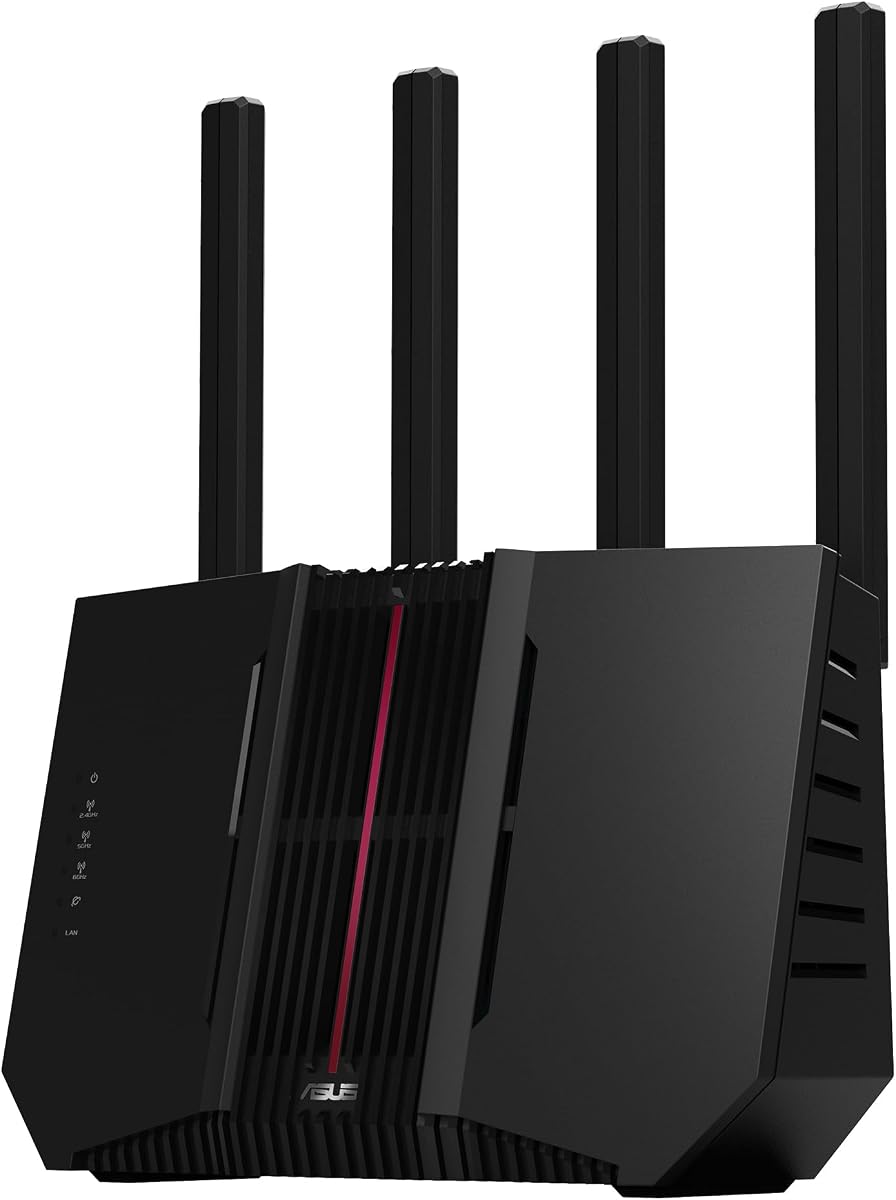
The TP-Link Archer AX21 V5 combines a strong 4.4 rating with a balanced set of networking, security, and family-management features. It is a dual-band Wi-Fi 6 router capable of up to 1.8 Gbps aggregate throughput, with OFDMA, beamforming, four external antennas, and a front-end module for stronger signal focus. Those specifications make it a versatile central device for a typical family connected to phones, computers, televisions, consoles, and smart-home products.
We may earn a commission when you buy through this link, at no additional cost to you.
Its strongest family-oriented benefit is centralized administration through TP-Link's Tether app, where a parent can generally manage settings, update firmware, and review available network controls. The product information also highlights support for OpenVPN and PPTP server functions, giving compatible household members a way to reach the home network securely. Security extends beyond the VPN feature, with TP-Link describing the router as designed around advanced security and participating in the CISA Secure-by-Design pledge.
The Archer AX21 does not offer the 6 GHz band, and its stated 1.8 Gbps total bandwidth is an aggregate theoretical figure rather than a guaranteed speed for one device. Real performance will vary with distance, walls, network traffic, and the devices connected. It also requires a separate modem in most home internet arrangements. These limitations make it less compelling for buyers seeking multi-gigabit wired connections or the broader flexibility of a tri-band system.
Despite those trade-offs, the AX21 offers an unusually complete general-purpose package without the complexity of a high-end enthusiast model. It is well suited to households that want dependable Wi-Fi 6, centralized family controls, useful VPN functionality, and easy app-based management. For most families, it is a strong all-around choice, particularly when the number of connected devices is moderate and the internet connection is not gigabit.
OFDMA allows the router to communicate with multiple devices more efficiently, while beamforming and four antennas help improve coverage in rooms farther from the router. Together, these features are valuable when children, parents, and connected appliances are active at the same time.
The Tether app provides a straightforward place to manage the network and keep firmware current. Parents should confirm the available device, scheduling, and content-filtering options in the current interface before purchase, because feature menus can change between firmware releases.
We may earn a commission when you buy through this link, at no additional cost to you.
The ASUS RT-AX1800S earns a 4.3 rating and distinguishes itself through a mature combination of Wi-Fi 6, subscription-free network security, parental controls, and mesh expansion. It uses MU-MIMO and OFDMA to serve multiple devices efficiently, while 1024-QAM supports faster wireless connections. The hardware includes four external antennas and a dual-core processor with four VPEs, making it a solid general-purpose family router.
We may earn a commission when you buy through this link, at no additional cost to you.
AiProtection Classic, powered by Trend Micro, is one of the model's most important features for a household seeking network-level protection without a recurring service. The listed feature set also includes ASUS Instant Guard, which offers a convenient one-click VPN connection for accessing the home network through public Wi-Fi. Parents can combine the advertised parental controls with the router's central scheduling tools to organize connected devices by routine.
The RT-AX1800S has one Gigabit WAN port and four Gigabit LAN ports, all useful for a home with desktops, game consoles, or other wired devices. Its AiMesh compatibility means another compatible ASUS router can be added later for broader coverage. However, it remains a dual-band model, so it does not provide a dedicated 6 GHz network. As with other routers, actual throughput and range depend on the environment, traffic volume, building materials, and network overhead.
This is a compelling recommendation for families that explicitly want parental controls and security without depending on a subscription. It is easier to justify than a premium Wi-Fi 7 model when the household's real priority is network-level management. Choose it when a mature ASUS interface, robust wired ports, remote VPN convenience, and future mesh expansion matter more than having the newest wireless generation.
AiProtection Classic adds network-level protection without the subscription model associated with some competing services. This makes the RT-AX1800S particularly attractive for families that want a predictable ongoing ownership experience.
AiMesh support allows households to improve coverage by adding compatible equipment rather than replacing the entire network immediately. It is a useful way to address dead zones while preserving centralized control.
We may earn a commission when you buy through this link, at no additional cost to you.
The TP-Link Archer BE230 is a dual-band Wi-Fi 7 router with a 4.2 rating, and it brings modern wireless technology into a configuration aimed at busy connected homes. It supports Multi-Link Operation, Multi-RUs, and 4K-QAM, with up to 2,882 Mbps on the 5 GHz band and 688 Mbps on the 2.4 GHz band. A 2.0 GHz quad-core processor is designed to handle the demands of newer devices and sustained traffic.
We may earn a commission when you buy through this link, at no additional cost to you.
For family management, TP-Link HomeShield provides comprehensive network protection, robust parental controls, and real-time IoT security. The supplied information specifically identifies robust parental controls, making this model more relevant to the category than a plain entry-level wireless router. HomeShield can serve as the central point for applying family rules to different connected devices, while the Tether app supports initial setup and ongoing management.
The wired configuration is unusually useful: one 2.5 Gbps WAN/LAN port, a second 2.5 Gbps LAN port, and three additional Gigabit LAN ports. That allows a fast internet connection or demanding local device to make use of multi-gigabit bandwidth. EasyMesh compatibility also provides a path to wider coverage. The trade-off is that this remains a dual-band model and therefore does not support the 6 GHz band.
The Archer BE230 is best for families that want Wi-Fi 7 and multi-gigabit Ethernet without moving to a much larger premium platform. It also supports Amazon Alexa and Google Assistant, although voice control is secondary to the core value of centralized parental controls and network protection. Confirm that your provider delivers speeds the 2.5 Gbps port can actually improve before making it the centerpiece of a high-speed plan.
Multi-Link Operation, Multi-RUs, and 4K-QAM give newer clients additional ways to use available spectrum efficiently. The result is a router better prepared for a large mix of phones, computers, televisions, consoles, and smart-home devices.
Two 2.5 Gbps ports can materially improve a home with a fast fiber or cable service, a network storage device, or a high-end computer. They are also useful for connecting a second access point while retaining a multi-gigabit uplink.
We may earn a commission when you buy through this link, at no additional cost to you.
The ASUS RT-AX3000S is a dual-band Wi-Fi 6 router whose defining family feature is straightforward: it explicitly includes parental-control scheduling. The 4.2 rating reflects a capable mainstream design, while the listed total networking speed is about 3,000 Mbps, consisting of up to 574 Mbps on 2.4 GHz and 2,402 Mbps on 5 GHz. That places it above many simpler dual-band routers in aggregate capacity.
We may earn a commission when you buy through this link, at no additional cost to you.
Scheduling is particularly useful for homework, bedtime, gaming periods, and weekend routines. A parent can set connected devices around predictable daily patterns rather than relying on repeated manual intervention. The router also supports MU-MIMO and OFDMA for communicating with several devices simultaneously, while 1024-QAM helps improve connection efficiency across compatible clients.
Instant Guard provides a convenient secure VPN option for accessing the home network from public Wi-Fi, and AiMesh compatibility offers a clear path to extending coverage. However, the supplied data does not describe the same level of commercial-grade security detail provided for the ASUS RT-AX1800S. It is therefore wise to examine the current ASUS interface and confirm the precise content filters, device grouping, and exception controls available for your subscription and region.
The RT-AX3000S is a good choice for a household that prioritizes schedule-based routines and wants more theoretical Wi-Fi capacity than a basic AC-series router. It is also suitable for families planning to add an AiMesh node later. Buy it if structured schedules are your main requirement and your devices do not need a dedicated 6 GHz band or the newest Wi-Fi 7 features.
Parental-control scheduling can make limits more consistent because internet access changes automatically around set times. It is especially useful for younger children who do not yet manage their own device restrictions reliably.
Its approximate 3,000 Mbps aggregate bandwidth gives connected devices more room than a basic 1,200 Mbps dual-band system. The benefit is most visible in busy homes with several people online at once.
We may earn a commission when you buy through this link, at no additional cost to you.
The TP-Link Archer A54 is a budget-oriented dual-band router with a 4.3 rating and coverage stated for up to 1,000 square feet. It delivers up to 867 Mbps on the 5 GHz band and 300 Mbps on 2.4 GHz, for 1,200 Mbps of aggregate bandwidth. It is not the newest wireless standard, but it offers an effective platform for ordinary family networks where internet access and central management matter more than Wi-Fi 7 performance.
We may earn a commission when you buy through this link, at no additional cost to you.
The strongest listed security feature is WPA3, which improves protection for compatible personal networks. Management through the TP-Link Tether app makes the router approachable for parents who want to configure a shared network without advanced command-line knowledge. EasyMesh compatibility gives the household an inexpensive route to extending coverage later with compatible routers or range extenders.
Limitations are clear. Wi-Fi 5 is older than Wi-Fi 6, and 1,200 Mbps aggregate throughput is modest for large homes or many simultaneous high-bandwidth users. The stated coverage of up to 1,000 square feet also depends on layout, construction, interference, and device placement. The supplied data mentions network management but does not detail the same breadth of parental filtering found in TP-Link's HomeShield-equipped models.
The Archer A54 is a sensible pick for a small home, starter apartment, or budget-conscious family seeking WPA3, simple management, and mesh-ready expansion. It also supports Access Point mode, which can be useful when an existing wired network should be extended wirelessly. Check the current Tether app for the exact parental-control options you need before purchase, but it remains one of the most approachable foundations in this roundup.
A54 combines modern WPA3 protection with familiar dual-band Wi-Fi and app-based management. It is a practical choice when the objective is dependable family networking without paying for newer, higher-bandwidth hardware.
EasyMesh compatibility means the router need not remain isolated in one room. Adding compatible equipment later can improve dead-zone coverage while preserving a more unified network experience.
We may earn a commission when you buy through this link, at no additional cost to you.
The TP-Link ER605 is the most specialized router in the list: a wired Gigabit VPN router rather than a conventional Wi-Fi router. Its 4.4 rating makes it an attractive option for homes or small offices that already have wireless access points and want filtering, firewall policy, and traffic routing to happen at the gateway. Families can use it to create a more controlled network without adding Wi-Fi hardware to every room.
We may earn a commission when you buy through this link, at no additional cost to you.
Its security toolkit includes advanced firewall policies, denial-of-service defense, IP and MAC filtering, URL filtering, and speed-test functionality. The router supports up to 20 LAN-to-LAN IPsec connections, 16 OpenVPN, 16 L2TP, and 16 PPTP connections. These capabilities are particularly relevant for parents who want remote access to the home network for themselves or for family members using parental-control software on a device.
Five Gigabit Ethernet ports include one Gigabit WAN port, two configurable Gigabit WAN/LAN ports, and two Gigabit LAN ports. Up to three WAN ports can optimize bandwidth use, while the USB port supports compatible 4G or 3G modems for WAN backup. This is powerful for reliability-focused households, although the provided specifications do not explicitly describe child-specific schedules or content categories.
The ER605 is best for technically confident buyers who want a hardened wired gateway and already own suitable access points. Families that need built-in Wi-Fi should choose a wireless model instead. Even so, the ER605 can be a strong centerpiece in a managed home network, especially when URL filtering, IP or MAC restrictions, VPN access, and multiple WAN connections are more important than wireless speed.
URL, IP, and MAC filtering can block or restrict access at the gateway rather than relying solely on controls installed on each child's device. This centralized approach is useful for shared smart televisions, consoles, and other devices that do not consistently support parental-control software.
Multiple configurable WAN ports and USB mobile broadband support offer ways to maintain connectivity when the primary service is interrupted. These features are especially relevant to home offices and households that depend on uninterrupted access.
We may earn a commission when you buy through this link, at no additional cost to you.
The ASUS RT-BE88U is a high-end Wi-Fi 7 router built for demanding homes, with a 4.3 rating and throughput advertised up to 7,200 Mbps. Its standout wired feature is a pair of 10G ports, including one 10G SFP+ and one 10G WAN/LAN port, allowing the router to support a wired network capacity of up to 34G. That makes it unusually relevant to households with fast fiber service, a network-attached storage system, or multiple high-end computers.
We may earn a commission when you buy through this link, at no additional cost to you.
For parental management, Guest Network Pro can establish up to five separate SSIDs, giving households a convenient way to isolate IoT equipment, guest devices, work systems, and family devices. The router also includes convenient parental controls, one-tap security scanning, comprehensive VPN support, and AiProtection Pro powered by Trend Micro. Separating device groups can make rules easier to apply and reduce the chance that a smart appliance interferes with a main family network.
A quad-core 2.6 GHz 64-bit CPU provides processing capacity for demanding Wi-Fi 7 and 10G applications. Multi-Link Operation and 4096-QAM support the newest wireless capabilities, while AI WAN detection and USB support for 4G LTE or 5G tethering add connection flexibility. These are meaningful advantages, but many household devices still lack Wi-Fi 7, so the faster standard may not improve every everyday connection immediately.
The RT-BE88U is the premium recommendation for a home that wants the strongest combination of parental organization, security, high-speed wired connectivity, and future-facing wireless technology. It is less compelling for a small household on a modest internet plan, where the extra capability would remain underused. For a well-equipped home with multiple users and demanding devices, however, its separation, security, and 10G design form an unusually complete package.
Up to five SSIDs make it possible to place children, guests, work devices, and IoT products on distinct networks. Segmentation can simplify parental rules and reduce unnecessary communication between unrelated device groups.
The dual 10G configuration gives the router exceptional flexibility for fast internet service and local data transfers. Its Wi-Fi 7 features provide a strong foundation for compatible current and future devices.
We may earn a commission when you buy through this link, at no additional cost to you.
The TP-Link Archer AXE75 is a tri-band Wi-Fi 6E router offering up to 5,400 Mbps aggregate bandwidth across 6 GHz, 5 GHz, and 2.4 GHz bands. The dedicated 6 GHz spectrum can provide additional bandwidth and lower congestion for compatible devices, while true tri-band operation and OFDMA help the network serve many clients efficiently. Its 4.3 rating makes it a strong choice for a modern home with several active users.
We may earn a commission when you buy through this link, at no additional cost to you.
TP-Link HomeShield supplies robust network protection, and the supplied description explicitly notes that its free tier includes basic parental controls, security scans, IoT device identification, quality of service, and weekly or monthly reports. Those reports may help parents understand usage patterns and identify connected devices. A 1.0 GHz dual-core CPU and 512 MB of memory support the router's processing requirements, while the housing is designed for heat dissipation.
The principal trade-off is client compatibility. A device must support 6 GHz to benefit from that band, and many connected products still use only 2.4 or 5 GHz. The additional spectrum also makes more sense in a larger home or busy environment where congestion is likely. Families with only a few basic devices may find the AXE75 more capacity than they can use.
For households seeking a dedicated 6 GHz network alongside detailed HomeShield controls, this is one of the most balanced options in the roundup. It is particularly useful for families with newer laptops, tablets, and televisions that support Wi-Fi 6E. The router can also serve as the start of a broader EasyMesh network, making it a sensible central platform when future expansion is expected.
The 6 GHz band creates additional clean spectrum for compatible Wi-Fi 6E clients. It can improve responsiveness in busy homes, although the benefit depends on having enough devices that support the band to create a meaningful difference.
HomeShield's free weekly and monthly reports can provide a more informative view of connected-device activity. Parents can use these reports to identify unusual usage patterns and decide where tighter schedules may be warranted.
We may earn a commission when you buy through this link, at no additional cost to you.
The ASUS RT-BE82U delivers a 4.2 rating and combines dual-band Wi-Fi 7 performance with a notably strong wired platform. Its maximum speed is listed at up to 6,500 Mbps, using 4096-QAM to improve transmission efficiency. Five 2.5GbE ports provide substantial wired capacity without requiring a larger enterprise switch, making this a practical option for a home or small office with several high-speed devices.
We may earn a commission when you buy through this link, at no additional cost to you.
The security features include AiProtection Pro powered by Trend Micro, one-tap security scanning, and Safe Browsing. These tools complement the router's broader parental-control options by focusing attention on risky sites and unwanted network activity. AiMesh support allows the router to become the foundation of a whole-home system with compatible ASUS equipment, improving both coverage and the consistency of management.
Multi-Link Operation lets compatible devices connect across multiple bands to improve stability and data transfer efficiency. As a dual-band design, however, the RT-BE82U does not offer a 6 GHz band. That makes it different from the tri-band Archer AXE75 and ASUS RT-BE9700, but it also means all compatible clients share the 2.4 and 5 GHz spectrum. Families should therefore base the decision on their actual clients rather than the headline speed alone.
The RT-BE82U is well suited to a household that wants modern Wi-Fi 7, abundant 2.5-gigabit Ethernet, and ASUS security tools without moving to the most premium dual-10G model. It is a particularly good fit for people who do not need 6 GHz but do want every wired connection to support faster local and internet traffic. Its overall balance makes it a strong alternative within the premium ASUS range.
Five 2.5GbE ports are useful for modern desktops, network storage, access points, and connected entertainment equipment. This broad wired support can reduce the need for additional switching hardware in a busy home.
Safe Browsing, one-tap scanning, and AiProtection Pro give parents several ways to examine and control risky activity. Combining these tools with scheduled device rules creates a more layered approach than relying on one restriction.
We may earn a commission when you buy through this link, at no additional cost to you.
The ASUS RT-BE9700 sits at the top of this roundup's raw performance range, offering Wi-Fi 7 throughput of up to 9,700 Mbps across a tri-band design. It uses 320 MHz channels in the 6 GHz band, 4096-QAM, and Multi-Link Operation to increase network capacity and maintain stable connections. Its 3.9 rating is the lowest among the ten products, but the specification sheet identifies it as an unusually capable high-end system.
We may earn a commission when you buy through this link, at no additional cost to you.
ASUS Network Security provides subscription-free triple-level protection, combining a commercial-grade cloud database with end-to-end and round-the-clock safeguards. The router also supports advanced site-to-site VPN and the Instant Guard mobile app for secure connections over public Wi-Fi. Flexible WAN configuration, AI WAN detection, and a USB port ready for 4G LTE or 5G tethering make it suitable for users who value connection resilience as well as speed.
The requirement for compatible equipment is significant. A large share of household devices still lacks Wi-Fi 7, and a 6 GHz connection generally requires compatible clients. The advertised 9,700 Mbps is an aggregate maximum rather than the speed most individual devices will experience. Buyers should assess their client mix and internet plan carefully to ensure the investment produces a visible everyday improvement.
The RT-BE9700 is most appropriate for a large, technology-heavy home or a small office that needs the highest listed capacity and flexible WAN options. For a normal family with a modest number of devices, a less advanced ASUS or TP-Link model may be more rational. If compatible clients and a very fast connection are already in place, this router provides ample headroom while adding strong centralized protection and VPN tools.
The 9,700 Mbps aggregate figure and 320 MHz 6 GHz channels provide substantial capacity for compatible devices. It is most useful in homes where many users, smart-home products, and high-resolution media compete for spectrum.
Triple-level protection, Instant Guard, and site-to-site VPN capabilities support both everyday family oversight and advanced remote access. These tools are useful for households that want security to extend beyond the local Wi-Fi connection.
We may earn a commission when you buy through this link, at no additional cost to you.
Choosing a parental control router means balancing family-management tools, wireless performance, security, wired connectivity, and the size of the home. The most advanced router is not automatically the easiest or best option for every family.
Choose a router with intuitive schedules and clear device identification. A parent should be able to recognize a child's phone, television, or console without assigning a rule to the wrong device.
A central filter is especially valuable for shared or entertainment devices. Verify the needed categories and custom blocking tools before buying, and avoid assuming every router offers the same filtering library.
Match the standard to your devices and household size. Do not pay for 6 GHz or Wi-Fi 7 on reputation alone; verify that the clients you use most can benefit.
Prioritize a security suite whose included features cover your needs. The best platform is one that remains useful without a recurring subscription.
Plan the placement of the main unit before adding nodes. A central location and consistent network naming usually produce better results than placing expansion equipment too close to the original router.
Do not overbuild around ports that your provider and devices cannot use. Multi-gigabit hardware makes the most sense when fast wired endpoints already exist.
Choose based on how your family will actually use VPN. A parent needing occasional home access does not need every configuration option offered by a business-oriented gateway.
Look for clear device labels, an understandable dashboard, and simple exceptions. A powerful platform is less useful if daily administration is confusing.
Begin by placing the router in a central, elevated location where it is not enclosed by furniture or crowded by electronic equipment. Connect the internet modem or fiber terminal, complete the initial setup through the manufacturer's app, and update the firmware before changing family rules. Create distinct network names or profiles for main family devices, children's devices, guests, work equipment, and untrusted IoT products where supported.
After devices appear in the management interface, assign them thoughtfully. Use recognizable names instead of technical addresses, remove old entries that no longer exist, and apply schedules according to each child's routine. Begin with reasonable time limits and test the rules with children present so everyone understands when access changes. Review weekly or monthly reports, check for unfamiliar connected devices, and adjust exceptions when homework, school, or health-related access requires them.
For ongoing care, install router updates promptly, change administrative credentials, and use a strong Wi-Fi security mode such as WPA3 or the strongest option supported by every necessary device. Review guest access and remote VPN users periodically. If coverage is weak, improve placement before adding another node, and use mesh-compatible equipment that integrates cleanly with the primary system. Resetting the router can clear local configuration, so export or note important settings first.
Built-in controls are useful when you want one place to manage schedules, filters, and connected devices across the home. They are especially helpful for televisions, consoles, and IoT products that have limited parental-control software. However, device-level tools may still be needed for browser filtering, app limits, location controls, or detailed activity reporting.
Many routers allow administrators to block particular domains or use broader category and security filtering. The depth of control varies by model, and some filters rely on cloud-maintained databases. Before buying, verify the current interface supports custom websites, categories, exceptions, and the types of content your family needs to restrict.
No. Network-level controls can stop or schedule internet access, but device operating systems may provide more specific tools for app usage, purchases, location, and content tied to a particular account. For younger children, using both router rules and device controls creates a more reliable layered approach.
Parental controls regulate access, time, content, and devices within the home network. A VPN encrypts traffic and can provide secure remote access, but it does not automatically create family schedules or filter categories. Some routers support both, allowing parents to use a VPN for their own privacy without giving children unrestricted access through it.
No. Parental controls are mainly a software and policy feature, so a suitable Wi-Fi 5 or Wi-Fi 6 router can still provide effective scheduling and filtering. Wi-Fi 7 is worthwhile when the home has many compatible clients, a fast internet plan, or demanding wireless devices that benefit from higher capacity and multi-link features.
A mesh system is better when the main problem is inconsistent coverage across rooms or floors. It can make time-based rules easier to enforce because connected devices roam between nodes on the same network. The control features still depend on the selected equipment, so confirm that the mesh system supports the scheduling and filtering options you need.
Use a strong administrator password, keep router firmware current, protect the management interface from remote access, and require authentication for the family Wi-Fi network. Also apply device-level controls for app stores, purchases, and account changes. A child with an unfiltered mobile hotspot can bypass home network rules, so discuss that limitation and use mobile-plan controls where possible.
A separate access point can work well when a strong wired network already exists, because the main router can remain the central policy and security device. Check that the access point supports the desired parental-control platform or is otherwise managed consistently. Extending a compatible mesh system is usually simpler for households that do not already have structured wired networking.
The TP-Link Archer AX21 is the most balanced overall choice, pairing a 4.4 rating with Wi-Fi 6, useful VPN server support, strong device-capacity features, and app-based management. The ASUS RT-AX1800S stands out for subscription-free AiProtection, built-in VPN features, and AiMesh expansion, while the TP-Link Archer A54 provides a more restrained WPA3-based foundation for budget-conscious households.
Prioritize the controls your family will actually use. Schedule flexibility, understandable device assignments, useful filtering, and a clear management interface matter more than headline speed. Consider Wi-Fi 6E or Wi-Fi 7 when you own compatible devices and have a busy network, and match multi-gigabit ports to the speed of your internet service and wired equipment. A wired gateway may be preferable when centralized filtering and VPN connections matter more than built-in wireless.
Ratings, software menus, and availability can change, and prices fluctuate over time. Review the current product listing and management features before purchasing, particularly the exact parental controls, security tier, and subscription terms. The right choice is ultimately the router that combines dependable coverage, clear rules, and the network capacity your household can genuinely use.