
GuliKit Hall Effect Sensor Joystick
4.5Editor score
Type A and Type B support
Hall effect anti-drift design
No-soldering installation
Original touch function retained
Replacement Joystick for Steam Deck guide comparing Hall effect, analog, OLED, touch sensing, installation methods, calibration, and compatibility.
A replacement joystick can restore control, accuracy, and confidence to a Steam Deck whose original stick has drifted, stuck, or become unresponsive. The right module must match the console generation, controller type, and preferred installation method, while preserving touch sensing when applicable.
We compared all ten available options by examining controller compatibility, sensing technology, installation requirements, calibration procedures, included components, and the problems each product is designed to address. The list covers true replacements, an analog repair kit, and cap-style accessories.
Each review explains the module's strongest feature, practical limitations, and ideal buyer, from straightforward no-solder replacements to specialized OLED choices. Product configurations and availability can change, so confirm the current listing and your Steam Deck model before ordering.
4.5Editor score

4.5Editor score

4.5Editor score
The table below compares fit, sensing method, installation demands, and special features across all ten products, helping separate complete repair modules from button kits and grip accessories.


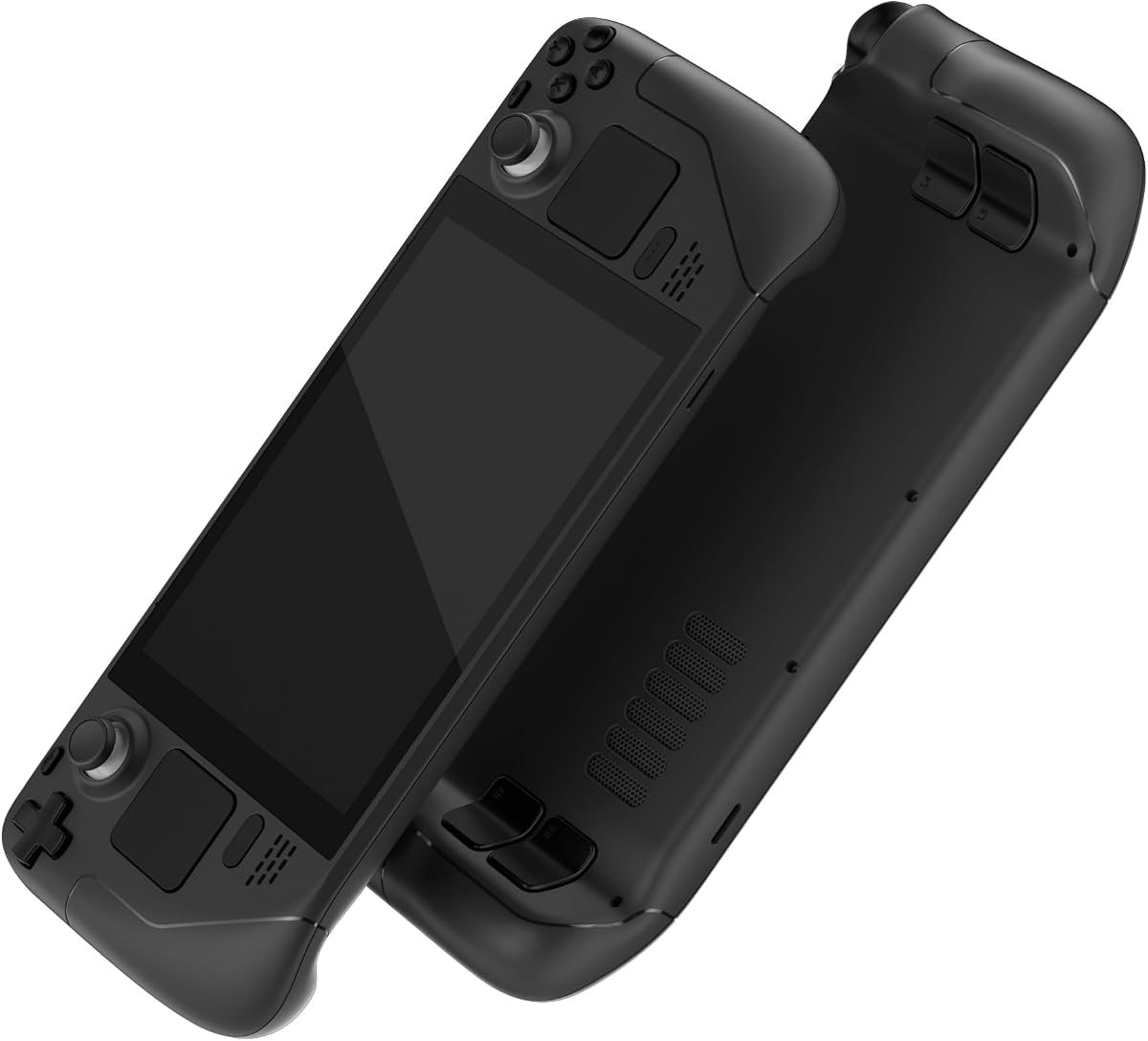


The GuliKit Analog Joystick for Steam Deck LCD combines broad LCD compatibility with a genuinely approachable installation process. It carries a 4.5 rating and uses Hall effect sensing to address the drifting, dead-zone, and centering problems commonly associated with worn original sticks. Its Type A and Type B switch makes it a strong all-around repair option.
We may earn a commission when you buy through this link, at no additional cost to you.
The module is designed around the original joystick's dimensions and interface, allowing installation without soldering or specialist tools. Included caps preserve the Deck's original touch-sensing function, while a small board button provides a convenient route to recalibration. The stick can also be used with adjusted dead-zone settings for more immediate response in games that demand precise directional input.
The main limitation is model exclusivity: this kit does not fit the Steam Deck OLED. In addition, the manufacturer notes that the stick may not settle at the exact center under a no-dead-zone configuration because of differences in precision between the replacement and original hardware. That behavior is described as harmless to the gaming experience, though it may initially look unusual.
This is the most balanced choice for an LCD owner who wants a Hall effect upgrade without undertaking soldering or rebuilding the module. It suits players experiencing drift, creeping, stuttering, a loose stick, or a non-centering joystick. Buy it when a complete, no-fuss repair and straightforward calibration matter more than OLED compatibility.
The contactless Hall effect design is intended to reduce drift and improve consistency. After installation, centering the stick and using the small calibration button helps the Deck establish an accurate neutral position.
The included cap supports the Deck's original touch-sensing functionality rather than forcing users to give up that feature. This makes the module more practical for games and system interfaces that rely on the stick cap as a touch input.
We may earn a commission when you buy through this link, at no additional cost to you.
This GuliKit Hall Effect Joystick Replacement Module is a practical option for LCD owners dealing with drifting, creeping, stuttering, blind spots, dead zones, missing clicks, or a stick that no longer centers. Its 4.5 rating reflects a well-regarded product centered on the patented 3D Hall effect sensor, and the module supports both Type A and Type B controllers.
We may earn a commission when you buy through this link, at no additional cost to you.
Installation is designed to avoid the time and skill demands of soldering. The replacement retains the Deck's original touch function through the supplied cap, and selecting the correct controller type is handled with a button on the rear of the module. Once installed, the Deck's joystick calibration interface and the module's small board switch provide a clear calibration sequence.
One nuance is that the replacement's precision can differ from the factory stick. Under a no-dead-zone setting, it may not always return to the exact center, according to the product guidance. That is a characteristic of the module's sensing behavior rather than necessarily a failed installation, but users who depend on a perfectly neutral reading should account for it.
The product is well suited to gamers who want to replace a faulty stick while avoiding a soldering project. It works for either controller type as long as the Deck is the LCD model, making it a flexible repair choice. Select it when anti-drift performance, touch preservation, and manageable calibration are the leading priorities.
The module is marketed as a response to several common stick failures rather than only a single symptom. That makes it a useful option for wear involving creeping, blind spots, dead zones, stuttering, or inconsistent centering.
A rear switch changes the module between Type A and Type B operation. The manufacturer identifies MEDA as Type A and MHDA as Type B, allowing buyers to match the correct controller identifier before installation.
We may earn a commission when you buy through this link, at no additional cost to you.
The AKNES GuliKit Joysticks provide a dual-stick Hall effect repair option for original Steam Deck LCD models. Rated 4.5, the SD02 modules support both Type A and Type B controllers through an included converter, while the Hall effect sensor is intended to address drifting, creeping, stuttering, blind spots, and centering issues.
We may earn a commission when you buy through this link, at no additional cost to you.
A notable advantage is the no-soldering installation method. The supplied caps preserve the original touch function, and the module's direct-replacement approach reduces installation complexity. Buyers choose the controller type on the board and can then perform calibration through the Deck's joystick interface if the neutral position needs adjustment.
The product guidance includes a simple remedy for an apparently stuck stick: a preinstalled cap can loosen during shipping, and pressing it vertically into the center restores normal operation. Although that is an easily addressed issue, it is worth checking the caps after delivery. As with the other LCD Type A/B modules in this guide, it is not compatible with the OLED version.
This kit fits buyers who prefer replacing both sticks at once or want matching modules on both sides of an LCD Deck. It is especially attractive for users comfortable with a small product-level switch and calibration procedure but not with soldering. It combines a broad set of repairs with installation that remains approachable.
Providing left and right thumbstick parts makes this a convenient choice when one stick is failing or when both controls are worn. The shared Hall effect design also provides consistent operation across the repaired sides.
If a cap feels loose after delivery, pressing it straight down at the center can reseat it. The repair is uncomplicated and does not require opening the module or changing the electronics.
We may earn a commission when you buy through this link, at no additional cost to you.
The AKNES GuliKit Hall Effect Joysticks are designed exclusively for the Steam Deck OLED. With a 4.3 rating, they offer a model-specific repair path for owners whose OLED sticks drift, rest off center, stutter, or develop dead zones. The package provides left and right replacements built around Hall effect sensing.
We may earn a commission when you buy through this link, at no additional cost to you.
One of the strongest features is the preservation of the OLED's capacitive touch function. Pre-assembled caps are designed to maintain touch input, avoiding the loss of functionality that can accompany a generic replacement. The modules also use a small board switch for recalibration, and their direct format is intended to make installation manageable without soldering or specialist tools.
Compatibility is the decisive tradeoff. These joysticks do not fit the original LCD Deck, so buyers must verify their console before ordering. The 4.3 rating is slightly below the strongest options in the guide, but it remains a solid choice for an OLED owner who values touch retention and a focused model-specific fit.
This is a strong recommendation for players who have an OLED console, notice stick wear, and want to maintain the model's original touch behavior. It is less suitable for LCD owners or for anyone who needs a single inexpensive cap rather than a complete sensor module. For the correct console, it offers a focused and practical upgrade.
The replacement caps are engineered to keep the OLED's capacitive touch function working. That attention to a distinctive console feature makes the kit more appropriate than a basic mechanical module for users who rely on touch input.
The product is expressly made for the OLED model and does not support the LCD version. Confirming the console generation before purchase avoids an otherwise straightforward but incompatible repair.
We may earn a commission when you buy through this link, at no additional cost to you.
The Tighter Hall Effect Joystick is the most specialized option in this guide, designed for Steam Deck OLED players who favor the resistance and stability often sought in competitive FPS controls. It has a 4.5 rating and raises rotational resistance by 30 percent, reaching up to 190gf for more deliberate aiming movements.
We may earn a commission when you buy through this link, at no additional cost to you.
Its Hall effect sensor uses a contactless structure to reduce the drifting behavior associated with stock sticks. The product also introduces dual calibration keys, which the manufacturer says can shorten calibration time. Capacitive touch is preserved through a pre-soldered configuration, eliminating the need to perform that electrical work during installation.
The tighter feel is a feature for the target audience but a potential adjustment for others. Players accustomed to very light, fast thumb movement may find the added resistance less comfortable, particularly in games where rapid corrections are routine. It is also exclusively compatible with the OLED, so LCD owners must choose a different module.
Choose this pair if you own an OLED Deck, play a lot of first-person shooters, and want a stick that feels more deliberate than a standard replacement. Its combination of Hall effect sensing, faster calibration, pre-soldered touch, and increased resistance makes it a specialized premium repair rather than a general-purpose module.
The 190gf maximum rotational resistance encourages controlled aiming instead of allowing the stick to move as freely as a very light standard cap. That can help players maintain steadier aim during deliberate corrections.
Two calibration keys streamline the setup process, which the product guidance says reduces calibration time. The system is intended to reach a precise center without the more involved sequence required by some competing modules.
We may earn a commission when you buy through this link, at no additional cost to you.
The eXtremeRate Black Replacement Full Set Buttons is a control-refresh kit rather than a joystick replacement. Rated 4.4, it includes ABXY buttons, D-pad components, trackpad-related pieces, bumpers, triggers, and other buttons for the Steam Deck LCD, making it useful when multiple controls are sticky, broken, or worn.
We may earn a commission when you buy through this link, at no additional cost to you.
The buttons are precision-cut to work like the originals and are made from ABS material. The package also supplies a screwdriver, opening tool, spare screws, and springs, reducing the need to source several common repair items separately. Black replacement parts can also complement eXtremeRate replacement shells for a broader cosmetic change.
This is not a beginner job. The manufacturer recommends moderate electronic installation experience and directs buyers to a YouTube installation guide. The L4, L5, R4, and R5 back buttons also fit only eXtremeRate back shells, not the official backplate or other third-party console shells, which adds another compatibility check.
Despite its place in a joystick roundup, it serves a broader repair need: buyers whose sticks work but whose other controls need attention. Choose it for a comprehensive LCD control refurbishment, not for replacing a drifting analog module. Confirm shell compatibility and be prepared for a careful, guide-assisted disassembly.
The set covers many of the Deck's physical inputs in one package. It is most valuable when several buttons show wear rather than when a single joystick has failed.
A screwdriver, opening tool, screws, and springs are included. The visual installation guide can help buyers follow the process, although the product is still aimed at users with some electronics experience.
We may earn a commission when you buy through this link, at no additional cost to you.
The Joystick Caps Thumbsticks Grips Extender is a grip accessory, not a replacement sensing module. With a 3.0 rating, it is most relevant to players who want a taller or more textured cap but do not need to address drift, dead zones, or electronic joystick failure.
We may earn a commission when you buy through this link, at no additional cost to you.
The extender uses a high-rise and mid-rise design with a concave-convex, non-slip surface. A four-legged buckle secures it to the joystick, while the cap is free to rotate through 360 degrees. Its combination of hard plastic and a soft cover is intended to improve friction, comfort, and control without changing the internal sensor.
The main limitation is that it cannot repair a worn or defective analog mechanism. Users who rely on extra height may find the larger shape less suitable for compact storage or their preferred grip. Because the product also claims compatibility with PS Portal, buyers should confirm that the cap geometry suits their specific device.
Choose these caps for improved finger purchase and a different tactile feel, not as a solution to stick drift. They are easy to add or remove and can be a useful companion to a functioning Deck. If the underlying joystick drifts, sticks, or fails to center, choose one of the Hall effect or analog replacement modules instead.
The raised profile and textured surface increase contact between thumb and cap. This can make directional inputs feel more controlled and reduce slipping during longer gaming sessions.
The accessory fits over the existing stick and does not change its sensing mechanism. It improves grip and feel but cannot correct electrical drift, a dead zone, or a physically broken module.
We may earn a commission when you buy through this link, at no additional cost to you.
The GuliKit Hall Effect Sensor Joystick is a focused repair option for original Steam Deck LCD consoles. It carries a 4.5 rating and uses the SD02 module design with a rear switch for choosing Type A or Type B. The Hall effect sensor is intended to resolve drifting, creeping, stuttering, blind spots, dead zones, and centering problems.
We may earn a commission when you buy through this link, at no additional cost to you.
Its installation avoids soldering, making it accessible to a broader range of repairers. The module comes with a cap that preserves the original Deck touch function, while the type switch simplifies matching the replacement to the console. Calibration uses the Steam Deck's own joystick interface and a small board switch when the center position requires adjustment.
The main constraint is again LCD-only compatibility. The module also requires users to complete calibration after installation, which is a minor step compared with soldering but still important for an accurate center. Buyers should follow the included visual instructions rather than assuming the replacement is immediately ready to use.
This is a strong budget-minded choice for an LCD owner who wants the benefits of Hall effect sensing without opening a more complex analog repair project. It suits players encountering wear across several common stick symptoms. Choose it for simple installation, touch preservation, and flexible Type A/B support.
The contactless Hall effect approach targets the physical wear that causes many original modules to creep or wander. It is a direct replacement intended to restore predictable directional input.
Avoiding solder work simplifies the physical repair, but accurate setup still matters. Select the controller type and complete the Deck's calibration sequence to establish a clean center position.
We may earn a commission when you buy through this link, at no additional cost to you.
The GuliKit Electromagnetic Joystick Module is a two-pack repair solution for the Steam Deck LCD. Its 3.9 rating is the second-lowest in the guide, but the product offers a useful combination of Hall effect sensing, Type A and Type B support, and a no-soldering installation method.
We may earn a commission when you buy through this link, at no additional cost to you.
Both modules use a rear switch to match the controller identifier, and the included cap is designed to preserve the original touch function. The Hall effect system is positioned as a solution for drifting, blind spots, dead zones, missing clicks, poor centering, broken sticks, and loose sticks. Calibration follows the Deck's joystick interface and the small board switch.
The lower rating suggests a less universally favored experience than the leading products, although the supplied data does not identify a specific defect or feature causing it. Buyers should also note that a cap may loosen in transport and can be pressed vertically back into place. The kit is restricted to the LCD model.
Choose this two-pack when you want replacement modules for both sides or want a spare on hand. It is particularly useful for an LCD Deck with one failed stick and a second showing early wear. The no-soldering approach keeps the repair practical, provided buyers are comfortable with a small selector and calibration step.
The two-module format supports a complete refresh or provides an extra unit if the other stick begins to fail. This makes the kit useful for owners who prefer consistency across both controls.
Shipping can leave the preinstalled cap slightly loose. Pressing it straight down at the joystick center reseats it, restoring the normal feel without opening the module.
We may earn a commission when you buy through this link, at no additional cost to you.
The ElecGear Analog Joystick Replacement is the only analog-focused complete repair kit in the lineup, and it carries the highest rating at 5.0. Designed for MEDA and MHDA controllers, the kit includes left and right thumbstick PCB assemblies, four spare potentiometers, and several repair tools for a more hands-on replacement.
We may earn a commission when you buy through this link, at no additional cost to you.
Unlike the Hall effect modules, this kit uses analog potentiometers and includes variable resistors intended to address possible hardware-level drift. New ALPS joystick units are mounted on the PCBs, and ESD diodes add static-electricity protection. The included spares make the package particularly attractive to experienced repairers who may need to replace worn trim resistors over time.
Installation is the decisive limitation. The process requires desoldering the sensitive cap wire, soldering it to the new module, reconnecting the flex cable, and performing calibration in desktop mode. Moderate soldering ability and tools are needed, and the soldering equipment and materials are explicitly not included. A closed, ready-to-install module would be easier for most buyers.
This product is best for technically confident owners who want direct analog replacement, appreciate the added potentiometer spares, and are comfortable with a full teardown. It may also suit repairers who prefer maintaining original-style analog hardware. For a simpler swap, select one of the no-soldering Hall effect modules instead.
The inclusion of spare potentiometers and hand tools goes beyond a simple replacement module. It is a maintenance-oriented package designed for users who understand the soldering and reassembly process.
Variable resistors are included to help counter possible drift, while ESD diodes protect the modules from static electricity. These details make the kit attractive to buyers who prefer working directly with analog joystick hardware.
We may earn a commission when you buy through this link, at no additional cost to you.
Compatibility, sensing technology, installation demands, and touch support should guide the decision before considering any replacement.
The original Steam Deck LCD and Steam Deck OLED use different replacement modules. Most Hall effect options in this guide are explicitly limited to the LCD console, while the AKNES OLED set and the tighter OLED pair are designed for the newer model. LCD-only instructions should be treated as firm limitations rather than approximate guidance.
Check the console before ordering and avoid assuming that similar-looking modules are interchangeable. Choose an LCD-specific module for the 2022 handheld and an OLED-specific module for the newer console.
LCD Steam Deck controllers can use Type A or Type B layouts, and many available modules support both through a rear selector. The supplied guidance directs users to check Settings, then System, then Steam Deck Controller ID. MEDA identifies Type A, while MHDA identifies Type B. The ElecGear analog kit likewise works with both MEDA and MHDA controllers.
Verify the controller identifier before installation. Selecting the wrong mode can prevent proper operation, so keep the Deck accessible during setup and confirm the setting before fitting the module.
Hall effect modules use contactless sensing to address drift, creeping, stuttering, dead zones, and inconsistent centering. They are the dominant choice in this roundup because most are preassembled and install without soldering. The ElecGear alternative uses analog potentiometers and may appeal to experienced repairers who want direct analog replacement parts.
For most players, Hall effect provides the more approachable repair route. Choose analog hardware only when you are comfortable with the extra installation work and understand the purpose of the supplied spare components.
A no-soldering module is the easiest option because it preserves the Deck's original dimensions and interface. The installer generally aligns the module, tightens its screws, and reconnects it before calibration. The eXtremeRate button set requires moderate electronics experience, while the ElecGear kit requires desoldering and soldering work.
Be honest about your repair experience. If you have never handled console electronics, favor a preassembled Hall effect module and follow every installation and calibration instruction carefully.
The original Deck's joystick cap doubles as a capacitive touch surface. A quality replacement should include a cap designed to preserve that function. The GuliKit LCD modules, the AKNES OLED modules, and the tighter OLED pair all make touch retention a central feature rather than an optional extra.
Avoid generic caps when touch input matters. A replacement that lacks the correct touch-cap construction may work mechanically while quietly removing a feature you use in games or system menus.
Accurate calibration is what tells the Deck where the stick's neutral position lies. Most Hall effect modules provide a small board button, while the Deck's own joystick calibration interface completes the process. Center the stick, activate the appropriate control, avoid touching it during the procedure, and confirm that the position reads as centered.
Allow time for the full sequence rather than testing immediately after assembly. If a stick remains slightly off center, follow the product's visual calibration steps and recheck the selected controller type.
A conventional replacement seeks a smooth, accurate feel with fewer dead zones. The tighter OLED module is different: it adds 30 percent rotational resistance, up to 190gf, specifically for players seeking more deliberate FPS aiming. The raised grip caps offer a different tactile experience without changing the sensor at all.
Think about how you move the stick. Choose standard resistance for general gaming, extra resistance for controlled aiming, or extender caps when grip and shape are the main concerns.
A drifting stick does not always mean the rest of the controller is failing. The eXtremeRate set addresses buttons, D-pad, trackpad, bumpers, and triggers, while the cap extender addresses grip alone. These products are best viewed as complementary repairs rather than substitutes for a sensor module.
List every control that needs attention before buying. If only the analog module is faulty, choose a dedicated replacement. If several controls are worn, the broader button set may provide better value.
Begin with the Deck powered off and confirm both the console generation and controller type before opening the device. For the LCD Hall effect modules, locate the Steam Deck Controller ID and select the corresponding Type A or Type B mode on the replacement board. Follow the module's installation images while keeping small screws organized.
Install the replacement according to its design. No-soldering modules generally need to be aligned, secured, and connected without cutting or joining wires, whereas the ElecGear analog kit requires removing the old modules, desoldering the sensitive cap connection, soldering the replacement, and reconnecting the flex cable. Do not attempt that procedure without suitable tools and confidence in basic soldering work.
After installation, open the Deck's joystick calibration interface and follow the module-specific instructions. Center the stick and activate its board calibration control without touching the cap during the process. Confirm that the neutral position is accurate, then test movement in menus and games. If the result is off center, repeat the calibration or verify that the correct controller type is selected.
Hall effect modules are often easier to install and can help reduce drift, creeping, dead zones, and centering problems caused by worn analog components. They are not automatically better for every player, because a tighter stick may feel less comfortable to someone accustomed to the factory resistance. Match the module to your preferred control feel as well as your repair needs.
Yes, if you choose one of the GuliKit or AKNES Hall effect modules listed for the LCD model. These are designed to connect without soldering and normally require alignment, fastening, and calibration. The ElecGear analog kit is different because it requires desoldering and soldering the sensitive cap connection.
A Hall effect replacement is specifically designed to address many common causes of drift, creeping, stuttering, blind spots, and dead zones. The result can also depend on calibration and the Deck's dead-zone settings. A grip cap cannot fix these problems because it only changes the surface and does not replace the sensing mechanism.
Type A and Type B identify different Steam Deck controller layouts. The supplied guidance says MEDA is Type A and MHDA is Type B, and compatible modules use a rear switch to select the correct setting. Check the controller ID before installation so the module operates in the correct mode.
No. If only one stick drifts, sticks, or has become inaccurate, replacing that side may be sufficient. Dual-stick kits are still useful when both controls show wear or when having a matching spare on hand is convenient.
Most of the dedicated Hall effect modules in this guide include caps designed to preserve the original touch-sensing function. The tighter OLED module also comes pre-soldered for capacitive touch. Generic grip caps and some broader repair accessories do not replace the internal touch-cap components, so check the product description before buying.
No. The LCD Type A and Type B modules listed here explicitly do not fit the OLED console. The AKNES OLED set and tighter OLED pair are designed for the newer model, while the eXtremeRate button set is also LCD-only. Confirm your model before ordering any replacement.
Replacement and factory sticks can have slightly different precision characteristics, particularly when the Deck is configured with a very small or zero dead zone. The manufacturers advise completing calibration and centering the module carefully. If the position remains materially incorrect, repeat the process and verify the selected Type A or Type B mode.
The GuliKit Analog Joystick for Steam Deck LCD is the strongest all-around choice because it combines Type A and Type B support, Hall effect sensing, touch-cap compatibility, and a no-soldering process. The GuliKit Hall Effect Sensor module offers a similarly accessible alternative, while the tighter Hall Effect OLED pair stands out for players who want extra rotational resistance and a model-specific FPS focus.
Start with compatibility rather than features. Confirm whether the console is LCD or OLED, identify Type A or Type B, and determine whether the original problem is electrical drift or simply an uncomfortable grip. Choose a preassembled Hall effect module for the least demanding repair, an OLED-specific set for touch retention, or the ElecGear analog kit only if you are comfortable with soldering.
Finally, review the current listing, package contents, and installation instructions before buying, since configurations can change. Verify the included parts, understand the calibration sequence, and work carefully with the console powered off. With the right model-specific module and a careful setup, a worn Steam Deck joystick can return to the dependable control experience players expect.