MOCREO H5Pro Remote Thermometer System
4.6Editor score
One-third-mile wireless range
Up to 100 sensors
IP66 water resistance
This guide compares 10 temperature sensors for Android phones, covering Bluetooth and Wi-Fi range, accuracy, alerts, displays, data logs, and placement needs.
A temperature sensor for an Android phone turns environmental monitoring into a phone-based dashboard, but the strongest options differ substantially in connection range, storage, alerting, accuracy, and display design. The right model depends on whether you are watching a bedroom, greenhouse, refrigerator, wine cellar, garage, or another area where temperature changes matter.
This guide compares ten sensors using their stated accuracy, wireless connection options, remote range, app features, alert capabilities, data history, display characteristics, and suitable placement environments. It covers Bluetooth-only, dual Wi-Fi and Bluetooth, multi-sensor, and long-range hub systems, while noting important limitations such as network dependence and signal interference.
Each review identifies the strongest feature of its model and explains who it is best suited for, from simple room monitoring to whole-home tracking and cold-storage protection. Ratings reflect the supplied product information rather than personal testing. Product prices and offers can change, so check the current listing before making a final purchase decision.
4.6Editor score

4.5Editor score
4.3Editor score
The table below compares all ten options by their principal connection method, monitoring range, stated measurement accuracy, and standout capabilities. It is a quick way to distinguish room sensors, app-connected displays, multi-sensor systems, and long-range alarm installations.


The Govee Indoor Hygrometer Thermometer H5075 combines an approachable room display with dependable Android app monitoring. Its stated rating is 4.5, and its standout qualities are the bright three-inch LCD, two-second refresh rate, remote alerts, and combination temperature and humidity tracking. The sensor is stated to measure temperature within plus or minus 0.54°F and humidity within plus or minus 3% RH.
We may earn a commission when you buy through this link, at no additional cost to you.
Its strongest feature is the balance between local visibility and phone-based control. Users can check the current reading directly on the oversized display or review trends through the Govee Home app. The app supports remote monitoring, curve graphs, preset temperature and humidity ranges, and instant notifications when conditions leave the selected range. Data can remain visible for 20 days in the app, while up to two years of recorded information can be exported in CSV format.
The main limitation is its connection method. It uses Bluetooth and provides a maximum stated connection distance of 164 feet, so walls, floors, and other obstructions can reduce practical coverage. It also depends on the phone being within range for direct syncing rather than providing cloud access through a separate Wi-Fi connection. These limitations are reasonable for a bedroom, nursery, basement, wine cellar, greenhouse, or other single monitored area.
This is the strongest general-purpose recommendation for most Android users because it offers enough accuracy, storage, alerts, and display detail without introducing a complex hub. Choose it when you want an informative screen in the room plus convenient Android notifications and historical analysis. It is less appropriate when you need continuous remote access from far away or a system built to support many sensors.
Large temperature and humidity numbers make the local display easy to check at a glance, while max and min records and dry, comfort, and wet indicators add context. The app supplies more detailed curves, custom alert ranges, and exportable history for longer-term review.
The 20-day curve view makes recent changes easy to identify, and two years of CSV export supports deeper analysis or comparison with your own records. That makes the device practical for tracking whether room conditions are becoming consistently less comfortable.
We may earn a commission when you buy through this link, at no additional cost to you.
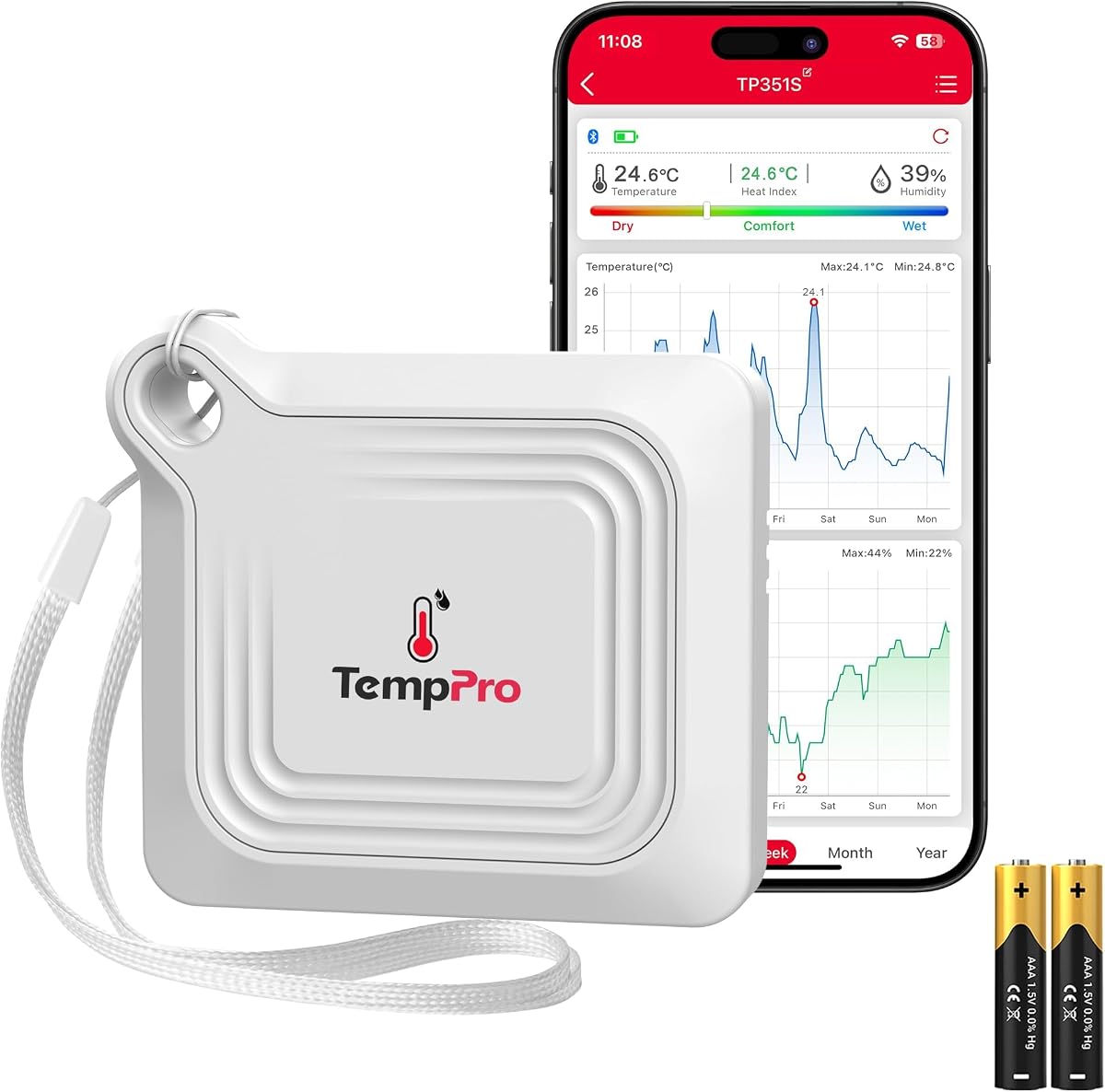
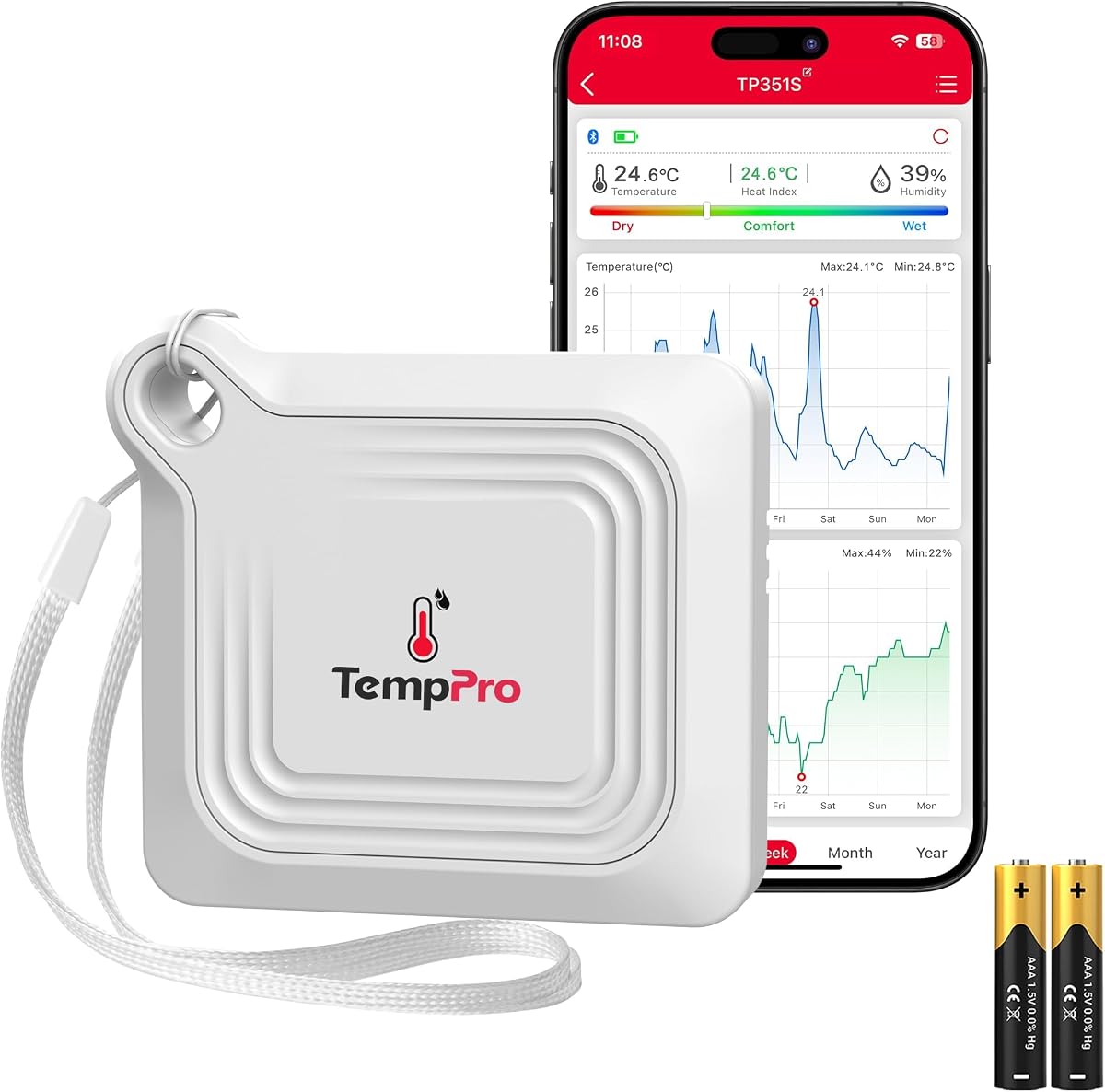
The TempPro TempAir is a value-focused Android-compatible thermometer and hygrometer with a stated rating of 4.3. Its most notable specifications are a 260-foot Bluetooth range, plus or minus 0.5°F temperature accuracy, plus or minus 2% RH humidity accuracy, and a ten-second refresh rate. The app combines live readings with alerts, comfort information, charts, and export functions.
We may earn a commission when you buy through this link, at no additional cost to you.
Setup is designed to be approachable. After installing the batteries, downloading the app, and allowing automatic pairing, the sensor can be placed in a home, office, greenhouse, incubator, cigar humidor, guitar room, RV, or camping setup. Its hanging loop adds placement flexibility, while the compact body takes up little room. The app also provides a battery indicator, which is helpful for a portable device used in changing environments.
Its primary drawback is that Bluetooth still requires a compatible phone to be within the stated range. The 260-foot figure is an ideal condition rather than a guarantee through heavy construction, and there is no independent Wi-Fi option for accessing the sensor from an entirely separate location. The ten-second update interval is also less immediate than the two-second refresh available on several Govee models.
For users who want a capable room monitor without moving to a hub-based system, the TempPro TempAir is a sensible choice. It has a long Bluetooth reach, a strong stated accuracy specification, two years of exportable data, and a broad set of app tools. It is best suited to locations that remain within practical Bluetooth reach of the Android phone.
The compact enclosure and hanging loop make this sensor suitable for unusual spaces where a full-size display is unnecessary. The listed applications include greenhouses, incubators, RVs, cigar humidors, guitar rooms, and camping environments.
Temperature and humidity alerts, a comfort index, one year of chart tracking, CSV export, and a battery indicator cover the core monitoring functions. A hub is unnecessary, although direct Bluetooth reach becomes a practical constraint when the monitored location is far away.
We may earn a commission when you buy through this link, at no additional cost to you.
The Govee WiFi Thermometer Hygrometer H5179 is designed for users who want to check an indoor environment from an Android phone without needing to remain close to the sensor. It has a stated rating of 4.3 and combines Wi-Fi and Bluetooth connectivity with two-second updates. Stated accuracy is plus or minus 0.54°F for temperature and plus or minus 3% RH for humidity.
We may earn a commission when you buy through this link, at no additional cost to you.
Remote monitoring is the core advantage. Once the device is connected through a stable Wi-Fi network, readings can be viewed in real time through the Govee Home app. Users can create preset ranges and receive notifications when temperature or humidity moves outside those limits. The app also supports a widget, making the latest conditions easier to access without fully opening the application.
The stated data features include a 20-day online view and export of up to two years of history. A lanyard loop supports flexible placement in locations such as a basement, baby room, or other indoor area. The trade-off is network dependence: the device does not support 5G Wi-Fi, and the quality of remote access depends on a stable connection. Bluetooth can provide an alternate local connection, but the product information specifically notes that the alert function supports Bluetooth settings.
Choose the H5179 when remote access is more important than an especially large local screen or multi-sensor coverage. It is well suited to a home, nursery, cellar, or similar space where you want timely phone notifications and a dashboard that can be checked away from the device. Buyers should confirm that their network meets the product requirements before installation.
Wi-Fi connectivity allows the phone dashboard to remain accessible when the sensor is in another part of the home. This is a meaningful improvement over a purely local Bluetooth sensor when the monitored area is regularly checked from elsewhere.
The two-second refresh rate keeps the displayed values current, and widget support shortens the path from seeing a home screen to checking conditions. Preset range alerts can provide notice when environmental changes require attention.
We may earn a commission when you buy through this link, at no additional cost to you.
The Govee Indoor Hygrometer Thermometer 3Pack H5075 is built for monitoring several spaces from one Android app. It carries a stated rating of 4.5, and its defining advantage is simple: three separate H5075 monitors are included, each with its own readable three-inch LCD, temperature and humidity readings, max and min records, and comfort indicators.
We may earn a commission when you buy through this link, at no additional cost to you.
The listed Bluetooth range is 196 feet, and the app pairing process is designed to take about a minute. All three devices can support different locations such as a garage, baby nursery, room, wine cellar, or basement. A shared app allows remote monitoring and notification alerts, while the two-second refresh rate provides regularly updated values. Recent information appears in 20-day curve graphs, and up to two years can be exported to CSV.
As with any Bluetooth-only system, the actual usable reach may be reduced by walls and the placement of the Android phone. Having three sensors also means deciding where they will be mounted and ensuring that one phone can remain within effective range during important checks. The pack is therefore best for a home or compact property rather than a broad, remotely distributed property.
This three-pack is a good choice for families who want to compare conditions across several rooms without managing a complex hub system. It preserves the easy local display and app experience of the single H5075 while expanding coverage. It is especially attractive when the bedroom, nursery, basement, or another important area need separate readings.
Each monitor can occupy a different location, allowing you to identify which room is warm, humid, or outside the preferred range. Shared alerts and charts make it easier to compare conditions without physically checking every display.
Although app monitoring is convenient, every unit includes its own large LCD, max and min records, and comfort indicators. Family members can check a room at a glance even when they do not use the phone application.
We may earn a commission when you buy through this link, at no additional cost to you.
The Govee Smart Bluetooth Thermometer Hygrometer H5074 is a compact sensor for users who care more about discreet Android monitoring than a large room display. It has a stated rating of 4.3, a 262-foot connection distance under unobstructed conditions, and a two-second refresh rate. Stated measurement accuracy is plus or minus 0.54°F and plus or minus 3% RH.
We may earn a commission when you buy through this link, at no additional cost to you.
The small, lightweight design is particularly useful in confined or visually sensitive spaces. A hanging hole allows placement at multiple locations, and the absence of a large display keeps the device unobtrusive. The app can show real-time temperature and humidity, and the device stores 20 days of on-board data for recent curve graphs. Users can export the last two years in CSV format.
Preset temperature and humidity ranges can trigger notifications through the Govee Home app. That makes the H5074 useful for monitoring conditions where a visible display is unnecessary but a phone warning is valuable. The trade-off is that the product is Bluetooth-only, explicitly not a Wi-Fi version, and all remote checks depend on the phone being within effective range.
This model is a good fit for a small apartment, pet area, cabinet, closet, or location where a normal display would be inconvenient. It is also a solid option for users who prefer checking a dedicated app rather than reading a device. For distant or continuous remote monitoring, a Wi-Fi or hub-based system is the more logical choice.
The compact body and hanging hole make the H5074 easy to position in places where a larger gauge would be distracting or impractical. It can also be moved between locations as your monitoring priorities change.
The stated 262-foot range is longer than that of several larger Govee models in this guide. As always, the realistic distance depends on walls and other obstructions, so the phone's position and the sensor placement still matter.
We may earn a commission when you buy through this link, at no additional cost to you.
The second Govee H5075 listing in this guide shares the model's established strengths: a large LCD, fast readings, app alerts, and generous data history. Its stated rating is 4.5, and it reports temperature to plus or minus 0.54°F and humidity to plus or minus 3% RH. The three-inch display presents large numbers, max and min records, and three comfort indicators.
We may earn a commission when you buy through this link, at no additional cost to you.
The Android app adds remote monitoring, curve graphs, and notifications when readings leave a preset range. Connectivity uses Bluetooth with a stated 164-foot range. The app provides 20 days of online storage and supports CSV export for up to two years, making the device suitable for both immediate awareness and long-term review.
The limitation is the same basic one seen in the other H5075 entry: it does not use a separate network hub or continuous Wi-Fi connection. A user in another building, on another floor, or beyond effective Bluetooth reach may not receive an immediate update. It is also less suitable than a multi-sensor pack when several distant rooms must be monitored independently.
Among similarly compact room monitors, this listing remains attractive for users who prioritize a readable local display alongside a capable app. The H5074 may be more discreet, while the X-Sense and MOCREO systems offer broader infrastructure. The H5075 occupies the useful middle ground between those extremes.
The sizeable screen and large numerals make current conditions immediately visible to anyone in the room. Max and min records and dry, comfort, or wet indicators provide context without requiring detailed interpretation.
A custom alert can flag unusual conditions while the app records longer trends. The combination helps users move from simply noticing a reading to understanding whether the change is isolated or part of a recurring pattern.
We may earn a commission when you buy through this link, at no additional cost to you.
The X-Sense Smart Wi-Fi Thermometer Hygrometer is a premium monitoring system built around three sensors and a base station. Its stated rating is 4.5, and its most impressive specifications include plus or minus 0.36°F temperature accuracy, plus or minus 2% RH humidity accuracy, and broad coverage up to 1,700 feet. It also calculates dew point and vapor pressure deficit for more advanced environmental interpretation.
We may earn a commission when you buy through this link, at no additional cost to you.
A base station gives the system a clearer network architecture than a phone-dependent Bluetooth sensor. Users can connect up to 50 devices, including a maximum of 10 thermo-hygrometers, and monitor a large home from an Android app. Historical graphs can be viewed by day, month, or year, exported for analysis, and paired with phone notifications when conditions leave a selected range.
The system is more involved than a single compact monitor, and its coverage still depends on suitable base-station placement and environmental conditions. It also provides less of a local numeric display than products centered on a prominent LCD. Battery care matters as well, although replaceable AAA batteries are stated to last up to one year and low-battery notices are sent through the app.
For users who want a structured monitoring network rather than isolated Bluetooth devices, this X-Sense package is the top premium option in the guide. It is especially appropriate for larger homes, multiple rooms, plant collections, wine storage, and users who appreciate dew point or VPD metrics. The additional infrastructure is justified when coverage and analytics matter more than minimal setup.
The base station can coordinate as many as 10 thermo-hygrometers within an ecosystem of up to 50 devices. This architecture reduces the need to keep an individual phone within close range of every sensor.
Dew point and VPD add context beyond basic relative humidity. They are useful for understanding moisture conditions around plants or collections, while daily, monthly, and yearly graphs help reveal longer-term patterns.
We may earn a commission when you buy through this link, at no additional cost to you.
The Govee WiFi Thermometer Hygrometer H5103 stands out with its electronic ink display and network-connected monitoring. Its stated rating is 4.2. It measures temperature within plus or minus 0.54°F and humidity within plus or minus 3% RH, with readings refreshing every two seconds. Wi-Fi and Bluetooth connectivity are both offered through the Govee Home app.
We may earn a commission when you buy through this link, at no additional cost to you.
The display is designed for straightforward readability, while the phone app provides remote access, preset environmental ranges, and notifications when conditions become unusual. The app's online data view covers 13 days, and up to two years of data can be exported. This combination gives the device a clear local reference and a more convenient way to check conditions away from the room.
The stated battery life of about six months reduces charging frequency, and replacement 1.5-volt AA alkaline batteries are supported. Network requirements are the main constraint: the device only supports 2.4 GHz Wi-Fi, not 5 GHz. The shorter 13-day online graph window is also less extensive than the 20-day views associated with several other Govee products, even though long-term export is available.
Choose the H5103 when you want a screen that does not need constant attention, a simple battery-based design, and remote app access. It fits a basement, wine cellar, or living space where both a local reading and occasional phone checks are useful. Users with modern mesh networks should verify that a compatible 2.4 GHz connection is available.
The electronic ink screen presents the essential environmental information without the appearance of a constantly changing full-color display. It is a practical choice for a location where a quick glance should provide a current reading.
The stated battery life of approximately six months lowers routine maintenance compared with devices that need frequent recharging. Standard AA replacement batteries also simplify ownership when the monitor is placed in a remote or hard-to-reach location.
We may earn a commission when you buy through this link, at no additional cost to you.
The MOCREO H5Pro system is the most specialized and potentially comprehensive monitoring setup in this guide. It has the highest stated rating at 4.6 and includes a digital hub and two wireless sensors. The system supports long-range communication up to 1,640 feet in open air, while the sensors operate over a stated temperature span from -4°F to 131°F with plus or minus 0.9°F accuracy.
We may earn a commission when you buy through this link, at no additional cost to you.
The hub can communicate with up to 100 sensors and provides a local dashboard for real-time readings, history, alarms, a clock, weather, and calendar information. It connects through Ethernet or 2.4 GHz Wi-Fi. For alerts, the system offers app push notifications, email, and a 95-decibel hub beep, while app settings include power outage, Wi-Fi disconnect, low battery, and false alarm prevention options.
This level of infrastructure is powerful but not necessary for every home. Users must position the hub thoughtfully, while completely enclosed metal containers and thick commercial freezer doors may interfere with the sensor signal. Minor fluctuations related to auto-defrost or compressor cycles are also expected in appropriate refrigeration settings. The two included sensors do not cover the hub's full 100-sensor potential.
The MOCREO system is ideal for a serious remote-monitoring installation, such as a residence with a detached greenhouse, RV, basement, restaurant, office, or cold-storage area. It also supports numerous additional BLE and LoRa sensor types for expansion. For simple one-room monitoring, the same goals are easier and less expensively organized around a single Bluetooth device.
App push, email, and the audible hub beep provide several ways to notice a problem. Settings for outages, disconnections, and low batteries help distinguish a genuine environmental excursion from an interrupted monitoring setup.
The sensors have IP66 splash-proof protection and are suitable for listed indoor and outdoor locations such as kitchens, garages, greenhouses, nurseries, and RVs. Avoid fully enclosed metal areas when signal reliability is important.
The H5Pro hub supports up to 100 sensors and a broad list of compatible BLE and LoRa devices. This allows a single installation to expand from the included pair toward whole-home or specialized environmental coverage.
We may earn a commission when you buy through this link, at no additional cost to you.
The Wireless Temperature and Humidity Sensor is designed as a continuous Bluetooth data logger for Android phones. Its stated rating is 4.3, and its defining characteristic is the automatic recording of a new reading every minute. The product uses premium Swiss components and is marketed for refrigerator, freezer, greenhouse, reptile cage, and general-purpose monitoring.
We may earn a commission when you buy through this link, at no additional cost to you.
The app stores extensive history that can be browsed by hours, days, weeks, or years. Users can export all or selected portions to CSV and open the files in Microsoft Excel or Google Sheets. The sensor also supports phone alerts, with each sensor capable of sending alerts to multiple phones and each phone capable of monitoring multiple sensors. That flexibility is useful for shared homes or small teams.
The mini enclosure is easy to conceal and can fit into many confined spaces. Bluetooth sync reaches up to 330 feet under favorable conditions, although walls reduce the effective distance. If the phone remains out of range, the sensor can preserve the last 40 days and sync automatically when connection returns. It is explicitly Bluetooth-only and does not provide Wi-Fi or hub-based continuous access.
This model makes the most sense for users who need a detailed record rather than simply checking a current reading. Its minute-by-minute logging, unlimited historical browsing, and flexible export are particularly useful for documenting conditions over time. Choose it for refrigerator experiments, collection monitoring, or any project where historical proof is more important than a large local display.
Automatic readings every minute create a consistent timeline that is more informative for trend analysis than occasional manual checks. Historical views can then be explored across hours, days, weeks, and years.
Multiple phones can monitor the same sensor and receive its alerts, while each phone can also manage several sensors. The 40-day offline recovery period reduces the risk of losing recent records when the phone temporarily leaves range.
The compact mini sensor is suitable for refrigerators, freezers, reptile cages, and other locations where a larger display would be inconvenient. Its understated design makes ongoing monitoring less visually disruptive.
We may earn a commission when you buy through this link, at no additional cost to you.
The right Android-compatible sensor depends on where it will be installed, how far the phone must be from the device, and whether you need immediate alerts, detailed history, a local display, or support for multiple locations. These factors help separate a simple Bluetooth monitor from a more capable Wi-Fi or hub-based system.
In short, choose Bluetooth for local or near-local monitoring and Wi-Fi or a hub for dependable remote access.
Prioritize tighter tolerances only when your monitoring purpose genuinely requires them; otherwise, alerts, range, and reliability may produce more practical value.
Fast refresh is best for immediate awareness, while scheduled minute-level logging is better for documentation and long-term trend analysis.
Choose enough range to survive your real building layout, and use a hub or network sensor when remote monitoring across large properties is essential.
For critical locations, use redundant alert methods; for ordinary rooms, configurable phone notifications are usually sufficient and simpler.
Choose longer online views for casual tracking and exportable detailed logs when you need to compare, document, or investigate environmental behavior.
Choose the form factor around the monitored space: a readable screen for shared rooms, a discreet sensor for confined areas, and a rugged option for damp locations.
Favor a long stated battery duration and accessible battery compartment when the sensor will be mounted high, outside, or in a sealed enclosure.
Begin by installing the manufacturer's app, confirming that it supports your Android version, and selecting the correct model during setup. Install the specified batteries, hold the sensor near the phone, and complete the pairing or network connection process. For Wi-Fi models, make sure the phone is connected to a compatible 2.4 GHz network; for hub systems, connect the hub before adding remote sensors.
Choose the monitoring location carefully. Place the sensor away from direct sunlight, heating vents, appliances, exterior walls, and other direct heat sources when the goal is to measure ambient conditions. Do not place a wireless sensor inside a fully enclosed metal container, and leave enough space around the device for radio communication. Set alert thresholds that reflect the environment rather than applying identical limits to every room.
After installation, compare the app reading with the sensor's local display and allow a short settling period in a new location. Review the first few days of graph data to verify that the values behave sensibly. Check battery notifications, confirm that alerts reach the intended phone, and export a sample CSV file to ensure the history is accessible in your preferred spreadsheet tool.
Yes. The listed products use compatible Android apps to display temperature, humidity, graphs, alerts, and other sensor data. Bluetooth models generally require the phone to remain within effective wireless range, while Wi-Fi and hub-based systems provide access from more remote locations. Confirm that the manufacturer's app supports your specific Android version before buying.
Accuracy depends on the selected model and the conditions being measured. The listed sensors state temperature tolerances ranging from plus or minus 0.36°F to plus or minus 0.9°F. For cold storage, also consider the sensor's stated operating range, low-battery performance, signal interference from metal walls, and the normal temperature fluctuations caused by compressor or defrost cycles.
A Bluetooth sensor usually connects directly to the Android phone and has a more limited practical distance, especially through walls. A Wi-Fi sensor can publish readings through a compatible network, making it easier to check from anywhere with an internet connection. Some products support both methods, but their remote-monitoring behavior may still differ between the two.
It depends on the system. The X-Sense base station can link up to 50 devices, including as many as 10 thermo-hygrometers, and the MOCREO H5Pro hub supports up to 100 sensors. The dedicated Bluetooth data logger also supports multiple phones and multiple sensors, while standalone room monitors are generally intended for one or a small number of paired devices.
The MOCREO product information specifically states that its temperature sensor requires no subscription. Other products emphasize app-based history and CSV export, but you should verify the current app terms for any optional services. The core monitoring and data features described for the listed models do not make subscription access a stated requirement.
Place it in an area that represents the conditions you want to monitor, away from direct sunlight, heaters, coolers, and exterior surfaces. A hanging loop or suitable mount can help maintain airflow around the sensor. For fridges and freezers, check the stated operating range and remember that fully enclosed metal doors can weaken wireless signals.
Yes. Most of the listed products support CSV export, and the dedicated data logger explicitly allows all or selected history to be opened in Microsoft Excel or Google Sheets. Other systems provide two years of exportable information. The available online graph period may be shorter, so export regularly if you need to preserve a continuous long-term record.
First, confirm that the phone is within the effective connection range and that the sensor still has battery power. Check network availability for Wi-Fi models and make sure the phone's Bluetooth or Wi-Fi permission is enabled. The dedicated logger can retain up to 40 days while out of range and resync automatically, while hub systems can also alert about disconnections.
The Govee H5075 is the most balanced general recommendation because it combines a large local display, fast readings, useful phone alerts, recent graphs, and long CSV export. The TempPro TempAir stands out as a budget-conscious option with a long Bluetooth range and a ten-second refresh, while the X-Sense system and MOCREO H5Pro lead the premium category for larger networks and long-range monitoring.
Prioritize the connection method that matches the property. Use a Bluetooth sensor for a nearby room, a Wi-Fi model for regular remote access, and a hub-based platform when alerts and coverage must extend across multiple buildings or difficult obstructions. Accuracy, refresh speed, data retention, battery life, and display design should then be matched to the environment rather than treated as isolated features.
Finally, verify the current app requirements, network compatibility, included components, and seller listing before ordering. Ratings, available configurations, firmware behavior, and product offers can change, so the information in this October 2026 guide should be paired with a current review of the exact model and package you intend to buy.