
AULA F87 Pro
4.7Editor score
Tri-mode wireless connectivity
Hot-swappable mechanical switches
Programmable RGB and macros
Explore the best Tkl Keyboard options for gaming and typing, comparing layouts, switches, connectivity, RGB lighting, comfort, build quality, and features.
A Tkl keyboard offers the compact footprint of a tenkeyless design without sacrificing the dedicated function keys and arrow-key cluster found on full-size models. That balance makes it especially useful for gaming, programming, and productivity setups where every bit of desk space matters. The right model also depends on switch feel, connection method, lighting, durability, and comfort.
This guide compares ten Tkl keyboards across mechanical, membrane, analog magnetic, wired, wireless, and multi-device configurations. We considered layout, actuation, response features, programmability, RGB lighting, battery life, mounting, wrist support, and platform compatibility. The result is a list that covers gaming priorities, quiet typing, customization, portability, and premium performance.
The selections show how much variety exists within the Tkl category, from simple esports designs to hot-swappable mechanical boards and advanced analog keyboards. Ratings reflect the supplied customer feedback, while product details come from the listed manufacturer information. Availability and pricing can change, so check the current listing and feature set before making a final purchase.
4.7Editor score

4.6Editor score

4.7Editor score
The table below compares all ten Tkl keyboards by their most important characteristics, including layout, connection options, switch design, lighting, programmability, and battery-related features.



The RK ROYAL KLUDGE R87 Pro is a wired 88-key mechanical keyboard built around the popular 75% TKL format. It carries a 4.6 rating and stands out for combining a hot-swappable PCB, QMK and VIA support, RGB lighting, and a programmable CNC metal knob. For buyers who want customization without moving to a premium gaming platform, it is a remarkably complete package.
We may earn a commission when you buy through this link, at no additional cost to you.
Its five-layer gasket structure is designed to reduce vibration and soften the sound produced by each keystroke. The keyboard accepts both three-pin and five-pin switches, allowing users to replace the included switches without soldering. A programmable knob can handle functions such as volume or mute and can be reassigned for other controls. The result is a board that works well for typing, gaming, and everyday productivity.
The main limitation is its wired design. Unlike a tri-mode model, it cannot move freely between a desktop, laptop, tablet, and phone without reconnecting a cable. QMK and VIA customization also demands more intentional configuration than a plug-and-play peripheral. These trade-offs are reasonable for a keyboard aimed at enthusiasts who value layout, sound, and long-term modification potential.
This is our overall recommendation because it balances compact dimensions, satisfying acoustic construction, flexible switching, and deep programmability. Choose the R87 Pro if you want a Tkl keyboard that can grow with your preferences rather than locking you into a fixed switch or lighting experience.
QMK and VIA support make the keyboard attractive to users who want remapped layers, shortcuts, or alternate knob actions. Combined with hot-swappable sockets, it offers several avenues for changing the feel and function of the board without replacing the entire keyboard.
The 88-key arrangement keeps essential navigation and function keys while freeing valuable desk space. A full numpad is absent, but users who need one can still access a separate compact keypad without giving up the main keyboard's gaming-friendly footprint.
We may earn a commission when you buy through this link, at no additional cost to you.
The AULA F87 Pro combines an 87-key TKL layout with tri-mode connectivity, hot-swappable switches, RGB lighting, and programmable macros. Its 4.7 rating is among the highest in this guide, and the feature set makes it a strong value for gamers, students, and hybrid workers who want more capability than a basic membrane keyboard.
We may earn a commission when you buy through this link, at no additional cost to you.
The keyboard can connect through Bluetooth, 2.4GHz wireless, or USB-C and can hold connections to as many as five devices. Its 4000mAh rechargeable battery supports extended untethered use, while shortcut keys and a side button simplify device changes. Pre-lubed stabilizers and LEOBOG space gold switches contribute to the smooth feel and creamy sound described in the product information.
Its internal construction goes further than the entry-level norm. An extended silicone pad, PCB single key slotting, and five layers of filling are intended to improve resilience, stability, and sound quality. Macro programming, N-key rollover, a Windows-key lock, 16 lighting effects, and additional music-reactive modes expand its gaming and productivity utility.
The F87 Pro is a practical pick for anyone who wants the flexibility of a premium custom mechanical board without a premium-level expense. Its driver is required for deeper customization, and buyers who dislike side-printed key legends may prefer a conventional set. Even with those caveats, the combination of wireless switching, acoustics, and programmability is unusually complete.
Bluetooth, 2.4GHz, and wired modes make the F87 Pro useful across computers, tablets, phones, and gaming consoles. Supporting five device connections is especially helpful for people who alternate between work and entertainment systems throughout the day.
Pre-lubed stabilizers, a silicone pad, PCB slotting, and multiple internal filling layers work together to reduce harsh vibration. This gives users a softer, more controlled acoustic profile without requiring the manual modification process associated with enthusiast custom boards.
We may earn a commission when you buy through this link, at no additional cost to you.
The SteelSeries Apex Pro TKL Gen 3 is the premium, performance-focused option in this guide. It earns a 4.7 rating through a feature set centered on Hall Effect analog switches, Rapid Trigger, Rapid Tap, and Protection Mode. These controls target competitive games in which early movement, repeated inputs, and reduced accidental presses can materially affect play.
We may earn a commission when you buy through this link, at no additional cost to you.
OmniPoint 3 switches offer 40 levels of adjustable actuation from 0.1mm to 4.0mm and a stated 45g bottom-out force. Rapid Trigger resets as soon as a key is released, while Rapid Tap prioritizes the most recent input during movement. Protection Mode is designed to limit nearby accidental inputs, and QuickSet can automatically activate configurations when a game launches.
The onboard OLED smart display allows settings to be reviewed and changed without leaving the game, and configurations remain stored on the keyboard. That focus on immediate control separates it from conventional membrane and mechanical boards, whose actuation is generally fixed. The trade-off is that users unfamiliar with analog settings face a steeper initial learning curve than they would with a standard keyboard.
Choose the Apex Pro TKL Gen 3 when competitive responsiveness, adjustable actuation, and fast onboard control are your highest priorities. It is less compelling for general office users who will never change a switch setting, but for competitive gamers it delivers capabilities that most conventional Tkl keyboards cannot provide.
Rapid Trigger and Rapid Tap address common competitive movement scenarios, while Protection Mode helps reduce accidental keypresses near critical controls. QuickSet then brings relevant configurations into play automatically, reducing the need to reopen software during a match.
The OLED display puts key settings and configuration information directly in the user's line of sight. Saving profiles onboard is particularly useful when software access is inconvenient or when the keyboard is moved between competitive and everyday setups.
We may earn a commission when you buy through this link, at no additional cost to you.
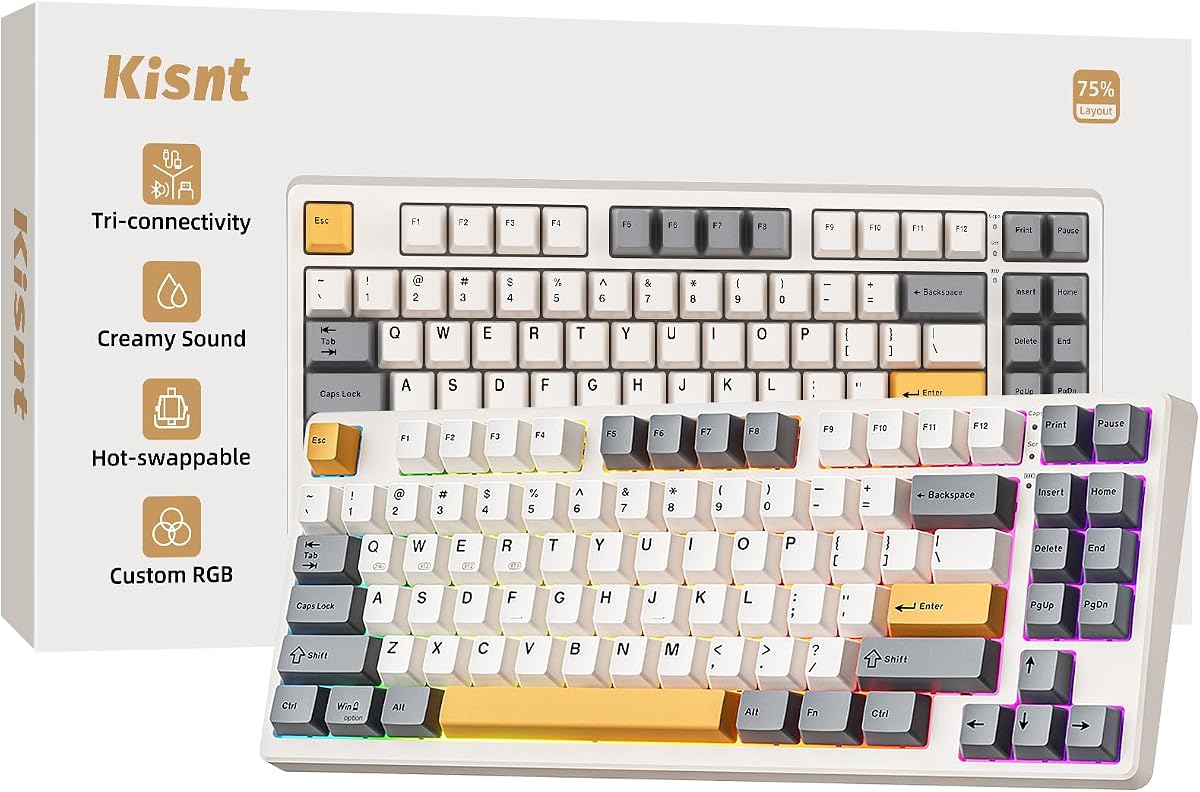
The Kisnt KN85 is an 85-key wireless mechanical keyboard designed for users who need to reclaim desk space. It has a 4.6 rating, a 13.68-inch-wide frame, and a 75% layout that keeps F1 through F12, arrow keys, and shortcuts while eliminating the numeric keypad. That makes it suitable for small desks, laptop arrangements, and mobile setups.
We may earn a commission when you buy through this link, at no additional cost to you.
Connectivity covers USB-C, 2.4GHz wireless, and Bluetooth 5.0 with three Bluetooth channels. Listed latency figures are 2ms for USB, 5ms for 2.4GHz, and 11ms for Bluetooth, while the built-in 4000mAh battery supports extended wireless use. It can also continue operating in wired mode while charging, which is helpful when the battery runs low.
A gasket mount is used to absorb vibration and hollow sound, producing the softer marbly character associated with the KN85. Pre-lubed Bsun linear switches have a stated 45–50gf actuation force and can be replaced with compatible three- or five-pin switches. Custom RGB, key remapping, and macros are available through the Windows-only KN85 driver.
This is a strong choice for a compact, multi-device keyboard with an emphasis on creamy acoustics. Users who need frequent numeric entry should choose a numpad-equipped model instead, and Bluetooth pairing takes several steps. For users who regularly switch among Windows and Mac systems, however, the 85-key design and three-channel Bluetooth support are particularly appealing.
The 85-key layout removes the numeric keypad while preserving the navigation keys and full function row. Its stated dimensions leave room for broader mouse movement, which is valuable in competitive games and improves the visual balance of a compact workstation.
Three Bluetooth channels make it possible to retain connections to multiple devices, while the 2.4GHz mode offers a lower-latency wireless path. USB-C provides dependable wired operation and charging, making the keyboard adaptable to changing workspaces.
We may earn a commission when you buy through this link, at no additional cost to you.
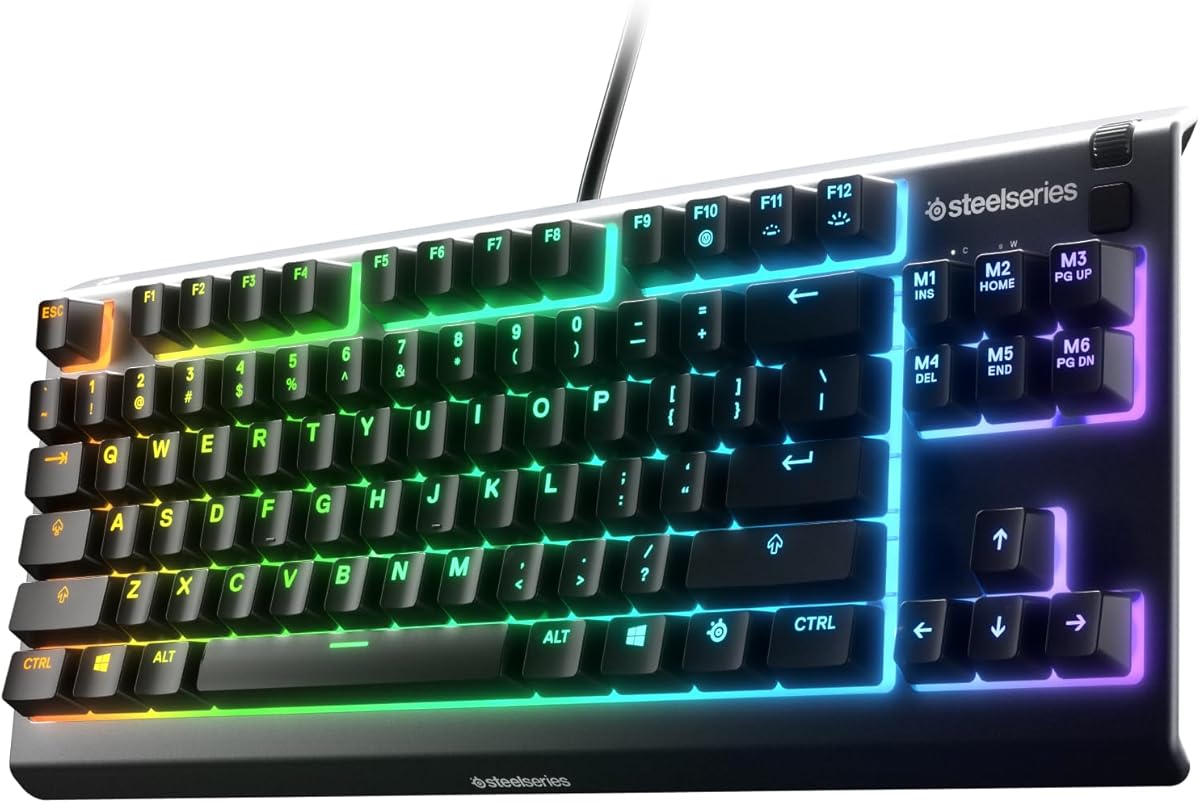
The SteelSeries Apex 3 TKL is a straightforward gaming keyboard with a classic tenkeyless footprint. Its 4.5 rating reflects a dependable feature set built around anti-ghosting, durable water and dust resistance, whisper-quiet gaming switches, and eight-zone RGB illumination. It is a sensible alternative for shoppers who want gaming essentials without configuring an enthusiast mechanical board.
We may earn a commission when you buy through this link, at no additional cost to you.
The compact layout creates more room for mouse movement and follows a design commonly used in competitive play. Anti-ghosting helps the keyboard register simultaneous inputs accurately, while the switches are rated for near-silent operation over 20 million keypresses. These qualities make the board suitable for shared rooms as well as focused gaming sessions.
RGB lighting provides multiple color schemes and reactive effects across eight zones. The product does not emphasize hot-swappable switches, analog actuation, or extensive onboard programming, so it is less flexible for enthusiasts. Its wired connection is stable and removes the need to manage batteries, but it also anchors the keyboard to one computer.
Pick the Apex 3 TKL if you want a recognizable gaming layout, quiet keys, durable construction, and colorful lighting without a complicated setup. It is particularly effective for play where anti-ghosting and desk space matter more than replacing switches or experimenting with advanced actuation settings.
Whisper-quiet switches help reduce distracting noise during long sessions or late-night use. Their stated 20-million-keypress durability rating also makes them a practical choice for a keyboard expected to see regular, extended use.
Water and dust resistance adds resilience against accidental splashes and airborne particles. It does not make the keyboard immune to liquids, but it adds a useful layer of protection in active gaming or work environments.
We may earn a commission when you buy through this link, at no additional cost to you.
The Razer Ornata V3 TKL is a low-profile gaming keyboard built for a comfortable, uncluttered desk. It has a 4.6 rating and combines slim keycaps with short mecha-membrane switches that provide familiar tactile feedback. Its magnetic soft-touch wrist rest and compact proportions are especially noticeable during extended gaming or typing sessions.
We may earn a commission when you buy through this link, at no additional cost to you.
UV-coated keycaps are designed to resist fading and everyday wear, while dedicated media keys can be configured for playback, brightness, volume, and other functions. Razer Chroma RGB lighting offers 16.8 million colors and dynamic effects across supported games. The design supports a polished setup without a tall keyboard visually dominating the workspace.
Razer Snap Tap is available through Razer Synapse 4 and prioritizes the latest input between assigned keys, but it is off by default. The keyboard is not hot-swappable, so users who want to experiment with different mechanical switches will need a different model. Mecha-membrane construction also differs from the feel of a true mechanical board, despite offering a responsive middle ground.
Choose the Ornata V3 TKL if a thin profile, integrated wrist support, and polished gaming integration are more important than switch experimentation. It is a comfortable all-rounder for players who want low-profile aesthetics, tactile-style feedback, programmable media controls, and synchronized lighting.
Slimmer keycaps and shorter switches encourage a more natural hand position than a tall mechanical keyboard. The attached magnetic wrist rest adds support without requiring a separate desk accessory, which helps preserve a clean, coordinated setup.
Razer Synapse 4 handles dedicated controls and Snap Tap configuration, while Chroma extends lighting effects into compatible games. The result is a simple way to personalize both everyday functions and competitive play.
We may earn a commission when you buy through this link, at no additional cost to you.
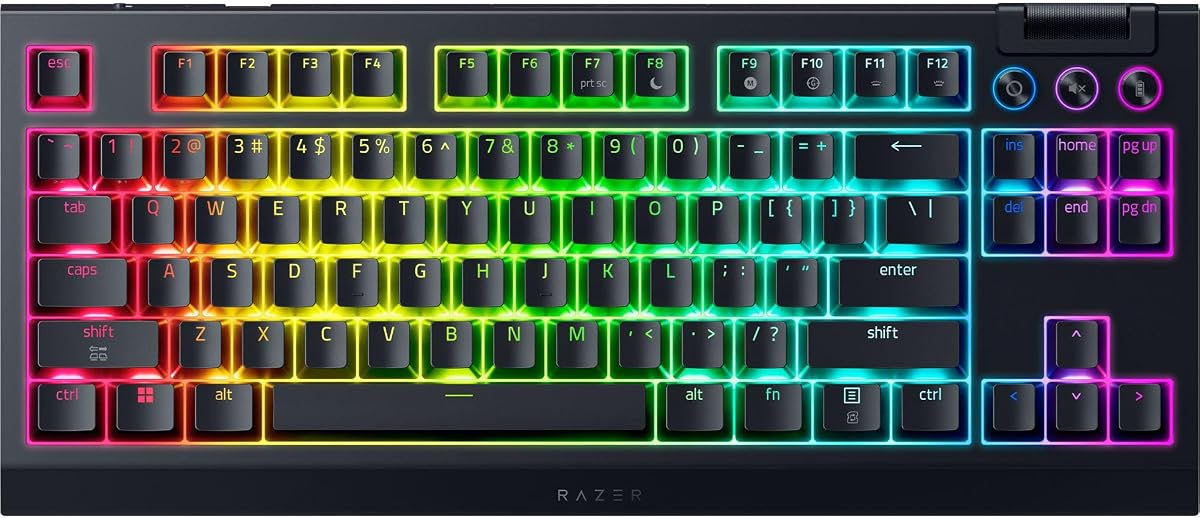
The Razer BlackWidow V4 TKL is built around wireless gaming without giving up mechanical-style customization. It has a 4.1 rating, the lowest among the listed models, but its specification sheet is substantial: 2.4GHz HyperSpeed wireless, Bluetooth, hot-swappable sockets, a remappable roller, and up to 980 hours of stated battery life.
We may earn a commission when you buy through this link, at no additional cost to you.
Its socketed PCB accepts three- and five-pin switches, allowing the supplied orange switches to be replaced with alternatives. A top-mounted stainless-steel plate, tape-enhanced PCB, lubricated stabilizers, and two layers of sound-dampening foam shape the typing experience. The multi-function roller and three control buttons provide direct access to audio, media, and battery settings, with remapping support.
The lower rating is the main reason it does not lead this list. Buyers should examine current customer feedback and account for preferences that may not align with a traditional gaming keyboard. Cable management, button placement, software behavior, and battery configuration can all influence satisfaction in ways that are not captured by a feature list.
For a buyer who wants wireless freedom, long battery life, and the ability to change switches, the BlackWidow V4 TKL remains a compelling option. It is best suited to users willing to spend time configuring the controls and who value Razer Chroma integration. Its lower rating warrants more personal research before purchase than the top-ranked models.
The keyboard supports Razer HyperSpeed wireless, Bluetooth connections to three devices, and a shared USB receiver for a compatible Razer mouse. The claimed 980-hour figure provides a substantial practical advantage over boards that need frequent charging.
A steel plate, enhanced PCB construction, lubricated stabilizers, and internal foam create a cleaner and more controlled feel. Hot-swappable sockets then allow the key feel to evolve without replacing the entire keyboard.
We may earn a commission when you buy through this link, at no additional cost to you.
The Logitech G515 Lightspeed TKL is a slim, tri-mode gaming keyboard built for both play and everyday productivity. Its 4.5 rating reflects a balanced combination of low-profile tactile switches, wireless connectivity, PBT keycaps, configurable controls, and LIGHTSYNC RGB. The tenkeyless design keeps arrow and function keys while eliminating the numpad.
We may earn a commission when you buy through this link, at no additional cost to you.
The low-profile GL Brown tactile switches are factory lubricated for smoother movement, fast actuation, and clear feedback. G HUB and KEYCONTROL allow users to assign up to 15 functions per key, creating shortcuts and macros for a highly personalized control center. Dedicated hotkeys provide quick access to LIGHTSPEED, Bluetooth, and Game Mode.
LIGHTSPEED wireless offers a listed 1ms report rate and can share a USB receiver with a compatible wireless gaming mouse. Bluetooth adds another connection route, while a wired connection is also available. The maximum stated battery life is 36 hours and varies with use, which is less generous than the BlackWidow V4 TKL but appropriate for a keyboard expected to be charged regularly.
Choose the G515 if you want a restrained, low-profile design with tactile feedback and extensive key customization. It is a particularly good fit for someone who uses one keyboard for both work and gaming and values software-led control over physical switch replacement.
GL Brown switches deliver noticeable tactile feedback while remaining low-profile. Their factory lubrication supports smoother movement, making the keyboard appealing to users who want more definition than a quiet linear switch without the height of a full-size mechanical board.
KEYCONTROL can assign up to 15 functions to each key, allowing the G515 to handle advanced commands and macros. Three dedicated hotkeys simplify switching between LIGHTSPEED, Bluetooth, and Game Mode without searching through menus.
We may earn a commission when you buy through this link, at no additional cost to you.
The Razer Huntsman V3 Pro TKL is explicitly oriented toward competitive first-person shooters. It holds a 4.3 rating and combines Gen-2 analog optical switches with Rapid Trigger, Adjustable Actuation, and Razer Snap Tap. The result is a high-speed keyboard designed for players who repeatedly move, strafe, dodge, and tap directional controls.
We may earn a commission when you buy through this link, at no additional cost to you.
Actuation can be adjusted from 0.1mm to 4.0mm, and the switches have a stated 100-million-keystroke lifespan. Rapid Trigger resets at the slightest key lift, while Snap Tap prioritizes the latest input between two selected keys. Snap Tap requires the latest firmware, and both features are best introduced gradually so that changes in movement behavior do not disrupt familiar control patterns.
An onboard LED array assists with actuation-height and Rapid Trigger adjustments, and settings can be saved directly to the keyboard. A multifunction digital dial handles volume and analog switch settings, with three additional buttons for media and custom macros. Textured doubleshot PBT keycaps target wear resistance, while a magnetic firm leatherette wrist rest provides support.
The Huntsman V3 Pro is ideal for competitive players who value response speed and onboard control more than conventional switch simplicity. Its specialized features may feel excessive outside gaming, and a 4.3 rating suggests some buyers are less satisfied than they would be with the higher-rated general-purpose options. Still, for fast-paced competitive play, it remains one of the most focused designs here.
Rapid Trigger responds to minimal key movement, while Snap Tap reduces the need to fully release a previously pressed direction. Together with adjustable actuation, these features support highly responsive movement in games where timing is critical.
The onboard LED array provides visual guidance while users modify actuation and trigger sensitivity. Storing profiles on the keyboard means critical adjustments can be made without opening software, even in the middle of a competitive session.
We may earn a commission when you buy through this link, at no additional cost to you.
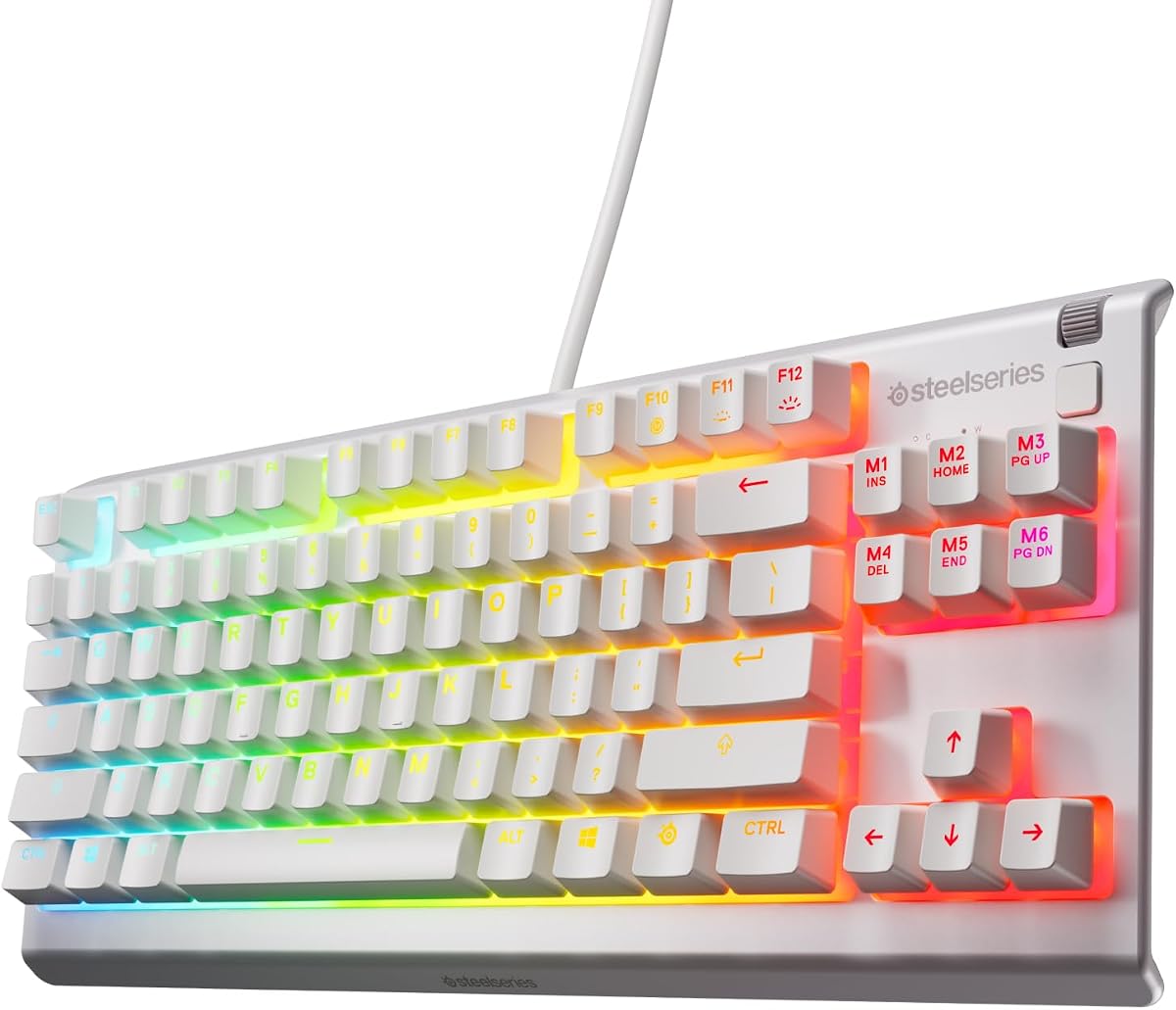
The SteelSeries Apex 3 TKL RGB is a feature-rich gaming keyboard with extensive PrismSync illumination. It carries a 4.5 rating and combines a tenkeyless layout, anti-ghosting, near-silent switches, water and dust resistance, dedicated media controls, and a clickable volume roller. It is especially attractive to users who want expressive lighting and broad device support.
We may earn a commission when you buy through this link, at no additional cost to you.
PrismSync provides millions of colors and effects, including reactive illumination and interactive light shows. The clickable roller can adjust volume, while dedicated media keys control brightness, rewind, skip, and pause. These physical controls are convenient during gaming because they reduce the need to move the mouse or search for an on-screen menu.
The keyboard is compatible with Windows, Mac OS X, Xbox Series S, Xbox Series X, PS4, and PS5. That makes it a practical choice for a mixed gaming and computing setup. However, it is wired, and the standard gaming switches cannot be replaced through a hot-swappable socket, reducing its appeal for keyboard customization enthusiasts.
Choose the Apex 3 TKL RGB if vivid reactive lighting, convenient media controls, and broad platform compatibility are your main priorities. It offers a polished gaming feature set without demanding analog adjustment or enthusiast-level software configuration, making it approachable for a wide range of users.
PrismSync goes beyond a fixed single-color backlight with millions of possible colors and reactive effects. Interactive light shows add atmosphere to a gaming desk while per-key illumination can complement a larger room or monitor setup.
A clickable volume roller and dedicated media keys make common adjustments available without leaving the current activity. Broad compatibility with modern consoles and major desktop operating systems also helps the keyboard serve multiple roles.
We may earn a commission when you buy through this link, at no additional cost to you.
The best Tkl Keyboard for one person may be unsuitable for another, so the most important starting point is the intended use. Gaming, typing, portability, customization, and competitive responsiveness each favor different features. Use the following factors to narrow the field before making a final choice.
A TKL or tenkeyless keyboard removes the numeric keypad while retaining the main function row and arrow keys, creating more room for mouse movement and reducing overall desk width. Compact 75% TKL models go further, often using 85 to 88 keys and replacing some conventional functions through alternate layers. Check that the layout includes the navigation keys you use, particularly if you rely on Home, End, Page Up, Page Down, or an arrow-key cluster for editing.
Mechanical switches provide distinct tactile, linear, and clicky behavior, while membrane-style designs can offer a familiar feel with a lower profile. Analog magnetic and optical switches add adjustable actuation, allowing a keypress to register at different distances. Rapid Trigger and Snap Tap are useful for competitive movement, while quieter switches are preferable for offices, shared rooms, and late-night use. Think about both sound and force before choosing.
A wired keyboard offers a dependable connection without battery management and is ideal for a fixed desk. Wireless models provide flexibility across laptops, tablets, and phones, but battery life, receiver range, and connection stability become important. Tri-mode boards support wired, 2.4GHz, and Bluetooth operation, making them especially versatile for hybrid workers. Compare stated wireless latency and confirm which devices and applications are supported.
Programmable keys, onboard profiles, remappable controls, and RGB settings can make a keyboard easier to tailor to your work and games. QMK and VIA support provide extensive remapping on compatible boards, while dedicated drivers simplify lighting, macros, and game profiles. Make sure the software runs on your operating system and that essential functions can be stored on the keyboard when software access is inconvenient.
A keyboard's case, plate, mounting system, stabilizers, and internal dampening influence both perceived quality and sound. Gasket-mounted boards can reduce vibration, while layered foam is intended to soften hollow noise. Metal plates may produce a firmer response than plastic construction. If sound matters, consider pre-lubed switches and stabilizers as well as the keyboard's internal tuning rather than judging only by switch type.
RGB illumination can improve key visibility, personalize a desk, or synchronize with games. Compare whether lighting is per-key or divided into broad zones, and whether brightness and effects can be adjusted. Media keys, a clickable volume roller, programmable knobs, and onboard displays may be more useful than elaborate lighting for some users. Identify which controls you will actually use so extra features do not distract from the core typing experience.
Slim switches reduce wrist extension, while a low-profile board can make a full mouse-and-keyboard arrangement more compact. A removable or magnetic wrist rest can add support, though a separate rest allows more placement flexibility. Wireless users should compare stated battery runtimes and charging options, recognizing that RGB brightness, animation, and usage patterns can affect real-world duration. A comfortable layout matters more than a headline battery figure.
Begin by placing the keyboard in the position you will use most often, keeping it flat and aligned with the mouse. Connect the cable or wireless receiver, pair Bluetooth devices if required, and install the appropriate driver before changing lights, macros, or switch settings. For multi-device models, save a separate profile for each computer and verify that the active connection matches the device you are controlling.
Set actuation, debounce, or game modes for your preferred titles, then test them in a practice environment before relying on the new configuration in competition. For analog boards, begin with a moderate actuation level and make small adjustments. Use Game Mode or a Windows-key lock when you want to prevent the operating system from interrupting gameplay, and remap rarely used keys only after confirming that every essential command remains accessible.
Keep the keyboard free from dust, debris, and liquid, and unplug it before cleaning. Use a soft microfiber cloth for the case and keycaps, and a brush or gentle compressed air for narrow spaces. Avoid pulling keycaps off unless you know how to reinstall them correctly. For hot-swappable boards, power down before changing switches, match three- and five-pin compatibility, and consult the manufacturer's instructions. Charge wireless models with an appropriate USB power source and update their software when new firmware or mapping options are available.
TKL usually describes a tenkeyless layout with a dedicated function row, while 75% refers to a more compact arrangement that removes some navigation or function keys and often uses alternate layers. Many TKL products in this guide are 85- to 88-key 75% layouts. The practical difference is the number of immediately available keys and the amount of desk space the keyboard occupies.
A Tkl keyboard is well suited to gaming because it leaves more desk space for mouse movement than a full-size model. Gaming-specific features such as anti-ghosting, N-key rollover, adjustable actuation, Rapid Trigger, and programmable macros can further improve the experience. The best choice depends on whether you value low latency, portability, customization, or a familiar mechanical feel.
Modern wireless gaming keyboards can be suitable for competitive play, particularly when using their low-latency 2.4GHz mode rather than Bluetooth. Look for a stated report rate, stable receiver connection, and adequate battery life. Wired mode remains an option on tri-mode models when maximum consistency or a full charge is required.
Hot-swappable sockets let you replace compatible mechanical switches without soldering. This makes it easier to change the force, sound, or feel of a keyboard and experiment with different switch types. You should still power the keyboard down, confirm three- or five-pin compatibility, and follow the manufacturer's removal and installation instructions.
Linear switches feel smooth and provide minimal resistance, which many gamers prefer for rapid repeated presses. Tactile switches add a noticeable bump that helps confirm actuation without being as loud as clicky designs. Clicky switches provide strong audible feedback but may disturb people nearby. Try different switches or consider quieter alternatives when sound is important.
A numpad is useful for frequent spreadsheet work, data entry, accounting, and certain shortcuts. A TKL keyboard is more appropriate if you rarely enter numbers or want extra mouse space. Users who need numbers occasionally can pair a TKL with a separate compact keypad, preserving flexibility without filling the primary desk area.
RGB can affect battery life, particularly when brightness is high or animated effects are used continuously. Many keyboards include brightness controls, static lighting modes, or a way to disable illumination. Turning off lighting or using a static effect can help preserve charge when wireless use is the priority.
Choose an analog keyboard if you want adjustable actuation, Rapid Trigger, or Snap Tap and regularly play competitive movement-focused games. Choose a standard mechanical keyboard for a broader mix of work and gaming, greater familiarity, or a wider variety of replaceable switches. Analog models offer more control, but they also introduce settings that require time to understand.
The RK ROYAL KLUDGE R87 Pro is the strongest all-around choice for buyers who value hot-swappable switches, a compact layout, useful onboard controls, and extensive programmability. The AULA F87 Pro delivers an even broader value proposition with tri-mode wireless connectivity, five-device support, layered acoustic construction, RGB effects, and macro programming. For premium competitive performance, the SteelSeries Apex Pro TKL Gen 3 leads through adjustable magnetic actuation, Rapid Trigger, Rapid Tap, and an onboard OLED display.
Your priorities should determine which features matter most. Competitive shooters may prefer analog control and rapid reset behavior, while typists may prioritize sound, stabilizers, and a comfortable layout. Wireless users should compare connection methods, latency, and battery expectations. If customization is important, verify switch compatibility, software support, and whether profiles can be saved directly on the keyboard.
Customer ratings and product listings can change over time, and current pricing, availability, software versions, and package contents should be confirmed before ordering. Use the comparison table to narrow the field, then check the current product listing for the exact specifications and accessories included. That final check helps ensure the selected Tkl Keyboard fits your desk, devices, and preferred way of working or playing.