
WILDGAME INNOVATIONS Trail Pad Tablet VU70
4.3Editor score
Seven-inch HD touchscreen
Dual SD card slots
Weather-resistant construction
A trail camera card reader makes it easier to review wildlife photos and videos without returning to a computer or relying on cellular service. The right device should fit your phone, display outdoor captures clearly, transfer files efficiently, and survive the conditions where you use it.
We compared ten readers across screen size, supported connections, card capacity, file-management features, portability, and weather resistance. The list includes dedicated handheld viewers, phone adapters, and multi-interface readers designed for field work, photography, hunting, and wildlife observation.
Each selection highlights a different practical advantage, from quick phone transfers to large touchscreens and dual-card workflows. Product ratings and specifications reflect the supplied information, while current prices and availability can change, so compare the latest listings before purchasing.
4.3Editor score
4.4Editor score

4.9Editor score
As an Amazon Associate we earn from qualifying purchases.
The table below compares all ten readers by device type, connection method, screen support, card capacity, and the field-management features that distinguish them.


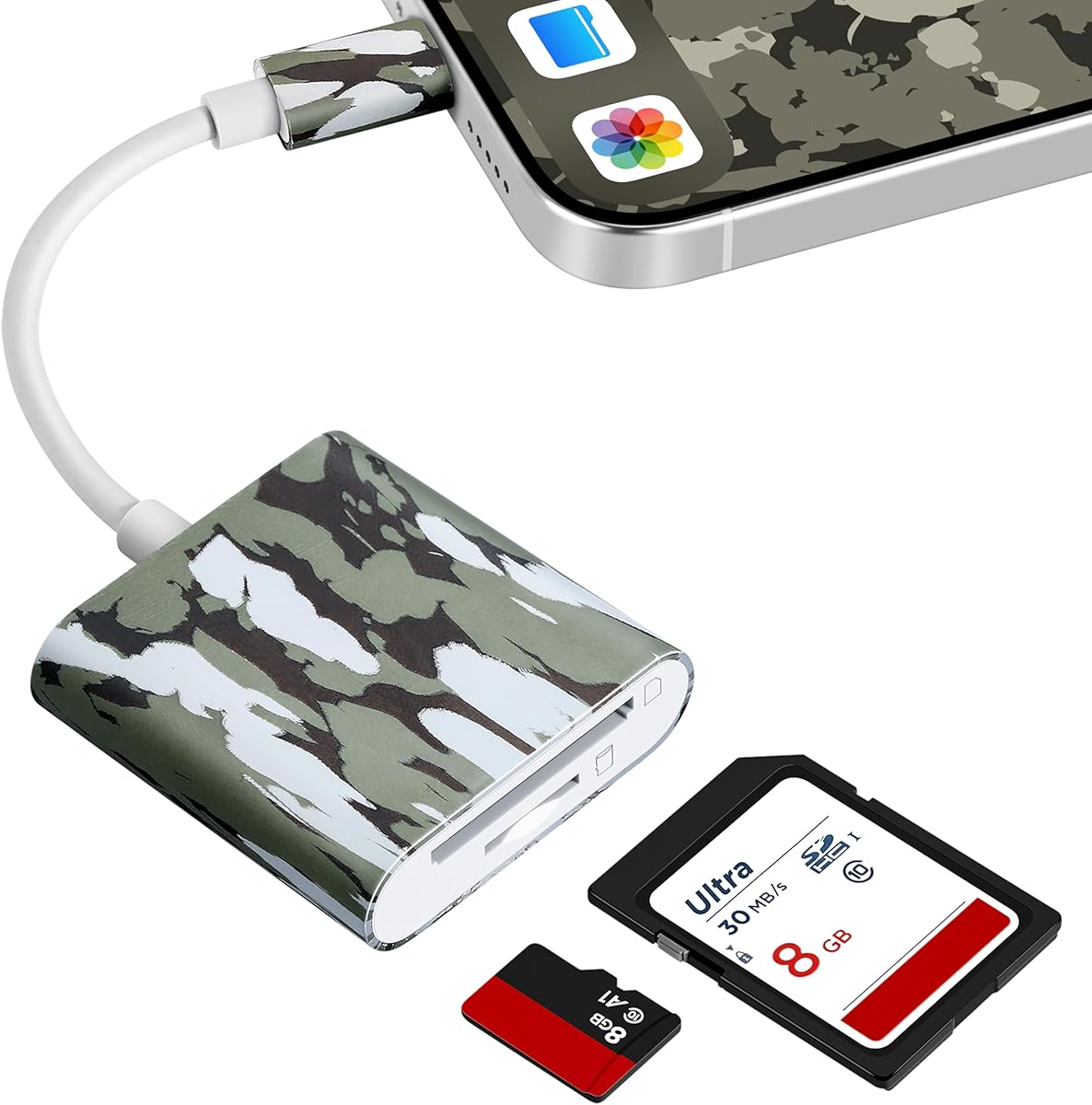
The Trail Camera Viewer is a compact USB-C adapter for checking trail camera media directly on a compatible phone. Its supplied rating is 4.4, and its strongest qualities are convenience and minimal setup. It is designed for iPhone 15 and later, MacBook series, and Android devices with USB-C and OTG support, making it a particularly practical choice for hunters who already carry a modern phone.
We may earn a commission when you buy through this link, at no additional cost to you.
The device provides real-time file management rather than requiring files to be moved to a computer before viewing. Users can review captured images and videos, then save, share, or delete them from the phone. Its plug-and-play format also removes the need for Wi-Fi, cellular reception, or a third-party app, which is valuable in remote woods where connectivity is limited or unavailable.
The main trade-off is dependence on the phone. There is no dedicated LCD for viewing, so a user with an older device or a connector other than USB-C may need an alternative. Phone battery life and screen size also influence the experience. Even so, the adapter delivers a focused solution for anyone who wants fast field access without carrying a separate viewer or power supply.
This is our top overall recommendation for smartphone-centered users because it combines broad device support, immediate viewing, and straightforward file management. It is especially suitable for hunters who sort morning or evening captures at the tree stand, check an unfamiliar trail camera location, or need to move selected images off a memory card without a full computer-based workflow.
Because the viewer operates over a direct USB-C connection, it does not depend on internet service or a local wireless network. That makes it well suited to remote trail camera checks where a phone-based solution is more useful than waiting to return to a computer.
Viewing, saving, sharing, and deleting files are built directly into the intended workflow. The result is a more practical experience than using a basic card adapter that only copies media without offering useful management controls.
We may earn a commission when you buy through this link, at no additional cost to you.
The Muddy CRV3 HD is a self-contained card viewer designed for checking trail camera media outdoors. It carries a supplied rating of 4.2 and centers on a 4.3-inch color LCD. Unlike a phone adapter, it does not depend on a separate phone, tablet, or computer, which can be useful when equipment needs to be limited to a small field kit.
We may earn a commission when you buy through this link, at no additional cost to you.
It supports images and 1080p video playback, adjustable brightness and volume, and cards up to 32GB. The menu supports viewing, transferring, and deleting, while a headphone jack allows audio playback without relying on the built-in speaker. Its water-resistant housing, wrist lanyard, and simple controls suit outdoor use where equipment is exposed to dust, moisture, and changing weather.
Battery life is the principal compromise. The viewer operates on four AA batteries, which are not included, so users should carry spares when heading into areas where replacements may be difficult to find. The card limit is also lower than that of several phone-connected options in the list, and the 4.3-inch screen may feel modest when examining a large group of photos.
The CRV3 HD is a strong fit for hunters who prefer a dedicated, purpose-built viewer and want to review both photos and video away from a phone. It is a particularly good match for users who value water resistance, a headphone jack, and physical media controls over broad connector versatility.
The integrated display makes this reader useful when carrying a phone is undesirable or impractical. A hunter can remain focused on the camera card and review recent activity without opening a computer workflow or navigating a phone interface.
View, transfer, and delete options provide the core functions needed after a camera check. Adjustable brightness helps with changing ambient light, while the headphone connection supports more private video viewing in camp or on the trail.
We may earn a commission when you buy through this link, at no additional cost to you.
The Stealth Cam Touch Viewer combines a dedicated 4.3-inch color LCD with five-point touch detection and gesture-based navigation. It has a supplied rating of 4.4, matching the leading phone-based reader in this group. Its compact body and touch interface position it as a convenient middle ground between a basic card adapter and a large field tablet.
We may earn a commission when you buy through this link, at no additional cost to you.
The viewer handles both images and videos, with 1080p playback listed among its capabilities. View and delete options support routine file management, and the water-resistant housing is appropriate for outdoor camera checks. A wrist lanyard helps keep the device secure while browsing, reducing the chance of dropping it on rough ground or into mud.
Compared with the larger Wildgame Innovations VU70, this model offers a more pocketable form and a less expansive screen. The supplied information does not mention a headphone jack or detailed card-capacity limit, so buyers should verify current specifications if audio support or very large cards are essential. The stated water resistance also should not be interpreted as full submersion protection.
Choose this Stealth Cam reader if you want a dedicated touchscreen that is smaller than a tablet but more interactive than a non-screen adapter. It is a balanced option for wildlife watchers and hunters who want to inspect videos, manage images, and carry less bulk than a full-sized viewing tablet.
Five-point touch detection and smart gestures create a familiar interaction style on a compact screen. This is useful for quickly moving through numerous camera captures without carrying a larger tablet-style device.
Photo viewing, video playback, and basic management cover the most common tasks during a field review. The lanyard and water-resistant housing support the outdoor environment in which trail camera readers are most often used.
We may earn a commission when you buy through this link, at no additional cost to you.
The Stealth Cam Rugged Viewer is a dedicated field display with a 4.3-inch color screen and 1080p video playback. Its supplied rating is 4.4. The product is built around a rugged, water-resistant housing with durable rubberized buttons, positioning it for users who regularly handle their equipment in wet, dusty, or wintry conditions.
We may earn a commission when you buy through this link, at no additional cost to you.
The screen can view and manage images through view and delete options. A headphone jack supports audio playback, while a Micro USB connection offers a way to connect the device for computer or TV viewing. It supports SD cards up to 32GB and includes a wrist lanyard that helps reduce the risk of dropping the reader during use.
Some essentials are not supplied, as the Micro USB cable and four AAA batteries are excluded. That means buyers must account for both connectivity and power when assembling a complete field kit. Compared with the five-point touch Stealth Cam model, this version emphasizes physical button durability and audio features, but it does not offer the same touch-gesture interface.
This reader is well suited to hunters who want a compact standalone viewer with a rugged enclosure and headphone connection. It is a practical alternative for users who prefer tactile controls, want to review video audio privately, and do not need the large screen or dual-card arrangement of a premium tablet.
The water-resistant housing and rubberized buttons are intended to withstand exposure to dust, dirt, water drops, and snowflakes. These features make the viewer more appropriate for outdoor use than an ordinary unprotected card adapter.
The headphone jack adds value when reviewing videos with sound, while the Micro USB port broadens connection options. Cards are limited to 32GB, making it best suited to standard trail camera media rather than unusually large capacity cards.
We may earn a commission when you buy through this link, at no additional cost to you.
The WILDGAME INNOVATIONS Trail Pad Tablet VU70 is the most screen-focused option in this roundup. Its supplied rating is 4.3, and it pairs a seven-inch HD backlit TFT touchscreen with two standard-size SD card slots. The large display and familiar zoom, swipe, and navigation controls make it appealing to users who spend considerable time reviewing trail camera footage.
We may earn a commission when you buy through this link, at no additional cost to you.
Its dual-card system separates library and archive functions. One port can hold a card containing a broader camera library, while the second can receive selected images or videos that merit keeping. Both slots support cards up to 32GB, and the built-in speaker provides audio during video playback. Auxiliary and Micro USB ports also support expanded display and file-transfer options.
The heavy-duty, weather-resistant housing is a major strength for hunting and wildlife observation. The trade-off is size: unlike a pocket adapter, this device requires a dedicated place in a pack or vehicle. It also consumes more energy than a battery-free phone reader, so users should plan its charging routine around field access rather than expecting an all-day power supply.
The VU70 is our premium recommendation because it offers the most expansive screen and a genuinely useful two-card organization system. It is ideal for users who maintain large camera libraries, compare animals across multiple cards, or want a more comfortable way to examine high-resolution photos and videos than a compact handheld viewer provides.
Keeping a working library on one card and selected captures on another reduces the need to scroll through an entire season of footage. This is particularly helpful when monitoring one animal, a herd, or a busy location with many daily activations.
The seven-inch HD backlit touchscreen provides more room to inspect details and navigate media. Familiar touch gestures, zoom, and swipe controls also make the device approachable for users accustomed to tablets but who want a purpose-built trail camera workflow.
We may earn a commission when you buy through this link, at no additional cost to you.
The BoneView USB-C Android Reader is a phone adapter built for hunters who want to review trail camera files without a separate screen or battery. It has a supplied rating of 4.0. The adapter works with current USB-C Android phones and tablets, including OTG-compatible devices, and is marketed for both full-size SD and microSD camera cards.
We may earn a commission when you buy through this link, at no additional cost to you.
Its plug-and-play operation requires no extra app, internet connection, Wi-Fi signal, or cellular service. Users can swipe through photos, save wanted captures, play most video files, share images, and remove unwanted media directly from the connected device. Because the reader draws power from the phone, there are no separate batteries to carry or replace during a remote camera check.
The Android and USB-C focus narrows its appeal compared with the multi-interface readers in this list. It is not designed to serve iPhone users, and the supplied description refers to playing most video files rather than promising universal format support. Buyers should also keep their phone charged because reviewing large videos and transfers can increase power consumption.
This BoneView adapter is a good choice for Android users who want a simple and dependable card-to-phone setup with no app. It is particularly useful for hunters who already depend on their phone in the field and want the freedom to back up, sort, and share trail camera media without making a return trip to a computer.
The adapter removes three common sources of friction in the field. Direct phone access means there is nothing extra to install, no reader battery to replace, and no network requirement during a camera check.
Swipe navigation, quick saving, sharing, and deletion support the routine tasks that follow a trail camera retrieval. The focus on most video files also keeps expectations realistic for general hunting and wildlife media.
We may earn a commission when you buy through this link, at no additional cost to you.
The Four-in-One Multi-Interface Reader is built for people who move between iPhones, iPads, Android devices, computers, and cameras. It has a supplied rating of 4.3. Its collection of USB, USB-C, Micro USB, SD, and microSD interfaces makes it one of the most connection-flexible adapters in the roundup.
We may earn a commission when you buy through this link, at no additional cost to you.
The reader supports two-way high-speed transfers, allowing media to move between cards and connected devices while also supporting basic viewing and file management. A dedicated charging port is particularly helpful for compatible iPhone and iPad users, allowing the device to charge while file data is being transferred. The stated maximum card capacity reaches 1TB.
Compatibility still depends on the host device. The product supports iPhone and iPad systems running iOS 8.0 or later, while Android use requires OTG and a compatible USB port. The large 1TB claim applies to the maximum supported memory card capacity, not included storage, and users should still format cards according to the trail camera manufacturer's guidance.
This reader is best for buyers who want one compact adapter to cover several types of electronics. Its keychain-style design also supports portability, making it easier to keep in a camera bag or pocket. It is a strong choice for users who need more than the single-connector simplicity offered by a dedicated Android or modern iPhone adapter.
The range of built-in interfaces reduces the need to carry separate adapters for a phone, tablet, or computer. That makes the reader convenient for photographers and field workers who may move between several types of hardware.
The integrated charging port addresses a common mobile workflow problem. Compatible iPhone and iPad users can continue charging while transferring files, reducing interruptions during a lengthy import or backup.
We may earn a commission when you buy through this link, at no additional cost to you.
The Four-in-One White Reader is a portable multi-interface adapter for trail camera media and general photo transfer. Its supplied rating is 4.3. It supports iPhone, iPad, Android, Mac, computers, and cameras through USB, USB-C, and Micro USB interfaces, while separate SD and TF slots give it flexibility with the media used by many trail cameras.
We may earn a commission when you buy through this link, at no additional cost to you.
Two-way high-speed transmission supports viewing, saving, sharing, and broader file management across compatible devices. The integrated charging port allows compatible iPhone and iPad users to charge while transferring data. Maximum supported card capacity is listed as 512GB, and a keychain attachment helps reduce the chance of leaving the compact reader behind.
Like the similar multi-interface option in this guide, it requires attention to host-device requirements. Android phones need OTG support, and older connector standards can be limiting when compared with native USB-C or Lightning accessories. The 512GB ceiling is generous for many trail cameras but lower than the stated maximum of the related one-terabyte reader.
This white adapter is a balanced multi-device option for users who want broad compatibility and charging support without moving to a dedicated reader with a screen. It is well suited to everyday camera-card transfers, travel, and field reviews where a compact adapter and a manageable selection of ports matter more than a large display.
Separate SD and TF slots accommodate two common card formats, while the interface selection covers many phones, tablets, and computers. This makes the adapter useful beyond trail cameras when different media need to be transferred.
Its slim body and keychain design suit pockets and camera bags. Keeping the adapter attached to other gear can also make it easier to find after a long outdoor session.
We may earn a commission when you buy through this link, at no additional cost to you.
The BoneView Android Reader with Zipper Case is a phone-based trail camera adapter sold with a dedicated storage case. Its supplied rating is 4.0. It is designed for current USB-C Android phones and tablets and supports reading trail camera SD and microSD memory cards from major camera brands.
We may earn a commission when you buy through this link, at no additional cost to you.
The reader is intended for immediate viewing, saving, sharing, and deletion of photos and videos. It operates without an additional application, internet connection, Wi-Fi service, or cell coverage, making it useful in areas where a hunter may have no reliable network. The included zipper case gives the adapter a protected place in a pack and reduces the likelihood of losing the small device.
Because the viewer uses a phone display, it is less suitable for users who want a standalone screen or broad iPhone and computer compatibility. It also depends on the Android device for power, and actual video playback is described in terms of most video files. Users should verify the connector and file formats of their specific camera setup.
This BoneView package is best for Android users who value a complete, protected kit rather than a screen-equipped device. The combination of reader and zipper case makes it a practical choice for organizing a trail camera accessory, particularly when the reader will be stored with spare cards, cables, and other compact hunting equipment.
The zipper case distinguishes this package from a basic card adapter. It provides a dedicated home for the small reader and helps protect it while it is stored in a bag or carried between camera locations.
No app, wireless network, or cellular connection is required for the core workflow. That independence is valuable when reviewing camera activity in remote areas where a cloud-based trail camera service would be unavailable.
We may earn a commission when you buy through this link, at no additional cost to you.
The Trail Game Camera Card Viewer is a compact dual-connector adapter with the highest supplied rating in the roundup at 4.9. It combines Lightning and USB-C connectors, allowing it to work with iPhone 17, 16, 15, and older supported iPhones, as well as iPads, MacBooks, Android phones, and computers.
We may earn a commission when you buy through this link, at no additional cost to you.
The reader supports SD and TF cards, including standard SDHC, SDXC, and microSD formats, and can handle 4K video files. Two-way transfers let users move trail camera media to a phone or save compatible files onto a memory card. The built-in USB-A port adds another layer of usefulness by supporting compatible keyboards, mice, and other accessories under the stated current limit.
The product supports iOS 13 through 18 and above according to its description. Because connector standards change, buyers with a newer iPhone model should confirm the included connection arrangement and whether an adapter is needed. As with other phone-based readers, there is no dedicated screen, and import workflow is generally performed through the native Photos app rather than a specialized application.
This is our best budget recommendation for its strong rating, broad modern-device support, simple operation, and useful combination of card slots and connectors. The bright orange housing is also easy to locate in a bag or on the ground, a thoughtful detail for an outdoor accessory used away from a bright workspace.
Dual Lightning and USB-C connectors make the reader useful across a wide mix of current devices. That versatility reduces the need to buy separate adapters for an iPhone, iPad, MacBook, Android phone, or computer.
Users can open the native Photos app and import compatible captures after plugging in the reader. This keeps the workflow familiar and avoids requiring a dedicated application for a core trail camera transfer task.
We may earn a commission when you buy through this link, at no additional cost to you.
The most useful reader is the one that matches your devices, card format, field conditions, and preferred way of organizing trail camera footage. Consider these factors before choosing a model.
Start with the connector your phone or tablet actually uses. USB-C is now central to many Android phones, recent iPhones, tablets, and computers, while Lightning remains relevant for older supported iPhones. Some dedicated readers use a fixed connector, whereas multi-interface products include USB, USB-C, and Micro USB. Also check whether a device supports OTG, which is required for certain Android phone adapters, and whether the reader is intended for a phone, tablet, or both.
A dedicated viewer provides a larger, more purpose-built experience and avoids tying card review to phone battery life. A phone adapter is smaller, lighter, and often more convenient because the phone is already part of your field kit. Dedicated screens are helpful when reviewing many photos, while phone-based readers are attractive for quick checks, selective transfers, and sharing. Consider screen size, backlighting, touch navigation, and outdoor readability before deciding which approach fits your routine.
Trail cameras may use full-size SD cards, while others use microSD media, so supporting both formats can prevent unnecessary inconvenience. A single-slot reader is adequate for checking one card at a time, but a dual-slot model allows a working library and an archive card to remain available simultaneously. Check the maximum card capacity stated for the reader, and remember that compatibility can depend on both the card format and the trail camera that created the files.
A reader used outdoors should tolerate dust, moisture, drops, and changing temperatures. Water-resistant housing and durable buttons provide more protection than a bare plastic adapter, especially near muddy tree stands or during wet weather. A wrist lanyard is also useful because small readers are easy to drop. Water resistance should not be confused with waterproofing, so keep the device away from prolonged submersion and follow the manufacturer's care instructions.
Moving files is only one part of a camera check. Look for clear options to view, save, share, transfer, and delete images or videos. Dedicated viewers often provide physical menus and buttons, while phone readers may support familiar app-based workflows without requiring a separate application. Two-way transfer is useful for moving camera files onto a phone and saving other compatible documents back to a card. Ensure the method matches how you organize important wildlife images.
Battery-powered readers give you freedom from a phone or tablet, but they require you to carry the correct batteries and monitor remaining power. Phone adapters usually draw power from the connected device, which removes battery logistics but can reduce the phone's runtime during long transfers or video playback. If your reader uses removable batteries, confirm the required type and whether they are included. A tablet-style device may have greater power demands and should be charged before an extended field session.
If your trail camera records video with sound, a headphone jack or built-in speaker can make playback more useful. Some viewers also include Micro USB, auxiliary, or computer connections for transferring media to a larger display. Phone-based adapters may support two-way transfers or USB accessories, but compatibility varies by device. Review these features when video audio or transfer to a computer is part of your normal camera-management routine.
A reader may display standard photos and videos without difficulty, but specialized or very large files can expose format limitations. The products in this guide list support for common camera media, with several explicitly noting 1080p or 4K playback. Keep the trail camera's recording format in mind and avoid assuming every video codec is supported. Updating the phone operating system and using a current card reader can also improve general media compatibility.
Before taking a reader into the field, confirm that the trail camera has been switched off, release the card carefully, and insert it in the correct orientation. With a phone adapter, connect the reader directly and open the native Photos app or file manager. With a standalone viewer, insert the card, power the display, and use the menu to browse photos or play videos. Avoid removing the card while files are actively being viewed or transferred.
Back up important captures before deleting anything. Save selected photos and videos to a phone, computer, second card, or external drive, then verify that the files open correctly. Follow the trail camera manufacturer's formatting recommendations when preparing a card for reuse. If the reader supports transfer or archive functions, use a separate card for important material so it is easier to distinguish saved images from routine footage.
After the camera check, power down the reader, remove the card, and keep the connection ports and card slot free of dirt and moisture. Do not charge a wet device, and do not open a sealed housing unless the manufacturer permits it. Carry spare batteries for removable-power viewers, protect the reader in its case or pouch, and store it in a dry place when it is not being used.
A phone-based reader is the most compact option when you already carry a compatible smartphone. A dedicated viewer is often easier for extended review because it provides a larger, purpose-built display and does not consume phone power. The best choice depends on your connector, screen preferences, and how long you spend reviewing footage.
Not always. Several readers in this guide operate through plug-and-play connections and use the phone's native Photos app or file manager. Dedicated handheld readers use their own on-device menus. Check the product description for software requirements, especially when connecting an older Android phone or a computer.
Yes. Direct card readers do not need internet access, Wi-Fi, or cell coverage to display locally stored files. This makes them particularly useful in remote hunting areas. The separate service and connectivity of a cellular trail camera are different from the card-reading process.
No. Check card format, maximum capacity, and video playback specifications before purchasing. Most readers handle standard SD or microSD media, but very large cards or uncommon video codecs may not be supported. Formatting the card in the trail camera and keeping the reader firmware or phone software current can reduce compatibility problems.
It is helpful if your trail cameras use different media or if you carry cards from multiple devices. A dual-slot viewer can also separate a working library from an archive card. If all of your cameras use one format and you review files one card at a time, a single-slot adapter may be sufficient.
Water-resistant models are designed to handle typical outdoor exposure, including dust, dirt, water drops, and snowflakes, but they are not necessarily waterproof. Keep ports covered and avoid submersion. A protective pouch adds security during transport and when the reader is stored in a damp vehicle or bag.
Some adapters support two-way transfers, while others are designed primarily to read and copy files. The Trail Game Camera Card Viewer and the multi-interface readers in this guide list two-way transfer capabilities. Confirm the card format, host-device compatibility, and supported file types before moving important documents onto a card.
Keep at least two copies in separate locations, such as the trail camera card and a phone, computer, external drive, or second card. Confirm that backups open properly before deleting originals. For larger collections, the dual-card Wildgame Innovations VU70 provides separate library and archive slots that make organization easier.
The Trail Camera Viewer is the strongest overall option for users who want a direct, app-free USB-C workflow on a compatible phone. The WILDGAME INNOVATIONS Trail Pad Tablet VU70 earns the premium position with its large touchscreen and separate library and archive cards, while the Trail Game Camera Card Viewer delivers strong value and broad modern-device compatibility.
Prioritize the connector, card type, and viewing method that match your actual equipment. Phone adapters are convenient and battery-free, dedicated viewers are more comfortable for prolonged review, and dual-card tablets are useful for substantial camera libraries. Outdoor users should also consider water resistance, physical controls, carrying security, and removable-battery requirements.
Ratings, specifications, prices, and availability can change, so check the current product listing before buying. Confirm that the reader supports your exact phone, trail camera card, and recording format, and read the latest instructions to avoid file-management mistakes. The right unit can make camera checks faster, safer, and far less disruptive to a remote hunting routine.