
Acer 24 Conferencing Monitor
5.0Editor score
Built-in conferencing hardware
Adjustable ergonomic stand
Full HD IPS display
Multiple legacy-friendly inputs
Monitors with built in speakers and cameras combine a display, webcam, microphone, and audio system in one workspace-friendly package. They can simplify video calls, online learning, presentations, and remote collaboration while reducing cable clutter. A good model also needs a comfortable panel, convenient controls, and dependable connectivity.
The products in this guide are compared using their supplied specifications, customer ratings, camera and microphone capabilities, audio features, display technology, resolution, refresh rate, ports, adjustability, and eye-care functions. The list covers compact Full HD models, larger QHD and 4K screens, business-focused displays, and premium smart monitors.
Each review identifies the strongest use case for a particular monitor and explains any meaningful trade-offs. The first three recommendations represent the best balance of capability, value, and specialized features, while the remaining entries provide alternatives for different resolutions, workspaces, and connectivity needs. Prices and promotions can change.
5.0Editor score
4.3Editor score

4.9Editor score
As an Amazon Associate we earn from qualifying purchases.
The comparison below highlights each monitor's core hardware, conferencing capability, display format, and most relevant connection features. It is designed to make differences in resolution, refresh rate, camera design, docking, and workspace flexibility easy to assess.



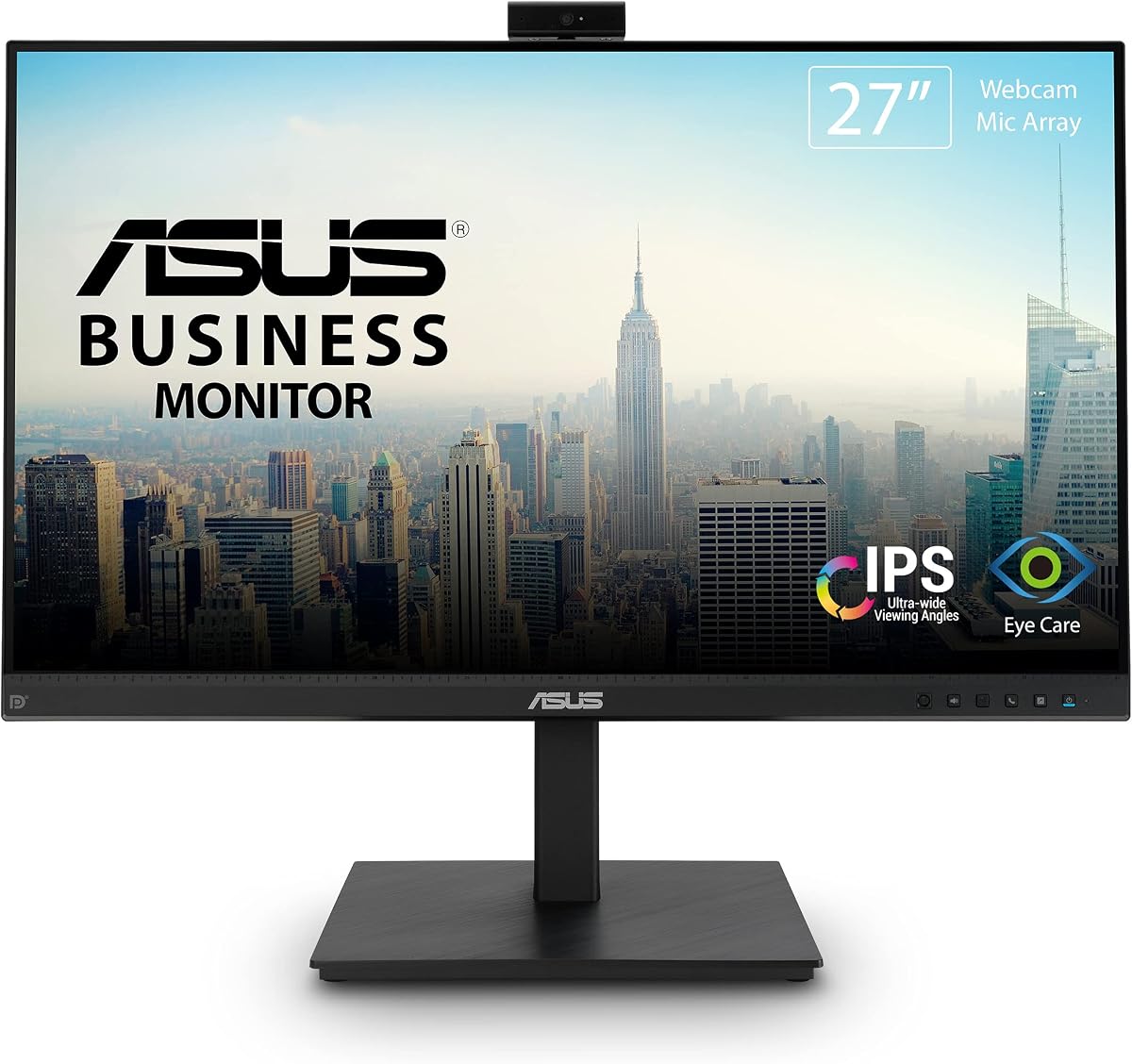
The ASUS BE279QSK is a well-rounded business monitor for people who want the camera, microphone, speakers, and display in one package. It has a 4.3 customer rating, and its most appealing feature is the balance between conferencing hardware and everyday usability. The 27-inch Full HD IPS panel provides wide viewing angles for documents, spreadsheets, video calls, and general office work.
We may earn a commission when you buy through this link, at no additional cost to you.
Its adjustable Full HD webcam, microphone array, and stereo speakers remove the need for separate meeting equipment in many setups. Connectivity is particularly comprehensive, with DisplayPort, HDMI, VGA, upstream USB for the webcam, audio input, and an earphone jack. The stand also offers a 35-degree upward and 5-degree downward tilt range, 180-degree swivel, 90-degree pivot, and 150 millimeters of height adjustment.
The principal limitation is the Full HD resolution. Although 1920 by 1080 is suitable for business communication and ordinary desktop work, it cannot provide the fine detail of a QHD or 4K display when editing photographs, arranging dense spreadsheets, or viewing multiple detailed applications side by side. The specification also does not identify a high refresh rate, so it is less compelling for fast-paced gaming.
This is a strong recommendation for office workers, educators, remote employees, and meeting rooms that value a complete, polished workstation. Choose it when a large, adjustable business display and comprehensive connectivity matter more than maximum pixel density. For most productivity and conferencing applications, it delivers a more practical combination than many of the specialized alternatives in this guide.
The integrated webcam, microphone array, and stereo speakers make this display especially useful for recurring calls. It can provide a straightforward shared workstation without requiring users to reposition an external webcam or microphone.
DisplayPort and HDMI cover modern computers, while VGA and audio input preserve compatibility with additional equipment. Upstream USB provides a dedicated path for the integrated camera.
We may earn a commission when you buy through this link, at no additional cost to you.
The ASUS BE24EQK brings integrated video conferencing to a compact 24-inch format. It carries a 4.0 customer rating and is aimed at telecommuting, online learning, and business environments where a smaller screen may be easier to fit into a shared or dual-monitor desk. Its frameless Full HD IPS panel uses a conventional 16:9 aspect ratio.
We may earn a commission when you buy through this link, at no additional cost to you.
The adjustable 2MP Full HD webcam, microphone array, and stereo speakers provide a useful integrated communication package. Beamforming and echo cancellation are designed to reduce ambient sounds such as keyboard clicks during meetings, a meaningful advantage in noisy home offices. The 178-degree horizontal and vertical viewing angles help maintain consistent visibility from different positions.
Its 300-nit typical brightness is suitable for routine office environments, and ASUS Eye Care technology with TV Rheinland certification addresses flicker and blue light. The tradeoff is that Full HD at 24 inches offers less workspace than larger or higher-resolution displays. The listed specification also does not promise a high refresh rate, making it more of a communications tool than a gaming-focused monitor.
The BE24EQK is best for users who prioritize a compact footprint, clear calls, familiar connectivity, and reduced eye strain over large-screen productivity. It also makes sense for offices that need an approachable conferencing display for employees or students. Its three-year warranty and advanced replacement service add reassurance for business procurement.
Beamforming and echo cancellation help isolate speech from nearby distractions. These features are particularly useful when calls regularly take place in offices, classrooms, or homes with ambient noise.
The IPS panel, wide viewing angles, and Eye Care features make the display suitable for long reading sessions, common administrative work, and online instruction.
We may earn a commission when you buy through this link, at no additional cost to you.
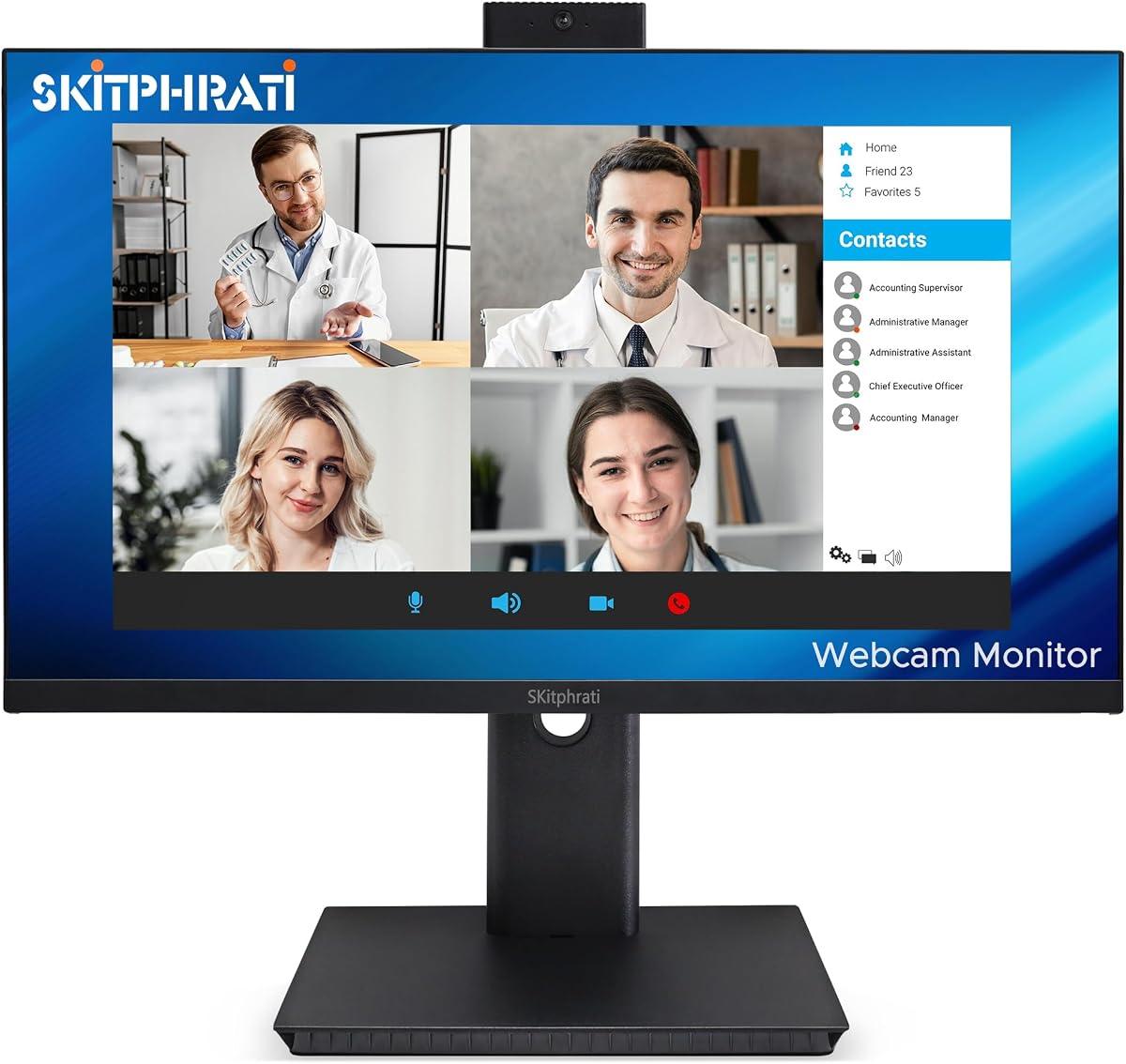
The SKitphrati 27 Business Webcam Monitor combines a Full HD IPS display with a 120Hz refresh rate, giving it a more fluid feel than conventional office monitors. It has a 4.0 customer rating and is positioned for video conferencing, business productivity, and online learning. The built-in adjustable 3MP camera and microphone array support the conferencing focus.
We may earn a commission when you buy through this link, at no additional cost to you.
Integrated stereo speakers allow users to handle calls and watch content without immediately reaching for external audio equipment. HDMI, DisplayPort, VGA, and USB 2.0 provide a generous selection of connections for modern and older systems. Its frameless design and eye-care technology aim to make long working sessions more comfortable.
The most important limitation is the 1920 by 1080 resolution. At 27 inches, pixel density is lower than it would be on a comparable QHD or 4K model, making this less ideal for precision media work or several highly detailed productivity windows. The supplied information also gives fewer details about microphone processing and stand adjustment than it does for the ASUS models.
Choose the SKitphrati when you want a large Full HD business display and value a 120Hz refresh rate alongside integrated conferencing hardware. It may appeal to hybrid workers, classroom operators, and users combining office productivity with casual gaming. Its broad port selection makes it a practical option when the connected computer does not support USB-C docking.
A 120Hz refresh rate makes cursor movement, window transitions, and scrolling appear more fluid than on a standard 60Hz office display, while Full HD keeps the specification straightforward.
The adjustable camera, microphone array, and stereo speakers form a ready-made communication station for recurring virtual meetings and educational sessions.
We may earn a commission when you buy through this link, at no additional cost to you.
The Philips 34E1C5600HE is a feature-rich UltraWide monitor for users who want more screen area and a single-cable laptop workflow. Its 3.8 customer rating is the lowest in this group, but the supplied specification shows a broad set of premium features: a 3440 by 1440 QHD panel, built-in Windows Hello camera, noise-canceling microphone, stereo speakers, and USB-C docking.
We may earn a commission when you buy through this link, at no additional cost to you.
The 21:9 aspect ratio can hold multiple application windows side by side, while the 1500R curved VA panel is designed to surround the viewing area. Ultra Wide-Color technology provides broad color-gamut coverage, and the 100Hz refresh rate supports smooth work and general entertainment. USB-C can transfer data, carry high-resolution video, and provide up to 65 watts of power delivery.
This is a large monitor with demanding specifications, and its 3.8 rating suggests buyers should pay particular attention to compatibility and setup preferences. A curved UltraWide display also needs a broad desk, and users who need a vertical orientation may find the wide form less adaptable. The supplied data also does not detail height, swivel, or tilt adjustments.
The monitor is best suited to power users, hybrid professionals, and creators who want a broad canvas, secure biometric login, and convenient laptop charging in one display. It stands out most when a single laptop can handle the entire desk through USB-C and multitasking benefits justify a larger footprint.
The 21:9 format is valuable for research, timelines, communications, and comparing documents because it offers more horizontal space than a standard 16:9 display.
USB-C combines display, data, and charging, while Windows Hello provides facial recognition. Together, they streamline a mobile workstation.
We may earn a commission when you buy through this link, at no additional cost to you.
The Acer 24-inch 1080P IPS Conferencing Monitor is a straightforward business display with a customer rating of 5.0, the highest among the listed products. It combines a Full HD IPS panel with 75Hz refresh, AMD FreeSync, built-in speakers, microphone arrays, and a webcam, creating a practical all-in-one option for office and home work.
We may earn a commission when you buy through this link, at no additional cost to you.
The 23.8-inch widescreen display offers 1920 by 1080 resolution, 178-degree viewing angles, 250 nits of typical brightness, and anti-glare treatment. Its stand supports height, swivel, and tilt adjustment, which is more flexible than a basic fixed display. HDMI, VGA, and DisplayPort make it compatible with a range of computers and institutional equipment.
The specification does not provide a camera resolution or detail the microphone array's processing capabilities, so buyers who require advanced Windows Hello performance or specific camera positioning should verify those details. Full HD is practical for ordinary office tasks, but the modest brightness specification may be less ideal in bright rooms than higher-nit alternatives.
This is a compelling choice for budget-conscious offices, shared workspaces, and remote employees who want a complete conferencing setup without pursuing a premium smart display. It is especially attractive when adjustability, FreeSync, and an unusually strong listed rating matter more than high resolution or sophisticated smart features.
The webcam, microphone arrays, and speakers provide the essentials for online meetings in one display, reducing the number of separate desktop accessories to manage.
Height, swivel, and tilt adjustments allow users to set the screen and camera more comfortably, while anti-glare helps limit distracting reflections.
We may earn a commission when you buy through this link, at no additional cost to you.
The CUNPU 24-inch Camera Monitor is designed around a 5MP pop-up webcam, dual-channel stereo microphone, and integrated speaker. It has a 4.1 customer rating and appeals to privacy-conscious users who want a 5MP camera without leaving it permanently visible. Its 24-inch Full HD IPS panel also supports a relatively fluid 120Hz refresh rate over HDMI.
We may earn a commission when you buy through this link, at no additional cost to you.
The display produces 16.7 million colors with 8-bit depth, a 96% sRGB gamut, and a stated Delta E of two or less. DC dimming, an anti-glare matte surface, 300 nits of brightness, and a 1300:1 contrast ratio support daily productivity. USB-B 2.0 upstream connectivity is important because it provides the PC with a data connection to the integrated camera.
Users should account for the extra cable and setup required by USB-B, and the supplied connectivity details do not list DisplayPort. VGA is limited to 75Hz, while the smooth 120Hz mode requires HDMI. A one-year warranty is also shorter than the three-year coverage described for several ASUS models.
The CUNPU 24 is well suited to privacy-focused home offices, call-heavy workstations, and learning environments that value a high-resolution retractable camera. Its rich color and ergonomic specifications also make it appealing for everyday creative and media consumption when those qualities matter more than a high-resolution desktop canvas.
The pop-up camera can be hidden when it is not in use, providing a physical visual cue that helps prevent accidental recording in sensitive spaces.
Height, swivel, pivot, tilt, quick release, and VESA support give the monitor several ways to fit different desks and mounting arrangements.
We may earn a commission when you buy through this link, at no additional cost to you.
The CUNPU 27-inch Camera Monitor combines a 2560 by 1440 QHD IPS panel with a retractable 5MP camera, dual-channel stereo microphone, and integrated speaker. Its 4.1 customer rating and combination of resolution and refresh rate make it a strong option for users who need a more detailed and responsive desktop than a standard Full HD conference display.
We may earn a commission when you buy through this link, at no additional cost to you.
Both HDMI 2.0 and DisplayPort 1.4 support the stated 120Hz refresh rate, accompanied by a 10ms response time. The 99% sRGB color gamut, 16.7 million colors, and 8-bit depth provide a more refined specification for media viewing and detailed creative work. AMD FreeSync and G-Sync compatibility are also listed for smoother synchronized motion.
The camera connects through USB-B 2.0 upstream, so the setup may require one more cable than a USB-C-based webcam monitor. DisplayPort is present, but USB-C docking and power delivery are not listed. The supplied details mention a one-year warranty, which deserves attention in a business purchasing context.
Choose this CUNPU model for call-heavy desks that also need QHD detail and fluid scrolling. It is particularly compelling for hybrid workers, light creative users, and students who want a larger workspace, privacy-oriented camera design, and modern media connectivity without moving to an UltraWide format.
QHD gives a 27-inch display more usable density than Full HD, helping with side-by-side documents, complex interfaces, and image viewing.
HDMI 2.0 and DisplayPort 1.4 both provide access to the listed 120Hz mode, while adaptive synchronization supports smoother motion.
We may earn a commission when you buy through this link, at no additional cost to you.
The ViewSonic VG2441V is a 24-inch Full HD conferencing monitor built around a 5MP infrared webcam, microphone, and speakers. It has a 4.1 customer rating and targets business, hybrid, shared-office, and home environments. The IR camera supports compatible Windows Hello sign-in, making secure biometric authentication a central feature.
We may earn a commission when you buy through this link, at no additional cost to you.
USB-C, HDMI, and DisplayPort provide a broad set of connections for compatible laptops and desktops, while the 120Hz refresh rate offers more fluid motion than a standard office panel. The integrated audio and microphone hardware suit calls, virtual meetings, presentations, training, and collaboration without requiring dedicated conferencing accessories.
Because the supplied specifications do not state a panel technology, brightness, color-gamut target, or USB-C power-delivery rating, buyers who care about those details should verify them before purchase. The Full HD resolution also offers less desktop space than QHD alternatives, although 24 inches remains a practical size for focused productivity.
The VG2441V is best for Windows-centric offices and professionals who prioritize secure sign-in, a capable IR camera, and modern connectivity. It is a strong recommendation for shared workstations where a fixed integrated camera is desirable and where a 24-inch footprint is easier to accommodate than a large UltraWide model.
The integrated IR camera enables compatible Windows Hello authentication, reducing reliance on typed passwords during compatible daily sign-in.
USB-C offers a streamlined connection for compatible systems, while HDMI and DisplayPort give desktop users familiar alternatives.
We may earn a commission when you buy through this link, at no additional cost to you.
The Samsung ViewFinity S65VC is a 34-inch Ultra-WQHD curved monitor designed to combine a spacious 21:9 workspace with business-focused connectivity. It has a 4.0 customer rating. The 3440 by 1440-class format, 1000R curve, HDR10 support, and one-billion-color capability make it visually distinctive, while the retractable camera and built-in speaker serve communication needs.
We may earn a commission when you buy through this link, at no additional cost to you.
Its 5MP camera supports Windows Hello biometric sign-in, and the camera retracts into the monitor when not in use. USB-C supports data, video, and device power, while a LAN port provides a wired network option for compatible laptops. A built-in KVM switch can control two sources using one keyboard and mouse, with split-screen, picture-in-picture, and picture-by-picture options.
The large curved design requires a generous desk and may be less practical in compact rooms. Its 100Hz refresh rate is beneficial for general use, although the product title and supplied information do not clarify the precise panel refresh specification. Buyers seeking high-refresh gaming should not assume this model is intended for that use case.
This Samsung is an excellent choice for professionals who routinely multitask across two computers or need Ethernet access without carrying a separate adapter. It is also well suited to creative work, wide spreadsheets, and immersive media. The retractable camera adds practical privacy, and the KVM feature can substantially improve a multi-device desk.
The KVM switch and flexible display layouts make it easier to move between a laptop and desktop while sharing one keyboard, mouse, and viewing area.
The retractable camera maintains a clean bezel and reduces visual distraction when biometric authentication is not needed, particularly in shared offices.
We may earn a commission when you buy through this link, at no additional cost to you.
The Samsung M8 M80F is a 32-inch 4K UHD smart monitor for users who want a polished display that can also handle entertainment and casual PC use without another large screen. Its 4.9 customer rating is the second highest in the group, and the supplied feature set combines a detachable SlimFit camera, built-in 10W speakers, and extensive smart-platform functions.
We may earn a commission when you buy through this link, at no additional cost to you.
The VA panel delivers 3840 by 2160 resolution, HDR10+, a 60Hz refresh rate, 4ms response time, and a 3000:1 contrast ratio. Samsung Vision AI provides 4K upscaling and picture optimization, while Smart TV apps, Samsung TV Plus, Gaming Hub, AirPlay, Wi-Fi, and Bluetooth broaden its role beyond a conventional computer monitor.
The 60Hz refresh rate and 4ms response time are not aimed at competitive high-refresh gaming, and the smart applications require network access and compatible services. The camera is detachable rather than permanently integrated, which offers placement flexibility but means it is not a pop-up or permanently recessed component. It also does not offer the same always-present conferencing layout as some alternatives.
Choose the M8 M80F when 4K clarity, integrated speakers, a flexible camera, and smart entertainment matter more than a high refresh rate. It is a strong fit for creative professionals, hybrid workers, media viewers, and users who want one elegant screen for work, streaming, and occasional laptop connection through USB-C.
Smart TV applications, AirPlay, Wi-Fi, and Bluetooth allow the display to serve as a standalone entertainment hub when a PC is not connected.
The 4K panel provides high detail for creative and productivity work, while the detachable camera can be positioned to suit the user's room and meeting setup.
We may earn a commission when you buy through this link, at no additional cost to you.
A monitor with an integrated camera and speakers should be judged as a complete communication workstation, not only as a display. Resolution, camera quality, microphone performance, connectivity, ergonomics, and privacy all influence how well it will serve your particular routine.
A higher camera resolution can produce a sharper image, but it does not guarantee better performance in a dim room. Check whether the camera offers infrared support for facial recognition, how it adjusts, and whether it retracts, pops up, or remains fixed. Adjustable and pop-up designs let users frame the lens properly, while a retractable camera can disappear when not in use. A privacy shutter, if offered, is another useful safeguard in shared environments.
An integrated microphone array is convenient, but its processing features matter in real meetings. Beamforming can focus on speech, while echo cancellation helps prevent the monitor's own speakers from being picked up repeatedly. Stereo speakers are suitable for calls, alerts, and casual media, though they will rarely replace a dedicated speaker system for music or entertainment. The CUNPU models and Samsung M8 place particular emphasis on their built-in audio hardware.
Resolution and size work together to determine usable desktop space. Full HD is comfortable on 24 inches and can be adequate on 27 inches, while QHD offers more detail for larger displays. UltraWide QHD creates a broad canvas for side-by-side work, and 4K provides exceptional density for a 32-inch panel. Consider the amount of software you routinely display rather than choosing resolution by marketing label alone.
A 120Hz display makes scrolling and cursor movement feel smoother, which can benefit both work and casual gaming. Standard 60Hz panels remain suitable for office use and conferencing, while 75Hz offers a modest improvement. If a model advertises different refresh rates by input, confirm that your computer and cable can reach the higher mode. Response time and adaptive synchronization can further improve motion presentation.
USB-C can consolidate display, data, and charging into one connection, but its usefulness depends on supported power delivery, video mode, and data capabilities. DisplayPort and HDMI remain important for desktop systems, and VGA can be valuable in offices with legacy equipment. Webcam monitors may also require a separate USB upstream cable, as seen with the CUNPU models. Verify every connection before ordering.
Height adjustment, swivel, pivot, and tilt allow a monitor to suit different users and viewing positions. A pop-up or retractable camera may also need a slightly different viewing angle than a fixed camera. UltraWide and curved models require more desk width, while VESA compatibility creates additional mounting options. Consider your desk depth, wall space, and the position of nearby speakers or webcams before selecting a large model.
Flicker reduction, low blue light features, DC dimming, and anti-glare surfaces can make long sessions more comfortable. IPS panels generally provide broad viewing angles, which is helpful in shared rooms. Brightness, contrast, color gamut, and panel technology also influence image quality. For color-sensitive work, verify the stated gamut and color-accuracy figures; for general office work, comfortable viewing features may matter more.
Smart monitors can provide streaming apps, wireless casting, Bluetooth, and a remote control, allowing the display to function without a connected computer. These features are useful for media rooms and flexible homes, but they add reliance on network access and platform services. A conventional conference monitor may be more focused for daily corporate use. Decide whether standalone entertainment is a genuine requirement before paying attention to smart features.
Start by positioning the monitor directly in front of you and adjust the height, tilt, swivel, or pivot so the panel is comfortable without requiring a hunched posture. The camera should frame your face naturally rather than pointing toward the ceiling or desk. For pop-up and retractable models, raise or lower the camera gently and close it fully when it is not needed.
Connect the computer using the appropriate video input and provide any required USB upstream connection for the camera or microphone. Select the matching input in the monitor controls, then set the correct resolution and refresh rate. Use the camera's compatible system settings to adjust framing, brightness, and any biometric sign-in options. In meeting applications, choose the monitor's microphone and speakers to prevent the call from using the laptop's default devices.
For care, clean the screen with a soft, lint-free microfiber cloth and avoid pushing liquid into the panel edges. Do not use abrasive cleaners or spray liquid directly onto the display. Keep the camera lens free of dust, protect the pop-up mechanism from unnecessary pressure, and route cables so they do not pull against the stand. For USB-C connections, use a cable and computer combination that supports the intended display mode and charging requirement.
They are convenient because the display, camera, microphone, and speakers are coordinated in one unit. Many models also include microphone noise handling, adjustable lenses, or Windows Hello support. However, image quality and microphone clarity vary, so users who regularly present to large groups should consider their lighting, room noise, and call requirements before relying on the built-in hardware.
No, the integrated camera can serve as the primary webcam for compatible computers. Some models require a USB upstream connection in addition to the display cable, so check the included ports and setup requirements. An external camera may still be preferable for specialized streaming, unusual lighting situations, or a more favorable camera angle.
Usually, yes. Many of these monitors include a 3.5mm earphone or audio output connection, although the exact ports vary by model. Plugging into the monitor's headphone output can let the computer's audio continue through the display while using a private headset. The ASUS BE279QSK specifically lists an earphone jack, and the CUNPU models list a 3.5mm audio output.
A pop-up camera rises from the monitor when activated and can be hidden again afterward. A retractable camera similarly stores within the display, as described for the Samsung ViewFinity S65VC. Both designs provide a visual privacy advantage, but users should still follow the manufacturer's instructions and avoid forcing a mechanism that appears obstructed.
Not always. USB-C can carry display, data, and power, but the monitor and computer must support the required functions. Some webcams also use a separate USB-B upstream connection, as with the CUNPU monitors. Check whether the USB-C port supports video, data, and charging independently and whether the webcam needs its own cable.
It is not essential for standard documents or video meetings, but it can make cursor movement, scrolling, and window transitions feel smoother. The benefit is more noticeable when paired with a compatible computer and cable. For value-focused office use, a reliable camera, microphone, ergonomic stand, and appropriate resolution may matter more than refresh rate.
Yes, when the computer supports the monitor's input and you configure the display appropriately. USB-C models may also provide charging and data transfer, simplifying a laptop setup. Compatibility, supported resolution, refresh rate, webcam data connectivity, and power-delivery limits should all be checked before installation.
They are convenient for system sound, calls, presentations, and casual viewing. Models such as the Samsung M8 M80F list more powerful 10W speakers than many standard monitor implementations, but dedicated speakers or headphones generally provide fuller sound and stronger bass. The built-in system is best viewed as part of an all-in-one desk solution.
The Acer 24 Conferencing Monitor stands out as the best budget-focused option, offering a strong listed rating, 75Hz refresh, an adjustable ergonomic stand, and complete conferencing hardware. The ASUS BE279QSK is the strongest all-round business recommendation because of its adjustable camera, extensive ports, and highly adjustable stand. For a premium, screen-led alternative, the Samsung M8 M80F combines 4K detail, a detachable camera, strong built-in speakers, and smart entertainment functions.
Prioritize the features that affect your daily routine. Frequent callers should examine microphone processing, camera positioning, Windows Hello support, and privacy mechanisms. Multitaskers may prefer QHD or UltraWide space, while laptop users should investigate USB-C docking and power delivery. Creative users can additionally compare color gamut, contrast, panel type, and brightness, while desk space and input compatibility remain important for every setup.
Before buying, verify the current specifications, warranty, included accessories, and compatibility with your computer and meeting software. Prices, promotions, and availability can change, so compare current listings rather than relying only on a previous price. With those checks in place, the right monitor can function as a cleaner, more capable, and more convenient centerpiece for communication and productivity.