
DARKROCK 3-Pack 120mm Black Computer Case Fans
4.6Editor score
Three 120mm case fans
Maximum 1200 RPM
Low-noise silicone mounting
3-pin motherboard connection
Our Exhaust Fan for PC guide compares 10 quiet, PWM, USB, ARGB, and high-airflow models to help you choose reliable cooling for your build system properly.
An exhaust fan for PC is one of the simplest ways to improve airflow, remove trapped heat, and protect components operating inside a crowded case. The right model should match the enclosure, provide enough pressure for its mounting position, operate quietly, and connect in a way that suits your build.
We compared all ten products by examining fan size, airflow, operating speed, noise specifications, bearing construction, mounting format, speed control, and intended use. The list covers standard case fans, USB-powered auxiliary cooling, PWM-controlled options, ARGB models, and a high-output fan aimed at demanding equipment.
Each pick highlights a different balance of performance, acoustics, convenience, and versatility, with the top selections recognized as the best budget, editor's choice, and best premium choices. Product ratings and configurations can change, and current prices should always be checked before purchasing.
4.6Editor score

4.7Editor score

4.8Editor score
This side-by-side comparison covers standard PC case fans and specialized cooling options, highlighting each model's size, control method, airflow characteristics, and intended installation environment.




This 120mm variable-speed axial fan is a flexible auxiliary cooling solution with a 4.4 rating. Its standout feature is the included controller and AC plug, which makes it practical for enclosures, cabinets, and equipment that are not designed around internal PC fan headers. The fan operates from 700 to 2800 RPM and is rated at 95.8 CFM.
We may earn a commission when you buy through this link, at no additional cost to you.
The speed controller lets users balance airflow against noise according to the situation. At lower settings it can provide gentle background ventilation, while the upper end offers more forceful movement of air through a cabinet or equipment enclosure. Dual-ball bearings, a 50,000-hour stated lifespan, and a compact 120 x 120 x 25 mm format make it suitable for regular sustained service.
The primary trade-off is its AC-powered approach. A desktop builder may prefer direct 12V or PWM control integrated with the motherboard, and using a wall outlet introduces another cable and a dependence on the included controller. Its listed noise level of less than 41 dB also does not position it as the quietest option in this list.
This is a strong recommendation for someone who needs to cool a router, receiver, DVR, Xbox, server cabinet, greenhouse enclosure, or another heat-prone device without rebuilding its internal wiring. It is less natural for a conventional tower where motherboard-connected case fans already provide a cleaner installation.
The three-to-twelve-volt control range allows the operator to increase or reduce cooling as temperatures and noise demands change. That makes the fan useful in shared rooms, recording areas, and living spaces where constant maximum output would be unpleasant.
The AC plug and controller separate the fan from the host device, allowing it to serve entertainment equipment, network hardware, solar equipment, and other electronics that benefit from forced ventilation.
We may earn a commission when you buy through this link, at no additional cost to you.
The be quiet! Pure Wings 3 earns a 4.7 rating and stands out as a balanced choice for builders who want strong cooling without aggressive noise. It is a 120mm PWM case fan designed around seven airflow-optimized blades, a frame optimized for radiator use, and operation at very low minimum RPM.
We may earn a commission when you buy through this link, at no additional cost to you.
Its ability to slow down substantially at idle is especially valuable in a quiet office, home office, or media center. When cooling demands increase, the PWM format allows compatible motherboards and fan controllers to raise speed as needed. The optimized outlet frame also helps it perform well as a radiator fan, giving it flexibility beyond simple case circulation.
The fan does not include ARGB illumination, so buyers seeking coordinated lighting should look elsewhere. As a single-fan package, it is also less convenient for a complete intake-and-exhaust arrangement than a multi-pack. Neither limitation is unusual for this product category, however, and the absence of unnecessary lighting can benefit buyers focused purely on function.
Choose the Pure Wings 3 for a workstation, gaming PC, or quiet home build where acoustic quality, motherboard control, and dependable airflow matter more than decorative lighting. It is one of the most versatile recommendations here for ordinary case ventilation, radiators, and CPU coolers.
Very low minimum RPM allows the fan to remain unobtrusive during light workloads while still increasing output when internal temperatures rise. This makes it suitable for systems that spend considerable time idle.
The frame outlet is optimized for peak performance on radiators, helping the fan fit into compact cooling assemblies where unrestricted, directed airflow is important.
We may earn a commission when you buy through this link, at no additional cost to you.
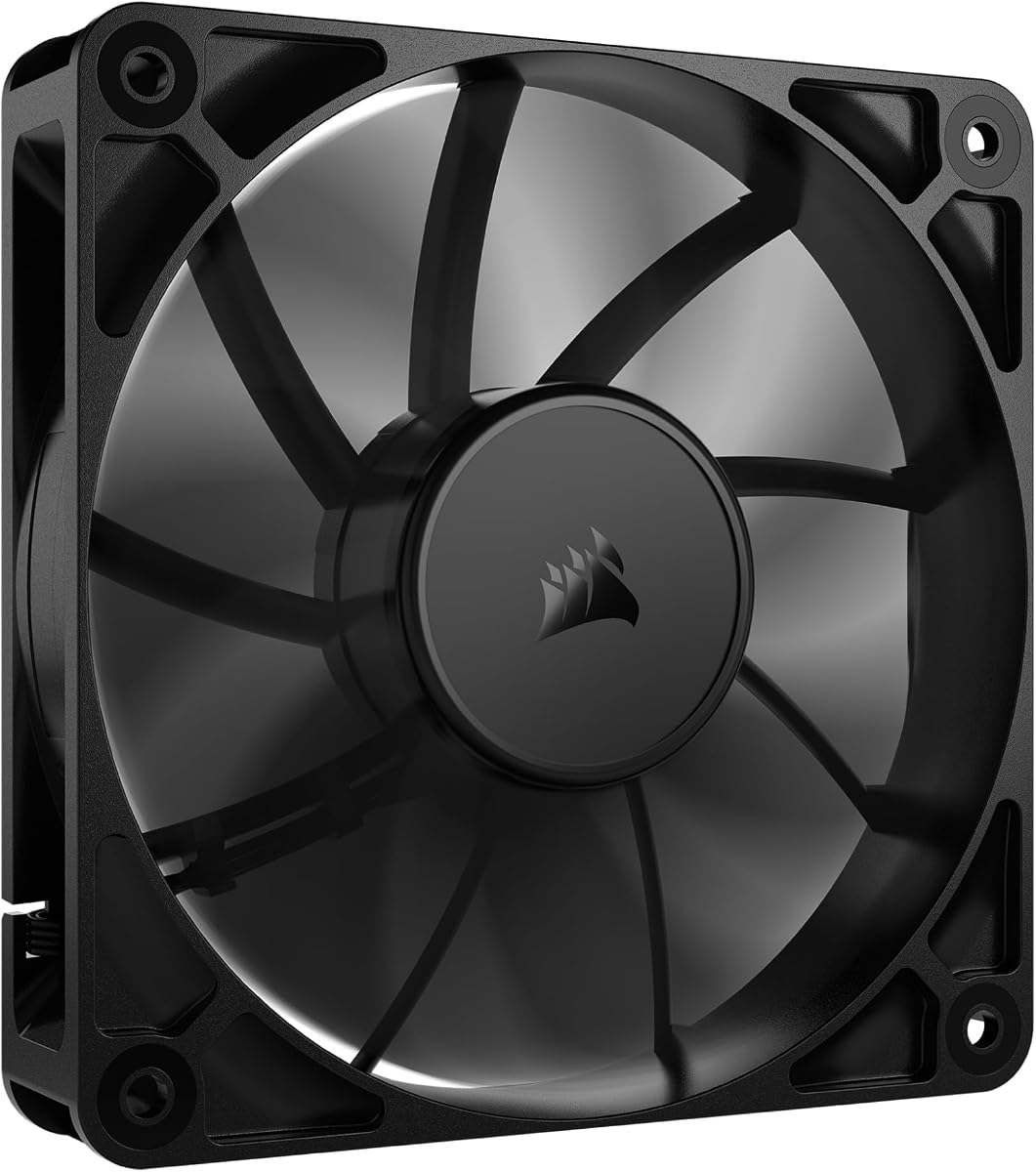
The DARKROCK 3-Pack has a 4.6 rating and provides a practical way to upgrade several positions in a standard PC case at once. Each 120mm fan uses nine blades and reaches up to 1200 RPM, making the set suitable for intake, exhaust, and general circulation in compatible cases.
We may earn a commission when you buy through this link, at no additional cost to you.
The three-pin connection is straightforward and appropriate for fixed-speed operation. Four soft silicone cushions on each fan are intended to absorb vibration at higher speeds, while the stated maximum noise of 32.1 dBA gives the set a quiet profile. A hydraulic bearing design is also included to promote stable rotation and reduce noise over time.
Buyers should note that the package lacks 4-pin PWM control and ARGB lighting. It may therefore be less convenient for systems that rely on temperature-based fan curves. The stated average bearing life of 30,000 hours is also lower than the figures advertised for several premium alternatives in this guide.
This pack is an excellent choice for a first build, a repaired system, or a budget-conscious upgrade of a case with standard 120mm mounting positions. Its three-fan format makes it easier to create a balanced airflow layout than buying individual fans one at a time.
Three matching fans can be distributed across intake and exhaust openings to improve circulation immediately. The standard 120mm dimensions also make the set broadly compatible with common mid-tower layouts.
Hydraulic bearings support smoother operation, while four silicone cushions help reduce the transfer of vibration into the case. These details can make a noticeable difference in a shared workspace.
We may earn a commission when you buy through this link, at no additional cost to you.
The X1 USB Cooling Fan has a 4.4 rating and offers an approachable way to improve ventilation around a router, game console, receiver, mini PC, or other electronic device. Its 120mm nine-blade design produces 55.8 CFM at 850 RPM and draws power from a built-in USB cable.
We may earn a commission when you buy through this link, at no additional cost to you.
Its stated noise level of 18 dB(A) makes it particularly attractive for living rooms, home offices, and quiet entertainment setups. Four shock-absorbing pads help limit vibration and surface scratching, while the integrated 530mm cable can connect to a charger, laptop, or power bank without requiring an additional wire run.
Unlike a conventional case fan, the X1 has a box-like 48.6mm depth rather than the common 25mm profile, so it may not fit inside a narrow mounting position. The fixed 850 RPM also provides less adjustment than a PWM fan. These are meaningful limitations for a conventional build, but they are not drawbacks for a freestanding auxiliary installation.
The X1 is best suited to devices that cannot easily accept a screw-mounted internal fan. It is particularly useful for network equipment, streaming boxes, amplifiers, game consoles, and compact cabinets where a powered external fan can be placed directly against an intake or exhaust opening.
The built-in cable removes the need to identify a spare internal header or install a proprietary power lead. A compatible USB power source is all that is required to begin cooling the target device.
The low stated noise and shock-absorbing pads suit entertainment areas where a conventional high-speed case fan could become distracting. Flat or upright placement also makes it easy to adapt to different cabinets.
We may earn a commission when you buy through this link, at no additional cost to you.
The CORSAIR RS120 has a 4.6 rating and is a strong all-around PWM fan for builders who want flexible expansion. It can reach 2100 RPM, move up to 72.8 CFM, and provide a rated static pressure of 4.15 mm-H2O, specifications that make it suitable for radiators, heatsinks, and obstructed airflow paths.
We may earn a commission when you buy through this link, at no additional cost to you.
The streamlined daisy-chain arrangement allows several RS120 fans to operate through one four-pin PWM connector. This simplifies cable management and is especially useful in cases with limited header availability. AirGuide vanes help direct air toward components, while the magnetic dome bearing is designed to minimize noise and friction.
Only one fan is included, so a complete multi-position upgrade will require additional purchases. The product also omits ARGB lighting, which is appropriate for functional builds but may disappoint buyers creating a visually coordinated system. Its maximum speed can also be more audible than slower, quieter fans when the curve reaches full output.
The RS120 is a strong recommendation for a high-performance gaming PC, a compact case with a radiator, or a builder who values organized wiring and pressure capability. It suits users who need more cooling headroom than a basic fixed-speed model can provide.
The rated 4.15 mm-H2O pressure makes the RS120 better suited to moving air through radiators, fins, filters, and tight channels where a high-volume case fan may struggle to maintain flow.
Daisy-chain connections reduce dependence on individual motherboard headers. One PWM header can coordinate a group of compatible fans when the case does not provide enough sockets.
We may earn a commission when you buy through this link, at no additional cost to you.
The Thermalright TL-C12C-S X5 earns a 4.7 rating and combines five 120mm PWM fans with coordinated ARGB illumination. Each fan reaches up to 1550 RPM, provides 66.17 CFM of airflow, and is listed at no more than 25.6 dBA, making the bundle well suited to a full case-airflow and lighting upgrade.
We may earn a commission when you buy through this link, at no additional cost to you.
The four-pin PWM connections allow compatible motherboards to vary speed according to temperature, reducing noise when cooling demand is low. S-FDB bearings are designed to limit blade vibration and maintain stable rotation. ARGB lighting offers up to 17 effects and can be synchronized through a compatible motherboard lighting port.
Five fans may be more than some compact cases can accept, and the lighting ecosystem may require additional cables or a compatible controller. The bundle's power and cable demands should therefore be checked before purchase. The package is nevertheless more versatile than a simple three-fan set for builders who want a coordinated chassis-wide setup.
This is a compelling recommendation for a gaming case with multiple 120mm mounting positions and an existing ARGB ecosystem. It is also useful for adding intake and exhaust capacity around a CPU cooler or radiator while preserving a consistent visual theme.
The quantity is large enough to populate a substantial number of standard intake and exhaust positions. Buyers can build positive pressure, balanced airflow, or a dedicated radiator group from one matching series.
Up to 17 lighting modes and motherboard synchronization make the fans suitable for visually driven builds. The diffused blade lighting is intended to provide a softer effect than individual bright points.
We may earn a commission when you buy through this link, at no additional cost to you.
The Kingwin 80mm Silent Fan is a compact option for cases, CPU coolers, custom water-cooling radiators, and mining equipment that still use the smaller mounting standard. It has a 4.5 rating and focuses on reliable ventilation, a long-life bearing, and low-noise operation.
We may earn a commission when you buy through this link, at no additional cost to you.
Its optimized blade design is intended to improve airflow and reduce heat buildup within tight spaces. The standard 80mm format is particularly useful when a larger 120mm fan cannot physically fit, while the black frame provides a neutral appearance for most equipment.
Compared with modern 120mm fans, an 80mm model generally moves less air while also being able to produce a higher-pitched noise at comparable cooling output. The product data does not emphasize PWM control or detailed noise measurements, so buyers seeking precise motherboard-managed speed curves should check connector compatibility. It is also less appealing for a modern full-tower build with abundant mounting space.
The Kingwin is best recommended as a replacement or expansion for an existing 80mm installation, especially within a mining rig or older enclosure. For a new standard desktop build, a 120mm option will usually offer more flexibility and efficiency, but this fan remains useful where size is the deciding factor.
The 80mm size solves ventilation needs in compact panels and older cases that cannot accept a 120mm fan. It is particularly useful as a direct replacement when matching an existing mounting pattern.
The fan is suitable for mining rigs and other densely packed systems where additional moving air can help remove heat from restricted areas and reduce the risk of overheating.
We may earn a commission when you buy through this link, at no additional cost to you.
The Noctua NF-P12 redux-1700 PWM holds the highest customer rating in this selection at 4.8. It combines a 120 x 120 x 25 mm format, maximum rotation of 1700 RPM, a stated maximum of 25.1 dB(A), and an MTTF exceeding 150,000 hours, making it a leading choice for premium quiet PC builds.
We may earn a commission when you buy through this link, at no additional cost to you.
Its pressure-optimized blade design is engineered to provide strong airflow and static pressure across CPU air coolers, water-cooling radiators, and low-noise chassis ventilation. Four-pin PWM support lets a compatible motherboard reduce speed during idle periods and increase it as temperature rises, balancing performance and acoustics automatically.
The product does not include decorative lighting, and it is positioned as a premium model rather than a budget replacement. Users should also consider radiator depth and mounting clearances, although the standard 25mm profile is widely compatible. Its principal strength is that the high maximum speed does not prevent it from operating quietly when the control curve is configured correctly.
This fan is an excellent choice for a high-end workstation, quiet gaming system, or carefully finished build where acoustic quality matters. It also works well as a radiator or CPU-cooler fan, giving the premium recommendation flexibility across the same applications covered by the more conventional case fans in this guide.
The pressure-optimized blades and PWM range let the fan deliver strong airflow while remaining extremely quiet at lower speeds. This is particularly effective in offices and during idle or lightly loaded computing.
A stated MTTF of more than 150,000 hours reflects a design intended for sustained service. The fan is well matched to a build expected to remain in use for many years.
We may earn a commission when you buy through this link, at no additional cost to you.
The Wathai 12038 is the specialized maximum-airflow option in this guide, with a 4.5 rating. It reaches 5300 RPM and is rated to move 230 CFM, giving it exceptional potential for demanding mining rigs, server-style GPU chassis, antminer-style systems, and other installations that need aggressive circulation.
We may earn a commission when you buy through this link, at no additional cost to you.
The fan uses a four-pin PWM connection and supports intelligent regulation based on temperature settings in the BIOS. Its maximum speed of 5300 RPM creates a broad adjustment range, while dual-ball bearings are stated to last 67,000 hours. A grille, mounting screws, and nuts are included, adding practical protection and installation hardware.
Noise is the clear trade-off. At maximum output, the listed 60 dB(A) can be intrusive, making the fan inappropriate for a quiet office or living-room build. The 38mm thickness is also deeper than the standard 25mm profile, so buyers need to confirm that mounting positions can accommodate the extra depth.
The Wathai 12038 is recommended for performance-oriented systems in which maximum heat removal is more important than low noise or a thin profile. A conventional desktop user should usually favor a quieter 120mm PWM fan instead, while mining and specialized enclosure operators may find this model's extreme output particularly valuable.
The 230 CFM rating and very high maximum RPM separate this fan from ordinary case models. It is designed for situations where the objective is to move a large volume of air through restricted or densely packed equipment.
Compatible systems can increase the fan percentage as the selected temperature threshold is reached. This makes it possible to balance very high potential output against reduced noise during cooler conditions.
We may earn a commission when you buy through this link, at no additional cost to you.
The Thermalright TL-C12C-S X3 has a 4.7 rating and provides a balanced three-fan ARGB upgrade. Each 120mm fan reaches up to 1550 RPM, produces 66.17 CFM of airflow, and is listed at no more than 25.6 dBA, offering a useful combination of cooling and acoustic control.
We may earn a commission when you buy through this link, at no additional cost to you.
The four-pin PWM connection allows automatic motherboard speed control based on system temperature. S-FDB bearings are intended to reduce blade shake and maintain smooth operation, while the ARGB blades support up to 17 lighting modes and synchronization through a compatible motherboard port.
The principal consideration is header and lighting compatibility. Three fans may need a powered hub or adequate PWM splitters, and ARGB lighting requires the correct connection rather than a standard five-volt three-pin RGB header. A case with limited mounting positions may not support the full set, although each fan can be installed individually.
The X3 is an excellent choice for a compact gaming build that needs coordinated lighting and strong cooling without moving to a five-fan package. It is also versatile enough for case ventilation, radiators, and CPU coolers, making it a practical three-fan solution for many enthusiast configurations.
The 66.17 CFM airflow and 25.6 dBA maximum noise give each fan a useful performance-to-acoustics balance. Three matching units make it easier to create a coherent intake and exhaust layout.
Motherboard PWM control lets the fans run slower when the system is cool and increase output as temperature rises. ARGB synchronization adds visual coordination without requiring separate lighting software for each fan.
We may earn a commission when you buy through this link, at no additional cost to you.
Selecting an exhaust fan for PC requires balancing case compatibility, airflow, static pressure, noise, electrical control, and placement. The right fan for a standard desktop may be unsuitable for a mining chassis, media cabinet, or compact enclosure, so installation requirements should be confirmed before selecting a model.
The first step is to measure the available fan opening and the space around it. Most modern cases use 120mm positions, but smaller cases, older systems, and specialized equipment may use 80mm openings. A 120mm fan generally offers more airflow potential than an 80mm model, while the 120 x 120 x 25mm format remains the most broadly compatible standard. Thickness also matters: the Wathai 12038 is 38mm deep, and some compact cases or radiator assemblies may not have enough clearance for it.
Airflow measures the volume of air a fan can move, while static pressure indicates how effectively it can push air through restrictions. High-volume case fans are effective in open positions, but radiator fans, dense filters, grilles, and tightly packed components require sufficient pressure to maintain movement. The CORSAIR RS120 is explicitly rated at 4.15 mm-H2O, while the Thermalright models provide 1.53 mm-H2O. The Wathai offers the highest stated airflow at 230 CFM, which is valuable in demanding equipment but comes with greater noise potential.
A fan does not need to run constantly at full speed to cool a PC effectively. PWM control allows motherboard or controller software to raise the rotation rate as temperatures increase. Low minimum speed is especially important in offices, bedrooms, and recording spaces. Published noise figures are not perfectly comparable across manufacturers, but they still offer a useful guide. Options range from the X1's stated 18 dB(A) to the Wathai's 60 dB(A) maximum, illustrating why the most powerful fan is not automatically the most appropriate one.
Most internal case fans use a 12V connection and draw control signals from a three-pin or four-pin header. Four-pin PWM fans offer more precise speed management, while basic three-pin models are often tied to a fixed voltage curve. The AC-powered option includes a controller and wall plug, and the X1 uses a built-in USB cable for freestanding equipment. Before buying, verify whether the motherboard has enough headers, whether a hub is needed, and whether a five-volt ARGB or three-pin RGB connector is already present.
Bearing construction affects smooth operation, vibration, and long-term durability. The products in this guide use dual-ball, hydraulic, S-FDB, magnetic dome, long-life, or rifle-bearing designs. Stated operating-life figures range from 30,000 hours for the DARKROCK set to more than 150,000 hours for the Noctua. These are not identical measures and should not be treated as a direct guarantee, but they help distinguish designs intended for routine use from premium options built for extended service.
An exhaust fan works best as part of a planned airflow path. In many cases, at least as much filtered intake capacity as exhaust capacity helps prevent dust from being drawn through unfiltered openings. The rear or top exhaust position can remove rising heat, while the front or lower intake cools components before they reach the exhaust. Builders should account for the orientation of the fan because frame geometry and blade direction can affect how air is directed through a radiator or restrictive grille.
Lighting is optional rather than functional, but ARGB can make a coordinated multi-fan installation easier to achieve. The Thermalright X3 and X5 include matching illuminated fans, while the Pure Wings 3, CORSAIR RS120, Noctua NF-P12 redux, and DARKROCK set are better suited to understated builds. ARGB fans generally require a compatible five-volt lighting header or controller, while traditional RGB uses a different three-pin connection. Check the case's lighting ecosystem before committing to an illuminated set.
Some of the most versatile options in this list are not designed solely for installation inside a desktop tower. The AC-powered axial fan can ventilate a server cabinet, router, receiver, Xbox, or greenhouse enclosure. The X1 USB model can cool a mini PC, router, Apple TV, modem, PlayStation, Xbox Series, amplifier, DVR, or streaming device. These products are valuable when a device lacks a standard mounting position or internal header. Their external wiring, housing depth, and directionality should be considered alongside cooling performance.
Before installation, shut down the computer, disconnect its power, and confirm that the selected mounting position matches the fan dimensions. Remove any conflicting covers or filters, and route the power and control cables away from sharp edges, hot components, and moving blades. A fan should be mounted firmly and oriented so that it draws air from the case or equipment enclosure and exhausts it outward.
Connect a standard case fan to the appropriate three-pin or four-pin header, observing the connector orientation. For PWM models, use compatible software or a fan controller to define a speed curve based on component temperatures. An auxiliary USB fan can be connected to a suitable power source, while the AC-powered model should be used with its supplied controller and connected to a properly grounded outlet. ARGB lighting requires a matching header or controller.
After installation, power the system gradually and confirm that every fan spins in the intended direction. Listen for scraping, vibration, or cable interference, and check that airflow produces the expected cooling effect. Clean dust from the fan blades and grille periodically using compressed air or a soft brush while the system is off. Do not allow liquids to enter the motor, and replace a fan if it develops persistent vibration, damaged wiring, or a noticeable change in sound.
Not always. A case with balanced intake and exhaust fans may already provide adequate airflow for ordinary components. A dedicated or higher-output exhaust fan becomes more useful when the case has restricted ventilation, numerous hot components, a crowded interior, or a specific exhaust opening that needs greater pressure. Adding a powerful exhaust without adequate filtered intake can also pull more dust into the system.
A three-pin fan provides ground, power, and a tachometer or speed-reporting connection, while a four-pin fan adds a PWM control pin. The additional pin allows compatible motherboards and controllers to vary fan speed more precisely. A three-pin fan can still be useful in a fixed or basic control setup, but PWM is generally preferable when quiet idle operation and temperature-based control are priorities.
Yes, provided the case has a compatible 120mm mounting position and the connector matches an available header or controller. Orientation determines whether the fan draws air into the case or pushes it outward. Check the airflow arrow printed on the fan frame and the case manual so the direction is consistent with the planned intake and exhaust layout.
They can be, but they are generally more convenient for auxiliary devices that lack a normal internal fan mount. The X1 can cool a router, console, mini PC, receiver, or compact cabinet using its built-in USB cable. It may also be positioned against a case opening, although its deeper housing may not fit an internal mounting position.
No. Cooling depends on airflow, static pressure, placement, and the system's actual heat load. A high-speed fan can move a great deal of air, but it may be unnecessary if the enclosure already has adequate circulation. PWM control allows even a capable fan to remain quiet at lower temperatures, so a quieter model with a broad control range is often the better everyday choice.
Matching sizes usually makes airflow planning easier, but it is not an absolute requirement. Mixing sizes can work when the case supports multiple formats and the resulting intake and exhaust paths are balanced. Very large exhaust fans combined with small intakes may create more dust and noise than intended, so compare the available openings and consider adding compatible intake capacity.
The fans still provide cooling, but their lighting features may not be fully controllable. A compatible ARGB controller or powered hub can provide the correct connection when the motherboard lacks a suitable five-volt lighting header. Traditional RGB connectors are not interchangeable with ARGB, so the connector type should be confirmed before installation.
Begin by using the motherboard's PWM control or a quality fan controller to create a suitable speed curve. A lower idle speed can remove most unnecessary noise while preserving extra capacity under load. Confirm that the fan is firmly mounted without causing case vibration, keep the blades clean, and avoid routing the cable where it may rub against the frame.
The DARKROCK 3-Pack is the best budget choice for straightforward multi-position airflow, the be quiet! Pure Wings 3 is the editor's choice for an excellent balance of quiet PWM operation and versatility, and the Noctua NF-P12 redux-1700 is the best premium recommendation for refined acoustics, pressure capability, and long-term construction.
The right fan depends on where it will be installed. Standard builders should prioritize case fit, four-pin PWM control, noise at idle, and enough airflow for their components. Specialized users may instead need the Wathai's extreme output, the X1's USB convenience, or the AC-powered model's independent controller. Multi-fan and ARGB bundles can simplify a coordinated upgrade.
Before purchasing, verify the mounting size, available depth, connector type, lighting standard, and intended exhaust direction. Specifications and customer ratings can change over time, and current prices should be checked at the time of purchase to confirm that the selected model still fits the intended budget and build.