
Kingston NV3 500GB M.2 2280 NVMe SSD
4.7Editor score
Up to 5,000MB/s reads
Gen 4×4 NVMe interface
Acronis cloning included
Explore the best Pcie SSD under 500 options, comparing speed, capacity, compatibility, endurance, and features for everyday, creator, and gaming builds in 2026.
A PCIe SSD can transform how quickly a compatible computer boots, launches applications, and handles demanding files. The best PCIe SSD under 500 depends on more than headline speed: capacity, thermal behavior, NAND design, compatibility, endurance, and useful companion software all influence the experience.
This guide compares ten NVMe models offered in 500GB and 1TB configurations, including drives aimed at everyday PCs, creators, handheld gaming devices, and NAS systems. We examined interface generation, stated sequential performance, form factor, warranty coverage, included utilities, and practical compatibility details.
The list shows which options excel for budget builds, high-speed work, gaming, and specialized storage. Product listings and prices can change over time, so verify the current specifications, system support, and seller details before ordering.
4.7Editor score

4.7Editor score

4.7Editor score
The following comparison highlights each drive's interface, capacity, stated performance, form factor, and intended use so buyers can identify the most suitable PCIe SSD for their particular computer or storage system.


The Sandisk Optimus 5100 500GB is a creator-oriented PCIe 4.0 NVMe drive with a 4.7 rating and a strong balance of speed, capacity efficiency, and management software. Its M.2 2280 format fits a wide range of compatible desktops and laptops, while the stated performance figures make it well suited to editing timelines, opening large image libraries, and moving production files between applications.
We may earn a commission when you buy through this link, at no additional cost to you.
The supplied specifications highlight read speeds up to 7,100MB/s on the larger 1TB and 2TB models and write speeds up to 6,700MB/s on applicable capacities. Because this listing is for the 500GB version, buyers should consult the current capacity-specific specification rather than assume every maximum applies to this exact model. The drive uses Sandisk's eighth-generation BiCS QLC 3D CBA NAND and emphasizes a power-efficient design for use in mobile and compact systems.
Its standout practical feature is the downloadable SANDISK Dashboard, which can monitor performance and check for updates. That makes the drive more approachable for users who want visibility into storage health without relying entirely on operating-system tools. The 500GB capacity is the main compromise for editors working with extensive 4K footage, libraries, or multiple large projects, because lower-capacity drives also offer less room for caches and scratch files.
This is a strong recommendation for a creator or power user who wants a modern Gen4 drive without settling for a basic entry-level model. It also suits general-purpose builders who value power efficiency and drive-management software. Ensure your system supports M.2 2280 PCIe NVMe storage, leave room for appropriate cooling, and compare current capacity-specific speeds before making a final decision.
Large project files benefit from the Optimus 5100's fast PCIe 4.0 interface, while its power-efficient design is relevant to laptops and other mobile workstations. The downloadable dashboard also helps users monitor the drive and apply available updates.
The 500GB model offers useful room for applications and active projects, though it is less forgiving than a larger-capacity alternative. Sandisk states endurance of up to 1,200 TBW for the 4TB model, so buyers should check the precise rating for the 500GB capacity they are purchasing.
We may earn a commission when you buy through this link, at no additional cost to you.
The Kingston NV3 500GB combines a 4.7 rating, a PCIe 4.0 Gen 4×4 interface, and approachable performance for everyday computing. It is designed for users who want a modern NVMe upgrade for a laptop or desktop without chasing the absolute highest headline transfer rate. The standard M.2 2280 format makes it a practical option for compatible systems with an available NVMe slot.
We may earn a commission when you buy through this link, at no additional cost to you.
Kingston lists read speeds of up to 5,000MB/s and write speeds of up to 3,000MB/s. Those numbers are more than adequate for rapid operating-system startup, application launches, game loading, and moving large project files. The drive is also presented as a high-speed, low-power storage solution, which can be particularly helpful when upgrading a laptop or small desktop with limited thermal headroom.
Included Acronis cloning software is a meaningful convenience for anyone moving an existing operating system to the new drive. It can simplify setup compared with manually recreating applications, settings, and folders. The five-year limited warranty is another positive for buyers seeking longer-term support, although the limited warranty is not a guarantee against every possible type of loss or performance change.
The Kingston NV3 is best for budget-conscious builders, general-purpose productivity systems, and gamers who want strong fundamental performance. Its 500GB capacity is manageable for an operating system, applications, and a selection of games, but it is less suitable for large game libraries or extensive creative archives. Confirm that the computer has a compatible M.2 2280 slot and that the device supports PCIe NVMe storage.
The bundled Acronis cloning software helps simplify migration from an existing drive. Buyers still need to prepare the destination correctly and confirm that the source and target operating systems are compatible with the cloning process.
Up to 5,000MB/s reads and 3,000MB/s writes provide ample speed for typical PC tasks. The drive's low-power emphasis makes it a sensible consideration for laptops and compact systems where efficiency matters as much as raw throughput.
We may earn a commission when you buy through this link, at no additional cost to you.
The Crucial P310 500GB stands out for its broad platform support and a 4.7 rating. It is built for laptops, desktops, and select gaming consoles, including the ROG Ally X, Lenovo Legion Go, and AYANEO Kun. That flexibility makes it one of the more approachable picks in this guide for buyers who may move between a desktop and a handheld device.
We may earn a commission when you buy through this link, at no additional cost to you.
Its stated performance reaches up to 6,600MB/s read and 5,000MB/s write, putting it firmly within the PCIe Gen4 class. Crucial also describes the drive as up to twice as fast as the previous Gen3 generation for applicable real-world tasks. The claimed benefits include quicker Windows boots, faster starts for Adobe Photoshop and Illustrator, and smoother operation in common productivity applications such as Excel and PowerPoint.
Thermal control and Micron G8 NAND are the notable technical features. Compatibility with PCIe Gen3 systems gives users an additional upgrade path, allowing the drive to operate on systems that lack Gen4 support. Acronis Data Recovery Software is included, which is useful for recovering files after an accidental deletion or software issue, provided the recovery process is used correctly and the drive remains accessible.
The P310 is a strong recommendation for gamers, students, and home-office users who want broad compatibility and fast performance without committing to a specialized enterprise or NAS product. Its 500GB capacity is the principal limitation for large game collections, and the lower write figure is modest compared with some competing models. Always confirm that the particular handheld or console has supported storage-expansion procedures and compatible firmware.
The P310 supports laptops, desktops, and named handheld gaming consoles, while remaining backward compatible with PCIe Gen3 systems. This makes it a flexible choice when the same storage upgrade may serve more than one type of machine.
Fast read performance can shorten application startup and improve the handling of active files. The included recovery software adds a layer of protection, while the 500GB capacity remains best suited to focused workloads rather than extensive archives.
We may earn a commission when you buy through this link, at no additional cost to you.
The Fikwot FX910 500GB is the performance-focused choice in the lineup, with a 4.7 rating and stated read speeds reaching 7,300MB/s. It uses a PCIe Gen4 4×4 interface and targets demanding gaming use. Its included heatsink is a defining feature, giving the drive a more deliberate thermal design than a bare M.2 module and making it particularly interesting for compact gaming systems.
We may earn a commission when you buy through this link, at no additional cost to you.
Fikwot states write speeds of up to 6,200MB/s and describes intelligent adjustment of drive temperature and power consumption during operation. The supplied information also identifies HMB and smart SLC caching, along with TRIM, S.M.A.R.T., and AES-256 encryption. These features can improve responsiveness in compatible systems, support cache-based workflows, and provide useful monitoring and data-security options.
PS5 compatibility and DirectStorage support make the FX910 especially relevant to console expansion and modern gaming workflows. The included heatsink can help maintain performance under sustained load, although it may prevent installation in systems with unusually limited clearance. The drive's five-year after-sales service and advertised 24/7 support also improve the ownership proposition for buyers who value responsive assistance.
This is a compelling pick for a gaming desktop, a compatible console expansion, or a user who wants maximum stated throughput in this group. It is less suitable for a laptop with a tight M.2 compartment or for someone who needs a large game library, since 500GB fills quickly. Verify physical clearance, confirm console or system support, and use a suitable mounting method for the heatsink.
The included heatsink is designed to help manage heat during extended activity. Fikwot also describes intelligent temperature and power-control behavior, which can help maintain steadier performance when the drive operates under load.
PS5 compatibility, DirectStorage support, HMB, and smart SLC caching give the FX910 a distinct gaming orientation. Buyers should still confirm the console's supported expansion process and ensure the physical installation space can accommodate the heatsink.
We may earn a commission when you buy through this link, at no additional cost to you.
The WD Green SN350 500GB is a straightforward PCIe Gen3 NVMe option with a 4.7 rating. It focuses on the core benefits of moving from a hard drive to solid-state storage: fast everyday responsiveness, resistance to shocks from accidental bumps, and a slim M.2 2280 design that fits compatible computers with an NVMe slot.
We may earn a commission when you buy through this link, at no additional cost to you.
The product title lists read speeds of up to 2,400MB/s, while the supplied feature text also references up to 3,200MB/s based on internal testing and notes that results can vary by device, workload, capacity, and other conditions. Because the exact capacity-specific listing figures can differ, users should consult the current product page and manufacturer documentation for the final performance specification.
The downloadable Western Digital SSD Dashboard is useful for monitoring drive health and usage, adding a management layer to an otherwise basic drive. Its three-year limited warranty provides a defined support period, and the lack of a large exposed heatsink can make installation simpler in compact laptops and small-form-factor PCs.
The SN350 is best for budget upgrades, office computers, school machines, and secondary gaming storage where sustained maximum throughput is not essential. It can dramatically improve responsiveness over a hard drive, but users who regularly move enormous files or run demanding creative workloads should favor a higher-generation drive. Confirm the device supports M.2 NVMe storage and avoid using the advertised maximum as a guarantee for every file type.
The SN350 offers the responsiveness and durability advantages of NVMe storage without a premium feature set. It is a practical way to improve boot time, application response, and general system fluidity in a compatible computer.
The WD SSD Dashboard provides health and usage information through a downloadable utility. The three-year limited warranty and slim M.2 design add convenience, while PCIe Gen3 throughput remains the main limitation.
We may earn a commission when you buy through this link, at no additional cost to you.
The WD Blue SN5100 500GB carries a 4.8 rating, the highest listed rating in this comparison, and offers a strong mix of PCIe 4.0 speed, general-purpose compatibility, and setup support. Its M.2 2280 format and claimed read speed of up to 6,600MB/s suit users upgrading a compatible laptop or desktop for faster startup, application response, and file access.
We may earn a commission when you buy through this link, at no additional cost to you.
Sandisk's product information describes capacities up to 2TB and a five-year limited warranty. It also points buyers toward the Sandisk Optimus 5100 as a newer generation and identifies this product as replaced. That disclosure matters: although the SN5100 remains a capable drive, shoppers should compare the current listing with the successor to determine which option best fits their needs and budget.
Acronis True Image for Sandisk is available as downloadable migration software, helping users transfer files to the new drive. This makes the drive convenient for a first SSD installation because a new drive usually starts empty. Users should still create a full backup before beginning a migration and follow the software's instructions carefully to avoid data loss.
The SN5100 is a strong fit for everyday productivity, mainstream gaming, and general creative work where fast storage is desired. Its 500GB capacity is suitable for an operating system, core applications, and selected files, but a larger drive is preferable for extensive game or media collections. Confirm current availability, exact performance details, and system compatibility before purchase.
With a 4.8 rating and read speeds up to 6,600MB/s, the SN5100 is well positioned for responsive everyday computing. Its value is strongest for buyers who want Gen4 performance without a specialized gaming or NAS feature set.
Acronis True Image simplifies a move to the new drive, while the listing explains that a newer generation is available. Comparing both listings can prevent buyers from overlooking a more current option.
We may earn a commission when you buy through this link, at no additional cost to you.
The WD Black SN7100 500GB combines a 4.8 rating with a performance-oriented feature set for laptops and handheld gaming devices. It uses a PCIe Gen4 interface and next-generation TLC 3D NAND, distinguishing it from many entry-level drives built around less performance-oriented flash configurations. Its stated read speed reaches up to 6,800MB/s for the listing's family of capacities.
We may earn a commission when you buy through this link, at no additional cost to you.
The product information emphasizes gaming, portability, and power efficiency, including up to 100% greater power efficiency over the previous generation in the manufacturer's stated comparison. It is aimed at users who want fast storage without treating a handheld or laptop as a purely passive device. The downloadable WD Black Dashboard is designed to help optimize the drive and monitor its condition, although the utility is listed as Windows only.
As with the WD Blue SN5100, the supplied listing says this product has been replaced and recommends searching for the Sandisk Optimus GX 7100 NVMe SSD. That means the SN7100 may represent inventory from an earlier generation rather than the newest release in the WD Black family. Its technical strengths remain relevant, but a buyer should confirm whether the newer model's availability and specifications better match the intended use.
The SN7100 is an attractive recommendation for mobile gamers, handheld owners, and performance-focused laptop users who prioritize fast access and power efficiency. The 500GB capacity is the principal practical concern for game libraries, while TLC NAND may appeal to buyers who want a performance tier above basic entry models. Check device support, physical dimensions, thermal clearance, and the availability of the listed successor.
Next-generation TLC 3D NAND gives the SN7100 a performance-focused foundation. Combined with a PCIe Gen4 interface and up to 6,800MB/s reads, it is well suited to quick game and application access.
The stated power-efficiency improvements make the drive relevant to laptops and handheld gaming devices. The Windows-only dashboard limitation and the listing's replacement notice should be considered before purchase.
We may earn a commission when you buy through this link, at no additional cost to you.
The Kingston NV3 1TB is the only 1TB option in this comparison, giving it a clear advantage for buyers who need more room than a 500GB drive can comfortably provide. It retains a 4.7 rating and the familiar combination of a PCIe 4.0 Gen 4×4 interface, low-power design, Acronis cloning software, and a five-year limited warranty.
We may earn a commission when you buy through this link, at no additional cost to you.
Kingston lists read speeds of up to 6,000MB/s and write speeds of up to 4,000MB/s. Those figures place the 1TB model in a capable performance class for operating-system boot times, game loading, creative project files, and routine multitasking. The extra capacity is especially valuable for game libraries, photo archives, local media collections, and systems where the operating system and applications consume a meaningful portion of a smaller drive.
Acronis cloning software simplifies the initial setup by helping users transfer an existing system to the new drive. A full backup remains essential before any migration, and compatibility between the source drive, destination drive, and recovery partition should be checked. The drive's low-power focus also makes it a sensible option for laptops and compact systems where energy efficiency and storage capacity both matter.
This is the strongest recommendation for users whose priority is usable capacity without dropping to a lower PCIe generation. It is a particularly good fit for a gaming PC, a content-creation laptop, or a general-purpose system that stores many applications and files. Ensure the target computer supports M.2 2280 NVMe storage, and consider whether a cooling solution is needed for sustained heavy workloads.
A full terabyte materially reduces the pressure of limited storage compared with 500GB models. It leaves more room for games, media, applications, and working files while retaining strong PCIe 4.0 performance.
Up to 6,000MB/s reads supports responsive everyday operation, while the low-power design suits portable systems. Acronis cloning and a five-year limited warranty make ownership and migration more convenient.
We may earn a commission when you buy through this link, at no additional cost to you.
The WD Red SN700 500GB is tailored to network-attached storage rather than ordinary desktop duty. Its 4.5 rating is the lowest among the listed products, but that should be interpreted in context: the WD Red line is designed around NAS reliability, endurance, and sustained I/O behavior instead of competing directly with general-purpose gaming drives on maximum headline speed.
We may earn a commission when you buy through this link, at no additional cost to you.
The drive uses a PCIe Gen3 M.2 2280 interface and offers read speeds of up to 3,430MB/s. Its stated strengths include robust system responsiveness, exceptional I/O performance, NAS reliability and endurance, and support for demanding projects such as virtualization and collaborative editing. The same endurance-oriented design is intended for multitasking applications serving multiple users.
The most important consideration is compatibility with the specific NAS enclosure. Not every NAS supports M.2 2280 NVMe drives, and some models require a particular bay, adapter, heatsink arrangement, or firmware version. The 500GB capacity may also be modest for storage-intensive NAS use, where users often select drives according to workload and redundancy requirements rather than maximum headline throughput alone.
The SN700 is best for a compatible NAS owner who values purpose-built positioning, endurance, and multitasking capability. It is less appropriate as a general upgrade for a laptop or desktop because the price and NAS-focused design may not match those needs, and the Gen3 interface is slower than several general-purpose alternatives. Check the NAS manufacturer's approved-drive list and installation requirements before buying.
The WD Red SN700 is designed to handle NAS workloads, including multiuser multitasking, virtualization, and collaborative editing. Its endurance emphasis is more relevant to sustained network-storage use than a brief burst-transfer test.
M.2 support varies across NAS models, and physical or firmware requirements can limit installation. A 500GB drive may also be small for shared storage, so confirm bay type, approved capacities, and intended workloads.
We may earn a commission when you buy through this link, at no additional cost to you.
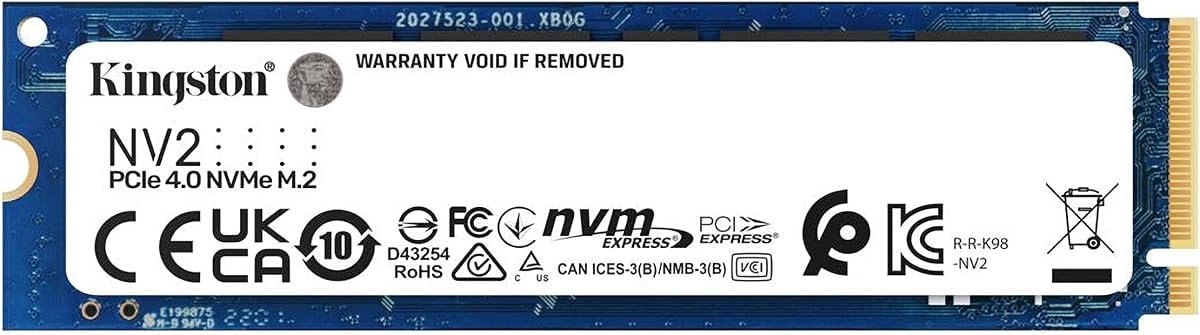
The Kingston NV2 500GB is a low-power NVMe option intended for laptops and small-form-factor PCs. It carries a 4.7 rating and uses a PCIe 4.0 Gen 4×4 interface, but its headline read speed of up to 3,500MB/s places it below several faster Gen4 competitors in this list. Its differentiation is efficiency and versatility rather than maximum throughput.
We may earn a commission when you buy through this link, at no additional cost to you.
Kingston emphasizes lower power requirements and minimal heat to help optimize system performance. Those characteristics can be valuable in portable computers and compact builds where sustained cooling is limited. The drive is available in a range of capacities up to 2TB, although the product reviewed here is the 500GB version. Buyers should verify the exact performance figures and NAND configuration shown in the current listing because details can vary by capacity.
The NV2 is well suited to general office work, web browsing, application use, and lighter gaming. It should provide a substantial responsiveness improvement over a traditional hard drive, while avoiding the greater power draw and heat often associated with more aggressive high-performance modules. Its 500GB capacity is adequate for a primary drive when applications and files are managed carefully.
Choose the NV2 when low power, low heat, and a simple M.2 2280 design are priorities. It is not the first choice for maximizing transfer speed, editing very large media files, or maintaining a large modern game library. Confirm the computer's storage support, physical clearance, and any system-specific drive requirements before installation.
Lower power requirements and minimal heat make the NV2 relevant to laptops and small PCs. It prioritizes efficient everyday operation over the highest transfer rates available among PCIe 4.0 options.
The 4.7 rating reflects a well-regarded everyday option with a 4.7 rating and a 4.7 rating. Its 500GB capacity is the main limitation for large collections, so buyers should consider the wider capacity range when planning a long-term installation.
We may earn a commission when you buy through this link, at no additional cost to you.
Choosing the right PCIe SSD requires balancing interface speed, usable capacity, thermal limits, flash characteristics, software, warranty coverage, and the exact device that will host the drive. The most attractive specification sheet is not always the most practical choice for every system.
PCIe describes the physical interface used to connect a drive to a computer, while NVMe is the protocol that governs how the system communicates with it. Most M.2 slots in modern laptops and desktops support NVMe, but older machines may use SATA connectors or lack an M.2 slot at all. Verify that the motherboard or laptop supports an M.2 2280 drive with a PCIe x4 interface, and check whether a desktop requires an adapter or additional mounting hardware.
In short, confirm both physical and protocol compatibility before choosing a drive. A fast SSD cannot deliver its performance in a slot that does not support the required interface.
A 500GB drive is often sufficient for an operating system, essential applications, and a selective collection of games or documents, but it leaves limited space for modern game installs, high-resolution media, and active creative projects. A 1TB option provides more breathing room and can reduce the need for constant file management. Consider operating-system overhead, restore points, downloaded installers, application caches, and the amount of content you expect to add before selecting a capacity.
Choose enough capacity to maintain comfortable free space, because a nearly full SSD can offer less room for caching and maintenance. Larger-capacity alternatives are often the more convenient choice even when a smaller model appears sufficient at first glance.
Manufacturer performance figures usually describe maximum sequential transfer conditions, not the speed of every file type. Small files, compressed archives, heavily fragmented data, thermal throttling, and background tasks can produce results well below a headline number. Sequential read speed is useful for large transfers, while random performance, sustained writes, cache behavior, and responsiveness matter more for an operating-system drive. Treat quoted figures as maximum claims and review the conditions associated with them.
Prioritize steady real-world responsiveness over the highest possible peak. A faster interface cannot compensate for insufficient capacity, poor fit, or software that does not benefit from additional bandwidth.
NAND type helps determine how a drive manages writes, caches, and sustained workloads. TLC is often positioned for a balance of performance and endurance, while QLC offers high storage density and can provide strong value in suitable applications. The Sandisk Optimus 5100 uses BiCS QLC 3D CBA NAND, while the WD Black SN7100 listing identifies next-generation TLC 3D NAND. Endurance is expressed through a total bytes written rating for applicable capacities, so compare the exact model's rating rather than a higher-capacity sibling.
Look for an endurance level appropriate to the workload. A lightly used everyday laptop does not need the same write endurance as a workstation handling constant exports, and a NAS drive should be evaluated according to its specific storage role.
NVMe drives generate heat during sustained transfers, and some systems slow a drive when it becomes too warm. The Fikwot FX910 includes a heatsink designed to improve thermal management, which may be beneficial in a gaming desktop but problematic in a laptop with tight clearance. Other bare M.2 drives may fit comfortably into compact systems and rely on the host's built-in thermal pad or heat spreader. Always check the available space above the module and whether a heatsink or heat sink is required.
Good airflow and a properly mounted heat solution help the drive sustain performance. Avoid placing a drive in a permanently enclosed area without ventilation, and follow the computer or console manufacturer's installation guidance.
Management software can provide health monitoring, performance information, firmware updates, and drive cloning. The Sandisk Optimus 5100 includes a downloadable SANDISK Dashboard, while Kingston NV3 models include Acronis cloning software. The Crucial P310 includes Acronis Data Recovery Software, and the WD Blue SN5100 supports downloadable Acronis True Image migration software. These tools can simplify setup, but users should still create and verify an independent backup before cloning or replacing a system drive.
Choose software support that matches your comfort level. A simple dashboard is useful for ongoing health checks, while cloning utilities are most valuable during the first installation. Download the required application and confirm that it supports your operating system.
The best drive for a gaming console, a laptop, and a NAS may differ even when their headline speeds look similar. Handheld gaming devices benefit from power efficiency and confirmed console support. Creators may need sustained writes, useful management software, and enough space for active project files. NAS owners should prioritize approved compatibility, endurance, and workload fit. General PC users may find the most value from a balanced drive with straightforward installation and reliable software.
Start with the device and workload, then use speed as a supporting criterion. This prevents a high headline specification from distracting from a more important compatibility or capacity requirement.
Warranty length provides a useful indication of the manufacturer's support commitment. The Crucial P310, Kingston NV3, WD Blue SN5100, and WD Black SN7100 listings reference five-year limited warranties, while the WD Green SN350 and WD Red SN700 have three-year limited warranties. A limited warranty is not a substitute for backups and may not cover data loss in every circumstance. Some listings also identify a newer replacement, such as the Sandisk Optimus 5100 replacing the WD Blue SN5100 and the Sandisk Optimus GX 7100 replacing the WD Black SN7100.
Check both the warranty terms and the latest available generation. A replacement notice does not make the older drive unusable, but it can make a newer model more relevant for a long-term installation.
Before installation, back up important data and confirm that the computer supports an M.2 2280 NVMe drive. Power the system down fully, disconnect the power source where appropriate, open the case or service panel, and locate the correct M.2 slot. Follow the manufacturer's instructions for removing or retaining any preinstalled storage shield.
Insert the SSD at the angle permitted by the socket, align the connector, and secure it with the appropriate retaining screw or clip. If the drive includes a heatsink, remove any protective film and ensure the system heatsink can be reinstalled without obstruction. Restore the computer's cover, reconnect power, and enter the BIOS or UEFI if the new drive is not detected automatically.
After installation, use the operating system's disk-management or storage tool to initialize the drive and create a volume. If transferring an existing system, use the included or compatible cloning software and verify that the cloned system boots before erasing the original drive. Install the relevant dashboard or management utility, check for firmware updates, and keep periodic backups outside the SSD.
An NVMe PCIe SSD may fit an M.2 slot, but physical fit alone does not guarantee compatibility. The slot must support the M.2 2280 form factor, the PCIe x4 interface, and the NVMe protocol. Some M.2 slots only support SATA drives, so check the computer's manual or manufacturer support page before buying.
It can be enough for Windows, essential applications, and a modest game collection, but modern games and media files can consume that space quickly. Leaving some free capacity is useful for updates, temporary files, and caching. If you expect regular large downloads or extensive game libraries, a 1TB drive will usually be more comfortable.
Usually, yes, provided the system supports the correct M.2 NVMe form factor. A PCIe 4.0 drive can operate at the capabilities of a compatible PCIe 3.0 slot, although it will not deliver the full performance available on a newer system. The Crucial P310 is specifically described as backward compatible with PCIe Gen3 systems.
It depends on the drive, workload, and computer. Bare drives can work in many systems, while sustained heavy transfers may produce heat and trigger performance reductions. A drive with an included heatsink, such as the Fikwot FX910, can help manage temperatures but may not fit a laptop with limited clearance.
Yes, when the destination drive is larger than the source and compatible cloning software is used. The Kingston NV3, Crucial P310, and WD Blue SN5100 listings reference Acronis products that can assist with migration or recovery. Make a separate backup, follow the cloning steps carefully, and confirm the cloned system boots successfully before removing the original data.
The right choice depends on fit, power use, and storage needs. The Crucial P310 is listed for broad laptop compatibility, while the Kingston NV2 emphasizes low power and minimal heat. The Fikwot FX910 may be too tall for some laptops because of its heatsink, so always check the manufacturer's supported-drive list and physical dimensions.
Generally, yes, because NVMe uses the faster PCIe interface rather than the SATA connection. The difference is especially noticeable during large sequential transfers and everyday operations that benefit from lower latency. Actual results vary with the drive, system, workload, file size, and whether the operating system or application is limited by another component.
A drive labeled 500GB does not provide exactly 500GB for files because the operating system and drive management features use some space. Formatting conventions also affect the displayed capacity. Keep some free room available and avoid treating the advertised figure as the entire usable file-storage area.
The Sandisk Optimus 5100 500GB is the leading all-around choice for creators and power users because it combines a modern PCIe 4.0 interface, power efficiency, useful monitoring software, and strong workload potential. The Kingston NV3 500GB stands out as a balanced budget pick, while the Fikwot FX910 500GB takes the premium gaming position with exceptional stated throughput and a built-in heatsink.
Prioritize compatibility, sufficient capacity, and the intended workload before comparing headline speeds. A NAS owner should choose a purpose-built drive, a handheld user should verify support and clearance, and a general PC buyer should balance performance against thermal and power requirements. Software for cloning, recovery, health monitoring, and firmware updates can materially improve the setup and ownership experience.
Product listings, successor models, specifications, and prices can change, so check the current seller page and manufacturer documentation before ordering. Verify the exact capacity-specific performance, warranty terms, physical dimensions, and operating-system support to ensure the selected PCIe SSD meets your needs.