
Crucial P310 2TB
4.7Editor score
Up to 7,100MB/s reads
PS5-compatible M.2 2280
G8 NAND with thermal control
Our 2TB Ssds for PS5 guide compares ten NVMe options for capacity, speed, cooling, compatibility, endurance, and everyday gaming value with clear picks.
A 2TB SSD gives a PlayStation 5 room for a large game library, modern downloads, and saved content without forcing constant deletion. The right drive should combine a suitable M.2 2280 form factor, PCIe 4.0 support, effective cooling, and dependable sustained performance rather than relying on headline speed alone.
We compared ten 2TB NVMe options using the specifications and compatibility details supplied for each product. The list considers read and write speeds, NAND type, endurance, thermal features, PS5 fit, installation requirements, and the different strengths of officially licensed, enthusiast, and value-oriented drives.
Each review identifies the feature that makes a particular drive distinctive and also explains its trade-offs, so the list covers more than raw transfer speed. Product ratings, specifications, and availability can change, and marketplace pricing frequently varies, so confirm the current listing before buying.
4.7Editor score

4.8Editor score

4.7Editor score
The table below places all ten drives side by side, emphasizing the factors that matter most for PS5 storage: interface speed, thermal design, NAND type where disclosed, endurance, and intended level of compatibility.




The WD_BLACK 2TB SN850P is the strongest all-around recommendation in this guide because it combines official PlayStation 5 licensing with a capacity suited to substantial game libraries. Its listed 4.8 rating reflects strong customer reception, while up to 7,300MB/s read performance puts it firmly in the high-speed PCIe 4.0 class.
We may earn a commission when you buy through this link, at no additional cost to you.
Its defining advantage is the official license for PS5 expansion, which removes much of the uncertainty that can accompany a generic M.2 purchase. The included heatsink was designed specifically for the console, and the supplied information says games can be played directly from the drive without moving or deleting content from the console's internal storage.
A 2TB capacity is also more useful than simply chasing a higher transfer rate. The manufacturer estimates up to 200 games on the largest 8TB version using an average game size of 36GB; the actual number for this model depends on file sizes, formatting, and other installed content. The 2TB version still creates a much more flexible library than the standard console configuration.
This is the drive to choose when official console compatibility, high read speed, and purpose-built cooling are your priorities. It may not be the only option with impressive specifications, but few alternatives make the PS5-specific fit and licensing as explicit.
Official licensing and a heatsink designed for the PS5 make this a straightforward choice for console owners. It is especially attractive for users who want to expand storage without relying on a general-purpose desktop drive that may require extra fit or thermal checks.
The 2TB capacity gives installed games, updates, and future downloads more breathing room. Exact game totals will vary, but the practical benefit is that players can keep more titles on the console and launch them directly from the expansion drive.
We may earn a commission when you buy through this link, at no additional cost to you.
The MOVE SPEED HB7450 2TB is a high-speed, flexible option for gamers who also use a desktop or laptop. It carries a 4.6 rating, uses TLC NAND, and claims sequential performance up to 7,450MB/s read and 6,500MB/s write through a PCIe 4.0 interface.
We may earn a commission when you buy through this link, at no additional cost to you.
The supplied specifications distinguish it from several QLC-based alternatives. TLC is often considered a useful foundation for a game library because it provides stronger native write characteristics, while the drive's claimed read rate is among the highest in this group. It also supports use in PS5 consoles, laptops, and PCs through the M.2 2280 form factor.
Thermal management is a major selling point. The drive has a built-in 1mm graphene composite heat spreader, and the package includes a separate heatsink, screws, and a screwdriver. That distinction matters: users should follow the supplied installation instructions and confirm that the additional heatsink is correctly fitted when using the drive in a console.
Choose the HB7450 if high sequential speed, TLC NAND, and cross-platform usefulness matter to you. It is a compelling option for a PS5 owner who expects to move the same drive between a console and computer, though the extra installation step and less explicit licensing make the WD_BLACK SN850P a simpler console-first choice.
TLC NAND is the key specification for buyers concerned about sustained writing and long-term game-library use. The drive's listed performance and native memory type make it suitable for players who want fast loading without moving to a QLC-focused design.
Compatibility with PS5, desktop, and laptop systems makes the HB7450 a practical shared upgrade. Its M.2 2280 format and included installation hardware support a straightforward setup, subject to the thermal requirements of each host device.
We may earn a commission when you buy through this link, at no additional cost to you.
The Lexar NM790 2TB is an efficient high-performance SSD with a 4.8 rating and specifications that place it near the front of the group. It delivers up to 7,400MB/s reads and 6,500MB/s writes over PCIe Gen 4×4 while using Host Memory Buffer technology to support smoother transfers.
We may earn a commission when you buy through this link, at no additional cost to you.
Its 1,500TBW endurance rating is one of the clearest long-term figures supplied in this roundup. Lexar also states that the design can use up to 40% less power than DRAM-cache-enabled PCIe Gen 4 SSDs, a potentially useful characteristic in a console as well as in portable computer systems.
The heatsink is designed to preserve performance and power efficiency by controlling heat, while HMB 3.0 activates available host memory for caching and buffering. The listing does not specify the NAND type, which means buyers should not infer a memory configuration from the speed figures alone.
This is an excellent option for a gamer who wants high speed, strong endurance, and efficient operation without choosing a drive solely for official console licensing. Before installation in a PS5, buyers should confirm current host requirements and ensure the heatsink profile is appropriate for the console's expansion bay.
A stated endurance of 1,500TBW gives buyers a more concrete workload figure than speed alone. It is especially relevant for an expansion drive expected to receive repeated game installations, updates, and file transfers over its service life.
The claimed reduction in power consumption compared with DRAM-cache-enabled Gen 4 drives reinforces the NM790's appeal for practical installations. Low power use and a compact heatsink can make it attractive for console and laptop users who value efficiency.
We may earn a commission when you buy through this link, at no additional cost to you.
The Samsung 990 PRO 2TB is the premium enthusiast choice in this lineup, with a 4.7 rating and stated sequential speeds of up to 7,450MB/s read and 6,900MB/s write. Its ultra-slim integrated heatsink is explicitly designed to dissipate heat and is identified as compatible with the PlayStation 5.
We may earn a commission when you buy through this link, at no additional cost to you.
Samsung reports a more than 55% improvement in random performance over the 980 PRO, a meaningful distinction for workloads that do not consist solely of long sequential reads. The drive is aimed at heavy computing, workstations, and gaming, making it a natural choice for a high-end console or desktop setup.
The integrated thermal solution avoids the need for a separate console heat spreader and is designed to stabilize operating temperature. That helps preserve performance when the drive is under load. However, the supplied listing does not provide a TBW endurance figure, so buyers focused on write-life documentation may find the Lexar NM790 more transparent.
The 990 PRO is most suitable for buyers who want maximum class-leading performance, a low-profile integrated heatsink, and a drive equally at home in high-end PCs and a PS5. It is a strong premium recommendation, while the officially licensed WD_BLACK SN850P is more focused on console confidence.
The low-profile integrated heatsink is designed to fit the PS5 while moving heat away from the drive. It also makes the 990 PRO convenient for desktop and laptop builds where adding a large aftermarket cooler would be inconvenient.
The stated random-performance improvement matters when applications request many smaller files or operate across different areas of the drive. Buyers should still expect real-world console performance to depend on the game, host system, and thermal conditions.
We may earn a commission when you buy through this link, at no additional cost to you.
The WD_BLACK SN850X 2TB remains a capable high-speed gaming drive, offering up to 7,300MB/s read and 6,300MB/s write performance. Its 4.8 rating is among the strongest in the group, and the M.2 2280 drive includes a heatsink intended for gaming and high-performance computing.
We may earn a commission when you buy through this link, at no additional cost to you.
The specifications place the SN850X in the same broad performance class as the newer WD_BLACK products. It can provide ample space for a 2TB game library and should appeal to buyers who recognize the established WD_BLACK gaming SSD line or already use compatible WD_BLACK products.
The important caveat appears directly in the supplied listing: this product has been replaced by a newer generation. The stated SN850X Optimus GX PRO 850X replacement may be easier to find, and buyers should verify the exact model, dimensions, and PS5 fit before ordering an older listing.
Choose the SN850X if you find the exact product in a suitable condition and its current listing details are competitive. For a new console-focused purchase, the officially licensed SN850P is the more straightforward recommendation because its PS5 fit and licensing are clearly presented.
At 7,300MB/s reads and 6,300MB/s writes, the SN850X offers the transfer rates associated with high-end Gen 4 drives. These figures are most useful during large transfers and demanding sequential storage tasks.
The supplied information says this generation has been replaced. Confirm that the seller is offering the correct 2TB WDS200T2XHE model and that the heatsink will fit the intended PS5 expansion bay before completing the purchase.
We may earn a commission when you buy through this link, at no additional cost to you.
The Crucial P310 2TB is a balanced pick for PS5 owners who want modern performance without focusing exclusively on maximum transfer rates. It has a 4.7 rating, uses PCIe 4.0, and delivers up to 7,100MB/s read and 6,000MB/s write speeds through a standard M.2 2280 design.
We may earn a commission when you buy through this link, at no additional cost to you.
Its broad compatibility is a major practical strength. The supplied information confirms use in the PlayStation 5, desktops, and laptops, plus backward compatibility with Gen3 systems. A 2TB capacity is presented as useful for AAA games, applications, and media, making it a sensible general-purpose upgrade.
Crucial builds the drive with G8 NAND and thermal control, emphasizing dependable everyday performance rather than one isolated benchmark. The listing says it can be up to twice as fast as the previous Gen3 generation and lists practical benefits for system boot, application startup, and common productivity tasks.
This is the most approachable all-round option in the guide for buyers who prioritize a useful balance of features. Its listed speed is not the highest, and no endurance figure is provided, but PS5 support, thermal management, cross-device use, and a substantial capacity create a well-rounded upgrade.
The P310's quoted performance is more than sufficient for a console expansion role, where game-launch speed is shaped by the console and title as well as the drive. It also gives desktop and laptop users enough bandwidth for everyday transfers and productivity workloads.
Micron's G8 NAND foundation and built-in thermal management support consistent operation under sustained tasks. These details matter because a drive that starts quickly but becomes constrained by heat is less useful for an always-installed game library.
We may earn a commission when you buy through this link, at no additional cost to you.
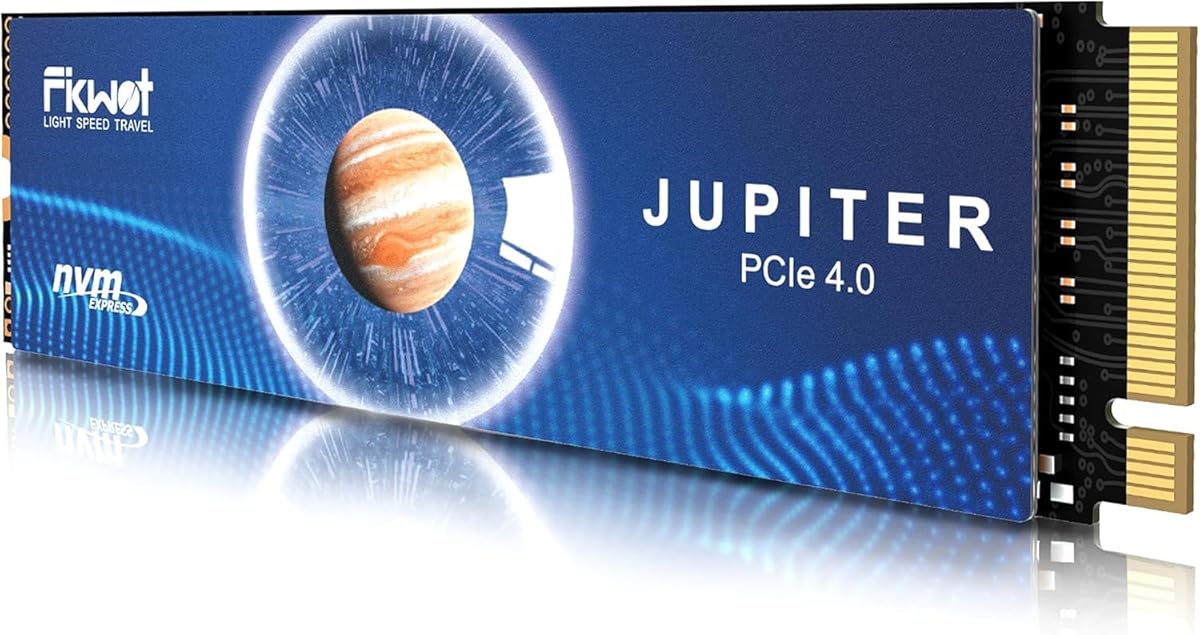
The Fikwot FX991 2TB is a feature-rich PCIe Gen 4×4 drive with a 4.6 rating and stated performance of up to 7,100MB/s read and 5,300MB/s write. It uses 3D QLC NAND and is designed for PS5, laptop, and desktop storage expansion.
We may earn a commission when you buy through this link, at no additional cost to you.
Its software and caching features stand out. HMB uses available host memory for read and write caching, while SLC caching is intended to improve responsiveness during everyday operations. The drive also supports TRIM, S.M.A.R.T, and AES-256 encryption, giving users a broader set of storage-management and security functions.
Thermal and power management are handled through automatic temperature adjustment, power-efficiency controls, and a high-conductivity graphite heat spreader. Fikwot states that the drive can remain close to peak read speed under high load. The product is also backed by a listed service period of up to five years or 1,200TBW.
The principal trade-off is QLC. Compared with TLC, QLC generally has lower native write performance, although the included caching can improve short bursts. Choose the FX991 for a broad feature set and a high stated read speed, but favor a TLC model such as the MOVE SPEED HB7450 if sustained writing is your primary concern.
HMB and SLC caching can make short tasks feel responsive by using host memory and a faster cache area. The effect is most noticeable in bursts, so buyers should understand that the quoted peak speed is not the only measure of sustained behavior.
The stated 1,200TBW figure gives buyers a useful endurance reference. Along with the listed five-year service period, it makes this drive easier to compare with products that do not publish a workload rating.
We may earn a commission when you buy through this link, at no additional cost to you.
The fanxiang S660 2TB is a direct PS5 expansion option with a 4.6 rating and a stated read speed of up to 5,000MB/s. It uses a PCIe 4.0 NVMe M.2 design, supports SLC caching, and is listed as compatible with both PS5 consoles and PCs.
We may earn a commission when you buy through this link, at no additional cost to you.
The drive's main appeal is simplicity. It has a cooling design intended to manage heat during prolonged or intensive use, and its 2TB capacity provides a meaningful library increase. The product is positioned for console enthusiasts, technology users, and IT professionals who want a straightforward internal storage upgrade.
Performance is lower than the 7,000MB/s-plus read speeds common among the leading selections here. That difference is unlikely to be dramatic in many console game-launch scenarios, where storage throughput is only one part of the overall experience. It may matter more when moving very large files or operating the drive as a shared high-speed scratch disk.
The S660 is most appropriate for a PS5 buyer who values clear compatibility, a 2TB capacity, and a cooling design without paying for the absolute fastest class. The supplied information lists five-year quality assurance, although it does not provide a TBW figure for more precise endurance comparison.
The product is presented directly as a PS5-compatible expansion with an M.2 form factor and integrated cooling. That makes it straightforward to recommend to a console owner whose priority is adding usable game storage rather than maximizing desktop benchmarks.
SLC caching can improve short-duration write performance by temporarily operating a portion of the drive as a faster cache. The benefit is workload-dependent, so sustained transfers and repeated large writes remain important real-world considerations.
We may earn a commission when you buy through this link, at no additional cost to you.
The Acer Predator GM7 2TB combines a 4.7 rating with up to 7,400MB/s read and 6,500MB/s write speeds. It uses the PCIe 4.0 x4 interface and NVMe 2.0, making it a technically advanced option for a PS5, gaming desktop, or compatible laptop.
We may earn a commission when you buy through this link, at no additional cost to you.
The controller and flash design is intended to balance performance with lower power use and heat generation. HMB and SLC caching support faster game loads and file transfers, while thermal throttling and power management automatically adjust behavior under changing workloads.
Biwin Intelligence adds a useful management layer. The supplied information says the software can assist with performance tests, data migration, drive cloning, and other drive-management tasks. That broader utility may appeal to users who want the SSD for more than console game storage.
The important installation caveat is that the supplied product information does not list a heatsink. PS5 owners should verify the current package contents and physical fit before ordering. If a suitable heatsink is included in the actual listing, the GM7 becomes a strong performance option; otherwise, thermal accessory planning is necessary.
Biwin Intelligence can help users check performance, migrate data, and clone a drive. These utilities add value for a shared storage system and can make ownership easier when the same SSD moves between a console and a computer.
Thermal throttling and power management help the GM7 respond to sustained workloads. Automatic control does not replace physical cooling in every installation, so console buyers should confirm whether the package includes a compatible heat spreader.
We may earn a commission when you buy through this link, at no additional cost to you.
The Samsung 980 PRO 2TB is a proven, console-friendly option with a 4.8 rating and an integrated heatsink. Its thin 8.6mm housing is specifically identified as a fit for the PlayStation 5, while the PCIe 4.0 interface provides a modern upgrade path over older storage.
We may earn a commission when you buy through this link, at no additional cost to you.
Samsung emphasizes thermal control through a nickel-coated controller and the integrated heat spreader. The stated goal is to maintain speed, power efficiency, and sustained performance without overheating. The drive also supports AES 256-bit SED, TCG V2.0, and IEEE 1667 encrypted-drive standards for users who need stronger data protection.
Samsung Magician adds monitoring, optimization, data protection, and update features. This makes the 980 PRO more manageable than a bare drive, particularly for owners who want to inspect drive health or tune storage behavior after installation.
Although the 980 PRO is an earlier generation than the 990 PRO, its 4.8 rating and slim integrated heatsink remain compelling for PS5 expansion. Choose it when physical fit, established Samsung features, and a 2TB capacity are priorities; select the 990 PRO instead when maximum stated performance matters most.
The 8.6mm housing is a decisive physical detail for console expansion. A slim drive with an integrated heat spreader reduces the need for an additional bulkier cooler and simplifies planning for the PS5's available expansion space.
Samsung Magician can monitor health, optimize performance, protect data, and provide updates. Advanced encryption support also makes this drive more versatile for users who store sensitive files alongside their console library.
We may earn a commission when you buy through this link, at no additional cost to you.
The most useful 2TB PS5 SSD balances console fit, sustained performance, thermal control, and dependable write behavior. Rather than comparing only peak read speeds, buyers should evaluate how each drive will be installed, used, and maintained over time.
Begin with a drive that the manufacturer explicitly identifies as compatible with the PlayStation 5, especially if you want confidence in both the electrical and physical fit. The PS5 requires an M.2 2280 NVMe drive that uses the PCIe 4.0 interface, and the expansion bay can be tight around a heatsink. Official licensing is an added advantage, although it is not the only route to a successful installation. Review the drive's exact dimensions and the console's current requirements before ordering, particularly when considering a product with a separate or unusually tall heat spreader.
Sequential read speed affects how quickly the console can retrieve large, contiguous files, while write speed influences installation and transfer tasks. Leading PCIe 4.0 options in this guide claim roughly 7,100MB/s to 7,450MB/s reads, while the fanxiang S660 lists up to 5,000MB/s. These maximum figures describe ideal conditions rather than every game launch. A console's own software, game design, decompression, and the size and location of requested data all influence perceived loading time. Buyers should therefore treat peak speed as one indicator of quality rather than the sole purchasing criterion.
A game library creates repeated sustained writes during installation and updates, and a drive can lose speed if it becomes too warm. Look for a purpose-designed heatsink, a slim integrated heat spreader, and explicit thermal or power-management features. The WD_BLACK SN850P and Samsung 990 PRO emphasize PS5-specific thermal solutions, while the Crucial P310 and Acer Predator GM7 describe broader thermal controls. Pay attention to whether the heatsink is already attached: some products include one as part of the drive, while others require the user to fit a separate accessory before installation.
NAND type influences native write characteristics, and the distinction matters for a drive expected to receive repeated game installations. The MOVE SPEED HB7450 explicitly uses TLC NAND, while the Fikwot FX991 uses 3D QLC NAND. QLC can deliver strong burst performance and remain effective with HMB or SLC caching, but its native write profile is generally less consistent than TLC. For a console used primarily to store and launch games, this distinction may not be dramatic. For users who also transfer large archives or keep the same drive busy in a desktop, TLC provides a more conservative foundation.
Endurance describes how much data can be written during the drive's rated service life. A TBW figure gives buyers a more concrete basis for comparison than a five-year warranty alone. The Lexar NM790 lists 1,500TBW, and the Fikwot FX991 lists 1,200TBW; the other supplied listings do not provide comparable endurance figures. If you routinely install and remove large games, move files between the PS5 and a computer, or use the drive in a workstation, a published workload rating offers useful reassurance. Always check the manufacturer's current documentation because specifications can differ by model and revision.
Power efficiency is especially relevant when the same drive is used in a console, laptop, or compact desktop. The Lexar NM790 claims up to 40% less power consumption than DRAM-cache-enabled PCIe Gen 4 SSDs, while the Acer Predator GM7 describes lower heat generation and power-management controls. HMB is another useful feature because it lets a non-DRAM-equipped drive use available host memory for caching and buffering. These technologies can improve smoothness, but they should complement rather than replace good native flash characteristics and a suitable thermal design.
Software can simplify installation, monitoring, and long-term maintenance. Samsung Magician supports health monitoring, performance optimization, data protection, and firmware updates for the 980 PRO and 990 PRO. Biwin Intelligence for the Predator GM7 provides performance testing, data migration, drive cloning, and additional management functions. Security may also matter if the drive contains backups or personal files. The Samsung 980 PRO lists AES 256-bit SED, TCG V2.0, and IEEE 1667 support, giving it a clear advantage for users who need recognized encryption capabilities.
A 2TB drive is a practical middle ground for modern console libraries, but the number of games it holds depends heavily on individual file sizes. WD_BLACK uses an average of 36GB per game for its own estimate, which means capacity alone does not reveal the final game count. Large installs, saved data, system files, media applications, and partially completed updates all consume space. Leave some free capacity for updates and system management, and check the games you expect to install if you need a more accurate estimate.
Before installation, power the PS5 down fully and consult the console's current official setup instructions. Confirm that the selected SSD uses the M.2 2280 form factor and PCIe 4.0, and check whether its heatsink is already attached. If a separate heat spreader is supplied, fit it according to the drive manufacturer's directions before sliding the SSD into the expansion bay. Keep small screws and tools organized, since the PS5's lower housing covers the storage slot.
After the console recognizes the drive, use the PS5's storage settings to format or prepare it as required by the system. Move eligible games to the expansion drive and allow transfers to finish before putting the console into rest mode. The supplied WD_BLACK information specifically notes that approved PS5 storage can run games directly without transferring them back and forth. First-time copying may take time because the data must move from the console's internal storage to the new drive.
Maintain the drive by leaving adequate free space and avoiding abrupt console power cuts during installation, formatting, or file transfers. Monitor drive health and temperature through the available console or manufacturer utilities, and keep the console's ventilation paths unobstructed. Periodically check software updates for both the console and drive, and back up important data rather than treating an expansion SSD as the only copy of irreplaceable files.
The PS5's expansion bay is designed around a slim M.2 SSD, and using a drive with an appropriately low-profile heatsink is generally important. Choose a model whose product information confirms PS5 compatibility and that includes a suitable heat spreader. A tall desktop cooler may prevent the drive from fitting, while a separate console heat spreader may need to be attached before installation.
Not every M.2 SSD is a suitable choice. The PS5 requires a compatible M.2 2280 drive using the PCIe 4.0 interface, and the drive must physically fit within the available expansion space. A console-specific or officially licensed model reduces uncertainty, but non-licensed drives can work when their specifications, dimensions, and thermal design meet the console's requirements.
No. Peak sequential read speed is only one part of the loading process, and console software, game design, decompression, and the amount of data being read also matter. A drive with reliable sustained performance, good cooling, and proper compatibility may feel more consistent than a faster drive that quickly overheats. The difference between the leading specifications is often less noticeable than the difference between a suitable and an unsuitable installation.
TLC generally provides more consistent native write performance, which is valuable during installations and large file transfers. QLC can still deliver fast everyday performance and may include HMB or SLC caching, but its sustained write behavior is usually less consistent. For players who mainly install and launch games, either can be suitable, while frequent large transfers favor TLC.
The answer varies because game sizes differ substantially. WD_BLACK uses an average of 36GB per game for its capacity estimates, but the actual total will also be affected by updates, saved data, system files, and other applications. Keeping some free space is sensible because the console needs room for temporary files, updates, and ongoing transfers.
Yes, supported PS5 storage can be used to move eligible games and other content from the console's internal storage to the expansion drive. The WD_BLACK SN850P listing specifically confirms direct play from the expansion and the ability to avoid transferring or deleting console games. The first transfer can take time, so let it complete without interrupting the console.
A PS5-specific or officially licensed model is usually the simplest choice because fit and compatibility are clearly addressed. A high-end desktop SSD can still work if it uses the right interface and form factor and has a sufficiently slim thermal design. Console-specific models are preferable when installation simplicity matters, while a shared drive may make sense if you also need strong performance in a PC.
Yes. After physically installing the drive, use the PS5's storage management interface to complete the required preparation, usually including formatting. The console should then recognize the drive as expansion storage. Follow the current Sony instructions during setup because software procedures and supported-device requirements can change over time.
The WD_BLACK 2TB SN850P is the strongest overall choice because official PS5 licensing, console-specific cooling, high read speed, and ample capacity address the central needs of a console expansion. The Crucial P310 offers a balanced alternative with modern speed, broad device compatibility, and a 2TB capacity, while the Samsung 990 PRO stands out as the premium high-performance option.
Prioritize correct physical fit, confirmed PS5 compatibility, sustained thermal behavior, and suitable write characteristics before chasing a small difference in maximum speed. TLC is worth considering for write-heavy use, published endurance figures make long-term comparisons easier, and a good management utility can simplify ownership. The right drive is the one that fits cleanly, stays cool, and provides the dependable storage your game library needs.
Before ordering, verify the exact model, current package contents, dimensions, and installation requirements. Ratings, firmware, product availability, and marketplace pricing can change, so compare the latest listing and manufacturer documentation rather than relying solely on this guide. With those checks completed, a 2TB NVMe drive can dramatically expand the space available for games on a PS5.

