
KPXOS OSU3X Custom Gaming Keyboard
3.4Editor score
Three programmable magnetic keys
Independent trigger calibration
Display and customizable knob
The best keyboard for Geometry Dash guide compares mini keypads, magnetic switches, rapid trigger controls, displays, and full gaming boards.
A keyboard for Geometry Dash should translate rapid directional inputs into dependable in-game actions without adding distracting delay. Mini keypads can be especially useful for focused play, while full-size magnetic gaming keyboards offer broader control options, programmable keys, RGB lighting, and greater flexibility for other games.
This guide compares ten specialized and general gaming keyboards using the supplied specifications, including switch technology, actuation settings, polling rate, connectivity, displays, programmable controls, and intended gaming applications. The list covers purpose-built Geometry Dash and osu! keypads alongside 60% and 90% mechanical keyboards suited to players who want more functions.
Each review identifies the features that matter most for fast timing-based gameplay, along with practical compromises involving setup, calibration, layout, software, and platform support. The top picks show three distinct buying paths, while the complete comparison makes it easier to judge alternatives. Prices and availability can change, so confirm current listings before purchasing.
3.4Editor score

4.6Editor score

4.2Editor score
The table below compares the ten shortlisted keyboards by layout, switching technology, key controls, display features, and practical relevance to Geometry Dash. Specialized three-key pads minimize distraction, while compact and full-featured mechanical boards provide more room for macros, multitasking, and broader game support.
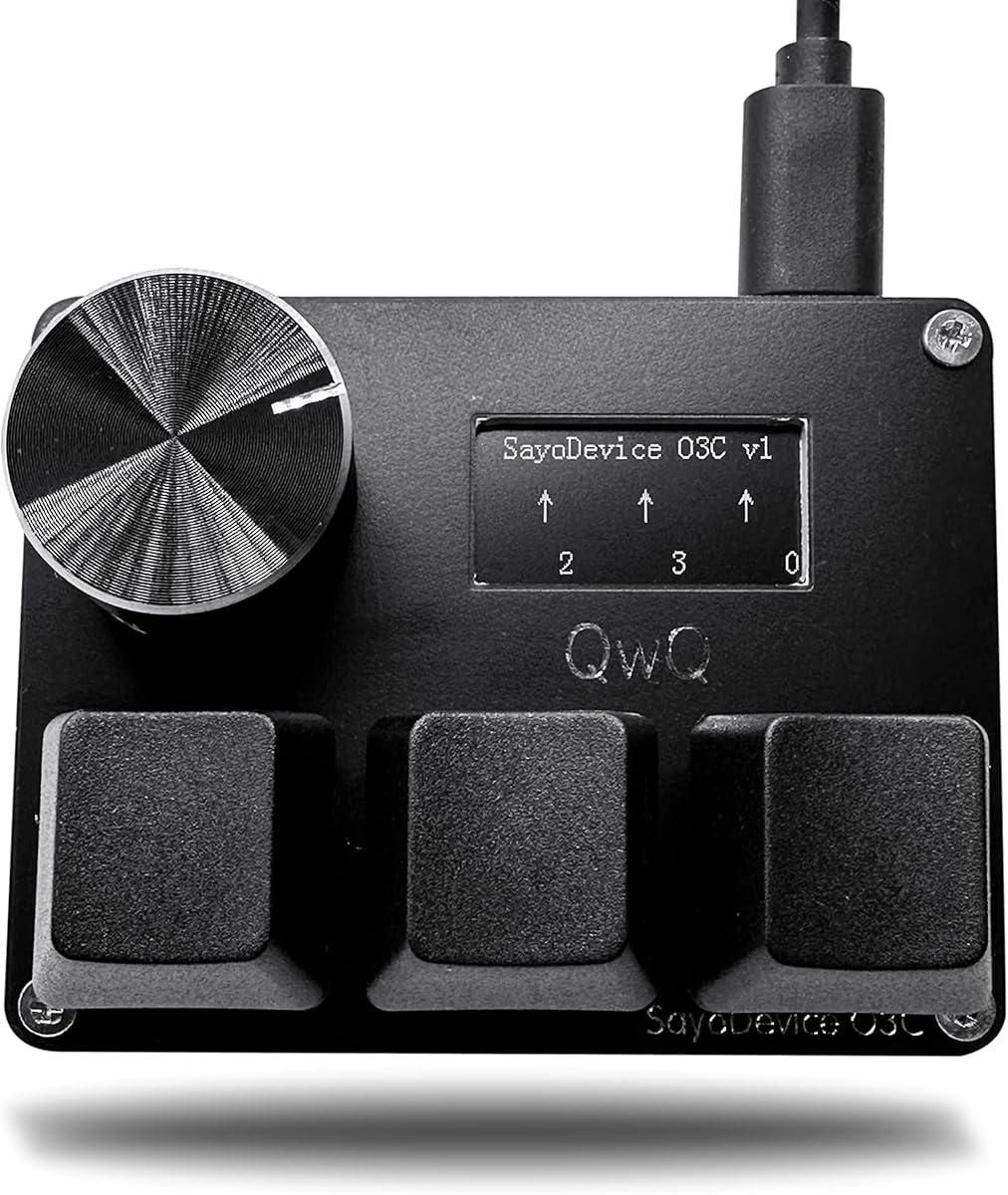




The BTXETUEL SayoDevice O3C combines a three-key magnetic keypad with an IPS display, rotary knob, and rapid-trigger-oriented switch support. Its 4.7 rating reflects a favorable balance of specialized gaming features and focused hardware. Compared with larger Hall Effect boards, it keeps the playing surface uncluttered while retaining the adjustments that can matter in timing games.
We may earn a commission when you buy through this link, at no additional cost to you.
The core hardware uses three Hall magnetic linear switches connected through USB 2.0 with a stated 8000Hz polling rate. The 0.96-inch, 160-by-80 IPS display can show the visible key range and button counts, while its first text line can be customized. The knob may be assigned to a key or useful combination, such as scrolling through a song list. Magnetic switches are replaceable, allowing the keypad to be adapted when different switch characteristics are preferred.
The important trade-off is setup. The supplied instructions call for calibration before initial use and after certain firmware updates, and a three-key layout offers far less physical functionality than a conventional keyboard. Nevertheless, for a player who wants a dedicated Geometry Dash or osu! control surface without a large board occupying the desk, the focused design is a sensible compromise.
This is a strong recommendation for players prioritizing rapid response and compact controls over everyday typing. Its combination of magnetic switches, a useful display, programmable knob, and high polling rate makes it one of the most complete three-key pads in the group. It is especially attractive when a game-only peripheral is preferable to a general gaming keyboard.
The three magnetic linear switches and stated 8000Hz polling rate suit games where repeated directional actions must be registered consistently. The small layout also reduces the distance between controls, which can make muscle memory easier to maintain.
The IPS display provides useful visual feedback, including key counts and configurable text. The rotary knob expands the control surface beyond the three keys without sacrificing the compact footprint.
We may earn a commission when you buy through this link, at no additional cost to you.
The KPXOS OSU3X Black is a purpose-built three-key option explicitly positioned for osu! and Geometry Dash. Its 3.4 rating is lower than those of the leading O3C and general Hall Effect keyboards, but the available features remain substantial for a budget-focused dedicated peripheral. It combines programmable keys, a display, a knob, and adjustable magnetic trigger points.
We may earn a commission when you buy through this link, at no additional cost to you.
Every key supports independent calibration and a trigger distance down to 0.05mm. The 0.96-inch IPS screen visualizes key travel, counts, and status, while the rotary knob can be assigned for functions such as media control. Multi-key combinations can provide one-touch copy-and-paste or other shortcuts. A Type-C connection and included cable support high-frequency polling and multilingual key recording.
Its rating suggests the experience may not be as refined as that of the stronger-rated products, and independent calibration adds a setup step that must be repeated if the hardware or firmware changes. The RGB lighting and specialized controls may also be unnecessary for someone who simply wants four directional inputs. Even so, the feature set is unusually complete for a compact three-key board.
Choose the OSU3X Black when your priority is a small Geometry Dash control surface with advanced settings at a modest budget. It is best for players who value programmable magnetic behavior, visual feedback, and dedicated controls more than a full alphabet, wireless operation, or a broad collection of gaming features.
Independent key calibration and trigger-distance adjustment provide more control than a basic membrane or standard mechanical pad. Players can tune each direction to their preferred reset behavior before beginning a run.
The keypad supports programmable combinations and a customizable knob in a very small enclosure. That makes it convenient for Geometry Dash without taking over an entire desk.
We may earn a commission when you buy through this link, at no additional cost to you.
The BTXETUEL SayoDevice OSU O3C is another three-key Hall Effect keypad, and its 4.7 rating places it among the most favorably reviewed products here. It offers the same core formula as the first-ranked SayoDevice model: magnetic linear switches, a color display, a rotary knob, USB 2.0 connectivity, and a stated 8000Hz polling rate.
We may earn a commission when you buy through this link, at no additional cost to you.
Its three Hall magnetic linear switches support replacement, and calibration is initiated with a simple click. The 0.96-inch IPS screen has a 160-by-80 resolution and can display the visible key range, button counting, and custom text. The knob may be assigned to any key, including song-list navigation in a supported game setup. The wired Type-C arrangement favors consistent input and straightforward operation.
Like other three-key pads, it does not provide an alphabet or conventional navigation cluster. The calibration requirement can also be inconvenient if firmware changes or the device is moved frequently. Those limitations matter if you expect to type, work, or play several genres from one keyboard. Within its specialized remit, though, the hardware is direct and appropriately scoped.
This model is a good fit for a player who wants a minimal Geometry Dash pad with high polling and magnetic behavior. Its strong rating, replaceable switches, and customizable screen make it a credible alternative to the top-ranked SayoDevice. The choice between the two similar products may ultimately depend on current availability, appearance, and which configuration you prefer.
The device avoids the overhead of a full keyboard while retaining rapid-trigger-related hardware. That focus is useful for sessions in which only directional controls are relevant.
Custom text, key-count information, and an assignable knob give the small display extra practical value. Players can tailor the interface instead of relying on a static indicator.
We may earn a commission when you buy through this link, at no additional cost to you.
The O3C Rapid Trigger Keyboard is a specialized three-key Hall Effect pad with a 4.6 rating and unusually detailed customization options. It is designed around osu! and Geometry Dash, but its useful controls are not limited to a single title. The hardware combines a 0.96-inch IPS display, a rotary knob, and three replaceable magnetic switches.
We may earn a commission when you buy through this link, at no additional cost to you.
Its rapid-trigger release can be adjusted from 0 to 4mm, giving players room to establish a precise reset point. Keys and the knob can be mapped to individual inputs or combinations involving Ctrl, Alt, and Shift. The screen supports custom animations, while the device uses USB 2.0 with a stated 8000Hz polling rate. Hot-swappable magnetic switches add flexibility when different feel or response characteristics are desired.
The setup requirement is the main drawback. The listed guidance says calibration may be necessary before first use or after a firmware upgrade, which means users should not expect every hardware change to be entirely automatic. The three-key format also makes this unsuitable as a general typing keyboard. These are reasonable limits for a dedicated rhythm-game controller.
Among compact O3C-style devices, this model stands out for detailed trigger and display control. It is a strong choice for a Geometry Dash player who wants a dedicated pad and is comfortable adjusting magnetic switches. Those willing to complete calibration will gain a highly personalizable control surface in a compact format.
A 0–4mm release range allows the player to tune how soon a key resets after being lifted. This can support different play styles and repeated practice sessions.
Custom animations and configurable controls make the screen more than a basic status indicator. It can present the type of feedback a player prefers during practice.
We may earn a commission when you buy through this link, at no additional cost to you.
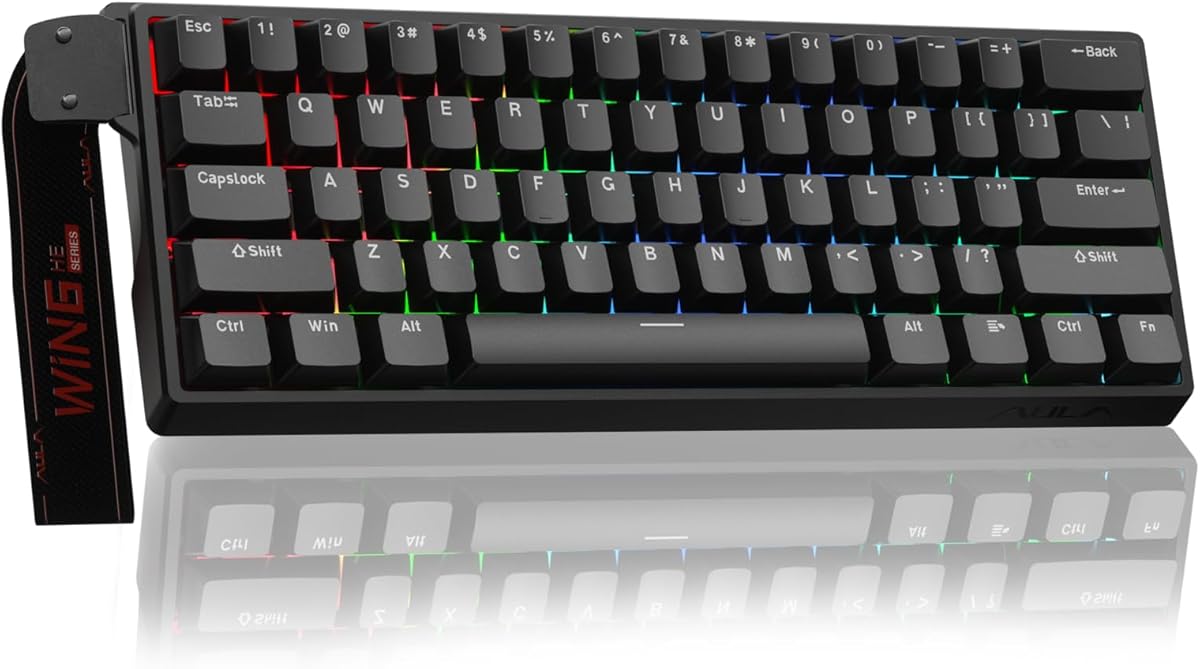
The AULA WIN60 HE expands the concept of a Geometry Dash keyboard into a complete 60% mechanical gaming board. Its 4.5 rating reflects a generally favorable feature set, while the 0.02mm rapid-trigger step and 8000Hz polling rate align well with fast input needs. It is best suited to players who want one keyboard for gaming, work, and travel.
We may earn a commission when you buy through this link, at no additional cost to you.
Advanced Hall Effect magnetic switches allow actuation to be adjusted, and the rapid-trigger function is intended to improve control during quick inputs. The 60% layout saves desk space while preserving a broad set of standard keys. A web-based driver handles key remapping, macros, and RGB customization without requiring a traditional desktop application, simplifying setup on compatible Windows systems.
The board does not have the extreme focus of a three-key game pad, and the additional keys may occupy more desk space than necessary for Geometry Dash alone. Its switch platform also differs from a standard magnetic-switch board because hot-swap support is designed around compatible magnetic switches. A wired connection provides a stable desktop setup, although there is no stated wireless mode.
Choose the WIN60 HE if a full compact keyboard is more appealing than a game-only keypad. It offers strong performance specifications and useful customization while remaining small enough for a gaming desk. For players who alternate between Geometry Dash, other competitive games, and everyday typing, it provides better all-around value than the specialized three-key products.
The 60% layout includes everyday typing and function keys in addition to gaming controls. That makes it a more practical option for players who do not want a separate pad.
The web-based driver streamlines key mapping, macro creation, and RGB adjustment. It also reduces the need to install and maintain bulky desktop software.
We may earn a commission when you buy through this link, at no additional cost to you.
The RedThunder K95 is the most expansive premium option in this guide, combining a 90% mechanical layout with a 1.14-inch TFT screen, CNC knob, RGB lighting, and triple-mode connectivity. Its 4.2 rating is lower than several specialist magnetic boards, but the K95 offers considerably more functionality for players who want a sophisticated centerpiece rather than a minimal three-key device.
We may earn a commission when you buy through this link, at no additional cost to you.
Connectivity options include wired USB, 2.4GHz wireless, and Bluetooth, with controls for moving among devices. The gasket-mounted construction uses five layers of shock absorption and a positioning plate, while the hot-swap PCB accepts three-pin or five-pin switches. Pre-lubed pink linear switches are included, and the side-printed PBT keycaps retain arrow and number keys within the 90% format.
The screen can display information and be adjusted with the knob, while the software supports key mapping, macro definitions, sensitivity, sleep timing, debounce, and display images. Custom images are limited to Windows, and the keyboard itself is much larger than a dedicated Geometry Dash pad. Players seeking an uncluttered practice station may find those dimensions excessive.
The K95 is recommended for enthusiasts who want a capable everyday mechanical keyboard and can configure it for rapid Geometry Dash play. Its polished display, extensive programming, multi-device support, and tactile construction justify the premium positioning. It is less about gaming-only minimalism and more about combining many premium features in one flexible board.
The TFT screen and rotary knob provide more control and feedback than a conventional status-light area. The screen can become a dedicated information panel during longer gaming sessions.
Wired, 2.4GHz, and Bluetooth modes let the board move between desktop gaming and other devices. This makes its substantial feature set relevant beyond a single title.
We may earn a commission when you buy through this link, at no additional cost to you.
The WIN68 HE White is a precision-oriented 60% Hall Effect keyboard with a 4.7 rating, placing it among the strongest products in the list. Its actuation adjustment extends from 0.01mm to 4.0mm, and the stated 8000Hz polling rate is backed by a 32K single-key scan rate and 4K full-key scan rate for very fast input transmission.
We may earn a commission when you buy through this link, at no additional cost to you.
Advanced gaming functions include Dynamic Keystroke, Simultaneous Opposing Cardinal Directions, and Rapid Trigger. The 60% layout retains arrow keys while leaving more mouse space than a full-size board. Pre-lubed linear Hall Effect switches use a three-pin hot-swappable design, and the gasket structure with dense sound-dampening foam is intended to reduce harsh vibration and hollow acoustic effects.
A web-based driver handles RGB, macros, key mapping, actuation, and magnetic settings, which simplifies configuration. However, some advanced capabilities and the broader software ecosystem are most relevant on Windows, and the board is wired rather than wireless. It also offers much less focus than a three-key Geometry Dash pad, even though its rapid-trigger controls can certainly be adapted for the game.
This keyboard suits a player who wants highly responsive full-size functionality without a standard 100% footprint. It is particularly attractive when the same board is used for FPS, MOBA, battle royale, and Geometry Dash. The 0.01mm minimum actuation and extensive controls make it a technically advanced choice for users willing to configure it carefully.
The 0.01mm actuation minimum offers very granular control over when a press is recognized. Users can set different behavior for individual keys instead of relying on one fixed travel point.
Keeping arrow keys and essential controls makes the 60% design more useful for gaming and navigation. It also opens additional mouse space for a tighter desk arrangement.
We may earn a commission when you buy through this link, at no additional cost to you.
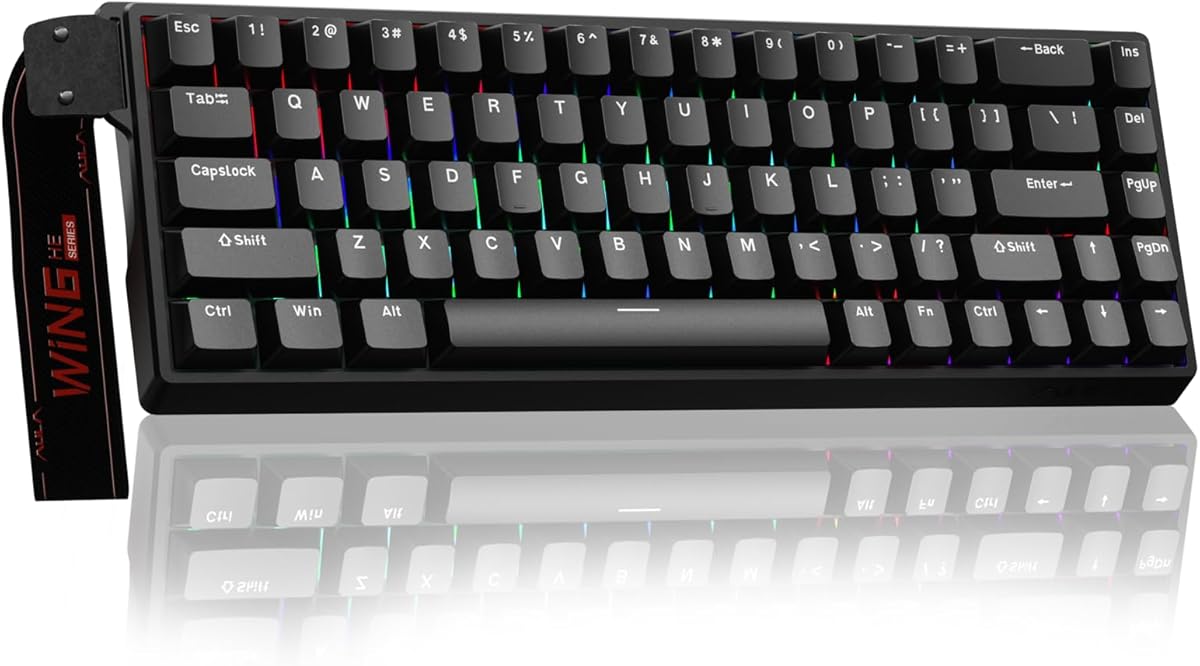
The AULA WIN68 HE Black is a 68-key Hall Effect gaming keyboard offering adjustable actuation, fast-trigger behavior, and a stated 8000Hz polling rate. Its 4.5 rating reflects a solid balance of gaming specifications, and the detachable cable makes the compact board practical for both desktop and travel use.
We may earn a commission when you buy through this link, at no additional cost to you.
Actuation can be adjusted from 0.02mm to 3.44mm, with individual key press and reset behavior configurable in software. The product information also cites 0.3ms latency. A professional web driver supports Rapid Trigger, SOCD, DKS, MT, TGL, key mapping, macro editing, and RGB effects on Windows without requiring a downloaded desktop application.
The Windows-only driver limitation is important for Mac users, despite the keyboard itself offering broader hardware compatibility than some specialized boards. The 68-key layout also occupies more space than a three-key Geometry Dash controller, although it is substantially smaller than a full-size keyboard. RGB includes 16.8 million colors and 14 preset effects, with south-facing LEDs for broad keycap illumination.
This model is a strong general-purpose choice for a Windows player who wants both fast controls and a normal compact keyboard. It is less specialized than the O3C products, but that makes it easier to integrate into a mixed gaming, work, and travel setup. For Geometry Dash, its rapid-trigger capabilities can be used alongside the familiar standard layout.
The wide actuation range and separate press and reset controls let the player tune individual keys. This can produce a more consistent feel across directional actions.
The lightweight 60% body retains arrow and basic function keys while saving desk space. A detachable USB cable also makes storage and transport more convenient.
We may earn a commission when you buy through this link, at no additional cost to you.
The KPXOS OSU3X White is the light-colored version of a compact three-key gaming keypad designed for osu! and Geometry Dash. Its 3.0 rating is the lowest among the reviewed products, so buyers should weigh the extensive feature list carefully against limited customer feedback. It still offers a display, rotary knob, programmable combinations, and adjustable magnetic controls.
We may earn a commission when you buy through this link, at no additional cost to you.
The 0.96-inch IPS screen visualizes key travel, counts, and device status, and the startup interface and device name can be personalized. Each key can be calibrated independently and supports magnetic poles and switches with adjustable trigger distance. The knob can be assigned for navigation or other actions, and multi-key combinations offer convenient one-touch functions such as copy and paste.
The low rating may reflect unresolved concerns that are not detailed in the available information, so it is wiser to examine recent customer feedback before buying. Individual calibration is also less convenient than a fully automatic setup, and the white finish does not change the core functionality. The Type-C cable and included lead support a straightforward wired installation.
This pad is most appropriate for a player committed to a minimal Geometry Dash setup who values the white appearance, RGB lighting, and a visual calibration interface. The OSU3X Black offers the same fundamental feature set and has a somewhat higher rating, so this version is primarily a style and listing-choice decision. It should not be selected solely on appearance without checking current reviews.
Showing key travel and action feedback on the home display makes magnetic settings easier to understand. Players can verify behavior without relying entirely on software.
Programmable keys, combinations, and a custom knob provide flexibility despite the limited number of switches. A startup screen and editable device name add further personalization.
We may earn a commission when you buy through this link, at no additional cost to you.
The KPXOS OSU4X Black is a small magnetic keypad intended for osu!, Geometry Dash, and Friday Night Funkin'. Its 3.1 rating is among the lower results in the group, but the core design is clear: three mechanical keys, a screen, a knob, and rapid-trigger adjustment in a plug-and-play wired package.
We may earn a commission when you buy through this link, at no additional cost to you.
Each button can be calibrated individually, and the shortest listed trigger travel is 0.05mm. The main screen displays travel, status, and key counts, while its first text line and the device name can be customized. The knob may be assigned to any key or used to scroll a song list. Shortcut support includes one-click copy and paste, and the included two-meter Type-C cable adds placement flexibility.
The low rating warrants attention to recent customer feedback and the current product listing. Like the other dedicated pads, it cannot replace a standard keyboard for typing, and its three-button design is the central limitation. The supplied information also contains a stray AAA bullet, offering no meaningful technical advantage, so the more specific display, calibration, and polling details are the better basis for evaluation.
The OSU4X is a reasonable low-cost option for a player who wants a dedicated Geometry Dash controller with a screen and rotary control. Its long cable, high stated polling rate, and adjustable magnetic behavior are useful, but the comparable KPXOS models have stronger ratings. Consider the OSU4X when its current feedback, design, and configuration fit your setup better.
The pad is built for fast rhythm and action inputs rather than general office use. Its small body leaves the desk uncluttered and keeps relevant controls close together.
Travel, status, and key-count information make the device easier to calibrate and monitor. Custom screen text and an assignable knob further personalize the interface.
We may earn a commission when you buy through this link, at no additional cost to you.
The best keyboard for Geometry Dash balances response speed, reliable actuation, focused controls, and setup convenience. Players who only need directional actions can choose a three-key pad, while a 60% or 90% board offers broader functionality for gaming, typing, and everyday use.
A dedicated three-key keypad creates a clean play area and places the directional controls in a compact, consistent location. It is attractive when Geometry Dash is the main reason you need extra input hardware, and the reduced key count can make a dedicated muscle-memory layout easier to maintain. A 60% or 90% keyboard is more practical if you also type, navigate menus, use macros, or play several genres. It takes more desk space but eliminates the need to switch between a normal keyboard and a separate controller.
Magnetic Hall Effect switches detect travel without relying on physical contact, and rapid-trigger behavior can reset a key when it moves back toward its unpressed position. Adjustable actuation points let you tune the point at which each press registers. For Geometry Dash, the relevant advantage is consistent handling of rapid repeated actions, not merely a large headline polling number. Review the listed trigger range, per-key settings, calibration procedure, and whether the game recognizes the input correctly before settling on a model.
A high polling rate means the keyboard reports input more frequently to the computer, which can reduce processing delay. Products in this guide advertise polling rates as high as 8000Hz, and one also states 0.3ms latency and separate single-key and full-key scan rates. These specifications can complement fast actuation, although they do not guarantee better results in every game. Software overhead, the game engine, display settings, system load, and the player's own timing all influence the final experience.
Several magnetic keypads require calibration before first use, after a firmware update, or when switch behavior changes. This process lets the keyboard establish a stable baseline for each magnetic switch, but it adds a step that should be completed before a serious play session. Check whether a product supports individual calibration, whether updates are likely, and whether its software is available for your operating system. A product that calibrates smoothly and provides clear visual feedback is generally easier to maintain than one with a vague process.
Programmable keys can turn a spare input into a shortcut, media command, or multi-key combination. These features are less essential to the core Geometry Dash control loop, but they can make a dedicated pad more useful outside a single session. Web-based drivers are convenient because they may not require installation, while native applications can offer deeper control. Look for clear operating-system compatibility, readable remapping controls, and the ability to restore defaults if a macro creates an unwanted input.
A small IPS display can show key travel, button counts, status, custom text, and in some cases animations. This feedback can be particularly useful when tuning magnetic switches. A rotary knob can be mapped for song-list navigation or other commands, adding useful control without enlarging the button layout. The screen should support the information you need rather than merely add decoration. Pay attention to resolution, customization, operating-system limitations, and whether custom images or animations are restricted to Windows.
Wired boards offer a stable connection and straightforward startup, while wireless models can reduce cable clutter and support multiple devices. The RedThunder K95 adds 2.4GHz and Bluetooth modes, whereas the compact magnetic pads and the 60% boards reviewed are primarily wired. Consider desk space, cable length, USB port availability, and whether your computer supports a wireless receiver comfortably. A small dedicated pad can sit beside a normal keyboard, while a 60% board may replace one entirely.
Gasket-mounted construction, sound-dampening foam, and side-printed PBT keycaps can improve the feel and acoustics of a full mechanical board. Hot-swap support lets compatible users replace switches without soldering, although magnetic hot-swap sockets may accept only specific three-pin magnetic switches. The dedicated O3C-style keypads also support replaceable magnetic switches, making them more adaptable than a fixed-switch mini pad. Confirm the required switch footprint and whether the included switch type matches your preferred feel before modifying a board.
Begin by connecting the keyboard with its supplied cable and installing or opening the appropriate configuration utility. For magnetic models, read the calibration instructions before the first game. Place the keyboard where your wrist and fingers naturally rest, keep the cable clear of sharp edges, and use the on-screen display or web driver to confirm that each directional input is recognized.
For a three-key pad, assign the keys consistently and avoid changing their layout between sessions. A display can show trigger distance, key counts, or status, so use it while adjusting actuation rather than relying on memory. For a full compact board, create separate profiles for Geometry Dash and other games, then verify macro timing. Keep rapid-trigger settings conservative at first, as extreme adjustments can cause accidental inputs or missed resets.
Clean the keyboard with a soft, dry microfiber cloth and use a brush to remove debris around the switches and knob. Do not pour liquid into the controls or wash magnetic switches unless the manufacturer explicitly permits it. Revisit calibration after a firmware update or major switch replacement, and periodically check the connection, key response, and driver settings so that changes do not silently affect a practiced layout.
No, Geometry Dash can be played with a standard keyboard because it relies on a small set of directional and action inputs. A dedicated keypad can make the controls more consistent and reduce visual distraction, while a compact mechanical board can provide fast magnetic switches and useful customization. The best choice depends on whether you want a game-only device or one keyboard for several uses.
A three-key keypad can be better when your priority is a focused and uncluttered playing area. It keeps the relevant directions close together and often provides calibration or rapid-trigger settings aimed at rhythm-style games. It cannot replace a full keyboard for typing, so players who need other computer functions should consider a 60% board instead.
Rapid trigger lets a magnetic key reset when it moves back toward its unpressed position rather than waiting for a complete mechanical return. This can make repeated actions register more predictably. The exact effect in Geometry Dash depends on the game, configuration, and player, so the best settings usually require practice rather than simply selecting the smallest possible value.
Calibration teaches the keyboard how far each magnetic switch normally travels and establishes a stable reference for detecting presses and releases. Because environmental and mechanical conditions can affect magnetic sensing, the process may be required after a firmware update or switch replacement. Follow the product instructions and verify every key before starting a timed run.
No. A high polling rate can reduce input-reporting delay, but it is only one part of the system. Actuation settings, game behavior, software overhead, display refresh, system load, and player timing also affect results. The best approach is to use fast hardware while keeping settings stable and comfortable enough to maintain consistent actions.
A wired keyboard should work with a laptop as long as the game supports standard keyboard input and the operating system recognizes the device. Compact 60% boards can also serve as a laptop's primary keyboard, though they omit some dedicated function keys. For software-based configuration, check the manufacturer's stated operating-system support because some web drivers and advanced features are Windows-specific.
Many magnetic keypads provide a configuration utility for calibration, trigger settings, display text, and programmable combinations. Some use a web-based driver, while others require a local application or a firmware workflow. A basic plug-and-play connection may support normal play immediately, but dependable customization generally depends on the included software and a compatible operating system.
Wired operation is the simplest choice for a stationary gaming desk because it avoids receiver and battery management. Wireless is more convenient if you want a cleaner desk, share the keyboard among devices, or move between setups. For timing-focused play, prioritize a stable connection and test the device under your normal network or wireless conditions rather than focusing only on portability.
The BTXETUEL SayoDevice O3C stands out as the strongest overall dedicated choice, combining magnetic linear switches, an 8000Hz polling rate, a useful display, a knob, and replaceable switches in a compact three-key format. The KPXOS OSU3X Black offers the best budget path into a similar feature set, while the RedThunder K95 is the premium choice for players who want a complete mechanical keyboard with a large TFT display and multiple connectivity modes.
Prioritize the type of experience you want. A small three-key pad offers focused directional controls and can be ideal for dedicated Geometry Dash sessions. A 60% Hall Effect keyboard is better for frequent multi-game use, typing, and travel, while a 90% board makes sense when display size, build construction, wireless flexibility, and everyday functionality outweigh the larger footprint.
Before ordering, check the current listing, recent customer feedback, operating-system support, and the exact calibration or driver process. Product features, available firmware, software compatibility, and prices can change over time. Confirm that the chosen keyboard is configured correctly and feels consistent before using it in a serious timed run.