
Smart Replacement for TCL TV Remote Control
4.0Editor score
Dual infrared and Bluetooth
Hands-free voice control
Backlit keypad illumination
Broad TCL smart-TV support
Compare the 10 best TCL TV replacement remotes for Roku, Google TV, Android, and Fire models, including setup, compatibility, shortcuts, voice control, and
A TCL TV replacement remote should match your television’s platform, provide dependable navigation, and make everyday streaming convenient. Because TCL offers Roku, Google TV, Android, Fire TV, and other smart-TV models, compatibility is more important than appearance. The right remote may work without pairing, while voice-ready options add faster search and navigation.
This guide compares ten replacement remotes across platform support, signal method, shortcut keys, voice functions, range, setup requirements, and included accessories. Particular attention is given to the important distinction between standard infrared remotes and Bluetooth voice remotes. The list includes single and two-pack options for households that want a spare or replacement for a specific TCL series.
Each review explains who the remote is best suited for, along with its most useful features and practical limitations. Ratings and specifications reflect the supplied product information, while compatibility remains the decisive factor. Current prices and availability can change, so check the model number printed on your television and compare the latest listing before purchasing.
4.0Editor score

4.7Editor score

4.5Editor score
The table below compares all ten remotes by TV platform, connection method, shortcut support, voice capability, range, and setup style, making it easier to identify the option that matches your TCL television.





This two-pack replacement remote is designed for Roku Series televisions from TCL, Onn, and several other supported brands. Its 4.5 rating reflects a generally favorable reception, while the strongest selling point is the inclusion of two remotes. It is a practical choice for TCL Roku owners who want a primary replacement and a separate backup without navigating a complicated setup process.
We may earn a commission when you buy through this link, at no additional cost to you.
The remote uses infrared technology and operates without pairing or programming. Once two AAA batteries are installed, it should control the listed television series from as far away as approximately 30 feet. Four shortcut buttons provide faster access to popular applications, and the manufacturer reports testing the buttons for more than 160,000 clicks, indicating a focus on sustained daily use.
Compatibility is limited to Roku-powered televisions. It will not operate a Roku Stick, Streaming Stick, Box, Ultra, Express, Premiere, or Player, and it is not a universal remote for standard non-Roku TCL televisions. The listing also notes that the descriptions are easy to misread: support for TCL Roku TVs does not mean support for every TCL television, which is an important distinction when comparing replacements.
This is a strong budget-oriented selection for a TCL Roku television and an especially useful choice for households prone to misplacing remotes. Verify that your set is a Roku TV rather than a streaming stick, and confirm its screen size and series if possible. If you want two remotes, a simple infrared design, and no voice function, it offers a focused feature set without unnecessary setup steps.
Keeping a second matching remote removes the inconvenience of searching through drawers or handling a television until another replacement arrives. The two-pack format also lets one remote remain in a bedroom, living room, or other secondary viewing area.
The important distinction is that this remote is made for Roku television platforms, not Roku streaming hardware. Owners of a compatible TCL Roku TV can use it directly, while users of a Roku device should look for a remote designed specifically for that device.
We may earn a commission when you buy through this link, at no additional cost to you.
This RC813 replacement is intended specifically for compatible TCL Google Smart TVs and carries a 4.4 rating. Its most appealing characteristic is the absence of complicated setup: after installing two AAA batteries, the remote is designed to work immediately. It is an especially logical option for owners of older and current TCL Google TV models who prioritize direct operation.
We may earn a commission when you buy through this link, at no additional cost to you.
Infrared technology supports control from up to 40 feet, and the listing reports a response time of no more than 0.2 seconds. Six shortcut keys provide direct access to Netflix, a video shortcut, YouTube, a channel option, Disney, and Apple TV. The remote also underwent button testing exceeding 120,000 clicks, supporting its positioning as a regularly used alternative to the original remote.
The product is not a universal TCL remote. It explicitly excludes TCL Roku televisions and TCL Fire TVs, and it may not match every model number. The long compatibility list is useful, but the absence of voice control may be a drawback for users accustomed to searching by voice or relying on newer Google TV features. Batteries and a manual are also not included.
Among the infrared replacements in this guide, this is a strong all-around option for a TCL Google TV because it combines broad model support, lengthy operating range, quick response, and six dedicated application keys. Choose it when your television uses Google TV, the RC813 form factor is appropriate, and you prefer simple infrared control without voice search or a pairing routine.
The RC813 design keeps the experience approachable for users who do not need Bluetooth voice commands. Its navigation, playback, volume, input, and shortcut functions are designed to work immediately after batteries are added.
Six application keys reduce the number of steps needed to reach common services. Their precise functions can depend on the television platform, so buyers should still expect to navigate the standard Google TV interface when launching other apps.
We may earn a commission when you buy through this link, at no additional cost to you.
This smart replacement is the feature-rich selection in the guide, earning a 4.0 rating while offering capabilities that standard infrared replacements do not. It supports hands-free voice commands on compatible TCL Google, Android, and Fire OS televisions and combines infrared and Bluetooth hardware in a single remote.
We may earn a commission when you buy through this link, at no additional cost to you.
Its backlit keypad lights when any key is pressed and automatically shuts off after three seconds, making the buttons easier to identify in a dim room without leaving the illumination on continuously. The listing states a stable response within 10 meters and a maximum operating range of up to 12 meters, while all buttons reportedly pass endurance tests ranging from 5,000 to 8,000 presses.
Voice operation is not universal. It requires a television with Bluetooth 4.0 or later, and the pairing procedure varies by model. The listing also notes that one television can support up to four paired remotes. A battery replacement or a reset using the Home and OK buttons may be needed for troubleshooting, and the remote should be checked against the television's model before purchase.
This is the premium pick for a TCL owner who wants more than basic button replacement. It is most valuable when the television supports compatible voice control, backlit buttons matter in a dark viewing area, and dual infrared and Bluetooth operation offers useful flexibility. For owners of an older infrared-only set, a simpler RC813 or Roku replacement may be easier to operate.
The automatic illumination is particularly useful in bedrooms and dim living rooms. Since the keypad turns off after three seconds, it supports visibility without creating an always-on backlight, subject to ordinary battery use.
Infrared provides familiar line-of-sight control, while Bluetooth enables compatible voice features. This combination gives the remote broader potential than a one-method replacement, although actual voice operation remains television dependent.
We may earn a commission when you buy through this link, at no additional cost to you.
This OEM-style replacement carries the highest rating in the supplied product set at 4.7, making it an especially strong contender for owners of TCL Roku smart TVs. It presents itself as a broad-fit standard remote with four shortcut keys for Netflix, Disney Plus, Apple TV+, and HBO Max.
We may earn a commission when you buy through this link, at no additional cost to you.
The remote supports an extensive list of TCL Roku television models, including S-series, R-series, and selected other 4K Ultra HD television names. It uses infrared and does not require programming or pairing; installing two new AAA alkaline batteries is enough to begin operation. The listing highlights an upgraded chip, durable construction, and stable performance.
Its limitations are equally clear. There is no voice search, pairing button, or headphone jack. It is not compatible with a Roku Stick, Box, Player, Game, Express, or televisions from other brands. Although the description uses broad language, buyers should confirm the model number on their television and use the listed compatibility information rather than assuming every TCL Roku set is supported.
For a TCL Roku TV owner seeking a straightforward, full-featured replacement with service shortcuts, this is an excellent choice. It combines the guide's highest rating with a large compatibility list and uncomplicated operation. The lack of voice controls is a meaningful limitation, but it is less troublesome for users who primarily navigate by directional buttons and streaming-app keys.
The four labeled service buttons are a useful middle ground between a full application launcher and a completely basic remote. They provide one-press access to major services without requiring the more complex navigation involved in searching through every installed app.
A long compatibility list is useful only if the television appears in it. Checking the model number on the back of the set or in its settings menu reduces the chance of choosing a remote with the wrong platform or button arrangement.
We may earn a commission when you buy through this link, at no additional cost to you.
This replacement is designed for TCL Android 4K UHD smart televisions and has a 4.4 rating. It provides a relatively basic control solution with no voice search, but that simplicity also means fewer variables during setup. It is best suited to an owner whose television runs the Android platform rather than Roku or Google TV.
We may earn a commission when you buy through this link, at no additional cost to you.
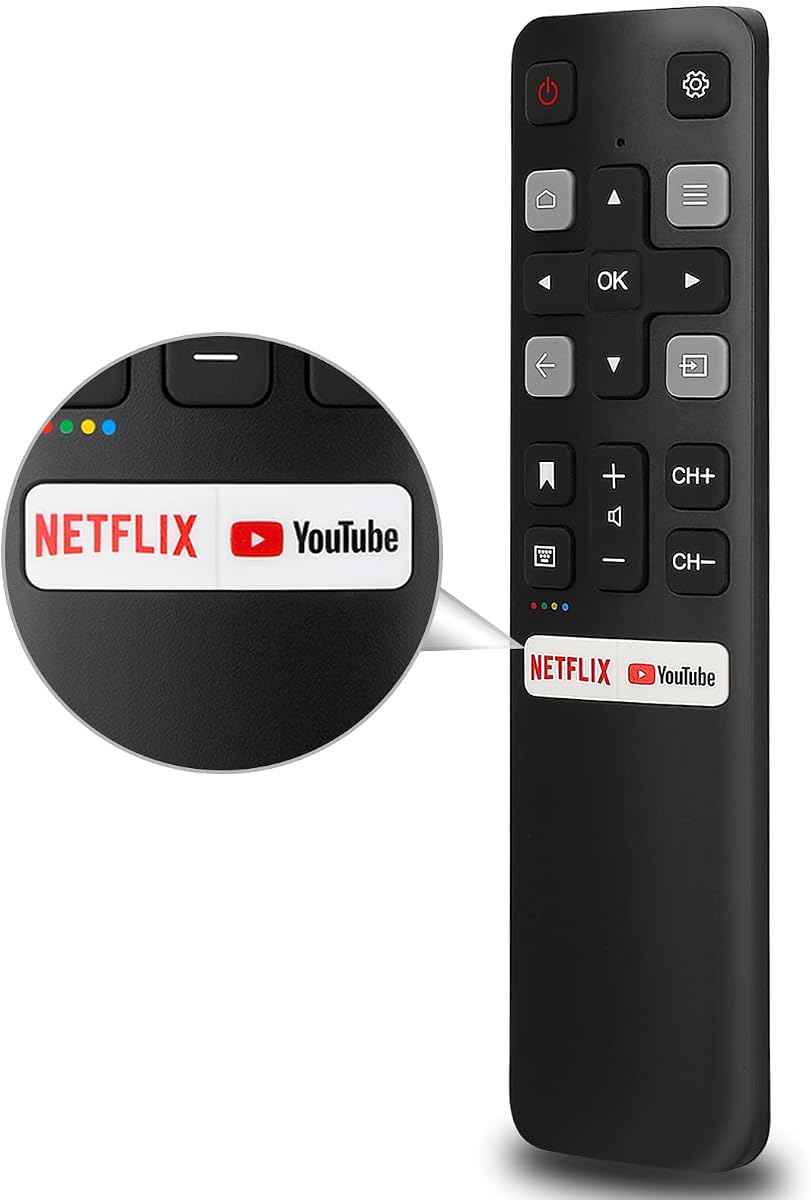
The remote works without programming or setup once two AAA batteries are installed. Its stated transmission distance is more than 35 feet, and the product description emphasizes quick response. Netflix and YouTube hotkeys provide direct access to two popular services, while the ABS shell is designed to resist falls and avoid a strong odor.
The listing's broad wording should be interpreted carefully. It applies to TCL Android smart televisions, but it does not support TCL Roku sets. Voice functionality is absent, and batteries are not included. The short seven-day return and refund service is also narrower than the longer warranty periods offered by several other products in the guide.
This is a sensible choice for a compatible TCL Android television when the priority is uncomplicated infrared control, a practical range, and two common streaming shortcuts. It may be especially attractive to users who do not use voice search or want a remote with a relatively uncomplicated layout. Check the platform before ordering, and do not select it for a Roku television.
The battery-only installation process removes the need to enter codes or navigate an onscreen pairing routine. For a compatible Android television, the remote can therefore be ready for use almost immediately after it is unpacked.
Netflix and YouTube are the two shortcuts highlighted by the manufacturer. While less extensive than remotes with six service buttons, they cover popular destinations and keep the layout straightforward for routine home viewing.
We may earn a commission when you buy through this link, at no additional cost to you.
This two-pack RC813 replacement is aimed at TCL Google televisions and carries a 4.4 rating. Like the single RC813 option elsewhere in the guide, it emphasizes immediate infrared operation and a familiar layout, but it also supplies two remotes for use in separate rooms or for backup storage.
We may earn a commission when you buy through this link, at no additional cost to you.
The compatibility description covers TCL UHD, HDR, LED, QD-Mini LED, QLED, and 4K Google television families, including QM8, QM7, S5, S4, S3, Q7, Q6, and Q5 series models. Six shortcut keys are provided, and the buttons are described as having been click-tested more than 160,000 times. The stated operating range is 30 feet.
It does not support voice control, and it is not intended for TCL Fire or Roku televisions. The shortcut keys depend on the applications or programmed functions available in the television itself. On older models, some shortcut behavior may be limited even when the physical buttons remain present. Batteries and a manual are not included.
This is a particularly useful pick for households that want two matching Google TV remotes without adding voice complexity. It may be useful for a main television and bedroom setup, or it can keep one control available as a spare. Confirm that the television is a compatible Google TV model and accepts infrared control before placing the order.
A second remote can be kept near another television or stored safely away from everyday clutter. Since both units follow the RC813 format, users do not need to learn different navigation habits when moving between viewing areas.
The physical shortcut buttons are not the same as guaranteeing identical behavior on every television. Older or differently configured Google TV models may not expose all of the expected quick-access functions, so the underlying television software remains important.
We may earn a commission when you buy through this link, at no additional cost to you.
This RC923A voice remote targets modern TCL Google televisions, including the QM5K, QM6K, QM6K Pro, and QM7K families, and has a 4.3 rating. It is designed for users who want microphone-assisted search and navigation in addition to conventional button control.
We may earn a commission when you buy through this link, at no additional cost to you.
Its Google Voice Assistant function can be used to search for content, change volume, switch inputs, or play music. Six shortcut buttons provide direct access to popular streaming platforms. The remote includes clear pairing directions: turn on the television, press the voice button to enter setup, then hold the Home and OK buttons together near the television until pairing finishes.
Unlike the RC813 infrared replacements in this guide, this is a Bluetooth voice remote and therefore requires pairing. Two AAA batteries are needed but not supplied. Compatibility is specific to listed Google TV models rather than all TCL televisions, so buyers should confirm both the model family and the remote type before ordering.
This remote is best for a compatible newer TCL Google TV owner who regularly uses voice search or wants a modern smart-remote experience. It provides a useful combination of spoken commands, standard navigation, and shortcut applications. If your television is older, lacks the required Bluetooth voice function, or you simply prefer to avoid pairing, an infrared RC813 replacement may be more suitable.
The microphone function can shorten the process of finding programs, changing inputs, or starting music. This is particularly useful for users who spend time in streaming interfaces where a typed title may be inconvenient to locate.
The setup process centers on entering the remote's setup interface and holding Home and OK together near the television. Users should follow the onscreen instructions, as the precise interface can vary with the television's software version.
We may earn a commission when you buy through this link, at no additional cost to you.
This RC923A FMB1 voice remote is designed for a broad group of newer TCL Google TV lines, including QM5K, QM6K, QM6K Pro, QM7K, Q77K, and X11K. Its 4.0 rating reflects a solid but less emphatic score, while its appeal lies in support for premium QLED and Mini-LED families.
We may earn a commission when you buy through this link, at no additional cost to you.
The remote includes Google Voice Assistant, six streaming shortcuts, and a low-power design intended to conserve battery life. It also replaces part number G0401-000267. The listed signal stability reaches 26 feet, and the ergonomic ABS construction is designed to provide both comfortable handling and impact resistance.
Two AAA batteries are required, but they are not included. Voice control needs manual pairing by holding the Home and OK buttons together within three feet of the television. The product is specific to the named TCL Google TV series and is not a universal replacement for every TCL Roku, Fire TV, or Android television.
This is a sensible voice-remote option for owners of a compatible premium or recently released TCL Google television. Its model list extends beyond many competing replacements, and the voice function can simplify search and playback control. Buyers should verify the television model and compare the remote's button layout with their original device before making the final selection.
The detailed model list includes several QLED, Mini-LED, and 4K HDR series, making compatibility documentation especially useful for buyers with newer television sets. Exact model verification remains more reliable than relying on a general TCL product-family name.
Built-in Google Voice Assistant supports content search, app launches, and playback control through spoken requests. The low-power emphasis may also help reduce battery changes compared with a design that maintains more active electronics.
We may earn a commission when you buy through this link, at no additional cost to you.
This RC813 replacement offers one of the strongest ratings in the guide at 4.6 while maintaining a simple infrared design. It supports a wide range of TCL Google television series, including QM8, QM7, S5, S4, S3, Q7, Q6, and Q5 models across multiple display technologies.
We may earn a commission when you buy through this link, at no additional cost to you.
Its direct setup is a major advantage. After inserting two AAA batteries, the remote is designed to work without programming or pairing. The listing states stable control up to 33 feet and a response time within 0.2 seconds. Six shortcut keys are included for direct access to popular streaming services.
There is no voice function, so this is better suited to users who are comfortable navigating with directional keys and onscreen menus. It explicitly does not support TCL Roku or TCL Fire televisions. Batteries are not included, and the actual behavior of shortcut keys may depend on the functions available in the television's Google TV software.
For a compatible TCL Google television, this is an excellent value-oriented infrared replacement. Its high rating, long list of supported models, quick response, and no-setup operation make it easy to recommend. The main decision is whether voice operation is essential; if it is, an RC923A model is the more appropriate choice.
The remote includes a detailed list of compatible model numbers in addition to broad series names. That makes it easier for buyers to match a television before ordering and reduces uncertainty about platform support.
The manufacturer reports a response within 0.2 seconds and testing beyond 120,000 button clicks. These claims align with the remote's purpose as a dependable everyday replacement rather than a feature-heavy entertainment controller.
We may earn a commission when you buy through this link, at no additional cost to you.
This voice remote provides a compact replacement option for several TCL Google TV series and carries a 4.3 rating. Its compatibility list covers the Q6 and Q7 series, QM8 models, and S3 and S4 televisions, giving it a useful position between the broad RC813 infrared replacements and the more narrowly targeted newer RC923A options.
We may earn a commission when you buy through this link, at no additional cost to you.
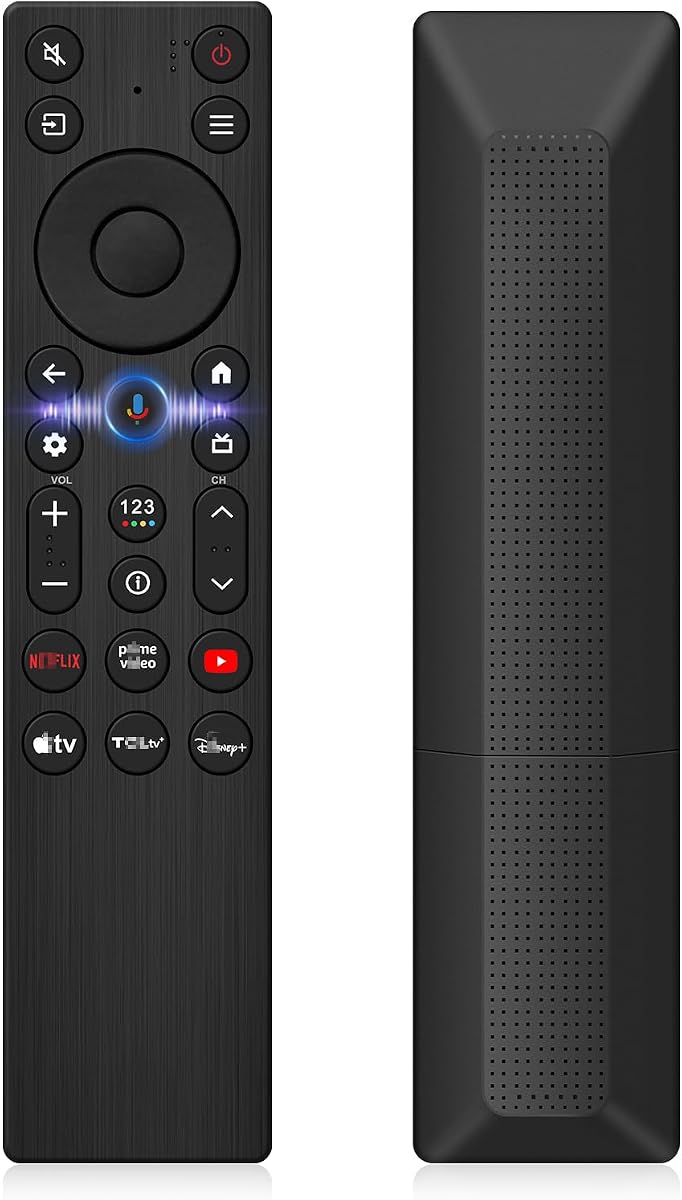
The remote includes Google Assistant voice control and six hotkeys for Netflix, Prime Video, YouTube, TCL Channel, TCL Home, and Apple TV+. Its ABS construction is described as durable, and the package includes one remote control. The product is positioned as a full-function alternative to the original remote for compatible Google televisions.
Setup is not entirely automatic. After installing two AAA batteries, users press the Google Assistant button and then hold Home and OK together for about five seconds until the television confirms pairing. Batteries are not included, and compatibility remains limited to the listed TCL Google TV families rather than Roku, Fire, or every Android model.
This is a worthwhile choice for a TCL Google TV owner who wants voice search and a broad set of service shortcuts without paying attention to the newest K-series naming. Its straightforward pairing instructions and one-year product service improve the ownership experience, while buyers who need no voice function can still favor a simpler infrared RC813 model.
The remote balances spoken commands with six direct service keys. Voice search helps locate content, while the hotkeys provide predictable routes to frequently used applications when the owner knows exactly where they want to go.
Because the supported list is arranged around specific Q, QM, and S series, buyers should compare their television's complete model number. A TCL brand name alone is not enough to establish compatibility.
We may earn a commission when you buy through this link, at no additional cost to you.
The right TCL replacement remote depends first on the television's operating platform and second on the functions you use. Model numbers, connection methods, shortcut behavior, and setup requirements should be checked before ordering.
TCL televisions can run Roku, Google TV, Android, Fire TV, and other smart-TV interfaces. A remote designed for one platform may not work on another because the buttons, signal method, and shortcut programs differ. Look under the television's settings or on the original remote to determine the platform before selecting a replacement. This is the most important step because many listings use broad terms such as compatible with TCL TV while still listing specific platform exclusions.
Check the platform first, then verify the complete television model number. Platform and model number together provide the safest compatibility check.
Even within the same platform, TCL produces many series with different remote designs. A remote may work on the same general family but omit a button, use a different shortcut arrangement, or lack a required Bluetooth connection. Product descriptions in this guide include extensive model lists for that reason. Compare the number printed on the original remote or on a sticker attached to the television, and treat an exact match as stronger evidence than a broad family name.
Use the model list as a final confirmation, not merely a general recommendation. If your television is absent, do not assume it is supported.
Infrared remotes normally use line-of-sight signals, require no pairing, and work immediately after batteries are installed. Bluetooth remotes may support voice search and require a pairing process. Some newer replacements combine both methods. If you want the simplest possible replacement, an infrared model is usually appropriate. If you regularly use a microphone or want the functions associated with a modern smart remote, choose a compatible Bluetooth option.
Choose infrared for straightforward control and Bluetooth for voice features. Confirm that the television supports the required voice function.
Voice control can make finding content, changing inputs, adjusting volume, and starting apps faster. It is not available on every TCL remote or television, however. The RC923A options in this guide support Google Voice Assistant but need pairing, while the RC813 replacements use infrared and do not provide voice search. The premium smart remote supports voice functions across compatible Google, Android, and Fire OS sets, with pairing steps that vary by model.
Prioritize voice control only when your television supports it and you will use it. Otherwise, an infrared remote may offer a more dependable and simpler experience.
Dedicated application buttons can reduce navigation time. The remotes in this guide offer two, four, or six shortcut keys for services such as Netflix, YouTube, Disney+, Apple TV+, Prime Video, HBO Max, and the TCL Channel. Physical buttons do not guarantee that every key performs identically on every model. The television must contain the relevant application or programmed shortcut, and older models may expose fewer functions.
More shortcut keys can be convenient, but compatibility of the television software matters. Check the listed services and model support before relying on them.
Useful operating ranges among the selections extend from approximately 26 feet to 40 feet. The actual result depends on room layout, obstructions, infrared alignment, television model, and whether a Bluetooth connection is being used. Infrared remotes generally need a reasonably clear path toward the television. A stated range is most valuable when the television is mounted high, placed in a wide entertainment unit, or viewed from across a large room.
Choose a range that comfortably exceeds your normal viewing distance. Clear placement and direct alignment can matter as much as the maximum specification.
A single remote is adequate when the original has been lost or damaged and only one viewing location requires control. A two-pack offers greater convenience by supplying a backup or allowing remotes in two rooms. The two-pack Roku remote works across listed Roku television brands, while the two-pack RC813 is dedicated to compatible TCL Google televisions. Platform specificity remains just as important when buying multiple units.
Choose a two-pack for backup or multiple rooms, but ensure every television involved uses the same compatible platform.
None of the products in the guide includes batteries, and most also omit a manual. Replacement remotes generally use two AAA batteries, but users should follow the instructions supplied with their television or verify the battery requirement before opening the package. Warranty and after-sales periods vary, ranging from short return windows to one-year coverage. These terms can add confidence, but platform and model compatibility remain more important than service length.
Expect to supply two AAA batteries, and review the warranty terms. Confirm compatibility before considering the purchase complete.
Begin by identifying the platform and complete model number of your TCL television. Compare both with the remote's supported list, then install two fresh AAA batteries with the correct polarity. Infrared replacements should generally work immediately, while Bluetooth voice remotes need to enter a pairing mode and complete the television's onscreen setup instructions.
For a voice remote, follow the supplied sequence. Depending on the model, this may involve pressing the Google Assistant or voice button and then holding Home and OK together near the television. Keep the remote pointed toward the television during infrared operation, allow an unobstructed path for the signal, and wait for the television's pairing or connection message to appear.
Care for the remote by avoiding excessive force on the buttons, moisture, and prolonged exposure to heat or direct sunlight. Remove the batteries if the remote will be stored for a long period, and replace them promptly if response becomes weak or erratic. Clean the exterior with a soft dry cloth, and do not spray liquid directly onto the buttons or battery compartment.
No. TCL televisions use several platforms, including Roku, Google TV, Android, and Fire TV, and each may require a different remote. The replacements in this guide are generally limited to the platforms named in their product information. Always check the complete model number before ordering, and do not treat the TCL brand name alone as proof of compatibility.
Look for the platform name in the television's network, applications, or system information settings. You may also inspect the buttons on the original remote, as platform-specific keys can provide a useful clue. The model sticker on the back of the television can then be matched against the remote's supported model list. A streaming-stick interface should not be confused with a Roku television interface.
Most of the infrared replacements are designed to work as soon as two AAA batteries are installed, without programming or pairing. Bluetooth voice remotes generally require a pairing process, often by holding Home and OK or following instructions entered through the microphone or Google Assistant button. Follow the specific setup steps provided for the selected remote.
Generally, no. The Roku-oriented remotes in this guide are designed for compatible Roku televisions, and the listings explicitly exclude devices such as the Roku Stick, Streaming Stick, Box, Ultra, Express, Premiere, and Player. A streaming device needs a remote designed for that device or a separately compatible universal remote.
Shortcut keys depend on the applications and functions installed or programmed in the television's operating system. A physical button may be present on the remote but lead to a different function, or may not provide the expected shortcut on an older model. Confirm that your television supports the listed services and check its software version if a shortcut does not behave as described.
The listed products use two AAA batteries, but batteries are not included with any of the remotes in the guide. Use fresh batteries with the polarity shown inside the compartment, and remove them if the remote will remain unused for an extended period. Weak batteries can cause delayed responses, incomplete function, or difficulty completing a voice pairing process.
Choose infrared if you want immediate operation, uncomplicated setup, and standard button navigation. Choose Bluetooth voice if your television supports the relevant voice function and you regularly want spoken search or hands-free control. RC813 remotes are infrared options, while the RC923A models and the dual-mode smart replacement provide voice-related functionality with additional platform or setup requirements.
First confirm that the television platform and model are supported. Install fresh batteries, verify the polarity, and point the remote directly at the television. For an infrared remote, remove obstructions between the device and television. For a Bluetooth remote, repeat the pairing process or use the reset method specified by the manufacturer. If problems continue, contact the seller or service provider listed with the product.
The strongest overall choices depend on the television platform. The OEM-style TCL Roku remote is a leading option for Roku sets, the high-rated RC813 is an excellent infrared choice for Google TV owners, and the dual-mode smart remote provides the most advanced feature set for compatible smart televisions.
Prioritize the complete television model number before considering range, shortcuts, or voice control. Once compatibility is confirmed, decide whether simple infrared operation is enough or whether Bluetooth voice features and backlighting will improve daily use. A two-pack can add useful redundancy for frequently misplaced remotes or secondary viewing rooms.
Current prices, discounts, and availability may change, so review the latest product listing before buying. Check the model list, connection requirements, included accessories, warranty terms, and recent listing details at that time. Those final checks will help ensure that the selected TCL TV replacement remote works as intended.
